
Turns command-line NLP tools into fully-fledged RESTful webservices with an auto-generated web-interface for human end-users.

Project description






by Maarten van Gompel, Centre for Language and Speech Technology, Radboud University Nijmegen
Licensed under GPLv3
Website: https://proycon.github.io/clam Source repository: https://github.com/proycon/clam/ Documentation: https://clam.readthedocs.io Installation: pip install clam
CLAM allows you to quickly and transparently transform your Natural Language Processing application into a RESTful webservice, with which both human end-users as well as automated clients can interact. CLAM takes a description of your system and wraps itself around the system, allowing end-users or automated clients to upload input files to your application, start your application with specific parameters of their choice, and download and view the output of the application once it is completed.
CLAM is set up in a universal fashion, requiring minimal effort on the part of the service developer. Your actual NLP application is treated as a black box, of which only the parameters, input formats and output formats need to be described. Your application itself needs not be network aware in any way, nor aware of CLAM, and the handling and validation of input can be taken care of by CLAM.
CLAM is entirely written in Python, runs on UNIX-derived systems, and is available as open source under the GNU Public License (v3). It is set up in a modular fashion, and offers an API, and as such is easily extendable. CLAM communicates in a transparent XML format, and using XSL transformation offers a modern client-side generated web-interface for human end users.
Documentation
Documentation is available on https://clam.readthedocs.io
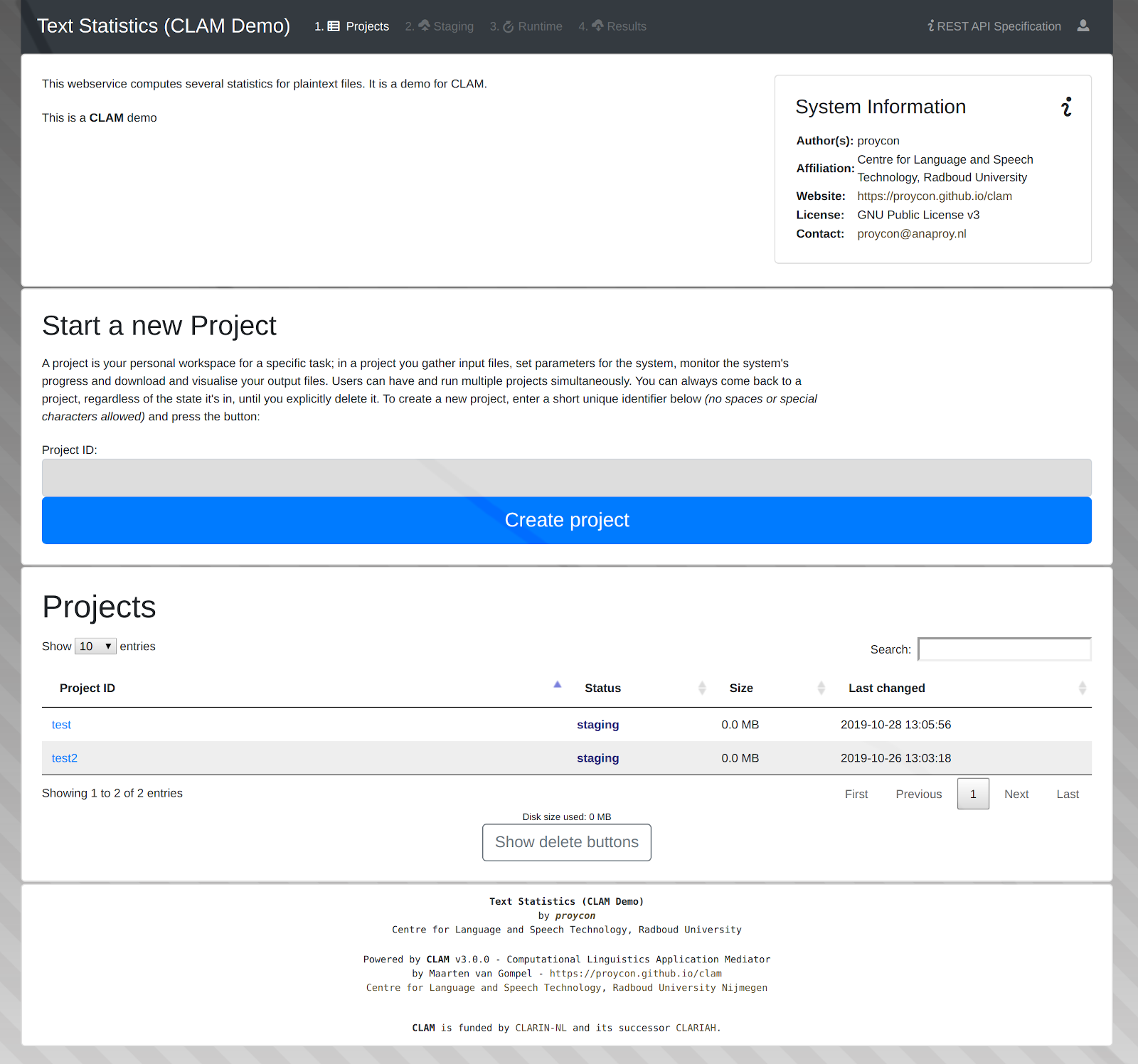
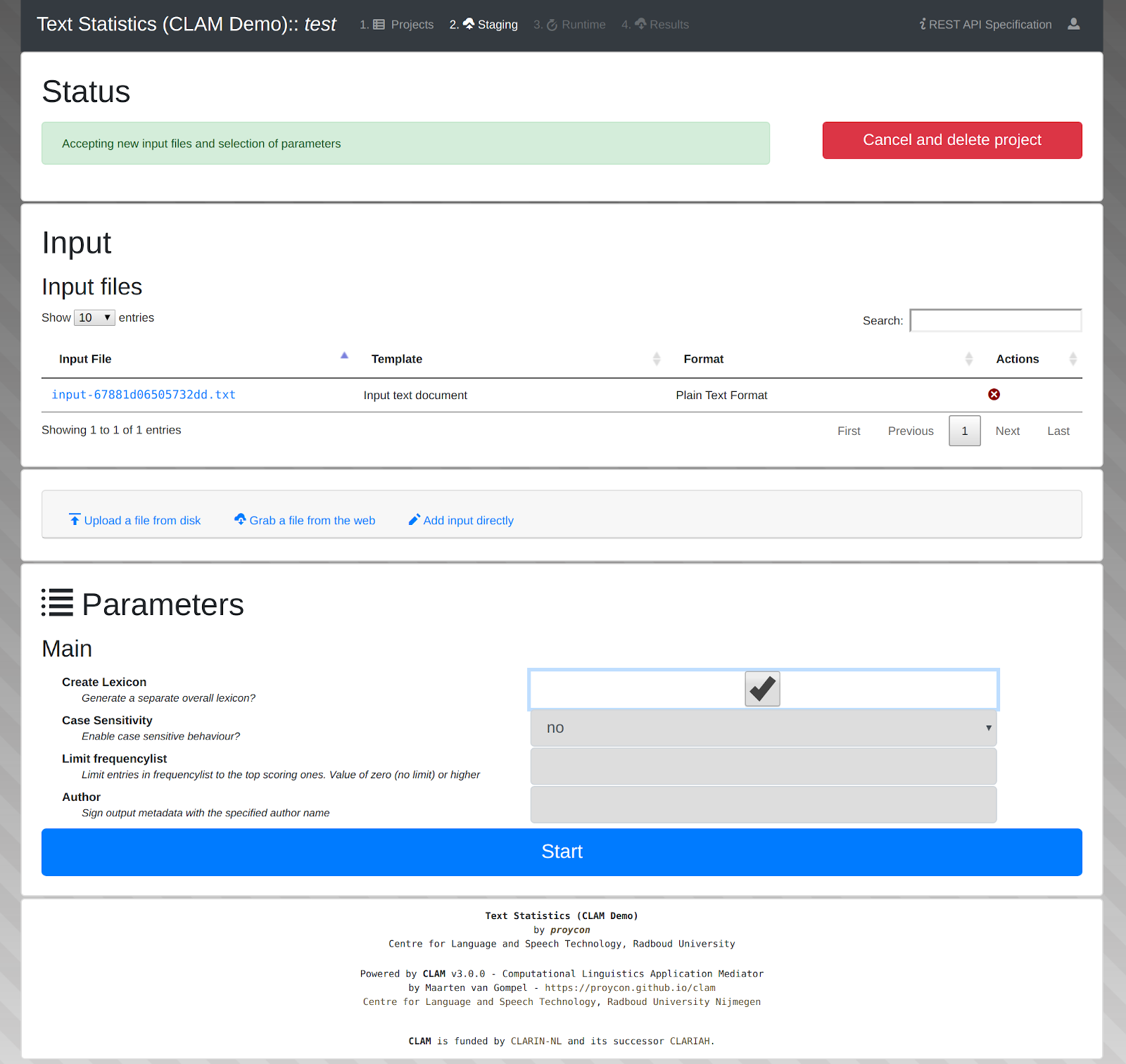
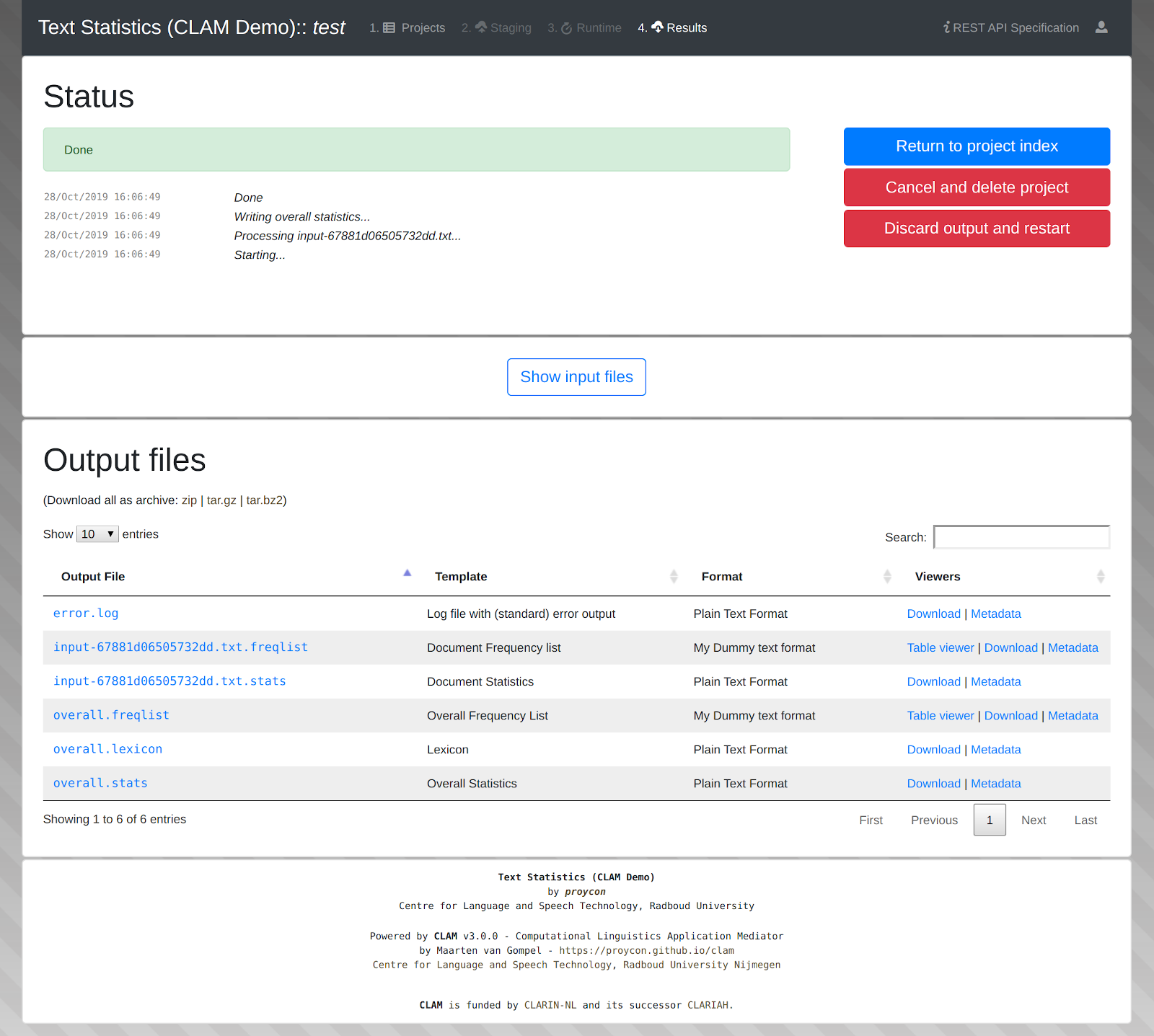
Some screenshots of the web user interface can be found below:
Installation
It’s discouraged to download the zip packages or tarballs from github, install CLAM from the Python Package Index or use git properly.
Installation On Linux
Installation from the Python Package Index using the package manager pip it the recommended way to intall CLAM. This is the easiest method of installing CLAM, as it will automatically fetch and install any dependencies. We recommend to use a virtual environment (virtualenv) if you want to install CLAM locally as a user, if you want to install globally, prepend the following commands with sudo:
CLAM can be installed from the Python Package Index using pip. Pip is usually part of the python3-pip package (Debian/Ubuntu) or similar. It downloads CLAM and all dependencies automatically::
$ pip3 install clam
If you already downloaded CLAM manually (from github), you can do:
$ python3 setup.py install
- If pip3 is not yet installed on your system, install it using:
on debian-based linux systems (including Ubuntu):
$ apt-get install python3-pip
on RPM-based linux systems:
$ yum install python3-pip
Note that sudo/root access is needed to install globally. Ask your system administrator to install it if you do not own the system. Alternatively, you can install it locally in a Python virtual environment:
$ virtualenv –python=python3 clamenv
$ . clamenv/bin/activate
(clamenv)$ pip3 install clam
CLAM also has some optional dependencies. For MySQL support, install mysqlclient using pip. For FoLiA support, install FoLiA-Tools using pip.
Running a test webservice
If you installed CLAM using the above method, then you can launch a clam test webservice using the development server as follows:
$ clamservice -H localhost -p 8080 clam.config.textstats
Navigate your browser to http://localhost:8080 and verify everything works
Note: It is important to regularly keep CLAM up to date as fixes and improvements are implemented on a regular basis. Update CLAM using:
$ pip install -U clam
Release history Release notifications | RSS feed


Download files
Download the file for your platform. If you're not sure which to choose, learn more about installing packages.
Source Distribution
File details
Details for the file CLAM-3.0.6.tar.gz.
File metadata
- Download URL: CLAM-3.0.6.tar.gz
- Upload date:
- Size: 275.3 kB
- Tags: Source
- Uploaded using Trusted Publishing? No
- Uploaded via: twine/1.13.0 pkginfo/1.5.0.1 requests/2.22.0 setuptools/41.6.0 requests-toolbelt/0.9.1 tqdm/4.36.1 CPython/3.7.4
File hashes
| Algorithm | Hash digest | |
|---|---|---|
| SHA256 |
0a2f087d1e20b16598039f226f29547794267988a86b213019f4d60b3e9e8cdd
|
|
| MD5 |
6af746d02ee483abac54eadc1a73972d
|
|
| BLAKE2b-256 |
d84dd81373ad5a635311a1dcff0d58e2d3a8d88a67dbf8cc73b56811334d9c7a
|






