
Coarse-grained System Builder (COBY)
The publication is available open-source at https://doi.org/10.1021/acs.jcim.5c00069.
The source code, documentation, and tutorials are avialable on GitHub.
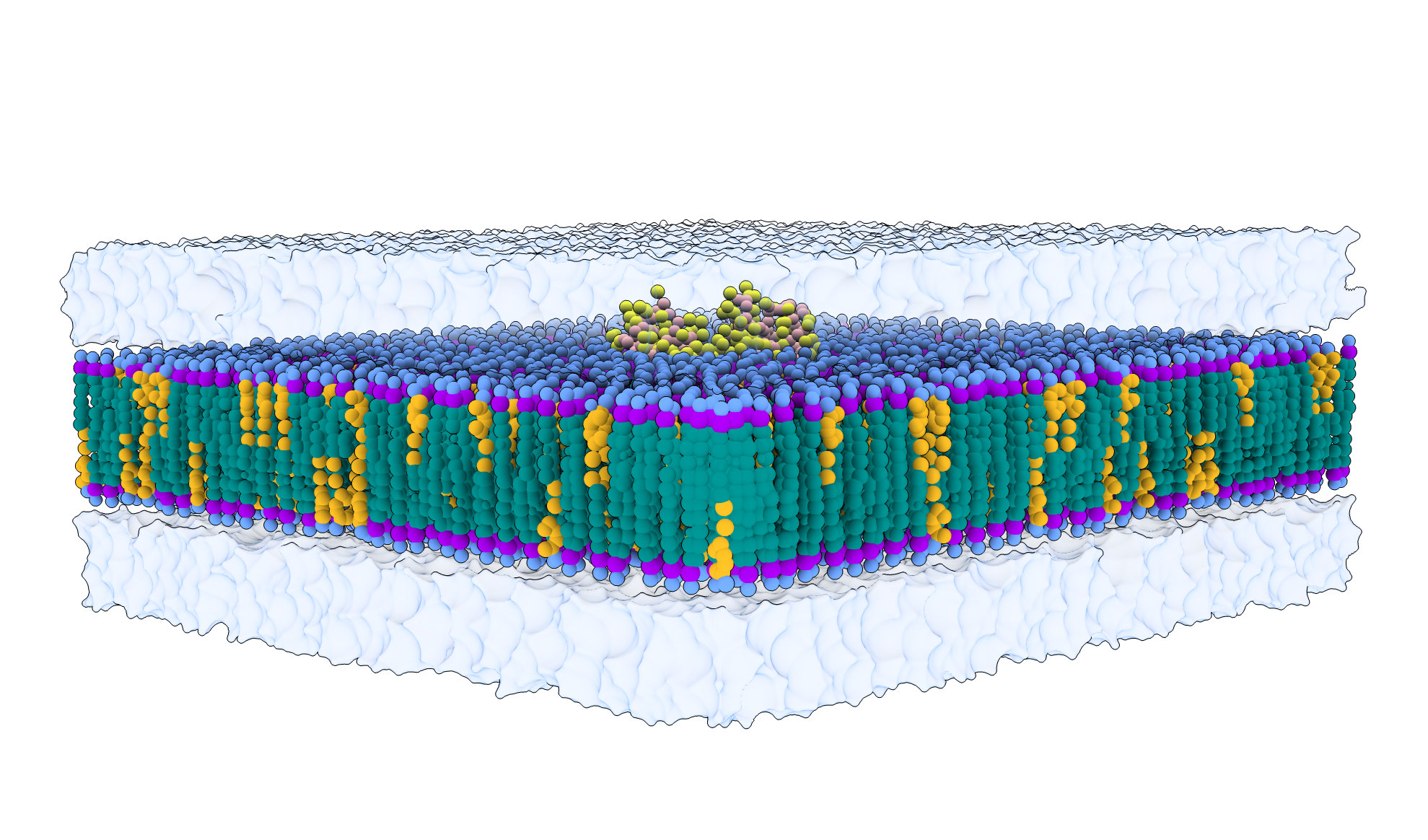
COBY is a Python-based software tool for building flat membranes at a coarse-grained resolution. It supports asymmetric membranes, phase-separated systems, multiple bilayers, protein insertion, solvation, and flooding with one or multiple solute molecules of choice.
COBY is versatile, fast, easy to use and offers a high degree of customisation. It can be used either as a Python package or directly from the terminal command line. It efficiently manages multiple parameter libraries (even within the same system), making it developer-friendly.
COBY is continuously under development, and we welcome suggestions for new features, which should be submitted under Issues.

Citation (JCIM)
@article{Andreasen2025,
	author = {Andreasen, Mikkel D. and Souza, Paulo C. T. and Schiøtt, Birgit and Zuzic, Lorena},
	title = {Creating Coarse-Grained Systems with COBY: Toward Higher Accuracy of Complex Biological Systems},
	journal = {Journal of Chemical Information and Modeling},
	volume = {0},
	number = {0},
	pages = {null},
	year = {0},
	doi = {10.1021/acs.jcim.5c00069},
	URL = {https://doi.org/10.1021/acs.jcim.5c00069},
	eprint = {https://doi.org/10.1021/acs.jcim.5c00069}
}
Installation
Using pip (requires python>=3.9)
conda create --name COBY python==3.9 ipykernel

conda activate COBY

pip install COBY

python -m ipykernel install --user --name=COBY
Ipykernel allows the user to use COBY environment within the Jupyter notebook.
OS compatability
COBY has been developed and thoroughly tested on Ubuntu Linux. It has also been tested to a lesser extent on Windows 11 and macOS, with all tutorial systems running without issue.
Testing
Installation can be tested using the tutorial notebooks, which cover the majority of the functions available in COBY.
Basic usage
For a detailed introduction to the software, please refer to the COBY Documentation.
For a quick reminder of available commands, you can use the Cheat Sheet.
Three tutorials are available as Jupyter Notebooks: one covering the basics, another focusing on more advanced functionalities, and the final tutorial showcasing the systems from the manuscript.
Implementation of new parameters
For personal implementation of new structures (lipids/solvents/solutes), one can consult The Technical tutorial notebook.
If one wishes to have new structures implemented into COBYs standard library, then please contact the main developer; Mikkel Dahl Andreasen.
Known issues
- Recursion depth crash on Mac
- Problem: It has been reported that running COBY with newer versions of Shapely on a Mac may lead to crashes caused by exceeding the recursion depth limit. The reason for why or how this happens is unclear but is likely not something that can be fixed by the COBY developer. The error may be related to the macOS version as the problem is known to occur on Sonoma but not on Sequoia.
- Solution 1: Downgrade Shapely to version 2.0.2, which is the newest version known to be stable on Mac.
- Solution 2: Update your Mac to Sequoia or an even newer version.
Licence
COBY is preserved under the Apache License 2.0.
1 maintainer

Metadata
1 maintainer
Release files for COBY 1.0.16
For a detailed explanation of source distributions (sdists) and built distributions (wheels), please see the package formats documentation.
Source distribution (sdist)
| File | Size | Uploaded | Provenance | Actions |
|---|---|---|---|---|
| coby-1.0.16.tar.gz | 171.0 kB | Without provenance | Details for coby-1.0.16.tar.gz |
Built distribution (wheel)
| File | Interpreter | ABI | Platform | Actions Reset |
|---|---|---|---|---|
| coby-1.0.16-py3-none-any.whl | Python 3 | none | any | Details for coby-1.0.16-py3-none-any.whl |
Total release size: 400.8 kB
Release files / coby-1.0.16.tar.gz
| Download URL | coby-1.0.16.tar.gz |
|---|---|
| Size | 171.0 kB |
| Tags | Source |
|
SHA-256 checksum How to use checksums |
7cfdff3bfd8184a5f638d8dea115c120e8c4637834735f3ddf7c9c52aa29db0a
|
|
BLAKE2b-256 checksum How to use checksums |
2382b13295563cf640b5550f9c6b97dae3fe7ef5e499b0a21f8c4f916a03f7cd
|
| Upload date | |
|
Uploaded using Trusted Publishing? What is trusted publishing? |
No |
| Uploaded via |
twine/7.0.0 CPython/3.12.3
|
Release files / coby-1.0.16-py3-none-any.whl
| Download URL | coby-1.0.16-py3-none-any.whl |
|---|---|
| Size | 229.8 kB |
| Tags | Python 3 |
|
SHA-256 checksum How to use checksums |
186a524f65f00e5129f483e850e97654330d958483e98da201b5812241e510dc
|
|
BLAKE2b-256 checksum How to use checksums |
8fc5c8b3a5b501c23384d150018fc49c37189211d861b4011046efa8fea2101f
|
| Upload date | |
|
Uploaded using Trusted Publishing? What is trusted publishing? |
No |
| Uploaded via |
twine/7.0.0 CPython/3.12.3
|
Security for COBY 1.0.16
Provenance
Provenance describes where a file came from. On PyPI, provenance is shared via attestations, which provide a verifiable record of the build or publishing details. View details, limitations and caveats.
No provenance found
None of the files in this release were uploaded with provenance metadata.
A note on package security
PyPI is a repository for distributing packages, not a service for auditing them. While third-party security researchers and our staff do their best to detect and remove malicious packages, PyPI cannot guarantee the quality, security or suitability of any given package.
To learn more about protecting yourself from malicious actors, visit our package security documentation.














