
COOLBOOY-Multi-Provider AI Assistant for developers and power users

Project description
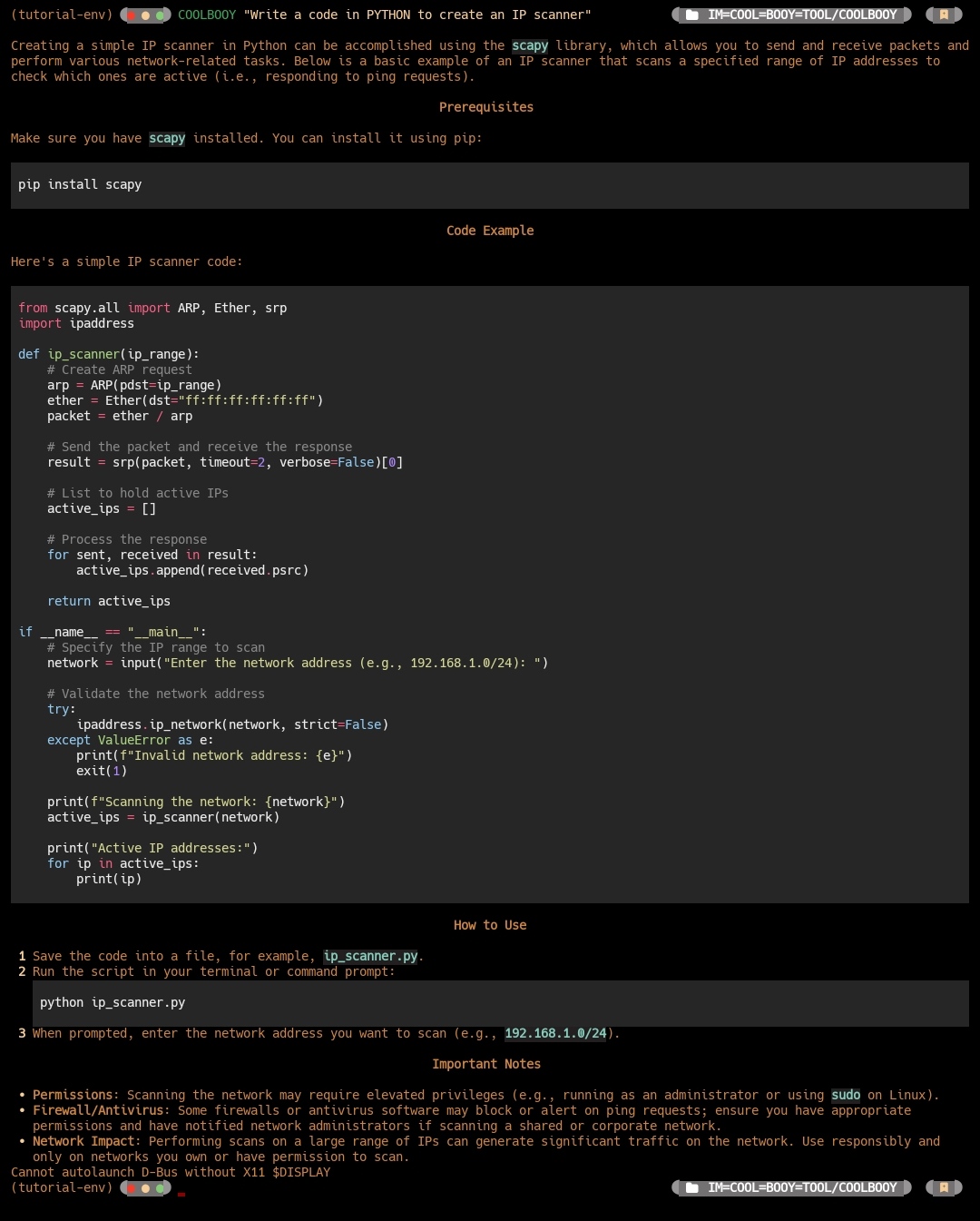
🚀 COOLBOOY Multi Provider AI Assistant
🔰 SL Android Official ™ 🇱🇰
👨💻 Developer: 𝐈𝐌 𝐂𝐎𝐎𝐋 𝐁𝐎𝐎𝐘 𝓢𝓱𝓪𝓭𝓸𝔀 𝓚𝓲𝓷𝓰



🔰📌️ COOLBOOY is an interactive Command-Line Interface (CLI) tool that leverages the AI model for various tasks such as answering questions, executing shell commands, and more.
• A powerful, extensible command-line AI assistant that supports multiple AI providers
• COOLBOOY is designed for developers, system administrators, and power users who want intelligent assistance directly in their terminal It supports OpenAI, Anthropic, Google, and custom APIs.
✨ Features:
🤖 Multi-Provider Support: OpenAI (GPT-4, GPT-4o-mini), Anthropic (Claude), Google (Gemini), and custom APIs
💻 Interactive Shell Commands: Generate and execute shell commands safely with confirmation
🔧 Pure Code Generation: Generate clean code without explanations in markdown format
📝 Text Editor Integration: Use your favorite editor for complex prompt composition
💬 Interactive AI Interface: Continuous chat mode with special commands and context
🎨 Rich Output: Beautiful markdown rendering, syntax highlighting, and formatted panels
⚡ Streaming Responses: Real-time response streaming with live formatting
⚙️ Highly Configurable: Extensive configuration options with elegant status displays
🔐 Secure: Encrypted API key storage and safe command execution
🚀 Fast: Optimized for speed with animated loading indicators
🌐 Cross-Platform: Full support for Windows, macOS, and Linux
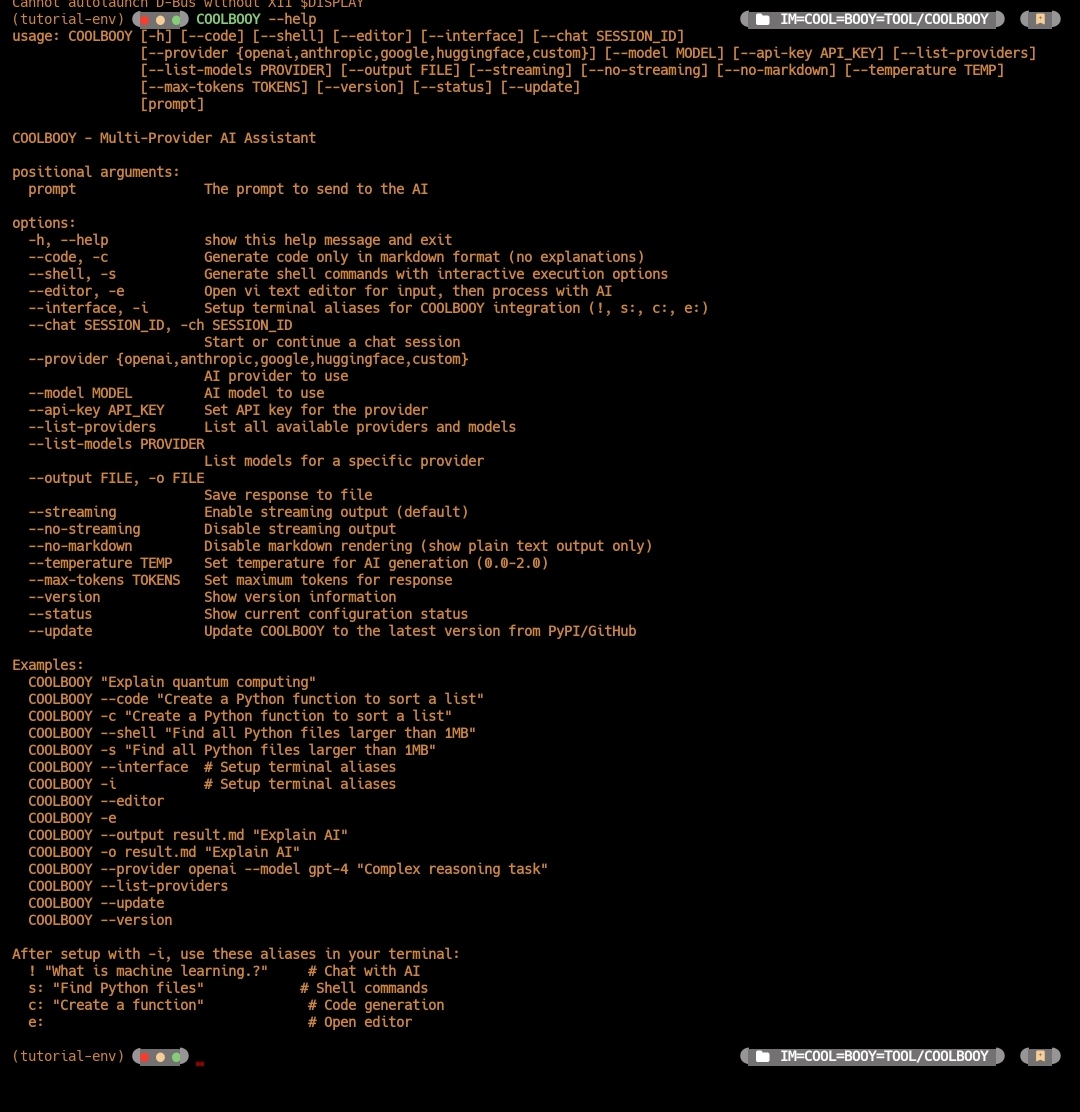
🚀 Quick Start
Install from PyPI (recommended)
pip install COOLBOOY
Update to latest version from GitHub
COOLBOOY --update
Check current version
COOLBOOY --version
COOLBOOY --help
Basic Setup
• Set your API key (choose your preferred provider)
OpenAI (recommended for beginners)
COOLBOOY --provider openai --api-key YOUR_OPENAI_API_KEY
Anthropic (Claude)
COOLBOOY --provider anthropic --api-key YOUR_ANTHROPIC_API_KEY
Google (Gemini)
COOLBOOY --provider google --api-key YOUR_GOOGLE_API_KEY
Start using COOLBOOY
COOLBOOY "Explain how Python decorators work"
Environment Variables
Windows (PowerShell)
$env:OPENAI_API_KEY = "your-api-key-here"
Linux/macOS
export OPENAI_API_KEY="your-api-key-here"
📖 Usage Guide
🤖 Basic AI Queries
General questions with beautiful markdown rendering
COOLBOOY "What is quantum computing?"
Get help with programming (formatted code blocks)
COOLBOOY "How do I implement a binary search in Python?"
System administration
COOLBOOY "How to monitor disk usage on Linux?"
💻 Pure Code Generation
• Generate clean code without explanations
Generate Python function (code only)
COOLBOOY -c "Create a function to calculate fibonacci numbers"
Generate JavaScript code
COOLBOOY -c "Create a React component for user authentication"
Generate SQL query
COOLBOOY -c "Write a query to find top 10 customers by revenue"
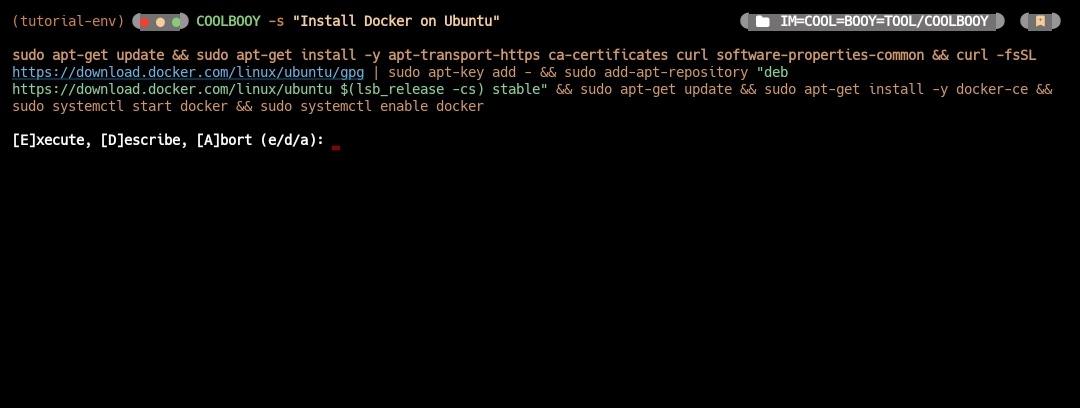
🛠️ Interactive Shell Commands
• Generate and execute shell commands safely
Generate shell command with execution options
COOLBOOY -s "Install Docker on Ubuntu"
Output shows:
Generated Command: sudo apt-get update && sudo apt-get install docker.io
[E]xecute, [D]escribe, [A]bort (e/d/a):
• Options:
[E] xecute: Run the command with confirmation
[D] escribe: Get detailed explanation
[A] bort: Cancel safely
📝 Text Editor Integration
• Use your preferred text editor for complex prompts
Open editor for input composition
COOLBOOY -e
Supports: VS Code, nano, vim, notepad, gedit
Respects EDITOR and VISUAL environment variables
🔰 Terminal Integration
• Setup COOLBOOY aliases in your terminal for seamless AI assistance
Setup terminal aliases (one-time setup)
COOLBOOY -i
After setup, use these shortcuts directly in your terminal
! "What is machine learning?" # Chat with AI
s: "Install Docker on Ubuntu" # Shell commands with execution
c: "Create a Python sorting function" # Code generation only
e:
• How it works
! prefix - Direct AI chat responses
s: prefix - Generate shell commands with execution options
c: prefix - Generate clean code without explanations
e: - Open your default editor for complex prompt composition Platform Support
• Windows: PowerShell profile integration
• macOS/Linux: Bash/Zsh profile integration
• Fish Shell: Native function support
• Setup is automatic - just run COOLBOOY -i once and restart your terminal
🎛️ Output Options
Disable streaming for immediate formatted output
COOLBOOY --no-streaming "Explain machine learning concepts"
Get plain text output (no markdown formatting)
COOLBOOY --no-markdown "Simple explanation without formatting"
Save response to file
COOLBOOY -o response.md "Generate API documentation"
🔧 Provider Management
List all available providers and models
COOLBOOY --list-providers
Switch providers and models
COOLBOOY --provider anthropic --model claude-3-sonnet
Check current status
COOLBOOY --status
⚙️ Advanced Usage
Custom temperature (creativity level)
COOLBOOY --temperature 0.8 "Write a creative story about AI"
Limit response length
COOLBOOY --max-tokens 500 "Summarize machine learning"
Combine multiple options
COOLBOOY -c --no-streaming -o functions.py "Create utility functions for file operations" # With shortcuts
Chat session
COOLBOOY -ch session_1 "Let's discuss Python programming"
🛡️ Security Features
Safe Command Execution
• Confirmation Required: All shell commands require user confirmation
• Timeout Protection: Commands timeout after 5 minutes
• Error Handling: Safe execution with proper error reporting
• Abort Option: Easy cancellation for any command
Secure Configuration
• Encrypted API Keys: Secure local storage
• Environment Variables: Support for env-based configuration
• No Data Logging: No transmission beyond chosen AI provider
⚙️ Configuration
Configuration File
• COOLBOOY stores configuration in
~/.config/COOLBOOY/config.
Supported Providers
OpenAI gpt-4, gpt-4o, gpt-4o-mini, gpt-3.5-turbo Yes
Anthropic claude-3-haiku, claude-3-sonnet Yes
Google gemini-pro, gemini-pro-vision Yes
Custom User-defined Optional
⚡ CLI Shortcuts
• COOLBOOY provides convenient shortcuts for frequently used options
Instead of: COOLBOOY --code "Create a Python function"
COOLBOOY -c "Create a Python function"
Instead of: COOLBOOY --shell "List all processes"
COOLBOOY -s "List all processes"
Instead of: COOLBOOY --editor
COOLBOOY -e
Instead of: COOLBOOY --interface
COOLBOOY -i # Setup terminal aliases
Instead of: COOLBOOY --output result.md "Explain AI"
COOLBOOY -o result.md "Explain AI"
Combine shortcuts:
COOLBOOY -c -o code.py "Create a web scraper"
🎯 Use Cases
• For Developers
Code generation workflow
COOLBOOY -e

COOLBOOY -c "Implement user authentication with JWT"

COOLBOOY -c "Create database migration for user roles"
• For System Administrators
System management workflow
COOLBOOY -s "Setup nginx with SSL certificate"

COOLBOOY -s "Configure automatic backups"

COOLBOOY -s "Monitor system performance"
• For Learning and Exploration
Interactive learning session
COOLBOOY -i

! What is Kubernetes.?

! code: Show me a simple Kubernetes deployment

! shell: Install kubectl on my system
🎉 What's New in v1.2.1
• Enhanced Code Mode: Pure code generation without explanations
• Interactive Shell: Safe command execution with confirmations
• Editor Integration: Use any text editor for prompt composition
• Interactive Interface: Continuous chat with special commands
• Cross-Platform: Full Windows, macOS, and Linux support
• Security Features: Safe command execution and secure configuration
- COOLBOOY v1.2.1 - The most advanced command-line AI assistant for developers and power users.! 🚀
Release history Release notifications | RSS feed

Download files
Download the file for your platform. If you're not sure which to choose, learn more about installing packages.
Source Distribution
Built Distribution
Filter files by name, interpreter, ABI, and platform.
If you're not sure about the file name format, learn more about wheel file names.
Copy a direct link to the current filters
File details
Details for the file coolbooy-1.2.1.tar.gz.
File metadata
- Download URL: coolbooy-1.2.1.tar.gz
- Upload date:
- Size: 1.3 MB
- Tags: Source
- Uploaded using Trusted Publishing? No
- Uploaded via: twine/6.1.0 CPython/3.12.12
File hashes
| Algorithm | Hash digest | |
|---|---|---|
| SHA256 |
172c6de41464ee093ecbcfc055dcfb06fdf60856a8f9396fcf1a0bf828619f70
|
|
| MD5 |
0ea48bf62c4c4a16d700eaeb01e63791
|
|
| BLAKE2b-256 |
9694f1157d7dd63fa5352ee6e8ed9400528b5665d9b6448cd6bfbdd3a753e3a2
|
File details
Details for the file coolbooy-1.2.1-py3-none-any.whl.
File metadata
- Download URL: coolbooy-1.2.1-py3-none-any.whl
- Upload date:
- Size: 1.3 MB
- Tags: Python 3
- Uploaded using Trusted Publishing? No
- Uploaded via: twine/6.1.0 CPython/3.12.12
File hashes
| Algorithm | Hash digest | |
|---|---|---|
| SHA256 |
7f654258ee57d26dad335777b70de8d1b2fd0848ee91c273b8aabc931f9d2c38
|
|
| MD5 |
41bda02a3747701b01ad8ab608ee89ea
|
|
| BLAKE2b-256 |
33cf3ef37c489112d5406d515b5d2204de9ee31f5b542bccb7876be5d46adf82
|






