
CTkFileDialog
A modern and fully customizable File Dialog for CustomTkinter — a must-have extension pack!
[!WARNING] Unfortunately parameters like video_preview or preview_img, and tooltip are not compatible with the mini dialog and will not be applied.
🚀 Features
- 🔍 Autocomplete in the path entry field (with
Tab,Up, andDown) - 🖼️ Live image preview
- 🎥 Video thumbnail preview
- 📁 Directory selection
- 💾 Save file dialog (return path or open file)
- ❔ Tooltip support
- 🖥️ Shell Path Syntax Support
- ⌨️ Backspace using Alt + Left Arrow shortcut
- 💡 Data type validation at runtime and for static type analyzers
📦 Installation
# Using bash
git clone https://github.com/FlickGMD/CTkFileDialog
cd CTkFileDialog
python3 -m venv .venv
source .venv/bin/activate
pip3 install -r requirements.txt

# On Windows
git clone https://github.com/FlickGMD/CTkFileDialog
cd CTkFileDialog
python3 -m venv .venv
.\.venv\Scripts\activate.ps1 # In Powershell
pip3 install -r requirements.txt

# Or ussing pip

python3 -m venv .venv
source .venv/bin/activate # In powershell -> .\.venv\Scripts\activate.ps1
pip3 install CTkFileDialog
[!WARNING] You should install the Hack Nerd Fonts if u wanna see the icons without problems :)
🧪 Demo — All Methods
🗂️ Open File
import customtkinter as ctk
from CTkFileDialog import askopenfilename

ctk.set_appearance_mode("Dark")
ctk.set_default_color_theme("blue")

def open_file():
    path = askopenfilename(preview_img=True, autocomplete=True)
    if path:
        result_label.configure(text=f"Selected file:\n{path}")

app = ctk.CTk()
app.title("askopenfilename Demo")
app.geometry("500x200")

ctk.CTkButton(app, text="Open File", command=open_file).pack(pady=20)
result_label = ctk.CTkLabel(app, text="Waiting for file selection...")
result_label.pack()

app.mainloop()
🗂️ Open Multiple Files
import customtkinter as ctk
from CTkFileDialog import askopenfilenames

ctk.set_appearance_mode("Dark")
ctk.set_default_color_theme("blue")

def open_files():
    paths = askopenfilenames(preview_img=True, autocomplete=True)
    if paths:
        result_label.configure(text="Selected files:\n" + "\n".join(paths))

app = ctk.CTk()
app.title("askopenfilenames Demo")
app.geometry("500x300")

ctk.CTkButton(app, text="Open Multiple Files", command=open_files).pack(pady=20)
result_label = ctk.CTkLabel(app, text="Waiting for file selection...", wraplength=450)
result_label.pack()

app.mainloop()
📁 Select Directory
import customtkinter as ctk
from CTkFileDialog import askdirectory

ctk.set_appearance_mode("Dark")
ctk.set_default_color_theme("blue")

def select_directory():
    folder = askdirectory(autocomplete=True)
    if folder:
        result_label.configure(text=f"Selected directory:\n{folder}")

app = ctk.CTk()
app.title("askdirectory Demo")
app.geometry("500x200")

ctk.CTkButton(app, text="Select Directory", command=select_directory).pack(pady=20)
result_label = ctk.CTkLabel(app, text="Waiting for directory selection...")
result_label.pack()

app.mainloop()
💾 Save As (get path only)
import customtkinter as ctk
from CTkFileDialog import asksaveasfilename

ctk.set_appearance_mode("Dark")
ctk.set_default_color_theme("blue")

def save_as_filename():
    path = asksaveasfilename(autocomplete=True)
    if path:
        result_label.configure(text=f"Save file as:\n{path}")

app = ctk.CTk()
app.title("asksaveasfilename Demo")
app.geometry("500x200")

ctk.CTkButton(app, text="Save As (Filename Only)", command=save_as_filename).pack(pady=20)
result_label = ctk.CTkLabel(app, text="Waiting for filename...")
result_label.pack()

app.mainloop()
💾 Save As (write to file)
import customtkinter as ctk
from CTkFileDialog import asksaveasfile

ctk.set_appearance_mode("Dark")
ctk.set_default_color_theme("blue")

def save_as_file():
    file = asksaveasfile(autocomplete=True)
    if file:
        file.write("This file was created using the demo.")
        file.close()
        result_label.configure(text=f"File saved:\n{file.name}")

app = ctk.CTk()
app.title("asksaveasfile Demo")
app.geometry("500x200")

ctk.CTkButton(app, text="Save As (Real File)", command=save_as_file).pack(pady=20)
result_label = ctk.CTkLabel(app, text="Waiting for save location...")
result_label.pack()

app.mainloop()
🧩 Parameters
| Parameter | Description |
|---|---|
hidden |
Show hidden files or directories (False by default). |
preview_img |
Enable image preview in the file dialog. |
video_preview |
Show first frame of video files as thumbnail (experimental). |
autocomplete |
Enable path autocompletion with Tab, Up, and Down. |
initial_dir |
Set the initial directory when opening the dialog. |
tool_tip |
Enable the tool tip. |
style |
Defines the dialog style, by default it will be 'Default' but you can choose a small one ('Mini') |
geometry |
You define the geometry string in a tuple: Example ('NormalGM', 'MiniGeometry') |
title |
Define the title from the app, default will be "CTkFileDialog" |
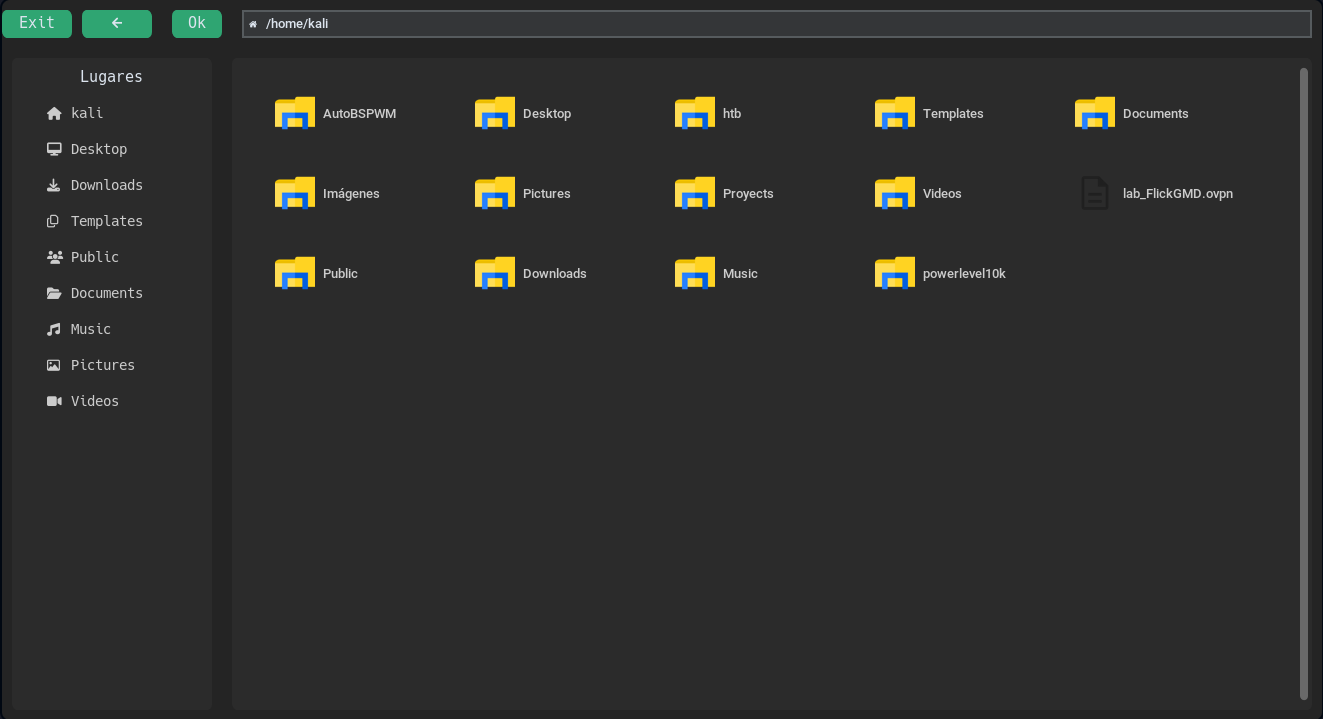
🌙 Dark Mode Preview
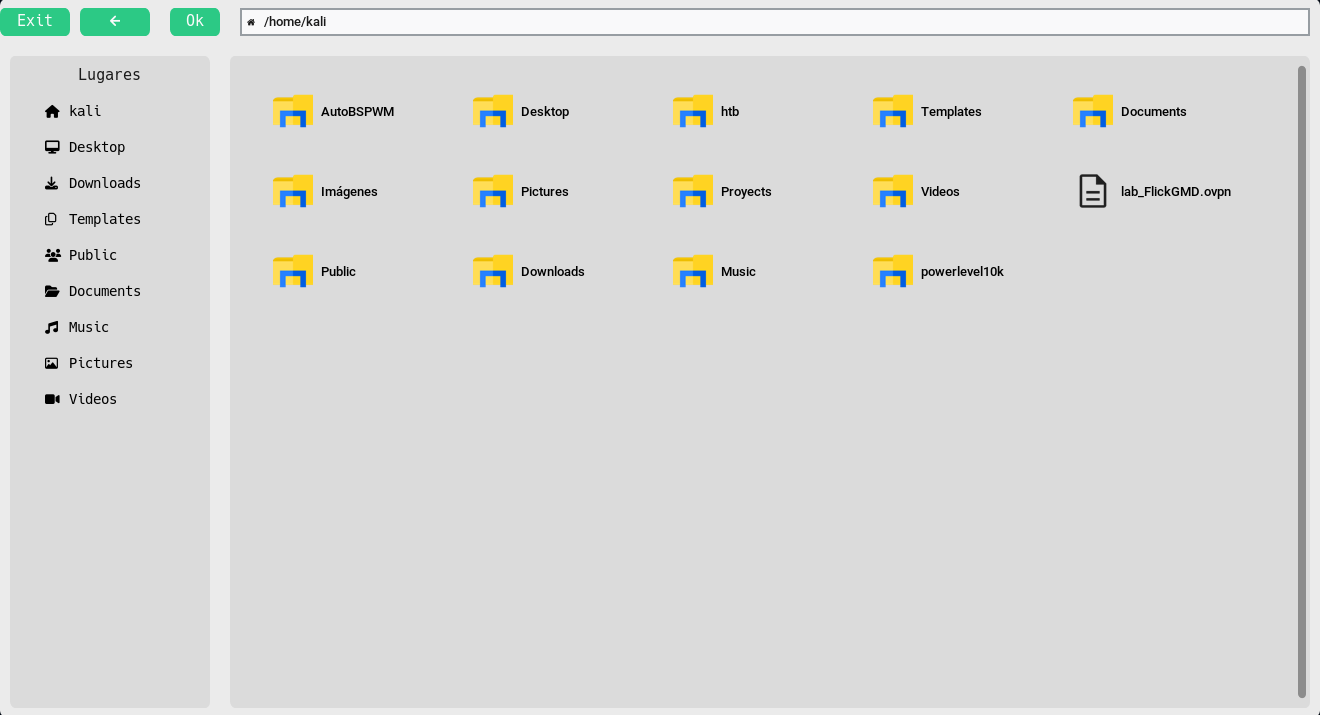
☀️ Light Mode Preview
Package constants
This module has constants that can be used outside or inside the dialog, they are used to obtain paths like /home/user or /home/user/.config/ Here is a basic example
#!/usr/bin/env python3
import customtkinter as ctk
from CTkFileDialog import askopenfilename
from CTkFileDialog.Constants import HOME

root = ctk.CTk()

def open_file():
    f = askopenfilename(initial_dir=HOME, autocomplete=True)
    if f:
        print(f"file selected: {f}")

ctk.CTkButton(master=root, command=open_file, text="Open File").pack(padx=10, pady=10, anchor=ctk.CENTER)

root.mainloop()
And here are the constants available from the package
| Parameter | Description |
|---|---|
PWD |
Current working directory (e.g., where the program was launched) |
HOME |
User's home directory (e.g., /home/user or C:\Users\user) |
TEMP |
Temporary directory (fallback to /tmp if no env vars are set) |
CONFIG_DIR |
XDG-compliant user configuration directory (default: ~/.config) |
CACHE_DIR |
XDG-compliant user cache directory (default: ~/.cache) |
PATH |
System PATH split into a list of directories |
DATA_DIR |
XDG-compliant user data directory (default: ~/.local/share) |
VENV |
Active Python virtual environment (venv or conda), fallback to PWD |
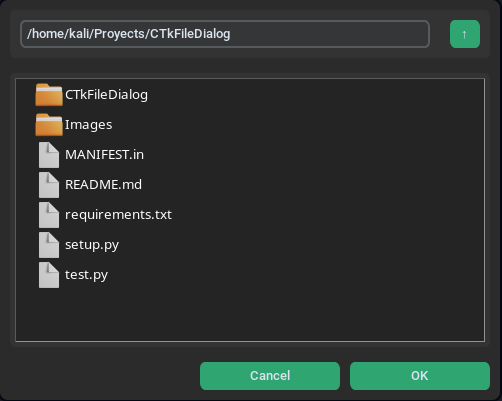
Mini Dialog
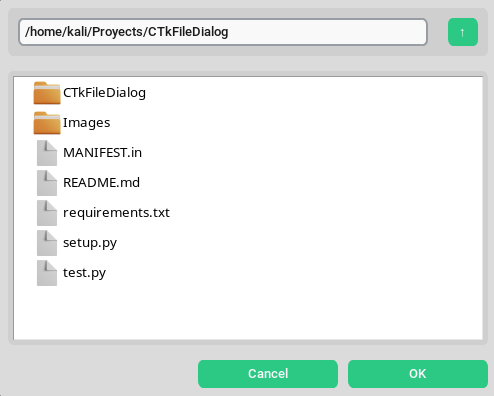
This is a parameter of the file dialog, but it's more powerful than the default one. As I mentioned earlier, it doesn't support parameters like tooltip, preview_img, or video_preview.
🌙 Dark Mode Preview
☀️ Light Mode Preview
The mini design wasn't created by me; it was created by this user, and all credit goes to him. I also want to thank him for creating that design in advance.
👨💻 Under Development
This tool is actively under development.
If you have any ideas, bugs, or requests — feel free to contribute!
🔗 Repository
This tool is under development, I hope you like it!
1 maintainer

Metadata
1 maintainer
Release files for CTkFileDialog 0.3.3
For a detailed explanation of source distributions (sdists) and built distributions (wheels), please see the package formats documentation.
Source distribution (sdist)
| File | Size | Uploaded | |
|---|---|---|---|
| ctkfiledialog-0.3.3.tar.gz | 311.3 kB | Details |
Built distribution (wheel)
| File | Interpreter | ABI | Platform | Reset |
|---|---|---|---|---|
| ctkfiledialog-0.3.3-py3-none-any.whl | Python 3 | none | any | Details |
Total release size: 534.0 kB
Release files / ctkfiledialog-0.3.3.tar.gz
| Download URL | ctkfiledialog-0.3.3.tar.gz |
|---|---|
| Size | 311.3 kB |
| Tags | Source |
|
SHA-256 checksum How to use checksums |
47d2f33e47cd986c62c92fcee5aa3feb1924520d232e37dbd447caefb91e7fb2
|
|
BLAKE2b-256 checksum How to use checksums |
3e3c0f2503f72c279fcec5ee6e5619bbf816412d4047cf7817cf1a3beca44101
|
| Upload date | |
|
Uploaded using Trusted Publishing? What is trusted publishing? |
No |
| Uploaded via |
twine/6.1.0 CPython/3.13.2
|
Release files / ctkfiledialog-0.3.3-py3-none-any.whl
| Download URL | ctkfiledialog-0.3.3-py3-none-any.whl |
|---|---|
| Size | 222.7 kB |
| Tags | Python 3 |
|
SHA-256 checksum How to use checksums |
1511c7e47374af76c098059d5d7cb2ed51115030f97d0b208a1fb47f0a9a01ba
|
|
BLAKE2b-256 checksum How to use checksums |
10b505bcde7cb1b72ec6ab1e69f7b2a6d65d52a97f4b358b2c4ece1fd58f6816
|
| Upload date | |
|
Uploaded using Trusted Publishing? What is trusted publishing? |
No |
| Uploaded via |
twine/6.1.0 CPython/3.13.2
|














