
CTkMessagebox
A modern and fully customizable messagebox for CustomTkinter, A must-have extension pack!


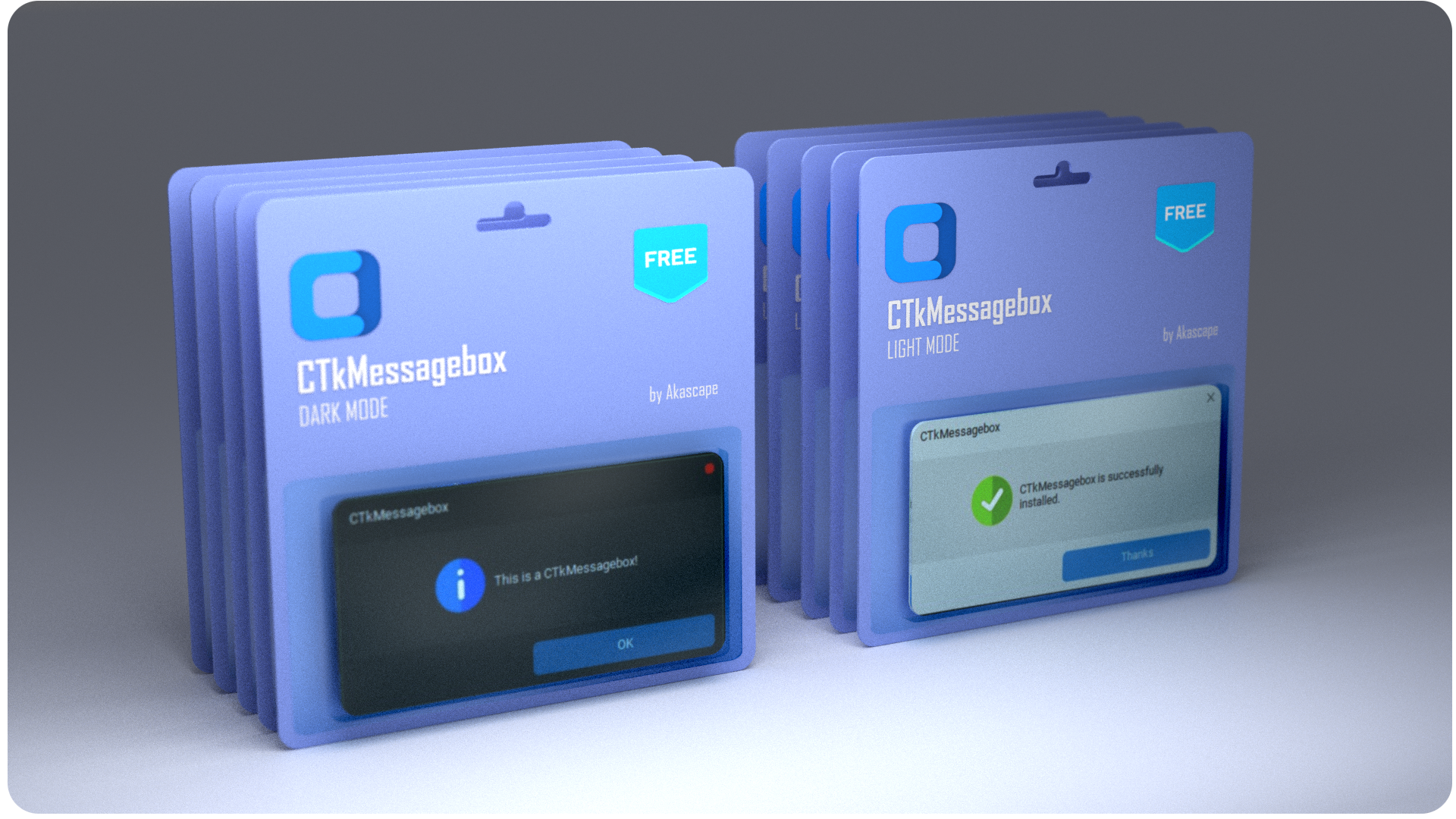
Features
- Customize all elements inside the messagebox
- Add custom icons or images
- Add multiple options according to your wish
- No ugly looking header or borders
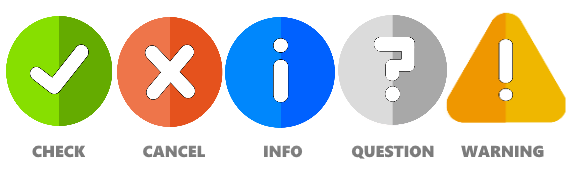
- Comes with 5 default icons
- Spawns at center of the screen/app
- Draggable window
- Fade-in/Fade-out window effect
Installation
pip install CTkMessagebox

How it looks?
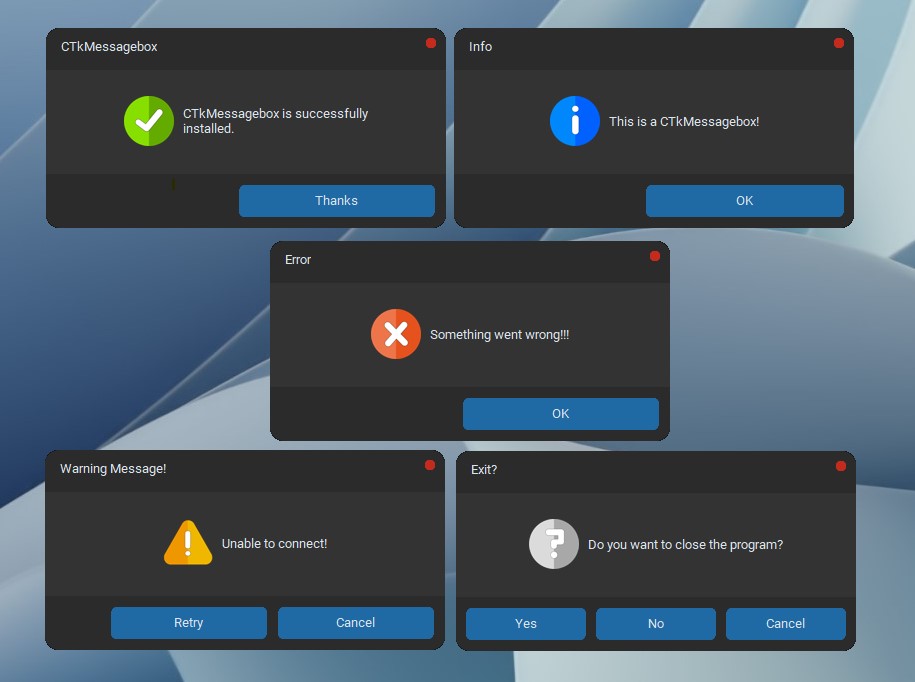
Example
from CTkMessagebox import CTkMessagebox
import customtkinter

def show_info():
    # Default messagebox for showing some information
    CTkMessagebox(title="Info", message="This is a CTkMessagebox!")

def show_checkmark():
    # Show some positive message with the checkmark icon
    CTkMessagebox(message="CTkMessagebox is successfully installed.",
                  icon="check", option_1="Thanks")

def show_error():
    # Show some error message
    CTkMessagebox(title="Error", message="Something went wrong!!!", icon="cancel")

def show_warning():
    # Show some retry/cancel warnings
    msg = CTkMessagebox(title="Warning Message!", message="Unable to connect!",
                  icon="warning", option_1="Cancel", option_2="Retry")

    if msg.get()=="Retry":
        show_warning()

def ask_question():
    # get yes/no answers
    msg = CTkMessagebox(title="Exit?", message="Do you want to close the program?",
                        icon="question", option_1="Cancel", option_2="No", option_3="Yes")
    response = msg.get()

    if response=="Yes":
        app.destroy()
    else:
        print("Click 'Yes' to exit!")

app = customtkinter.CTk()
app.rowconfigure((0,1,2,3,4,5), weight=1)
app.columnconfigure(0, weight=1)
app.minsize(200,250)

customtkinter.CTkLabel(app, text="CTk Messagebox Examples").grid(padx=20)
customtkinter.CTkButton(app, text="Check CTkMessagebox", command=show_checkmark).grid(padx=20, pady=10, sticky="news")
customtkinter.CTkButton(app, text="Show Info", command=show_info).grid(padx=20, pady=10, sticky="news")
customtkinter.CTkButton(app, text="Show Error", command=show_error).grid(padx=20, pady=10, sticky="news")
customtkinter.CTkButton(app, text="Show Warning", command=show_warning).grid(padx=20, pady=10, sticky="news")
customtkinter.CTkButton(app, text="Ask Question", command=ask_question).grid(padx=20, pady=(10,20), sticky="news")

app.mainloop()
OPTIONS
| Parameters | Description |
|---|---|
| master | set parent window (optional), the box will spawn at center of the parent window |
| width | width of the window in px (optional) |
| height | height of the window in px (optional) |
| fg_color | forground color of the messagebox [middle portion] |
| bg_color | background color of the messagebox |
| title | title of the messagebox |
| message | main message of the messagebox which will be shown at the center |
| option_1 | the text on the first button [Default is 'OK'] |
| option_2 | the text on the second button |
| option_3 | the text on the last button |
| options | directly pass a list containing the options in order |
| button_color | color of the buttons |
| text_color | color of the message-text |
| title_color | color of the title-text |
| button_text_color | color of the button-text |
| button_hover_color | hover color of the buttons |
| button_width | width of the buttons in px |
| button_height | height of the buttons in px |
| border_width | width of the border around the main frame [Default is 1] |
| border_color | color of the frame border |
| cancel_button | define the cancel button type: circle, cross or None |
| cancel_button_color | color of the close button, set it to 'transparent' if you want to hide it |
| icon | icon that will be shown in the messagebox [Default is the 'info' icon] |
| icon_size | define the size of the icon image manually (tuple) |
| corner_radius | corner roundness of the messagebox window [not applicable in linux] |
| font | font of the messagebox text (tuple) |
| header | add the original header back if you don't like overrideredirect (bool) |
| topmost | disable the topmost window outside the app (bool) |
| sound | enable the system bell sound when the window popups (bool) |
| justify | position the buttons to center/right/left |
| focus_option | select an option by default when Enter key is pressed |
| fade_in_duration | enable a fade-in and fade-out animation (int, default is 0) |
Icons
1 maintainer

Metadata
1 maintainer
Release files for CTkMessagebox 2.7
For a detailed explanation of source distributions (sdists) and built distributions (wheels), please see the package formats documentation.
Source distribution (sdist)
| File | Size | Uploaded | Provenance | Actions |
|---|---|---|---|---|
| ctkmessagebox-2.7.tar.gz | 126.4 kB | Without provenance | Details for ctkmessagebox-2.7.tar.gz |
Built distribution (wheel)
| File | Interpreter | ABI | Platform | Actions Reset |
|---|---|---|---|---|
| CTkMessagebox-2.7-py3-none-any.whl | Python 3 | none | any | Details for CTkMessagebox-2.7-py3-none-any.whl |
Total release size: 252.2 kB
Release files / ctkmessagebox-2.7.tar.gz
| Download URL | ctkmessagebox-2.7.tar.gz |
|---|---|
| Size | 126.4 kB |
| Tags | Source |
|
SHA-256 checksum How to use checksums |
5ce7e76b797c8d5de5f29438d8c784e33c72fb6ff666c87eb8991815c46c59c5
|
|
BLAKE2b-256 checksum How to use checksums |
1dc31e4235e586e3b846bc5c82719760041f815a26c7d8b8933402e08216e81c
|
| Upload date | |
|
Uploaded using Trusted Publishing? What is trusted publishing? |
No |
| Uploaded via |
twine/4.0.2 CPython/3.10.0
|
Release files / CTkMessagebox-2.7-py3-none-any.whl
| Download URL | CTkMessagebox-2.7-py3-none-any.whl |
|---|---|
| Size | 125.9 kB |
| Tags | Python 3 |
|
SHA-256 checksum How to use checksums |
68941ccab2251f2fd3ac3338a99bdd30d9f28fee4ef0070dfdd0420be1c34a5a
|
|
BLAKE2b-256 checksum How to use checksums |
b9e0827193418fd1c0b2f7c64cb0fec255996e40da69e05b2454fd1375a64eff
|
| Upload date | |
|
Uploaded using Trusted Publishing? What is trusted publishing? |
No |
| Uploaded via |
twine/4.0.2 CPython/3.10.0
|
Security for CTkMessagebox 2.7
Provenance
Provenance describes where a file came from. On PyPI, provenance is shared via attestations, which provide a verifiable record of the build or publishing details. View details, limitations and caveats.
No provenance found
None of the files in this release were uploaded with provenance metadata.
A note on package security
PyPI is a repository for distributing packages, not a service for auditing them. While third-party security researchers and our staff do their best to detect and remove malicious packages, PyPI cannot guarantee the quality, security or suitability of any given package.
To learn more about protecting yourself from malicious actors, visit our package security documentation.














