
CTkToolTip
Small tooltip pop-up label for displaying details on customtkinter widgets.
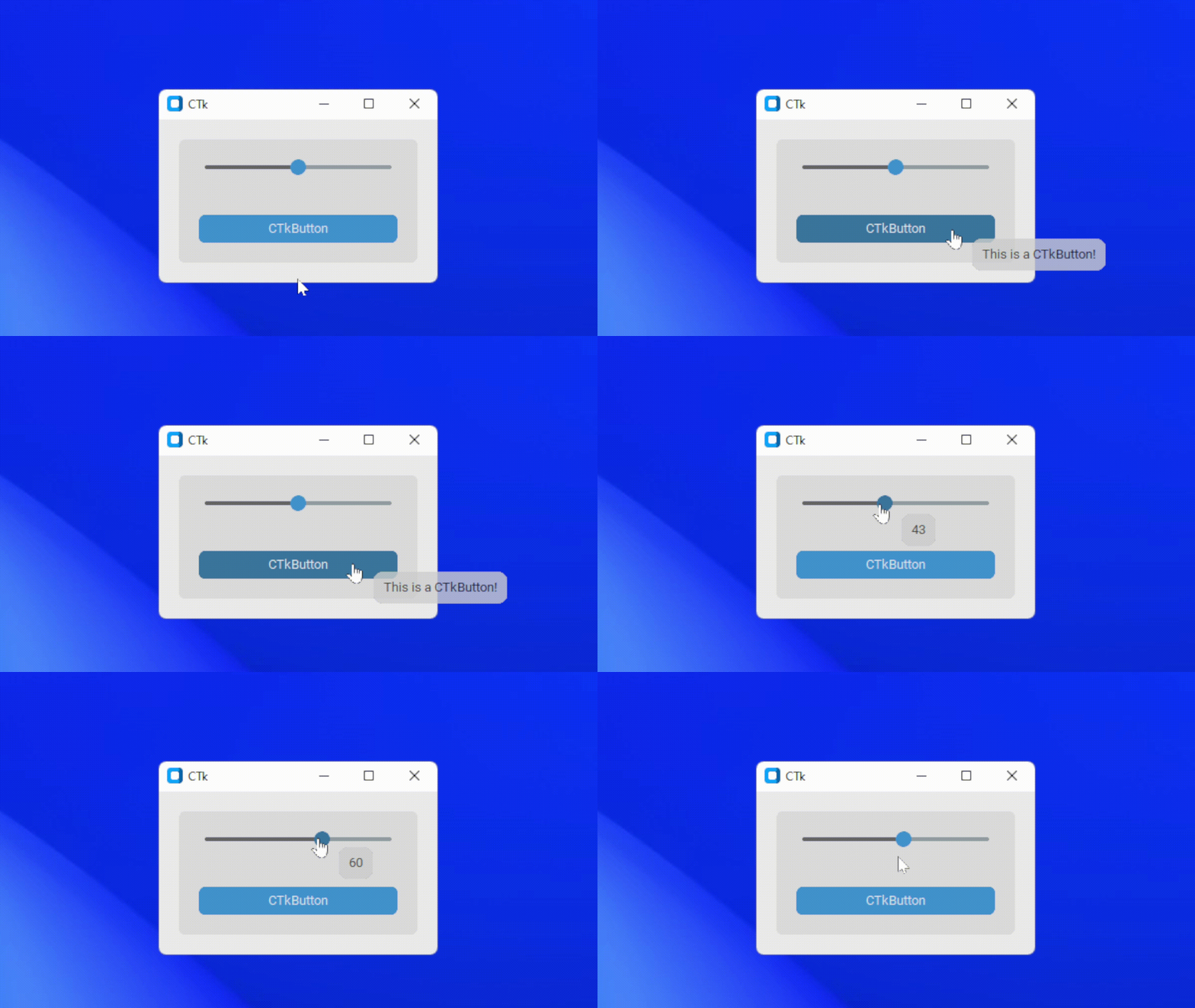
Features
- Display over any CTk widget
- Configurable options
- Transparency effect
- Round corners
- Can be used with CTkSlider to show the value
- Dynamic offset
- Add delays
Installation
pip install CTkToolTip

Example
Simple Usage:
CTkToolTip(widget, message="Your Message")
App Example:
import customtkinter
from CTkToolTip import *

def show_value(value):
    tooltip_1.configure(message=int(value))

def show_text():
    print(tooltip_2.get())

root = customtkinter.CTk()

slider = customtkinter.CTkSlider(root, from_=0, to=100, command=show_value)
slider.pack(fill="both", padx=20, pady=20)

tooltip_1 = CTkToolTip(slider, message="50")

button = customtkinter.CTkButton(root, command=show_text)
button.pack(fill="both", padx=20, pady=20)

tooltip_2 = CTkToolTip(button, delay=0.5, message="This is a CTkButton!")

root.mainloop()
Arguments
| Parameter | Description |
|---|---|
| widget | bind the tooltip to the ctk widget |
| message | show the message over the toolip |
| delay | add a small delay before showing the tooltip (default is 0.2) |
| follow | follow the mouse cursor while hovering (default is True) |
| x_offset | change the horizontal offset of the tooltip widget from mouse cursor |
| y_offset | change the vertical offset of the tooltip widget from mouse cursor |
| alpha | change the transparency effect of the tooltip (range: 0-1) |
| bg_color | change the background color of the tooltip |
| corner_radius | roundness of the corners |
| border_width | add a border around the tooltips (default is 0) |
| border_color | change the color of the border width |
| padding | add padx and pady inside the tooltip frame, tuple: (padx, pady) |
| text_color | change the text color of tooltip |
| wraplength | constrains the width of the tooltip, causing CTkToolTip, where required, to wrap the message at word boundaries. |
| font | label text font, tuple: (font_name, size) |
| justify | change the text display structure (left, right or center) |
| always_on_top | if True, the tooltip will stay above all other windows (default is False) |
| *Other Label Parameters | All other parameters for ctk label can be passed in ctktooltip |
Methods
-
.configure(message, arguments...)
configure the text and other parameters for the tooltip
-
.get()
get the current text of tooltip
-
.hide()
disables the tooltip from appearing
-
.show()
enable the tooltip again
-
.is_disabled()
check the tooltip state
Thats all about CTkToolTips, hope it will help in your project!
1 maintainer

Metadata
1 maintainer
Release files for CTkToolTip 0.9
For a detailed explanation of source distributions (sdists) and built distributions (wheels), please see the package formats documentation.
Source distribution (sdist)
| File | Size | Uploaded | |
|---|---|---|---|
| ctktooltip-0.9.tar.gz | 8.7 kB | Details |
Built distribution (wheel)
| File | Interpreter | ABI | Platform | Reset |
|---|---|---|---|---|
| ctktooltip-0.9-py3-none-any.whl | Python 3 | none | any | Details |
Total release size: 17.5 kB
Release files / ctktooltip-0.9.tar.gz
| Download URL | ctktooltip-0.9.tar.gz |
|---|---|
| Size | 8.7 kB |
| Tags | Source |
|
SHA-256 checksum How to use checksums |
46b20ddbf18f1822cc37c5fcca96ebcf610a53d154670c8448b84898055a45e9
|
|
BLAKE2b-256 checksum How to use checksums |
2c46cde993aeae881623d75ac95f8daa0c9b274e52239cca585ea4dc679db3c9
|
| Upload date | |
|
Uploaded using Trusted Publishing? What is trusted publishing? |
No |
| Uploaded via |
twine/6.1.0 CPython/3.9.6
|
Release files / ctktooltip-0.9-py3-none-any.whl
| Download URL | ctktooltip-0.9-py3-none-any.whl |
|---|---|
| Size | 8.8 kB |
| Tags | Python 3 |
|
SHA-256 checksum How to use checksums |
29c009fd425364197be70c1b9c441696a875daba8f4977d97a0e4c3f7e4fe468
|
|
BLAKE2b-256 checksum How to use checksums |
9eb4f885a5308e6f410d7b3929e64e0471d76b055754d4f4ca7bd4e76782137d
|
| Upload date | |
|
Uploaded using Trusted Publishing? What is trusted publishing? |
No |
| Uploaded via |
twine/6.1.0 CPython/3.9.6
|














