
ChatGPT-PyBot
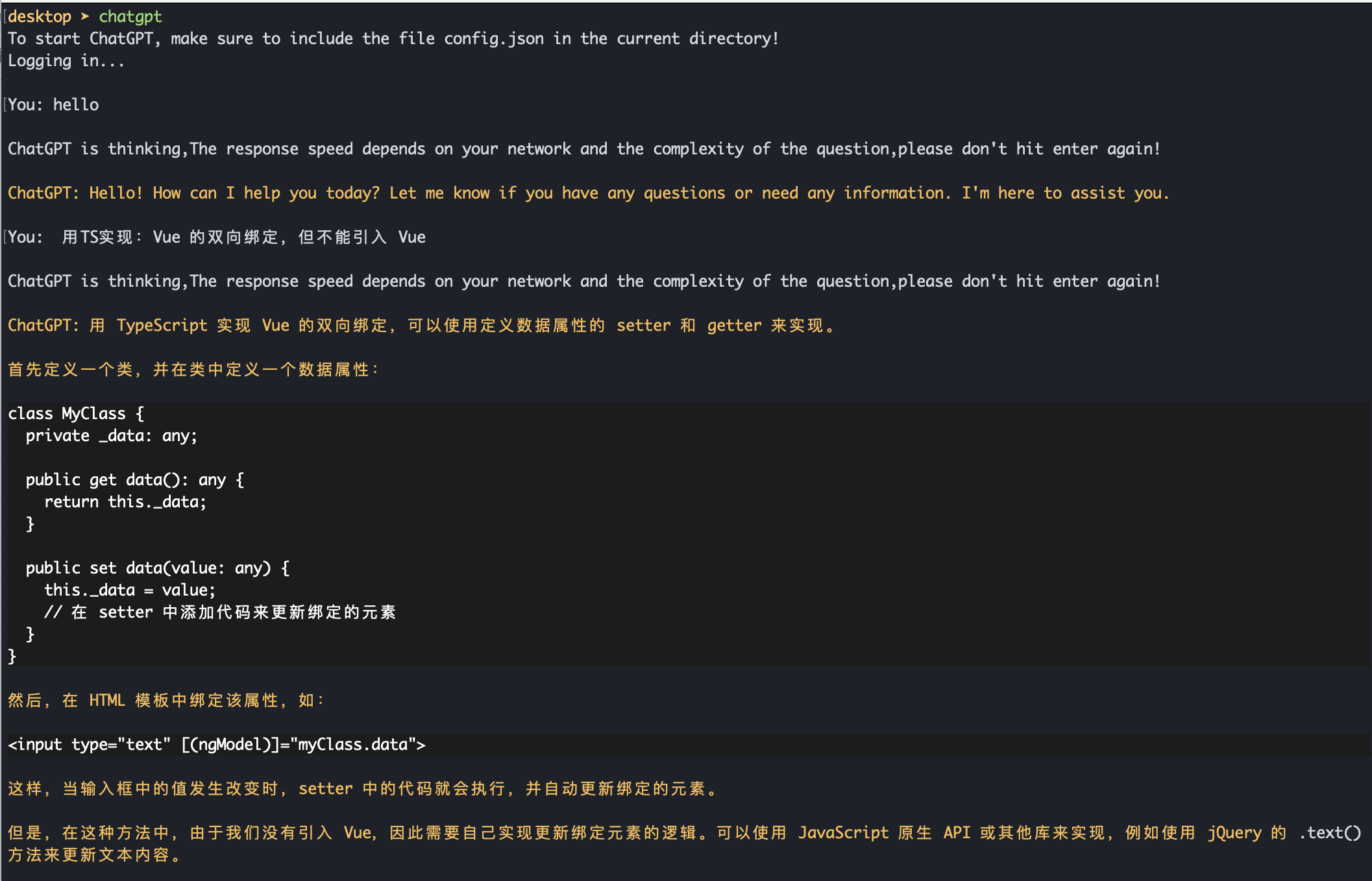
Usage
ChatGPT_PyBot is a command-line robot developed in Python.
To use ChatGPT_PyBot, you need to have an openai account and use it on a machine that can log into the ChatGPT web version.
Install
ChatGPT_PyBot has been uploaded to Pypi, you can execute the following code in the terminal to install
pip install ChatGPT_PyBot --upgrade
Or you can install it via GitHub
pip install git+https://github.com/liuhuanshuo/ChatGPT_PyBot
Configuration (very important❗️)
After the installation is complete, you need to configure the login file. ChatGPT_PyBot provides two ways to verify login.
Use account password
Create a config.json file in the current directory with the following contents:
{
    "email":"<EMAIL>",
    "password": "<PASSWORD>"
}
Just fill in your account password.
Note: If you use an account password in an area not supported by openai, you need to configure the terminal to go through proxy traffic, otherwise it will not be verified.
You can use the following code to check your terminal ip address to ensure that the terminal ip address belongs to the available region
curl cip.cc
Use Cookie
If the above configuration scheme does not work, then you can use the second method, don't worry, it is not difficult at all.
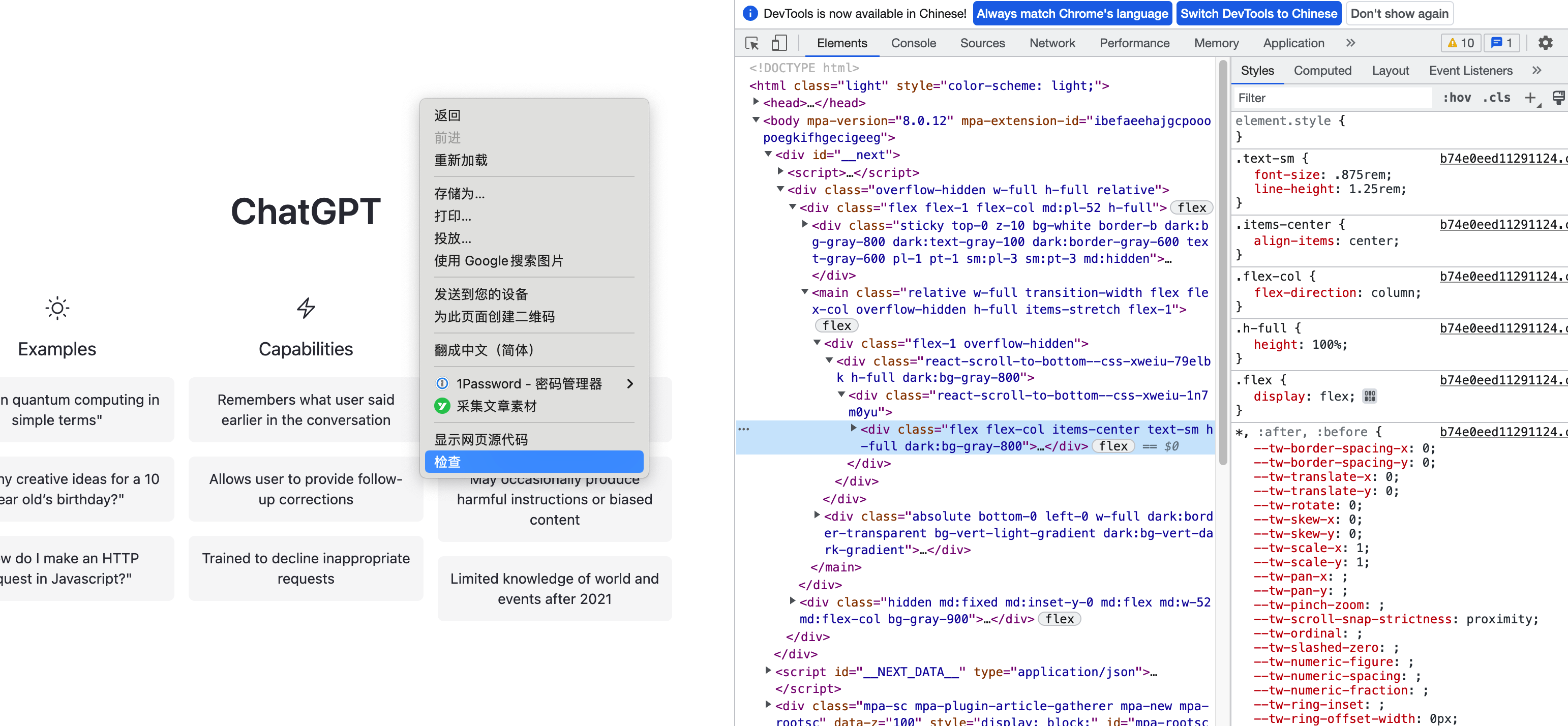
First you need to log in to ChatGPT and press F12 or right-click - Check
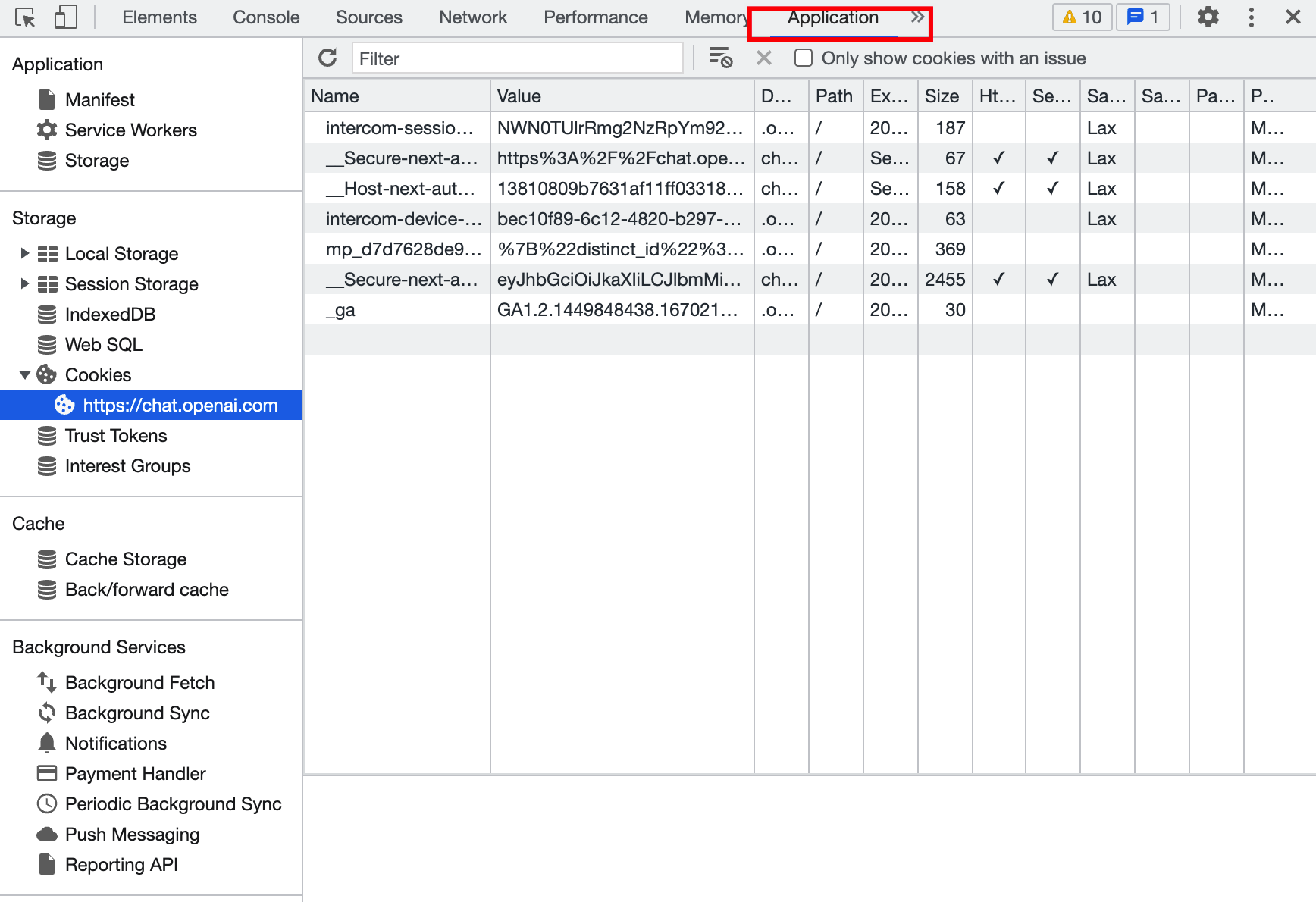
click Application
Copy the Cookie Value as instructed below
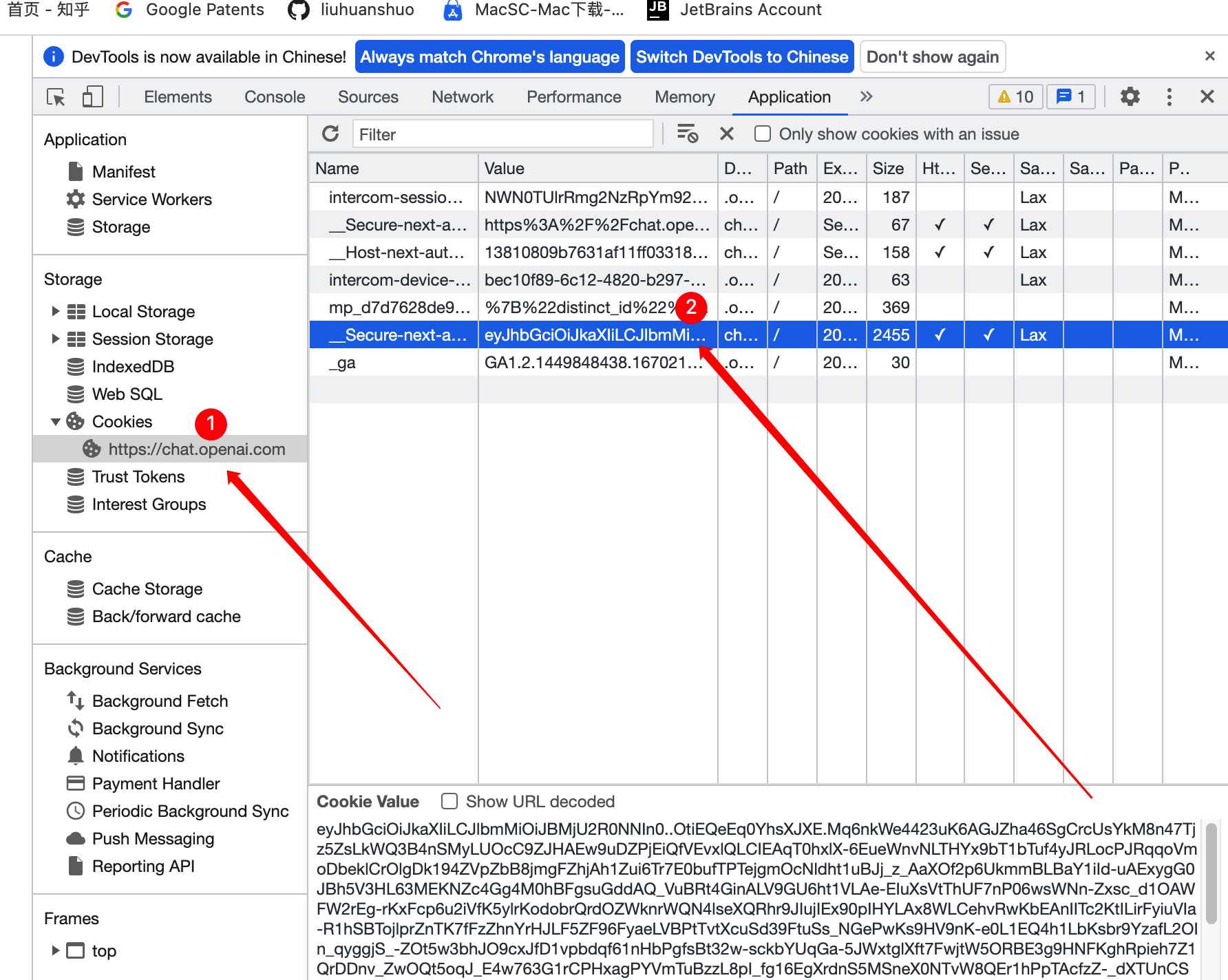
Similarly, create a config.json file in the current directory with the following contents:
{
    "session_token":"Your Cookie Value"
}
CLI Usage
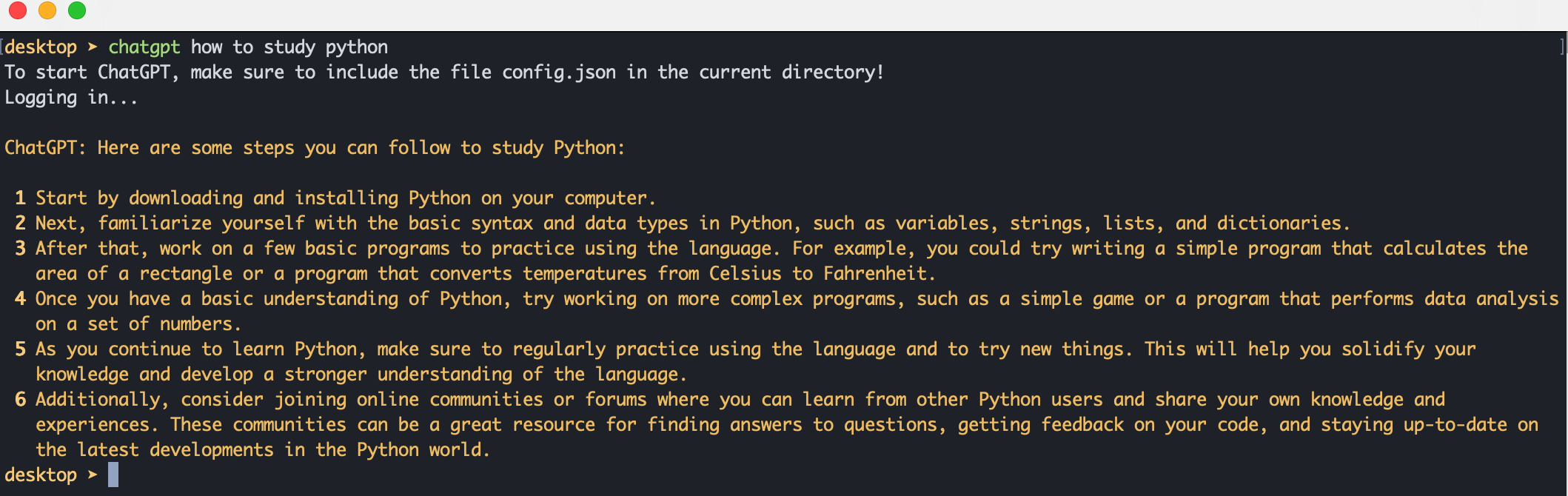
Open the terminal (command line), ensure that the current directory has the configured config.json file, execute chatgpt to enter the interactive dialog box
$ chatgpt

If you only need a single question, you can add your question directly after chatgpt
$ chatgpt your question
Python Usage
If you need to call ChatGPT in Python, you can do something like this
>>> from ChatGPT_PyBot import ChatBot
>>> config = {
    "session_token":"Your token"
    				or
    "email": "<YOUR_EMAIL>",
    "password": "<YOUR_PASSWORD>"
}
>>> chatbot = ChatBot(config, conversation_id=None)
>>> chatbot.get_chat_response('hello world')["message"]


'''
"Hello there! It's nice to meet you. Is there anything I can help you with today? I'm here to answer any questions you might have."
'''
TO DO
- Better way to log in (Now this is a little cumbersome, but it's a little difficult to implement a new approach)
- Refresh the session and reset the session
Acknowledgments
This project is inspired by ChatGPT - A reverse engineering of OpenAI
Disclaimer:
ChatGPT-PyBot is in no way associated with, endorsed by, or otherwise affiliated with OpenAI.
1 maintainer

Metadata
1 maintainer
Release files for ChatGPT-PyBot 0.4
For a detailed explanation of source distributions (sdists) and built distributions (wheels), please see the package formats documentation.
Source distribution (sdist)
| File | Size | Uploaded | Provenance | Actions |
|---|---|---|---|---|
| ChatGPT_PyBot-0.4.tar.gz | 14.6 kB | Without provenance | Details for ChatGPT_PyBot-0.4.tar.gz |
Built distribution (wheel)
| File | Interpreter | ABI | Platform | Actions Reset |
|---|---|---|---|---|
| ChatGPT_PyBot-0.4-py3-none-any.whl | Python 3 | none | any | Details for ChatGPT_PyBot-0.4-py3-none-any.whl |
Total release size: 28.4 kB
Release files / ChatGPT_PyBot-0.4.tar.gz
| Download URL | ChatGPT_PyBot-0.4.tar.gz |
|---|---|
| Size | 14.6 kB |
| Tags | Source |
|
SHA-256 checksum How to use checksums |
8eb2d3d845343ed9fce216dcfdd4d8380bd0e8b1078c07d5d4e0ff46773de98a
|
|
BLAKE2b-256 checksum How to use checksums |
e6ef805aebbffb6704bea3b75c9a4dd4cb4773feab5fac0be858f67b383c305b
|
| Upload date | |
|
Uploaded using Trusted Publishing? What is trusted publishing? |
No |
| Uploaded via |
twine/4.0.2 CPython/3.8.5
|
Release files / ChatGPT_PyBot-0.4-py3-none-any.whl
| Download URL | ChatGPT_PyBot-0.4-py3-none-any.whl |
|---|---|
| Size | 13.8 kB |
| Tags | Python 3 |
|
SHA-256 checksum How to use checksums |
a2f6c7f2a8d82c8d09842629e6fdf783fb0e619c32b3ba81fa4ff76d5bd790c3
|
|
BLAKE2b-256 checksum How to use checksums |
007e7e2409254f424fff71327f69bba97b5b747fad77bc0fe9215838890dd9e9
|
| Upload date | |
|
Uploaded using Trusted Publishing? What is trusted publishing? |
No |
| Uploaded via |
twine/4.0.2 CPython/3.8.5
|
Security for ChatGPT-PyBot 0.4
Provenance
Provenance describes where a file came from. On PyPI, provenance is shared via attestations, which provide a verifiable record of the build or publishing details. View details, limitations and caveats.
No provenance found
None of the files in this release were uploaded with provenance metadata.
A note on package security
PyPI is a repository for distributing packages, not a service for auditing them. While third-party security researchers and our staff do their best to detect and remove malicious packages, PyPI cannot guarantee the quality, security or suitability of any given package.
To learn more about protecting yourself from malicious actors, visit our package security documentation.














