
CliDApp4Rhino is a graphical user interface tool for the Rhino 3D CAD software.

Project description
CliDApp4Rhino
Overview
CliDApp4Rhino package is a Python package with the plugin for the Rhinoceros program developed by CliMA that enables users to download weather files into the Rhinoceros environment from the CliDApp API.
Requirements
Before installing the CliDApp4Rhino plugin, ensure that you have the following:
- Rhinoceros 5 and above
- Python 3 or later installed on your device
- Internet connection: to download weather files
Installation
To install the CliDApp4Rhino plugin, follow the steps below:
- Close Rhinoceros (Rhino) if opened
- Navigate to the terminal and enter the following to install the package
pip install CliDApp4Rhino
- After running the following command to install the package to the correct directory.
clidapp4rhino
- Open Rhino and enter the following in the command-line
CliDApp4Rhino
If Rhino suggests this command, then you have successfully installed the plugin.
Usage
After installing the plugin and launching the CliDApp4Rhino command, you will now see the dialog box below:
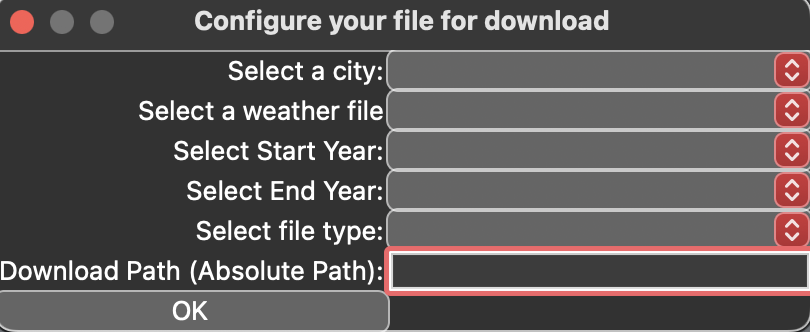
Begin by selecting a city from the dropdown
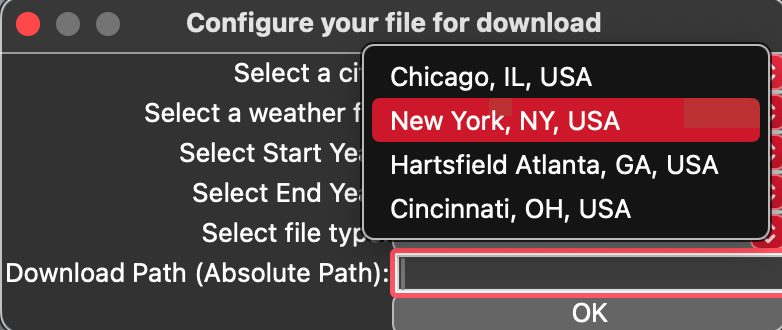
Then select a weather file from the following three options:
- Typical Meteorological Year (TMY)
- Future Meteorological Year (FTMY)
- Actual Meteorological Year (AMY)
Next, select a data type. Currently, only observational data is available.
The start/end-year ranges will differ depending on the weather file selected. Currently, for AMY and TMY files, the start-year and end-year range starts from 1979 and ends in 2022. For FTMY files, the baseline years run from 1979 to 2023, and they are projected to 2050 to 2070.
Afterwards, select your desired file type. Then, enter the path where you want to download the file. If the text box for Download Path is left empty, the default path will be Downloads/clidapp/epw. Lastly, click on OK to begin downloading the weather file.
Example
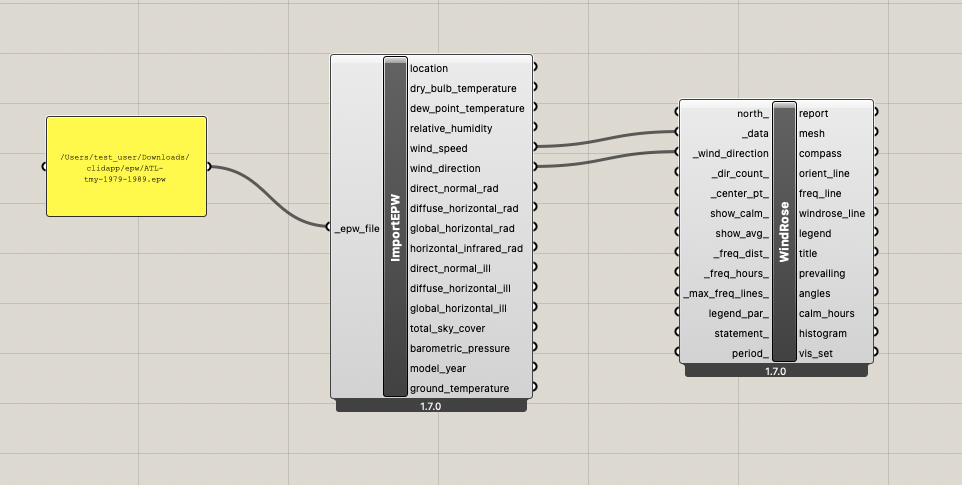
Here we use the CliDApp4Rhino plugin to download an EPW weather file. Then, we use the ImportEPW and WindRose Ladybug module to visualise the data as a wind rose chart.
As shown in the form inputs below, the following file was downloaded.
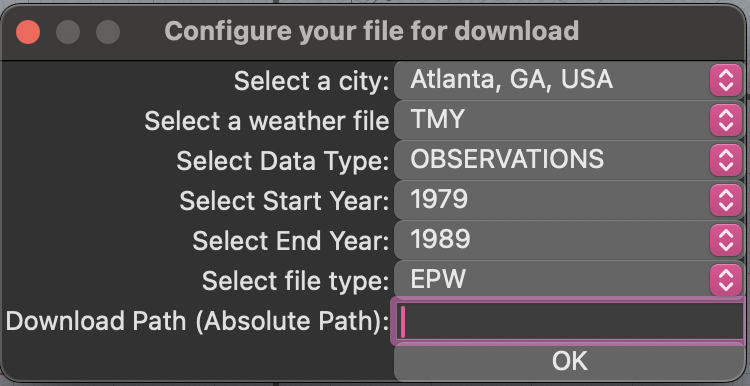
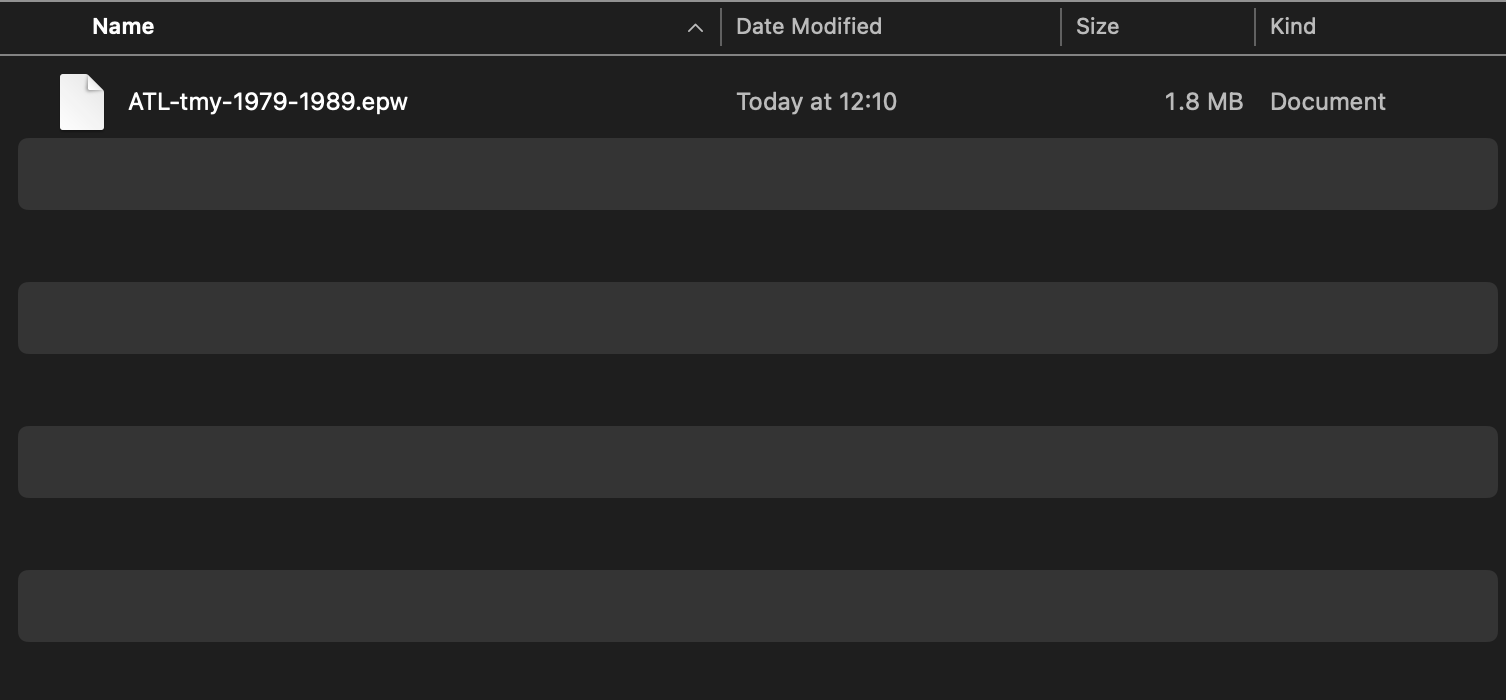
We get the following chart using a Panel, the ImportEPW Ladybug module, and the WindRose Ladybug module.

Release history Release notifications | RSS feed


Download files
Download the file for your platform. If you're not sure which to choose, learn more about installing packages.
Source Distribution
Built Distribution
Filter files by name, interpreter, ABI, and platform.
If you're not sure about the file name format, learn more about wheel file names.
Copy a direct link to the current filters
File details
Details for the file clidapp4rhino-1.0.24.tar.gz.
File metadata
- Download URL: clidapp4rhino-1.0.24.tar.gz
- Upload date:
- Size: 14.8 MB
- Tags: Source
- Uploaded using Trusted Publishing? No
- Uploaded via: twine/5.1.1 CPython/3.12.8
File hashes
| Algorithm | Hash digest | |
|---|---|---|
| SHA256 |
a75f2623d6a2a97394180f4c2504b4504ffdd096fb3382da92feb6d3a1101470
|
|
| MD5 |
d50b410b4bb2797fdef775520741f0bc
|
|
| BLAKE2b-256 |
d72eda276ac1164178d8f86a952e53c017b905129f82c92f35a228d80bd225fc
|
File details
Details for the file clidapp4rhino-1.0.24-py3-none-any.whl.
File metadata
- Download URL: clidapp4rhino-1.0.24-py3-none-any.whl
- Upload date:
- Size: 14.8 MB
- Tags: Python 3
- Uploaded using Trusted Publishing? No
- Uploaded via: twine/5.1.1 CPython/3.12.8
File hashes
| Algorithm | Hash digest | |
|---|---|---|
| SHA256 |
7d650ccd2ae9872c381c1e01977e67eb44a9cb947866d2e8c9456cd83b755bf4
|
|
| MD5 |
7ca65c29866bf5b013177470e8758b7c
|
|
| BLAKE2b-256 |
abadaf48fbe2f8a2a012a7547b3f8e4429f9bdd5d67af4d57bef4cb94c6bbd24
|






