






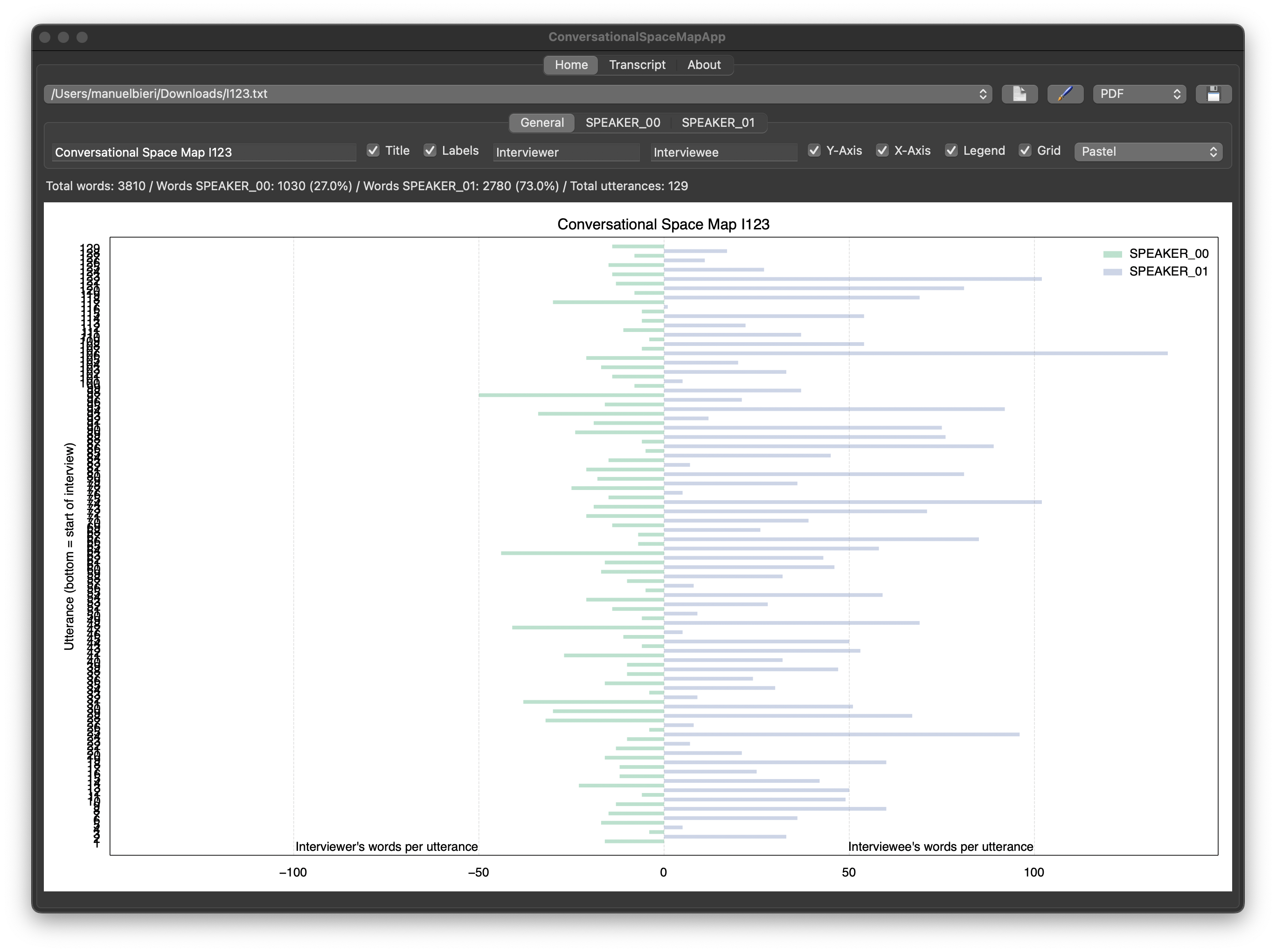
Generate conversational space maps for interview transcripts generated with aTrain, inspired by Saunders et al. (2023, pp. 458-460).
Quickstart
Installation - PyPi
Note: This quickstart guide assumes that you have already installed Python.
Install via terminal
$ pip install ConversationalSpaceMapAppRun the app in the terminal.
$ csm-runInstallation - Executable
Go to the download-page and download the installer matching your system.
Note: You will get a warning while installing the app because it is not signed with a certificate.
References
Haberl, Armin, Jürgen Fleiss, Dominik Kowald and Stefan Thalmann, Take the aTrain. Introducing an interface for the accessible transcription of interviews Journal of Behavioral and Experimental Finance 41, 2024, DOI: 10.1016/j.jbef.2024.100891.
Saunders, Mark, Philip Lewis, and Adrian Thornhill, Research methods for business students, 9 ed., Harlow, England: Pearson, 2023.
1 maintainer

Download files
Download the file for your platform. If you're not sure which to choose, learn more about installing packages.
Source Distribution
Built Distribution
Filter files by name, interpreter, ABI, and platform.
If you're not sure about the file name format, learn more about wheel file names.
Copy a direct link to the current filters
File details
Details for the file conversationalspacemapapp-0.2.2.tar.gz.
File metadata
- Download URL: conversationalspacemapapp-0.2.2.tar.gz
- Upload date:
- Size: 1.7 MB
- Tags: Source
- Uploaded using Trusted Publishing? No
- Uploaded via: twine/6.2.0 CPython/3.9.25
File hashes
| Algorithm | Hash digest | |
|---|---|---|
| SHA256 |
dcb5229304ad8a64753c1491477b701205d3e03d453c5e6a1458ec97dcf7f17a
|
|
| MD5 |
aa8b8560a7c119231cc27ea61a62daf9
|
|
| BLAKE2b-256 |
cf09515f42ba22db7df1a178f9b161237ca0db35bede0e552e74c33543ebd303
|
File details
Details for the file conversationalspacemapapp-0.2.2-py3-none-any.whl.
File metadata
- Download URL: conversationalspacemapapp-0.2.2-py3-none-any.whl
- Upload date:
- Size: 1.7 MB
- Tags: Python 3
- Uploaded using Trusted Publishing? No
- Uploaded via: twine/6.2.0 CPython/3.9.25
File hashes
| Algorithm | Hash digest | |
|---|---|---|
| SHA256 |
3073875e170f8839801f65469ed483824238b383c739aea106c2bb3bdf1edb13
|
|
| MD5 |
d550cf957af16795b0c307adce9a502a
|
|
| BLAKE2b-256 |
f96c4a43acf72cd529909072b05e25a7706c81ca5738e50f7c284f3615028641
|







