
🚀🤖 Crawl4AI: the open-source web crawler for LLMs and AI agents






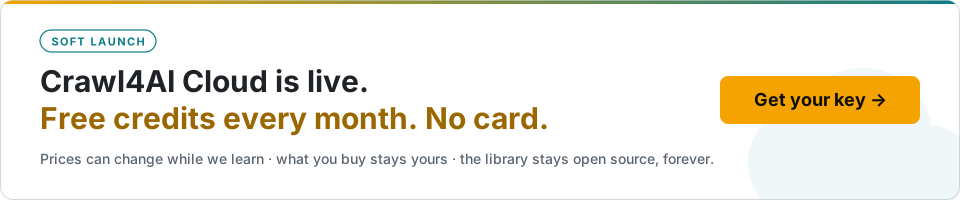
Crawl4AI turns any website into clean, LLM-ready Markdown for RAG, AI agents and data pipelines. Run the open-source web crawler and scraper yourself, free forever, or use it hosted with one key: /scrape a page to Markdown, /extract it to JSON, /search the web, /serp for Google's results page as data, /answer a question with sources; MCP for your agent. Free: 10 a minute, 2 at a time, 2,000 credits to start. Paid: 120 a minute, 10 at a time, from $10.
Two ways to use Crawl4AI
🐍 Run it yourself: open source, forever
pip install -U crawl4ai
crawl4ai-setup        # installs the browser, once
import asyncio
from crawl4ai import AsyncWebCrawler

async def main():
    async with AsyncWebCrawler() as crawler:
        result = await crawler.arun(url="https://news.ycombinator.com")
        print(result.markdown)

asyncio.run(main())
Docker server, CLI and every option: Installation · docs.crawl4ai.com
☁️ Or use the cloud: no browsers, no proxies
-
Verify your email and free credit to start is yours. No card. Soft launch: prices can change, what you buy stays yours. -
Get any page as Markdown:
curl -s https://api.crawl4ai.com/scrape \
  -H "Authorization: Bearer $CRAWL4AI_KEY" \
  -H "Content-Type: application/json" \
  -d '{"url": "https://news.ycombinator.com"}' | jq -r .markdown
The same key works for
/extract,/search,/serp,/answerand many URLs at once (/scrape/batch,/scrape/jobs). Pay as you go: live prices. -
Give it to your AI agent. Claude Code shown; Codex, Cursor and OpenCode →
claude mcp add --transport http crawl4ai https://api.crawl4ai.com/mcp \
  --header "Authorization: Bearer $CRAWL4AI_KEY"

Which one?
| 🐍 Library | 🐳 Your own server | ☁️ Crawl4AI Cloud | |
|---|---|---|---|
| Runs the browsers | you, in your Python process | you, in Docker on your machine | we do |
| JS-heavy pages and bot walls | your settings, your proxies | your settings, your proxies | handled for you, automatically |
| Web search | – | – | /search, /serp and /answer |
| Price | free, forever | free (your hosting) | pay as you go; free credit to start |
🤓 My Personal Story
I grew up on an Amstrad, thanks to my dad, and never stopped building. In grad school I specialized in NLP and built crawlers for research. That’s where I learned how much extraction matters.
In 2023, I needed web-to-Markdown. The “open source” option wanted an account, API token, and $16, and still under-delivered. I went turbo anger mode, built Crawl4AI in days, and it went viral. Now it’s the most-starred crawler on GitHub.
I made it open source for availability, anyone can use it without a gate. Now I’m building the platform for affordability, anyone can run serious crawls without breaking the bank. If that resonates, join in, send feedback, or just crawl something amazing.
That platform is live now: Crawl4AI Cloud.
Why developers pick Crawl4AI
- LLM-ready output: smart Markdown with headings, tables, code and citation hints
- Fast in practice: async browser pool, caching, minimal hops
- Full control: sessions, proxies, cookies, user scripts, hooks
- Adaptive intelligence: learns site patterns, explores only what matters
- Deploy anywhere: no keys needed, CLI and Docker, or the hosted cloud
✨ Features
📝 Markdown generation
- 🧹 Clean Markdown: headings, lists, tables and code blocks, in a structure an LLM reads well.
- 🎯 Fit Markdown: filters remove menus, footers and boilerplate:
PruningContentFilterLXML,BM25ContentFilter(for a query) andLLMContentFilter. - 🔗 Citations: page links become a numbered reference list.
- 🛠️ Your own strategy: plug in a custom Markdown generator.
☁️ Same in the cloud: POST /scrape returns this Markdown, with no browser to run. Docs →
📊 Structured data extraction
- 🔎 CSS and XPath schemas: fast extraction with no LLM (
JsonCssExtractionStrategy,JsonXPathExtractionStrategy,RegexExtractionStrategy). - 🪄 Schema generator: describe what you want once;
generate_schemawrites a reusable schema. - 🤖 LLM extraction: any LLM provider, open-source or hosted, into a typed JSON schema (
LLMExtractionStrategy). - 🧱 Chunking: topic, regex and sentence chunking for long pages.
- 🌌 Cosine similarity: find the chunks that match a query (
CosineStrategy).
☁️ Same in the cloud: POST /extract, with no LLM key of your own. Docs →
🌐 Browser control
- 🖥️ Your own browser: persistent profiles with saved logins, cookies and settings.
- 🔄 Remote browsers: connect over the Chrome DevTools Protocol (CDP).
- 🔒 Sessions: keep a browser state across multi-step crawls.
- 🧩 Proxies: with authentication and rotation.
- 🕶️ Stealth mode:
enable_stealth, and an undetected-browser adapter for sites that detect automation. - ⚙️ Full control: headers, cookies, user agents, viewport.
- 🌍 Chromium, Firefox and WebKit.
🔎 Crawling and scraping
- 🕸️ Deep crawl: BFS, DFS and best-first strategies, with crash recovery (
resume_state) for long crawls. - 🧠 Adaptive crawling:
AdaptiveCrawlerstops when it has learned enough to answer your query. - 🌱 URL discovery:
AsyncUrlSeeder(sitemaps, Common Crawl) andDomainMapper;prefetch=Truefinds URLs 5 to 10 times faster. - 🚀 Dynamic pages: run JavaScript, wait for elements, scroll the full page (
scan_full_page) for infinite scroll and lazy images. - 📸 Screenshots and PDFs of any page.
- 🖼️ Media and links: images, audio, video,
srcset, internal and external links, iframes, metadata. - 📂 Raw HTML and local files:
raw:andfile://. - 🛠️ Hooks at every step of a crawl.
- 💾 Caching to skip repeated fetches.
- ⚡ Many URLs at once:
arun_manywith a memory-adaptive dispatcher.
☁️ Same in the cloud: up to 50 URLs in one streamed call, or 10,000 in a background job. Docs →
🐳 Self-hosting (Docker)
- 🔐 Secure by default: every endpoint needs your
CRAWL4AI_API_TOKEN. - 🧰 REST API:
/md,/html,/crawl,/crawl/stream,/screenshot,/pdf,/execute_js. - 🤖 MCP: connect Claude Code and other agents to your own server.
- 📊 Monitoring dashboard and playground, a browser pool with pre-warmed pages.
- 🏗️ AMD64 and ARM64 images.
☁️ Rather not run a server? The cloud is the same idea, hosted. Get a key →
☁️ What the cloud adds
- 🔍 Web search API:
GET /search, browser-free, ranked and cleaned. Docs → - 📊 SERP API:
GET /serp, Google's results page as data: true ranks, every block, localised to a place. Beta. Docs → - 💬 Answers:
GET /answergives a direct answer to a question (experimental). Docs → - 🧪 Extraction without your own LLM key:
POST /extract. Docs → - 🧗 JS-heavy pages and bot walls: handled automatically; you never pick an engine. Docs →
- 🤝 MCP for your agent: one line in Claude Code, Codex, Cursor or OpenCode. Docs →
🛠️ Installation
🐍 pip
pip install -U crawl4ai
crawl4ai-setup      # installs and sets up the browser
crawl4ai-doctor     # checks the installation
If the browser setup fails, install it by hand:
python -m playwright install --with-deps chromium
Pre-release versions: pip install crawl4ai --pre
Development install, for contributors:
git clone https://github.com/unclecode/crawl4ai.git
cd crawl4ai
pip install -e ".[all]"     # or: pip install -e .   (the core only)
🐳 Docker server
The server needs a token. Without one it answers only inside its container.
export CRAWL4AI_API_TOKEN="$(openssl rand -hex 32)"
docker run -d -p 11235:11235 --name crawl4ai --shm-size=1g \
  -e CRAWL4AI_API_TOKEN="$CRAWL4AI_API_TOKEN" \
  unclecode/crawl4ai:latest
Test it (allow about 10 seconds for the start):
curl -s http://localhost:11235/md \
  -H "Authorization: Bearer $CRAWL4AI_API_TOKEN" \
  -H "Content-Type: application/json" \
  -d '{"url": "https://news.ycombinator.com"}' | jq -r .markdown
The dashboard is at http://localhost:11235/dashboard, the playground at http://localhost:11235/playground. LLM keys, MCP and every setting: Self-hosting guide.
⌨️ Command line (`crwl`)
# A page as Markdown
crwl https://news.ycombinator.com -o markdown

# Deep crawl, breadth first, at most 10 pages
crwl https://docs.crawl4ai.com --deep-crawl bfs --max-pages 10

# Ask a question about a page (needs an LLM key: crwl config)
crwl https://www.example.com/products -q "Extract all product prices"
🔬 Advanced usage examples
More in docs/examples.
📝 Clean and fit Markdown
import asyncio
from crawl4ai import AsyncWebCrawler, BrowserConfig, CrawlerRunConfig, CacheMode
from crawl4ai.content_filter_strategy import PruningContentFilterLXML
from crawl4ai.markdown_generation_strategy import DefaultMarkdownGenerator

async def main():
    run_config = CrawlerRunConfig(
        cache_mode=CacheMode.BYPASS,
        markdown_generator=DefaultMarkdownGenerator(
            content_filter=PruningContentFilterLXML(threshold=0.48, threshold_type="fixed", min_word_threshold=0)
        ),
    )
    async with AsyncWebCrawler(config=BrowserConfig(headless=True)) as crawler:
        result = await crawler.arun(url="https://en.wikipedia.org/wiki/Web_crawler", config=run_config)
        print(len(result.markdown.raw_markdown), "characters of raw Markdown")
        print(len(result.markdown.fit_markdown), "characters after the filter")

asyncio.run(main())
🖥️ A JavaScript page and structured data, without an LLM
import asyncio, json
from crawl4ai import AsyncWebCrawler, BrowserConfig, CrawlerRunConfig, CacheMode, JsonCssExtractionStrategy

schema = {
    "name": "Quotes",
    "baseSelector": "div.quote",
    "fields": [
        {"name": "text", "selector": "span.text", "type": "text"},
        {"name": "author", "selector": "small.author", "type": "text"},
        {"name": "tags", "selector": "a.tag", "type": "list", "fields": [{"name": "tag", "type": "text"}]},
    ],
}

async def main():
    run_config = CrawlerRunConfig(
        extraction_strategy=JsonCssExtractionStrategy(schema),
        scan_full_page=True,   # scroll to the end, so the page loads every quote
        scroll_delay=0.5,
        cache_mode=CacheMode.BYPASS,
    )
    async with AsyncWebCrawler(config=BrowserConfig(headless=True)) as crawler:
        result = await crawler.arun(url="https://quotes.toscrape.com/scroll", config=run_config)
        quotes = json.loads(result.extracted_content)
        print(f"Extracted {len(quotes)} quotes")
        print(json.dumps(quotes[0], indent=2))

asyncio.run(main())
📚 Structured data with an LLM
import os, asyncio
from pydantic import BaseModel, Field
from crawl4ai import AsyncWebCrawler, CrawlerRunConfig, CacheMode, LLMConfig, LLMExtractionStrategy

class ModelFee(BaseModel):
    model_name: str = Field(..., description="Name of the model.")
    input_fee: str = Field(..., description="Fee for input tokens.")
    output_fee: str = Field(..., description="Fee for output tokens.")

async def main():
    run_config = CrawlerRunConfig(
        cache_mode=CacheMode.BYPASS,
        extraction_strategy=LLMExtractionStrategy(
            # any provider LiteLLM supports, e.g. "ollama/llama3.3" with api_token="no-token"
            llm_config=LLMConfig(provider="openai/gpt-4o-mini", api_token=os.getenv("OPENAI_API_KEY")),
            schema=ModelFee.model_json_schema(),
            extraction_type="schema",
            instruction="Extract every model name with its input and output token fee.",
        ),
    )
    async with AsyncWebCrawler() as crawler:
        result = await crawler.arun(url="https://openai.com/api/pricing/", config=run_config)
        print(result.extracted_content)

asyncio.run(main())
🤖 Your own browser with a saved profile
import os, asyncio
from pathlib import Path
from crawl4ai import AsyncWebCrawler, BrowserConfig, CrawlerRunConfig, CacheMode

async def main():
    user_data_dir = os.path.join(Path.home(), ".crawl4ai", "browser_profile")
    os.makedirs(user_data_dir, exist_ok=True)
    browser_config = BrowserConfig(headless=True, user_data_dir=user_data_dir, use_persistent_context=True)
    run_config = CrawlerRunConfig(cache_mode=CacheMode.BYPASS, magic=True)
    async with AsyncWebCrawler(config=browser_config) as crawler:
        result = await crawler.arun(url="ADDRESS_OF_A_CHALLENGING_WEBSITE", config=run_config)
        print(result.success, len(result.markdown))

asyncio.run(main())
📖 Documentation
- Library docs, guides and API reference: docs.crawl4ai.com
- Cloud docs: crawl4ai.com/docs
- Release notes: releases · Roadmap: ROADMAP.md
🤝 Contributing
We welcome contributions from the open-source community. Check out our contribution guidelines for more information.
📄 License & Attribution
This project is licensed under the Apache License 2.0, attribution is recommended via the badges below. See the Apache 2.0 License file for details.
Attribution Requirements
When using Crawl4AI, you must include one of the following attribution methods:
📈 1. Badge Attribution (Recommended)
Add one of these badges to your README, documentation, or website:| Theme | Badge |
|---|---|
| Disco Theme (Animated) |  |
| Night Theme (Dark with Neon) |  |
| Dark Theme (Classic) |  |
| Light Theme (Classic) |  |
HTML code for adding the badges:
<!-- Disco Theme (Animated) -->
<a href="https://github.com/unclecode/crawl4ai">
  <img src="https://raw.githubusercontent.com/unclecode/crawl4ai/main/docs/assets/powered-by-disco.svg" alt="Powered by Crawl4AI" width="200"/>
</a>

<!-- Night Theme (Dark with Neon) -->
<a href="https://github.com/unclecode/crawl4ai">
  <img src="https://raw.githubusercontent.com/unclecode/crawl4ai/main/docs/assets/powered-by-night.svg" alt="Powered by Crawl4AI" width="200"/>
</a>

<!-- Dark Theme (Classic) -->
<a href="https://github.com/unclecode/crawl4ai">
  <img src="https://raw.githubusercontent.com/unclecode/crawl4ai/main/docs/assets/powered-by-dark.svg" alt="Powered by Crawl4AI" width="200"/>
</a>

<!-- Light Theme (Classic) -->
<a href="https://github.com/unclecode/crawl4ai">
  <img src="https://raw.githubusercontent.com/unclecode/crawl4ai/main/docs/assets/powered-by-light.svg" alt="Powered by Crawl4AI" width="200"/>
</a>

<!-- Simple Shield Badge -->
<a href="https://github.com/unclecode/crawl4ai">
  <img src="https://img.shields.io/badge/Powered%20by-Crawl4AI-blue?style=flat-square" alt="Powered by Crawl4AI"/>
</a>
📖 2. Text Attribution
Add this line to your documentation: ``` This project uses Crawl4AI (https://github.com/unclecode/crawl4ai) for web data extraction. ```📚 Citation
If you use Crawl4AI in your research or project, please cite:
@software{crawl4ai2024,
  author = {UncleCode},
  title = {Crawl4AI: Open-source LLM Friendly Web Crawler & Scraper},
  year = {2024},
  publisher = {GitHub},
  journal = {GitHub Repository},
  howpublished = {\url{https://github.com/unclecode/crawl4ai}},
  commit = {Please use the commit hash you're working with}
}
Text citation format:
UncleCode. (2024). Crawl4AI: Open-source LLM Friendly Web Crawler & Scraper [Computer software].
GitHub. https://github.com/unclecode/crawl4ai
🗾 Mission
Our mission is to unlock the value of personal and enterprise data by turning digital footprints into structured, useful assets. Crawl4AI gives individuals and organizations open-source tools to extract and structure data, and a fair way to benefit from it. Full mission statement →
💖 Support Crawl4AI
- ⭐ Star the repo: it helps more people find it.
- ☁️ Use the cloud: crawl4ai.com. It funds the library.
- 💝 Sponsor on GitHub: github.com/sponsors/unclecode
- 🏢 Companies: the sponsor tiers and benefits are in SPONSORS.md.
🌟 Current Sponsors
🤝 Strategic Partners
These companies provide core infrastructure and technology that power Crawl4AI’s capabilities — from web access and proxy networks to AI tooling and data pipelines.
| Company | About |
|---|---|
 |
Massive is a web access API backed by millions of volunteer devices in 195+ countries. AI agents, models, and data pipelines use it to reach any site on the internet, reliably, in real time, and at scale. |
🏢 Enterprise Sponsors
Our enterprise sponsors support Crawl4AI and help scale it to power production-grade data pipelines.
| Company | About | Sponsorship Tier |
|---|---|---|
 |
Helps engineers and buyers find, compare, and source electronic & industrial parts in seconds, with specs, pricing, lead times & alternatives. | 🥇 Gold |
 |
Kidocode is a hybrid technology and entrepreneurship school for kids aged 5–18, offering both online and on-campus education. | 🥇 Gold |
 |
Singapore-based Aleph Null is Asia’s leading edtech hub, dedicated to student-centric, AI-driven education—empowering learners with the tools to thrive in a fast-changing world. | 🥇 Gold |
💼 Become a Strategic Partner or Sponsor
Interested in partnering with Crawl4AI?
Whether you’re a proxy provider, AI infrastructure company, cloud platform, or an organization looking to support the Crawl4AI ecosystem, we’d love to hear from you.
📩 Contact: hello@crawl4ai.com
🧑🤝 Individual Sponsors
A heartfelt thanks to our individual supporters! Every contribution helps us keep our opensource mission alive and thriving!




Want to join them? Sponsor Crawl4AI →
📧 Contact
Discord · X @unclecode · GitHub @unclecode · hello@crawl4ai.com
- Building crawlers or AI agents for a living? DM me on X. I want to work with people like you, and we are hiring.
- From a company? We have an enterprise offer and we tailor it to your business. SOC 2 Type I is done, Type II is in progress. Write to hello@crawl4ai.com.





Happy crawling! 🕸️🚀
Star History

1 maintainer

Metadata
1 maintainer
Release files for Crawl4AI 0.9.5
For a detailed explanation of source distributions (sdists) and built distributions (wheels), please see the package formats documentation.
Source distribution (sdist)
| File | Size | Uploaded | |
|---|---|---|---|
| crawl4ai-0.9.5.tar.gz | 577.4 kB | Details |
Built distribution (wheel)
| File | Interpreter | ABI | Platform | Reset |
|---|---|---|---|---|
| crawl4ai-0.9.5-py3-none-any.whl | Python 3 | none | any | Details |
Total release size: 1.1 MB
Release files / crawl4ai-0.9.5.tar.gz
| Download URL | crawl4ai-0.9.5.tar.gz |
|---|---|
| Size | 577.4 kB |
| Tags | Source |
|
SHA-256 checksum How to use checksums |
84fa6f4970fbb086a68893c9fb18605a93fcd609c72bee6fbb1d2715924afbff
|
|
BLAKE2b-256 checksum How to use checksums |
eaad44b57b650c3c0afaeea917bd7e6b87a64cd1108be53431690483cde0eb2d
|
| Upload date | |
|
Uploaded using Trusted Publishing? What is trusted publishing? |
No |
| Uploaded via |
twine/7.0.0 CPython/3.12.15
|
Release files / crawl4ai-0.9.5-py3-none-any.whl
| Download URL | crawl4ai-0.9.5-py3-none-any.whl |
|---|---|
| Size | 494.0 kB |
| Tags | Python 3 |
|
SHA-256 checksum How to use checksums |
ee2a2a2832d7bf4081289a4d2322be8111331960939e27dd0f921ed69b5e4db4
|
|
BLAKE2b-256 checksum How to use checksums |
7595a1305b0d4a53334df9f5518ae3d2c09897ae4efa3acff1198bc5fcc4f6cd
|
| Upload date | |
|
Uploaded using Trusted Publishing? What is trusted publishing? |
No |
| Uploaded via |
twine/7.0.0 CPython/3.12.15
|














