
MicroPython library for 4-digit 7-segment display with TM1637 driver IC. Supports colon separator. Supports ESP32, Raspberry Pi Pico, Arduino Nano ESP32, Arduino Nano R1 WiFi.

Project description
DIYables_MicroPython_4Digit7Segment_TM1637
MicroPython library for 4-digit 7-segment LED display driven by TM1637 driver IC. Supports colon separator for clock display.
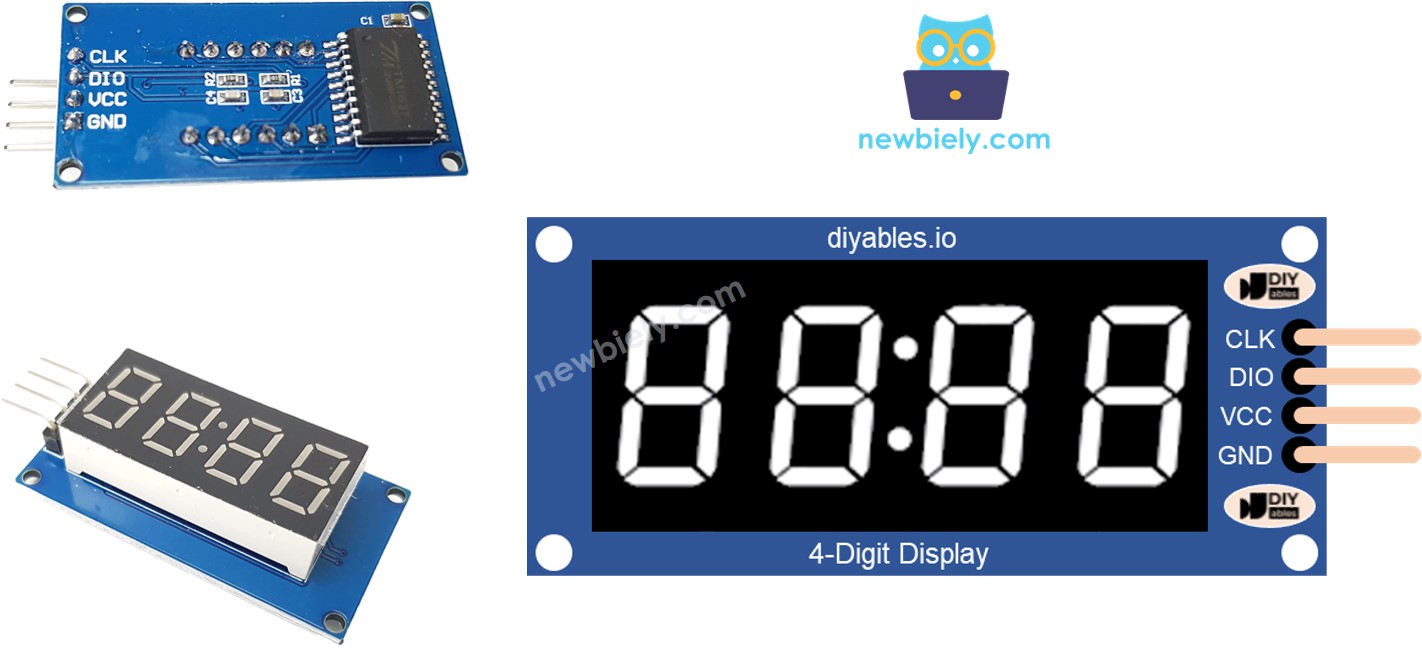
Product Link: DIYables 4-Digit 7-Segment Display LED TM1637 Driver with Colon Separator
Features
- Display integers (-999 to 9999)
- Display floats with automatic or manual decimal places
- Display alphabetic characters (A-U, Y)
- Display special characters (degree °, dash -, underscore _)
- Zero-padding support
- Temperature display with degree symbol (°C / °F)
- Time display (HH:MM) with blinking colon separator
- Colon separator control
- String display with inline dots
- 8-level brightness control (0-7)
- No Timer or refresh loop needed (TM1637 has built-in display memory)
- 2-wire interface (CLK + DIO)
Tested Hardware
| Board | Tested |
|---|---|
| ESP32 | ✅ |
| Raspberry Pi Pico | ✅ |
| DIYables ESP32 Development Board | ✅ |
| DIYables ESP32 S3, Uno-form factor | ✅ |
| Arduino Nano ESP32 | Not yet, expected to work |
| Arduino Giga R1 WiFi | Not yet, expected to work |
| Other MicroPython boards | Not yet, expected to work |
Tutorials
- ESP32 MicroPython - 4-Digit 7-Segment Display TM1637
- Raspberry Pi Pico - 4-Digit 7-Segment Display TM1637
References
Installation
You can install this library from PyPI using mpremote:
mpremote mip install DIYables-MicroPython-4Digit7Segment-TM1637
Or install via pip and copy to your board:
pip install DIYables-MicroPython-4Digit7Segment-TM1637
Documentation
See DIYables_MicroPython_4Digit7Segment_TM1637 Library Reference for the complete API documentation including all constructors, methods, and constants.
Examples
| Example | Description |
|---|---|
| example_integer.py | Display integers with optional zero-padding |
| example_float.py | Display floats with auto/manual decimal places |
| example_text_and_degree.py | Display text, degree symbol, and temperature |
| example_time.py | Display time with blinking colon separator |
| example_blink.py | Blink integers, floats, and text using off()/on() |
Release history Release notifications | RSS feed


Download files
Download the file for your platform. If you're not sure which to choose, learn more about installing packages.
Source Distribution
Built Distribution
Filter files by name, interpreter, ABI, and platform.
If you're not sure about the file name format, learn more about wheel file names.
Copy a direct link to the current filters
File details
Details for the file diyables_micropython_4digit7segment_tm1637-1.0.0.tar.gz.
File metadata
- Download URL: diyables_micropython_4digit7segment_tm1637-1.0.0.tar.gz
- Upload date:
- Size: 8.9 kB
- Tags: Source
- Uploaded using Trusted Publishing? No
- Uploaded via: twine/6.2.0 CPython/3.13.5
File hashes
| Algorithm | Hash digest | |
|---|---|---|
| SHA256 |
8c699882014bd04cd93735ce4d5f06af15a6b057e66ab8e97558d5a6a3ff351d
|
|
| MD5 |
ec61d207f81606018b4bec295aa9d00d
|
|
| BLAKE2b-256 |
97c59f1acb2be6b5e33dea801e3118dcff06a4e804a7a965efdc3565215803c2
|
File details
Details for the file diyables_micropython_4digit7segment_tm1637-1.0.0-py3-none-any.whl.
File metadata
- Download URL: diyables_micropython_4digit7segment_tm1637-1.0.0-py3-none-any.whl
- Upload date:
- Size: 8.2 kB
- Tags: Python 3
- Uploaded using Trusted Publishing? No
- Uploaded via: twine/6.2.0 CPython/3.13.5
File hashes
| Algorithm | Hash digest | |
|---|---|---|
| SHA256 |
162db33e2f608fb5d0113718d563e30f665a7f906687846c34287311a52eb792
|
|
| MD5 |
408be5dd063c050e3a134d73af5aa9cb
|
|
| BLAKE2b-256 |
4765986a8e8bb96237a6ad18697badb69fe5812607341ffe779661bbf6d21db6
|






