
Discord Bot Linux Monitor (Python library)


What is it
This python library is designed to be used as a Linux service to monitor the Linux server manually with discord commands and to send warning or information of the Linux server status to a discord channel periodically (if relevant).
It is possible to have separate 'private discord channel' and 'public discord channel' for:
- Sendind discord commands to the bot (visual example in next section)
- Getting periodic status of the Linux server (doing periodically some commands from next section)
- Getting warnings if there is an issue in the Linux server (periodic status check)
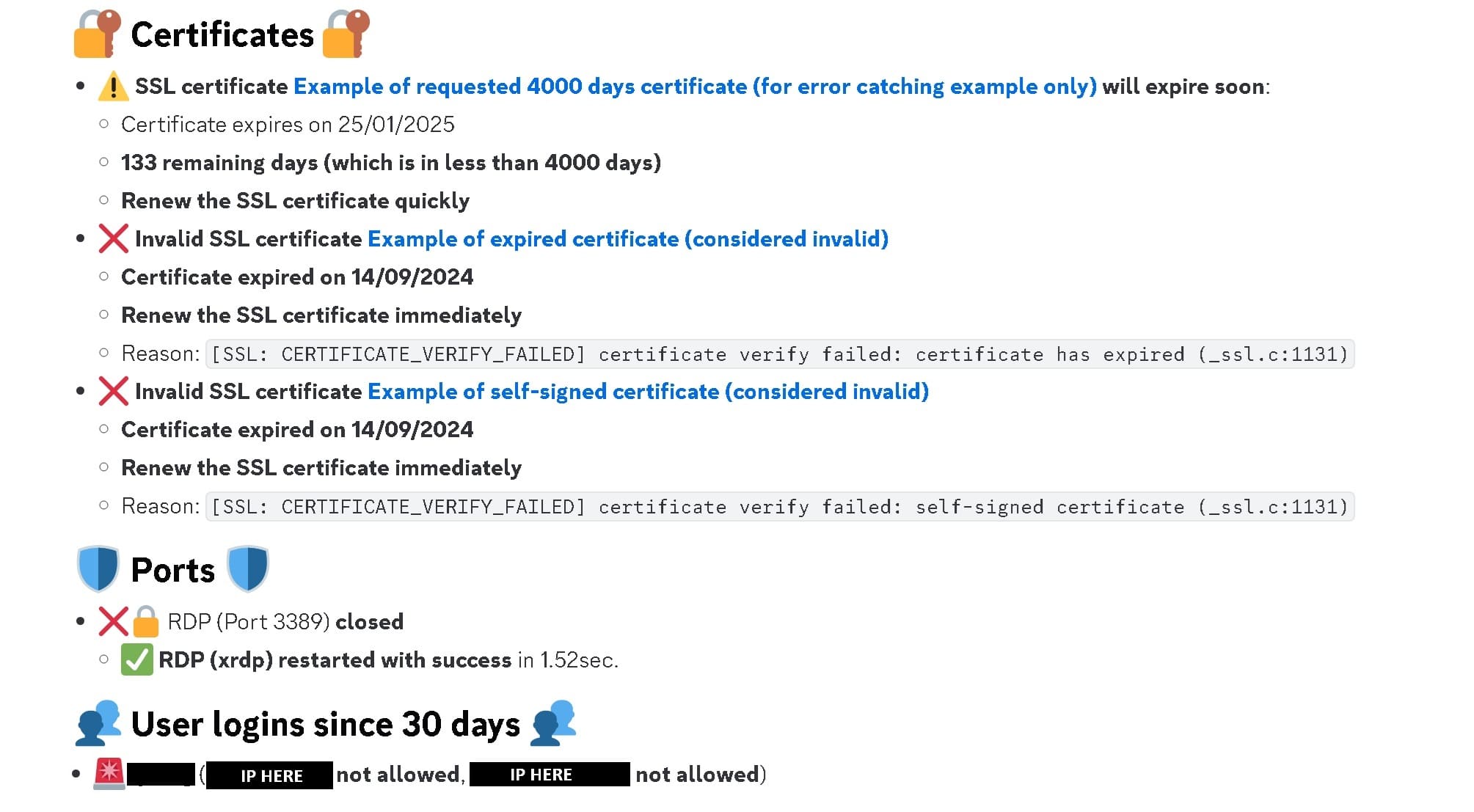
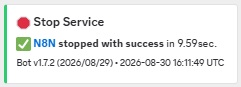
Example of warning:
It is compatible with python 3+ and usable only on Linux.

List of Discord commands:
Public and private discord channel commands
Displayed infos are not the same if you do the command in private or public channel (all info are displayed in private channel, some are hidden from public channels)
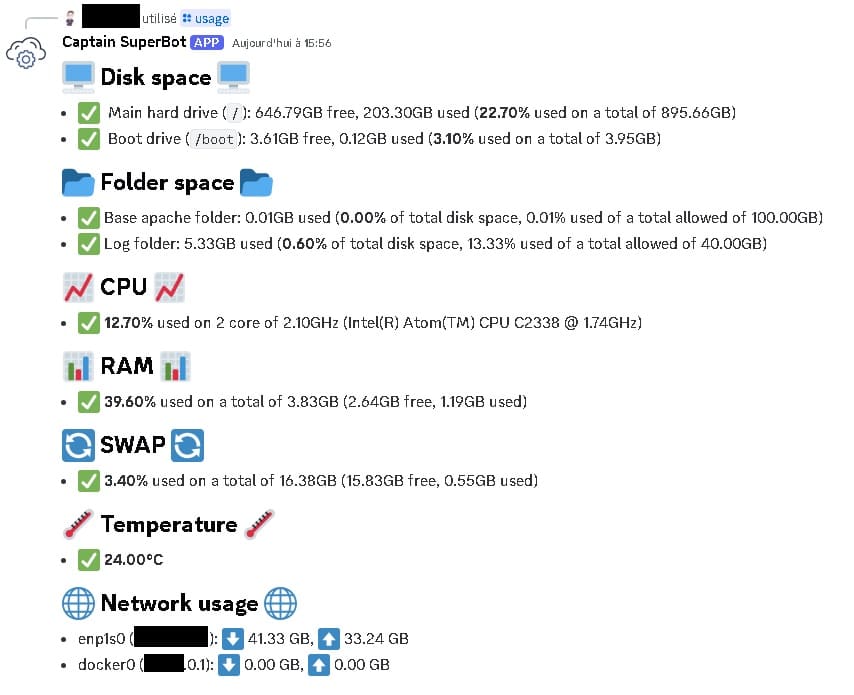
/usage: 📊 View disk space, Load average, CPU, RAM, ... 📊
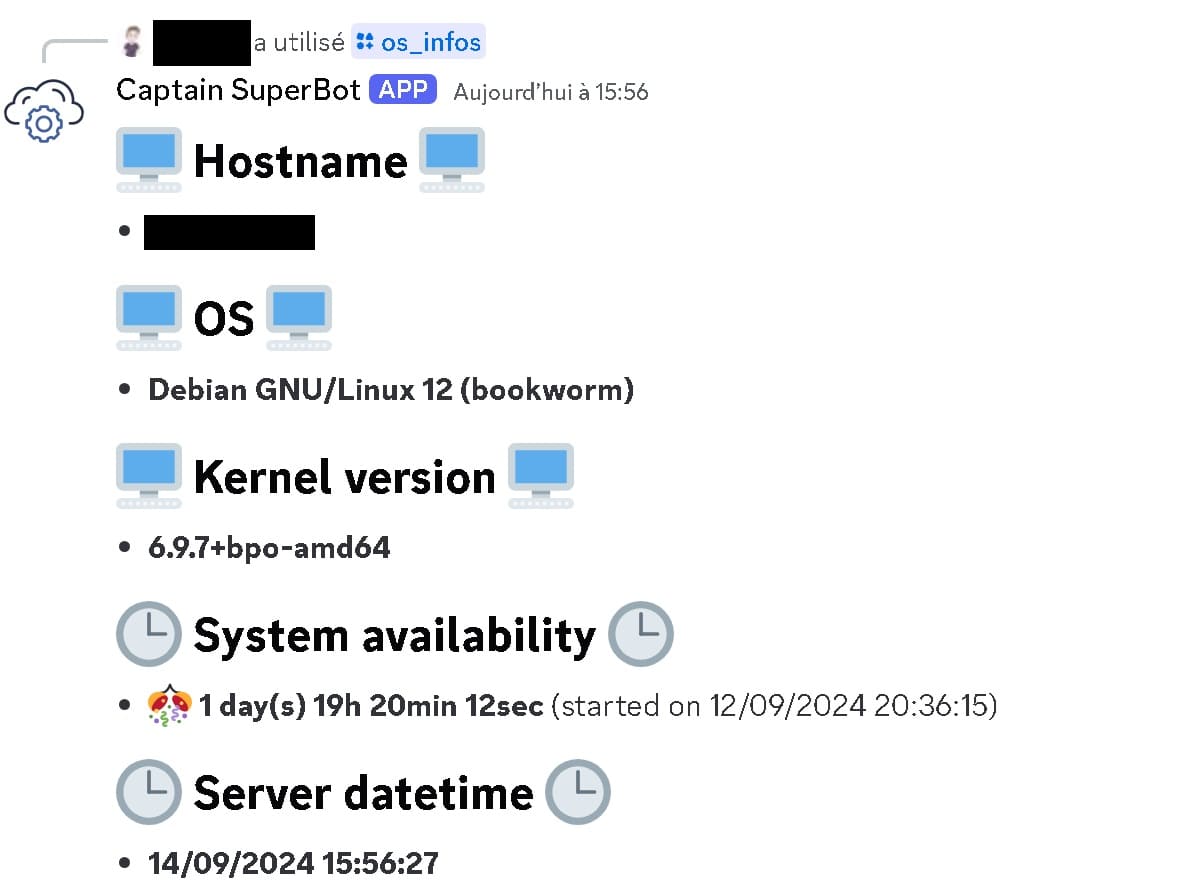
/os_infos: 🖥 View basic system information 🖥
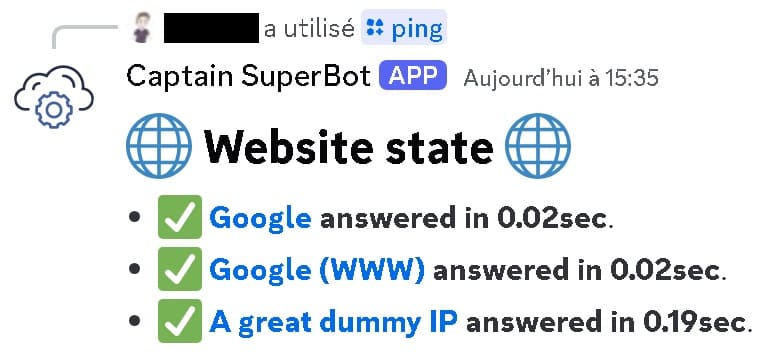
/ping: 🌐 Ping websites 🌐
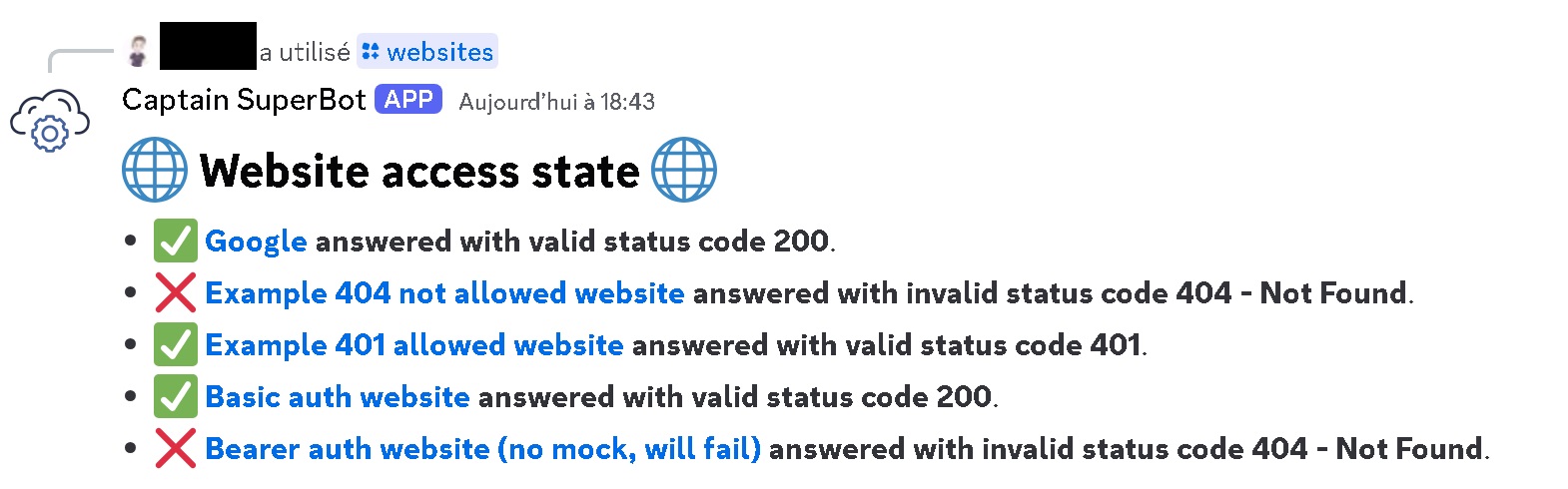
/websites: 🌐 Check websites access (GET requests) 🌐
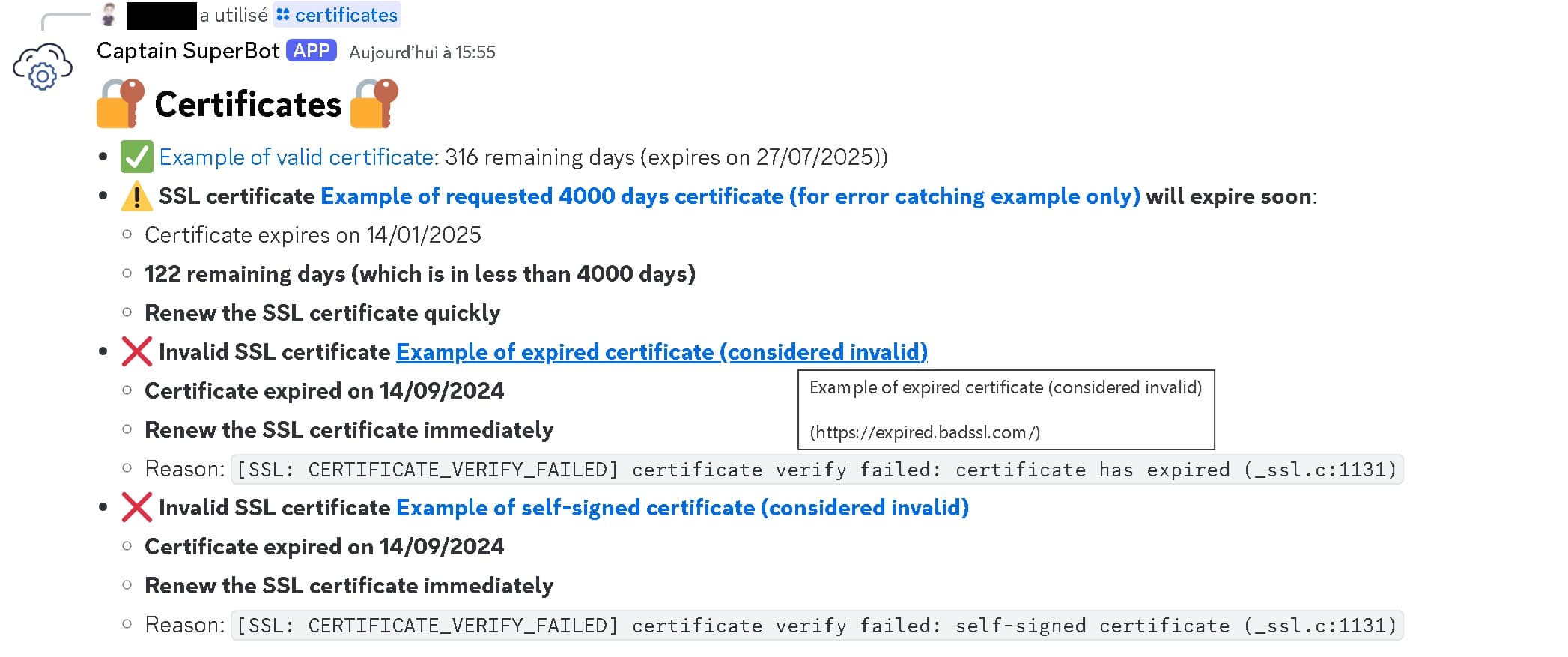
/certificates: 🔒 Check SSL certificates 🔒
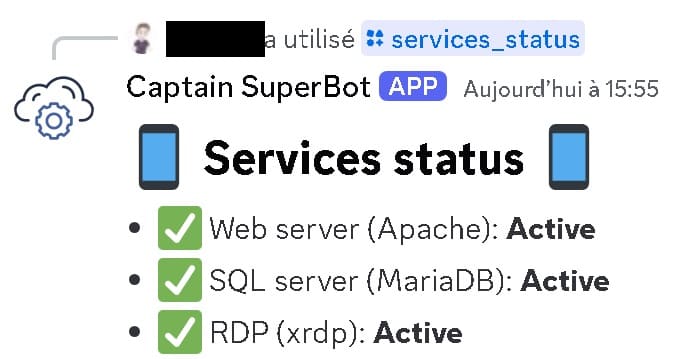
/services_status: 🩺 Check services are running 🩺
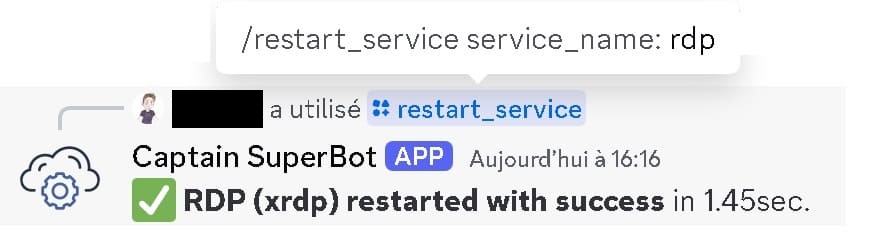
/restart_all: 🚀 Restart all services 🚀/restart_service {service_name}: 🚀 Restart a service 🚀
/stop_service {service_name}: 🚫 Stop a service 🚫
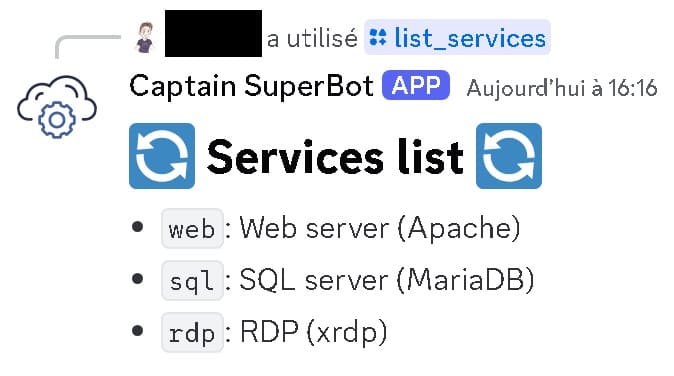
/list_services: 📋 List all available services 📋
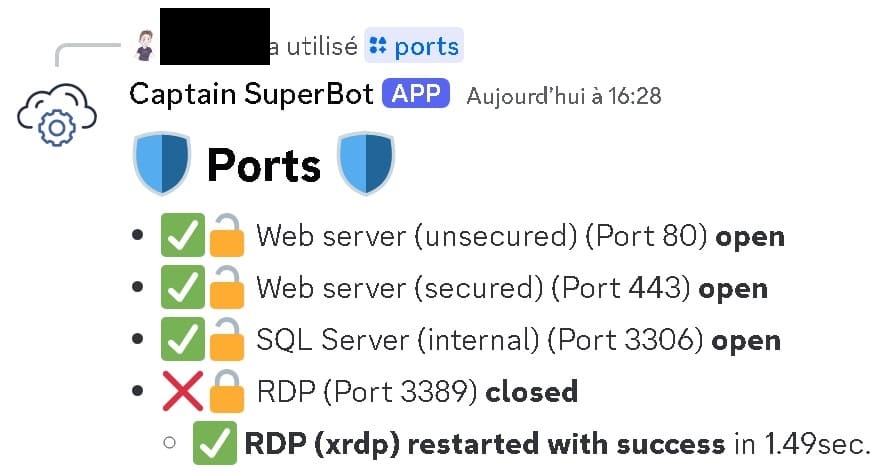
/ports: 🔒 Check ports 🔒
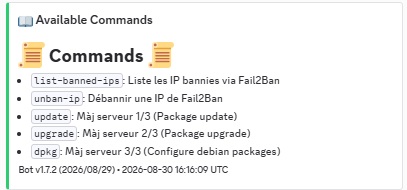
/list_commands: 📋 List all available commands 📋
/version: 🤖 Show current bot version 🤖
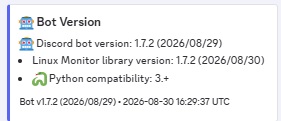
/execute_all_commands: 🚀 Execute all commands 🚀/execute_command {command_name} [parameters]: 🚀 Execute a command (optional parameters, only for commands withaccept_parametersor a{arg1}/{args}placeholder) 🚀
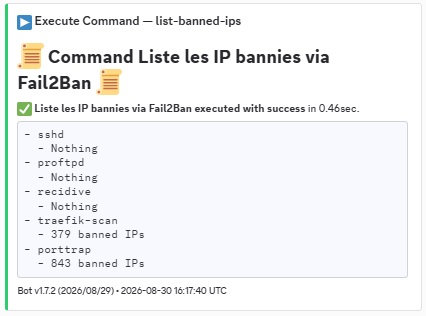
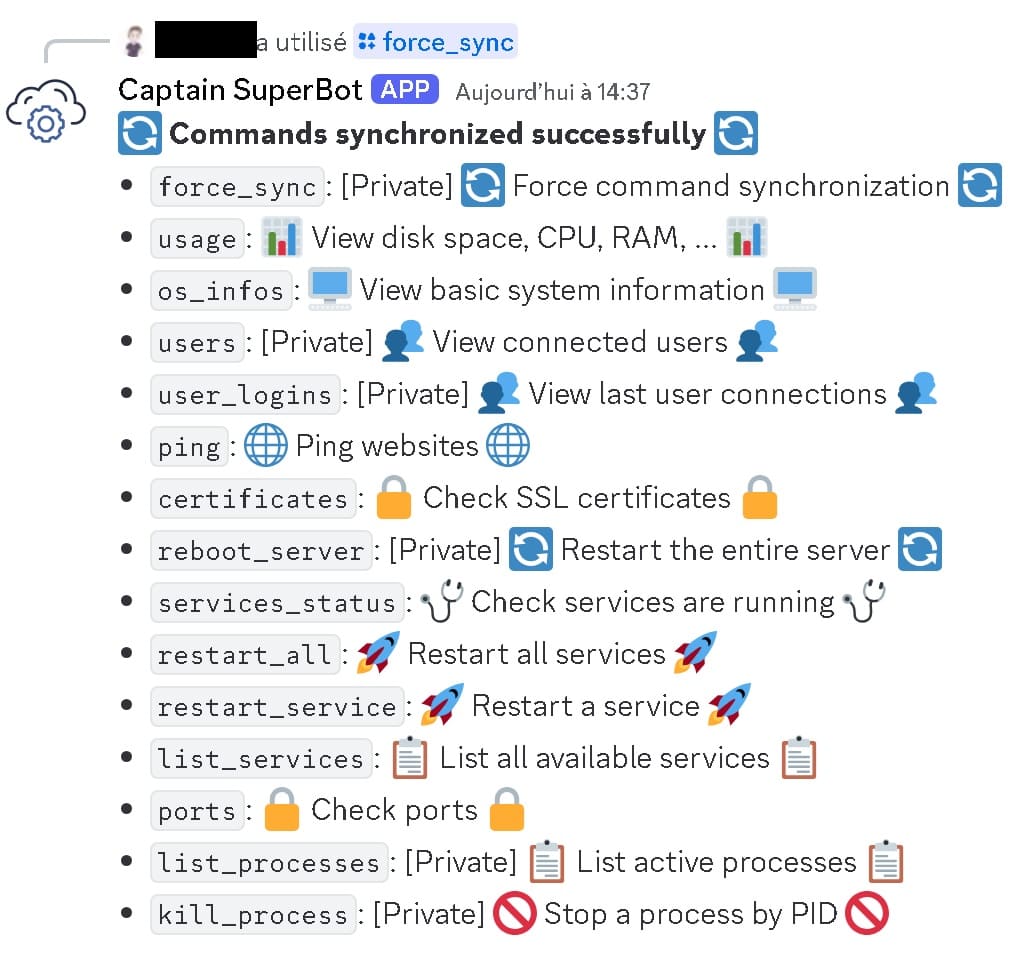
Private discord channel commands:
/force_sync: 🔄 Force discord command synchronization 🔄
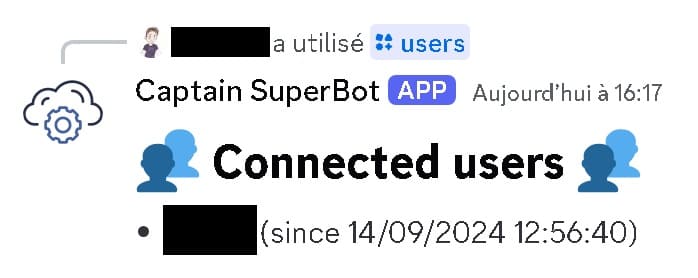
/users: 👥 View connected users 👥
/user_logins: 👥 View last user connections 👥
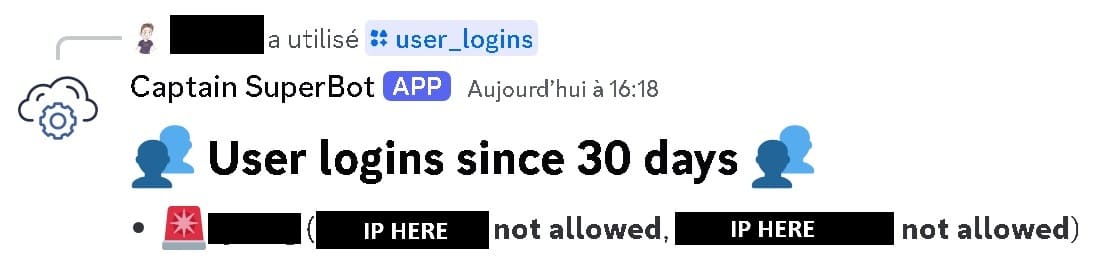
-
/reboot_server: 🔄 Restart the entire server 🔄 -
/list_processes: 📋 List active processes 📋
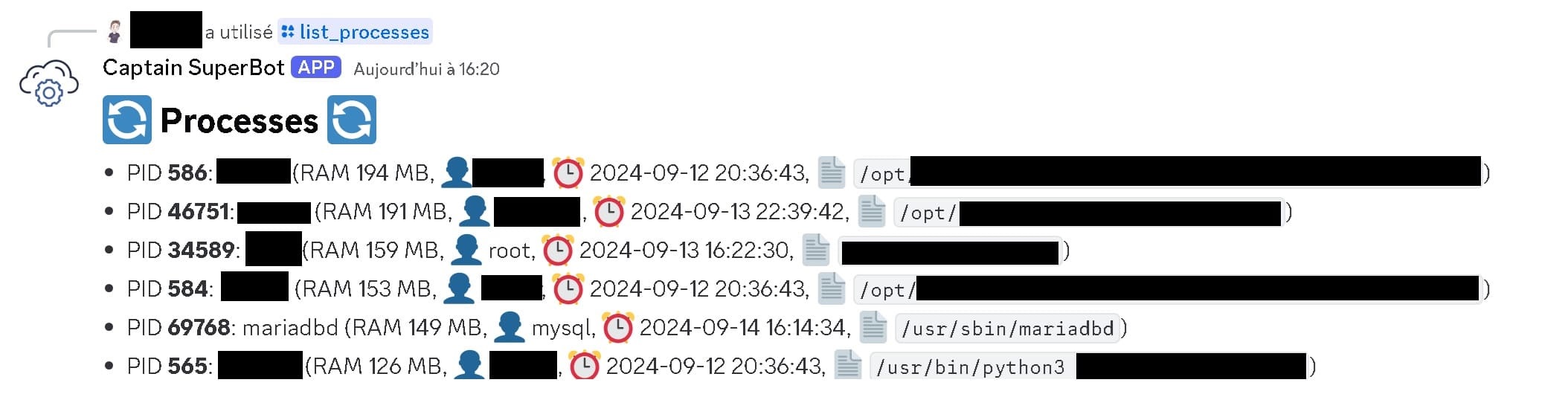
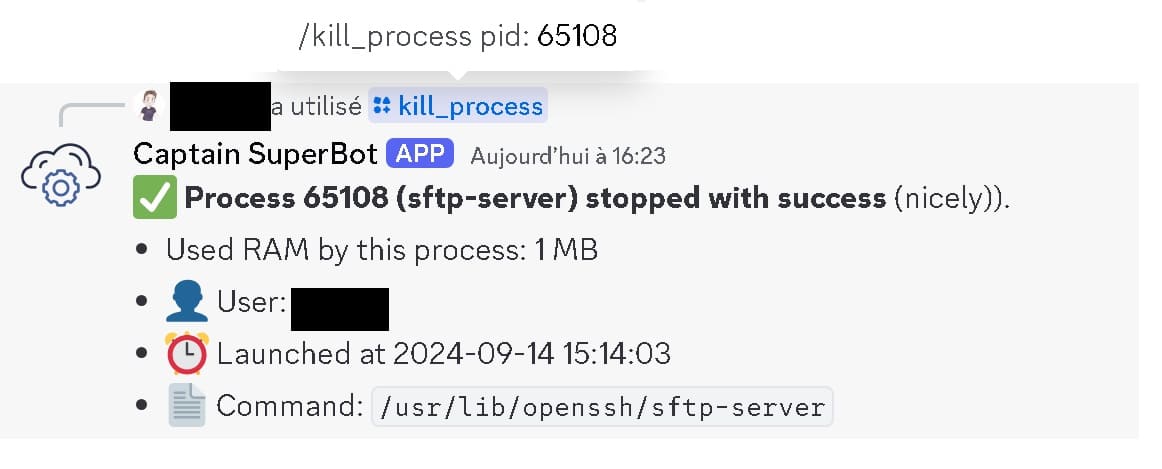
/kill_process: 🚫 Stop a process by PID 🚫
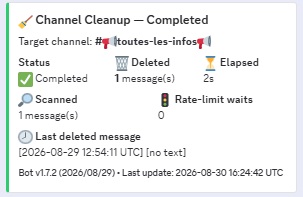
/clear_channel_messages {channel}: 🧹 Remove all messages from a target channel (can clean any channel, command itself is private-only) 🧹
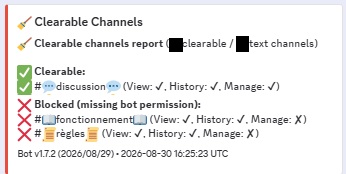
/list_clearable_channels: 🧹 List text channels and whether the bot can clear them (View + Read History + Manage Messages), private-only 🧹
How to install (for first launch)
- Install package calling
python -m pip install discordbotlinuxmonitor(orpython setup.py installfrom the root of this repository) - Copy and edit config-example.json file depending on your need (on first launch, remove all
restart_commandfrom config file to prevent potential looping service restart issues on your server in case your config file is not well configured) - Launch the lib for testing it works:
# Get help
python3 -m discordbotlinuxmonitor --help
# Use "--debug" to show more information during command
# Use "--nodebug" to not show any warning information during command

# Start the discord bot Linux monitor (First time)
python3 -m discordbotlinuxmonitor --config_file config-example.json --force_sync_on_startup --debug

# Start the discord bot Linux monitor (after first time)
python3 -m discordbotlinuxmonitor --config_file config-example.json
- Go to discord (restart discord if you were already in it)
- You should see welcome messages on channels you configured in the config file and be able to communicate with the bot using command defined in previous section
How to install this lib as a service (to keep it running in the Linux server as a monitor)
- Stop the discord bot and create a service to have it running even after computer reboot:
### Define all base info
DISCORD_BOT_SERVICE_USER="discordbotlinuxmonitor"
DISCORD_BOT_SERVICE_GROUP="discordbotlinuxmonitor"
DISCORD_BOT_SERVICE_NAME="discord-bot"
DISCORD_BOT_SERVICE_FILE="/etc/systemd/system/${DISCORD_BOT_SERVICE_NAME}.service"
DISCORD_BOT_FOLDER="/opt/DiscordBot/"

### Add rights to user launching the library depending on what you want it to do ###
# Only if this library should be able to reboot the server on demand:
echo "$DISCORD_BOT_SERVICE_USER ALL=(ALL) NOPASSWD: /sbin/reboot" >> /etc/sudoers.d/$DISCORD_BOT_SERVICE_USER
# Only if this library should be able to kill a process on demand:
echo "$DISCORD_BOT_SERVICE_USER ALL=(ALL) NOPASSWD: /bin/kill" >> /etc/sudoers.d/$DISCORD_BOT_SERVICE_USER
# To check last user connection
echo "$DISCORD_BOT_SERVICE_USER ALL=(ALL) NOPASSWD: /usr/bin/last" >> /etc/sudoers.d/$DISCORD_BOT_SERVICE_USER

# Add also all processes added in your config JSON file you want the library to be able to execute
# Example for the existing config-example.json file:
echo "$DISCORD_BOT_SERVICE_USER ALL=(ALL) NOPASSWD: /bin/systemctl" >> /etc/sudoers.d/$DISCORD_BOT_SERVICE_USER
echo "$DISCORD_BOT_SERVICE_USER ALL=(ALL) NOPASSWD: /etc/init.d/apache2" >> /etc/sudoers.d/$DISCORD_BOT_SERVICE_USER
echo "$DISCORD_BOT_SERVICE_USER ALL=(ALL) NOPASSWD: /etc/init.d/mariadb" >> /etc/sudoers.d/$DISCORD_BOT_SERVICE_USER

### Create a specific user and group to launch the discord bot service ###
echo "Creating user $DISCORD_BOT_SERVICE_USER..."
sudo useradd -r -s /usr/sbin/nologin $DISCORD_BOT_SERVICE_USER
sudo mkdir -p /home/$DISCORD_BOT_SERVICE_USER
sudo chown $DISCORD_BOT_SERVICE_USER:$DISCORD_BOT_SERVICE_GROUP /home/$DISCORD_BOT_SERVICE_USER
sudo usermod -d /home/$DISCORD_BOT_SERVICE_USER $DISCORD_BOT_SERVICE_USER

### Install DiscordBotLinuxMonitor lib for the user ###
echo "Installing DiscordBotLinuxMonitor for user $DISCORD_BOT_SERVICE_USER..."
sudo -u $DISCORD_BOT_SERVICE_USER -s
python3 -m venv /home/$DISCORD_BOT_SERVICE_USER/venv
source /home/$DISCORD_BOT_SERVICE_USER/venv/bin/activate
python3 -m pip install discordbotlinuxmonitor
deactivate
exit

# Create the Discord bot folder where you should put the json file
sudo mkdir $DISCORD_BOT_FOLDER

### Create a systemd service file for the Discord bot ###
cat <<EOF > $DISCORD_BOT_SERVICE_FILE
[Unit]
Description=Discord Bot Linux Monitor Service
After=network.target

[Service]
ExecStart=/home/$DISCORD_BOT_SERVICE_USER/venv/bin/python3 -m discordbotlinuxmonitor --config_file ${DISCORD_BOT_FOLDER}config.json
WorkingDirectory=$DISCORD_BOT_FOLDER
User=$DISCORD_BOT_SERVICE_USER
Group=$DISCORD_BOT_SERVICE_GROUP
Restart=always
RestartSec=3

[Install]
WantedBy=multi-user.target
EOF

echo "Service file created at $DISCORD_BOT_SERVICE_FILE"

### Reload systemd to recognize the new service ###
echo "Reloading systemd..."
sudo systemctl daemon-reload

### Enable and start the service ###
echo "Enabling and starting the Discord bot service..."
sudo systemctl enable $DISCORD_BOT_SERVICE_NAME
- Copy your config file into
$DISCORD_BOT_FOLDER/config.json - Launch the service:
sudo systemctl start $DISCORD_BOT_SERVICE_NAME
License
This project is under MIT license. This means you can use it as you want (just don't delete the library header).
Contribute
If you want to add more examples or improve the library, just create a pull request with proper commit message and right wrapping.
1 maintainer

Metadata
1 maintainer
Release files for DiscordBotLinuxMonitor 1.7.5
For a detailed explanation of source distributions (sdists) and built distributions (wheels), please see the package formats documentation.
Source distribution (sdist)
| File | Size | Uploaded | Provenance | Actions |
|---|---|---|---|---|
| discordbotlinuxmonitor-1.7.5.tar.gz | 24.3 kB | Without provenance | Details for discordbotlinuxmonitor-1.7.5.tar.gz |
Built distribution (wheel)
| File | Interpreter | ABI | Platform | Actions Reset |
|---|---|---|---|---|
| discordbotlinuxmonitor-1.7.5-py3-none-any.whl | Python 3 | none | any | Details for discordbotlinuxmonitor-1.7.5-py3-none-any.whl |
Total release size: 49.3 kB
Release files / discordbotlinuxmonitor-1.7.5.tar.gz
| Download URL | discordbotlinuxmonitor-1.7.5.tar.gz |
|---|---|
| Size | 24.3 kB |
| Tags | Source |
|
SHA-256 checksum How to use checksums |
fc8d5cf67768efce175f11722e5c9e9e7beea2672eab8a1d34f62522f187f1a8
|
|
BLAKE2b-256 checksum How to use checksums |
5f72845955fe517f279ec603d77c9f35de2f4a6259ba4f7c7cb14ae452c90654
|
| Upload date | |
|
Uploaded using Trusted Publishing? What is trusted publishing? |
No |
| Uploaded via |
twine/7.0.0 CPython/3.14.7
|
Release files / discordbotlinuxmonitor-1.7.5-py3-none-any.whl
| Download URL | discordbotlinuxmonitor-1.7.5-py3-none-any.whl |
|---|---|
| Size | 25.1 kB |
| Tags | Python 3 |
|
SHA-256 checksum How to use checksums |
843290fc89846964cef12caf84aa8c46c59dadf115271f7d4a0084cfcdc8cf8c
|
|
BLAKE2b-256 checksum How to use checksums |
ec960baab8129bca502f14ac6f24e32b2ffbec433879c887d017b44b27ac1878
|
| Upload date | |
|
Uploaded using Trusted Publishing? What is trusted publishing? |
No |
| Uploaded via |
twine/7.0.0 CPython/3.14.7
|
Security for DiscordBotLinuxMonitor 1.7.5
Provenance
Provenance describes where a file came from. On PyPI, provenance is shared via attestations, which provide a verifiable record of the build or publishing details. View details, limitations and caveats.
No provenance found
None of the files in this release were uploaded with provenance metadata.
A note on package security
PyPI is a repository for distributing packages, not a service for auditing them. While third-party security researchers and our staff do their best to detect and remove malicious packages, PyPI cannot guarantee the quality, security or suitability of any given package.
To learn more about protecting yourself from malicious actors, visit our package security documentation.














