
DubSplitter
Description
an easy tool to split dubs based on given silence
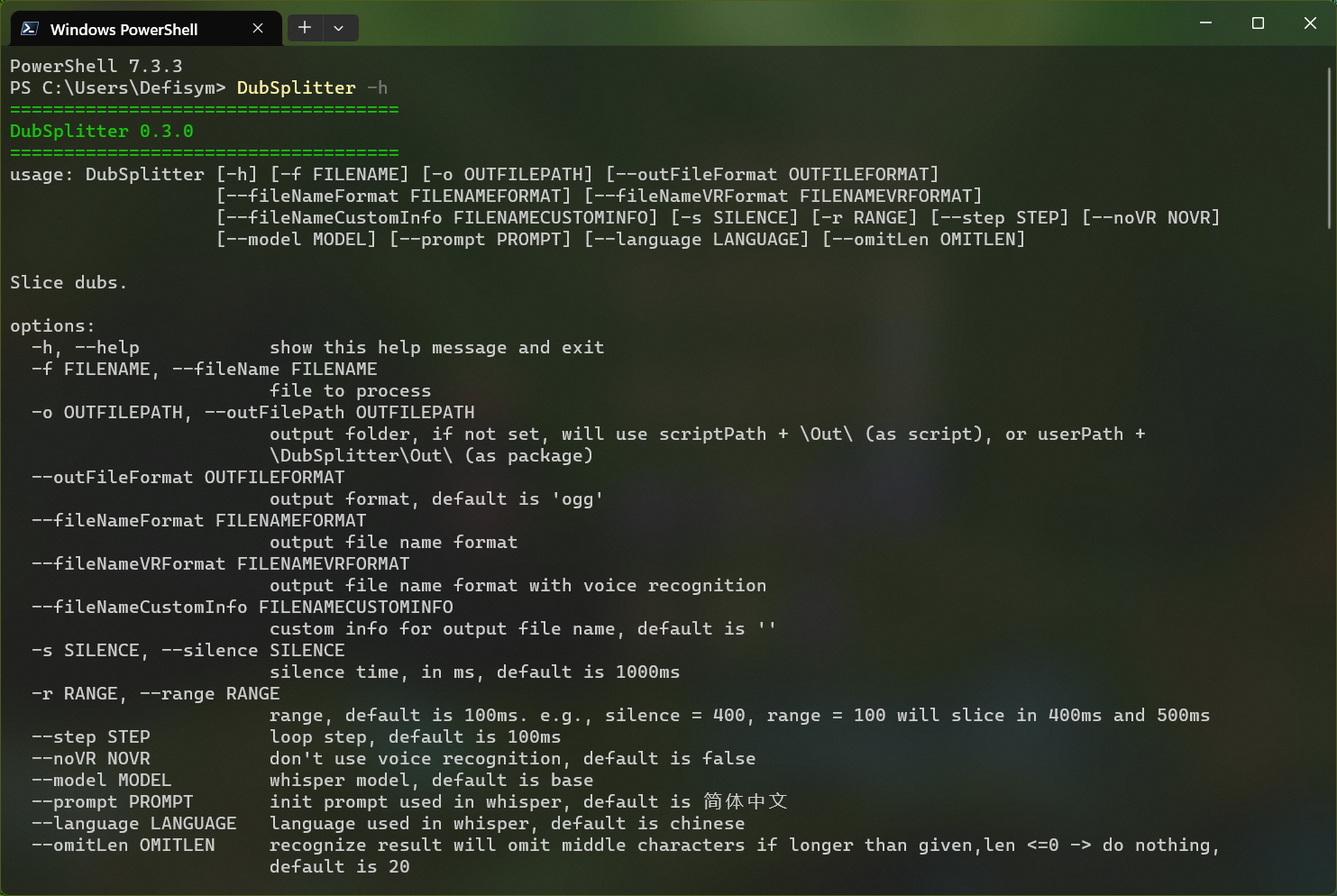
Params
| Command | Type | Info |
|---|---|---|
| -f, --fileName | option | file to process |
| -o, --outFilePath | option | output folder, if not set, will use scriptPath + \\Out\\ (as script), or userPath + \\DubSplitter\\Out\\ (as package) |
| --outFileFormat | option | output format, default is ogg |
| --fileNameFormat | option | output file name format |
| --fileNameVRFormat | option | output file name format with voice recognition |
| --fileNameCustomInfo | option | custom info for output file name, default is '' |
| -s, --silence | option | silence time, in ms, default is 1000ms |
| -r, --range | option | range, default is 100ms. e.g., silence = 400, range = 100 will slice in 400ms and 500ms |
| --step | option | loop step, default is 100ms |
| --threshold | option | anything quieter than this will be considered silence, default is -40db |
| --keepSilence | option | leave some silence at the beginning and end of the chunks. Keeps the sound from sounding like it is abruptly cut off. When the length of the silence is less than the given duration it is split evenly between the preceding and following non-silent segments, default is 100ms |
| --noVR | option | don't use voice recognition, default is false |
| --model | option | whisper model, default is base |
| --prompt | option | init prompt used in whisper, default is 简体中文 |
| --language | option | language used in whisper, default is chinese |
| --omitLen | option | recognize result will omit middle characters if longer than given, len <=0 -> do nothing, default is 20 |
| --log | option | output detailed log instead of progress bar, default is false |
Usage
open folder in terminal, then run python main.py
or use command pip install DubSplitter to install package, then
run dubSplitter
Custom File Name
Basic
fileNameFormat & fileNameVRFormat receives a format string, you can reference
the formatting syntax doc then write
your own one.
files will firstly be outputted in the format of fileNameFormat. If the script needs to do voice recognition, then the
file will be renamed to fileNameVRFormat
File Name Format
default is {2:0>4d}_{3:0>8d}.{1}
| String | Index |
|---|---|
| custom info | 0 |
| output format | 1 |
| silence | 2 |
| loop index | 3 |
| ms time stamp start | 4 |
| ms time stamp end | 5 |
| time stamp start | 6 |
| time stamp end | 7 |
custom info is the one you passed in fileNameCustomInfo
File Name Format (with voice recognition)
default is {2:0>4d}_{3:0>8d}_{5}.{1}
| String | Index |
|---|---|
| custom info | 0 |
| output format | 1 |
| silence | 2 |
| loop index | 3 |
| recognize_result | 4 |
| text | 5 |
| ms time stamp start | 6 |
| ms time stamp end | 7 |
| time stamp start | 8 |
| time stamp end | 9 |
custom info is the one you passed in fileNameCustomInfo
text is the process result of recognize_result, by omitting middle characters, and escaping invalid characters
like \\, /, *, ?, <, >, |
Note
Whisper GPU
if whisper doesn't use GPU, you need to uninstall CPU version first then install GPU version
pip uninstall torch
pip cache purge
# from https://pytorch.org/get-started/locally/
pip3 install torch torchvision torchaudio --index-url https://download.pytorch.org/whl/cu117
Whisper prompt
example:
use --prompt 简体中文 -> 真辛苦真辛苦啊 我会跳个好天气出去运动的
use --prompt 正體中文 -> 真辛苦真辛苦啊我會跳個好天氣出去運動的
Changelog
231102 0.7.0
- time stamp usable in custom file format
231027 0.6.0
- progress bar
- auto skip output routine if new silence has the same count comparing to previous one
231022 0.5.0
- iterate all files if input path is a folder
230520 0.4.0
- set silence threshold & keep silence length
230412 0.3.0
- add color for outputs
- add custom file format support
- add custom filename format support
- add prompt support
- add omit len option
230407 0.2.1
- use
AudioSegment.from_fileto support more file type - load file before load model as file error happens more often
- remove unnecessary info & fix typo
230407 0.2.0
- print version when boot
230407 0.1.3
- fix typo
230407 0.1.2
- optimize
update_path
230407 0.1.1
- update readme
230407 0.1.0
- init release
1 maintainer

Metadata
1 maintainer
Release files for DubSplitter 0.7.0
For a detailed explanation of source distributions (sdists) and built distributions (wheels), please see the package formats documentation.
Source distribution (sdist)
| File | Size | Uploaded | |
|---|---|---|---|
| DubSplitter-0.7.0.tar.gz | 10.3 kB | Details |
Built distribution (wheel)
| File | Interpreter | ABI | Platform | Reset |
|---|---|---|---|---|
| DubSplitter-0.7.0-py3-none-any.whl | Python 3 | none | any | Details |
Total release size: 23.0 kB
Release files / DubSplitter-0.7.0.tar.gz
| Download URL | DubSplitter-0.7.0.tar.gz |
|---|---|
| Size | 10.3 kB |
| Tags | Source |
|
SHA-256 checksum How to use checksums |
6cab5e242a36dacfb039896a0095905f62e51c5c5a7294a9a49be2879b37f7ef
|
|
BLAKE2b-256 checksum How to use checksums |
fb8e9bdc9eed9ba9e87708de448e84b89ef1199cea8617dc3eaad58ee1e3a9fa
|
| Upload date | |
|
Uploaded using Trusted Publishing? What is trusted publishing? |
No |
| Uploaded via |
twine/4.0.2 CPython/3.11.6
|
Release files / DubSplitter-0.7.0-py3-none-any.whl
| Download URL | DubSplitter-0.7.0-py3-none-any.whl |
|---|---|
| Size | 12.7 kB |
| Tags | Python 3 |
|
SHA-256 checksum How to use checksums |
20a290cfda63554c81154b5e3674d5451625e011ce73c91a8df6b8ca6f531d59
|
|
BLAKE2b-256 checksum How to use checksums |
5c68aec18951f022401fa64feb0f63e679d63aac716d53e34a47923ef08a125a
|
| Upload date | |
|
Uploaded using Trusted Publishing? What is trusted publishing? |
No |
| Uploaded via |
twine/4.0.2 CPython/3.11.6
|














