
A Python library to generate EAS SAME Audio using Raw Data - Remastered

Project description
🌩️ EASGen: A Fast Python EAS Generation Library
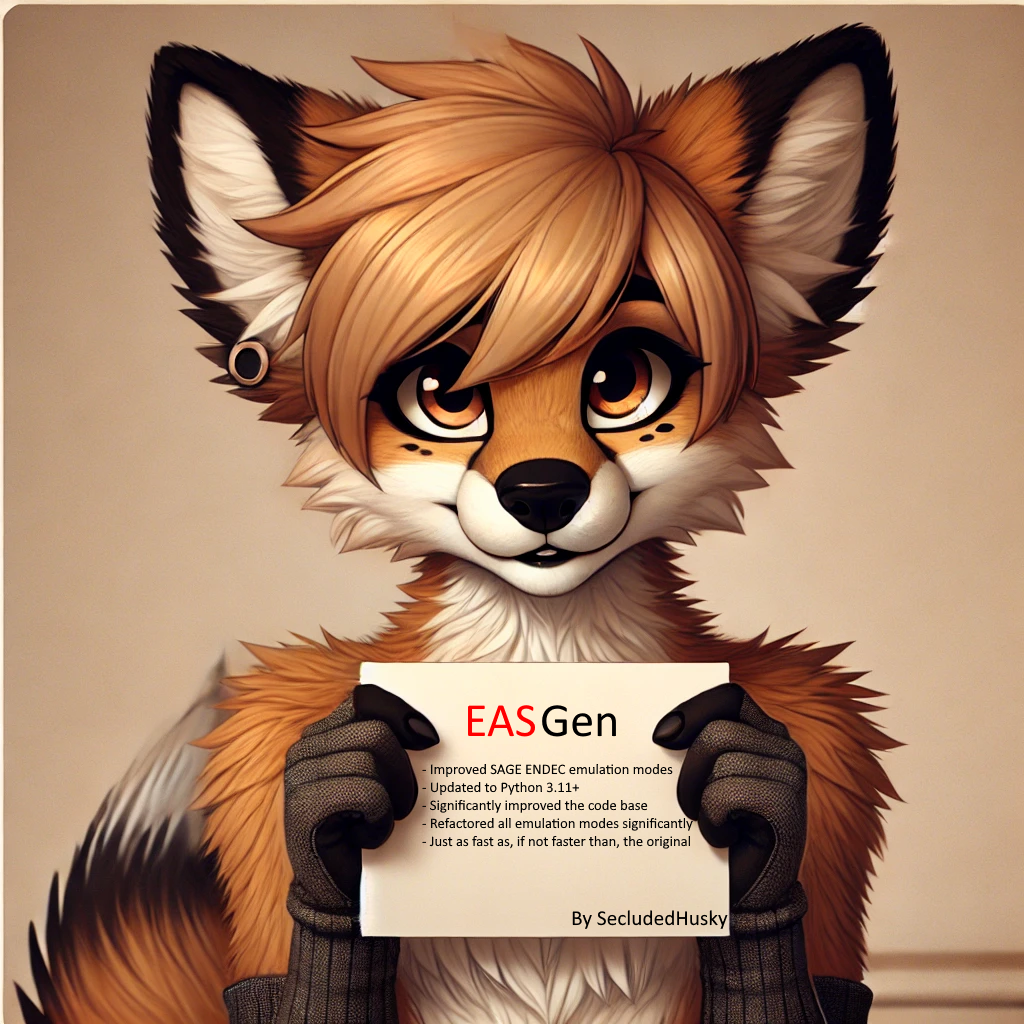
EASGen is a powerful Python library for translating EAS (Emergency Alert System) ZCZC strings or other data into SAME (Specific Area Messaging) headers. It includes robust support for individual headers, attention tones, EOM generation, emulation modes, and WEA tone generation, ensuring a seamless experience for encoding emergency messages.
🛠️ Features
- ✅ EAS Generation: Converts raw ZCZC SAME strings into Individual headers, attention tones. Also allows generation of EOMs.
- ✅ PyDub AudioSegment Output: Provides easy integration through PyDub AudioSegments.
- ✅ Audio File Input: Allows for audio files to be input to allow for audio messages and other forms of audio injection.
- ✅ Very Quick: Generates headers quickly and efficiently, allowing for high performance usage.
- ✅ Emulation Modes: Mimic the sound of various EAS hardware/software systems.
🚀 Installation
Linux (Debian-based)
sudo apt update
sudo apt install python3 python3-pip
python3 -m pip install EASGen-Remastered
Windows
- Install Python.
- Open CMD and run:
python -m pip install EASGen-Remastered
📖 Basic Usage
Generate a simple SAME Required Weekly Test:
from EASGen import EASGen
from pydub.playback import play

header = "ZCZC-EAS-RWT-005007+0015-0010000-EAR/FOLF-" ## EAS Header to send
Alert = EASGen.genEAS(header=header, attentionTone=False, endOfMessage=True) ## Generate an EAS SAME message with no ATTN signal, and with EOMs.
play(Alert) ## Play the EAS Message
🔍 Advanced Usage
To Insert Audio into an alert:
from EASGen import EASGen
from pydub.playback import play
from pydub import AudioSegment

header = "ZCZC-CIV-DMO-033000+0100-0010000-EAR/FOLF-" ## EAS Header to send
audio = AudioSegment.from_wav("NewHampshireDMO.wav") ## Alert Audio import
Alert = EASGen.genEAS(header=header, attentionTone=True, audio=audio, endOfMessage=True) ## Generate an EAS SAME message with an ATTN signal, the imported WAV file as the audio, and with EOMs.
play(Alert) ## Play the EAS Message
## The New Hampshire State Police has activated the New Hampshire Emergency Alert System in order to conduct a practice demo. This concludes this test of the New Hampshire Emergency Alert System.
Spamming New Hampshire Demos have never been easier!
For a custom SampleRate:
from EASGen import EASGen
from pydub.playback import play
from pydub import AudioSegment

header = "ZCZC-EAS-DMO-055079+0100-0010000-EAR/FOLF-" ## EAS Header to send
Alert = EASGen.genEAS(header=header, attentionTone=True, endOfMessage=True, sampleRate=48000) ## Generate an EAS SAME message with an ATTN signal, the imported WAV file as the audio, with EOMs, at a samplerate of 48KHz.
play(Alert) ## Play the EAS Message
To export an alert instead of playing it back:
from EASGen import EASGen
from pydub import AudioSegment

header = "ZCZC-EAS-RWT-055079+0100-0010000-EAR/FOLF-" ## EAS Header to send
Alert = EASGen.genEAS(header=header, attentionTone=True, endOfMessage=True, sampleRate=48000) ## Generate an EAS SAME message with an ATTN signal, the imported WAV file as the audio, and with EOMs.
EASGen.export_wav("Alert.wav", Alert)
To resample an alert after generation (If sampleRate is making the audio weird):
from EASGen import EASGen
from pydub.playback import play
from pydub import AudioSegment

header = "ZCZC-EAS-DMO-055079+0100-0010000-EAR/FOLF-" ## EAS Header to send
Alert = EASGen.genEAS(header=header, attentionTone=True, endOfMessage=True) ## Generate an EAS SAME message with an ATTN signal, the imported WAV file as the audio, and with EOMs.
Alert = Alert.set_frame_rate(8000) ## Resample the alert to 8KHz for no reason lol.
play(Alert) ## Play the EAS Message
To simulate an ENDEC type:
from EASGen import EASGen
from pydub.playback import play
from pydub import AudioSegment

header = "ZCZC-CIV-DMO-033000+0100-0010000-EAR/FOLF-" ## EAS Header to send
audio = AudioSegment.from_wav("NewHampshireDMO.wav") ## Alert Audio import
Alert = EASGen.genEAS(header=header, attentionTone=True, audio=audio, mode="DIGITAL", endOfMessage=True) ## Generate an EAS SAME message with an ATTN signal, the imported WAV file as the audio, with EOMs, and with a SAGE DIGITAL ENDEC style.
play(Alert) ## Play the EAS Message
## The New Hampshire State Police has activated the New Hampshire Emergency Alert System in order to conduct a practice demo. This concludes this test of the New Hampshire Emergency Alert System.
Now you can make all the Mocks you want!
Supported ENDECS:
- [x] None
- [x] TFT (Resample to 8KHZ using ".set_frame_rate(8000)" on the generated alert)
- [x] EASyCAP (Basically the same as None)
- [x] DASDEC (Crank up the Samplerate to 48000 for this one)
- [x] SAGE EAS ENDEC (Mode = "SAGE")
- [x] SAGE DIGITAL ENDEC (Mode = "DIGITAL")
- [x] Trilithic EASyPLUS/CAST/IPTV (Mode = "TRILITHIC")
- [x] NWS (Mode = "NWS", Resample to 11KHZ using ".set_frame_rate(11025)" on the generated alert)
Unsupported ENDECS:
- [ ] HollyAnne Units (Can't sample down to 5KHz... This is a good thing.)
- [ ] Gorman-Reidlich Units (Don't listen to them enough to simulate. I think they're like TFT, but donno.)
- [ ] Cadco Twister Units (No Data)
- [ ] MTS Units (No Data)
To hear all the ENDEC styles, do this:
from EASGen import EASGen
from pydub.playback import play
from pydub import AudioSegment

print("Normal / EASyCAP")
play(EASGen.genEAS("ZCZC-EAS-DMO-055079+0100-0391810-EAR/FOLF-", True, True, AudioSegment.empty(), "", 24000, False))
print("DAS")
play(EASGen.genEAS("ZCZC-EAS-DMO-055079+0100-0391810-EAR/FOLF-", True, True, AudioSegment.empty(), "", 48000, True))
print("TFT")
play(EASGen.genEAS("ZCZC-EAS-DMO-055079+0100-0391810-EAR/FOLF-", True, True, AudioSegment.empty(), "", 24000, True).set_frame_rate(8000))
print("NWS")
play(EASGen.genEAS("ZCZC-EAS-DMO-055079+0100-0391810-EAR/FOLF-", True, True, AudioSegment.empty(), "NWS", 24000, True).set_frame_rate(11025))
print("SAGE")
play(EASGen.genEAS("ZCZC-EAS-DMO-055079+0100-0391810-EAR/FOLF-", True, True, AudioSegment.empty(), "SAGE", 24000, True))
print("DIGITAL")
play(EASGen.genEAS("ZCZC-EAS-DMO-055079+0100-0391810-EAR/FOLF-", True, True, AudioSegment.empty(), "DIGITAL", 24000, True))
print("EASyPLUS/CAST/IPTV")
play(EASGen.genEAS("ZCZC-EAS-DMO-055079+0100-0391810-EAR/FOLF-", True, True, AudioSegment.empty(), "TRILITHIC", 24000, True))
Output
https://github.com/user-attachments/assets/e56a3f58-20d0-4594-a6bd-e0cdece92540
https://github.com/user-attachments/assets/6ba4db6e-cd2f-4a15-a3d4-9f579abfbfbc
https://github.com/user-attachments/assets/9b4e4131-fbbb-4630-81bf-bba480483d77
https://github.com/user-attachments/assets/58a57f4b-5eac-442b-bcac-8de6c9e759e2
https://github.com/user-attachments/assets/9e987f1a-5c9b-4e48-94e6-6254df09af6a
https://github.com/user-attachments/assets/ca9918ec-78ea-4612-99ee-923bfe695bc0
https://github.com/user-attachments/assets/0e80b6e9-a53b-4d88-94e9-4d44f6f3019f
To generate ATTN only alerts, such as NPAS or WEA:
For NPAS:
from EASGen import EASGen
from pydub.playback import play
from pydub import AudioSegment

Alert = EASGen.genATTN(mode="NPAS") ## Generate an NPAS (AlertReady) Tone
play(Alert) ## Play the NPAS Tones
For WEA:
from EASGen import EASGen
from pydub.playback import play
from pydub import AudioSegment

Alert = EASGen.genATTN(mode="WEA") ## Generate WEA Tones
play(Alert) ## Play the WEA Tones
To use the Bandpass Filter functionality:
from EASGen import EASGen
from pydub.playback import play
from pydub import AudioSegment

header = "ZCZC-CIV-DMO-033000+0100-0010000-EAR/FOLF-" ## EAS Header to send
Alert = EASGen.genEAS(header=header, attentionTone=True, mode="DIGITAL", endOfMessage=True, bandpass=True) # New BandPass feature, which improves the audio quality on some emulation modes.
play(Alert) ## Play the EAS Message
⚠️ Reporting Issues
- Bugs and other issues can be reported on Discord or in the GitHub Issues tab.
- Include entire ZCZC SAME strings and any Audio Files injected and details for accurate and quick fixes.
📜 License
MIT License
👤 Contact
- Developer: SecludedHusky Systems/Newton Communications
- Discord: Contact Here
❤️ Thank You for Using My Version of EASGen!
Powered by SecludedHusky Systems. Get affordable internet radio services and VPS hosting today.


Download files
Download the file for your platform. If you're not sure which to choose, learn more about installing packages.
Source Distribution
Built Distribution
Filter files by name, interpreter, ABI, and platform.
If you're not sure about the file name format, learn more about wheel file names.
Copy a direct link to the current filters
File details
Details for the file EASGen-Remastered-0.1.13.7.tar.gz.
File metadata
- Download URL: EASGen-Remastered-0.1.13.7.tar.gz
- Upload date:
- Size: 18.2 kB
- Tags: Source
- Uploaded using Trusted Publishing? No
- Uploaded via: twine/6.1.0 CPython/3.10.16
File hashes
| Algorithm | Hash digest | |
|---|---|---|
| SHA256 |
9ebb0c71f0283954e171d876fa68e807485600c3f75bfcd0ff9714115a49c38f
|
|
| MD5 |
b6f6a3e8b0c74e3bca05e94ac12450a6
|
|
| BLAKE2b-256 |
e20bf2ef8a2e0ee866a427a9816f1509798ab7641b4691e46be32d87a43e4b00
|
File details
Details for the file EASGen_Remastered-0.1.13.7-py2.py3-none-any.whl.
File metadata
- Download URL: EASGen_Remastered-0.1.13.7-py2.py3-none-any.whl
- Upload date:
- Size: 15.1 kB
- Tags: Python 2, Python 3
- Uploaded using Trusted Publishing? No
- Uploaded via: twine/6.1.0 CPython/3.10.16
File hashes
| Algorithm | Hash digest | |
|---|---|---|
| SHA256 |
28ed118bd28a3212591a1771ed5832c298ba0bf6bab921bcc1ad6196b5c844d3
|
|
| MD5 |
f979c7d42f5df2fa99b58c4c2d6888aa
|
|
| BLAKE2b-256 |
5c877b3dedac9b8c16c95760a7292fa500e0e1d4ffb1fb0711c67ff74459af8e
|






