

EasyNN - Neural Networks made Easy
EasyNN is a python package designed to provide an easy-to-use Neural Network. The package is designed to work right out of the box with multiple datasets, while also allowing the user to customize features as they see fit.
EasyNN requires Python version 3.9.7 or greater.
See our wiki for more information and Datasets.
Installation:
Run python's pip3 to install:
pip3 install EasyNN
Model:
from EasyNN.examples.mnist.number.trained import model

# Classify an image.
print(model.classify(image))
Dataset Example:
from EasyNN.examples.mnist.number.trained import model
from EasyNN.examples.mnist.number.data import dataset

images, labels = dataset

# Classify what the second image is in the dataset.
print(model.classify(images[1]))

# Show the image.
model.show(images[1])
Dataset example output:
Downloading - number_parameters.npz:
[################################] 1769/1769 - 00:00:00
Downloading - number_structure.pkl:
[################################] 10700/10700 - 00:00:00
Downloading - number_dataset.npz:
[################################] 11221/11221 - 00:00:00
0
Full example:
More info can be found about converting images in the utilities section.
from EasyNN.examples.mnist.number.trained import model
from EasyNN.utilities import Preprocess, download

# Download an example image.
download("three.jpg","https://bit.ly/3dbO1eV")

format_options = dict(
    grayscale=True,
    invert=True,
    process=True,
    contrast=30,
    resize=(28, 28),
    rotate=3,
)

# Converting your image into the correct format for the mnist number dataset.
image = Preprocess("three.jpg").format(**format_options)

# Classify what the image is using the pretrained model.
print(model.classify(image))

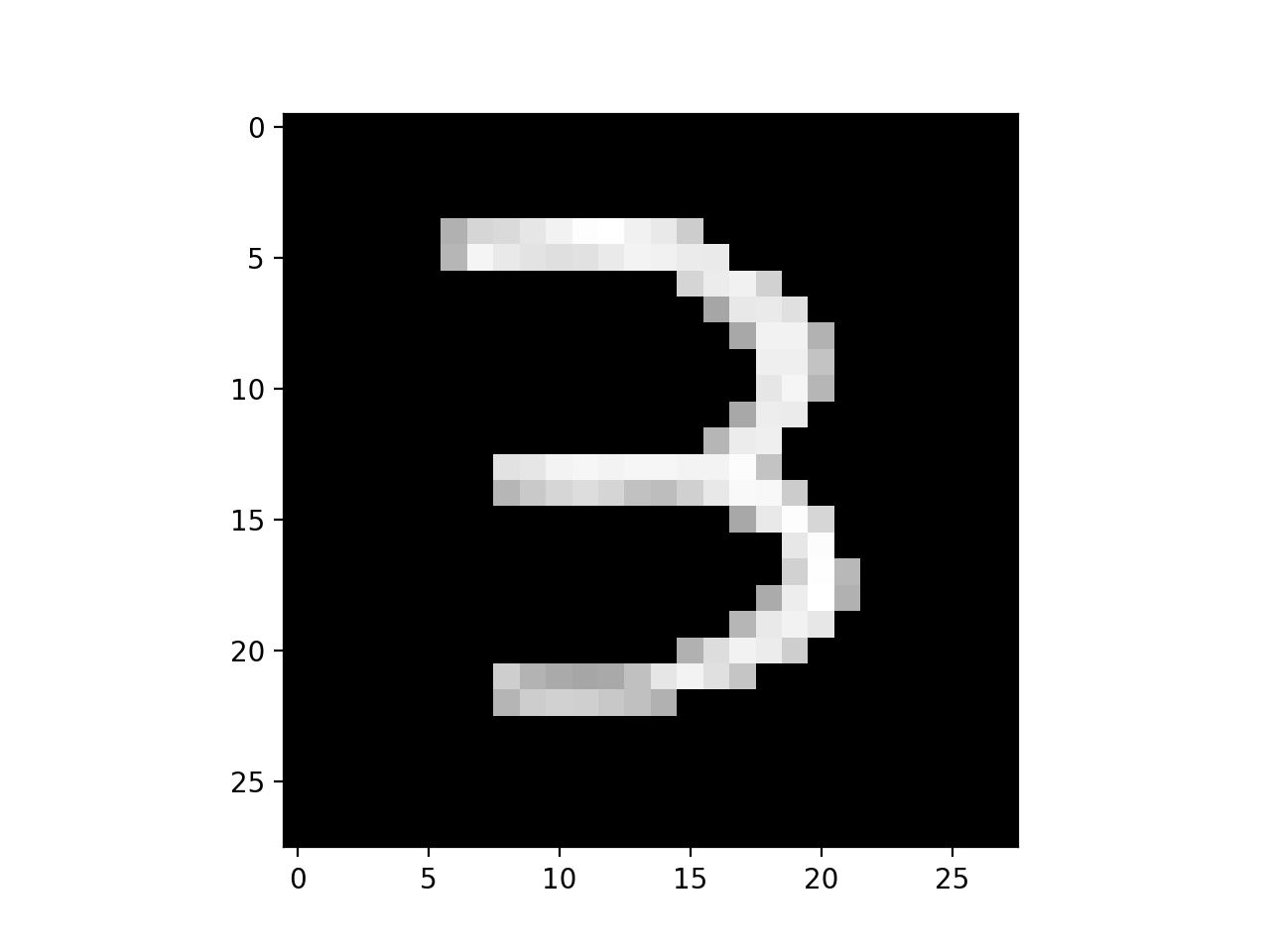
# Show the image after it has been processed.
model.show(image)
Output:
Downloading - four.jpg:
[################################] 1371/1371 - 00:00:00
3
Image output:
Trained Models
Use the trained models section to see EasyNN's datasets and pre-trained neural networks ready to run.
MNIST Number Classifier network for images of handwritten single digits between 0 and 9.
MNIST Fashion Classifier network for ten classes of human clothing images of the size 28x28 pixels.
Cifar 10 Classifier network for ten types of images varying from airplane, cat, dog, etc - 32x32 RGB images.
To see more examples with many other datasets. Please visit our wiki.


Release files for EasyNN 0.2.2
For a detailed explanation of source distributions (sdists) and built distributions (wheels), please see the package formats documentation.
Source distribution (sdist)
| File | Size | Uploaded | Provenance | |
|---|---|---|---|---|
| EasyNN-0.2.2.tar.gz | 31.1 kB | Without provenance | Details |
Built distribution (wheel)
| File | Interpreter | ABI | Platform | Reset |
|---|---|---|---|---|
| EasyNN-0.2.2-py3-none-any.whl | Python 3 | none | any | Details |
Total release size: 85.2 kB
Release files / EasyNN-0.2.2.tar.gz
| Download URL | EasyNN-0.2.2.tar.gz |
|---|---|
| Size | 31.1 kB |
| Tags | Source |
|
SHA-256 checksum How to use checksums |
cca91b005e30eaf234028364caec98ff2a4dcca823bdef5e5a0dbe213abc6ae0
|
|
BLAKE2b-256 checksum How to use checksums |
932bca52f80d2fc2584810e8481ed0652a962e8518e9d997686f5b3c27be3d6e
|
| Upload date | |
|
Uploaded using Trusted Publishing? What is trusted publishing? |
No |
| Uploaded via |
twine/3.4.2 importlib_metadata/4.8.1 pkginfo/1.7.1 requests/2.26.0 requests-toolbelt/0.9.1 tqdm/4.62.3 CPython/3.9.7
|
Release files / EasyNN-0.2.2-py3-none-any.whl
| Download URL | EasyNN-0.2.2-py3-none-any.whl |
|---|---|
| Size | 54.1 kB |
| Tags | Python 3 |
|
SHA-256 checksum How to use checksums |
2553f4d3ab7596fa6720eaad5ffbf34896abc21be3c0f93ede44bb0564a70b4b
|
|
BLAKE2b-256 checksum How to use checksums |
ba604b530d06d96fb7040c0e5a1d0bb423980511c971d5925fe8b21ed957362b
|
| Upload date | |
|
Uploaded using Trusted Publishing? What is trusted publishing? |
No |
| Uploaded via |
twine/3.4.2 importlib_metadata/4.8.1 pkginfo/1.7.1 requests/2.26.0 requests-toolbelt/0.9.1 tqdm/4.62.3 CPython/3.9.7
|
Security for EasyNN 0.2.2
Provenance
Provenance describes where a file came from. On PyPI, provenance is shared via attestations, which provide a verifiable record of the build or publishing details. View details, limitations and caveats.
No provenance found
None of the files in this release were uploaded with provenance metadata.
A note on package security
PyPI is a repository for distributing packages, not a service for auditing them. While third-party security researchers and our staff do their best to detect and remove malicious packages, PyPI cannot guarantee the quality, security or suitability of any given package.














