
English | 简体中文 | 繁體中文 | 日本語 | 한국어
PolyglotPDF






Demo

Speed comparison
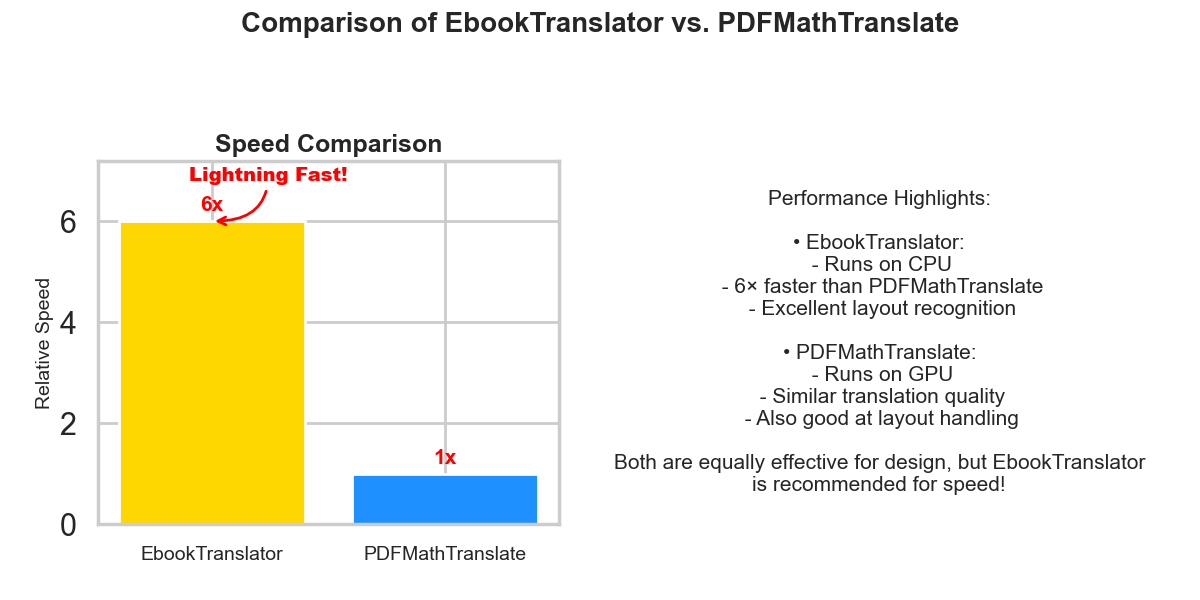
🎬 Watch Full Video
llms has been added as the translation api of choice, Doubao ,Qwen ,deepseek v3 , gpt4-o-mini are recommended. The color space error can be resolved by filling the white areas in PDF files. The old text to text translation api has been removed.
In addition, consider adding arxiv search function and rendering arxiv papers after latex translation.
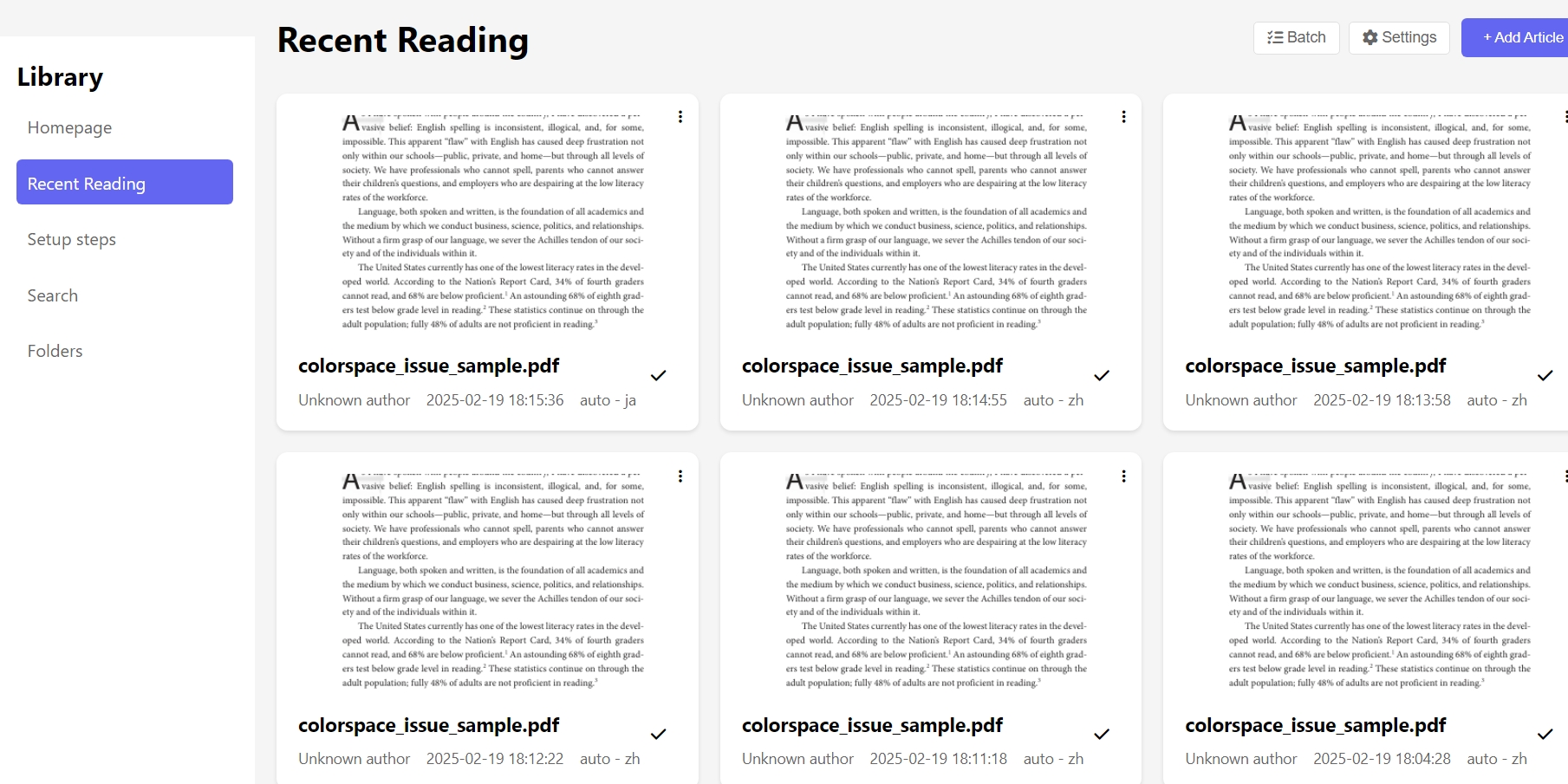
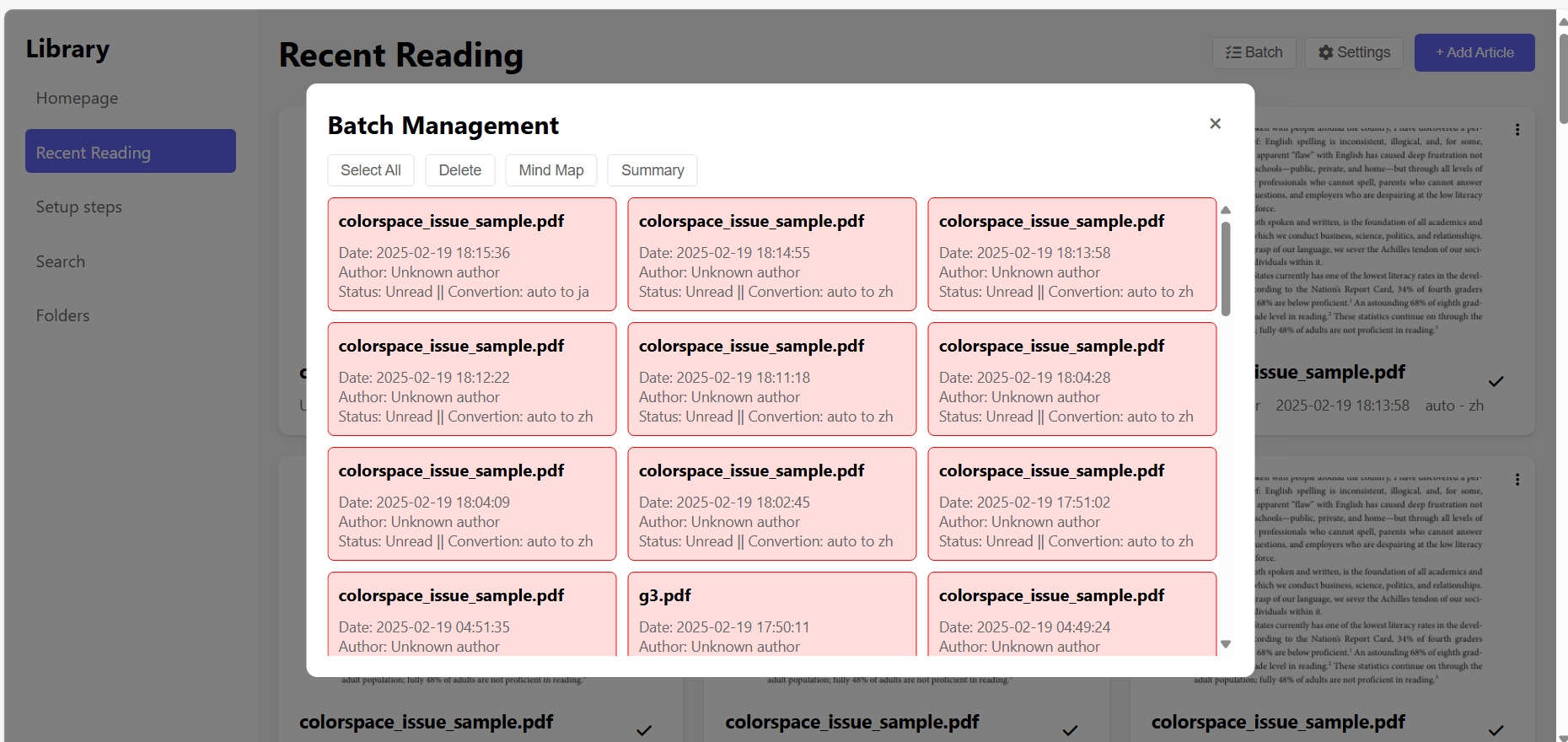
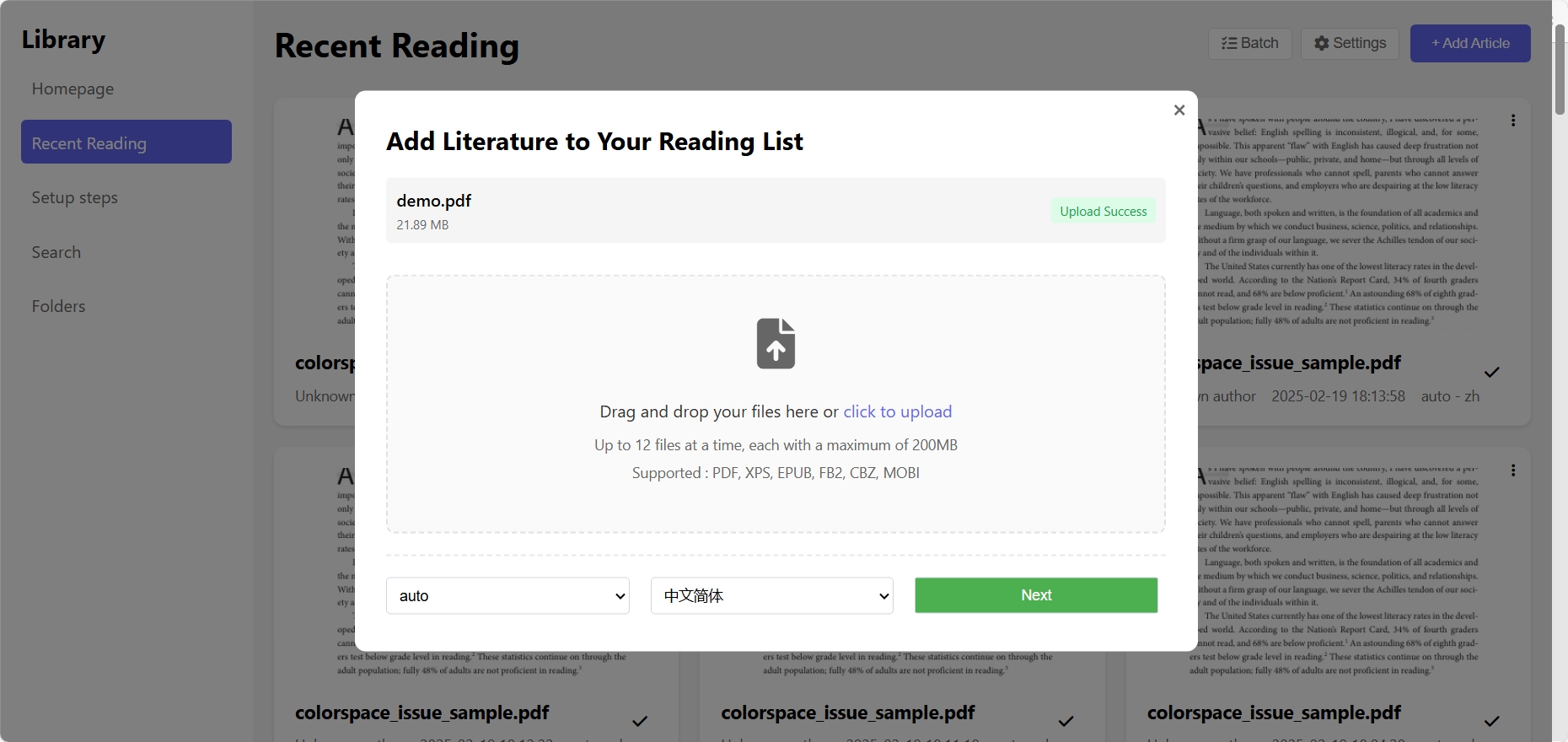
Pasges show
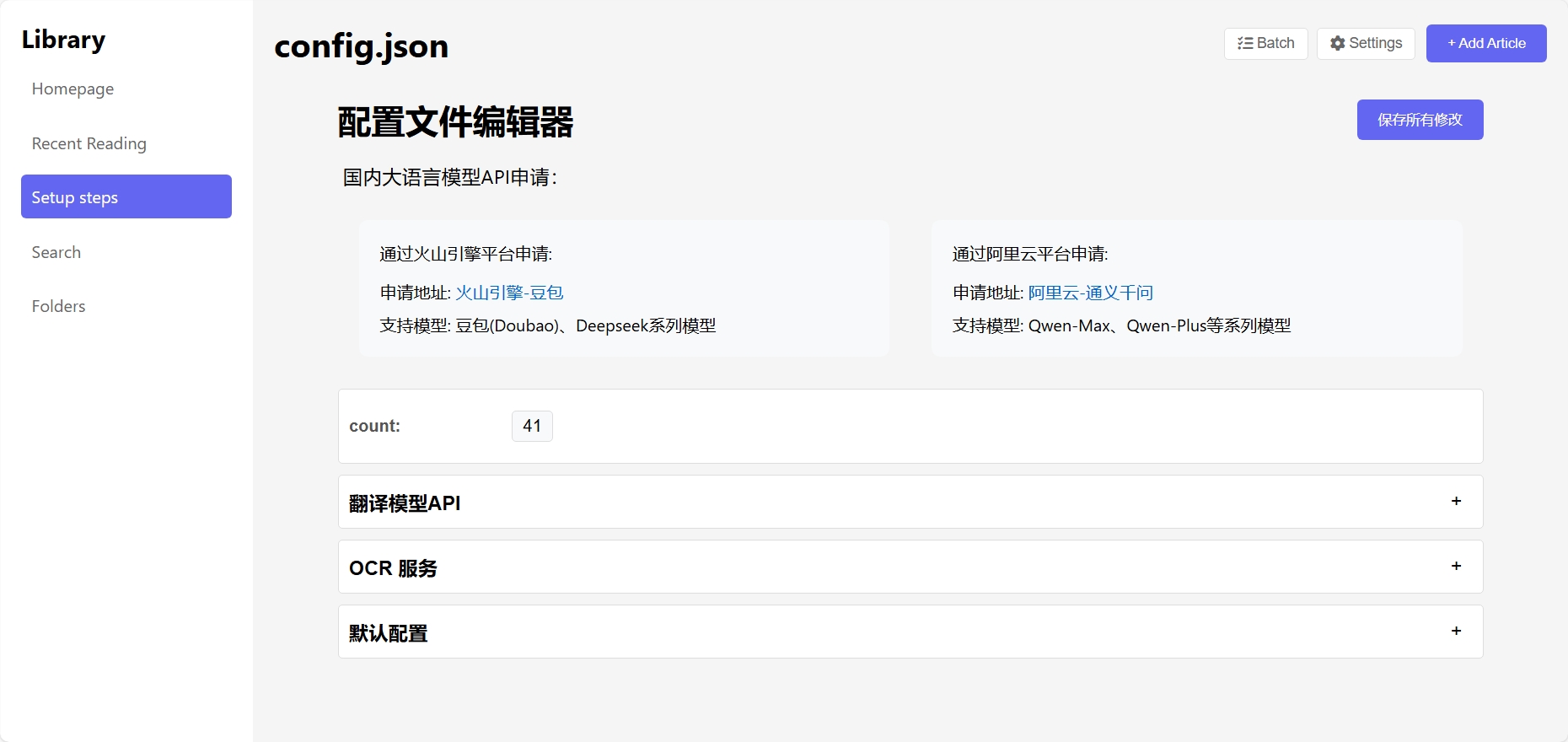
Chinese LLM API Application
Doubao & Deepseek
Apply through Volcengine platform:
- Application URL: Volcengine-Doubao
- Available Models: Doubao, Deepseek series models
Tongyi Qwen
Apply through Alibaba Cloud platform:
- Application URL: Alibaba Cloud-Tongyi Qwen
- Available Models: Qwen-Max, Qwen-Plus series models
Overview
PolyglotPDF(EbookTranslation) is an advanced PDF processing tool that employs specialized techniques for ultra-fast text, table, and formula recognition in PDF documents, typically completing processing within 1 second. It features OCR capabilities and layout-preserving translation, with full document translations usually completed within 10 seconds (speed may vary depending on the translation API provider).
Features
- Ultra-Fast Recognition: Processes text, tables, and formulas in PDFs within ~1 second
- Layout-Preserving Translation: Maintains original document formatting while translating content
- OCR Support: Handles scanned documents efficiently
- Text-based PDF:No GPU required
- Quick Translation: Complete PDF translation in approximately 10 seconds
- Flexible API Integration: Compatible with various translation service providers
- Web-based Comparison Interface: Side-by-side comparison of original and translated documents
- Enhanced OCR Capabilities: Improved accuracy in text recognition and processing
- Support for offline translation: Use smaller translation model
Installation and Setup
There are several ways to use it. One is to install the library,
pip install EbookTranslator
Basic usage:
EbookTranslator your_file.pdf
Usage with parameters:
EbookTranslator your_file.pdf -o en -t zh -b 1 -e 10 -c /path/to/config.json -d 300
Using in Python Code
from EbookTranslator import main_function

translator = main_function(
    pdf_path="your_file.pdf",
    original_language="en",
    target_language="zh",
    bn=1,
    en=10,
    config_path="/path/to/config.json",
    DPI=300
)
translator.main()
Parameter Description
| Parameter | Command Line Option | Description | Default Value |
|---|---|---|---|
pdf_path |
Positional argument | PDF file path | Required |
original_language |
-o, --original |
Source language | auto |
target_language |
-t, --target |
Target language | zh |
bn |
-b, --begin |
Starting page number | 1 |
en |
-e, --end |
Ending page number | Last page of the document |
config_path |
-c, --config |
Configuration file path | config.json in the current working directory |
DPI |
-d, --dpi |
DPI for OCR mode | 72 |
Configuration File
The configuration file is a JSON file, by default located at config.json in the current working directory. If it doesn't exist, the program will use built-in default settings.
Configuration File Example
{
  "count": 4,
  "PPC": 20,
  "translation_services": {
    "Doubao": {
      "auth_key": "",
      "model_name": ""
    },
    "Qwen": {
      "auth_key": "",
      "model_name": "qwen-plus"
    },
    "deepl": {
      "auth_key": ""
    },
    "deepseek": {
      "auth_key": "",
      "model_name": "ep-20250218224909-gps4n"
    },
    "openai": {
      "auth_key": "",
      "model_name": "gpt-4o-mini"
    },
    "youdao": {
      "app_key": "",
      "app_secret": ""
    }
  },
  "ocr_services": {
    "tesseract": {
      "path": "C:\\Program Files\\Tesseract-OCR\\tesseract.exe"
    }
  },
  "default_services": {
    "ocr_model": false,
    "line_model": false,
    "Enable_translation": true,
    "Translation_api": "openai"
  }
}
Configuration Options
translation_service: Translation service provider (e.g., "google", "deepl", "baidu")api_key: Translation API key (if required)translation_mode: Translation mode, "online" or "offline"ocr_enabled: Whether to enable OCR recognitiontesseract_path: Path to Tesseract OCR engine (if not in system PATH)output_dir: Output directorylanguage_codes: Language code mappingfont_mapping: Fonts corresponding to different languages
Output
Translated PDF files will be saved in the directory specified by output_dir (default is the target folder in the current working directory).
License
MIT
Use method for friendly UI interface
- Clone the repository:
git clone https://github.com/CBIhalsen/PolyglotPDF.git
cd polyglotpdf
- Install required packages:
pip install -r requirements.txt
-
Configure your API key in config.json. The alicloud translation API is not recommended.
-
Run the application:
python app.py
- Access the web interface:
Open your browser and navigate to
http://127.0.0.1:8000
Requirements
- Python 3.8+
- deepl==1.17.0
- Flask==2.0.1
- Flask-Cors==5.0.0
- langdetect==1.0.9
- Pillow==10.2.0
- PyMuPDF==1.24.0
- pytesseract==0.3.10
- requests==2.31.0
- tiktoken==0.6.0
- Werkzeug==2.0.1
Acknowledgments
This project leverages PyMuPDF's capabilities for efficient PDF processing and layout preservation.
Upcoming Improvements
- PDF chat functionality
- Academic PDF search integration
- Optimization for even faster processing speeds
Known Issues
- Issue Description: Error during text re-editing:
code=4: only Gray, RGB, and CMYK colorspaces supported - Symptom: Unsupported color space encountered during text block editing
- Current Workaround: Skip text blocks with unsupported color spaces
- Proposed Solution: Switch to OCR mode for entire pages containing unsupported color spaces
- Example: View PDF sample with unsupported color spaces
Font Optimization
Current font configuration in the start function of main.py:
# Current configuration
css=f"* {{font-family:{get_font_by_language(self.target_language)};font-size:auto;color: #111111 ;font-weight:normal;}}"
You can optimize font display through the following methods:
- Modify Default Font Configuration
# Custom font styles
css=f"""* {{
    font-family: {get_font_by_language(self.target_language)};
    font-size: auto;
    color: #111111;
    font-weight: normal;
    letter-spacing: 0.5px;  # Adjust letter spacing
    line-height: 1.5;      # Adjust line height
}}"""
- Embed Custom Fonts You can embed custom fonts by following these steps:
- Place font files (.ttf, .otf) in the project's
fontsdirectory - Use
@font-faceto declare custom fonts in CSS
css=f"""
@font-face {{
    font-family: 'CustomFont';
    src: url('fonts/your-font.ttf') format('truetype');
}}
* {{
    font-family: 'CustomFont', {get_font_by_language(self.target_language)};
    font-size: auto;
    font-weight: normal;
}}
"""
Basic Principles
This project follows similar basic principles as Adobe Acrobat DC's PDF editing, using PyMuPDF for text block recognition and manipulation:
- Core Process:
# Get text blocks from the page
blocks = page.get_text("dict")["blocks"]

# Process each text block
for block in blocks:
    if block.get("type") == 0:  # text block
        bbox = block["bbox"]     # get text block boundary
        text = ""
        font_info = None
        # Collect text and font information
        for line in block["lines"]:
            for span in line["spans"]:
                text += span["text"] + " "
This approach directly processes PDF text blocks, maintaining the original layout while achieving efficient text extraction and modification.
-
Technical Choices:
- Utilizes PyMuPDF for PDF parsing and editing
- Focuses on text processing
- Avoids complex operations like AI formula recognition, table processing, or page restructuring
-
Why Avoid Complex Processing:
- AI recognition of formulas, tables, and PDF restructuring faces severe performance bottlenecks
- Complex AI processing leads to high computational costs
- Significantly increased processing time (potentially tens of seconds or more)
- Difficult to deploy at scale with low costs in production environments
- Not suitable for online services requiring quick response times
-
Project Scope:
- This project only serves to demonstrate the correct approach for layout-preserved PDF translation and AI-assisted PDF reading. Converting PDF files to markdown format for large language models to read, in my opinion, is not a wise approach.
- Aims for optimal performance-to-cost ratio
-
Performance:
- PolyglotPDF API response time: ~1 second per page
- Low computational resource requirements, suitable for scale deployment
- High cost-effectiveness for commercial applications
-
- Contact author: QQ: 1421243966 email: 1421243966@qq.com
Related questions answered and discussed:
QQ group: 1031477425
1 maintainer

Metadata
1 maintainer
Release files for EbookTranslator 0.3.3
For a detailed explanation of source distributions (sdists) and built distributions (wheels), please see the package formats documentation.
Source distribution (sdist)
| File | Size | Uploaded | Provenance | |
|---|---|---|---|---|
| EbookTranslator-0.3.3.tar.gz | 38.7 kB | Without provenance | Details |
Built distribution (wheel)
| File | Interpreter | ABI | Platform | Reset |
|---|---|---|---|---|
| EbookTranslator-0.3.3-py3-none-any.whl | Python 3 | none | any | Details |
Total release size: 75.9 kB
Release files / EbookTranslator-0.3.3.tar.gz
| Download URL | EbookTranslator-0.3.3.tar.gz |
|---|---|
| Size | 38.7 kB |
| Tags | Source |
|
SHA-256 checksum How to use checksums |
f69702f4064fc71af05f60bb1864c890dde09a60c0d29068e5db2d4251f44e6f
|
|
BLAKE2b-256 checksum How to use checksums |
3287100b37e318ee8899e0e18b581411f2bc9a8c9911e72b8cf76755d94a0fd8
|
| Upload date | |
|
Uploaded using Trusted Publishing? What is trusted publishing? |
No |
| Uploaded via |
twine/6.1.0 CPython/3.9.7
|
Release files / EbookTranslator-0.3.3-py3-none-any.whl
| Download URL | EbookTranslator-0.3.3-py3-none-any.whl |
|---|---|
| Size | 37.2 kB |
| Tags | Python 3 |
|
SHA-256 checksum How to use checksums |
baf26bf9a91ba6d367ed7b5b2e42047ce64fe3638688d3d08770ddffdba26d43
|
|
BLAKE2b-256 checksum How to use checksums |
99b860f909cdd50f2651160f6cbf3705e2f811d7cd21f5ef37b262c777de07e1
|
| Upload date | |
|
Uploaded using Trusted Publishing? What is trusted publishing? |
No |
| Uploaded via |
twine/6.1.0 CPython/3.9.7
|
Security for EbookTranslator 0.3.3
Provenance
Provenance describes where a file came from. On PyPI, provenance is shared via attestations, which provide a verifiable record of the build or publishing details. View details, limitations and caveats.
No provenance found
None of the files in this release were uploaded with provenance metadata.
A note on package security
PyPI is a repository for distributing packages, not a service for auditing them. While third-party security researchers and our staff do their best to detect and remove malicious packages, PyPI cannot guarantee the quality, security or suitability of any given package.














