
Reverse engineered Edge Chat API

Project description
Edge GPT
The reverse engineering the chat feature of the new version of Bing


Table of Contents
Setup
Install package
python3 -m pip install EdgeGPT --upgrade
Requirements
- python 3.8+
- A Microsoft Account with early access to http://bing.com/chat (Required)
Checking access (Required)
- Install the latest version of Microsoft Edge
- Open http://bing.com/chat
- If you see a chat feature, you are good to go
Getting authentication (Required)
Usage
Quick start
 $ python3 -m EdgeGPT -h

        EdgeGPT - A demo of reverse engineering the Bing GPT chatbot
        Repo: github.com/acheong08/EdgeGPT
        By: Antonio Cheong

        !help for help

        Type !exit to exit
        Enter twice to send message

usage: EdgeGPT.py [-h] [--no-stream] --cookie-file COOKIE_FILE

options:
  -h, --help            show this help message and exit
  --no-stream
  --cookie-file COOKIE_FILE
Developer demo
Three ways to pass in cookies:
-
Environment variable:
export COOKIE_FILE=/path/to/cookies.json. -
Specify the path to
cookies.jsonin the argumentcookiePathlike this:bot = Chatbot(cookiePath='./cookie.json')
-
Pass in the cookies directly by the argument
cookies, like this:with open('./cookie.json', 'r') as f: cookies = json.load(f) bot = Chatbot(cookies=cookies)
Use Async for the best experience
Reference code for more advanced example of usage
import asyncio
from EdgeGPT import Chatbot

async def main():
    bot = Chatbot()
    print(await bot.ask(prompt="Hello world"))
    await bot.close()


if __name__ == "__main__":
    asyncio.run(main())
Work in progress
- Error handling
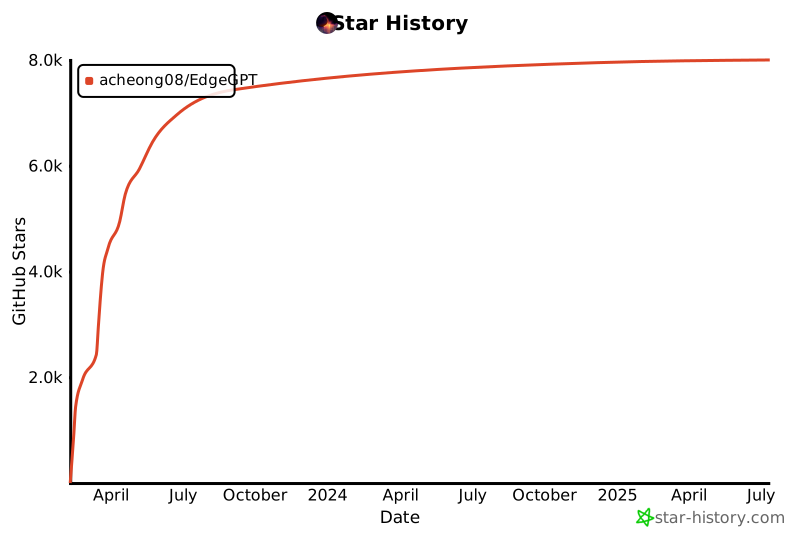
Star History
Contributors
This project exists thanks to all the people who contribute.
Release history Release notifications | RSS feed


Download files
Download the file for your platform. If you're not sure which to choose, learn more about installing packages.
Source Distribution
Built Distribution
Filter files by name, interpreter, ABI, and platform.
If you're not sure about the file name format, learn more about wheel file names.
Copy a direct link to the current filters
File details
Details for the file EdgeGPT-0.0.53.1.tar.gz.
File metadata
- Download URL: EdgeGPT-0.0.53.1.tar.gz
- Upload date:
- Size: 6.8 kB
- Tags: Source
- Uploaded using Trusted Publishing? No
- Uploaded via: twine/4.0.2 CPython/3.9.16
File hashes
| Algorithm | Hash digest | |
|---|---|---|
| SHA256 |
0640816f5873818d4637eebcf579e626c479f57175411585b89742dffd7100a0
|
|
| MD5 |
ad09bd1cd20fcd777ab56dace53d9ed4
|
|
| BLAKE2b-256 |
267c34720799fe286d7a7565706a548196443c2c7c5fd23fa9de558375ab1c61
|
File details
Details for the file EdgeGPT-0.0.53.1-py3-none-any.whl.
File metadata
- Download URL: EdgeGPT-0.0.53.1-py3-none-any.whl
- Upload date:
- Size: 7.2 kB
- Tags: Python 3
- Uploaded using Trusted Publishing? No
- Uploaded via: twine/4.0.2 CPython/3.9.16
File hashes
| Algorithm | Hash digest | |
|---|---|---|
| SHA256 |
813a4fd81c36e92b6be47f783b77df9ea1fbea3186cac116a8d3962b998c502e
|
|
| MD5 |
f9d081a881789490f48d8acf57834a70
|
|
| BLAKE2b-256 |
9e7190f45a033758be771e38497773b9578ba6116f453c36ca2a6cfa9ae750dd
|






