
FastServe
Machine Learning Serving focused on GenAI & LLMs with simplicity as the top priority.
YouTube: How to serve your own GPT like LLM in 1 minute with FastServe

Installation
Stable:
pip install FastServeAI
Latest:
pip install git+https://github.com/aniketmaurya/fastserve.git@main
Run locally
python -m fastserve
Usage/Examples
Serve LLMs with Llama-cpp
from fastserve.models import ServeLlamaCpp

model_path = "openhermes-2-mistral-7b.Q5_K_M.gguf"
serve = ServeLlamaCpp(model_path=model_path, )
serve.run_server()
or, run python -m fastserve.models --model llama-cpp --model_path openhermes-2-mistral-7b.Q5_K_M.gguf from terminal.
Serve vLLM
from fastserve.models import ServeVLLM

app = ServeVLLM("TinyLlama/TinyLlama-1.1B-Chat-v1.0")
app.run_server()
You can use the FastServe client that will automatically apply chat template for you -
from fastserve.client import vLLMClient
from rich import print

client = vLLMClient("TinyLlama/TinyLlama-1.1B-Chat-v1.0")
response = client.chat("Write a python function to resize image to 224x224", keep_context=True)
# print(client.context)
print(response["outputs"][0]["text"])
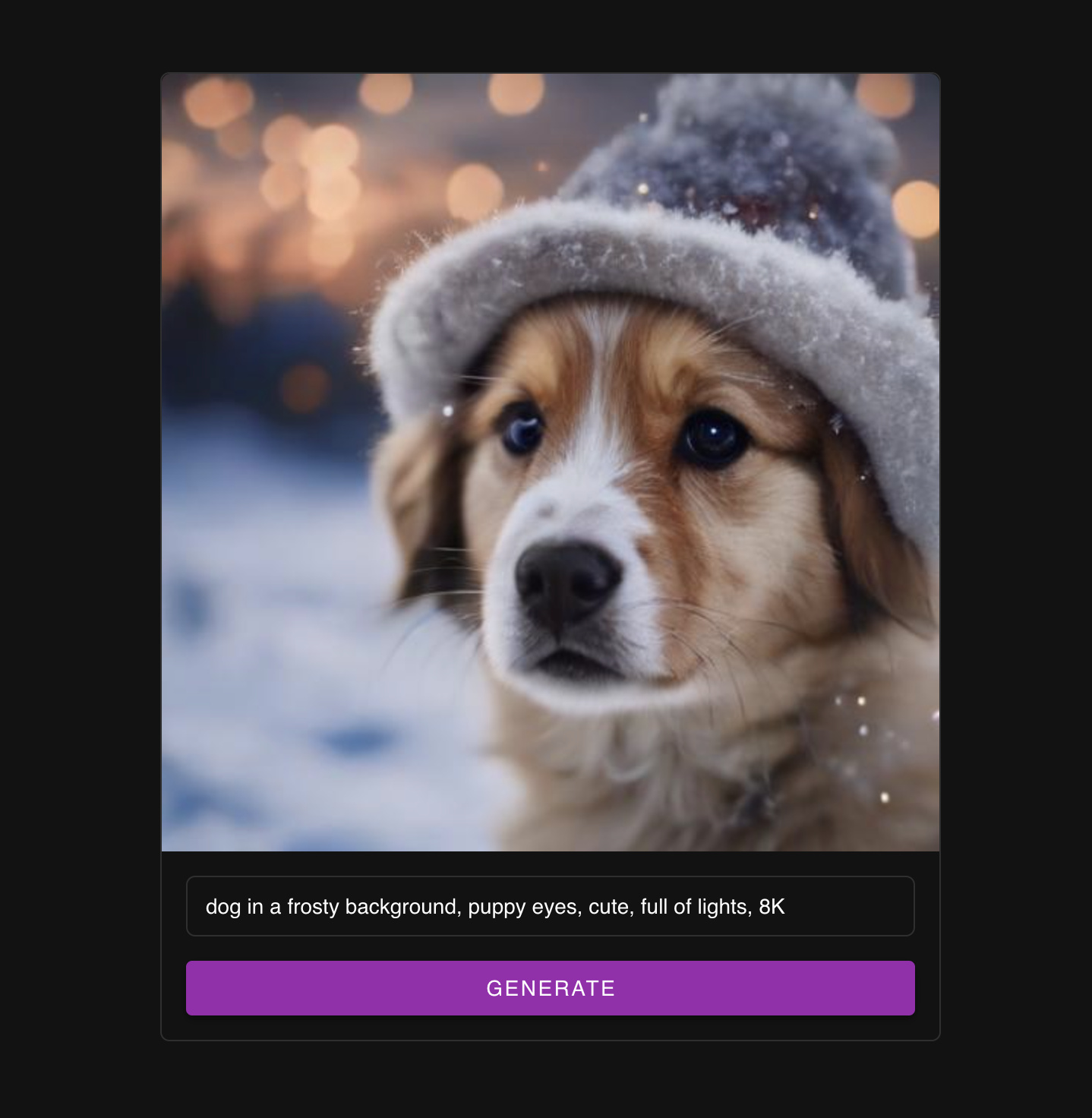
Serve SDXL Turbo
from fastserve.models import ServeSDXLTurbo

serve = ServeSDXLTurbo(device="cuda", batch_size=2, timeout=1)
serve.run_server()
or, run python -m fastserve.models --model sdxl-turbo --batch_size 2 --timeout 1 from terminal.
This application comes with an UI. You can access it at http://localhost:8000/ui .
Face Detection
from fastserve.models import FaceDetection

serve = FaceDetection(batch_size=2, timeout=1)
serve.run_server()
or, run python -m fastserve.models --model face-detection --batch_size 2 --timeout 1 from terminal.
Image Classification
from fastserve.models import ServeImageClassification

app = ServeImageClassification("resnet18", timeout=1, batch_size=4)
app.run_server()
or, run python -m fastserve.models --model image-classification --model_name resnet18 --batch_size 4 --timeout 1 from
terminal.
Serve Custom Model
To serve a custom model, you will have to implement handle method for FastServe that processes a batch of inputs and
returns the response as a list.
from fastserve import FastServe


class MyModelServing(FastServe):
    def __init__(self):
        super().__init__(batch_size=2, timeout=0.1)
        self.model = create_model(...)

    def handle(self, batch: List[BaseRequest]) -> List[float]:
        inputs = [b.request for b in batch]
        response = self.model(inputs)
        return response


app = MyModelServing()
app.run_server()
You can run the above script in terminal, and it will launch a FastAPI server for your custom model.
Deploy
Lightning AI Studio ⚡️
python fastserve.deploy.lightning --filename main.py \
    --user LIGHTNING_USERNAME \
    --teamspace LIGHTNING_TEAMSPACE \
    --machine "CPU"  # T4, A10G or A10G_X_4
Contribute
Install in editable mode:
git clone https://github.com/aniketmaurya/fastserve.git
cd fastserve
pip install -e .
Create a new branch
git checkout -b <new-branch>
Make your changes, commit and create a PR.
1 maintainer

Metadata
1 maintainer
Release files for FastServeAI 0.0.3
For a detailed explanation of source distributions (sdists) and built distributions (wheels), please see the package formats documentation.
Source distribution (sdist)
| File | Size | Uploaded | |
|---|---|---|---|
| FastServeAI-0.0.3.tar.gz | 1.5 MB | Details |
Built distribution (wheel)
| File | Interpreter | ABI | Platform | Reset |
|---|---|---|---|---|
| FastServeAI-0.0.3-py3-none-any.whl | Python 3 | none | any | Details |
Total release size: 1.8 MB
Release files / FastServeAI-0.0.3.tar.gz
| Download URL | FastServeAI-0.0.3.tar.gz |
|---|---|
| Size | 1.5 MB |
| Tags | Source |
|
SHA-256 checksum How to use checksums |
ffb237530f4d45b54216d56927d871975e1b4620208cb352b7c39b34a6411516
|
|
BLAKE2b-256 checksum How to use checksums |
58572004d3807d412a71bd95764dffe32ddd64d82aa2782a38a4904006ca7507
|
| Upload date | |
|
Uploaded using Trusted Publishing? What is trusted publishing? |
No |
| Uploaded via |
twine/5.0.0 CPython/3.10.13
|
Release files / FastServeAI-0.0.3-py3-none-any.whl
| Download URL | FastServeAI-0.0.3-py3-none-any.whl |
|---|---|
| Size | 247.0 kB |
| Tags | Python 3 |
|
SHA-256 checksum How to use checksums |
cf5be4bda7d9a41425140dcd31a97635ff2f37251fb6a8d9b5f45f9f3f41a8ac
|
|
BLAKE2b-256 checksum How to use checksums |
3d2c0e5a2f8b9c65c33a6c8061003c9e848458a183d9eb5207b728c11bd9dc90
|
| Upload date | |
|
Uploaded using Trusted Publishing? What is trusted publishing? |
No |
| Uploaded via |
twine/5.0.0 CPython/3.10.13
|














