
API endpoint profiler for Flask framework

Project description
Flask-ProfilerForked
Version: 1.8.5
Flask-ProfilerForked measures the performance of your Flask application endpoints and provides detailed reports through a user-friendly web interface.
Key Questions Addressed:
- Where are the bottlenecks in my application?
- Which endpoints are the slowest?
- What are the most frequently called endpoints?
- What causes slow performance?
- How long did a specific request take?
Flask-ProfilerForked allows you to monitor all your endpoints' performance and inspect incoming requests by drilling down through filters.
Difference between Flask-Profiler and Flask-ProfilerForked
- More Modern UI
- Improved and Maintained Features
- Light and Dark Mode system
- Multiple Users System
- Update Checking
- Error Handing for Developers
- Less storage taken by the Profiler as less code is used.
- User Access Levels
Planned Features
- Creation of a testing website (Coming Soon)
- Addition of an introduction system
Screenshots
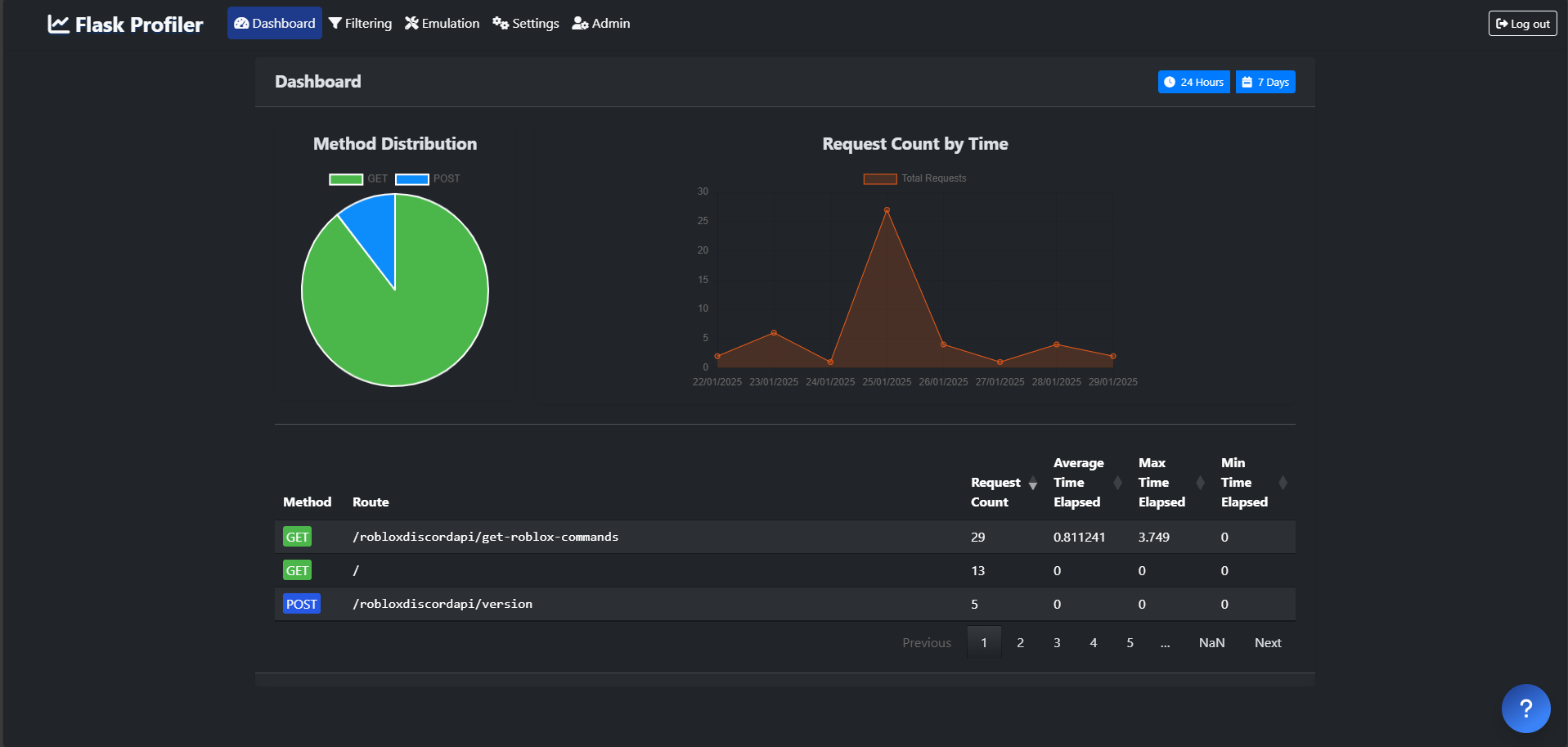
Dashboard View
The dashboard provides a summary of the application’s performance:
Filtering Requests
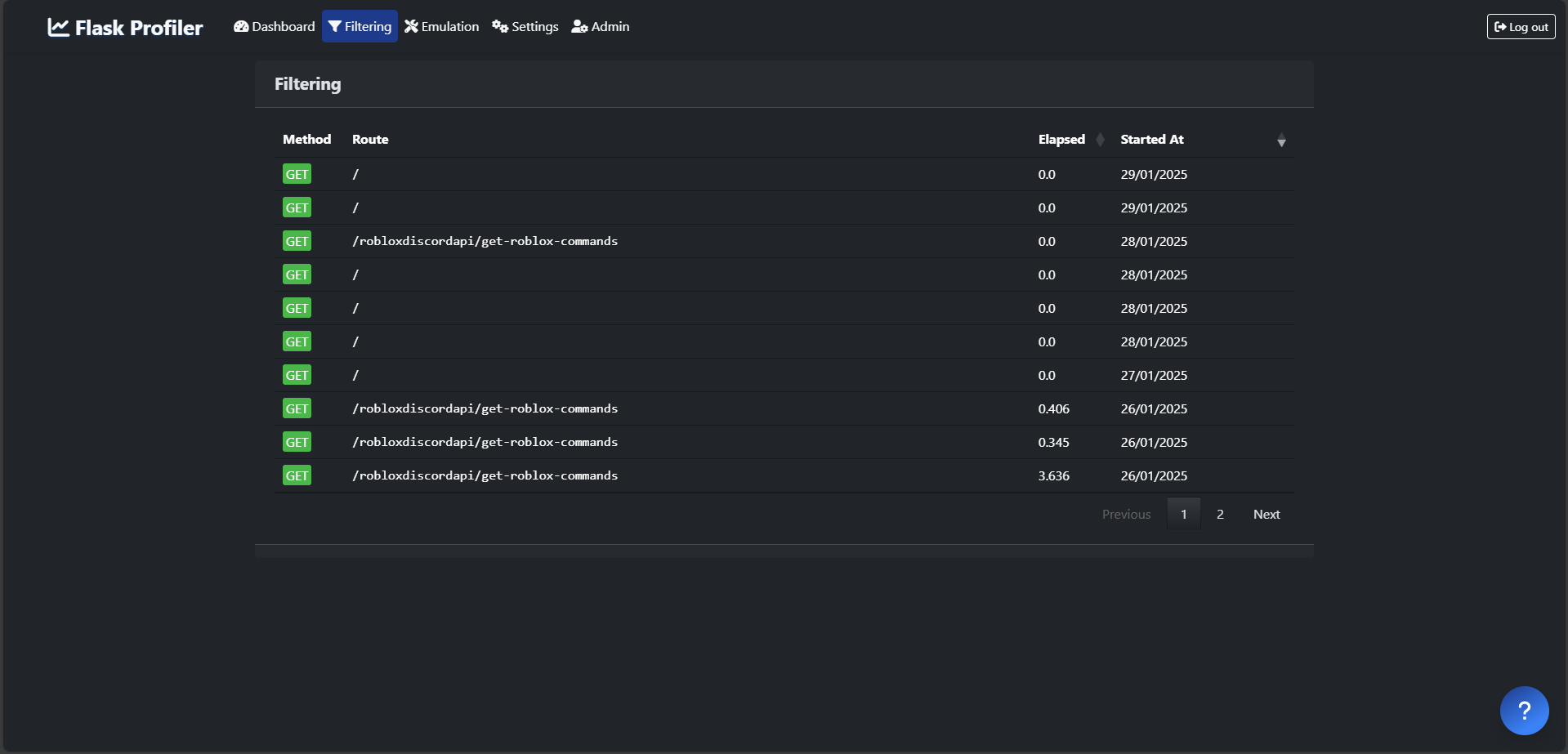
You can apply filters to investigate specific requests:
Quick Start
Installation
To install Flask-ProfilerForked, use:
pip install Flask-ProfilerForked
For the latest development version, use:
pip install git+https://github.com/Kalmai221/flask-profiler@master
Example Setup
Here’s an example Flask application using Flask-ProfilerForked:
# app.py
from flask import Flask
import flask_profiler

app = Flask(__name__)
app.config["DEBUG"] = True

# Flask-Profiler configuration
app.config["flask_profiler"] = {
    "enabled": app.config["DEBUG"],
    "storage": {
        "engine": "sqlite"
    },
    "basicAuth": {
        "enabled": True,
        "users": {
            "1": {
                "username": "admin",
                "password": "password",
                "role": "admin"
            },
            "2": {
                "username": "user",
                "password": "password",
                "role": "user"
            }
        }
    },
    "features": {
        "filtering":{
            "enabled": True,
            "role": "user"
        },
        "emulation": {
            "enabled": True,
            "role": "admin"
        }
    },
    "ignore": [
        "^/static/.*"
    ],
    "updateCheck": False
}

@app.route('/product/<id>', methods=['GET'])
def get_product(id):
    return f"Product ID is {id}"

# Activate flask-profiler
flask_profiler.init_app(app)

# Profile specific endpoint
@app.route('/doSomethingImportant', methods=['GET'])
@flask_profiler.profile()
def do_something_important():
    return "This endpoint is being profiled."

if __name__ == '__main__':
    app.run(host="127.0.0.1", port=5000)
Using with Different Databases
Flask-ProfilerForked supports SQLite, MongoDB, PostgreSQL, MySQL, and more. NOTE. When being developed, this has been tested using MongoDB. There may be errors with other databases. If there are other errors, please create an issue.
Here's how to set up some of the common database engines:
SQLite Configuration:
app.config["flask_profiler"] = {
    "storage": {
        "engine": "sqlite",
    }
}
| Key | Description | Default Value |
|---|---|---|
storage.FILE |
SQLite database file name | flask_profiler.sql |
storage.TABLE |
Table name to store profiling data | measurements |
MongoDB Configuration:
app.config["flask_profiler"] = {
    "storage": {
        "engine": "mongodb",
    }
}
| Key | Description | Default Value |
|---|---|---|
storage.MONGO_URL |
MongoDB connection string | mongodb://localhost |
storage.DATABASE |
Database name | flask_profiler |
storage.COLLECTION |
Collection name | measurements |
Custom Database Engine
You can specify a custom storage engine as follows:
app.config["flask_profiler"] = {
    "storage": {
        "engine": "custom.project.flask_profiler.mysql.MysqlStorage",
        "MYSQL": "mysql://user:password@localhost/flask_profiler"
    }
}
Sampling Control
You can control the number of samples taken with a custom sampling_function. Here are two examples:
Random Sampling (1 in 100 requests):
import random
app.config["flask_profiler"] = {
    "sampling_function": lambda: True if random.randint(1, 100) == 42 else False
}
Sample Specific Users:
app.config["flask_profiler"] = {
    "sampling_function": lambda: True if user == 'admin' else False
}
Changing Flask-Profiler Endpoint Root
By default, Flask-Profiler is available at /profiler. To change this:
app.config["flask_profiler"] = {
    "endpointRoot": "custom-profiler-root"
}
Ignoring Endpoints
To ignore specific endpoints from being tracked, use regex patterns:
app.config["flask_profiler"] = {
    "ignore": [
        "^/static/.*",
        "/api/users/\w+/password"
    ]
}
Contributing (Wiki coming soon)
Contributions are welcome! Review the Contributing Guidelines for more details on:
- Submitting issues
- Contributing solutions
- Adding new features
License
MIT
Release history Release notifications | RSS feed


Download files
Download the file for your platform. If you're not sure which to choose, learn more about installing packages.
Source Distribution
Built Distribution
Filter files by name, interpreter, ABI, and platform.
If you're not sure about the file name format, learn more about wheel file names.
Copy a direct link to the current filters
File details
Details for the file flask_profilerforked-1.8.5.tar.gz.
File metadata
- Download URL: flask_profilerforked-1.8.5.tar.gz
- Upload date:
- Size: 134.2 kB
- Tags: Source
- Uploaded using Trusted Publishing? No
- Uploaded via: twine/6.1.0 CPython/3.9.21
File hashes
| Algorithm | Hash digest | |
|---|---|---|
| SHA256 |
fd9c5276b1bc69b8bc63083f427adc02121d2f12ca6ee875c5278a8dcc479172
|
|
| MD5 |
60027874b88cffcf0e47f09209d76bdb
|
|
| BLAKE2b-256 |
4b1e1681c4583ef527375be83ed8719ca27dd958d034b8916dbff18134f206ba
|
File details
Details for the file Flask_ProfilerForked-1.8.5-py3-none-any.whl.
File metadata
- Download URL: Flask_ProfilerForked-1.8.5-py3-none-any.whl
- Upload date:
- Size: 133.9 kB
- Tags: Python 3
- Uploaded using Trusted Publishing? No
- Uploaded via: twine/6.1.0 CPython/3.9.21
File hashes
| Algorithm | Hash digest | |
|---|---|---|
| SHA256 |
245b8709f645386ddd3d044c35c14ca7904b5bec9ff7369ba1bbc420a696593e
|
|
| MD5 |
e7ba11437e5bce86ddb445e76acdccb0
|
|
| BLAKE2b-256 |
685b85986d922d2eae35bf35defb5d7db134cafd505c82a9f4f6bfe3c2393231
|






