

FletX 🚀
The open-source GetX-inspired Python Framework for Building Reactive, Cross-Platform Apps with Flet




Why FletX? ✨
FletX brings Flutter's beloved GetX patterns to Python, combining Flet's UI capabilities with:
- ⚡ Reactive state management
- 🧭 Declarative routing
- 💉 Dependency injection
- 🧩 Modular architecture
- 🎨 Widget library
Perfect for building desktop, web, and mobile apps with Python at lightning speed.
Showcase
web
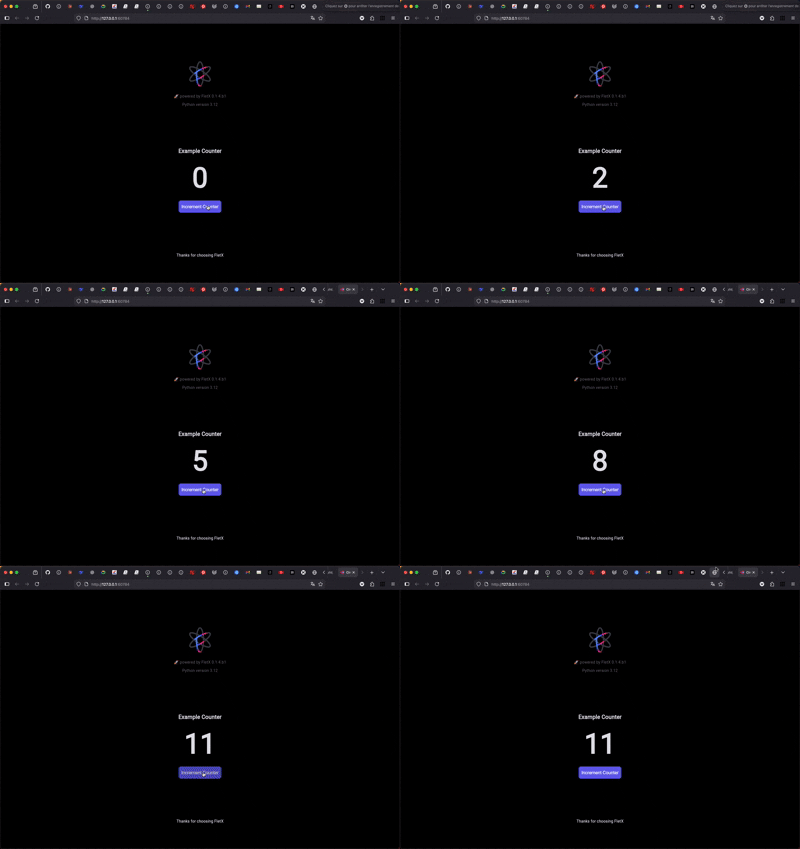
|
Mobile

|
Desktop
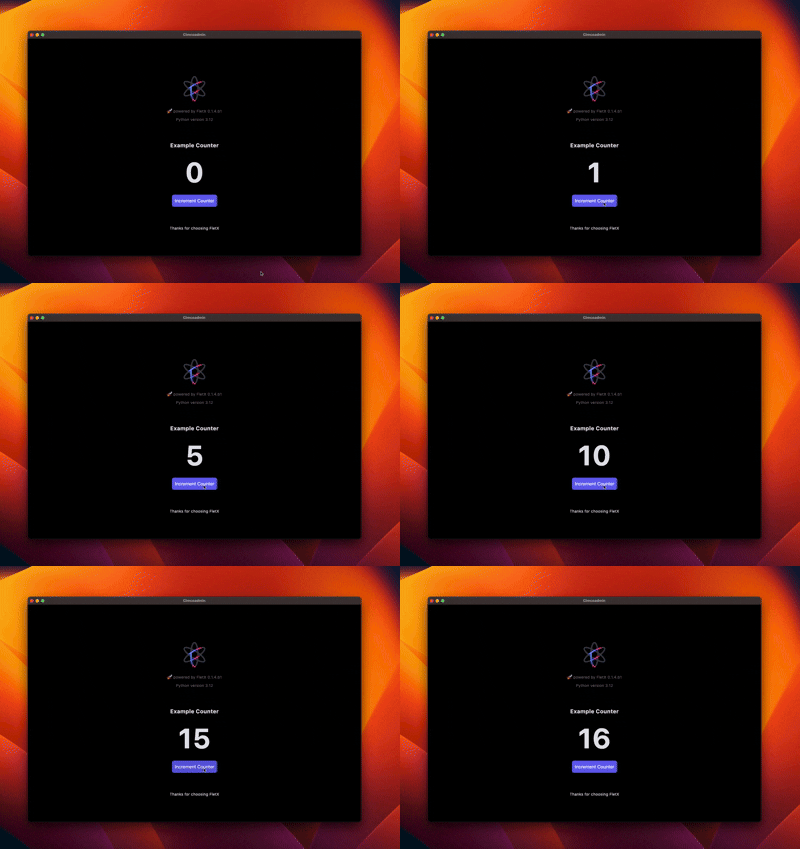
|
Quick Start 🏁
NOTE: FletX currently supports Python
>=3.10,<=3.13. Compatibility with newer versions is in progress — we're actively working to expand support soon.
Installation
pip install FletXr[dev] --pre
Create project
fletx new my_project --no-install
Created project structure 🏗️
my_project/
├── app/
│   ├── controllers/     # Business logic controllers
│   ├── services/       # Business services and API calls
│   ├── models/         # Data models
│   ├── components/     # Reusable widgets
│   ├── pages/          # Application pages
│   └── routes.py       # App routing modules
├── assets/             # Static assets (images, fonts, etc.)
├── tests/              # Test files
├── .python-version     # Python version
├── pyproject.toml      # Python dependencies
├── README.md           # Quick start README
└── main.py            # Application entry point
To run the project, just navigate to the project folder and run this command
fletx run --web # Will open app in a navigator
        # --desktop to open app in a desktop window
        # --android to open app on Android device
        # --ios to open app on a iOs device
        # --help for more option
Basic Usage (Counter App)
import flet as ft

from fletx.app import FletXApp
from fletx.core import (
    FletXPage, FletXController, RxInt, RxStr
)
from fletx.navigation import router_config
from fletx.widgets import Obx


class CounterController(FletXController):

    def __init__(self):
        count = RxInt(0)  # Reactive state
        super().__init__()


class CounterPage(FletXPage):
    ctrl = CounterController()

    def build(self):
        return ft.Column(
            controls = [
                Obx(
                    builder_fn = lambda: ft.Text(
                        value = f'{self.ctrl.count}',
                        size = 100,
                        weight = ft.FontWeight.BOLD
                    )
                ),
                ft.ElevatedButton(
                    "Increment",
                    on_click = lambda e: self.ctrl.count.increment()  # Auto UI update
                )
            ]
        )


def main():

    # Defining route
    router_config.add_route(
        **{'path': '/', 'component': CounterPage}
    )
    app = FletXApp(
        title = "My Counter",
        initial_route = "/",
        debug = True
    ).with_window_size(400, 600).with_theme(
        ft.Theme(color_scheme_seed=ft.Colors.BLUE)
    )

    # Run sync
    app.run()

if __name__ == "__main__":
    main()
Core Features 🧠
1. Reactive State Management
class SearchController(FletXController):
    """Search controller"""

    def __init__(self):
        self.query = RxStr("")
        self.results = RxList([])
        self.is_loading = RxBool(False)
        self.is_enabled = RxBool(True)

        super().__init__()

        # Configure reactives effects
        self._setup_reactive_effects()

    def _setup_reactive_effects(self):
        """Configure reactive effects"""

        # Search with debounce
        @reactive_debounce(0.5)
        @reactive_when(self.is_enabled)
        def search_handler():
            if self.query.value.strip():
                self.perform_search(self.query.value)

        # Listen query changes
        self.query.listen(search_handler)

        # Cache expensive search results
        @reactive_memo(maxsize=50)
        def expensive_search(query: str):
            # Expensive search simulation
            import time
            time.sleep(0.1)  # Simulate
            return [f"Result {i} for '{query}'" for i in range(5)]

        self.expensive_search = expensive_search

        # Other actions here...
2. Smart Routing
# Define routes
from fletx.navigation import router_config, navigate

# 1. simple routing
router_config.add_routes([
    {"path": "/", "component": HomePage},
    {"path": "/settings", "component": SettingsPage}
])

# 2. Dynamic routes with parameters
router_config.add_routes([
    {
        "path": "/users/:id",
        "component": lambda route: UserDetailPage(route.params['id'])
    },
    {
        "path": "/products/*category",
        "component": lambda route: ProductsPage(route.params['category'])
    }
])
# Navigate programmatically
navigate("/users/123")
3. Dependency Injection
# Register services
FletX.put(AuthService(), tag="auth")

# Retrieve anywhere
auth_service = FletX.find(AuthService, tag="auth")
4. Reactive Widgets
FletX allows you to quickly create reactive widgets from flet Controls by using reactive widget decorators.
from fletx.decorators import (
    reactive_control, simple_reactive,
    reactive_state_machine, reactive_form,
    two_way_reactive, reactive_list, obx
    ...
)
Community & Support 💬
🤝 Contributing
We welcome contributions from the community! Please see the CONTRIBUTING.md guide for more information.
License 📜
MIT © 2025 AllDotPy
# Happy coding!
# Let's build amazing apps with Python 🐍

Made with ❤️ By AllDotPy
1 maintainer

Metadata
1 maintainer
Release files for FletXr 0.1.5
For a detailed explanation of source distributions (sdists) and built distributions (wheels), please see the package formats documentation.
Source distribution (sdist)
| File | Size | Uploaded | |
|---|---|---|---|
| fletxr-0.1.5.tar.gz | 131.9 kB | Details |
Built distribution (wheel)
| File | Interpreter | ABI | Platform | Reset |
|---|---|---|---|---|
| fletxr-0.1.5-py3-none-any.whl | Python 3 | none | any | Details |
Total release size: 265.0 kB
Release files / fletxr-0.1.5.tar.gz
| Download URL | fletxr-0.1.5.tar.gz |
|---|---|
| Size | 131.9 kB |
| Tags | Source |
|
SHA-256 checksum How to use checksums |
b1685ca993dd70351fb71a44e42e0faf1b151d09aca2b6ba7e8cba74f0927148
|
|
BLAKE2b-256 checksum How to use checksums |
c3922444961cfc7b605b018f0e3fabb98360bd85e07abd5fc095f71424e72598
|
| Upload date | |
|
Uploaded using Trusted Publishing? What is trusted publishing? |
No |
| Uploaded via |
twine/6.1.0 CPython/3.13.12
|
Release files / fletxr-0.1.5-py3-none-any.whl
| Download URL | fletxr-0.1.5-py3-none-any.whl |
|---|---|
| Size | 133.1 kB |
| Tags | Python 3 |
|
SHA-256 checksum How to use checksums |
6d462e0b7b897b00542097fa61e315577a14ffda4717c2d79c4a6bceea7f3e90
|
|
BLAKE2b-256 checksum How to use checksums |
5e781915670a547cbbf1010600f53a8a8365a8b360b003671b7cbd3e45c03877
|
| Upload date | |
|
Uploaded using Trusted Publishing? What is trusted publishing? |
No |
| Uploaded via |
twine/6.1.0 CPython/3.13.12
|














