

ForMoSA — Forward Modeling Tool for Spectral Analysis






ForMoSA is an open-source Python package for modeling exoplanetary atmospheres using a forward modeling approach. It compares observed spectra and photometry against grids of atmospheric models via nested sampling to derive posterior distributions on physical parameters.
📖 Full documentation: https://formosa.readthedocs.io
Features
- Class-based API centered around a single
Analysisentry point - Multi-instrument support (MOSAIC) — fit spectroscopic and photometric data simultaneously from multiple instruments
- Three nested-sampling back-ends — nestle, PyMultiNest, and UltraNest
- High-contrast mode — model stellar speckles and systematics alongside the companion signal
- Photometry filter service — automatic retrieval and caching of filter curves from the SVO Filter Profile Service
- Configurable prior distributions — uniform, log-uniform, Gaussian, and constant priors
- Comprehensive plotting — corner plots, chain diagnostics, radar diagrams, best-fit spectra, CCFs, and RV–v sin i maps
- Flexible configuration — INI-based config files or direct Python dataclass instantiation
Installation
We recommend a dedicated miniconda or other Python environment to keep ForMoSA's dependencies isolated from the rest of your Python stack.
Setting Up a miniconda Environment
For all users:
conda create -n env_formosa python=3.12
conda activate env_formosa
For macOS users with Apple Silicon (M1/M2/M3):
CONDA_SUBDIR=osx-arm64 conda create -n env_formosa python=3.12 numpy -c conda-forge
conda activate env_formosa
conda config --env --set subdir osx-arm64
Package Installation
From PyPI
pip install ForMoSA
conda install dask netCDF4 bottleneck
From source
git clone https://github.com/exoAtmospheres/ForMoSA.git
cd ForMoSA
pip install -e .
conda install dask netCDF4 bottleneck
For developers
The optional dev extra adds the testing, packaging, and documentation-building
tools on top of the runtime dependencies:
pip install -e ".[dev]"
A plain pip install ForMoSA installs only what is needed to run analyses — no
test or documentation tooling.
ForMoSA requires Python ≥ 3.10. See the installation guide for PyMultiNest, GPU/torch, and macOS Apple Silicon instructions.
Quick Start
from ForMoSA import Analysis
from ForMoSA.config.global_config import (
    ConfigPath, ConfigAdapt, ConfigInversion, ConfigParameters
)

# 1. Define paths
config_path = ConfigPath(
    observation_path=["path/to/observation.fits"],
    adapt_store_path="path/to/adapted_grid/",
    result_path="path/to/results/",
    model_path="path/to/model_grid.nc",
)

# 2. Initialize the analysis
analysis = Analysis(config_path)

# 3. Configure adaptation & inversion
config_adapt = ConfigAdapt(method="linear")
config_inversion = ConfigInversion(ns_algo="pymultinest", npoints=100)
config_parameters = ConfigParameters(
    par1=["uniform", "500", "3000"],   # e.g. Teff
    par2=["uniform", "2.5", "5.5"],    # e.g. log(g)
    r=["uniform", "0.5", "3.0"],       # radius in R_Jup
    d=["constant", "50"],              # distance in pc
)

# 4. Adapt the model grid to the observations
analysis.adapt(config_adapt, config_inversion)

# 5. Run nested sampling
analysis.nested_sampling(config_parameters, config_adapt, config_inversion)

# 6. Plot results
analysis.plot(analysis.ns.results)
Package Structure
ForMoSA/
├── analysis.py              # Main Analysis class
├── config/                  # Configuration dataclasses & file I/O
├── core/                    # Enums, errors, logging, plot configs
├── filter/                  # SVO photometry filter interface
├── grid/                    # Model grids, subgrids, adaptation
├── nested_sampling/         # NS engine, post-processing, results, plotting
├── observation/             # Observation classes (spectral, photometric, set)
├── parameter/               # Parameters, priors, parameter sets
├── transform/               # Physics & observational effect pipelines
└── utils/                   # Spectral tools, likelihood & prior functions
What's New in v2.0.0 onwards
v2.0.0 is a complete rewrite and is not backwards-compatible with v1.x. See the full migration guide in the docs.
Project updates since the v2.0.0 rewrite:
- Automated testing — every push and pull request is install- and import-checked and the test suite is run on Python 3.10, 3.11, and 3.12.
- One-tag releases — pushing a
v*tag builds the package and publishes it to PyPI via a Trusted Publisher. - Auto-generated CHANGELOG.md — updated on every push, grouped by author directly from commit history (no commit-message convention required); frozen into a dated version section whenever a release tag is pushed.
- JOSS paper — a software paper accompanying the v2.0.0 release is in preparation.
| Area | v1.x | v2.x |
|---|---|---|
| Entry point | main.py script + launch_adapt() / launch_nested_sampling() |
Single Analysis class |
| Configuration | config.ini + GlobFile |
Python dataclasses (ConfigPath, ConfigAdapt, …) |
| Observations | Raw arrays from INI file paths | Typed ObservationSet loaded from .fits |
| Model grid handling | adapt/ functions |
grid/ subgrid classes |
| Photometry filters | Bundled .npz files |
Auto-downloaded from SVO and cached |
| CCF / RV–v sin i | ✗ | ✓ new via analysis.plot_ccf() / analysis.plot_rv_vsini_map() |
| Logging | print statements |
Python logging module |
| Error handling | Generic exceptions | ForMoSAError |
Upgrading from v1.x
Replace the old script-based calls:
# v1.x (old)
from ForMoSA.global_file import GlobFile
from ForMoSA.adapt.adapt_obs_mod import launch_adapt
from ForMoSA.nested_sampling.nested_sampling import launch_nested_sampling

global_params = GlobFile("config.ini")
launch_adapt(global_params, adapt_model=True)
launch_nested_sampling(global_params)
with the new class-based API:
# v2.0.0 (new)
from ForMoSA import Analysis
from ForMoSA.config.global_config import ConfigPath, ConfigAdapt, ConfigInversion, ConfigParameters

analysis = Analysis(ConfigPath(
    observation_path=["obs.fits"],
    adapt_store_path="adapted_grid/",
    result_path="results/",
    model_path="model_grid.nc",
))
analysis.adapt(ConfigAdapt(), ConfigInversion())
analysis.nested_sampling(ConfigParameters(par1=["uniform","500","3000"], r=["uniform","0.5","3.0"], d=["constant","50"]))
analysis.plot(analysis.ns.results)
If you need the old behavior in the short term, pin to formosa==1.1.6.
Attribution
If you use ForMoSA in your research, please cite Petrus et al. (2023).
Contributing
Contributions are welcome — bug reports, fixes, new features, and documentation improvements alike. To set up a development environment:
git clone https://github.com/exoAtmospheres/ForMoSA.git
cd ForMoSA
pip install -e ".[dev]"
conda install dask netCDF4 bottleneck
Then:
- Branch off
ForMoSA_class(the integration branch), notmain:git checkout ForMoSA_class git checkout -b my-feature
- Run the test suite before opening a pull request:
pytest
Note: continuous integration checks that the package installs, imports, and passes the test suite cleanly on Python 3.10–3.12.
- Build the documentation locally if your change touches the docs:
cd docs && make html
- Open a pull request against
ForMoSA_classdescribing the change.
Releases are automated: once changes are merged and a maintainer pushes a v* tag (e.g. v2.0.0), the package is built and published to PyPI, and a GitHub release is created automatically.
CHANGELOG.md is auto-generated from commit history on every push — don't edit it by hand; your commits will show up in it automatically, grouped by author.
Issues
If you encounter any problems, please open an issue on GitHub.
Acknowledgments
Our sincere thanks to Code/Astro, which provided the foundational training that enabled us to transform ForMoSA into a professional, open-source Python package.
We gratefully acknowledge the funding and support for the ForM-X workshops held in Nice (2023), Heidelberg (2024/2025), and Grenoble (2025). These collaborative sessions were instrumental in developing and refining the code. We also thank the various laboratories and institutions, especially IPAG, Lagrange, and MPIA, for their continued support.
Furthermore, this work has been supported by the French National Research Agency (ANR) through the MIRAGES project (PI: A. Vigan, ANR-20-CE31-0017). We also acknowledge support from the French National Research Agency (ANR) through the project grant ANR-20-CE31-0012.
S. Petrus was supported by an appointment to the NASA Postdoctoral Program at the NASA-Goddard Space Flight Center, administered by Oak Ridge Associated Universities under contract with NASA.
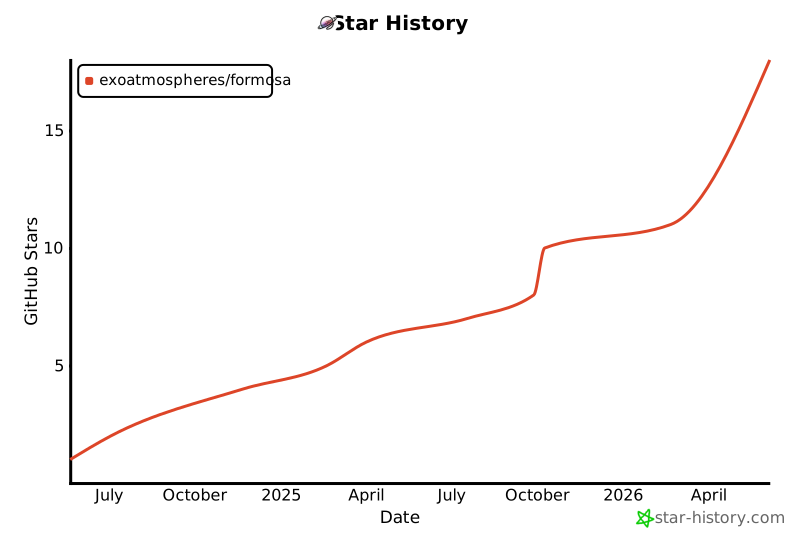
Star History
3 maintainers


Download files
Download the file for your platform. If you're not sure which to choose, learn more about installing packages.
Source Distribution
Built Distribution
Filter files by name, interpreter, ABI, and platform.
If you're not sure about the file name format, learn more about wheel file names.
Copy a direct link to the current filters
File details
Details for the file formosa-2.1.0.tar.gz.
File metadata
- Download URL: formosa-2.1.0.tar.gz
- Upload date:
- Size: 122.7 kB
- Tags: Source
- Uploaded using Trusted Publishing? Yes
- Uploaded via:
twine/7.0.0 CPython/3.13.14
File hashes
| Algorithm | Hash digest | |
|---|---|---|
| SHA256 |
de237de279398cc04df34a011078bf25dd603d3b06b7d7218706cfb04280f06e
|
|
| MD5 |
7483d9f0038be4715e9f9e61b3e66cb6
|
|
| BLAKE2b-256 |
fa36f4e507430894caa9d1f2d901afc4c7e42bd9a6c5fe1bebb04ce4e7534cbe
|
Provenance
The following attestation bundles were made for formosa-2.1.0.tar.gz:
Publisher:
publish.yml on exoAtmospheres/ForMoSA
-
Statement:
-
Statement type:
https://in-toto.io/Statement/v1 -
Predicate type:
https://docs.pypi.org/attestations/publish/v1 -
Subject name:
formosa-2.1.0.tar.gz -
Subject digest:
de237de279398cc04df34a011078bf25dd603d3b06b7d7218706cfb04280f06e - Sigstore transparency entry: 2337261229
- Sigstore integration time:
-
Permalink:
exoAtmospheres/ForMoSA@47fe481afab25bafd978c75d1e9bfa450dabefbe -
Branch / Tag:
refs/tags/v2.1.0 - Owner: https://github.com/exoAtmospheres
-
Access:
public
-
Token Issuer:
https://token.actions.githubusercontent.com -
Runner Environment:
github-hosted -
Publication workflow:
publish.yml@47fe481afab25bafd978c75d1e9bfa450dabefbe -
Trigger Event:
push
-
Statement type:
File details
Details for the file formosa-2.1.0-py3-none-any.whl.
File metadata
- Download URL: formosa-2.1.0-py3-none-any.whl
- Upload date:
- Size: 132.0 kB
- Tags: Python 3
- Uploaded using Trusted Publishing? Yes
- Uploaded via:
twine/7.0.0 CPython/3.13.14
File hashes
| Algorithm | Hash digest | |
|---|---|---|
| SHA256 |
a7f804d8fe851da5b6f97485bdb93f6d2e9a1179eb611e9d7dae17374e13522d
|
|
| MD5 |
86fc02868bc68440d74e6615105cf21e
|
|
| BLAKE2b-256 |
133804055a7961cce0d6ecda27a6e75a72fe1cb718715d99ee9af73452fcfe32
|
Provenance
The following attestation bundles were made for formosa-2.1.0-py3-none-any.whl:
Publisher:
publish.yml on exoAtmospheres/ForMoSA
-
Statement:
-
Statement type:
https://in-toto.io/Statement/v1 -
Predicate type:
https://docs.pypi.org/attestations/publish/v1 -
Subject name:
formosa-2.1.0-py3-none-any.whl -
Subject digest:
a7f804d8fe851da5b6f97485bdb93f6d2e9a1179eb611e9d7dae17374e13522d - Sigstore transparency entry: 2337261245
- Sigstore integration time:
-
Permalink:
exoAtmospheres/ForMoSA@47fe481afab25bafd978c75d1e9bfa450dabefbe -
Branch / Tag:
refs/tags/v2.1.0 - Owner: https://github.com/exoAtmospheres
-
Access:
public
-
Token Issuer:
https://token.actions.githubusercontent.com -
Runner Environment:
github-hosted -
Publication workflow:
publish.yml@47fe481afab25bafd978c75d1e9bfa450dabefbe -
Trigger Event:
push
-
Statement type:














