
GlyCONFORMER
GlyCONFORMERS is a Python package that assigns labels to glycan conformers, based on their torsion angle values, in order to differentiate various 3D-structures of one single glycan. It enables the automated assignment of the GlyCONFORMER string that was introduced in:
Grothaus et al. 2022, Exploration, Representation, and Rationalization of the Conformational Phase Space of N-Glycans, J. Chem. Inf. Model. 2022, 62, 20, 4992–5008 https://pubs.acs.org/doi/full/10.1021/acs.jcim.2c01049 for N-glycans.
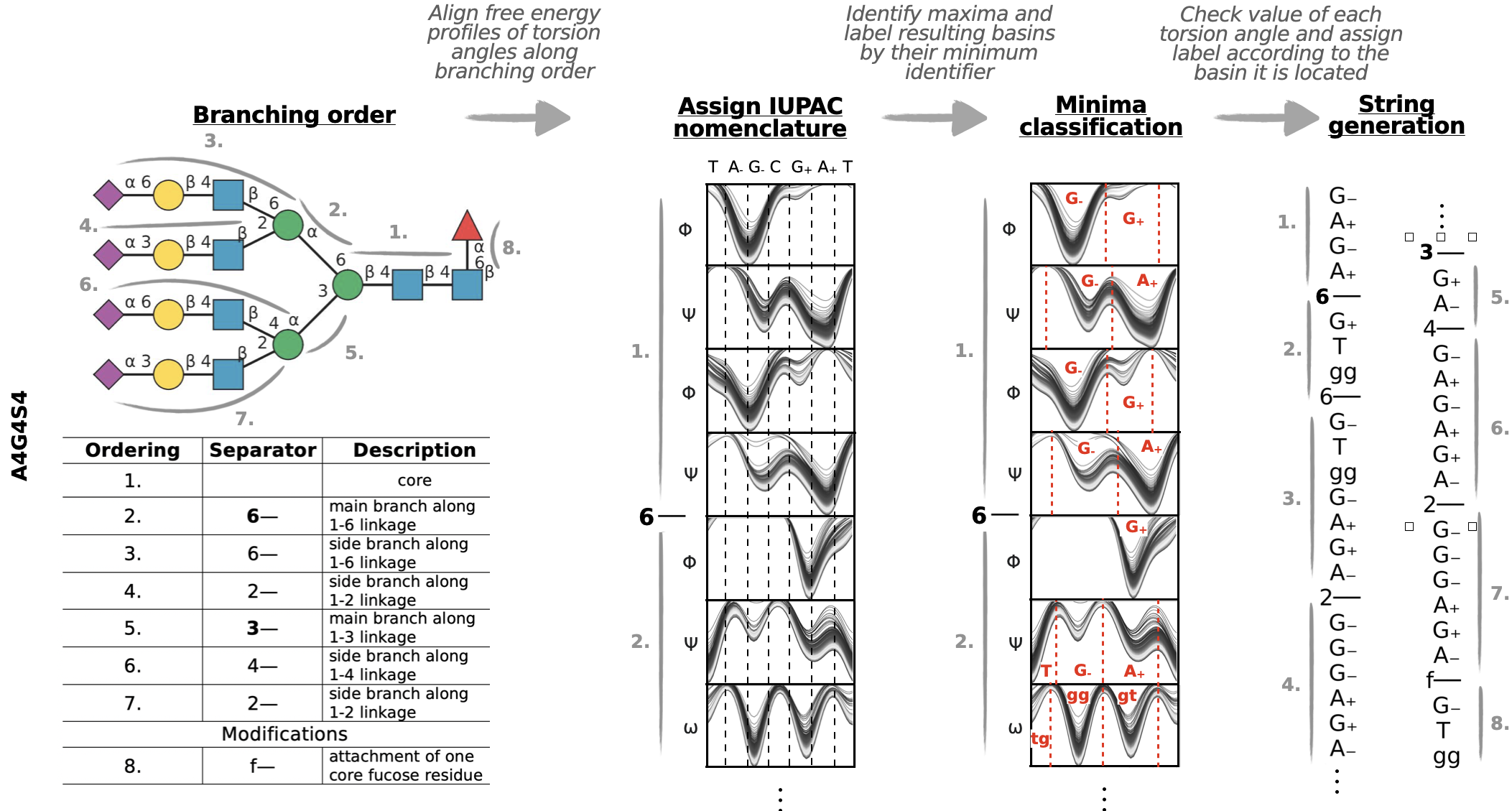
Check the paper or tutorial for a detailed explanation of the GlyCONFORMER string generation. The workflow is not exclusivly designed for N-glycans, but can also be applyied to any other glycan type there is.
Installation
GlyCONFORMER is available via pip and docker:
pip
pip install GlyCONFORMER
Stable performance was only tested and verified up to python version 3.10. Pandas<=1.3.5 is required!
Recommendation - build via conda environment with following commands:
conda create -n name python=3.10 --no-default-packages
conda activate name
pip install GlyCONFORMER
Docker Image
This image includes:
- GlyCONFORMER pre-installed via
pip install . - Jupyter Notebook launched on container start
- Required dependencies like
plumed,numpy,scikit-learn, etc.
docker pull grothaus/glyconformer:latest

docker run -p 8888:8888 grothaus/glyconformer:latest
Tutorial
The tutorial includes different N-glycan types and different complexity levels of how to obtain a GlyCONFORMER label string for custom glycan types and their recorded torsion angle values. The minimum example is given by the high-mannose type N-glycan M5, where all necessary information are read from the LIBRARY_GLYCANS folder by specifying the glycantype = "Man5":
M5 = Glyconformer(glycantype = "Man5")
Raw torsion angle values get converted to letters corresponding to their values and associate them to a certain minima of the free energy profile along that torsion angle.
The raw input data can be accessed via:
M5.colvar
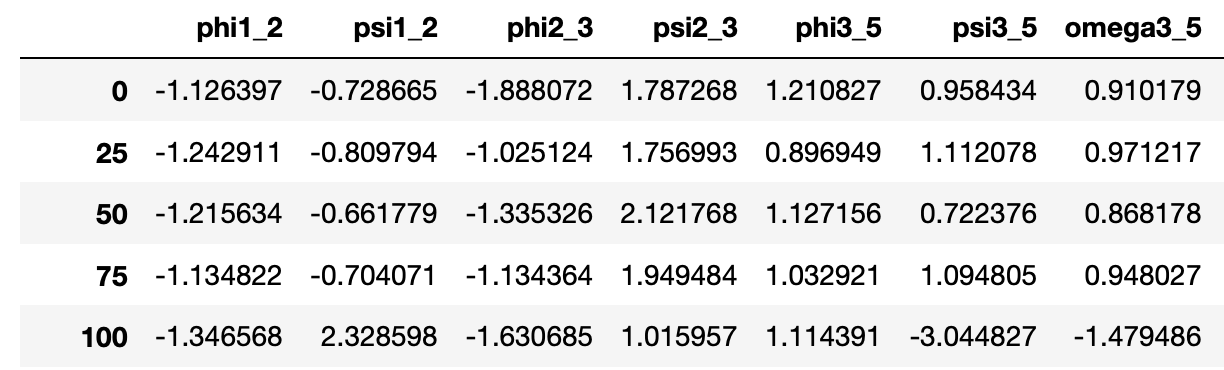
and its translated variant via:
M5.binary
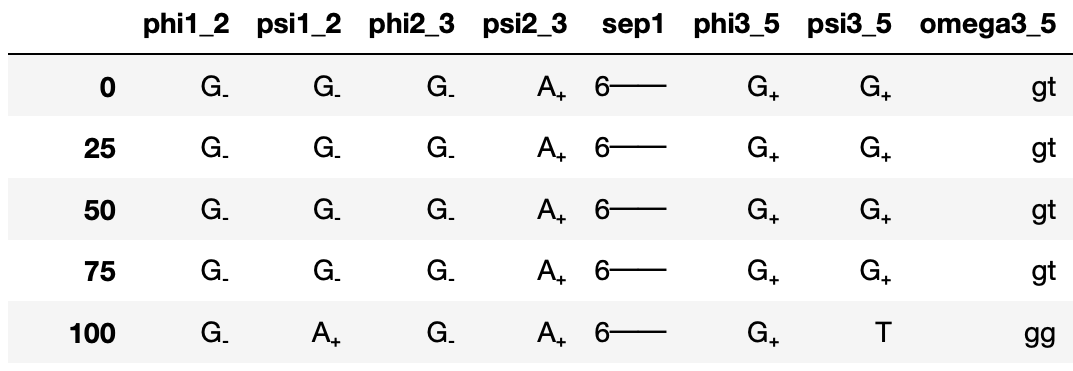
Additionally, the occurance of each conformer string is counted and outputted via:
M5.count
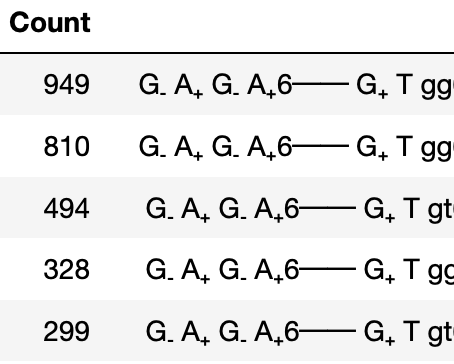
All this is performed in the background and final results can be outputted using various plotting functions, e.g.:
M5.distribution
Conformer labels are given on the x-axis and deviations from the most populated conformer indicated by explicit letters, where dots are used when no change in that torsion angle could be detected.
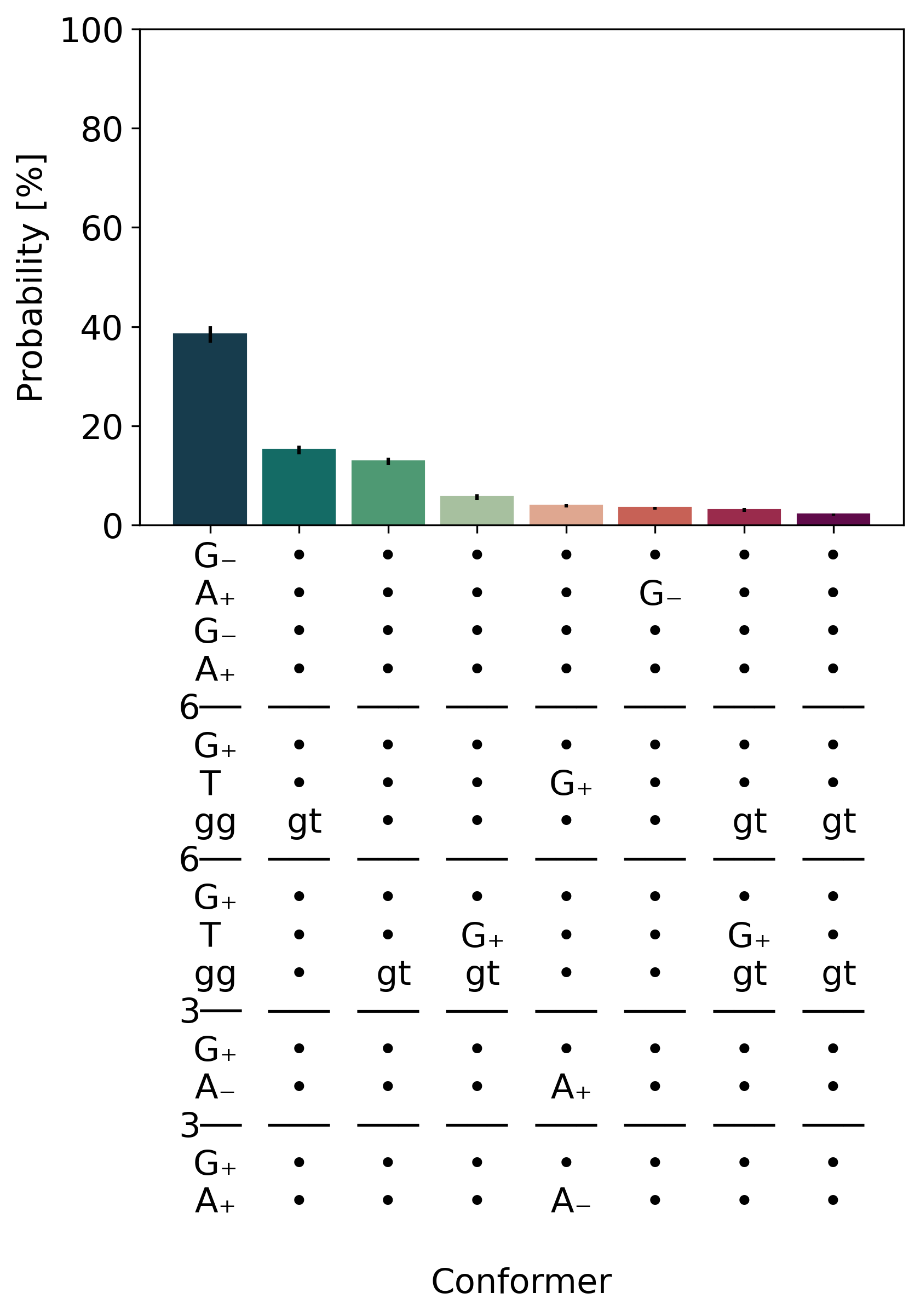
For more elaborate examples and a detailed explanation of how free energy profiles of each torsion angle are classified, check out the Tutorial_GlyCONFORMER.ipynb notebook.
Documentation
See documentation https://glyconformer.readthedocs.io/en/latest/index.html
1 maintainer

Metadata
1 maintainer
Release files for GlyCONFORMER 1.1.3
For a detailed explanation of source distributions (sdists) and built distributions (wheels), please see the package formats documentation.
Source distribution (sdist)
| File | Size | Uploaded | Provenance | Actions |
|---|---|---|---|---|
| GlyCONFORMER-1.1.3.tar.gz | 30.6 kB | Without provenance | Details for GlyCONFORMER-1.1.3.tar.gz |
Built distribution (wheel)
| File | Interpreter | ABI | Platform | Actions Reset |
|---|---|---|---|---|
| GlyCONFORMER-1.1.3-py3-none-any.whl | Python 3 | none | any | Details for GlyCONFORMER-1.1.3-py3-none-any.whl |
Total release size: 60.1 kB
Release files / GlyCONFORMER-1.1.3.tar.gz
| Download URL | GlyCONFORMER-1.1.3.tar.gz |
|---|---|
| Size | 30.6 kB |
| Tags | Source |
|
SHA-256 checksum How to use checksums |
c191e71b004d0e897c697d95bfdd2ee797fa4b6b6588aa1e11d43c4e7b697a47
|
|
BLAKE2b-256 checksum How to use checksums |
bfa612855ef3f3bac252fb08b1e9b361c35bee7dafef01d3574f7d65c8efbd9b
|
| Upload date | |
|
Uploaded using Trusted Publishing? What is trusted publishing? |
No |
| Uploaded via |
twine/4.0.2 CPython/3.7.12
|
Release files / GlyCONFORMER-1.1.3-py3-none-any.whl
| Download URL | GlyCONFORMER-1.1.3-py3-none-any.whl |
|---|---|
| Size | 29.5 kB |
| Tags | Python 3 |
|
SHA-256 checksum How to use checksums |
16b9dafe4683b138d31e21f8a4c4b6169e37c75543da4ac8743101cf17804756
|
|
BLAKE2b-256 checksum How to use checksums |
5e97a1022d1253205a6bc9f16afcdf50a8e96dfe29fc09aa9d8a009f36fde3f3
|
| Upload date | |
|
Uploaded using Trusted Publishing? What is trusted publishing? |
No |
| Uploaded via |
twine/4.0.2 CPython/3.7.12
|
Security for GlyCONFORMER 1.1.3
Provenance
Provenance describes where a file came from. On PyPI, provenance is shared via attestations, which provide a verifiable record of the build or publishing details. View details, limitations and caveats.
No provenance found
None of the files in this release were uploaded with provenance metadata.
A note on package security
PyPI is a repository for distributing packages, not a service for auditing them. While third-party security researchers and our staff do their best to detect and remove malicious packages, PyPI cannot guarantee the quality, security or suitability of any given package.
To learn more about protecting yourself from malicious actors, visit our package security documentation.














