
Monitorix Frontend for Gemini Protocol

Project description
Monitorix Gemini-Frontend
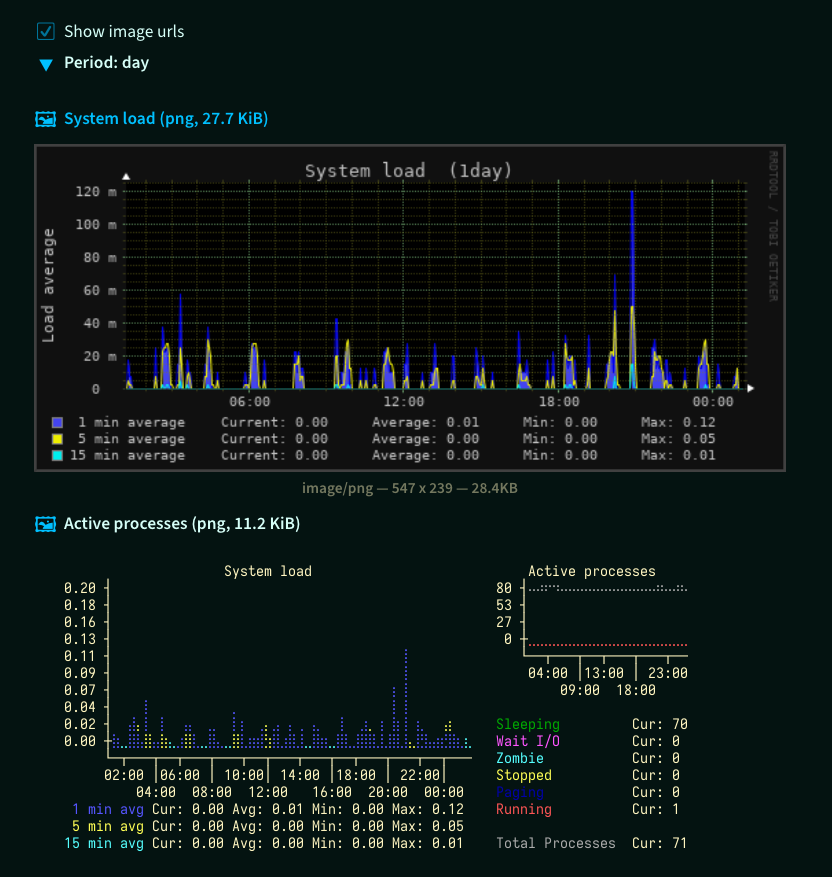
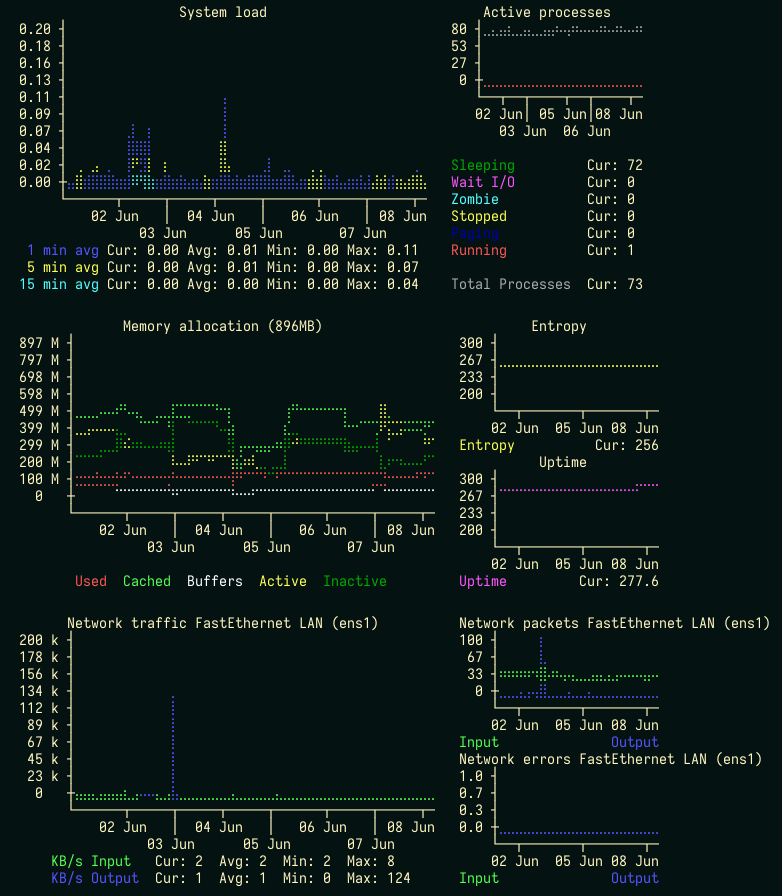
Gemini-page with Monitorix ascii-graphs in braille.
- System load average and usage
- System load
- Memory allocation
- Active processes
- Entropy
- Uptime
- Filesystem
- Filesystem usage
- Disk I/O activity
- Inode usage
- Time spent in I/O activity
- Network traffic and usage
- Traffic
- Packets
- Errors
| With images | No images |
|---|---|
 |
 |
Install
Requirements:
Monitorix- installed and started system servicerrdtool- python package to provide access to *.rrd database filesbrasciichart- python package to ascii-graph
Installing rrdtool python-package can require developer
packages: python3.x-dev, librrd-dev.
$ sudo apt install python3.9-dev librrd-dev
$ pip install GmMonitorix
After GmMonitorix successfully installed, remove dev-packages if not required:
$ sudo apt remove python3.9-dev librrd-dev
The Gemini-server account should have write-access in the work directory.
To protect monitorix page with user certificate, place .admins file with
user's certificate fingerprints into this work directory.
GmCapsule
For GmCapsule server add to your config-file a section with CGI-settings.
[cgi.monitorix]
# monitoring gemini-page url-path
path = /monitorix/*

cwd = /writable/work/dir/

# path to a Python-interpreter with rrdtool, brasciichart, GmMonitorix
command = /path/to/python3 -m GmMonitorix
The monitoring gemini-page will be accessible
by gemini://<hostname>/monitorix/cgi URL.
Links
- Gemini Protocol
- Project Gemini FAQ
- Monitorix
- GmCapsule (codeberg.org)
- GmCapsule User manual :: Configuration
TODO
- all metrics
- support net traffic bit/s
- support FreeBSD, OpenBSD, NetBSD total memory bytes
- support uptime units: minutes, hours
- support OpenBSD, NetBSD with m_mused, m_macti only
Change log
v0.1.1
- Add Filesystem Usage (Usage, Disk I/O, Inode, Time spent in I/O)
- Use rigid and limits from config
v0.1.0
Initial release
Release history Release notifications | RSS feed


Download files
Download the file for your platform. If you're not sure which to choose, learn more about installing packages.
Source Distribution
Built Distribution
Filter files by name, interpreter, ABI, and platform.
If you're not sure about the file name format, learn more about wheel file names.
Copy a direct link to the current filters
File details
Details for the file gmmonitorix-0.1.1.tar.gz.
File metadata
- Download URL: gmmonitorix-0.1.1.tar.gz
- Upload date:
- Size: 23.1 kB
- Tags: Source
- Uploaded using Trusted Publishing? No
- Uploaded via: twine/6.1.0 CPython/3.11.2
File hashes
| Algorithm | Hash digest | |
|---|---|---|
| SHA256 |
24d606e72c7c5e8d605cf6c580413f8bbd2a9055fb7f94f5395808e07039fc0a
|
|
| MD5 |
84328d7178efa3d170227ce3618046a3
|
|
| BLAKE2b-256 |
969c95b6c6b1884b5c8840adedb7389fe2cd88e161b336f8ee1fe2270488e358
|
File details
Details for the file gmmonitorix-0.1.1-py3-none-any.whl.
File metadata
- Download URL: gmmonitorix-0.1.1-py3-none-any.whl
- Upload date:
- Size: 26.6 kB
- Tags: Python 3
- Uploaded using Trusted Publishing? No
- Uploaded via: twine/6.1.0 CPython/3.11.2
File hashes
| Algorithm | Hash digest | |
|---|---|---|
| SHA256 |
873b8ea94033dfcf667bf83563835c1c04383b3f257db220d4c3f1e33ebe37cc
|
|
| MD5 |
99d9f0eedaf23e0e9b7372ea3f488907
|
|
| BLAKE2b-256 |
844f5fcab6c7bc64aaae915a3e9ec2e93a82cc90ccf5410b39b7d0cb10341875
|






