
GoRDB - GraphQL On Relational DB
A lightweight python library for implementing GraphQL on Relational DB Tables in few steps using python dicts. The library is built over strawberry-graphql for creating graphQL schema from dataclasses
Example Graph query on Relational DB having User table and Subscriptions table implemented using GoRDB

{
    User(filterStr:" @#ROWNUM#@ <5 ")
    {
        USERID,
        USERNAME,
        Subscriptions{
            PRODUCTID
        }
    }
}
Implementation Steps
Step-1:
Import GoRDB libraryfrom GoRDB import GoRDB
Step-2:
Initialize connection configs for your DB. Here config is shown for Oracle DB, You can set this for any RDB of your choiceimport cx_Oracle as orac
orac.init_oracle_client(lib_dir= "./instantclient_19_12")
import pickle
db=pickle.load(open("G:db_config.pickle","rb"))
username=db['username']
pwd=db['pwd']
db_uri=db['uri']
Step-3:
Create function which will receive an connection-id (string) and query (string) as arguments and return query results ( List of tuples) as returnconnection_pools_by_connection_id={}
connection_pools_by_connection_id['CUSTOMERDB'] = orac.SessionPool(username, pwd, db_uri,min = 5, max = 20, increment = 5, threaded = True,getmode = orac.SPOOL_ATTRVAL_WAIT)
def query_executor(connection_id,query_str):
global connection_pools_by_connection_id
custdb=connection_pools_by_connection_id[connection_id].acquire()
local_cursor=custdb.cursor()
local_cursor.execute(query_str)
query_result=local_cursor.fetchall()
return query_result
Step-4:
Add node definition for each node in your graph layer as dict in the format given below.
Nodes define the table in your Relational DB. Node alias is the node name which will be used in your Graph queries
Features define the columns in your RDB table
Edges define the relation between on node to another and corresponding mapping keys. set many_mapping = True if you the edge define one-to-many relationship
Table connection id define the connection identifier which will be passed to query executor function
Query executor define the function which will be called to execute query.
Here for the example shown above we have 2 nodes.
USER_node_dict={
    'node_alias':'User',
    'tbl_name':'CUSTOMERDB.USER_TABLE',
    'tbl_connection_id':'CUSTOMERDB',
    'query_executor':query_executor,


    'features':[
        {'feature_alias':'USERID','feature_name_in_table':'USERID_SNO'},
        {'feature_alias':'USERNAME','feature_name_in_table':'USERNAME'},
    ],

    'edges':[
        {'edge_alias':'Subscriptions','node_feature_alias':'USERID','foreign_node_alias':'Subscriptions','foreignNode_feature_alias':'SUBSCRIBERID','many_mapping':True}

    ]

}


SUBSCRIPTIONS_node_dict={
    'node_alias':'Subscriptions',
    'tbl_name':'CUSTOMERDB.SUBSCRIBER_PRODUCT_TABLE',
    'tbl_connection_id':'CUSTOMERDB',
    'query_executor':query_executor,


    'features':[
        {'feature_alias':'SUBSCRIBERID','feature_name_in_table':'SUBSCRIBERID_IDX'},
        {'feature_alias':'PRODUCTID','feature_name_in_table':'PRODUCTID_IDX'},
    ],

    'edges':[]
}
Step-5:
Build your GraphQL Schema by passing the list of node definitions dictschema,node_builds_compiled=GoRDB.build_scheme_from_node_dict([USER_node_dict,SUBSCRIPTIONS_node_dict])
Step-6:
Thats all! Execute your Schema, and await on the response. Now you have succesfully running Graph query engine on you RDB tables
Note: the filterstr corresponds to the "WHERE" part of your nomrmal SQL query. if you want to use some table columns which are not defined in your node definition dict you need to wrap them with ' #@' and '#@ ', but if the column is already defined in the node definition dict this is not need(for example 'USERID' used in the below query)
ding=schema.execute('{User(filterStr:" USERID > 5 and  @#ROWNUM#@ <5 "){USERID,USERNAME,Subscriptions{PRODUCTID}}}')
print(await ding)
Other features
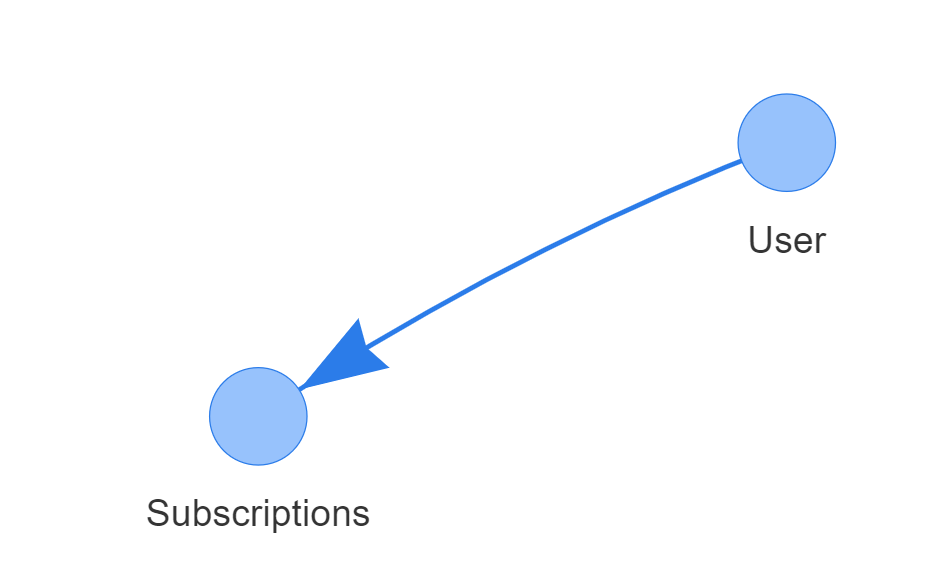
GoRDB have helper function called show_graph which can be used to see the network diagram of your Schema
GoRDB.show_graph([USER_node_dict,SUBSCRIPTIONS_node_dict])
1 maintainer

Metadata
1 maintainer
Release files for GoRDB 5
For a detailed explanation of source distributions (sdists) and built distributions (wheels), please see the package formats documentation.
Source distribution (sdist)
| File | Size | Uploaded | Provenance | |
|---|---|---|---|---|
| GoRDB-5.tar.gz | 6.7 kB | Without provenance | Details |
Built distribution (wheel)
| File | Interpreter | ABI | Platform | Reset |
|---|---|---|---|---|
| GoRDB-5-py3-none-any.whl | Python 3 | none | any | Details |
Total release size: 13.2 kB
Release files / GoRDB-5.tar.gz
| Download URL | GoRDB-5.tar.gz |
|---|---|
| Size | 6.7 kB |
| Tags | Source |
|
SHA-256 checksum How to use checksums |
e713d9d665265c5d78a34d4215e0f0d301cd9ae5b2a820dfa5bd65e510e2b3b7
|
|
BLAKE2b-256 checksum How to use checksums |
22696c374a4dd05f629205f7e30dd84b30a101bc8f28d91a71bd6455fd544381
|
| Upload date | |
|
Uploaded using Trusted Publishing? What is trusted publishing? |
No |
| Uploaded via |
twine/3.4.2 importlib_metadata/4.8.1 pkginfo/1.6.1 requests/2.24.0 requests-toolbelt/0.9.1 tqdm/4.50.2 CPython/3.8.5
|
Release files / GoRDB-5-py3-none-any.whl
| Download URL | GoRDB-5-py3-none-any.whl |
|---|---|
| Size | 6.5 kB |
| Tags | Python 3 |
|
SHA-256 checksum How to use checksums |
67b5294fc2e91c1ce7fe71a5e3574c7abf8042b9dbfe216e507a7c77dacfb935
|
|
BLAKE2b-256 checksum How to use checksums |
4596d9ba8b49939dab87301f9a6d94e9853457c36b17319b050de97622ac5444
|
| Upload date | |
|
Uploaded using Trusted Publishing? What is trusted publishing? |
No |
| Uploaded via |
twine/3.4.2 importlib_metadata/4.8.1 pkginfo/1.6.1 requests/2.24.0 requests-toolbelt/0.9.1 tqdm/4.50.2 CPython/3.8.5
|
Security for GoRDB 5
Provenance
Provenance describes where a file came from. On PyPI, provenance is shared via attestations, which provide a verifiable record of the build or publishing details. View details, limitations and caveats.
No provenance found
None of the files in this release were uploaded with provenance metadata.
A note on package security
PyPI is a repository for distributing packages, not a service for auditing them. While third-party security researchers and our staff do their best to detect and remove malicious packages, PyPI cannot guarantee the quality, security or suitability of any given package.
To learn more about protecting yourself from malicious actors, visit our package security documentation.














