
HtmlCrawler - Crawl HTML pages up to a depth




HtmlCrawler crawls HTML pages on one host up to a depth, and up to a page cap when you pass --max-pages, and saves each page with its stylesheets, scripts, images, and fonts. The typed verb crawl is that walk. The typed verb download saves the one URL it is given and does not walk. Menu row 1 download lists pages saved earlier, or accepts a URL. Menu row 2 list downloaded lists saved page names, then opens the chosen page in Visual Studio Code or the default browser. Crawl is not a menu row.
On a terminal, starting it with no arguments opens a text menu. The menu does not download a page by itself, and it does not call pip. It does not join media, call an external encoder, or list files in the folder.
Features
- Text menu on a terminal: download, list downloaded, serve, System Log, self-management, language, and Exit
- The first row shows the current folder and a local clock (
HH:MM:SS) when the row has room - Numbered rows line up. A rounded input box sits along the bottom, as wide as the terminal, with the name and version on the status line under the box
- download (1) lists saved
page name: URLpairs, or accepts a URL, a page name, and an HTML file name. Press Enter to keep the name in brackets. A URL that ends withguide.htmloffersguide/guide.html. A URL that ends with a folder name such asxxxoffersxxx/index.html. The typed verbdownload --url URLdoes the same and does not draw the menu.--nameand--htmloverride those names. A later run keeps the stored file and fills in files that are still missing - list downloaded (2) lists saved page names by number. After a page is chosen, 21 edit opens the saved HTML file in Visual Studio Code when the
codecommand or the Visual Studio Code desktop entry is installed, and 22 view opens it in the default browser when one is set. That file defaults toindex.html. A missing tool is left off that menu. 0 returns to the page list, then to the main menu - serve (3) lists saved page names by number, then asks for a port. An empty port uses 5000. The page folder is served at
http://127.0.0.1:<port>/until Ctrl+C./is the saved HTML file. The typed verbserve --page-name PAGENAMEdoes the same without the menu.--portchanges the port - The page is
~/.app/HtmlCrawler/output/<pagename>/<html file>. The HTML file defaults toindex.html. Linked stylesheets go inoutput/<pagename>/assets/css/. Linked scripts go inoutput/<pagename>/assets/js/. Linked images go inoutput/<pagename>/assets/img/. Those three folders stay flat, with no subfolders. Font files sit inassets/css/. When that HTML file is already there, the page is not downloaded again. A different name moves the existing file. Missing stylesheets, scripts, and images are fetched. Files already saved are kept. - System Log (4) opens view-log, clear-log, and log-folder. self-management (6) opens version, about, and the pip lifecycle rows. language (7) picks the menu language
- Console script
html-crawlerand module entrypython -m HtmlCrawler - Typed verb
crawl. It needs--url,--name, and--depth.--max-pagesis optional and caps the number of HTML pages. It stays on the start host, readsrobots.txtbefore any HTML page, and waits 1 second between requests to that host. It is not a menu row.--depthand--max-pagesare refused ondownload - Typed verbs:
help,version,about,download,crawl,serve,self-install,version-check,self-update,self-uninstall
Advantages
- Two ways to download.
html-crawler download --url URL --name PAGENAMEsaves the page in the terminal and does not draw the menu. On the menu, row 1 download lists saved pages by number, or accepts a URL. With no arguments on a terminal, the text menu opens and waits. With no terminal and no verb, the program prints help and returns 0. There is no--json. - Built-in languages. Row 7 lists thirteen languages: English, Simplified Chinese, Traditional Chinese, Spanish, Arabic, French, Portuguese, Russian, German, Japanese, Korean, Dutch, and Greek. The choice is saved in
~/.local/HtmlCrawler/languagefor the next run.HTMLCRAWLER_LANGoverrides that file for one process and does not write it. The download verb stays English. The note on row 1 follows the menu language. - Lifecycle and diagnostics.
version-check,self-update,self-install, andself-uninstallare menu rows 63–66 and typed verbs.self-uninstallon the command line needs--force. They call pip and do not use root. System Log (4) views a log, clears a log, and shows the log folder. about (62) stays in English.
Quick Installation
Python dependency: ChronicleLogger>=1.3.1 (required). Pip installs it with HtmlCrawler. No external media tool is required.
PyPI (registry)
pip install HtmlCrawler
This installs the console entry html-crawler and the package HtmlCrawler. Packaging name SSOT is pyproject.toml [project].name = HtmlCrawler. This tree is 1.1.4. The PyPI badge above shows the live index.
Local install (checkout)
From a checkout (editable / unreleased work):
git clone https://github.com/cloudgen/HtmlCrawler.git
cd HtmlCrawler
python3 -m venv venv
source venv/bin/activate   # Windows: venv\Scripts\activate
pip install -e .
Main menu
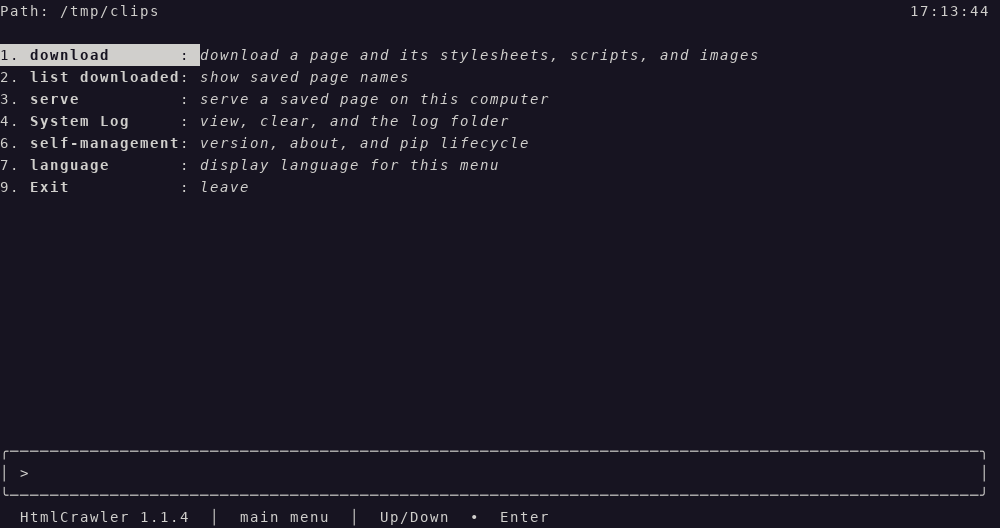
After install, on a terminal, html-crawler with no arguments prints this screen. The verb is bold and the note after the colon is italic. 9 leaves. 0 on a submenu goes back. After a command finishes, the main menu is shown again. A number that is not on the list prints an error and lets you choose again.
Picture of the English menu. Current directory /tmp/clips. The rows are the text the menu paints. The frame is the 100-column box.
$ html-crawler
Path: /tmp/clips                                                                                     17:13:44

1. **download**       : *download a page and its stylesheets, scripts, and images*
2. **list downloaded**: *show saved page names*
3. **serve**          : *serve a saved page on this computer*
4. **System Log**     : *view, clear, and the log folder*
6. **self-management**: *version, about, and pip lifecycle*
7. **language**       : *display language for this menu*
9. **Exit**           : *leave*


╭─────────────────────────────────────────────────────────────────────────────────────────────────╮
│ >                                                                                               │
╰─────────────────────────────────────────────────────────────────────────────────────────────────╯
  HtmlCrawler 1.1.4  │  main menu  │  Up/Down  •  Enter
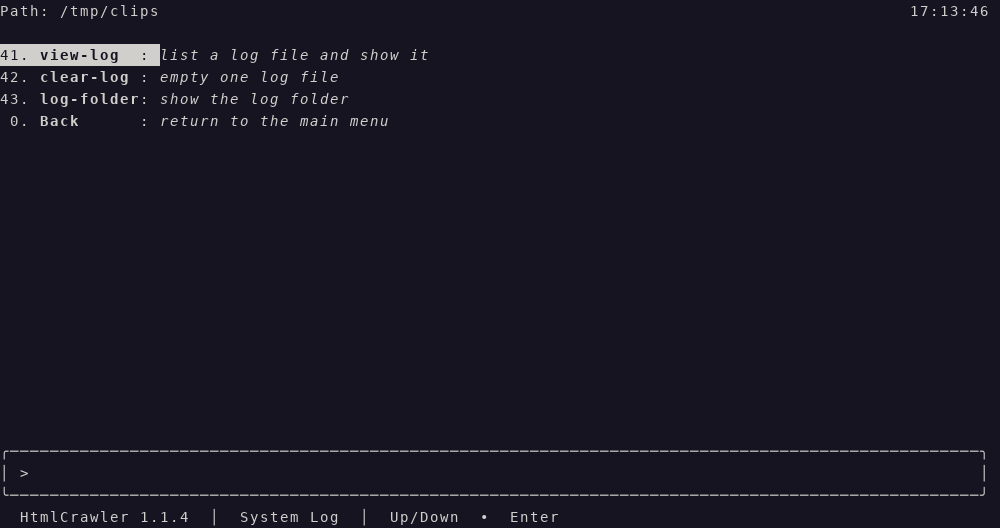
System Log (4). Numbers 44–49 are not printed.
Path: /tmp/clips                                                                                     17:13:46

41. **view-log**  : *list a log file and show it*
42. **clear-log** : *empty one log file*
43. **log-folder**: *show the log folder*
 0. **Back**      : *return to the main menu*


╭─────────────────────────────────────────────────────────────────────────────────────────────────╮
│ >                                                                                               │
╰─────────────────────────────────────────────────────────────────────────────────────────────────╯
  HtmlCrawler 1.1.4  │  System Log  │  Up/Down  •  Enter
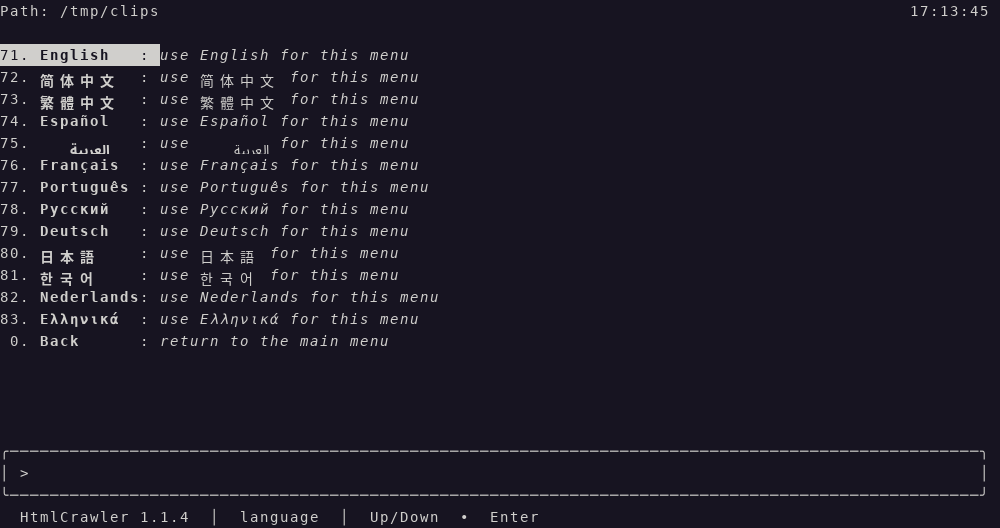
language (7). The short on each language row is that language’s own name. Numbers 84–98 are not printed. 0 goes back and does not save.
Path: /tmp/clips                                                                                     17:13:45

71. **English**   : *use English for this menu*
72. **简体中文**      : *use 简体中文 for this menu*
73. **繁體中文**      : *use 繁體中文 for this menu*
74. **Español**   : *use Español for this menu*
75. **العربية**   : *use العربية for this menu*
76. **Français**  : *use Français for this menu*
77. **Português** : *use Português for this menu*
78. **Русский**   : *use Русский for this menu*
79. **Deutsch**   : *use Deutsch for this menu*
80. **日本語**       : *use 日本語 for this menu*
81. **한국어**       : *use 한국어 for this menu*
82. **Nederlands**: *use Nederlands for this menu*
83. **Ελληνικά**  : *use Ελληνικά for this menu*
 0. **Back**      : *return to the main menu*

╭─────────────────────────────────────────────────────────────────────────────────────────────────╮
│ >                                                                                               │
╰─────────────────────────────────────────────────────────────────────────────────────────────────╯
  HtmlCrawler 1.1.4  │  language  │  Up/Down  •  Enter
self-management (6). Numbers 67–70 are not printed.
Path: /tmp/clips                                                                                     17:13:47

61. **version**       : *show the installed version*
62. **about**         : *version and this computer*
63. **version-check** : *compare this install with pip*
64. **self-update**   : *upgrade this package with pip*
65. **self-uninstall**: *remove this package with pip*
66. **self-install**  : *install this package with pip*
 0. **Back**          : *return to the main menu*

╭─────────────────────────────────────────────────────────────────────────────────────────────────╮
│ >                                                                                               │
╰─────────────────────────────────────────────────────────────────────────────────────────────────╯
  HtmlCrawler 1.1.4  │  self-management  │  Up/Down  •  Enter
Choose a number, or type the command name in the box. The block caret appears in that box while it is focused.
Usage
html-crawler
# or
python -m HtmlCrawler
On a terminal, that opens the main menu above. It does not download a page yet, and it does not call pip. With no terminal, the same command prints help and returns 0.
download (1) stays on the menu. It lists saved page name: URL rows. Type a number to download that pair again, or type an http:// or https:// URL, then a page name, then an HTML file name. Press Enter on either question to keep the name in brackets. The brackets show the saved name, or the name taken from the URL. The typed verb does not draw the menu:
html-crawler download --url https://example.com/guide.html
html-crawler download --url https://example.com/xxx
html-crawler download --url https://example.com/ --name example
html-crawler download --url https://example.com/guide.html --name docs --html page.html
guide.html writes ~/.app/HtmlCrawler/output/guide/guide.html. A URL that ends with a folder name, such as xxx or xxx/, writes output/xxx/index.html. --name example writes output/example/index.html when the URL does not name a file. --html page.html writes that file name instead. Linked stylesheets go in output/example/assets/css/, linked scripts in output/example/assets/js/, and linked images in output/example/assets/img/. Each of those folders is a single layer. The saved page points at those local files. A <base> tag or an xml:base attribute is removed so local links stay on the saved page. A canonical link and HTML comments are removed too. The URL, the page name, and the HTML file name are remembered in ~/.app/HtmlCrawler/output/url-map.json. Running the same command again leaves that HTML file in place and downloads only the stylesheets, scripts, and images that are not already in the page folder. A different --html name moves the existing file and does not fetch the page URL again.
crawl is a typed verb. It is not a menu row. It needs --url, --name, and --depth. --max-pages is optional. It does not draw the menu:
html-crawler crawl --url https://example.com/ --name example --depth 1 --max-pages 20
That stays on the start host, reads robots.txt before any HTML page, and waits 1 second between requests to that host. A start path of / writes ~/.app/HtmlCrawler/output/example/index.html and remembers the site in url-map.json. Any other path writes example/<path>/index.html. --depth and --max-pages are refused on download. A missing --url, --name, or --depth exits non-zero and names the flag. An omitted --max-pages keeps walking until --depth or the queue ends.
list downloaded (2) lists those page names by number. Choose one, then 21 edit opens the saved HTML file in Visual Studio Code when code is installed, and 22 view opens it in the default browser when a default browser is set. If either tool is missing, that row is not shown. 0 goes back.
serve (3) lists those page names by number. Choose one, then type a port. Press Enter with an empty box to use 5000. The server listens on 127.0.0.1 and stops on Ctrl+C. The menu then shows Stopped <name>. The typed verb does not draw the menu:
html-crawler serve --page-name example
html-crawler serve --page-name example --port 8080
That serves ~/.app/HtmlCrawler/output/example/ so http://127.0.0.1:5000/ is the saved HTML file, index.html unless --html chose another name, and assets/ stays beside it.
html-crawler help
html-crawler version
html-crawler about
html-crawler download --url https://example.com/ --name example
html-crawler crawl --url https://example.com/ --name example --depth 1 --max-pages 20
html-crawler serve --page-name example
html-crawler version-check
html-crawler self-update
html-crawler self-install
html-crawler self-uninstall --force
version prints HtmlCrawler 1.1.4 and does not call pip. about shows one English page: the product identity, a host check of this computer, and a star box. It does not call pip. download saves the page and does not draw the menu. help prints usage.
version-check runs python -m pip index versions HtmlCrawler. self-update runs python -m pip install --upgrade HtmlCrawler. self-install runs python -m pip install HtmlCrawler. self-uninstall runs python -m pip uninstall -y HtmlCrawler and needs --force on the command line. Those pip verbs do not use sudo. Empty arguments do not install or update.
Exit codes: non-zero for an unknown verb, a failed download, a failed crawl, a failed serve, a pip failure, or a menu that cannot open. Menu Exit (9) returns 0. A saved page returns 0. Ctrl+C on serve returns 0.
Import for scripts (thin entry):
from HtmlCrawler import main
# interactive session; a terminal opens the text menu
Screenshots
Each heading is the file name. The paragraph is what that picture shows: the words on the screen and the characters in the input box. The package is 1.1.4. These pictures were captured on 2026-10-31 from the running text menu in /tmp/clips. The status line says 1.1.4. On each menu picture the input box shows > and no typed text, and 1 download or the first row of that board is highlighted. The package index can fetch a picture only after that file is on the public main branch.
language-menu.png
Row 7 has opened the language list. 71 English is highlighted, with the note "use English for this menu." The other rows are 72 简体中文, 73 繁體中文, 74 Español, 75 العربية, 76 Français, 77 Português, 78 Русский, 79 Deutsch, 80 日本語, 81 한국어, 82 Nederlands, and 83 Ελληνικά. Each note says to use that language for this menu. 0 Back says "return to the main menu." The path label is Path. The path is /tmp/clips. The clock is 17:13:45 on the right of that row. The status line says HtmlCrawler 1.1.4 and language.
main-menu-en.png
English main menu. There is no saved-language line above the box. The path label is Path. The path is /tmp/clips. The clock is 17:13:44 on the right of that row. 1 download is highlighted: "download a page and its stylesheets, scripts, and images." Then 2 list downloaded "show saved page names," 3 serve "serve a saved page on this computer," 4 System Log "view, clear, and the log folder," 6 self-management "version, about, and pip lifecycle," 7 language "display language for this menu," and 9 Exit "leave." The status line says HtmlCrawler 1.1.4 and main menu.
main-menu-zh-hans.png
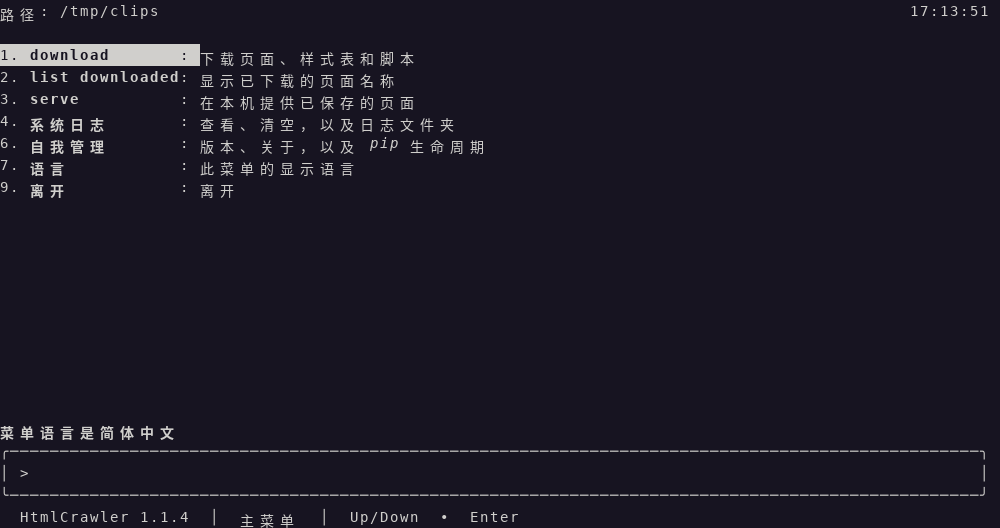
Simplified Chinese main menu. The line above the box says 菜单语言是简体中文. The path label is 路径. The path is /tmp/clips. The clock is 17:13:51 on the right of that row. 1 download is highlighted and stays download: "下载页面、样式表和脚本." 2 stays list downloaded. 3 stays serve. 4 is 系统日志. 6 is 自我管理. 7 is 语言. 9 is 离开. The status line says HtmlCrawler 1.1.4 and 主菜单.
main-menu-zh-hant.png
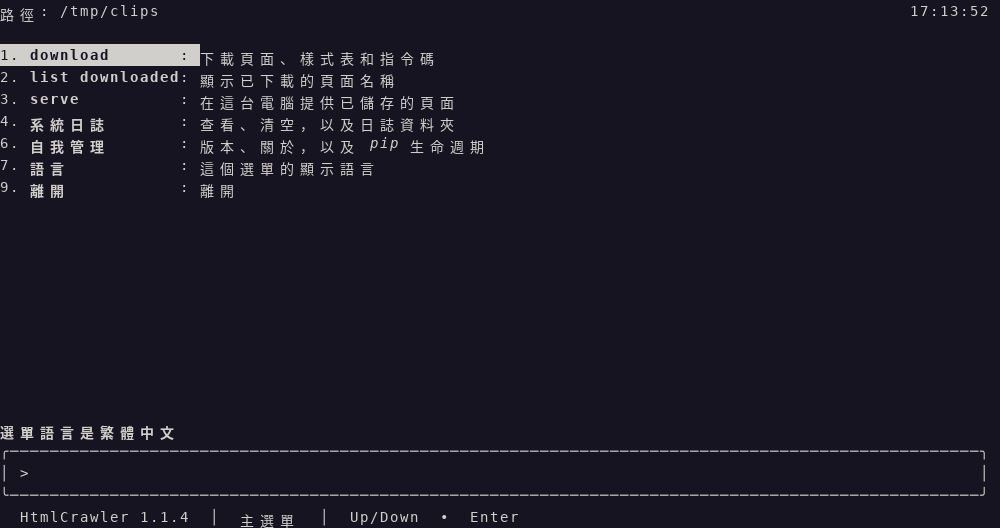
Traditional Chinese main menu. The line above the box says 選單語言是繁體中文. The path label is 路徑. The path is /tmp/clips. The clock is 17:13:52 on the right of that row. 1 download is highlighted and stays download: "下載頁面、樣式表和指令碼." 2 stays list downloaded. 3 stays serve. 4 is 系統日誌. 6 is 自我管理. 7 is 語言. 9 is 離開. The status line says HtmlCrawler 1.1.4 and 主選單.
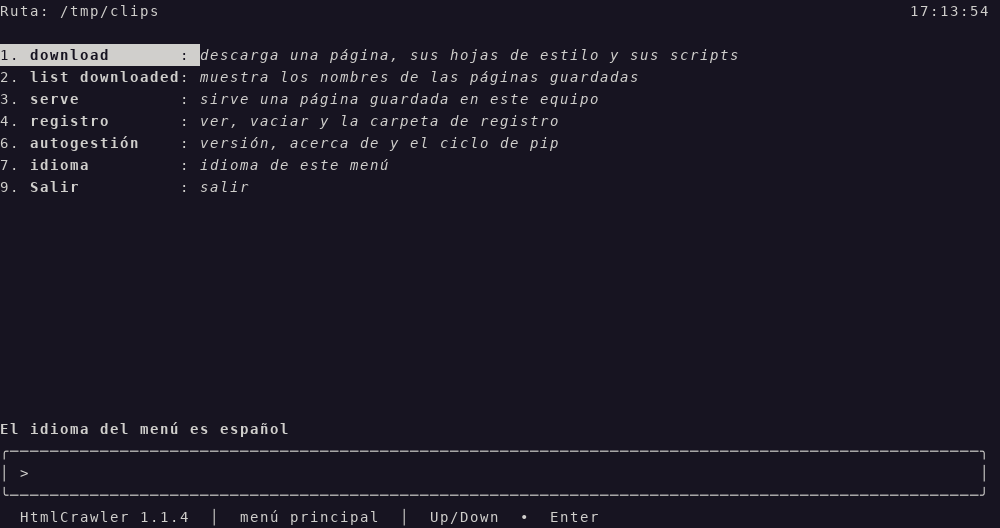
main-menu-es.png
Spanish main menu. The line above the box says El idioma del menú es español. The path label is Ruta. The path is /tmp/clips. The clock is 17:13:54 on the right of that row. 1 download is highlighted and stays download: "descarga una página, sus hojas de estilo y sus scripts." 2 stays list downloaded. 3 stays serve. 4 is registro. 6 is autogestión. 7 is idioma. 9 is Salir. The status line says HtmlCrawler 1.1.4 and menú principal.
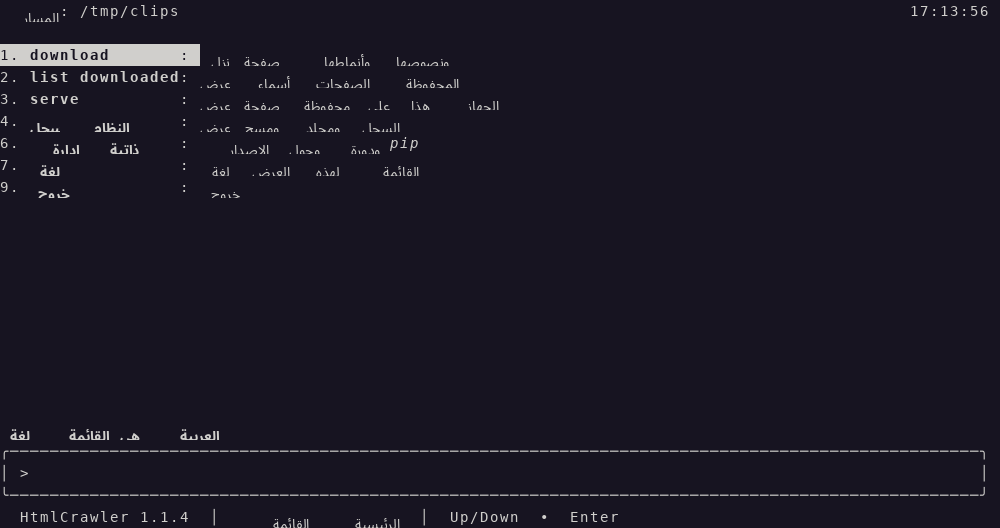
main-menu-ar.png
Arabic main menu. The line above the box says لغة القائمة هي العربية. The path label is المسار. The path is /tmp/clips. The clock is 17:13:56 on the right of that row. The numbers stay on the left. The row words are the Arabic menu strings. 1 download is highlighted and stays download. 2 stays list downloaded. 3 stays serve. 4 is سجل النظام. 6 is إدارة ذاتية. 7 is لغة. 9 is خروج. The status line says HtmlCrawler 1.1.4 and القائمة الرئيسية.
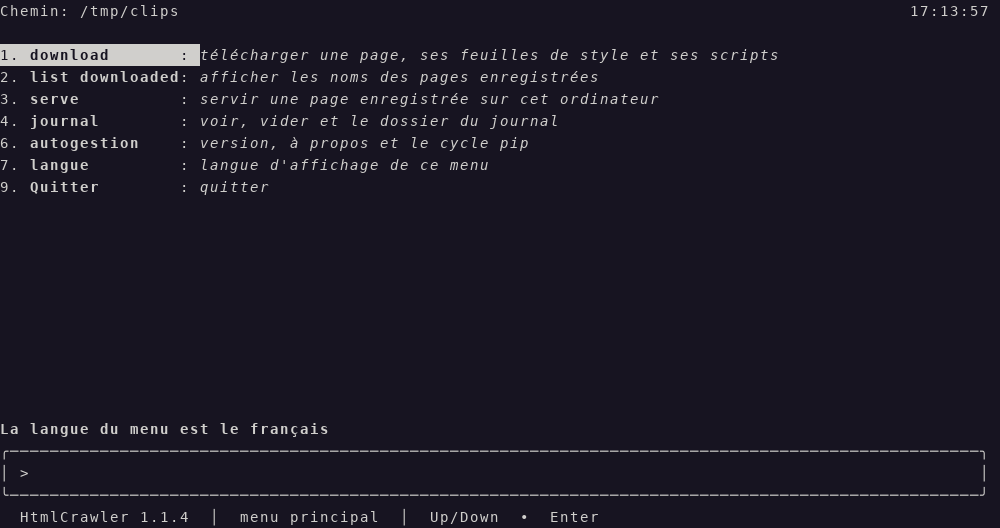
main-menu-fr.png
French main menu. The line above the box says La langue du menu est le français. The path label is Chemin. The path is /tmp/clips. The clock is 17:13:57 on the right of that row. 1 download is highlighted and stays download: "télécharger une page, ses feuilles de style et ses scripts." 2 stays list downloaded. 3 stays serve. 4 is journal. 6 is autogestion. 7 is langue. 9 is Quitter. The status line says HtmlCrawler 1.1.4 and menu principal.
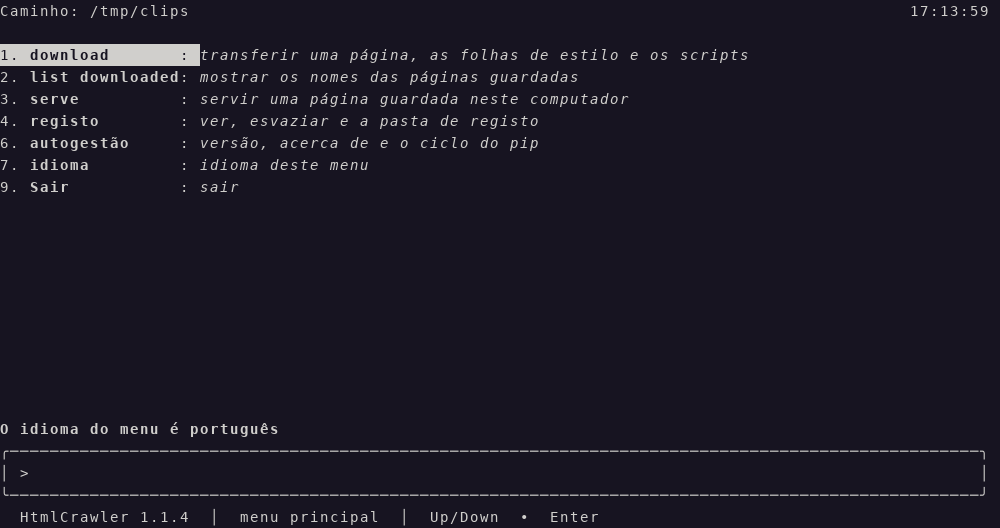
main-menu-pt.png
Portuguese main menu. The line above the box says O idioma do menu é português. The path label is Caminho. The path is /tmp/clips. The clock is 17:13:59 on the right of that row. 1 download is highlighted and stays download: "transferir uma página, as folhas de estilo e os scripts." 2 stays list downloaded. 3 stays serve. 4 is registo. 6 is autogestão. 7 is idioma. 9 is Sair. The status line says HtmlCrawler 1.1.4 and menu principal.
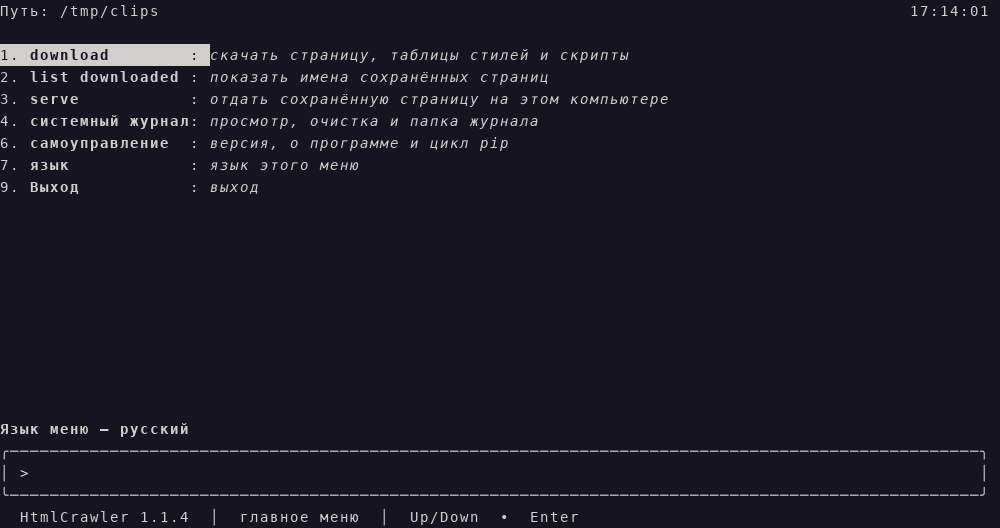
main-menu-ru.png
Russian main menu. The line above the box says Язык меню — русский. The path label is Путь. The path is /tmp/clips. The clock is 17:14:01 on the right of that row. 1 download is highlighted and stays download: "скачать страницу, таблицы стилей и скрипты." 2 stays list downloaded. 3 stays serve. 4 is системный журнал. 6 is самоуправление. 7 is язык. 9 is Выход. The status line says HtmlCrawler 1.1.4 and главное меню.
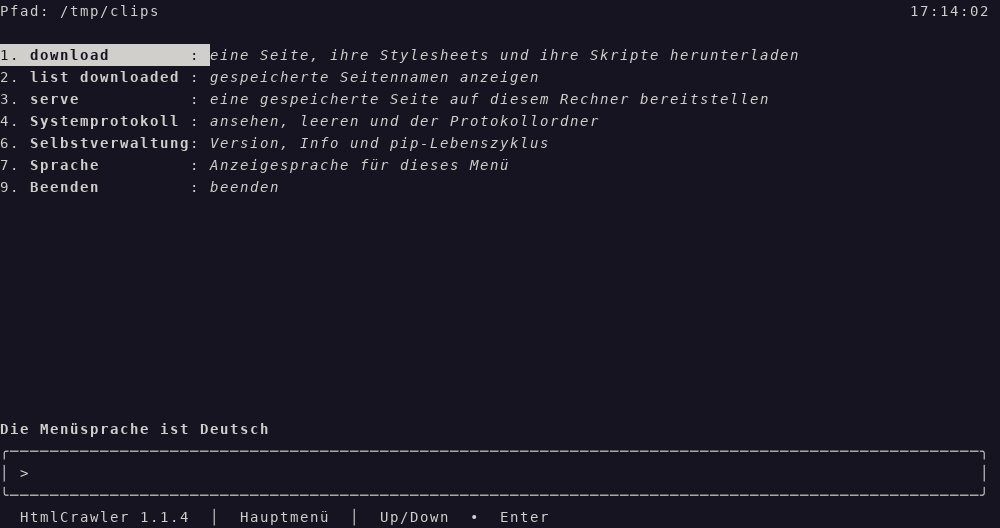
main-menu-de.png
German main menu. The line above the box says Die Menüsprache ist Deutsch. The path label is Pfad. The path is /tmp/clips. The clock is 17:14:02 on the right of that row. 1 download is highlighted and stays download: "eine Seite, ihre Stylesheets und ihre Skripte herunterladen." 2 stays list downloaded. 3 stays serve. 4 is Systemprotokoll. 6 is Selbstverwaltung. 7 is Sprache. 9 is Beenden. The status line says HtmlCrawler 1.1.4 and Hauptmenü.
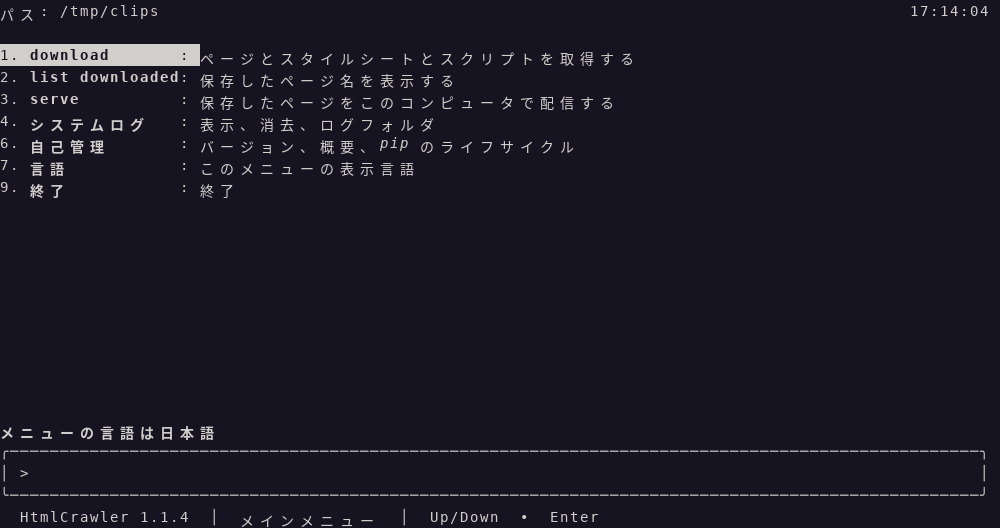
main-menu-ja.png
Japanese main menu. The line above the box says メニューの言語は日本語. The path label is パス. The path is /tmp/clips. The clock is 17:14:04 on the right of that row. 1 download is highlighted and stays download: "ページとスタイルシートとスクリプトを取得する." 2 stays list downloaded. 3 stays serve. 4 is システムログ. 6 is 自己管理. 7 is 言語. 9 is 終了. The status line says HtmlCrawler 1.1.4 and メインメニュー.
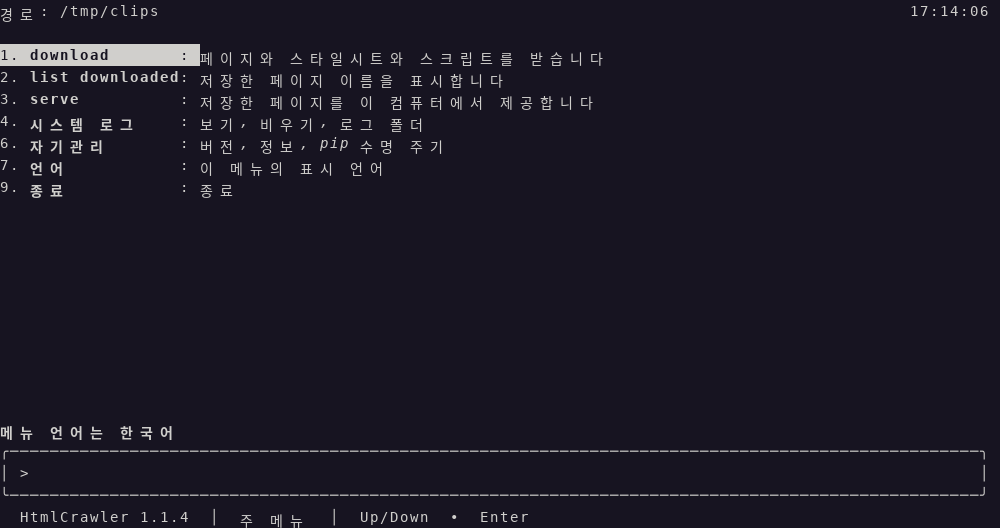
main-menu-ko.png
Korean main menu. The line above the box says 메뉴 언어는 한국어. The path label is 경로. The path is /tmp/clips. The clock is 17:14:06 on the right of that row. 1 download is highlighted and stays download: "페이지와 스타일시트와 스크립트를 받습니다." 2 stays list downloaded. 3 stays serve. 4 is 시스템 로그. 6 is 자기관리. 7 is 언어. 9 is 종료. The status line says HtmlCrawler 1.1.4 and 주 메뉴.
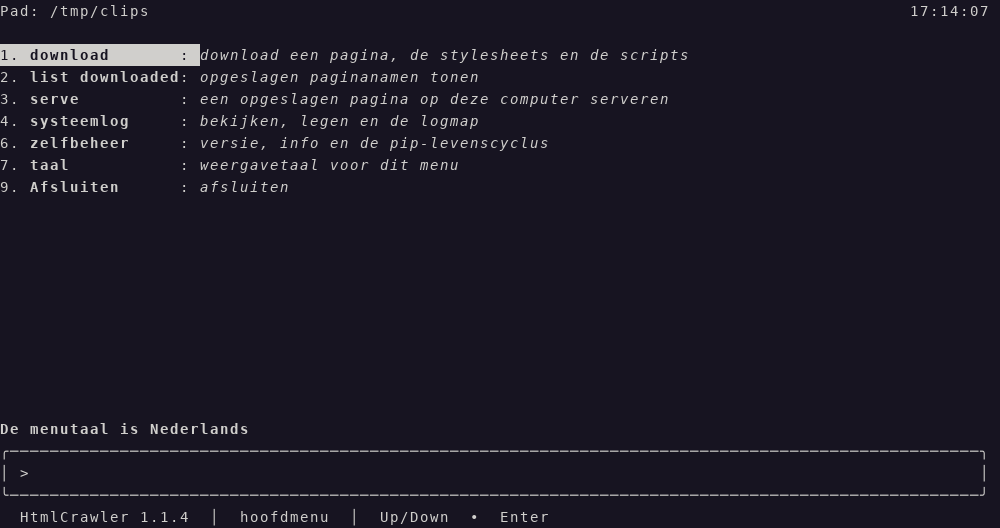
main-menu-nl.png
Dutch main menu. The line above the box says De menutaal is Nederlands. The path label is Pad. The path is /tmp/clips. The clock is 17:14:07 on the right of that row. 1 download is highlighted and stays download: "download een pagina, de stylesheets en de scripts." 2 stays list downloaded. 3 stays serve. 4 is systeemlog. 6 is zelfbeheer. 7 is taal. 9 is Afsluiten. The status line says HtmlCrawler 1.1.4 and hoofdmenu.
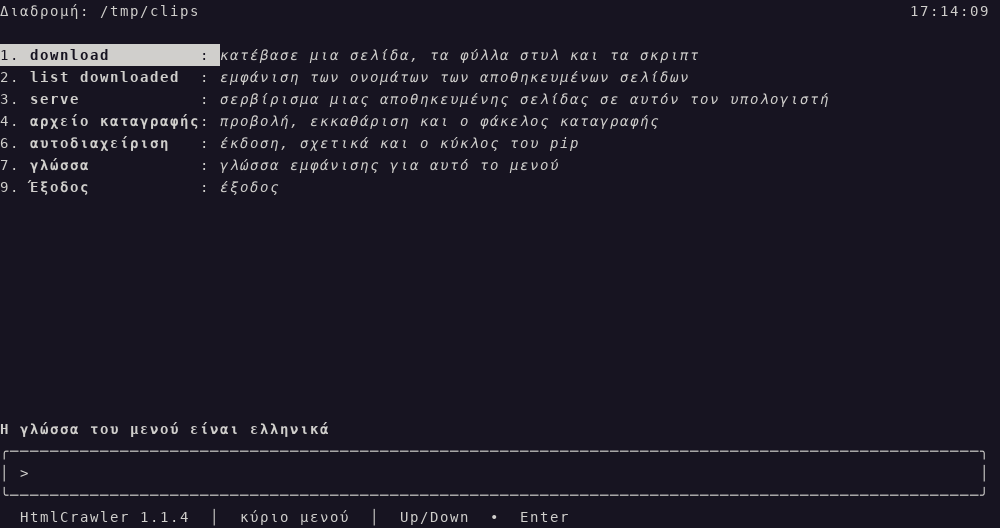
main-menu-el.png
Greek main menu. The line above the box says Η γλώσσα του μενού είναι ελληνικά. The path label is Διαδρομή. The path is /tmp/clips. The clock is 17:14:09 on the right of that row. 1 download is highlighted and stays download: "κατέβασε μια σελίδα, τα φύλλα στυλ και τα σκριπτ." 2 stays list downloaded. 3 stays serve. 4 is αρχείο καταγραφής. 6 is αυτοδιαχείριση. 7 is γλώσσα. 9 is Έξοδος. The status line says HtmlCrawler 1.1.4 and κύριο μενού.
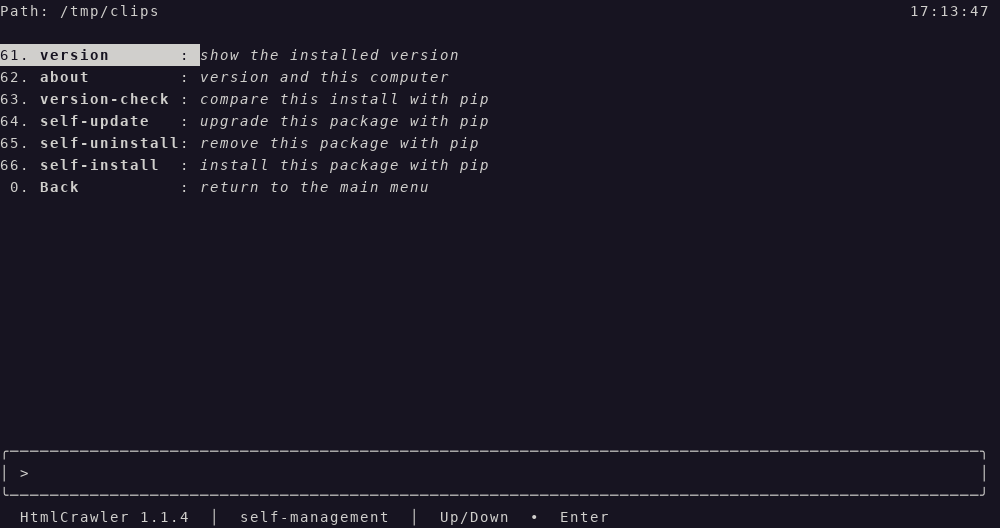
self-management.png
Row 6 has opened self-management. 61 version is highlighted: "show the installed version." Then 62 about "version and this computer", 63 version-check "compare this install with pip", 64 self-update "upgrade this package with pip", 65 self-uninstall "remove this package with pip", 66 self-install "install this package with pip", and 0 Back "return to the main menu." The path label is Path. The path is /tmp/clips. The clock is 17:13:47 on the right of that row. The status line says HtmlCrawler 1.1.4 and self-management.
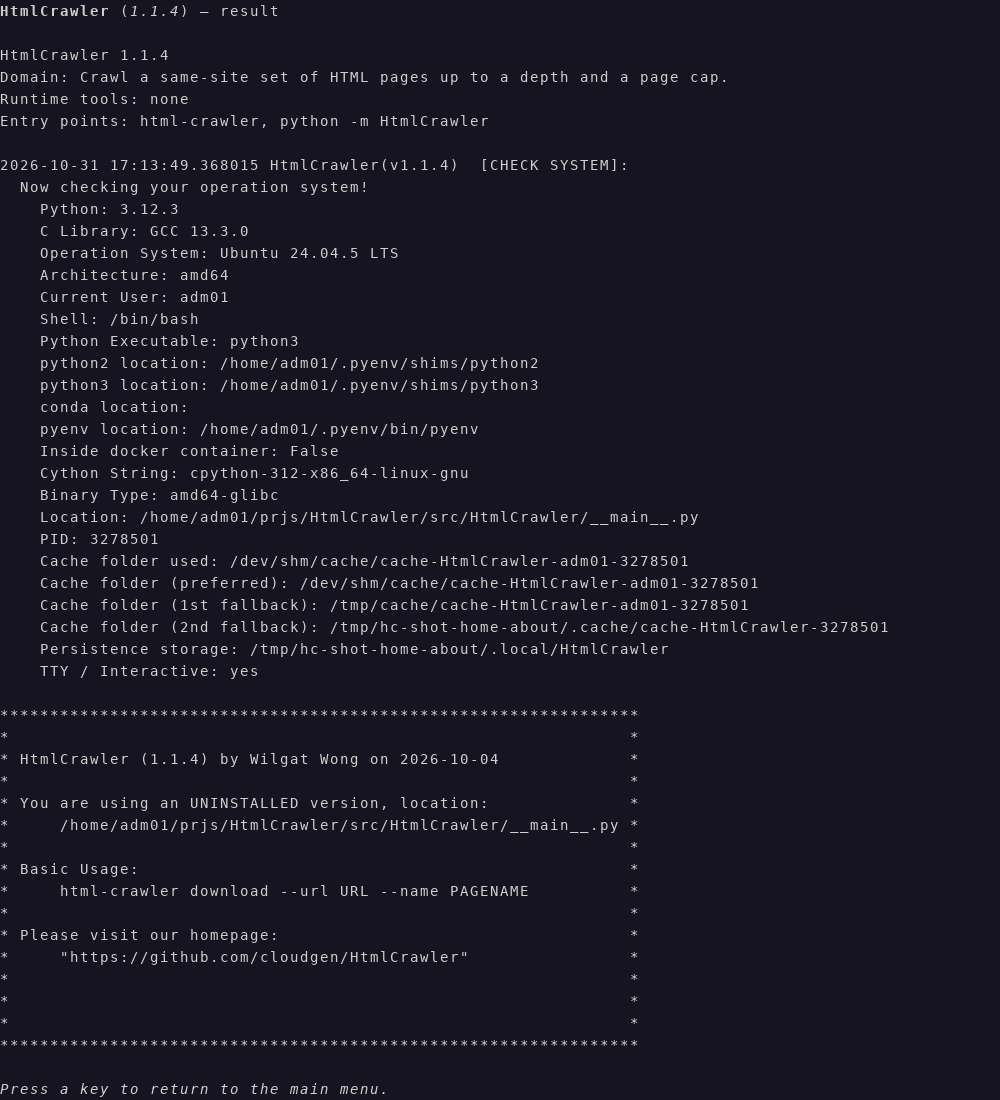
tui-about.png
about (62) on the result page. The title is HtmlCrawler (1.1.4) — result. The page prints HtmlCrawler 1.1.4, Domain: Crawl a same-site set of HTML pages up to a depth and a page cap., Runtime tools: none, and Entry points: html-crawler, python -m HtmlCrawler. The host check is stamped 2026-10-31 17:13:49.368015 and headed [CHECK SYSTEM]:. Visible lines include Python 3.12.3, C Library GCC 13.3.0, Ubuntu 24.04.5 LTS, amd64, the current user, the shell /bin/bash, Python Executable python3, python2 location, python3 location, a blank conda location, pyenv location, Inside docker container: False, Cython String: cpython-312-x86_64-linux-gnu, Binary Type: amd64-glibc, the program location, a process id, the cache folder in use, the preferred cache folder, two cache fallbacks, persistence storage, and TTY / Interactive: yes. The footer says Press a key to return to the main menu. There is no input box and no clock. The page stays in English. The star box says HtmlCrawler (1.1.4) by Wilgat Wong on 2026-10-04 and UNINSTALLED, then Basic Usage html-crawler download --url URL --name PAGENAME and the homepage https://github.com/cloudgen/HtmlCrawler.
system-log.png
Row 4 has opened System Log. 41 view-log is highlighted: "list a log file and show it." Then 42 clear-log "empty one log file", 43 log-folder "show the log folder", and 0 Back "return to the main menu." The path label is Path. The path is /tmp/clips. The clock is 17:13:46 on the right of that row. The status line says HtmlCrawler 1.1.4 and System Log.
Examples
html-crawler
html-crawler version
version prints HtmlCrawler 1.1.4 and does not call pip. A run that is not the text menu can also print ChronicleLogger status lines above that. The text menu keeps those lines off the screen.
html-crawler download --url https://example.com/ --name example
That saves the page and does not draw the menu. On a terminal, row 1 lists saved pages or accepts a URL.
html-crawler crawl --url https://example.com/ --name example --depth 1 --max-pages 20
That crawls the same host and does not draw the menu. Empty arguments do not crawl.
Platform Compatibility
| Platform | Status |
|---|---|
| Linux | Primary; tested development path |
| macOS | Supported when CPython is on PATH |
| Windows | Supported when CPython is on PATH (venv activate differs) |
| Architectures | Any with CPython |
The text menu needs a terminal. With no terminal and no verb, the program prints help and returns 0. It does not wait.
Related Projects
- HtmlCrawler on GitHub — this program’s source
- HtmlCrawler on PyPI — this program on PyPI
- AnimeDlp — command-line downloader for anime video sites
- ChronicleLogger — status logger this program depends on (
ChronicleLogger>=1.3.1) - VideoSpeed — cuts, changes speed, and boomerangs a clip. That program is not this one
- CIAO — Caution, Intentional, Anti-fragile, Over-engineered
- CIAO-Lite — short agent contract
- safe-rm — guarded
rm
Contributing
- Keep product law under
docs/requirements/in sync when behavior changes. - Prefer small, CIAO-safe changes. Do not put media joining, an external encoder, or a file listing back without an explicit design.
- Version dual SSOT: bump
pyproject.tomlandsrc/HtmlCrawler/__init__.__version__together. - Open issues and pull requests on GitHub.
License
MIT — see LICENSE.md. Also declared in pyproject.toml.
Last Update
2026-10-31 — 1.1.4. --max-pages on crawl is optional. Omit it and the walk stops at the required --depth. The only pip dependency is ChronicleLogger>=1.3.1. Menu pictures were captured again on 2026-10-31. The status line says HtmlCrawler 1.1.4. The about picture stamp is 2026-10-31 17:13:49.368015. The about picture domain line is Crawl a same-site set of HTML pages up to a depth and a page cap. The Version badge matches pyproject.toml and __version__.
2026-10-31 — 1.1.3. The package name, console script, and public source are HtmlCrawler, html-crawler, and https://github.com/cloudgen/HtmlCrawler. The Version badge matches pyproject.toml and __version__. Menu pictures below were captured on 2026-10-28 and still show HtmlCrawler 1.1.2 on the status line. This release did not open the text menu, so those pictures were not recaptured.
2026-10-28 — 1.1.2. Public source is https://github.com/cloudgen/HtmlCrawler. The console script is html-crawler. download can omit --name when the URL ends with .html, .htm, or a folder name such as xxx. --html names the saved HTML file. crawl --url URL --name SITENAME --depth N --max-pages N saves HTML pages on that host under ~/.app/HtmlCrawler/output/. Crawl is not a menu row. Menu pictures show this board: language 71–83, one main menu for each language, self-management 61–66, about, and System Log 41–43. The about picture prints the crawl domain sentence. Version badge matches pyproject.toml and __version__. ChronicleLogger>=1.3.1 is required.
1 maintainer

Metadata
1 maintainer
Release files for HtmlCrawler 1.1.4
For a detailed explanation of source distributions (sdists) and built distributions (wheels), please see the package formats documentation.
Source distribution (sdist)
| File | Size | Uploaded | Provenance | Actions |
|---|---|---|---|---|
| htmlcrawler-1.1.4.tar.gz | 116.4 kB | Without provenance | Details for htmlcrawler-1.1.4.tar.gz |
Built distribution (wheel)
| File | Interpreter | ABI | Platform | Actions Reset |
|---|---|---|---|---|
| htmlcrawler-1.1.4-py3-none-any.whl | Python 3 | none | any | Details for htmlcrawler-1.1.4-py3-none-any.whl |
Total release size: 191.0 kB
Release files / htmlcrawler-1.1.4.tar.gz
| Download URL | htmlcrawler-1.1.4.tar.gz |
|---|---|
| Size | 116.4 kB |
| Tags | Source |
|
SHA-256 checksum How to use checksums |
49b0eddf70dfd5aab4f43fcd71ab65b39412c3675dfea635555c6647fbc7e898
|
|
BLAKE2b-256 checksum How to use checksums |
f6b58014a67c522b0609dd4ba8870bbcaed25e43519ff12b9c84f45933a05f32
|
| Upload date | |
|
Uploaded using Trusted Publishing? What is trusted publishing? |
No |
| Uploaded via |
twine/7.0.0 CPython/3.12.3
|
Release files / htmlcrawler-1.1.4-py3-none-any.whl
| Download URL | htmlcrawler-1.1.4-py3-none-any.whl |
|---|---|
| Size | 74.7 kB |
| Tags | Python 3 |
|
SHA-256 checksum How to use checksums |
5a80daed3c74f524118e53d140455164758bfd013a934b0cc060877aae1a1cf4
|
|
BLAKE2b-256 checksum How to use checksums |
8d89faca67ccf818ba2693c92da1a998968286952ad03210d1bfd6b40c8d0bad
|
| Upload date | |
|
Uploaded using Trusted Publishing? What is trusted publishing? |
No |
| Uploaded via |
twine/7.0.0 CPython/3.12.3
|
Security for HtmlCrawler 1.1.4
Provenance
Provenance describes where a file came from. On PyPI, provenance is shared via attestations, which provide a verifiable record of the build or publishing details. View details, limitations and caveats.
No provenance found
None of the files in this release were uploaded with provenance metadata.
A note on package security
PyPI is a repository for distributing packages, not a service for auditing them. While third-party security researchers and our staff do their best to detect and remove malicious packages, PyPI cannot guarantee the quality, security or suitability of any given package.
To learn more about protecting yourself from malicious actors, visit our package security documentation.













