
Extendable user interface for the assessment of transformations on image metrics.

Project description
| Software |     |
| Download |   |
| Documentation |  |
| Installation |  |
| Tutorials |  |
| Demos |  |
| Tests |   |
IQM-Vis
Image Quality Metric Visualision. An extendable user interface for the assessment of transformations on image metrics.
Head over to the DOCUMENTATION for tutorials and package reference. Read our PAPER for in depth details of the software.
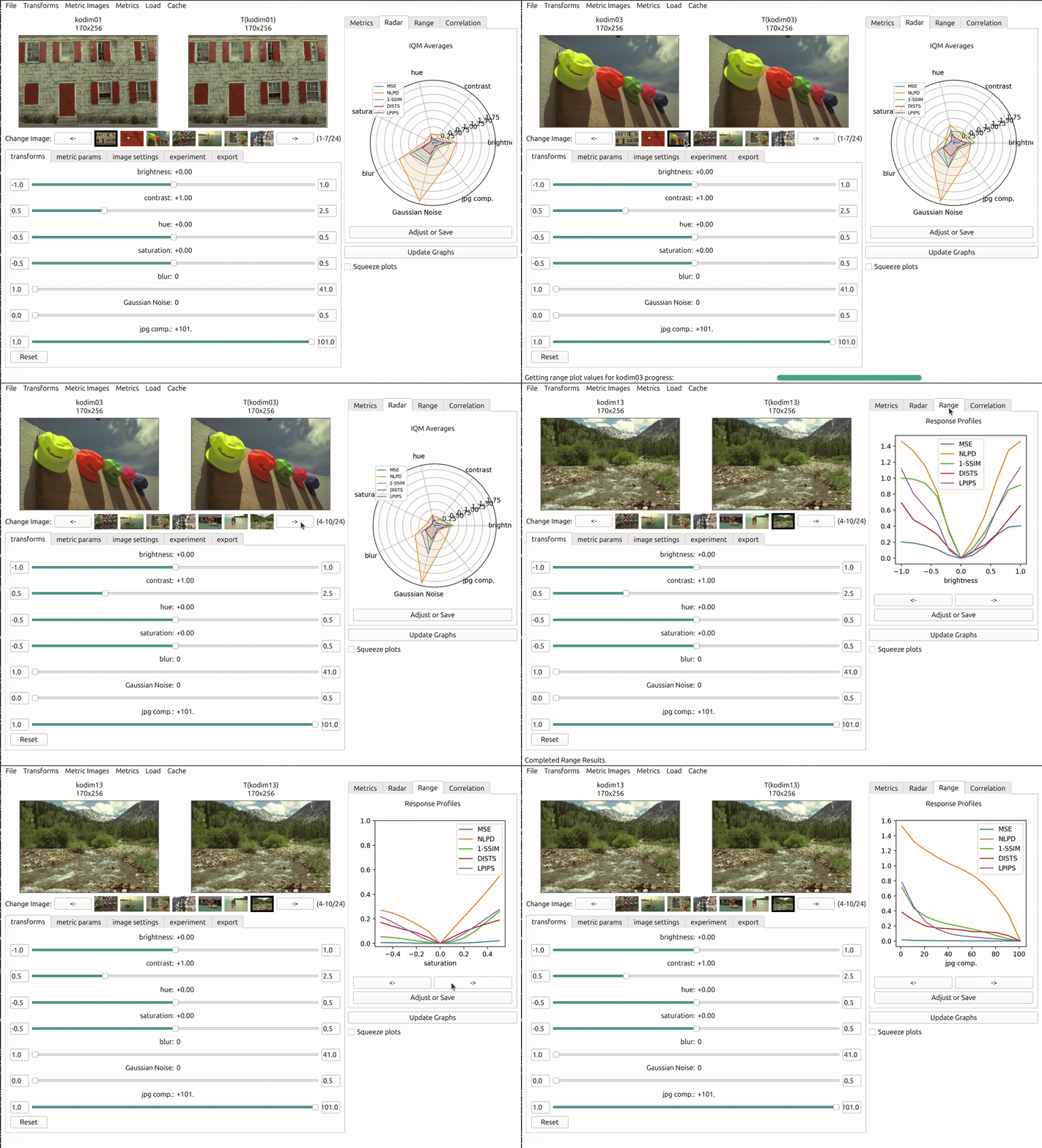
IQM's average sensitivity to tranforms
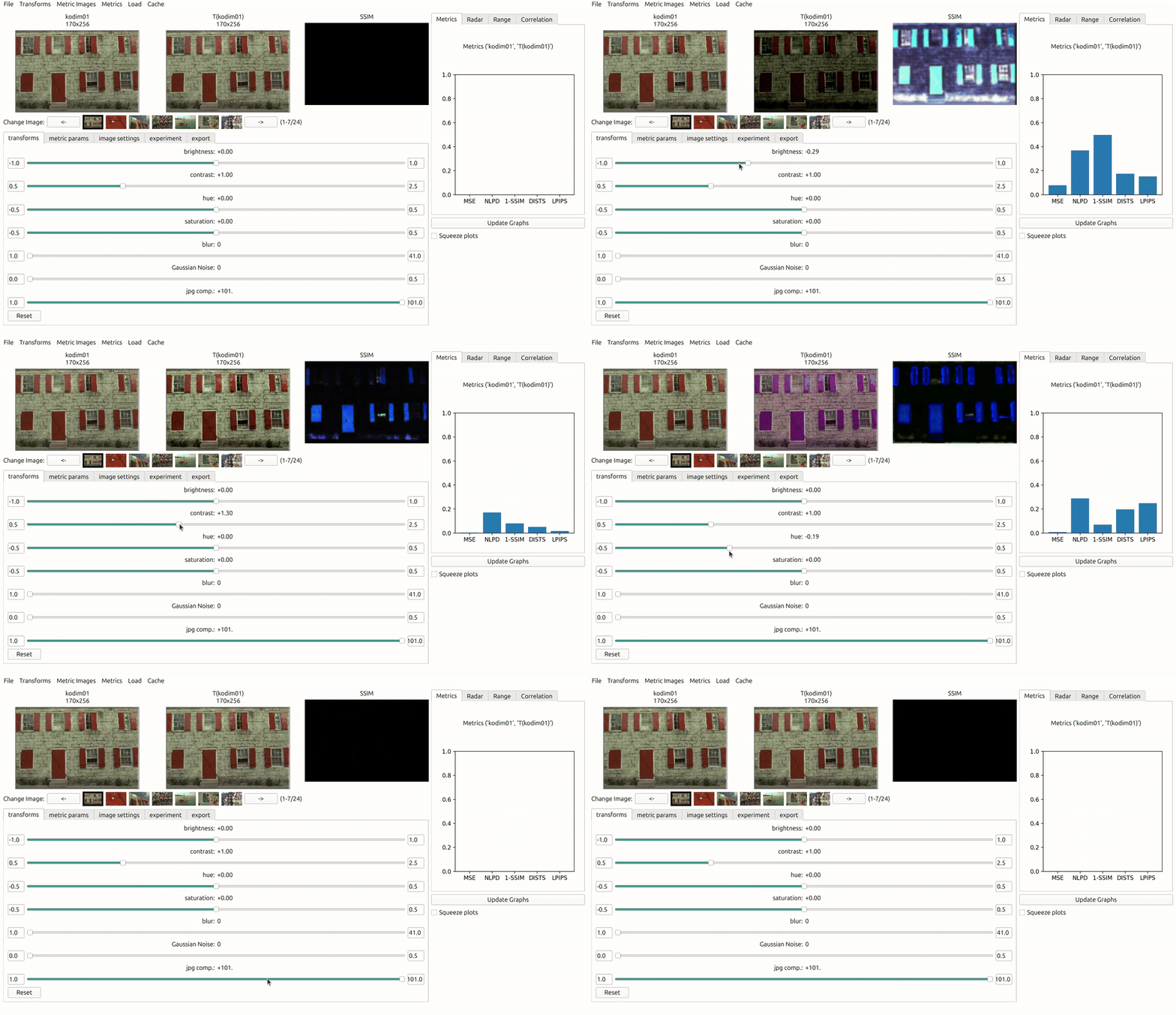
IQM's sensitivity to tranforms specific parameters
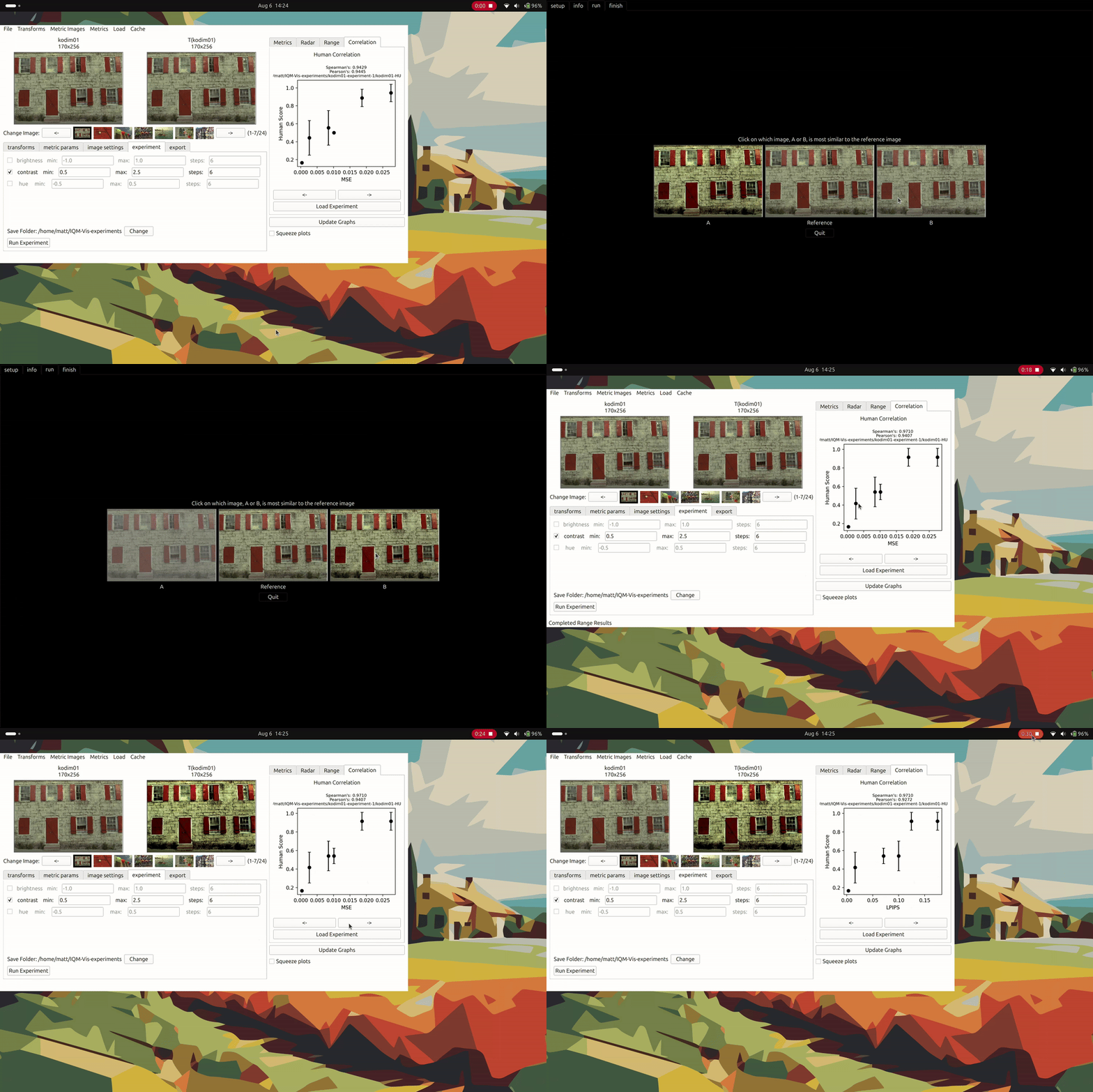
IQM's correlation to human scores
Documentation
Please refer to our website for a full guide on installing and using IQM-Vis. However, we provide some brief instruction below.
Installation
It is important to run IQM-Vis in a fresh python virtual environment. This is so that there will be no dependancy clashes with the required libraries. Python version 3.9 is recommended, but newer versions should work as well.
You can make a new environment by using anaconda (conda):
    conda create -n IQM_Vis python=3.9 -y
    conda activate IQM_Vis
If you have a GPU and would like to use CUDA then at this point head over to the pytorch website and download the relevent packages e.g.
If you don't have a GPU then you can skip this step.
conda install pytorch==1.13.1 torchvision==0.14.1 torchaudio==0.13.1 pytorch-cuda=11.7 -c pytorch -c nvidia
Now we can install IQM-Vis from the PyPi index:
pip install IQM-Vis
Testing the installation
Run a demonstration example by running the python code:
    import IQM_Vis
    IQM_Vis.make_UI()
Tutorials
Head over to our tutorials page for details on how get started with using and customising IQM-Vis.
Release history Release notifications | RSS feed


Download files
Download the file for your platform. If you're not sure which to choose, learn more about installing packages.
Source Distribution
Built Distribution
Filter files by name, interpreter, ABI, and platform.
If you're not sure about the file name format, learn more about wheel file names.
Copy a direct link to the current filters
File details
Details for the file iqm_vis-0.3.tar.gz.
File metadata
- Download URL: iqm_vis-0.3.tar.gz
- Upload date:
- Size: 129.4 kB
- Tags: Source
- Uploaded using Trusted Publishing? No
- Uploaded via: twine/6.0.1 CPython/3.9.20
File hashes
| Algorithm | Hash digest | |
|---|---|---|
| SHA256 |
aa63279f5a959e2b2e67cff907fe9f2de041b580a01dc5af01a04eda65088a16
|
|
| MD5 |
a636ad6d9309b27f7d6b1b7b471ef6aa
|
|
| BLAKE2b-256 |
3aafdd8bbd9b63b182e54527712ab723cac416e03e9bb77b44f5ce952426e838
|
File details
Details for the file IQM_Vis-0.3-py3-none-any.whl.
File metadata
- Download URL: IQM_Vis-0.3-py3-none-any.whl
- Upload date:
- Size: 145.0 kB
- Tags: Python 3
- Uploaded using Trusted Publishing? No
- Uploaded via: twine/6.0.1 CPython/3.9.20
File hashes
| Algorithm | Hash digest | |
|---|---|---|
| SHA256 |
ec8d7ffd1f91dd8adcb3caebfc050bdaf8b8b18f59d282cea895c9eee6173458
|
|
| MD5 |
b8ba519547c17b476398b54f73a96bf9
|
|
| BLAKE2b-256 |
a38f7305f27c683411ab9b628f25c364c85f3382aeb8de25b71a0a2197541103
|






