
A library to add effects to your images.

Project description
Image Effects
A Simple Library to add effects to images written in python using Pillow.
Quick Example
# import the EffectsCreator class
from ImageEffects import EffectsCreator

# initialize it
EC = EffectsCreator()

# use functions to add effects to images

# this functions overlays an image with an emoji
# the functions returns a PIL.Image.Image object
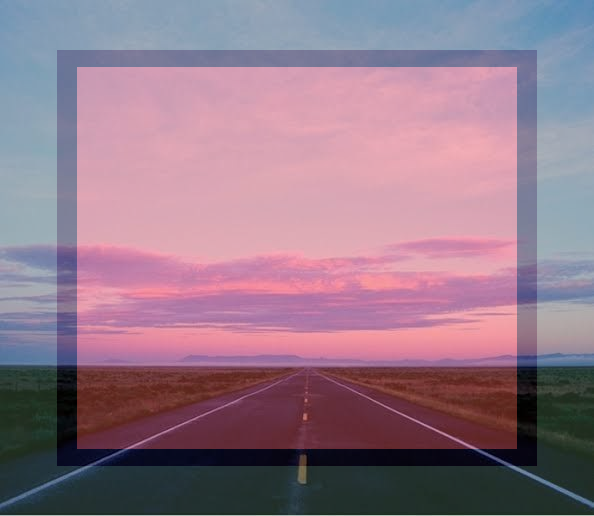
output = EC.emojioverlay('input.png', '🟥')

# save the resulted image
output.save('output.png')

# or add effects and save them.
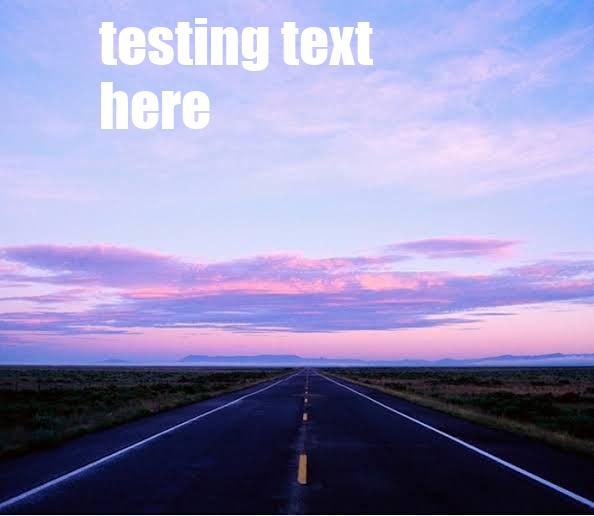
EC.caption1('input.png', 'testing text here').save('result_two.jpg')
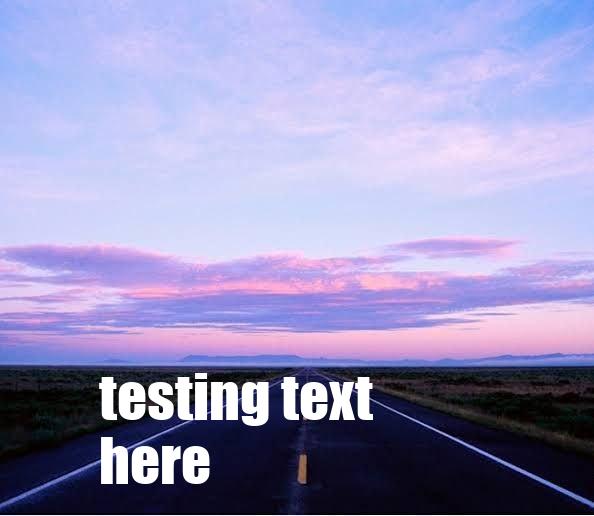
EC.caption2('input.png', 'testing text here').save('result_three.jpg')
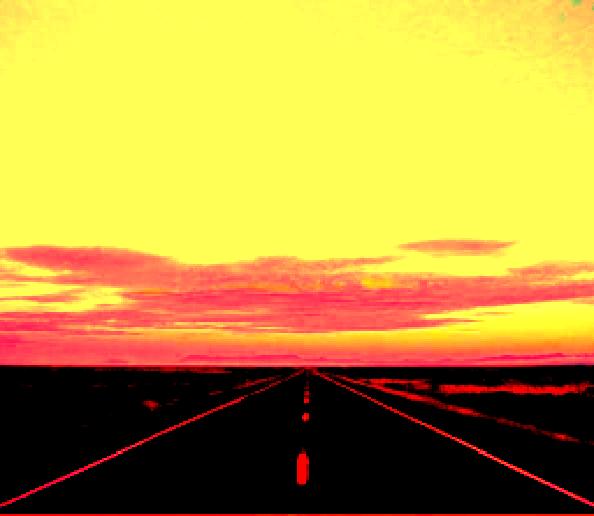
EC.deepfry('input.png').save('result_four.jpg')
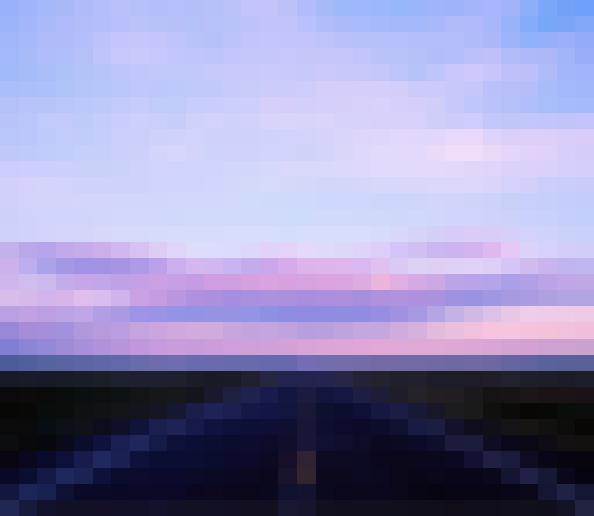
EC.pixelate('input.png', 2).save('result_five.jpg')
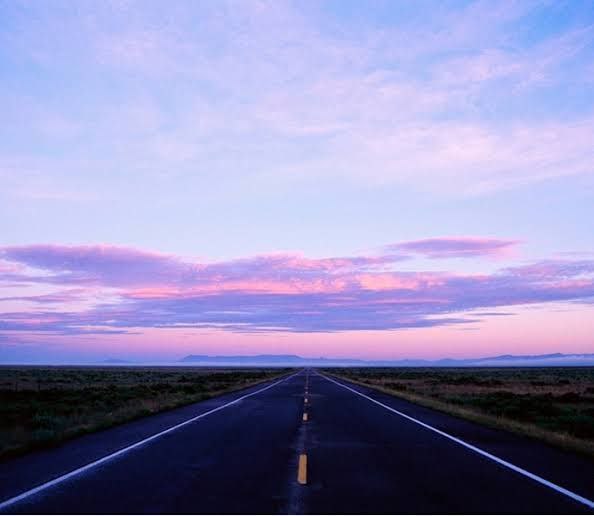
input file:
emojioverlay:
caption1:
caption2:
deepfry:
pixelate:
Index
Functions
- emojioverlay
- deepfry
- caption1
- caption2
- pixelate
- cropcircle
- blur
- rotate
- ascify
- crop
- resize
- saturate
- grayscale
- flip
- mirror
- invert
More Information
Installation
- clone the repo
git clone https://github.com/prashantrahul141/ImageEffects
- cd into the repository folder
cd ImageEffects
- Install required packages
pip install -r requirements.txt
- Install the package
pip install .
Functions
emojioverlay
Overlays an image with an emoji.
emojioverlay(image: str, emoji: str) -> Image
deepfry
makes deepfry meme from image.
deepfry(image: str) -> Image
caption1
adds given text to the image on the top side.
caption1(image: str, text: str = 'text here') -> Image
caption2
adds given text to the image on the bottom side.
caption2(image: str, text: str = 'text here') -> Image
pixelate
adds pixelate effect.
scale should be between 0 to 6 ( including 0 and 6)
pixelate(image: str, scale: int = 0) -> Image
cropcirlce
crops image in circle.
cropcircle(image: str) -> Image
blur
blurs the image using box blur for performance.
radius int value for the radius of blur.
blur(image: str, radius: int = 1) -> Image
rotate
rotates the image according to the radius given.
rotation_angle int value in angles.
rotate(image: str, rotation_angle: int = 90) -> Image
ascify
makes ascii art from given text.
str string text,
asicfy(text: str = 'ascify') -> str
crop
crops image automactically in 1:1 ratio.
crop(image: str) -> Image
resize
resize image according to given width and height.
width amd height should be atleast 1 and smaller than the original image's width and height.
resize(image: str, width: int = 0, height: int = 0) -> Image
saturate
changes saturation of image.
scale int should be between 0 ( being grayscale ) and 10 ( 10 being 10 times more saturated ).
saturate(image: str, scale: int = 0) -> Image
grayscale
grayscales an image.
grayscale(image: str) -> Image
flip
flips image vertically.
flip(image: str) -> Image
mirror
mirrors the image.
mirror(image: str) -> Image
invert
inverts the colors of an image.
invert(image: str) -> Image
What's Next?
I am planing to add a lot more effects to the library, and feel free to contribute to the project with new effects or improvements.
Release history Release notifications | RSS feed


Download files
Download the file for your platform. If you're not sure which to choose, learn more about installing packages.
Source Distribution
Built Distribution
Filter files by name, interpreter, ABI, and platform.
If you're not sure about the file name format, learn more about wheel file names.
Copy a direct link to the current filters
File details
Details for the file ImageEffects-0.0.1.tar.gz.
File metadata
- Download URL: ImageEffects-0.0.1.tar.gz
- Upload date:
- Size: 6.2 MB
- Tags: Source
- Uploaded using Trusted Publishing? No
- Uploaded via: twine/4.0.2 CPython/3.10.8
File hashes
| Algorithm | Hash digest | |
|---|---|---|
| SHA256 |
a77024fda82877c4b1b9a86e4db5ffc8e547c616bcb1d68ed885304ce5f60d86
|
|
| MD5 |
d6c261a77288a30a0159222e37b08957
|
|
| BLAKE2b-256 |
811d7c0dfc8621d73bc0efd0be4da6d8745ecca755acf52b1597ac569037df48
|
File details
Details for the file ImageEffects-0.0.1-py3-none-any.whl.
File metadata
- Download URL: ImageEffects-0.0.1-py3-none-any.whl
- Upload date:
- Size: 7.5 MB
- Tags: Python 3
- Uploaded using Trusted Publishing? No
- Uploaded via: twine/4.0.2 CPython/3.10.8
File hashes
| Algorithm | Hash digest | |
|---|---|---|
| SHA256 |
fcc3f6e9aee662d275b6f5399c49465b28ac0edb5f07852145f2753a5c2cdd48
|
|
| MD5 |
b93edf40087ca055e3816339c4673fe3
|
|
| BLAKE2b-256 |
cc641dc849943ce6dcedc8ab88d1ba1fca1a0f8da61e5cd7ff1ed0e874015a2a
|






