
A static content management system.


Project description
Lektor





Lektor is a static website generator. It builds out an entire project from static files into many individual HTML pages and has a built-in admin UI and minimal desktop app.
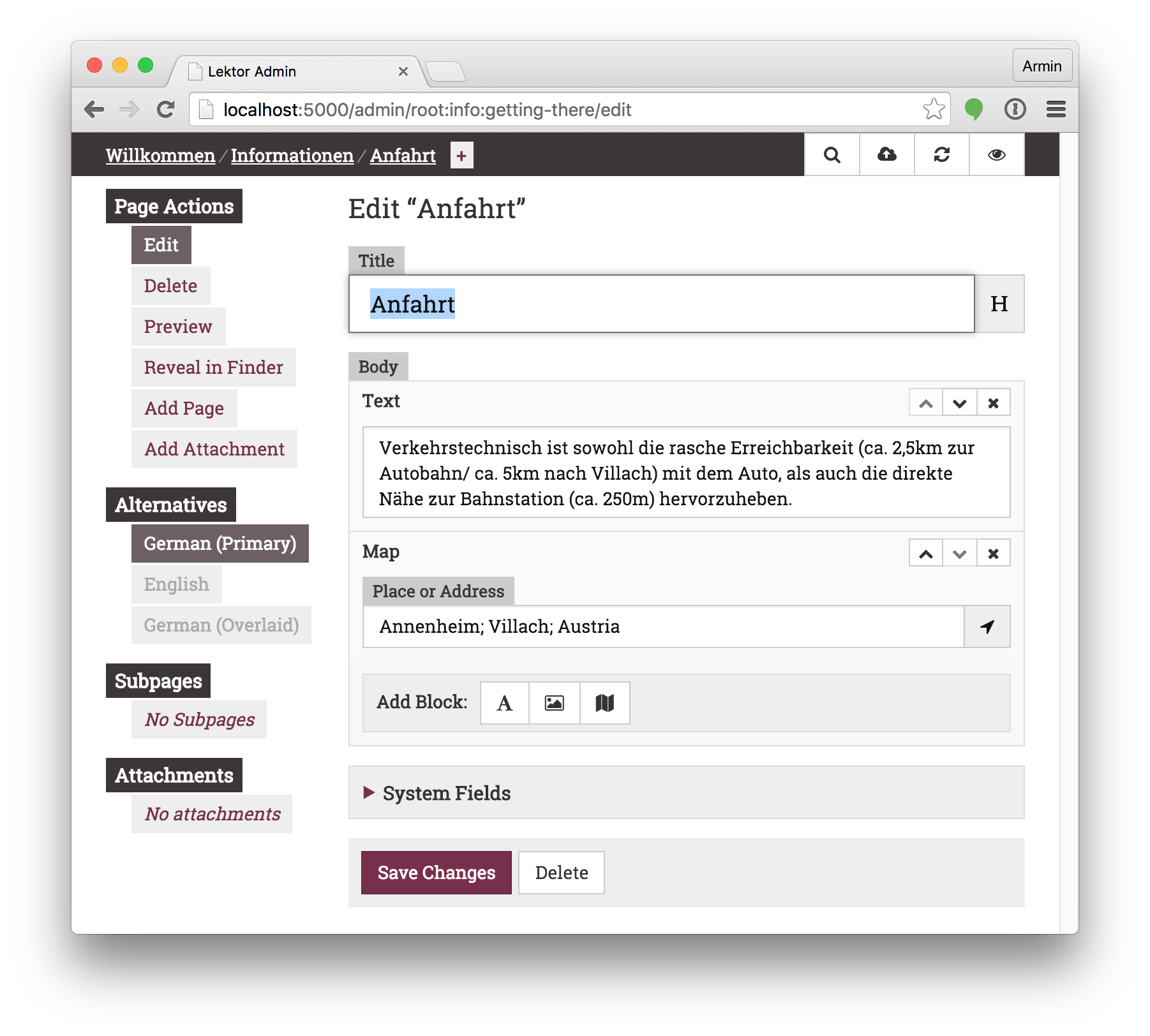
To see how it works look at the top-level example/ folder, which contains
a showcase of the wide variety of Lektor's features.
For a more complete example look at the lektor/lektor-website repository, which contains the source code for the official Lektor website.
How do I use this?
For installation instructions head to the official documentation:
Want to develop on Lektor?
This gets you started (assuming you have Python >= 3.10, npm, and pre-commit installed):
$ git clone https://github.com/lektor/lektor
$ cd lektor
$ python -m venv _venv
$ . _venv/bin/activate

# pip>=25.1 is required for PEP 735 support
$ pip install -U "pip>=25.1"

# NB: this step requires that npm is installed (see below)
$ pip install --group dev --editable .

# If you plan on committing:
$ pre-commit install

# Run the Lektor server
$ export LEKTOR_DEV=1
$ cp -r example example-project
$ lektor --project example-project server
If you want to run the whole test suite, under various versions of python, etc. (you'll need tox installed):
$ tox
Or run the tests directly in your dev environment
$ pytest [...]
[!NOTE] The admin front-end resources (e.g.
.jsand.cssfiles) inlektor/admin/staticget built as part of the python distribution build process. This happens, e.g., when runningpip install -e .That magic may be disabled (you might want to do this if, e.g.,
npmis not available in your dev environment) by setting theHATCH_BUILD_NO_HOOKSenvironment variable during the build. E.g.HATCH_BUILD_NO_HOOKS=true pip install --group dev --editable .
Release history Release notifications | RSS feed


Download files
Download the file for your platform. If you're not sure which to choose, learn more about installing packages.
Source Distribution
Built Distribution
Filter files by name, interpreter, ABI, and platform.
If you're not sure about the file name format, learn more about wheel file names.
Copy a direct link to the current filters
File details
Details for the file lektor-3.4.0b14.tar.gz.
File metadata
- Download URL: lektor-3.4.0b14.tar.gz
- Upload date:
- Size: 1.5 MB
- Tags: Source
- Uploaded using Trusted Publishing? No
- Uploaded via: twine/6.1.0 CPython/3.13.7
File hashes
| Algorithm | Hash digest | |
|---|---|---|
| SHA256 |
111818c8491fbc0b2bcf3a28ea1c523cec72d56f6941ff021250af6c062a827a
|
|
| MD5 |
7f1e47fb01e8868f87870d758d8ce746
|
|
| BLAKE2b-256 |
69d1fb5317c7c52e8290034b97e1fce7b609033d080da640bb7d5da6682c2771
|
File details
Details for the file lektor-3.4.0b14-py3-none-any.whl.
File metadata
- Download URL: lektor-3.4.0b14-py3-none-any.whl
- Upload date:
- Size: 816.8 kB
- Tags: Python 3
- Uploaded using Trusted Publishing? No
- Uploaded via: twine/6.1.0 CPython/3.13.7
File hashes
| Algorithm | Hash digest | |
|---|---|---|
| SHA256 |
e18515eba89499766cc076ddb4825b4af283fc4c1fa8e8fb14f6be72e5743ced
|
|
| MD5 |
42b4815cb5d6ecad7c9a6f6fe6b82a03
|
|
| BLAKE2b-256 |
d12605bf07d70470bff01948330210536704360a416ea6a5bc8af01b2400f19b
|






