
LightAgent: Lightweight AI agent framework with memory, tools & tree-of-thought. Supports multi-agent collaboration, self-learning, and major LLMs (OpenAI/DeepSeek/Qwen). Open-source with MCP/SSE protocol integration.

Project description







LightAgent🚀 (Production-level open-source Agentic AI development framework)
LightAgent is an extremely lightweight active Agentic Framework with memory (mem0), tools (Tools), and a tree of thought (ToT), and it is completely open source. It supports simpler multi-agent collaboration than OpenAI Swarm, allowing you to build self-learning agents in just one step, and supports connecting to the MCP protocol via stdio and sse. The underlying models support OpenAI, Zhiyuan ChatGLM, DeepSeek, Jieyue Xingchen, Qwen Tongyi Qianwen large models, and more. At the same time, LightAgent supports OpenAI streaming format API service output, seamlessly integrating with major mainstream Chat frameworks. 🌟

✨ Features
- Lightweight and Efficient 🚀: Minimalist design, quick deployment, suitable for various application scenarios. (No LangChain, No LlamaIndex) 100% Python implementation, no additional dependencies, core code is only 1000 lines, fully open source.
- Memory Support 🧠: Supports custom long-term memory for each user, natively supporting the
mem0memory module, automatically managing user personalized memory during conversations, making agents smarter. - Autonomous Learning 📚️: Each agent possesses autonomous learning capabilities, and admins with permissions can manage each agent.
- Tool Integration 🛠️: Support for custom tools (
Tools) and MCP tool integration, flexible expansion to meet diverse needs. - Complex Goals 🌳: Built-in Tree of Thought (
ToT) module with reflection, supporting complex task decomposition and multi-step reasoning, enhancing task processing capabilities. - Multi-Agent Collaboration 🤖: Simpler to implement multi-agent collaboration than Swarm, with built-in LightSwarm for intent recognition and task delegation, enabling smarter handling of user input and delegating tasks to other agents as needed.
- Independent Execution 🤖: Tasks and tool calls are completed autonomously without human intervention.
- Multi-Model Support 🔄: Compatible with OpenAI, Zhipu ChatGLM, Baichuan Large Model, StepFun, DeepSeek, Qwen series large models.
- Streaming API 🌊: Supports OpenAI streaming format API service output, seamlessly integrates with mainstream chat frameworks, enhancing user experience.
- Tool Generator 🚀: Just provide your API documentation to the [Tool Generator], which will automatically create exclusive tools for you, allowing you to quickly build hundreds of personalized custom tools in just 1 hour to improve efficiency and unleash your creative potential.
- Agent Self-Learning 🧠️: Each agent has its own scene memory capabilities and the ability to self-learn from user conversations.
- Adaptive Tool Mechanism 🛠️: Supports adding an unlimited number of tools, allowing the large model to first select a candidate tool set from thousands of tools, filtering irrelevant tools before submitting context to the large model, significantly reducing token consumption.
🧩 Multi-agent troubleshooting (failure map)
If you are using LightSwarm or other multi-agent patterns and start seeing role drift, cross-agent memory issues or confusing logs, you can check the
Multi-agent failure map for a small symptom → mode → debug checklist.
This page is docs-only and does not change any framework code.
News
[2026-04-26] LightAgent v0.6.0 Released: Completely refactors the core system architecture and introduces native skill support, enabling more modular, extensible, and task-oriented agent capabilities.
- [2026-02-21] LightAgent v0.5.0 Released: Adds session-level toolset constraints for granular control, fixes tool call history in multi-turn conversations, and improves LightSwarm stability.
- [2026-01-20] LightAgent v0.4.8 Released: Introduces runtime toolset constraints for session-level control and enhanced debug settings.
- [2025-11-15] LightAgent v0.4.7 Released: Improved debug configuration and fixes for LightSwarm-related bugs.
- [2025-10-28] LightAgent v0.4.6 Released: Adds support for model extension parameters (e.g., Qwen3 thinking mode) and enhanced metadata handling.
- [2025-09-16] Our paper is now available as a preprint on arXiv: https://arxiv.org/pdf/2509.09292. We invite the research community to read and cite our work.
- [2025-06-12] We are pleased to announce the official release of LightAgent v0.4.0! This version upgrade brings architectural improvements, with significant enhancements in performance, stability, and maintainability.
- [2025-05-05] LightAgent v0.3.3 Released: Deep Langfuse Logging Integration, Enhanced Context Management and Tool Invocation Stability View
- [2025-04-21] LightAgent v0.3.2 adds an adaptive Tools mechanism, supports unlimited intelligent tool filtering, reduces Token consumption by 80%, and improves response speed by 52%! View
- [2025-04-01] LightAgent v0.3.0 Support browser interaction browser_use and fully supports the MCP protocol, enabling collaborative work with multiple models and tools to achieve more efficient handling of complex tasks.View MCP release introduction.>>
- [2025-02-19] LightAgent v0.2.7 supports deepseek-r1 model for tot now.Significantly enhances the multi-tool planning capability for complex tasks.
- [2025-02-06] LightAgent version 0.2.5 is released now.
- [2025-01-20] LightAgent version 0.2.0 is released now.
- [2025-01-05] LightAgent version 0.1.0 is released now.
🚧 Coming Soon
- Agent Collaborative Communication 🛠️: Agents can also share information and transmit messages, achieving complex information communication and task collaboration.
- Agent Assessment 📊: Built-in agent assessment tool for conveniently evaluating and optimizing the agents you build, aligning with business scenarios, and continuously improving intelligence levels.
- Support for Agent Skills ✨: Provides plug-inable skill modules for intelligent agents, enabling rapid expansion of the agent's capability boundaries and supporting the development of custom skills as well as community sharing.
Built-in "Thought Flow"
ToT now supports DeepSeek-R1.
The Thought Flow method effectively addresses challenges in complex scenarios through systematic, structured, and flexible thinking processes. Here are the specific implementation steps:
Problem Definition: Clarify the core problems and objectives.

Information Collection: Systematically gather relevant information and data.

Problem Decomposition: Break down complex problems into multiple subproblems or modules.

Multi-dimensional Analysis: Analyze each subproblem from different angles and levels.

Establish Connections: Identify the relationships and dependencies between subproblems.

Generate Solutions: Propose possible solutions for each subproblem.

Evaluation and Selection: Assess the feasibility and impact of each solution, choosing the best one.

Implementation and Feedback: Implement the selected solution and adjust based on feedback.
🌟 Why Choose LightAgent?
- Open Source and Free 💖: Fully open source, community-driven, continuously updated, contributions are welcome!
- Easy to Get Started 🎯: Detailed documentation, rich examples, quick to get started, easy integration into your project.
- Community Support 👥: An active developer community ready to assist and provide answers at any time.
- High Performance ⚡: Optimized design, efficient operation, meeting high concurrency requirements.
🛠️ Quick Start
Install the latest version of LightAgent
pip install lightagent
(Optional installation) Install the Mem0 package via pip:
pip install mem0ai
Alternatively, you can use Mem0 on a hosted platform by clicking here.
Hello World Example Code
from LightAgent import LightAgent

# Initialize Agent
agent = LightAgent(model="gpt-4.1", api_key="your_api_key", base_url="your_base_url")

# Run Agent
response = agent.run("Hello, who are you?")
print(response)
Set Model Self-Perception via System Prompt
from LightAgent import LightAgent

# Initialize Agent
agent = LightAgent(
     role="Please remember that you are LightAgent, a useful assistant that helps users use multiple tools.",  # system role description
     model="gpt-4.1",  # Supported models: openai, chatglm, deepseek, qwen, etc.
     api_key="your_api_key",  # Replace with your large model provider API Key
     base_url="your_base_url",  # Replace with your large model provider api url
 )
# Run Agent
response = agent.run("Who are you?")
print(response)
Tool Example Code
from LightAgent import LightAgent

# Define Tool
def get_weather(city_name: str) -> str:
    """
    Get the current weather for `city_name`
    """
    return f"Query result: {city_name} is sunny."
# Define tool information inside the function
get_weather.tool_info = {
    "tool_name": "get_weather",
    "tool_description": "Get current weather information for the specified city.",
    "tool_params": [
        {"name": "city_name", "description": "The name of the city to query", "type": "string", "required": True},
    ]
}

tools = [get_weather]

# Initialize Agent
agent = LightAgent(model="gpt-4.1", api_key="your_api_key", base_url="your_base_url", tools=tools)

# Run Agent
response = agent.run("Please check the weather in Shanghai.")
print(response)
Supports an unlimited number of customizable tools.
Multiple tool examples: tools = [search_news, get_weather, get_stock_realtime_data, get_stock_kline_data]
Function Details
1. Detachable Fully Automated Memory Module (mem0)
LightAgent supports external extensions of the mem0 memory module, automating context memory and historical record management without requiring developers to manually trigger memory addition and retrieval. With the memory module, the agent can maintain contextual consistency across multiple rounds of dialogue.
# Enable Memory Module

# Or use a custom memory module, here is an example with mem0 https://github.com/mem0ai/mem0/
from mem0 import Memory
from LightAgent import LightAgent
import os
from loguru import logger

class CustomMemory:
    def __init__(self):
        self.memories = []
        os.environ["OPENAI_API_KEY"] = "your_api_key"
        os.environ["OPENAI_API_BASE"] = "your_base_url"
        # Initialize Mem0
        config = {
            "version": "v1.1"
        }
        # Use qdrant as a vector database for storing memories in mem0, change config to the code below
        # config = {
        #     "vector_store": {
        #         "provider": "qdrant",
        #         "config": {
        #             "host": "localhost",
        #             "port": 6333,
        #         }
        #     },
        #     "version": "v1.1"
        # }
        self.m = Memory.from_config(config_dict=config)

    def store(self, data: str, user_id):
        """Store memory. Developers can modify the internal implementation of the storage method; the current example is the mem0 method for adding memory."""
        result = self.m.add(data, user_id=user_id)
        return result

    def retrieve(self, query: str, user_id):
        """Retrieve related memory. Developers can modify the internal implementation of the retrieval method; the current example is the mem0 method for searching memory."""
        result = self.m.search(query, user_id=user_id)
        return result

agent = LightAgent(
        role="Please remember that you are LightAgent, a useful assistant to help users use multiple tools.",  # system role description
        model="gpt-4.1",  # Supported models: openai, chatglm, deepseek, qwen, etc.
        api_key="your_api_key",  # Replace with your large model provider API Key
        base_url="your_base_url",  # Replace with your large model provider api url
        memory=CustomMemory(),  # Enable memory function
        tree_of_thought=False,  # Enable Chain of Thought
    )

# Memory-enabled test & if tools need to be added, you can add tools to the agent for memory-enabled tool calls

user_id = "user_01"
logger.info("\n=========== next conversation ===========")
query = "Introduce me to the attractions in Sanya. Many of my friends have traveled to Sanya, and I want to visit too."
print(agent.run(query, stream=False, user_id=user_id))
logger.info("\n=========== next conversation ===========")
query = "Where should I travel?"
print(agent.run(query, stream=False, user_id=user_id))
Output as follows:
=========== next conversation ===========
2025-01-01 21:55:15.886 | INFO     | __main__:run_conversation:115 -
Starting to think about the question: Introduce me to the attractions in Sanya, many of my friends have traveled to Sanya, and I want to visit too.
2025-01-01 21:55:28.676 | INFO     | __main__:run_conversation:118 - Final Reply:
Sanya is a popular tourist city in Hainan Province, China, known for its beautiful beaches, tropical climate, and rich tourist resources. Here are some attractions worth visiting in Sanya:

1. **Yalong Bay**: Known as the "Hawaii of the East," it has a long beach and clear waters, ideal for swimming, diving, and sunbathing.

2. **Tianya Haijiao**: This is a famous cultural landscape, attracting tourists with its magnificent sea view and romantic legends. The giant rocks here are inscribed with the words "Tianya" and "Haijiao," symbolizing eternal love.

3. **Nanshan Cultural Tourism Zone**: Here there is a 108-meter-tall Nanshan Sea Guanyin statue, the highest sea Guanyin statue in the world. Visitors can experience Buddhist culture and visit temples and gardens.

4. **Wuzhizhou Island**: This small island is known for its pristine natural scenery and rich water activities. Visitors can engage in diving, snorkeling, and sea fishing among other activities.

5. **Dadonghai**: This is a beach located in Sanya city, favored by tourists for its convenient transportation and vibrant nightlife.

6. **Sanya Bay**: It is a 22-kilometer long beach and a great place to watch the sunset. This beach is relatively quiet, suitable for visitors who enjoy tranquility.

7. **Ya Nui National Park**: This is a tropical rainforest park where visitors can experience the natural scenery of tropical rainforests and participate in various adventure activities.

8. **Luohuitou Park**: A park located on a mountaintop, offering a panoramic view of Sanya city and Sanya Bay. There is also a beautiful legend about a deer.

9. **Xidao**: This is a relatively pristine small island attracting tourists with its serene beaches and rich marine life.

10. **Sanya Ancient Love**: This is a large cultural theme park showcasing the history and culture of Hainan through performances and exhibitions.

In addition to the above attractions, Sanya has many other places worth exploring, such as tropical botanical gardens and seafood markets. The local cuisine, especially fresh seafood and tropical fruits, should not be missed. When planning a trip, it is advisable to check the weather forecast and attraction opening times in advance to ensure a pleasant travel experience.
2025-01-01 21:55:28.676 | INFO     | __main__:<module>:191 -
=========== next conversation ===========
2025-01-01 21:55:28.676 | INFO     | __main__:run_conversation:115 -
Starting to think about the question: Where should I travel?
Relevant memory found:
User wants to travel to Sanya
User's friends have traveled to Sanya.
2025-01-01 21:55:38.797 | INFO     | __main__:run_conversation:118 - Final Reply:
Based on previously mentioned information, the user’s friends have already traveled to Sanya, and the user has also expressed interest in going there. Therefore, Sanya might be a suitable travel destination for the user. Here is some travel information about Sanya for the user’s reference:

### Recommended Travel Spots in Sanya:
1. **Yalong Bay**: Known as the "Hawaii of the East," it has beautiful beaches and clear waters, suitable for swimming and sunbathing.
2. **Tianya Haijiao**: This iconic site of Sanya attracts tourists with its unique rocks and romantic legends.
3. **Nanshan Cultural Tourism Area**: It features the famous Nanshan Temple and the 108-meter-high Sea Guanyin statue, an important Buddhist cultural site.
4. **Wuzhizhou Island**: Suitable for diving and marine sports, the island is home to a rich marine ecosystem and coral reefs.
5. **Dadonghai**: A beach within Sanya city, conveniently located and suitable for family and couple visits.

### Other Recommendations:
If the user is already familiar with Sanya or wishes to explore other destinations, here are some other popular travel places:
1. **Guilin**: Known for its unique karst landscape and Lijiang River scenery.
2. **Lijiang**: The ancient town and Jade Dragon Snow Mountain are its main attractions, suitable for those who enjoy history and natural scenery.
3. **Zhangjiajie**: Famous for its unique stone pillars and natural scenery, it is one of the shooting locations for the movie "Avatar."

Users can choose suitable travel destinations based on their interests and schedule. If the user needs more detailed information or assistance in planning the trip, feel free to let us know!
2. Tool Integration (Unlimited Custom Tool Support)
Embrace personalized tool customization (Tools) and easily integrate your exclusive tools through the tools method. These tools can be any Python function and support parameter type annotations, ensuring flexibility and accuracy. Additionally, we provide an AI-driven tool generator to help you automatically build tools and unleash creativity.
import requests
from LightAgent import LightAgent

# Define Tool
def get_weather(
        city_name: str
) -> str:
    """
    Get weather information for a city
    :param city_name: Name of the city
    :return: Weather information
    """
    if not isinstance(city_name, str):
        raise TypeError("City name must be a string")

    key_selection = {
        "current_condition": ["temp_C", "FeelsLikeC", "humidity", "weatherDesc", "observation_time"],
    }
    try:
        resp = requests.get(f"https://wttr.in/{city_name}?format=j1")
        resp.raise_for_status()
        resp = resp.json()
        ret = {k: {_v: resp[k][0][_v] for _v in v} for k, v in key_selection.items()}
    except:
        import traceback
        ret = "Error encountered while fetching weather data!\n" + traceback.format_exc()

    return str(ret)
# Define tool information inside the function
get_weather.tool_info = {
    "tool_name": "get_weather",
    "tool_title": "get weather",
    "tool_description": "Get current weather information for the specified city.",
    "tool_params": [
        {"name": "city_name", "description": "The name of the city to query", "type": "string", "required": True},
    ]
}

def search_news(
        keyword: str,
        max_results: int = 5
) -> str:
    """
    Search news based on keywords
    :param keyword: Search keyword
    :param max_results: Maximum number of results to return, default is 5
    :return: News search results
    """
    results = f"By searching for {keyword}, I've found {max_results} related pieces of information."
    return str(results)

# Define tool information inside the function
search_news.tool_info = {
    "tool_name": "search_news",
    "tool_title": "search news",
    "tool_description": "Search news based on keywords.",
    "tool_params": [
        {"name": "keyword", "description": "Search keyword", "type": "string", "required": True},
        {"name": "max_results", "description": "Maximum number of results to return", "type": "int", "required": False},
    ]
}

def get_user_info(
        user_id: str
) -> str:
    """
    Get user information
    :param user_id: User ID
    :return: User information
    """
    if not isinstance(user_id, str):
        raise TypeError("User ID must be a string")

    try:
        # Assume using a user info API; this is a sample URL
        url = f"https://api.example.com/users/{user_id}"
        response = requests.get(url)
        response.raise_for_status()
        user_data = response.json()
        user_info = {
            "name": user_data.get("name"),
            "email": user_data.get("email"),
            "created_at": user_data.get("created_at")
        }
    except:
        import traceback
        user_info = "Error encountered while fetching user data!\n" + traceback.format_exc()

    return str(user_info)

# Define tool information inside the function
get_user_info.tool_info = {
    "tool_name": "get_user_info",
    "tool_description": "Retrieve information for the specified user.",
    "tool_params": [
        {"name": "user_id", "description": "User ID", "type": "string", "required": True},
    ]
}

# Custom Tools
tools = [get_weather, search_news, get_user_info]  # including all tools

# Initialize Agent
# Replace with your model parameters, API key, and base URL
agent = LightAgent(model="gpt-4.1", api_key="your_api_key", base_url="your_base_url", tools=tools)

query = "How is the weather in Sanya today?"
response = agent.run(query, stream=False)  # Use agent to run the query
print(response)
3. Tool Generator
The Tool Generator is a module for automatically generating tool code. It can create the corresponding tool code based on the text description provided by users and save it to the specified directory. This functionality is particularly useful for quickly generating API call tools, data processing tools, and more.
Usage example
Here is an example code using the Tool Generator:
import json
import os
import sys
from LightAgent import LightAgent

# Initialize LightAgent
agent = LightAgent(
    name="Agent A",  # Agent name
    instructions="You are a helpful agent.",  # Role description
    role="Please remember that you are a tool generator; your task is to automatically generate corresponding tool code based on the text description provided by the user and save it to the specified directory. Please ensure that the generated code is accurate, usable, and meets the user's needs.",  # Tool generator's role description
    model="gpt-4.1",  # Replace with your model. Supported models: openai, chatglm, deepseek, qwen, etc.
    api_key="your_api_key",  # Replace with your API Key
    base_url="your_base_url",  # Replace with your API URL
)

# Sample text description
text = """
The Sina stock interface provides functionalities for obtaining stock market data, including stock quotes, real-time trading data, and K-line chart data.

Introduction to Sina stock interface functions
1. Get stock quote data:
Realtime quote data: Using the real-time quote API, you can obtain the latest prices, trading volume, and changes for stocks.
Minute line quote data: Using the minute line quote API, you can obtain the minute-by-minute trading data for stocks, including opening price, closing price, highest price, and lowest price.

2. Obtain historical K-line chart data:
K-line chart data: Through the K-line chart API, you can obtain the historical trading data for stocks, including opening price, closing price, highest price, lowest price, trading volume, etc. You can choose different time periods and moving average periods as needed.
Adjusted data: You can choose to retrieve adjusted K-line data, including pre-adjusted and post-adjusted data, for more accurate analysis of stock price changes.

Example of obtaining data from the Sina stock interface
1. Get stock quote data:
API address: http://hq.sinajs.cn/list=[stock_code]
Example: To obtain real-time quote data for the stock code "sh600519" (Kweichow Moutai), you can use the following API address: http://hq.sinajs.cn/list=sh600519
By sending an HTTP GET request to the above API address, you will receive a response containing the real-time data for that stock.

2. Get historical K-line chart data:
API address: http://money.finance.sina.com.cn/quotes_service/api/json_v2.php/CN_MarketData.getKLineData?symbol=[stock_code]&scale=[time_period]&ma=[average_period]&datalen=[data_length]
Example: To obtain daily K-line chart data for the stock code "sh600519" (Kweichow Moutai), you can use the following API address: http://money.finance.sina.com.cn/quotes_service/api/json_v2.php/CN_MarketData.getKLineData?symbol=sh600519&scale=240&ma=no&datalen=1023
By sending an HTTP GET request to the above API address, you will receive a response containing the historical K-line chart data for that stock.
"""

# Build the path to the tools directory
project_root = os.path.dirname(os.path.abspath(__file__))
tools_directory = os.path.join(project_root, "tools")

# Create tools directory if it does not exist
if not os.path.exists(tools_directory):
    os.makedirs(tools_directory)

print(f"Tools directory has been created: {tools_directory}")

# Use agent to generate tool code
agent.create_tool(text, tools_directory=tools_directory)
After execution, two files will be generated in the tools directory: get_stock_kline_data.py and get_stock_realtime_data.py.
4. Tree of Thought (ToT)
Currently, it is already supported to independently customize the use of the deepseek-r1 model for planning and thinking.The built-in Tree of Thought module supports complex task decomposition and multi-step reasoning. Through the Tree of Thought, the agent can better handle complex tasks.
# Enable Tree of Thought
agent = LightAgent(
    model="gpt-4.1",
    api_key="your_api_key",
    base_url="your_base_url",
    tree_of_thought=True,  # Enable Tree of Thought
    tot_model="gpt-4o",
    tot_api_key="sk-uXx0H0B***17778F1",  # your deepseek r1 API Key
    tot_base_url="https://api.openai.com/v1",  # api url
    filter_tools=False,  # Disable the adaptive tool mechanism
)
After enabling ToT, the adaptive tool mechanism is enabled by default. If you need to disable it, please add the parameter filter_tools=False when initializing LightAgent.
5. Multi-Agent Collaboration
Supports swarm-like multi-agent collaboration, enhancing task processing efficiency. Multiple agents can work together to complete complex tasks.
from LightAgent import LightAgent, LightSwarm
# Set Environment Variables OPENAI_API_KEY and OPENAI_BASE_URL
# The default model uses gpt-4o-mini

# Create an instance of LightSwarm
light_swarm = LightSwarm()

# Create multiple agents
agent_a = LightAgent(
    name="Agent A",
    instructions="I am Agent A, the front desk receptionist.",
    role="Receptionist responsible for welcoming visitors and providing basic information guidance. Before each reply, please state your identity and that you can only guide users to other roles, not directly answer business questions. If you cannot help the user, please respond: Sorry, I am currently unable to assist!"
)

agent_b = LightAgent(
    name="Agent B",
    instructions="I am Agent B, responsible for the reservation of meeting rooms.",
    role="Meeting room reservation administrator in charge of handling reservations, cancellations, and inquiries for meeting rooms 1, 2, and 3."
)

agent_c = LightAgent(
    name="Agent C",
    instructions="I am Agent C, a technical support specialist, responsible for handling technical issues. Please state your identity before each reply, offering detailed responses to technical inquiries, and guide users to contact higher-level technical support for issues beyond your capability."
)

agent_d = LightAgent(
    name="Agent D",
    instructions="I am Agent D, an HR specialist, responsible for handling HR-related questions.",
    role="HR specialist managing inquiries and processes related to employee onboarding, offboarding, leave, and benefits."
)

# Automatically register agents to the LightSwarm instance
light_swarm.register_agent(agent_a, agent_b, agent_c, agent_d)

# Run Agent A
res = light_swarm.run(agent=agent_a, query="Hello, I am Alice. I need to check if Wang Xiaoming has completed onboarding.", stream=False)
print(res)
Output as follows:
Hello, I am Agent D, the HR specialist. Regarding whether Wang Xiaoming has completed onboarding, I need to check our system records. Please wait a moment.
(Checking system records...)
According to our records, Wang Xiaoming completed his onboarding procedures on January 5, 2025. He has signed all necessary documents and has been assigned an employee number and office location. If you need further details or have any other questions, please feel free to contact the HR department. We are always ready to assist you.
6. Streaming API
Supports OpenAI streaming format API service output, seamlessly integrating with mainstream chat frameworks.
# Enable streaming output
response = agent.run("Please generate an article about AI.", stream=True)
for chunk in response:
    print(chunk)
7. Agent Self-Learning
The Agent possesses a unique scene memory capability, allowing it to accurately retain key information from interactions with users. At the same time, it has a powerful ability to extract knowledge from user dialogues and engage in self-learning, continuously optimizing its understanding and response strategies for various scenarios with each conversation, thereby achieving a continuous improvement in intelligence levels to better meet the diverse needs of users. Through this self-learning mechanism, the Agent can continuously adapt to complex and changing task scenarios, providing users with higher quality, more efficient, and personalized services.
agent = LightAgent(
        name="Agent A",  # Agent name
        instructions="You are a helpful agent.",  # Role description
        role="Please remember that you are LightAgent, a useful assistant to help users use multiple tools.",  # system role description
        model="gpt-4.1",  # Supported models: openai, chatglm, deepseek, qwen, etc. qwen-turbo-2024-11-01 \ step-1-flash
        api_key="your_api_key",  # Replace with your API Key
        base_url="http://your_base_url/v1",  # API URL
        memory=CustomMemory(),  # Enable memory function
        self_learning=True,  # Enable agent self-learning
        debug=True,
        log_level="DEBUG",
        log_file="example.log"
    )

user_id = "test_user_1"
query = "I now have a procurement payment that needs to be transferred. What is my approval process?"
agent.run(query, stream=False, user_id=user_id)
query = "Please remember: According to the new company regulations, starting from January 2025, all procurement payments must first be signed by Manager Ding, who is responsible for procurement, then submitted to the finance manager for approval. After the finance manager's approval, the general manager of the company must also approve before the cashier can make the payment."
agent.run(query, stream=False, user_id=user_id)

user_id = "test_user_2"
query = "Hello, I have a procurement payment to transfer to the other party. How do I apply for the transfer?"
agent.run(query, stream=False, user_id=user_id)
8. Integrating Langfuse Log Tracking
LightAgent integrates with the Langfuse open-source platform, providing full-link monitoring and log analysis capabilities, real-time tracking of key metrics such as token consumption and response latency, and supporting interactive data management and version control. The platform's visualization analysis features clearly display the core decision-making processes of the Agent, such as context retrieval and tool invocation, and fully record user interaction flows.
from LightAgent import LightAgent

tracetools = {
    "TraceTool": "langfuse",
    "TraceToolConfig": {
        "langfuse_enabled": True,
        "langfuse_host": "https://cloud.langfuse.com",
        "langfuse_public_key": "pk-lf-9fedb073-a*86-4**5-b**2-52****1b1**7",
        "langfuse_secret_key": "sk-lf-27bdbdec-c**6-4**3-a**2-28**0140**c7"
    }
}

agent = LightAgent(
        name="Agent A",  # Agent Name
        instructions="You are a helpful agent.",  # Role Description
        role="Please remember that you are LightAgent, a useful assistant to help users use multiple tools.",  # system role description
        model="gpt-4o-mini",  # Supported models: openai, chatglm, deepseek, qwen, etc. qwen-turbo-2024-11-01 \ step-1-flash
        api_key="your_api_key",  # Replace with your API Key
        base_url="http://your_base_url/v1",  # API URL
        debug=True,
        log_level="DEBUG",
        log_file="example.log",
        tracetools=tracetools
    )
The LLM call logs tracked by Langfuse are shown in the figure below:

9. Agent Assessment (Coming Soon)
Built-in agent assessment tool for conveniently evaluating and optimizing agent performance.
Mainstream Agent Model Support
Compatible with various large models, including OpenAI, Zhipu ChatGLM, DeepSeek, Qwen series large models.
Currently tested compatible large models
OpenAI Series
- gpt-3.5-turbo
- gpt-4
- gpt-4o
- gpt-4o-mini
- gpt-4.1
- gpt-4.1-mini
- gpt-4.1-nano
ChatGLM
- GLM-4.5
- GLM-4.5-Air
- GLM-4.5-X
- GLM-4.5-AirX
- GLM-4.5-Flash
- GLM-4-Plus
- GLM-4-Air-0111
- GLM-4-Flash
- GLM-4-FlashX
- GLM-4-alltools
- GLM-4
- GLM-3-Turbo
- ChatGLM3-6B
- GLM-4-9B-Chat
DeepSeek Series
- DeepSeek-r1
- DeepSeek-v3
stepfun
- step-1-8k
- step-1-32k
- step-1-128k (issues with multi-tool calls)
- step-1-256k (issues with multi-tool calls)
- step-1-flash (recommended, cost-effective)
- step-2-16k (issues with multi-tool calls)
Qwen Series
- qwen-plus-2024-11-25
- qwen-plus-2024-11-27
- qwen-plus-1220
- qwen-plus
- qwen-plus-latest
- qwen2.5-72b-instruct
- qwen2.5-32b-instruct
- qwen2.5-14b-instruct
- qwen2.5-7b-instruct
- qwen-turbo-latest
- qwen-turbo-2024-11-01
- qwen-turbo
- qwen-long
- qwq-32b
- qwen3-0.6b
- qwen3-1.7b
- qwen3-4b
- qwen3-8b
- qwen3-14b
- qwen3-32b
- qwen3-30b-a3b
- qwen3-235b-a22b
- Qwen3-30B-A3B-Thinking-2507
- Qwen3-30B-A3B-Instruct-2507
Use Cases
- Intelligent Customer Service: Provide efficient customer support through multi-turn dialogue and tool integration.
- Data Analysis: Use Tree of Thought and multi-agent collaboration to handle complex data analysis tasks.
- Automated Tools: Quickly build customized tools through automated tool generation.
- Educational Assistance: Provide personalized learning experiences using memory modules and streaming API.
🛠️ Contribution Guidelines
We welcome any form of contribution! Whether it's code, documentation, tests, or feedback, it's a tremendous help to the project. If you have great ideas or find bugs, please submit an Issue or Pull Request. Here are the contribution steps:
- Fork this project: Click the
Forkbutton at the top right corner to copy the project to your GitHub repository. - Create a branch: Create your development branch locally:
git checkout -b feature/YourFeature
- Submit changes: After finishing development, submit your changes:
git commit -m 'Add some feature'
- Push the branch: Push the branch to your remote repository:
git push origin feature/YourFeature
- Submit Pull Request: Submit a Pull Request on GitHub and describe your changes.
We will review your contributions promptly. Thank you for your support! ❤️
🙏 Acknowledgments
Shanghai Wanxing AI and Professor Zhang Liwen's research group from the School of Statistics and Data Science at Shanghai University of Finance and Economics have jointly open-sourced a new generation intelligent agent framework called LightAgent.The development and implementation of LightAgent owe much to the inspiration and support from the following open-source projects, especially the outstanding projects and teams:
- MCP: Thanks to mcp for providing the Model Context Protocol (MCP), which offers a standardized infrastructure for the dynamic tool integration of LightAgent.
- mem0: Thanks to mem0 for providing the memory module, which offers strong support for LightAgent's context management.
- Swarm: Thanks to Swarm for designing ideas for multi-agent collaboration, laying the groundwork for LightAgent's multi-agent features.
- ChatGLM3: Thanks to ChatGLM3 for providing high-performance Chinese large model support and design inspiration.
- Qwen: Thanks to Qwen for providing high-performance Chinese large model support.
- DeepSeek-V3: Thanks to DeepSeek-V3 for providing high-performance Chinese large model support.
- StepFun: Thanks to step for providing high-performance Chinese large model support.
📄 License
LightAgent is licensed under the Apache 2.0 License. You can freely use, modify, and distribute this project, but please adhere to the terms of the license.
📬 Contact Us
If you have any questions or suggestions, please feel free to contact Wanxing AI or Professor Zhang Liwen from the School of Statistics and Data Science at Shanghai University of Finance and Economics:
- Wanxing AI Email: service@wanxingai.com
- Professor Zhang Liwen Email: zhang.liwen@shufe.edu.cn
- GitHub Issues: https://github.com/wxai-space/lightagent/issues
We look forward to your feedback and work together to make LightAgent even stronger! 🚀
- More Tools 🛠️: Continuously integrating more practical tools to meet various scenario needs.
- More Model Support 🔄: Continuously expanding support for more large models, catering to diverse application scenarios.
- More Features 🎯: More practical features, ongoing updates, stay tuned!
- More Documentation 📚: Detailed documentation with abundant examples for quick onboarding and easy integration into your projects.
- More Community Support 👥: An active developer community ready to provide help and answers anytime.
- More Performance Optimization ⚡: Continuously optimizing performance to meet high concurrency demands.
- More Open Source Contributions 🌟: Contributions in code are welcome for building a better LightAgent together!
LightAgent - Making intelligence lighter, making the future simpler. 🌈
LightAgent —— A lightweight, flexible, and powerful active Agent framework that assists you in quickly building intelligent applications!
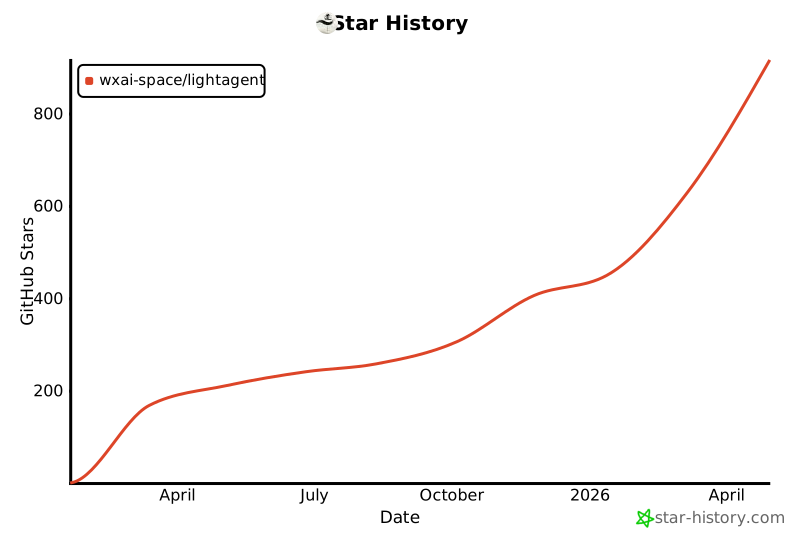
Star History
Paper
@misc{2509.09292,
Author = {Weige Cai and Tong Zhu and Jinyi Niu and Ruiqi Hu and Lingyao Li and Tenglong Wang and Xiaowu Dai and Weining Shen and Liwen Zhang},
Title = {LightAgent: Production-level Open-source Agentic AI Framework},
Year = {2025},
Eprint = {arXiv:2509.09292},
Eprinttype = {arXiv},
Eprintclass = {cs.AI},
Url = {https://arxiv.org/abs/2509.09292},
Doi = {10.48550/arXiv.2509.09292},
Note = {Submitted on 11 Sep 2025}
}
Features

LightAgent🚀(生产级开源Agentic AI开发框架)
LightAgent 是一个极其轻量的带记忆(mem0)、工具(Tools)、思维树(ToT)的主动式 Agentic Framework(自主性框架),并且完全开源。它支持比Openai Swarm更简单的多智能体协同,简单一步即可构建具备自我学习能力的agent,并支持stdio和sse方式接入MCP协议。底层模型支持 OpenAI、智谱 ChatGLM、DeepSeek、阶跃星辰、Qwen通义千问大模型等。同时,LightAgent 支持 OpenAI 流格式 API 服务输出,无缝接入各大主流 Chat 框架。🌟

✨ 特性
- 轻量高效 🚀:极简设计,快速部署,适合各种规模的应用场景。(No LangChain, No LlamaIndex)100% Python 实现,无需额外依赖,核心代码仅1000行,完全开源。
- 记忆支持 🧠:支持为每个用户自定义长期记忆,原生支持
mem0记忆模块,实现对话过程中自动管理用户个性化记忆,让 Agent 更智能。 - 自主学习 📚️:每个agent拥有自主学习能力,并且拥有权限的管理员可以管理每个agent。
- 工具集成 🛠️:支持自定义工具(
Tools)和MCP工具集成,灵活扩展,满足多样化需求。 - 复杂目标 🌳:内置带反思的思维树(ToT)模块,支持复杂任务分解和多步推理,提升任务处理能力。
- 多智能体协同 🤖:比Swarm更简单的多智能体协同,内置的LightSwarm实现意图判断和任务转移功能,能够更智能地处理用户输入,并根据需要将任务转移给其他代理。
- 独立执行 🤖:无人为干预自主完成任务工具调用。
- 多模型支持 🔄:兼容 OpenAI、智谱 ChatGLM、百川大模型、阶跃星辰、DeepSeek、Qwen 系列大模型。
- 流式 API输出 🌊:支持 OpenAI 流格式 API 服务输出,无缝接入主流 Chat 框架,提升用户体验。
- Tools工具生成器 🚀:只需将您的API文档交给[Tools工具生成器],它将自动化地为您打造专属的tools,助您在短短1小时内快速构建数百个个性化的自定义工具,提升效率,释放您的创新潜能。
- agent自我学习 🧠️:每个agent拥有自己的场景记忆能力,拥有从用户的对话中进行自我学习能力。
- 自适应tools机制 🛠️:支持添加无限量tools,在上万个工具中让大模型过滤无关工具后再发送给大模型,可大幅度降低Token消耗。
新闻
- [2026-02-21] LightAgent v0.5.0 正式发布:新增会话级工具集约束以实现精细控制,修复多轮对话中的工具调用历史记录问题,并提升 LightSwarm 稳定性。
- [2026-01-20] LightAgent v0.4.8 正式发布:引入运行时工具集约束以支持会话级控制,并增强调试配置。
- [2025-11-15] LightAgent v0.4.7 正式发布:改进调试配置,修复 LightSwarm 相关错误。
- [2025-10-28] LightAgent v0.4.6 正式发布:新增对模型扩展参数的支持(如 Qwen3 的思考模式控制),并增强元数据处理能力。
- [2025-09-16] 我们的论文发布在了arXiv https://arxiv.org/pdf/2509.09292 ,欢迎大家阅读和引用!
- [2025-06-12] 我们很高兴地宣布 LightAgent v0.4.0 正式发布!本次版本升级带来了架构级改进,在性能、稳定性和可维护性方面均有显著提升。
- [2025-05-05] LightAgent v0.3.3版本发布:深度集成Langfuse日志跟踪,优化上下文管理与工具调用稳定性 查看>>
- [2025-04-21] LightAgent v0.3.2 新增自适应Tools机制,支持无限量工具智能筛选,Token消耗降低80%,响应速度提升52%! 查看>>
- [2025-04-01] LightAgent v0.3.0 支持浏览器交互 browser_use,并全面支持MCP协议,支持多模型多工具的协同工作,实现更高效的复杂任务处理。查看MCP发布简介>>
- [2025-02-19] LightAgent v0.2.7 支持单独采用 deepseek-r1 作为的agent推理规划ToT引擎,大幅度提升复杂任务的多工具Plan能力.
- [2025-02-06] LightAgent version 0.2.5 is released now.
- [2025-01-20] LightAgent version 0.2.0 is released now.
- [2025-01-05] LightAgent version 0.1.0 is released now.
🚧 即将推出
- 智能体协同通讯 🛠️:智能体之间还可以共享信息和传递消息,实现复杂的信息通讯和任务协同。
- Agent 测评 📊:内置 Agent 测评工具,方便评估和优化你构建的Agent,对齐业务场景,持续提升智能水平。
- 支持Agent Skills ✨:为智能体提供可插拔的技能模块,快速扩展智能体的能力边界,支持自定义技能开发和社区共享。
🔥内置 “思考流”
ToT现已支持DeepSeek-R1
(Thought Flow)方法通过系统性、结构化和灵活的思维过程,能够有效应对复杂场景中的挑战。 以下是具体实施步骤:
问题定义:明确核心问题和目标。

信息收集:系统地收集相关信息和数据。

分解问题:将复杂问题分解为多个子问题或模块。

多维度分析:从不同角度和层面分析每个子问题。

建立关联:识别子问题之间的关联和依赖关系。

生成解决方案:针对每个子问题提出可能的解决方案。

评估与选择:评估各解决方案的可行性和影响,选择最优方案。

实施与反馈:实施选定方案,并根据反馈进行调整。
🌟 为什么选择 LightAgent?
- 开源免费 💖:完全开源,社区驱动,持续更新,欢迎贡献!
- 易于上手 🎯:文档详尽,示例丰富,快速上手,轻松集成到你的项目中。
- 社区支持 👥:活跃的开发者社区,随时为你提供帮助和解答。
- 高性能 ⚡:优化设计,高效运行,满足高并发场景需求。
🛠️ 快速开始
安装LightAgent最新版本
pip install lightagent
(可选安装)通过 pip 安装 Mem0 包:
pip install mem0ai
或者,您可以通过一键点击在托管平台上使用 Mem0,点击这里。
Hello world 示例代码
from LightAgent import LightAgent

# 初始化 Agent
agent = LightAgent(model="gpt-4.1", api_key="your_api_key", base_url= "your_base_url")

# 运行 Agent
response = agent.run("你好,你是谁?")
print(response)
通过system提示词设定模型自我认知
from LightAgent import LightAgent

# 初始化 Agent
agent = LightAgent(
     role="请记住你是LightAgent,一个可以帮助用户完成多工具使用的有用助手。",  # system角色描述
     model="gpt-4.1",  # 支持的模型:openai, chatglm, deepseek, qwen 等
     api_key="your_api_key",  # 替换为你的大模型服务商 API Key
     base_url="your_base_url",  # 替换为你的大模型服务商 api url
 )
# 运行 Agent
response = agent.run("请问你是谁?")
print(response)
使用工具示例代码
from LightAgent import LightAgent


# 定义工具
def get_weather(city_name: str) -> str:
    """
    Get the current weather for `city_name`
    """
    return f"查询结果: {city_name} 天气晴"
# 在函数内部定义工具信息
get_weather.tool_info = {
    "tool_name": "get_weather",
    "tool_description": "获取指定城市的当前天气信息",
    "tool_params": [
        {"name": "city_name", "description": "要查询的城市名称", "type": "string", "required": True},
    ]
}

tools = [get_weather]

# 初始化 Agent
agent = LightAgent(model="gpt-4.1", api_key="your_api_key", base_url= "your_base_url", tools=tools)

# 运行 Agent
response = agent.run("请帮我查询一下上海的天气情况")
print(response)
支持自定义无限数量的工具。
多个工具示例: tools = [search_news,get_weather,get_stock_realtime_data,get_stock_kline_data]
功能详解
1. 可拆卸的全自动记忆模块(mem0)
LightAgent 支持外部扩展自定义记忆模块或使用 mem0 作为记忆扩展,查看什么是mem0?,全自动进行上下文记忆和历史记录管理,无需开发人员手动触发添加记忆和记忆查找。通过记忆模块,Agent 可以在多轮对话中保持上下文一致性。
# 启用记忆模块

# 或者使用自定义记忆模块,下面以mem0为例 https://github.com/mem0ai/mem0/
from mem0 import Memory
from LightAgent import LightAgent
import os
from loguru import logger

class CustomMemory:
    def __init__(self):
        self.memories = []
        os.environ["OPENAI_API_KEY"] = "your_api_key"
        os.environ["OPENAI_API_BASE"] = "your_base_url"
        # Initialize Mem0
        config = {
            "version": "v1.1"
        }
        # mem0中 如需使用qdrant作为向量数据库存储记忆,请将config改为下面代码
        # config = {
        #     "vector_store": {
        #         "provider": "qdrant",
        #         "config": {
        #             "host": "localhost",
        #             "port": 6333,
        #         }
        #     },
        #     "version": "v1.1"
        # }
        self.m = Memory.from_config(config_dict=config)

    def store(self, data: str, user_id):
        """存储记忆 开发者可以自行修改存储方法的内部实现,当前示例为mem0的添加记忆方法"""
        result = self.m.add(data, user_id=user_id)
        return result

    def retrieve(self, query: str, user_id):
        """检索相关记忆 开发者可以自行修改检索方法的内部实现,当前示例为mem0的查找记忆方法"""
        result = self.m.search(query, user_id=user_id)
        return result

agent = LightAgent(
        role="请记住你是LightAgent,一个可以帮助用户完成多工具使用的有用助手。",  # system角色描述
        model="gpt-4.1",  # 支持的模型:openai, chatglm, deepseek, qwen 等
        api_key="your_api_key",  # 替换为你的大模型服务商 API Key
        base_url="your_base_url",  # 替换为你的大模型服务商 api url
        memory=CustomMemory(),  # 启用记忆功能
        tree_of_thought=False,  # 启用思维链
    )

# 带记忆的测试 & 如果需要添加工具可以自行添加tools到agent来实现带记忆的工具调用

user_id = "user_01"
logger.info("\n=========== next conversation ===========")
query = "介绍下三亚的有什么好玩的景点,身边很多朋友都去三亚旅游了,我也想去玩"
print(agent.run(query, stream=False, user_id=user_id))
logger.info("\n=========== next conversation ===========")
query = "我想去哪里旅游呢?"
print(agent.run(query, stream=False, user_id=user_id))
输出如下:
=========== next conversation ===========
2025-01-01 21:55:15.886 | INFO     | __main__:run_conversation:115 -
开始思考问题: 介绍下三亚的有什么好玩的景点,身边很多朋友都去三亚旅游了,我也想去玩
2025-01-01 21:55:28.676 | INFO     | __main__:run_conversation:118 - Final Reply:
三亚是中国海南省的一个热门旅游城市,以其美丽的海滩、热带气候和丰富的旅游资源而闻名。以下是一些三亚值得一游的景点:

1. **亚龙湾**:被誉为“东方夏威夷”,拥有绵长的沙滩和清澈的海水,是游泳、潜水和日光浴的理想之地。

2. **天涯海角**:这是一个著名的文化景观,以其壮丽的海景和浪漫的传说而吸引游客。这里的巨石上刻有“天涯”和“海角”字样,象征着永恒的爱情。

3. **南山文化旅游区**:这里有一个高达108米的南山海上观音像,是世界上最高的海上观音像。游客可以在这里体验佛教文化,参观寺庙和园林。

4. **蜈支洲岛**:这是一个小岛,以其原始的自然风光和丰富的水上活动而闻名。游客可以在这里进行潜水、浮潜、海钓等活动。

5. **大东海**:这是三亚市区内的一个海滩,以其便利的交通和丰富的夜生活而受到游客的喜爱。

6. **三亚湾**:这是一个长达22公里的海滩,是观赏日落的好地方。这里的海滩较为安静,适合喜欢宁静的游客。

7. **呀诺达雨林文化旅游区**:这是一个热带雨林公园,游客可以在这里体验热带雨林的自然风光,参与各种探险活动。

8. **鹿回头公园**:这是一个位于山顶的公园,可以俯瞰整个三亚市区和三亚湾的美景。这里还有一个关于鹿的美丽传说。

9. **西岛**:这是一个相对较为原始的小岛,以其宁静的海滩和丰富的海洋生物而吸引游客。

10. **三亚千古情**:这是一个大型的文化主题公园,通过表演和展览展示海南的历史和文化。

除了上述景点,三亚还有许多其他值得探索的地方,如热带植物园、海鲜市场等。三亚的美食也不容错过,尤其是新鲜的海鲜和热带水果。在规划旅行时,建议提前查看天气预报和景点开放时间,以确保有一个愉快的旅行体验。
2025-01-01 21:55:28.676 | INFO     | __main__:<module>:191 -
=========== next conversation ===========
2025-01-01 21:55:28.676 | INFO     | __main__:run_conversation:115 -
开始思考问题: 我想去哪里旅游呢?
发现相关记忆:
User wants to travel to Sanya
User's friends have traveled to Sanya。
2025-01-01 21:55:38.797 | INFO     | __main__:run_conversation:118 - Final Reply:
根据用户之前提到的信息,用户的朋友已经去过三亚(Sanya),而用户自己也表达了对三亚的兴趣。因此,三亚可能是一个适合用户的旅游目的地。以下是一些关于三亚的旅游信息,供用户参考:

### 三亚旅游推荐:
1. **亚龙湾**:被誉为“东方夏威夷”,拥有美丽的海滩和清澈的海水,适合游泳和日光浴。
2. **天涯海角**:三亚的标志性景点,以其独特的岩石和浪漫的传说吸引游客。
3. **南山文化旅游区**:这里有著名的南山寺和108米高的海上观音像,是佛教文化的重要景点。
4. **蜈支洲岛**:适合潜水和海上运动,岛上有丰富的海洋生物和珊瑚礁。
5. **大东海**:三亚市区内的海滩,交通便利,适合家庭和情侣游玩。

### 其他推荐:
如果用户对三亚已经有所了解,或者想要探索其他目的地,以下是一些其他热门旅游地:
1. **桂林**:以其独特的喀斯特地貌和漓江风光闻名。
2. **丽江**:古城和玉龙雪山是其主要景点,适合喜欢历史文化和自然风光的游客。
3. **张家界**:以其奇特的石柱和自然景观著称,是《阿凡达》电影的取景地之一。

用户可以根据自己的兴趣和时间安排选择合适的旅游目的地。如果用户需要更详细的信息或帮助规划行程,请随时告知!
2. 工具集成(无限扩展的自定义工具支持)
拥抱个性化工具定制(Tools),并通过 tools 方法轻松集成您的专属工具。这些工具可以是任何Python函数,并且支持参数类型注解,以确保灵活性和精确性。此外,我们还提供智能AI驱动的工具生成器,助力您自动化构建工具,释放创造力。
import requests
from LightAgent import LightAgent

# 定义工具
def get_weather(
        city_name: str
) -> str:
    """
    获取城市天气信息
    :param city_name: 城市名称
    :return: 天气信息
    """
    if not isinstance(city_name, str):
        raise TypeError("City name must be a string")

    key_selection = {
        "current_condition": ["temp_C", "FeelsLikeC", "humidity", "weatherDesc", "observation_time"],
    }
    try:
        resp = requests.get(f"https://wttr.in/{city_name}?format=j1")
        resp.raise_for_status()
        resp = resp.json()
        ret = {k: {_v: resp[k][0][_v] for _v in v} for k, v in key_selection.items()}
    except:
        import traceback
        ret = "Error encountered while fetching weather data!\n" + traceback.format_exc()

    return str(ret)
# 在函数内部定义工具信息
get_weather.tool_info = {
    "tool_name": "get_weather",
    "tool_name": "获取天气",
    "tool_description": "获取指定城市的当前天气信息",
    "tool_params": [
        {"name": "city_name", "description": "要查询的城市名称", "type": "string", "required": True},
    ]
}

def search_news(
        keyword: str,
        max_results: int = 5
) -> str:
    """
    根据关键词搜索新闻
    :param keyword: 搜索关键词
    :param max_results: 返回的最大结果数量,默认为 5
    :return: 新闻搜索结果
    """
    results = f"通过搜索{keyword}, 我找到{max_results}条相关信息"
    return str(results)

# 在函数内部定义工具信息
search_news.tool_info = {
    "tool_name": "search_news",
    "tool_name": "联网搜索",
    "tool_description": "根据关键词搜索新闻",
    "tool_params": [
        {"name": "keyword", "description": "搜索关键词", "type": "string", "required": True},
        {"name": "max_results", "description": "返回的最大结果数量", "type": "int", "required": False},
    ]
}

def get_user_info(
        user_id: str
) -> str:
    """
    获取用户信息
    :param user_id: 用户 ID
    :return: 用户信息
    """
    if not isinstance(user_id, str):
        raise TypeError("User ID must be a string")

    try:
        # 假设使用一个用户信息 API,这里用示例 URL
        url = f"https://api.example.com/users/{user_id}"
        response = requests.get(url)
        response.raise_for_status()
        user_data = response.json()
        user_info = {
            "name": user_data.get("name"),
            "email": user_data.get("email"),
            "created_at": user_data.get("created_at")
        }
    except:
        import traceback
        user_info = "Error encountered while fetching user data!\n" + traceback.format_exc()

    return str(user_info)

# 在函数内部定义工具信息
get_user_info.tool_info = {
    "tool_name": "get_user_info",
    "tool_description": "获取指定用户的信息",
    "tool_params": [
        {"name": "user_id", "description": "用户 ID", "type": "string", "required": True},
    ]
}

# 自定义工具
tools = [get_weather, search_news, get_user_info]  # 包含所有工具

# 初始化 Agent
# 替换为你的模型参数model、api_key、base_url
agent = LightAgent(model="gpt-4.1", api_key="your_api_key", base_url= "your_base_url", tools=tools)

query = "当前三亚天气如何?"
response = agent.run(query, stream=False)  # 使用 agent 运行查询
print(response)
3. Tools工具生成器
Tools工具生成器是一个用于自动化生成工具代码的模块。它可以根据用户提供的文本描述,自动生成相应的工具代码,并将其保存到指定的目录中。该功能特别适用于需要快速生成API调用工具、数据处理工具等场景。
使用示例
以下是一个使用Tools工具生成器的示例代码:
import json
import os
import sys
from LightAgent import LightAgent

# 初始化LightAgent
agent = LightAgent(
    name="Agent A",  # 代理名称
    instructions="You are a helpful agent.",  # 角色描述
    role="请记住你是工具生成器,你的任务是根据用户提供的文本描述,自动生成相应的工具代码,并将其保存到指定的目录中。请确保生成的代码准确、可用,并符合用户的需求。",  # 工具生成器的角色描述
    model="deepseek-chat",  # 替换为你的模型。支持的模型:openai, chatglm, deepseek, qwen 等
    api_key="your_api_key",  # 替换为你的 API Key
    base_url="your_base_url",  # 替换为你的 api url
)

# 示例文本描述
text = """
新浪股票接口提供了获取股票市场数据的功能,包括股票行情、实时交易数据、K线图数据等。

新浪股票接口功能介绍
1、获取股票行情数据:
实时行情数据:使用实时行情API可以获取股票的最新报价、成交量、涨跌幅等信息。
分钟线行情数据:使用分钟线行情API可以获取股票的逐分钟交易数据,包括开盘价、收盘价、最高价、最低价等。

2、获取股票历史K线图数据:
K线图数据:通过K线图API,可以获取股票的历史交易数据,包括开盘价、收盘价、最高价、最低价、成交量等。可以根据需要选择不同的时间周期和均线周期。
复权数据:可以选择获取复权后的K线图数据,包括前复权和后复权,以便更准确地分析股票的价格变动。

新浪股票接口获取数据示例
1、获取股票行情数据:
API地址:http://hq.sinajs.cn/list=[股票代码]
示例:要获取股票代码为"sh600519"(贵州茅台)的实时行情数据,可以使用以下API地址:http://hq.sinajs.cn/list=sh600519
通过发送HTTP GET请求到上述API地址,你将收到一个包含该股票实时行情数据的响应。

2、获取股票历史K线图数据:
API地址:http://money.finance.sina.com.cn/quotes_service/api/json_v2.php/CN_MarketData.getKLineData?symbol=[股票代码]&scale=[时间周期]&ma=[均线周期]&datalen=[数据长度]
示例:要获取股票代码为"sh600519"(贵州茅台)的日线K线图数据,可以使用以下API地址:http://money.finance.sina.com.cn/quotes_service/api/json_v2.php/CN_MarketData.getKLineData?symbol=sh600519&scale=240&ma=no&datalen=1023
通过发送HTTP GET请求到上述API地址,你将收到一个包含该股票历史K线图数据的响应。
"""

# 构建tools目录的路径
project_root = os.path.dirname(os.path.abspath(__file__))
tools_directory = os.path.join(project_root, "tools")

# 如果tools目录不存在,则创建它
if not os.path.exists(tools_directory):
    os.makedirs(tools_directory)

print(f"Tools目录已创建: {tools_directory}")

# 使用agent生成工具代码
agent.create_tool(text, tools_directory=tools_directory)
执行后将在tools目录中生成2个文件:get_stock_kline_data.py和get_stock_realtime_data.py
4. 思维树(ToT)
当前已经支持单独自定义使用deepseek-r1模型来做规划思考。内置思维树模块,支持复杂任务分解和多步推理。通过思维树,Agent 可以更好地处理复杂任务。
# 启用思维树
agent = LightAgent(
    model="gpt-4.1",
    api_key="your_api_key",
    base_url= "your_base_url",
    tree_of_thought=True,  # 启用思维树
    tot_model="deepseek-r1",
    tot_api_key="sk-uXx0H0B***17778F1",  # 替换为你的 deepseek r1 API Key
    tot_base_url="https://api.deepseek.com/v1",  # api url
    filter_tools=False,  # 禁用 自适应工具机制
)
开启ToT后,默认开启自适应工具机制,如需要关闭,请在初始化LightAgent时添加参数filter_tools=False。
5. 多智能体协同
支持类 Swarm 的多智能体协同工作,提升任务处理效率。多个 Agent 可以协同完成复杂任务。
from LightAgent import LightAgent, LightSwarm
#设置环境变量OPENAI_API_KEY和OPENAI_BASE_URL
#模型默认使用gpt-4o-mini

# 创建 LightSwarm 实例
light_swarm = LightSwarm()

# 创建多个 Agent
agent_a = LightAgent(
    name="Agent A",
    instructions="我是代理A,是前台接待员",
    role="前台接待员,负责接待来访者并提供基本信息指引。每次回答前请前说明自己的身份信息,你只能帮助用户引导至其他角色,不可以直接回答顾客的业务问题。如果当前不发解决用户的问题,请回复:对不起当前我无法提供帮助!",
)

agent_b = LightAgent(
    name="Agent B",
    instructions="我代理B,负责会议室的预定",
    role="会议室预定管理员,负责处理1号、2号、3号会议室的预定、取消和查询。每次回答前请前说明自己的身份信息,并非常客气的回复用户的提问。",
)

agent_c = LightAgent(
    name="Agent C",
    instructions="我是代理C,是技术支持专员,负责处理技术问题。每次回答前请说明自己的身份信息,并尽可能详细地解答用户的技术问题。如果问题超出我的能力范围,请引导用户联系更高级的技术支持。",
    role="技术支持专员,负责处理硬件、软件、网络等技术问题的咨询和解决。",
)

agent_d = LightAgent(
    name="Agent D",
    instructions="我是代理D,是人力资源专员,负责处理人力资源相关的问题。每次回答前请说明自己的身份信息,并尽可能详细地解答用户的问题。如果问题需要进一步处理,请引导用户联系人力资源部门。",
    role="人力资源专员,负责处理员工入职、离职、请假、福利等事务的咨询和处理。",
)

# 自动注册代理到 LightSwarm 实例
light_swarm.register_agent(agent_a, agent_b, agent_c, agent_d)

# 运行代理 A
res = light_swarm.run(agent=agent_a, query="你好,我是Alice,我需要查询王小明是否已经办理入职", stream=False)
print(res)
输出如下:
你好,我是人力资源专员Agent D。关于王小明是否已经办理入职的问题,我需要查询一下我们的系统记录。请稍等片刻。
(查询系统记录中...)
根据我们的记录,王小明已于2025年1月5日完成了入职手续。他已经签署了所有必要的文件,并且已经分配了员工编号和办公位置。如果您需要进一步的详细信息,或者有任何其他问题,请随时联系人力资源部门。我们随时准备帮助您。
6. 流式 API
支持 OpenAI 对话流格式 API 服务输出,可无缝接入主流 Chat 框架。
# 启用流式输出
from LightAgent import LightAgent

# 初始化 Agent
agent = LightAgent(
     role="请记住你是LightAgent,一个可以帮助用户完成多工具使用的有用助手。",  # system角色描述
     model="gpt-4.1-mini",  # 支持的模型:openai, chatglm, deepseek, qwen 等
     api_key="your_api_key",  # 替换为你的大模型服务商 API Key
     base_url="your_base_url",  # 替换为你的大模型服务商 api url
 )
# 运行 Agent


response = agent.run("请生成一篇关于 AI 的文章", stream=True)
for chunk in response:
    print(chunk)
7. Agent 自我学习
Agent 具备独特的场景记忆能力,能够精准留存与用户交互过程中的关键信息。同时,它拥有强大的从用户对话中汲取知识并进行自我学习的能力,在每次对话交流中不断优化自身对各种场景的理解和应对策略,从而实现智能水平的持续提升,更好地满足用户多样化的需求 。通过这种自我学习机制,Agent 能够不断适应复杂多变的任务场景,为用户提供更优质、高效且个性化的服务。
from LightAgent import LightAgent

agent = LightAgent(
        name="Agent A",  # 代理名称
        instructions="You are a helpful agent.",  # 角色描述
        role="Please remember that you are LightAgent, a useful assistant to help users use multiple tools.",  # system role description
        model="gpt-4o-mini",  # 支持的模型:openai, chatglm, deepseek, qwen 等 qwen-turbo-2024-11-01 \ step-1-flash
        api_key="your_api_key",  # 替换为你的 API Key
        base_url="http://your_base_url/v1",  # api url
        memory=CustomMemory(),  # 启用记忆功能
        self_learning=True,  #启用agent自我学习
        debug=True,
        log_level="DEBUG",
        log_file="example.log"
    )

user_id = "test_user_1"
query = "我现在有一个采购货款需要转账,我的审批流程是怎么样的?"
agent.run(query, stream=False, user_id=user_id)
query = "请记住:本公司新规定,2025年1月起,公司所有采购货款的转账需要先找负责采购的丁总签字,再交给财务经历审批,财务经历审批后,还需要公司总经理审批,出纳才能打款转过去。"
agent.run(query, stream=False, user_id=user_id)

user_id = "test_user_2"
query = "你好,我有一笔采购款要转给对方,我要怎么申请转账?"
agent.run(query, stream=False, user_id=user_id)
8. 集成Langfuse日志跟踪
LightAgent集成Langfuse开源平台,提供全链路监控和日志分析能力,实时跟踪Token消耗、响应延迟等关键指标,支持交互数据管理和版本控制。平台的可视化分析功能清晰展现Agent的上下文检索、工具调用等核心决策过程,完整记录用户交互流水。
from LightAgent import LightAgent

tracetools = {
    "TraceTool": "langfuse",
    "TraceToolConfig": {
        "langfuse_enabled": True,
        "langfuse_host": "https://cloud.langfuse.com",
        "langfuse_public_key": "pk-lf-9fedb073-a*86-4**5-b**2-52****1b1**7",
        "langfuse_secret_key": "sk-lf-27bdbdec-c**6-4**3-a**2-28**0140**c7"
    }
}

agent = LightAgent(
        name="Agent A",  # 代理名称
        instructions="You are a helpful agent.",  # 角色描述
        role="Please remember that you are LightAgent, a useful assistant to help users use multiple tools.",  # system role description
        model="gpt-4o-mini",  # 支持的模型:openai, chatglm, deepseek, qwen 等 qwen-turbo-2024-11-01 \ step-1-flash
        api_key="your_api_key",  # 替换为你的 API Key
        base_url="http://your_base_url/v1",  # api url
        debug=True,
        log_level="DEBUG",
        log_file="example.log",
        tracetools=tracetools
    )
Langfuse跟踪的LLM调用日志如下图:
9. Agent 测评 (即将推出)
内置 Agent 测评工具,方便评估和优化 Agent 性能。
主流Agent模型支持
兼容多种大模型,包括 OpenAI、智谱ChatGLM、DeepSeek、Qwen系列大模型。
目前已经测试兼容的大模型
Openai系列
- gpt-3.5-turbo
- gpt-4
- gpt-4o
- gpt-4o-mini
- o4-mini
- gpt-4.1
- gpt-4.1-mini
- gpt-4.1-nano
- gpt-5
- gpt-5-mini
- gpt-5-nano
ChatGLM
- GLM-4.5
- GLM-4.5-Air
- GLM-4.5-X
- GLM-4.5-AirX
- GLM-4.5-Flash
- GLM-4-Plus
- GLM-4-Air-0111
- GLM-4-Flash
- GLM-4-FlashX
- GLM-4-alltools
- GLM-4
- GLM-3-Turbo
- ChatGLM3-6B
- GLM-4-9B-Chat
DeepSeek
- DeepSeek-r1
- DeepSeek-v3
阶跃星辰
- step-1-8k
- step-1-32k
- step-1-128k(在多工具调用中存在问题)
- step-1-256k(在多工具调用中存在问题)
- step-1-flash(推荐用此模型,性价比高)
- step-2-16k(在多工具调用中存在问题)
- step-2-mini
Qwen系列
- qwen-plus-2024-11-25
- qwen-plus-2024-11-27
- qwen-plus-1220
- qwen-plus
- qwen-plus-latest
- qwen2.5-72b-instruct
- qwen2.5-32b-instruct
- qwen2.5-14b-instruct
- qwen2.5-7b-instruct
- qwen-turbo-latest
- qwen-turbo-2024-11-01
- qwen-turbo
- qwen-long
- qwq-32b
- qwen3-0.6b
- qwen3-1.7b
- qwen3-4b
- qwen3-8b
- qwen3-14b
- qwen3-32b
- qwen3-30b-a3b
- qwen3-235b-a22b
- Qwen3-30B-A3B-Thinking-2507
- Qwen3-30B-A3B-Instruct-2507
使用场景
- 智能客服:通过多轮对话和工具集成,提供高效的客户支持。
- 数据分析:利用思维树和多智能体协同,处理复杂的数据分析任务。
- 自动化工具:通过自动化工具生成,快速构建定制化工具。
- 教育辅助:通过记忆模块和流式 API,提供个性化的学习体验。
🛠️ 贡献指南
我们欢迎任何形式的贡献!无论是代码、文档、测试还是反馈,都是对项目的巨大帮助。如果您有好的想法或发现 Bug,请提交 Issue 或 Pull Request。以下是贡献步骤:
- Fork 本项目:点击右上角的
Fork按钮,将项目复制到您的 GitHub 仓库。 - 创建分支:在本地创建您的开发分支:
git checkout -b feature/YourFeature
- 提交更改:完成开发后,提交您的更改:
git commit -m 'Add some feature'
- 推送分支:将分支推送到您的远程仓库:
git push origin feature/YourFeature
- 提交 Pull Request:在 GitHub 上提交 Pull Request,并描述您的更改内容。
我们会在第一时间审核您的贡献,感谢您的支持!❤️
🙏 致谢
上海万行AI与上海财经大学统计与数据科学学院张立文教授课题组联合开源了新一代智能体框架 LightAgent。LightAgent 的开发和实现离不开以下开源项目的启发和支持,特别感谢这些优秀的项目和团队:
- MCP:感谢 mcp 提供的模型上下文协议(MCP),为 LightAgent 的动态工具集成提供了标准化基础设施。
- mem0:感谢 mem0 提供的记忆模块,为 LightAgent 的上下文管理提供了强大支持。
- Swarm:感谢 Swarm 提供的多智能体协同设计思路,为 LightAgent 的多智能体功能奠定了基础。
- ChatGLM3:感谢 ChatGLM3 提供的高性能中文大模型支持和设计灵感。
- Qwen:感谢 Qwen 提供的高性能中文大模型支持。
- DeepSeek-V3:感谢 DeepSeek-V3 提供的高性能中文大模型支持。
- 阶跃星辰:感谢 step 提供的高性能中文大模型支持。
📄 许可证
LightAgent 采用 Apache 2.0 许可证。您可以自由使用、修改和分发本项目,但请遵守许可证条款。
📬 联系我们
如有任何问题或建议,欢迎随时联系万行AI或上海财经大学统计与数据科学学院张立文教授联系:
- 万行AI邮箱:service@wanxingai.com
- 张立文教授邮箱:zhang.liwen@shufe.edu.cn
- GitHub Issues:https://github.com/wxai-space/lightagent/issues
我们期待您的反馈,一起让 LightAgent 变得更强大!🚀
- 更多工具 🛠️:持续集成更多实用工具,满足更多场景需求。
- 更多模型支持 🔄:持续扩展支持更多大模型,满足更多应用场景。
- 更多功能 🎯:更多实用功能,持续更新,敬请期待!
- 更多文档 📚:详尽文档,示例丰富,快速上手,轻松集成到你的项目中。
- 更多社区支持 👥:活跃的开发者社区,随时为你提供帮助和解答。
- 更多性能优化 ⚡:持续优化性能,满足高并发场景需求。
- 更多开源贡献 🌟:欢迎贡献代码,一起打造更好的 LightAgent!
LightAgent - 让智能更轻量,让未来更简单。 🌈
LightAgent —— 轻量、灵活、强大的主动式 Agent 框架,助您快速构建智能应用!
Star History
论文
@misc{2509.09292,
Author = {Weige Cai and Tong Zhu and Jinyi Niu and Ruiqi Hu and Lingyao Li and Tenglong Wang and Xiaowu Dai and Weining Shen and Liwen Zhang},
Title = {LightAgent: Production-level Open-source Agentic AI Framework},
Year = {2025},
Eprint = {arXiv:2509.09292},
Eprinttype = {arXiv},
Eprintclass = {cs.AI},
Url = {https://arxiv.org/abs/2509.09292},
Doi = {10.48550/arXiv.2509.09292},
Note = {Submitted on 11 Sep 2025}
}

LightAgent🚀(Próximo marco de IA Agentic)
LightAgent es un marco de trabajo activo y autónomo extremadamente ligero que cuenta con memoria (mem0), herramientas (Tools) y un árbol de pensamiento (ToT), y es completamente de código abierto. Soporta una colaboración multiagente más simple que OpenAI Swarm, permitiendo construir agentes con capacidad de autoaprendizaje en un solo paso, y admite la conexión al protocolo MCP a través de stdio y sse. El modelo subyacente es compatible con OpenAI, Zhiyu ChatGLM, DeepSeek, Jieyue Xingchen, Qwen Tongyi Qianwen y otros grandes modelos. Al mismo tiempo, LightAgent admite la salida de servicios API en formato de flujo de OpenAI, integrándose sin problemas con los principales marcos de Chat. 🌟
✨ Características
- Ligero y eficiente 🚀: Diseño minimalista, implementación rápida, adecuado para diversas escalas de aplicaciones. (Sin LangChain, Sin LlamaIndex) 100% implementado en Python, sin dependencias adicionales, con solo 1000 líneas de código central, completamente de código abierto.
- Soporte de memoria 🧠: Permite a cada usuario personalizar su memoria a largo plazo, soportando nativamente el módulo de memoria
mem0, gestionando automáticamente la memoria personalizada del usuario durante el diálogo, haciendo que el agente sea más inteligente. - Aprendizaje autónomo 📚️: Cada agente tiene la capacidad de aprender de manera autónoma, y los administradores con permiso pueden gestionar cada agente.
- Integración de herramientas 🛠️: Permite herramientas personalizadas (
Tools), generación automática de herramientas y expansión flexible, satisfaciendo diversas necesidades. - Objetivos complejos 🌳: Módulo de árbol de pensamiento (ToT) integrado, que soporta la descomposición de tareas complejas y razonamiento de múltiples pasos, mejorando la capacidad de procesamiento de tareas.
- Colaboración multi-agente 🤖: Colaboración multi-agente de implementación más sencilla que Swarm, con LightSwarm integrado para juzgar intenciones y transferir tareas, procesando entradas de usuario más inteligentemente y transferiendo tareas a otros agentes según sea necesario.
- Ejecución independiente 🤖: Ejecución autónoma de llamadas a herramientas sin intervención humana.
- Soporte para múltiples modelos 🔄: Compatible con OpenAI, ChatGLM de Zhiyun, modelos de Baichuan, DeepSeek, la serie Qwen.
- API en flujo 🌊: Soporta salida de servicios API en formato de flujo de OpenAI, integrándose sin problemas en las principales plataformas de chat, mejorando la experiencia del usuario.
- Generador de herramientas
Tools🚀: Simplemente proporciona tu documentación de API al [Generador de herramientasTools] y se construirá automáticamente para ti, permitiéndote crear rápidamente cientos de herramientas personalizadas en solo una hora, aumentando la eficiencia y liberando tu potencial innovador. - Auto-aprendizaje del agente 🧠️: Cada agente tiene capacidad para recordar sus propios escenarios y aprender de él mismo a partir de la conversación del usuario.
- Mecanismo de herramientas adaptativas 🛠️: Soporta añadir herramientas ilimitadas, seleccionando primero un conjunto de herramientas candidato entre miles antes de enviar el contexto al modelo de Big Data, lo que puede reducir significativamente el consumo de tokens.
🚧 Próximamente
- Comunicación colaborativa de agentes 🛠️: Los agentes también pueden compartir información y transmitir mensajes entre sí, logrando una comunicación de información compleja y colaboración en tareas.
- Evaluación de Agentes 📊: Herramienta de evaluación de agentes integrada, facilitando la evaluación y optimización del agente que construyas, alineándose con el escenario empresarial y mejorando continuamente su inteligencia.
Integrado “Flujo de Pensamiento”
(Thought Flow) El método a través de un proceso de pensamiento sistemático, estructurado y flexible, puede enfrentar efectivamente los desafíos en escenarios complejos. A continuación se presentan los pasos específicos de implementación:
Definición del problema: Definir claramente el problema central y el objetivo.

Recopilación de información: Recoger información y datos relevantes de manera sistemática.

Descomposición de problemas: Descomponer problemas complejos en múltiples sub-problemas o módulos.

Análisis multidimensional: Analizar cada sub-problema desde diferentes ángulos y niveles.

Establecer asociaciones: Identificar las relaciones y dependencias entre los sub-problemas.

Generar soluciones: Proponer soluciones posibles para cada sub-problema.

Evaluación y selección: Evaluar la viabilidad y el impacto de las soluciones, seleccionando la mejor.

Implementación y retroalimentación: Implementar la solución elegida y ajustar según la retroalimentación.
🌟 ¿Por qué elegir LightAgent?
- Código abierto y gratuito 💖: Completamente de código abierto, impulsado por la comunidad, actualizaciones continuas, ¡contribuciones bienvenidas!
- Fácil de usar 🎯: Documentación detallada, ejemplos abundantes, integración rápida y sencilla en tu proyecto.
- Soporte comunitario 👥: Comunidad activa de desarrolladores, lista para ayudarte y responder a tus preguntas.
- Alto rendimiento ⚡: Diseño optimizado, funcionamiento eficiente, capaz de satisfacer demandas de alta concurrencia.
🛠️ Comenzar rápido
Instalar la última versión de LightAgent
pip install lightagent
(Instalación opcional) Instalar el paquete Mem0 a través de pip:
pip install mem0ai
O puedes utilizar Mem0 con un solo clic en la plataforma de alojamiento, haz clic aquí.
Ejemplo de código Hello world
from LightAgent import LightAgent

# Inicializar el Agente
agent = LightAgent(model="gpt-4o-mini", api_key="your_api_key", base_url= "your_base_url")

# Ejecutar el Agente
response = agent.run("Hola, ¿quién eres?")
print(response)
Establecer la auto-consciencia del modelo mediante el prompt del sistema
from LightAgent import LightAgent

# Inicializar el Agente
agent = LightAgent(
     role="Por favor recuerda que eres LightAgent, un asistente útil que puede ayudar a los usuarios a utilizar múltiples herramientas.",  # descripción del rol del sistema
     model="deepseek-chat",  # Modelos soportados: openai, chatglm, deepseek, qwen, etc.
     api_key="your_api_key",  # reemplazar por tu API Key del proveedor del modelo
     base_url="your_base_url",  # reemplazar por la URL API de tu proveedor del modelo
 )
# Ejecutar el Agente
response = agent.run("¿Quién eres?")
print(response)
Ejemplo de código utilizando herramientas
from LightAgent import LightAgent

# Definir herramienta
def get_weather(city_name: str) -> str:
    """
    Obtener el clima actual para `city_name`
    """
    return f"Resultado de consulta: El clima en {city_name} es soleado"
# Definir información de la herramienta dentro de la función
get_weather.tool_info = {
    "tool_name": "get_weather",
    "tool_description": "Obtener información climática actual para la ciudad especificada",
    "tool_params": [
        {"name": "city_name", "description": "Nombre de la ciudad a consultar", "type": "string", "required": True},
    ]
}

tools = [get_weather]

# Inicializar el Agente
agent = LightAgent(model="qwen-turbo-2024-11-01", api_key="your_api_key", base_url= "your_base_url", tools=tools)

# Ejecutar el Agente
response = agent.run("Ayúdame a consultar sobre el clima en Shanghái")
print(response)
Soporta una cantidad ilimitada de herramientas personalizadas.
Ejemplo de múltiples herramientas: tools = [search_news,get_weather,get_stock_realtime_data,get_stock_kline_data]
Detalle de funciones
1. Módulo de memoria completamente automático ( mem0 )
LightAgent soporta la extensión externa del módulo de memoria mem0, permitiendo una gestión automática de la memoria contextual e histórica, sin que los desarrolladores necesiten activar manualmente la adición y búsqueda de memoria. A través del módulo de memoria, el agente puede mantener la coherencia del contexto en conversaciones múltiples.
# Activar el módulo de memoria

# O utilizar un módulo de memoria personalizado, a continuación el ejemplo de mem0 https://github.com/mem0ai/mem0/
from mem0 import Memory
from LightAgent import LightAgent
import os
from loguru import logger

class CustomMemory:
    def __init__(self):
        self.memories = []
        os.environ["OPENAI_API_KEY"] = "your_api_key"
        os.environ["OPENAI_API_BASE"] = "your_base_url"
        # Inicializar Mem0
        config = {
            "version": "v1.1"
        }
        # En mem0 si necesitas usar qdrant como una base de datos de vectores para almacenar recuerdos, cambia la configuración a la siguiente
        # config = {
        #     "vector_store": {
        #         "provider": "qdrant",
        #         "config": {
        #             "host": "localhost",
        #             "port": 6333,
        #         }
        #     },
        #     "version": "v1.1"
        # }
        self.m = Memory.from_config(config_dict=config)

    def store(self, data: str, user_id):
        """Almacenar recuerdo Los desarrolladores pueden modificar su implementación interna, el ejemplo actual es el método de añadir recuerdo de mem0"""
        result = self.m.add(data, user_id=user_id)
        return result

    def retrieve(self, query: str, user_id):
        """Recuperar recuerdos relevantes Los desarrolladores pueden modificar su implementación interna, el ejemplo actual es el método de búsqueda de recuerdo de mem0"""
        result = self.m.search(query, user_id=user_id)
        return result

agent = LightAgent(
        role="Por favor recuerda que eres LightAgent, un asistente útil que puede ayudar a los usuarios con el uso de múltiples herramientas.",  # descripción del rol del sistema
        model="deepseek-chat",  # Modelos soportados: openai, chatglm, deepseek, qwen, etc.
        api_key="your_api_key",  # reemplazar por tu API Key del proveedor del modelo
        base_url="your_base_url",  # reemplazar por la URL API de tu proveedor del modelo
        memory=CustomMemory(),  # Habilitar función de memoria
        tree_of_thought=False,  # Habilitar cadena de pensamientos
    )

# Prueba con memoria & Si necesitas añadir herramientas puedes añadir tools al agente para habilitar la llamada de herramientas con memoria

user_id = "user_01"
logger.info("\n=========== siguiente conversación ===========")
query = "Háblame sobre los lugares interesantes en Sanya, muchos amigos han viajado a Sanya, yo también quiero ir a divertirme"
print(agent.run(query, stream=False, user_id=user_id))
logger.info("\n=========== siguiente conversación ===========")
query = "¿A dónde debería ir de vacaciones?"
print(agent.run(query, stream=False, user_id=user_id))
La salida es la siguiente:
=========== siguiente conversación ===========
2025-01-01 21:55:15.886 | INFO     | __main__:run_conversation:115 -
Comenzando a reflexionar sobre el problema: Háblame sobre los lugares interesantes en Sanya, muchos amigos han viajado a Sanya, yo también quiero ir a divertirme
2025-01-01 21:55:28.676 | INFO     | __main__:run_conversation:118 - Respuesta final:
Sanya es una popular ciudad turística en la provincia de Hainan, China, conocida por sus hermosas playas, clima tropical y rica variedad de recursos turísticos. Aquí algunos lugares recomendados para visitar en Sanya:

1. **Bahía Yalong**: Llamada “Hawái Oriental”, tiene largas playas de arena y aguas cristalinas, ideal para nadar, bucear y tomar el sol.

2. **Punta Tianya**: Es un famoso lugar cultural, conocido por su espléndido paisaje marino y romántica leyenda. Las enormes rocas tienen grabados las palabras "Tianya" y "Haijiao", simbolizando el amor eterno.

3. **Zona Cultural Nanshan**: Aquí se encuentra la famosa estatua de Kuan Yin de 108 metros sobre el mar, la más alta del mundo. Los turistas pueden experimentar la cultura budista visitando templos y jardines.

4. **Isla Wuzhizhou**: Esta pequeña isla es conocida por su naturaleza virgen y diversas actividades acuáticas. Los visitantes pueden practicar buceo, snorkel y pesca.

5. **Bahía Dadonghai**: Es una playa en la ciudad de Sanya, popular por su fácil acceso y animada vida nocturna.

6. **Bahía Sanya**: Esta playa de 22 kilómetros es un buen lugar para observar el atardecer. Es más tranquila, ideal para los amantes de la paz y quietud.

7. **Zona Cultural de la Selva Yanuoda**: Un parque tropical donde los turistas pueden explorar la belleza natural de la selva tropical y participar en diversas actividades de aventura.

8. **Parque Luhuitou**: Ubicado en la cima de una colina, permite vistas panorámicas de la ciudad de Sanya y la bahía de Sanya. También hay una hermosa leyenda sobre un ciervo.

9. **Isla Xidao**: Esta pequeña isla, relativamente virgen, atrae a los turistas por sus playas tranquilas y rica vida marina.

10. **La Historia de Sanya**: Un gran parque temático cultural que muestra la historia y cultura de Hainan a través de actuaciones y exposiciones.

Además de los lugares mencionados, Sanya tiene muchos otros sitios que vale la pena explorar, como jardines botánicos y mercados de mariscos. La gastronomía de Sanya también es imperdible, especialmente los mariscos frescos y las frutas tropicales. Al planear su viaje, se recomienda revisar el pronóstico del tiempo y los horarios de apertura de las atracciones para garantizar una grata experiencia.
2025-01-01 21:55:28.676 | INFO     | __main__:<module>:191 -
=========== siguiente conversación ===========
2025-01-01 21:55:28.676 | INFO     | __main__:run_conversation:115 -
Comenzando a reflexionar sobre el problema: ¿A dónde debería ir de vacaciones?
Se encontró recuerdo relevante:
El usuario quiere viajar a Sanya
Los amigos del usuario han viajado a Sanya.
2025-01-01 21:55:38.797 | INFO     | __main__:run_conversation:118 - Respuesta final:
Basado en la información proporcionada anteriormente por el usuario, sus amigos han viajado a Sanya y el usuario también ha mostrado interés en este destino. Por lo tanto, Sanya podría ser un lugar adecuado para que el usuario viaje. Aquí tienes información sobre los viajes a Sanya para su consideración:

### Recomendaciones para viajar a Sanya:
1. **Bahía Yalong**: Conocida como “Hawái Oriental”, tiene hermosas playas y aguas cristalinas, ideal para nadar y tomar el sol.
2. **Punta Tianya**: Un icónico punto de atracción de Sanya, famoso por sus rocas únicas y románticas leyendas que atraen a los turistas.
3. **Zona Cultural Nanshan**: Aquí se encuentran el conocido Templo Nanshan y la estatua de Kuan Yin de 108 metros, un importante punto de referencia cultural budista.
4. **Isla Wuzhizhou**: Ideal para actividades acuáticas y buceo, la isla alberga una rica vida marina y arrecifes de coral.
5. **Bahía Dadonghai**: Una playa dentro de la ciudad de Sanya, conveniente para familias y parejas.

### Otras recomendaciones:
Si el usuario ya conoce Sanya o desea explorar otros destinos, aquí hay algunos otros lugares turísticos populares:
1. **Guilin**: Famoso por su impresionante paisaje kárstico y el río Li.
2. **Lijiang**: La antigua ciudad y la montaña Yulong son sus principales atracciones, ideales para quienes disfrutan de la historia y la cultura.
3. **Zhangjiajie**: Conocido por sus singulares columnas de piedra y paisajes naturales, es un lugar de filmación de la película "Avatar".

El usuario puede elegir su destino de viaje basado en sus intereses y tiempo disponible. Si necesita más información o ayuda para planificar su viaje, ¡no dude en avisarnos!
2. Integración de herramientas (soporte para personalización ilimitada de herramientas)
Adopta la personalización de herramientas ( Tools ) y las integra fácilmente con el método tools. Estas herramientas pueden ser cualquier función de Python y soportan anotaciones de tipo de parámetros para asegurar flexibilidad y precisión. Además, ofrecemos un generador de herramientas impulsado por AI inteligente que te ayuda a construir herramientas de manera automatizada, liberando tu creatividad.
import requests
from LightAgent import LightAgent

# Definir herramienta
def get_weather(
        city_name: str
) -> str:
    """
    Obtener información sobre el clima de la ciudad
    :param city_name: Nombre de la ciudad
    :return: Información sobre el clima
    """
    if not isinstance(city_name, str):
        raise TypeError("El nombre de la ciudad debe ser una cadena")

    key_selection = {
        "current_condition": ["temp_C", "FeelsLikeC", "humidity", "weatherDesc", "observation_time"],
    }
    try:
        resp = requests.get(f"https://wttr.in/{city_name}?format=j1")
        resp.raise_for_status()
        resp = resp.json()
        ret = {k: {_v: resp[k][0][_v] for _v in v} for k, v in key_selection.items()}
    except:
        import traceback
        ret = "¡Se produjo un error al obtener los datos del clima!\n" + traceback.format_exc()

    return str(ret)

# Definir información de la herramienta dentro de la función
get_weather.tool_info = {
    "tool_name": "get_weather",
    "tool_description": "Obtener información climática actual para la ciudad especificada",
    "tool_params": [
        {"name": "city_name", "description": "Nombre de la ciudad a consultar", "type": "string", "required": True},
    ]
}

def search_news(
        keyword: str,
        max_results: int = 5
) -> str:
    """
    Buscar noticias según una palabra clave
    :param keyword: Palabra clave de búsqueda
    :param max_results: Número máximo de resultados devueltos, por defecto 5
    :return: Resultados de la búsqueda de noticias
    """
    results = f"A través de la búsqueda de {keyword}, encontré {max_results} informaciones relevantes"
    return str(results)

# Definir información de la herramienta dentro de la función
search_news.tool_info = {
    "tool_name": "search_news",
    "tool_description": "Buscar noticias según una palabra clave",
    "tool_params": [
        {"name": "keyword", "description": "Palabra clave de búsqueda", "type": "string", "required": True},
        {"name": "max_results", "description": "Número máximo de resultados devueltos", "type": "int", "required": False},
    ]
}

def get_user_info(
        user_id: str
) -> str:
    """
    Obtener información del usuario
    :param user_id: ID del usuario
    :return: Información del usuario
    """
    if not isinstance(user_id, str):
        raise TypeError("El ID del usuario debe ser una cadena")

    try:
        # Supongamos que estamos usando una API de información de usuario, aquí un ejemplo de URL
        url = f"https://api.example.com/users/{user_id}"
        response = requests.get(url)
        response.raise_for_status()
        user_data = response.json()
        user_info = {
            "name": user_data.get("name"),
            "email": user_data.get("email"),
            "created_at": user_data.get("created_at")
        }
    except:
        import traceback
        user_info = "¡Se produjo un error al obtener los datos del usuario!\n" + traceback.format_exc()

    return str(user_info)

# Definir información de la herramienta dentro de la función
get_user_info.tool_info = {
    "tool_name": "get_user_info",
    "tool_description": "Obtener información del usuario especificado",
    "tool_params": [
        {"name": "user_id", "description": "ID del usuario", "type": "string", "required": True},
    ]
}

# Herramientas personalizadas
tools = [get_weather, search_news, get_user_info]  # Incluye todas las herramientas

# Inicializar Agente
# Reemplazar con tus parámetros del modelo, api_key, base_url
agent = LightAgent(model="qwen-turbo-2024-11-01", api_key="your_api_key", base_url= "your_base_url", tools=tools)

query = "¿Cuál es el clima actual en Sanya?"
response = agent.run(query, stream=False)  # Usar agente para ejecutar la consulta
print(response)
3. Generador de herramientas Tools
El generador de herramientas Tools es un módulo que permite generar automáticamente el código de herramientas según la descripción de texto proporcionada por el usuario y guardar el código en un directorio específico. Esta función es especialmente útil para generar rápidamente herramientas de llamada a API, herramientas de procesamiento de datos, etc.
Ejemplo de uso
A continuación se muestra un ejemplo de código utilizando el generador de herramientas:
import json
import os
import sys
from LightAgent import LightAgent

# Inicializar LightAgent
agent = LightAgent(
    name="Agente A",  # Nombre del agente
    instructions="Eres un agente útil.",  # Descripción del rol
    role="Por favor recuerda que eres un generador de herramientas, tu tarea es generar automáticamente el código de herramientas basado en la descripción de texto proporcionada por el usuario y guardarlo en el directorio especificado. Asegúrate de que el código generado sea preciso, utilizable y cumpla con los requisitos del usuario.",  # Descripción del rol del generador de herramientas
    model="deepseek-chat",  # Reemplazar con tu modelo. Modelos soportados: openai, chatglm, deepseek, qwen, etc.
    api_key="your_api_key",  # Reemplazar con tu API Key
    base_url="your_base_url",  # Reemplazar con la URL API
)

# Ejemplo de descripción de texto
text = """
La API de acciones de Sina proporciona la funcionalidad de obtener datos del mercado de acciones, incluyendo cotizaciones de acciones, datos de transacciones en tiempo real, datos de gráficos K, etc.

Descripción de funciones de la API de acciones de Sina
1. Obtener datos de cotización de acciones:
Datos de cotización en tiempo real: Se puede obtener la última cotización, volumen de transacciones y cambios en la cotización utilizando la API de cotización en tiempo real.
Datos de cotización de minutos: Se puede obtener los datos de transacciones por minutos, incluyendo el precio de apertura, precio de cierre, precio más alto y más bajo.

2. Obtener datos históricos de gráficos K:
Datos de gráficos K: A través de la API de gráficos K, se pueden obtener los datos de transacciones históricas, incluyendo el precio de apertura, precio de cierre, precio más alto, precio más bajo y volumen de transacciones. Se pueden seleccionar diferentes periodos de tiempo y promedios móviles según sea necesario.
Datos de ajuste: Se puede elegir obtener datos de gráficos K ajustados, incluyendo ajuste hacia adelante y ajuste hacia atrás, para analizar más precisamente las variaciones de precios de las acciones.

Ejemplo de obtención de datos de la API de acciones de Sina
1. Obtener datos de cotización de acciones:
URL de la API: http://hq.sinajs.cn/list=[código de acción]
Ejemplo: Para obtener datos de cotización en tiempo real de la acción con el código "sh600519" (Kweichow Moutai), puede usar la siguiente URL de la API: http://hq.sinajs.cn/list=sh600519
Al enviar una solicitud HTTP GET a la URL de la API anterior, recibirá una respuesta que incluye los datos de cotización en tiempo real de esa acción.

2. Obtener datos históricos de gráficos K:
URL de la API: http://money.finance.sina.com.cn/quotes_service/api/json_v2.php/CN_MarketData.getKLineData?symbol=[código de acción]&scale=[periodo de tiempo]&ma=[periodo de promedio móvil]&datalen=[longitud de datos]
Ejemplo: Para obtener datos del gráfico K diario de la acción con el código "sh600519" (Kweichow Moutai), puede usar la siguiente URL de la API: http://money.finance.sina.com.cn/quotes_service/api/json_v2.php/CN_MarketData.getKLineData?symbol=sh600519&scale=240&ma=no&datalen=1023
Al enviar una solicitud HTTP GET a la URL de la API anterior, recibirá una respuesta que incluye los datos históricos del gráfico K de esa acción.
"""

# Construir la ruta del directorio de herramientas
project_root = os.path.dirname(os.path.abspath(__file__))
tools_directory = os.path.join(project_root, "tools")

# Si el directorio de herramientas no existe, créalo
if not os.path.exists(tools_directory):
    os.makedirs(tools_directory)

print(f"Directorio de herramientas creado: {tools_directory}")

# Usar agente para generar el código de la herramienta
agent.create_tool(text, tools_directory=tools_directory)
Después de ejecutarlo, se generarán 2 archivos en el directorio de herramientas: get_stock_kline_data.py y get_stock_realtime_data.py
4. Árbol de Pensamiento (ToT)
Módulo de árbol de pensamiento integrado, que soporta la descomposición de tareas complejas y el razonamiento de múltiples pasos. A través del árbol de pensamiento, el agente puede manejar mejor tareas complejas.
# Habilitar el árbol de pensamiento
agent = LightAgent(
    model="gpt-4.1",
    api_key="your_api_key",
    base_url= "your_base_url",
    tree_of_thought=True,  # Habilitar el árbol de pensamiento
    tot_model="gpt-4o",
    tot_api_key="sk-uXx0H0B***17778F1",  # Reemplaza con tu clave API de deepseek r1
    tot_base_url="https://api.openai.com/v1",  # url de la API
    filter_tools=False,  # Deshabilitar el mecanismo de herramientas adaptativas
)
Al habilitar ToT, el mecanismo de herramientas adaptativas se habilita de forma predeterminada. Si necesitas desactivarlo, agrega el parámetro filter_tools=False al inicializar LightAgent.
5. Colaboración multi-agente
Soporta colaboración de agentes estilo Swarm, mejorando la eficiencia del procesamiento de tareas. Múltiples agentes pueden colaborar para completar tareas complejas.
from LightAgent import LightAgent, LightSwarm
# Estableciendo las variables de entorno OPENAI_API_KEY y OPENAI_BASE_URL
# El modelo predeterminado utiliza gpt-4o-mini

# Crear instancia de LightSwarm
light_swarm = LightSwarm()

# Crear múltiples Agentes
agent_a = LightAgent(
    name="Agente A",
    instructions="Soy el Agente A, el recepcionista.",
    role="Recepcionista, encargada de recibir a los visitantes y proporcionar información básica. Antes de cada respuesta, por favor identifícate; solo puedes ayudar a los usuarios a ser dirigidos a otros roles, no puedes responder directamente a las preguntas de los clientes. Si no puedes responder al problema actual, por favor responde: ¡Lo siento, no puedo ayudar en este momento!",
)

agent_b = LightAgent(
    name="Agente B",
    instructions="Soy el Agente B, encargado de la reservación de salas.",
    role="Administrador de reservaciones de salas, responsable de manejar las reservaciones, cancelaciones y consultas sobre las salas 1, 2 y 3. Antes de cada respuesta, por favor identifícate y responde de manera muy cortés a las preguntas del usuario.",
)

agent_c = LightAgent(
    name="Agente C",
    instructions="Soy el Agente C, un asistente técnico encargado de resolver problemas técnicos. Antes de cada respuesta, por favor identifícate y trata de dar respuestas lo más detalladas posible a las preguntas del usuario. Si el problema está fuera de mi alcance, por favor dirige al usuario a un soporte técnico de mayor nivel.",
    role="Especialista en soporte técnico, encargado de atender consultas sobre problemas de hardware, software y red.",
)

agent_d = LightAgent(
    name="Agente D",
    instructions="Soy el Agente D, responsable de los recursos humanos, encargado de manejar cuestiones relacionadas con recursos humanos. Antes de cada respuesta, por favor identifícate y trata de dar detalles a las consultas del usuario. Si el problema requiere seguimiento, por favor dirige al usuario al departamento de recursos humanos.",
    role="Especialista en recursos humanos, encargado de atender consultas y gestionar procesos de incorporación, salida, licencia y beneficios de empleados.",
)

# Registrar automáticamente los agentes en la instancia de LightSwarm
light_swarm.register_agent(agent_a, agent_b, agent_c, agent_d)

# Ejecutar Agente A
res = light_swarm.run(agent=agent_a, query="Hola, soy Alice, necesito saber si Wang Xiaoming ha completado su incorporación", stream=False)
print(res)
La salida es la siguiente:
Hola, soy el Agente D, especialista en recursos humanos. Sobre la consulta de si Wang Xiaoming ha completado su incorporación, necesito revisar nuestros registros. Por favor espera un momento.
(Revisando registros del sistema...)
Según nuestros registros, Wang Xiaoming completó su incorporación el 5 de enero de 2025. Ha firmado todos los documentos necesarios y se le ha asignado un número de empleado y un lugar de trabajo. Si necesitas más detalles o tienes otros problemas, por favor contacta al departamento de recursos humanos. Estamos aquí para ayudarte.
6. API en flujo
Soporta salida de servicios API en formato de flujo de OpenAI, integrándose sin problemas en las principales plataformas de chat.
# Habilitar salida en flujo
response = agent.run("Por favor genera un artículo sobre IA", stream=True)
for chunk in response:
    print(chunk)
7. Evaluación de Agentes (próximamente)
Herramienta de evaluación de agentes integrada que facilita la evaluación y optimización del rendimiento de los agentes.
Soporte para modelos de agentes principales
Compatible con varios grandes modelos, incluyendo OpenAI, ChatGLM de Zhiyun, DeepSeek, la serie Qwen.
Modelos de grandes modelos que han sido probados y son compatibles
Serie Openai
- gpt-3.5-turbo
- gpt-4
- gpt-4o
- gpt-4o-mini
- o4-mini
- gpt-4.1
- gpt-4.1-mini
- gpt-4.1-nano
- gpt-5
- gpt-5-mini
- gpt-5-nano
ChatGLM
- GLM-4.5
- GLM-4.5-Air
- GLM-4.5-X
- GLM-4.5-AirX
- GLM-4.5-Flash
- GLM-4-Plus
- GLM-4-Air-0111
- GLM-4-Flash
- GLM-4-FlashX
- GLM-4-alltools
- GLM-4
- GLM-3-Turbo
- ChatGLM3-6B
- GLM-4-9B-Chat
DeepSeek
- DeepSeek-r1
- DeepSeek-v3
StepFun
- step-1-8k
- step-1-32k
- step-1-128k (hay problemas en la llamada de múltiples herramientas)
- step-1-256k (hay problemas en la llamada de múltiples herramientas)
- step-1-flash (se recomienda usar este modelo, buena relación calidad-precio)
- step-2-16k (hay problemas en la llamada de múltiples herramientas)
Serie Qwen
- qwen-plus-2024-11-25
- qwen-plus-2024-11-27
- qwen-plus-1220
- qwen-plus
- qwen-plus-latest
- qwen2.5-72b-instruct
- qwen2.5-32b-instruct
- qwen2.5-14b-instruct
- qwen2.5-7b-instruct
- qwen-turbo-latest
- qwen-turbo-2024-11-01
- qwen-turbo
- qwen-long
- qwq-32b
- qwen3-0.6b
- qwen3-1.7b
- qwen3-4b
- qwen3-8b
- qwen3-14b
- qwen3-32b
- qwen3-30b-a3b
- qwen3-235b-a22b
- Qwen3-30B-A3B-Thinking-2507
- Qwen3-30B-A3B-Instruct-2507
Casos de uso
- Atención al cliente inteligente: A través de conversaciones múltiples y la integración de herramientas, ofrecer soporte eficiente al cliente.
- Análisis de datos: Utilizando árboles de pensamiento y colaboración multi-agente para manejar tareas complejas de análisis de datos.
- Herramientas automatizadas: A través de la generación automática de herramientas, construir rápidamente herramientas personalizadas.
- Asistencia educativa: A través de módulos de memoria y API en flujo, proporcionar experiencias de aprendizaje personalizadas.
🛠️ Guía de contribuciones
¡Damos la bienvenida a cualquier forma de contribución! Ya sea código, documentación, pruebas o comentarios, ¡cada aportación es de gran ayuda para el proyecto! Si tienes buenas ideas o encuentras errores, por favor presenta un Issue o un Pull Request. A continuación se presentan los pasos para contribuir:
- Fork este proyecto: Haz clic en el botón
Forken la parte superior derecha para copiar el proyecto a tu repositorio de GitHub. - Crear una rama: Crea tu rama de desarrollo local:
git checkout -b feature/TuCaracterística
- Enviar cambios: Después de completar el desarrollo, envía tus cambios:
git commit -m 'Agregar alguna característica'
- Enviar la rama: Envía tu rama a tu repositorio remoto:
git push origin feature/TuCaracterística
- Enviar Pull Request: En GitHub, envía un Pull Request y describe los cambios realizados.
Revisaremos tu contribución a la mayor brevedad posible, ¡gracias por tu apoyo!❤️
🙏 Agradecimientos
El desarrollo e implementación de LightAgent no hubiera sido posible sin la inspiración y apoyo de los siguientes proyectos de código abierto, agradecimientos especiales a estos excepcionales proyectos y equipos:
- mem0: Agradecimientos a mem0 por proporcionar el módulo de memoria que soporta fuertemente la gestión del contexto de LightAgent.
- Swarm: Agradecimientos a Swarm por la idea de diseño de colaboración multi-agente que establece la base de la funcionalidad multi-agente en LightAgent.
- ChatGLM3: Agradecimientos a ChatGLM3 por el apoyo en modelos grandes de alto rendimiento en chino y la inspiración en el diseño.
- Qwen: Agradecimientos a Qwen por el soporte en modelos grandes de alto rendimiento en chino.
- DeepSeek-V3: Agradecimientos a DeepSeek-V3 por el soporte en modelos grandes de alto rendimiento en chino.
- StepFun: Agradecimientos a step por el soporte en modelos grandes de alto rendimiento en chino.
📄 Licencia
LightAgent utiliza la Licencia Apache 2.0. Puedes usar, modificar y distribuir este proyecto libremente, pero asegúrate de cumplir con los términos de la licencia.
📬 Contáctanos
Si tienes alguna pregunta o sugerencia, no dudes en contactarnos:
- Correo electrónico: service@wanxingai.com
- Issues en GitHub: https://github.com/wxai-space/lightagent/issues
Esperamos tus comentarios para hacer de LightAgent un proyecto aún más fuerte.🚀
- Más herramientas 🛠️: Integrando continuamente más herramientas útiles para satisfacer más necesidades.
- Más soporte de modelos 🔄: Ampliando continuamente el soporte para más grandes modelos para más escenarios de aplicación.
- Más funcionalidades 🎯: Más funciones útiles, actualizaciones continuas, ¡mantente atento!
- Más documentación 📚: Documentación detallada y ejemplos abundantes, fácil integración en tu proyecto.
- Más soporte comunitario 👥: Comunidad activa de desarrolladores, lista para ayudarte y responder a tus preguntas.
- Más optimización de rendimiento ⚡: Continuamente optimizando el rendimiento para satisfacer las demandas de alta concurrencia.
- Más contribuciones de código abierto 🌟: Bienvenidas las contribuciones de código, ¡unámonos para crear un mejor LightAgent!
LightAgent - Hace que la inteligencia sea más ligera y el futuro más simple. 🌈
LightAgent —— Un marco Agentic ligero, flexible y potente, ¡te ayuda a construir aplicaciones inteligentes rápidamente!
LightAgent🚀 (Next Generation Agentic AI Framework)
LightAgent est un cadre agentique actif extrêmement léger avec mémoire (mem0), outils (Tools), et arbre de pensée (ToT), et il est entièrement open source. Il prend en charge une collaboration multi-agents plus simple que OpenAI Swarm, permettant de construire en un seul pas des agents capables d'apprentissage autonome, et prend en charge l'accès au protocole MCP via stdio et sse. Le modèle sous-jacent prend en charge OpenAI, Zhiyu ChatGLM, DeepSeek, Jieyue Xingchen, Qwen Tongyi Qianwen et d'autres grands modèles. De plus, LightAgent prend en charge la sortie de service API au format de flux OpenAI, s'intégrant sans couture aux principaux cadres de chat. 🌟
✨ Features
- Light and Efficient 🚀: Minimalist design, rapid deployment, suitable for various application scenarios. (No LangChain, No LlamaIndex) 100% implemented in Python, with no extra dependencies, core code only 1000 lines, completely open source.
- Memory Support 🧠: Supports user-customizable long-term memory for each user, natively supporting
mem0memory module, automatically managing personalized memory during conversations to make agents smarter. - Autonomous Learning 📚️: Each agent has independent learning capabilities, and authorized administrators can manage each agent.
- Tool Integration 🛠️: Supports customizable tools (
Tools), automated tool generation, and flexible expansion to meet diverse needs. - Complex Goals 🌳: Built-in reflective Tree of Thought (
ToT) module supports complex task decomposition and multi-step reasoning, enhancing task processing capabilities. - Multi-agent Collaboration 🤖: Multi-agent cooperation that is easier to implement than Swarm, with built-in LightSwarm for intent recognition and task transfer capabilities, intelligently handling user input and transferring tasks to other agents as needed.
- Independent Execution 🤖: Tasks are completed autonomously without human intervention.
- Multi-model Support 🔄: Compatible with OpenAI, Zhiyu ChatGLM, Baichuan large models, Jumpshop Star, DeepSeek, Qwen series large models.
- Streaming API 🌊: Supports OpenAI streaming API service output, seamlessly integrating with mainstream chat frameworks, enhancing user experience.
- Tools Generator 🚀: Just hand over your API documentation to the [Tools Generator], and it will automatically create your exclusive tools, helping you quickly build hundreds of personalized custom tools in just one hour, enhancing efficiency and unleashing your creative potential.
- Agent Self-Learning 🧠️: Each agent has its own contextual memory capability, enabling self-learning from user conversations.
- Adaptive Tools Mechanism 🛠️: Support for adding unlimited tools, allowing the large model to first select a candidate tool set from tens of thousands of tools, filtering out irrelevant tools before submitting context to the large model, significantly reducing token consumption.
🚧 Coming Soon
- Communication collaborative des agents 🛠️ : Les agents peuvent également partager des informations et transmettre des messages, réalisant ainsi une communication complexe des informations et une collaboration sur les tâches.
- Agent Evaluation 📊: Built-in Agent evaluation tools for assessing and optimizing the agents you build, aligning with business scenarios, and continuously improving intelligence.
Built-in "Thought Flow"
(Thought Flow) method through systematic, structured, and flexible thinking processes can effectively tackle challenges in complex scenarios. Here are the specific implementation steps:
Problem Definition: Clearly define the core problem and goals.

Information Gathering: Systematically collect relevant information and data.

Decompose Problems: Break complex problems down into multiple sub-problems or modules.

Multidimensional Analysis: Analyze each sub-problem from different perspectives and levels.

Establish Connections: Identify the correlations and dependencies between sub-problems.

Generate Solutions: Propose possible solutions for each sub-problem.

Evaluate and Choose: Assess the feasibility and impact of each solution, and select the best one.

Implementation and Feedback: Implement the chosen solution and adjust based on feedback.
🌟 Why Choose LightAgent?
- Open Source and Free 💖: Completely open source, community-driven, continuously updated, contributions welcomed!
- Easy to Get Started 🎯: Detailed documentation, abundant examples, quick to start, and easy to integrate into your projects.
- Community Support 👥: An active developer community ready to assist and answer your questions.
- High Performance ⚡: Optimized design for efficient operation, meeting high concurrency scenario demands.
🛠️ Quick Start
Install the Latest Version of LightAgent
pip install lightagent
(Optional installation) Install the Mem0 package via pip:
pip install mem0ai
Alternatively, you can use Mem0 on a hosting platform with one-click click here.
Hello World Sample Code
from LightAgent import LightAgent

# Initialize the Agent
agent = LightAgent(model="gpt-4o-mini", api_key="your_api_key", base_url="your_base_url")

# Run the Agent
response = agent.run("Hello, who are you?")
print(response)
Set Agent Self-Recognition Through System Prompts
from LightAgent import LightAgent

# Initialize the Agent
agent = LightAgent(
     role="Please remember you are LightAgent, a helpful assistant that can help users utilize multiple tools.",  # system role description
     model="deepseek-chat",  # Supported models: openai, chatglm, deepseek, qwen, etc.
     api_key="your_api_key",  # Replace with your large model service provider API Key
     base_url="your_base_url",  # Replace with your large model service provider api url
 )
# Run the Agent
response = agent.run("May I ask who you are?")
print(response)
Tool Usage Sample Code
from LightAgent import LightAgent

# Define Tool
def get_weather(city_name: str) -> str:
    """
    Get the current weather for `city_name`
    """
    return f"Query result: {city_name} Weather is clear"
# Define tool information within the function
get_weather.tool_info = {
    "tool_name": "get_weather",
    "tool_description": "Get the current weather information for a specified city",
    "tool_params": [
        {"name": "city_name", "description": "The name of the city to query", "type": "string", "required": True},
    ]
}

tools = [get_weather]

# Initialize the Agent
agent = LightAgent(model="qwen-turbo-2024-11-01", api_key="your_api_key", base_url="your_base_url", tools=tools)

# Run the Agent
response = agent.run("Please help me check the weather condition in Shanghai")
print(response)
Supports custom tools in unlimited quantities.
Multiple tool examples: tools = [search_news,get_weather,get_stock_realtime_data,get_stock_kline_data]
Detailed Function Descriptions
1. Detachable Fully Automated Memory Module (mem0)
LightAgent supports external extension of the mem0 memory module for fully automated context memory and historical record management without manual triggering of memory addition and retrieval by developers. Through the memory module, agents can maintain contextual consistency over multiple conversation rounds.
# Enable Memory Module

# Or use a custom memory module, here we use mem0 as an example https://github.com/mem0ai/mem0/
from mem0 import Memory
from LightAgent import LightAgent
import os
from loguru import logger

class CustomMemory:
    def __init__(self):
        self.memories = []
        os.environ["OPENAI_API_KEY"] = "your_api_key"
        os.environ["OPENAI_API_BASE"] = "your_base_url"
        # Initialize Mem0
        config = {
            "version": "v1.1"
        }
        # If using qdrant as a vector database in mem0 to store memories, change config to the code below
        # config = {
        #     "vector_store": {
        #         "provider": "qdrant",
        #         "config": {
        #             "host": "localhost",
        #             "port": 6333,
        #         }
        #     },
        #     "version": "v1.1"
        # }
        self.m = Memory.from_config(config_dict=config)

    def store(self, data: str, user_id):
        """Store memory developers can modify the internal implementation of the storage method, the current example is mem0's memory addition method"""
        result = self.m.add(data, user_id=user_id)
        return result

    def retrieve(self, query: str, user_id):
        """Retrieve related memory developers can modify the internal implementation of the retrieval method, the current example is mem0's memory searching method"""
        result = self.m.search(query, user_id=user_id)
        return result

agent = LightAgent(
        role="Please remember you are LightAgent, a helpful assistant that can help users utilize multiple tools.",  # system role description
        model="deepseek-chat",  # Supported models: openai, chatglm, deepseek, qwen, etc.
        api_key="your_api_key",  # Replace with your large model service provider API Key
        base_url="your_base_url",  # Replace with your large model service provider api url
        memory=CustomMemory(),  # Enable memory functionality
        tree_of_thought=False,  # Enable Thought Chain
    )

# Memory tests & If tools need to be added, they can be added to the agent to realize memory-enabled tool calls

user_id = "user_01"
logger.info("\n=========== next conversation ===========")
query = "Introduce some fun attractions in Sanya, many of my friends have traveled to Sanya, and I also want to go play."
print(agent.run(query, stream=False, user_id=user_id))
logger.info("\n=========== next conversation ===========")
query = "Where do I want to travel?"
print(agent.run(query, stream=False, user_id=user_id))
The output is as follows:
=========== next conversation ===========
2025-01-01 21:55:15.886 | INFO     | __main__:run_conversation:115 -
Starting to think about the problem: Introduce some fun attractions in Sanya, many of my friends have traveled to Sanya, and I also want to go play.
2025-01-01 21:55:28.676 | INFO     | __main__:run_conversation:118 - Final Reply:
Sanya is a popular tourist city in Hainan Province, China, known for its beautiful beaches, tropical climate, and rich tourist resources. Here are some attractions worth visiting in Sanya:

1. **Yalong Bay**: Known as the "Hawaii of the East," it has long beaches and clear waters, making it ideal for swimming, diving, and sunbathing.

2. **Tianya Haijiao**: A famous cultural landscape known for its magnificent sea views and romantic legends. The boulders here are inscribed with the words "Tianya" and "Haijiao," symbolizing eternal love.

3. **Nanshan Cultural Tourism Zone**: Home to a 108-meter tall Nanshan Avalokitesvara statue, the highest sea Avalokitesvara statue in the world. Visitors can experience Buddhist culture and tour temples and gardens.

4. **Wuzhizhou Island**: A small island known for its pristine natural scenery and rich water activities. Visitors can engage in diving, snorkeling, and sea fishing here.

5. **Dadonghai**: A beach in downtown Sanya loved by tourists for its convenient transportation and vibrant nightlife.

6. **Sanya Bay**: A beach that stretches for 22 kilometers, making it a great place to watch the sunset. The beach here is quieter, suitable for those who enjoy tranquility.

7. **Yanuoda Rainforest Cultural Tourism Zone**: A tropical rainforest park where visitors can experience the natural beauty of tropical rainforests and participate in various adventure activities.

8. **Luhuitou Park**: A mountaintop park that offers stunning views of Sanya city and Sanya Bay. There is also a beautiful legend about a deer.

9. **Xidao**: A relatively primitive small island attracting tourists with its serene beaches and rich marine life.

10. **Sanya Qianguqing**: A large cultural theme park showcasing Hainan's history and culture through performances and exhibitions.

In addition to the attractions mentioned above, Sanya has many other places worth exploring, such as the Tropical Botanical Garden and seafood markets. Don't miss out on Sanya's delicious food, especially fresh seafood and tropical fruits. When planning a trip, it is recommended to check the weather forecast and the opening hours of attractions in advance to ensure an enjoyable travel experience.
2025-01-01 21:55:28.676 | INFO     | __main__:<module>:191 -
=========== next conversation ===========
2025-01-01 21:55:28.676 | INFO     | __main__:run_conversation:115 -
Starting to think about the problem: Where do I want to travel?
Found related memory:
User wants to travel to Sanya
User's friends have traveled to Sanya。
2025-01-01 21:55:38.797 | INFO     | __main__:run_conversation:118 - Final Reply:
Based on the information previously mentioned by the user, the user's friends have traveled to Sanya, and the user has also expressed interest in Sanya. Therefore, Sanya might be a suitable travel destination for the user. Here are some travel recommendations for Sanya:
### Recommendations for Traveling to Sanya:
1. **Yalong Bay**: Known as the "Hawaii of the East," it features beautiful beaches and clear waters, ideal for swimming and sunbathing.
2. **Tianya Haijiao**: A landmark attraction in Sanya, it attracts visitors with its unique rocks and romantic legends.
3. **Nanshan Cultural Tourism Zone**: Famous for the Nanshan Temple and the 108-meter high sea Avalokitesvara statue, an important site for Buddhist culture.
4. **Wuzhizhou Island**: Suitable for diving and water activities, the island is rich in marine life and coral reefs.
5. **Dadonghai**: A conveniently located beach in Sanya city, popular with families and couples.

### Additional Recommendations:
If the user is already familiar with Sanya or wants to explore other destinations, here are some other popular travel locations:
1. **Guilin**: Known for its unique karst topography and scenery along the Li River.
2. **Lijiang**: The ancient town and Jade Dragon Snow Mountain are its main attractions, suitable for visitors who enjoy cultural history and natural beauty.
3. **Zhangjiajie**: Known for its unique stone pillars and natural scenery, it was one of the filming locations for the movie "Avatar."

Users can choose suitable travel destinations based on their interests and time arrangements. If they need more detailed information or help planning their trip, please let them know!
2. Tool Integration (Unlimited Custom Tool Support)
Embrace personalized tool customization (Tools) and easily integrate your exclusive tools through the tools method. These tools can be any Python function, supporting parameter type annotations for flexibility and precision. In addition, we provide AI-driven tool generators to help you automate tool building and unleash creativity.
import requests
from LightAgent import LightAgent

# Define Tool
def get_weather(
        city_name: str
) -> str:
    """
    Get the weather information for a city
    :param city_name: The name of the city
    :return: Weather information
    """
    if not isinstance(city_name, str):
        raise TypeError("City name must be a string")

    key_selection = {
        "current_condition": ["temp_C", "FeelsLikeC", "humidity", "weatherDesc", "observation_time"],
    }
    try:
        resp = requests.get(f"https://wttr.in/{city_name}?format=j1")
        resp.raise_for_status()
        resp = resp.json()
        ret = {k: {_v: resp[k][0][_v] for _v in v} for k, v in key_selection.items()}
    except:
        import traceback
        ret = "Error encountered while fetching weather data!\n" + traceback.format_exc()

    return str(ret)
# Define Tool Information within the function
get_weather.tool_info = {
    "tool_name": "get_weather",
    "tool_description": "Get the current weather information for a specified city",
    "tool_params": [
        {"name": "city_name", "description": "The name of the city to query", "type": "string", "required": True},
    ]
}

def search_news(
        keyword: str,
        max_results: int = 5
) -> str:
    """
    Search for news by keyword
    :param keyword: Search keyword
    :param max_results: Maximum number of results to return, default is 5
    :return: News search results
    """
    results = f"Through searching {keyword}, I found {max_results} related information."
    return str(results)

# Define Tool Information within the function
search_news.tool_info = {
    "tool_name": "search_news",
    "tool_description": "Search for news by keyword",
    "tool_params": [
        {"name": "keyword", "description": "Search keyword", "type": "string", "required": True},
        {"name": "max_results", "description": "Maximum results to return", "type": "int", "required": False},
    ]
}

def get_user_info(
        user_id: str
) -> str:
    """
    Get information of a user
    :param user_id: User ID
    :return: User information
    """
    if not isinstance(user_id, str):
        raise TypeError("User ID must be a string")

    try:
        # Assuming using a user information API, here is a sample URL
        url = f"https://api.example.com/users/{user_id}"
        response = requests.get(url)
        response.raise_for_status()
        user_data = response.json()
        user_info = {
            "name": user_data.get("name"),
            "email": user_data.get("email"),
            "created_at": user_data.get("created_at")
        }
    except:
        import traceback
        user_info = "Error encountered while fetching user data!\n" + traceback.format_exc()

    return str(user_info)

# Define Tool Information within the function
get_user_info.tool_info = {
    "tool_name": "get_user_info",
    "tool_description": "Get information of a specified user",
    "tool_params": [
        {"name": "user_id", "description": "User ID", "type": "string", "required": True},
    ]
}

# Custom Tools
tools = [get_weather, search_news, get_user_info]  # Include all tools

# Initialize the Agent
# Replace with your model parameters: model, api_key, base_url
agent = LightAgent(model="qwen-turbo-2024-11-01", api_key="your_api_key", base_url="your_base_url", tools=tools)

query = "What is the current weather like in Sanya?"
response = agent.run(query, stream=False)  # Use agent to run the query
print(response)
3. Tools Generator
The Tools Generator is a module for automating the generation of tool code. It can automatically generate the corresponding tool code based on the text description provided by the user and save it to a specified directory. This function is particularly suitable for quickly generating API calling tools, data processing tools, and other scenarios.
Usage example
Here’s an example of using the Tools Generator:
import json
import os
import sys
from LightAgent import LightAgent

# Initialize LightAgent
agent = LightAgent(
    name="Agent A",  # Agent name
    instructions="You are a helpful agent.",  # Role description
    role="Please remember you are a tool generator, your task is to automatically generate corresponding tool code based on the text description provided by the user and save it to the specified directory. Please ensure that the generated code is accurate, usable, and meets the user's needs.",  # Tool generator's role description
    model="deepseek-chat",  # Replace with your model. Supported models: openai, chatglm, deepseek, qwen, etc.
    api_key="your_api_key",  # Replace with your API Key
    base_url="your_base_url",  # Replace with your API URL
)

# Sample text description
text = """
The Sina Stock API provides functionality for obtaining stock market data, including stock quotes, real-time trading data, K-line data, etc.

Sina Stock API Functional Introduction
1. Get Stock Quote Data:
Real-time quote data: Use the real-time quote API to obtain the latest quotes, transaction volumes, price changes, and other information for stocks.
Minute line quote data: Use the minute line API to obtain the minute-by-minute trading data for stocks, including opening price, closing price, highest price, lowest price, etc.

2. Get Historical K-line Data for Stocks:
K-line data: Through the K-line API, you can obtain historical transaction data for stocks, including opening price, closing price, highest price, lowest price, transaction volume, etc. You can choose different time periods and moving average cycles as needed.
Stock dividends data: You can choose to get stock price data adjusted for dividends, including forward and backward adjustments, to analyze stock price changes more accurately.

Sample of Getting Data from the Sina Stock API
1. Get Stock Quote Data:
API Address: http://hq.sinajs.cn/list=[Stock Code]
Example: To get the real-time quote data for the stock code "sh600519" (Kweichou Moutai), you can use the following API address: http://hq.sinajs.cn/list=sh600519
By sending an HTTP GET request to the above API address, you will receive a response containing the real-time quote data for the stock.

2. Get Historical K-line Data for Stocks:
API Address: http://money.finance.sina.com.cn/quotes_service/api/json_v2.php/CN_MarketData.getKLineData?symbol=[Stock Code]&scale=[Time Period]&ma=[Moving Average Period]&datalen=[Data Length]
Example: To get the daily K-line data for the stock code "sh600519" (Kweichou Moutai), you can use the following API address: http://money.finance.sina.com.cn/quotes_service/api/json_v2.php/CN_MarketData.getKLineData?symbol=sh600519&scale=240&ma=no&datalen=1023
By sending an HTTP GET request to the above API address, you will receive a response containing the historical K-line data for the stock.
"""

# Build the path to the tools directory
project_root = os.path.dirname(os.path.abspath(__file__))
tools_directory = os.path.join(project_root, "tools")

# If the tools directory does not exist, create it
if not os.path.exists(tools_directory):
    os.makedirs(tools_directory)

print(f"Tools directory created: {tools_directory}")

# Use the agent to generate tool code
agent.create_tool(text, tools_directory=tools_directory)
Executing this will generate 2 files in the tools directory: get_stock_kline_data.py and get_stock_realtime_data.py
4. Tree of Thought (ToT)
Built-in thought tree module supports complex task decomposition and multi-step reasoning. Through the Tree of Thought, the agent can better handle complex tasks.
# Activer l'arbre de pensée
agent = LightAgent(
    model="gpt-4.1",
    api_key="your_api_key",
    base_url= "your_base_url",
    tree_of_thought=True,  # Activer l'arbre de pensée
    tot_model="gpt-4o",
    tot_api_key="sk-uXx0H0B***17778F1",  # Remplacez par votre clé API deepseek r1
    tot_base_url="https://api.openai.com/v1",  # url de l'API
    filter_tools=False,  # Désactiver le mécanisme d'outils adaptatifs
)
Après avoir activé ToT, le mécanisme d'outils adaptatifs est activé par défaut. Si vous souhaitez le désactiver, veuillez ajouter le paramètre filter_tools=False lors de l'initialisation de LightAgent.
5. Multi-Agent Collaboration
Supports swarm-like multi-agent collaboration to enhance task processing efficiency. Multiple agents can collaborate to complete complex tasks.
from LightAgent import LightAgent, LightSwarm
# Set the environment variables OPENAI_API_KEY and OPENAI_BASE_URL
# The model defaults to gpt-4o-mini

# Create a LightSwarm instance
light_swarm = LightSwarm()

# Create multiple agents
agent_a = LightAgent(
    name="Agent A",
    instructions="I am Agent A, a front desk receptionist",
    role="Front desk receptionist responsible for receiving visitors and providing basic information guidance. Please introduce your identity before each response, and you may only guide users to other roles, not directly answer customers' business questions. If you cannot resolve the user's question, please reply: I'm sorry, I cannot provide help at the moment!",
)

agent_b = LightAgent(
    name="Agent B",
    instructions="I am Agent B, responsible for booking meeting rooms",
    role="Meeting room reservation administrator, responsible for processing reservations, cancellations, and inquiries for rooms 1, 2, and 3. Please introduce your identity before each response and politely respond to users' queries.",
)

agent_c = LightAgent(
    name="Agent C",
    instructions="I am Agent C, a technical support specialist responsible for technical issues. Please introduce your identity before each response and provide detailed answers to users' technical questions. If the question exceeds my abilities, please guide the user to contact higher-level technical support.",
    role="Technical support specialist responsible for handling inquiries and solutions regarding hardware, software, network issues, etc.",
)

agent_d = LightAgent(
    name="Agent D",
    instructions="I am Agent D, a human resources specialist responsible for handling HR-related issues. Please introduce your identity before each response and provide detailed answers to users' questions. If the issue requires further processing, please guide the user to contact the HR department.",
    role="HR specialist responsible for handling employee onboarding, resignations, leave, benefits, etc.",
)

# Automatically register agents to the LightSwarm instance
light_swarm.register_agent(agent_a, agent_b, agent_c, agent_d)

# Run Agent A
res = light_swarm.run(agent=agent_a, query="Hello, I am Alice. I need to check if Wang Xiaoming has completed his onboarding.", stream=False)
print(res)
The output is as follows:
Hello, I am Human Resources Specialist Agent D. Regarding whether Wang Xiaoming has completed his onboarding, I need to check our system records. Please hold on a moment.
(Querying system records...)
According to our records, Wang Xiaoming completed his onboarding procedures on January 5, 2025. He has signed all necessary documents and has been assigned an employee number and office location. If you need further details, or have any other questions, please feel free to contact the HR department. We are always ready to assist you.
6. Streaming API
Supports OpenAI streaming API service output, seamlessly integrating with mainstream chat frameworks.
# Enable streaming output
response = agent.run("Please generate an article about AI", stream=True)
for chunk in response:
    print(chunk)
7. Agent Evaluation (Coming Soon)
Built-in agent evaluation tools for convenient assessment and optimization of agent performance.
Supported Mainstream Agent Models
Compatible with various large models including OpenAI, Zhiyu ChatGLM, DeepSeek, Qwen series large models.
Currently Tested Compatible Large Models
Openai series
- gpt-3.5-turbo
- gpt-4
- gpt-4o
- gpt-4o-mini
- o4-mini
- gpt-4.1
- gpt-4.1-mini
- gpt-4.1-nano
- gpt-5
- gpt-5-mini
- gpt-5-nano
ChatGLM
- GLM-4.5
- GLM-4.5-Air
- GLM-4.5-X
- GLM-4.5-AirX
- GLM-4.5-Flash
- GLM-4-Plus
- GLM-4-Air-0111
- GLM-4-Flash
- GLM-4-FlashX
- GLM-4-alltools
- GLM-4
- GLM-3-Turbo
- ChatGLM3-6B
- GLM-4-9B-Chat
DeepSeek
- DeepSeek-r1
- DeepSeek-v3
StepFun
- step-1-8k
- step-1-32k
- step-1-128k (There are issues in multiple tool calls)
- step-1-256k (There are issues in multiple tool calls)
- step-1-flash (recommended to use this model for cost-effectiveness)
- step-2-16k (There are issues in multiple tool calls)
Qwen series
- qwen-plus-2024-11-25
- qwen-plus-2024-11-27
- qwen-plus-1220
- qwen-plus
- qwen-plus-latest
- qwen2.5-72b-instruct
- qwen2.5-32b-instruct
- qwen2.5-14b-instruct
- qwen2.5-7b-instruct
- qwen-turbo-latest
- qwen-turbo-2024-11-01
- qwen-turbo
- qwen-long
- qwq-32b
- qwen3-0.6b
- qwen3-1.7b
- qwen3-4b
- qwen3-8b
- qwen3-14b
- qwen3-32b
- qwen3-30b-a3b
- qwen3-235b-a22b
- Qwen3-30B-A3B-Thinking-2507
- Qwen3-30B-A3B-Instruct-2507
Use Cases
- Intelligent Customer Service: Provide efficient customer support through multi-turn conversations and tool integration.
- Data Analysis: Use Tree of Thought and multi-agent collaboration to process complex data analysis tasks.
- Automated Tools: Quickly build customized tools through automated tool generation.
- Educational Assistance: Provide personalized learning experiences through memory modules and streaming APIs.
🛠️ Contribution Guidelines
We welcome contributions of any form! Whether it's code, documentation, testing, or feedback, every bit helps the project immensely. If you have good ideas or find bugs, please submit an issue or pull request. Here are the contribution steps:
- Fork This Project: Click the
Forkbutton in the upper right corner to copy the project to your GitHub repository. - Create a Branch: Create your development branch locally:
git checkout -b feature/YourFeature
- Submit Changes: After completing the development, submit your changes:
git commit -m 'Add some feature'
- Push Branch: Push the branch to your remote repository:
git push origin feature/YourFeature
- Submit Pull Request: Submit a pull request on GitHub and describe your changes.
We will review your contributions as soon as possible. Thank you for your support! ❤️
🙏 Acknowledgments
The development and implementation of LightAgent would not have been possible without the inspiration and support from the following open-source projects, especially the excellent teams behind them:
- mem0: Thanks to mem0 for providing the memory module, which offers strong support for contextual management in LightAgent.
- Swarm: Thanks to Swarm for the multi-agent collaborative design ideas that underpin the multi-agent functionality of LightAgent.
- ChatGLM3: Thanks to ChatGLM3 for high-performance Chinese large model support and design inspiration.
- Qwen: Thanks to Qwen for high-performance Chinese large model support.
- DeepSeek-V3: Thanks to DeepSeek-V3 for high-performance Chinese large model support.
- StepFun: Thanks to step for high-performance Chinese large model support.
📄 License
LightAgent is licensed under the Apache 2.0 License. You are free to use, modify, and distribute this project, but please comply with the terms of the license.
📬 Contact Us
For any questions or suggestions, feel free to contact us:
- Email: service@wanxingai.com
- GitHub Issues: https://github.com/wxai-space/lightagent/issues
We look forward to your feedback to make LightAgent stronger! 🚀
- More Tools 🛠️: Continuously integrating more practical tools to meet various scenario needs.
- More Model Support 🔄: Continuously expanding support for more large models to meet more application scenarios.
- More Functionality 🎯: More practical features, continuously updated, stay tuned!
- More Documentation 📚: Detailed documentation with rich examples, quick to start and easy to integrate into your projects.
- More Community Support 👥: An active developer community ready to assist and answer your questions.
- More Performance Optimization ⚡: Continuously optimizing performance to meet high concurrency scenario demands.
- More Open Source Contributions 🌟: Contributions of code are welcome to build a better LightAgent together!
LightAgent - Make intelligence lighter and the future simpler. 🌈
LightAgent —— A lightweight, flexible, and powerful proactive Agent framework to help you quickly build intelligent applications!
LightAgent🚀(Nächste Generation des Agentic AI-Frameworks)
LightAgent ist ein extrem leichtgewichtiges, speicherfähiges (mem0), werkzeugbasiertes (Tools), denkbaumgestütztes (ToT) aktives Agenten-Framework, das vollständig Open Source ist. Es unterstützt eine einfachere Multi-Agenten-Kollaboration als OpenAI Swarm, ermöglicht es, in einem Schritt Agenten mit Selbstlernfähigkeiten zu erstellen, und unterstützt die Anbindung an das MCP-Protokoll über stdio und sse. Das zugrunde liegende Modell unterstützt OpenAI, Zhiyu ChatGLM, DeepSeek, Jieyue Xingchen, Qwen Tongyi Qianwen große Modelle usw. Gleichzeitig unterstützt LightAgent die Ausgabe von OpenAI Stream-Format-API-Diensten und ermöglicht eine nahtlose Integration in alle gängigen Chat-Frameworks. 🌟
✨ Eigenschaften
- Leicht und effizient 🚀: Minimalistisches Design, schnelle Bereitstellung, geeignet für verschiedene Anwendungsfälle. (Kein LangChain, Kein LlamaIndex) 100% Python-Implementierung, keine zusätzlichen Abhängigkeiten, der Kerncode umfasst nur 1000 Zeilen und ist vollständig Open Source.
- Speicherunterstützung 🧠: Unterstützt benutzerdefinierte Langzeitgedächtnisse für jeden Benutzer, native Unterstützung des
mem0-Speichermoduls, das die personalisierte Erinnerung des Benutzers während des Gesprächs automatisch verwaltet und den Agenten intelligenter macht. - Selbstlernen 📚️: Jeder Agent hat die Fähigkeit zum selbstständigen Lernen, und berechtigte Administratoren können jeden Agenten verwalten.
- Werkzeugintegration 🛠️: Unterstützt benutzerdefinierte Werkzeuge (
Tools), automatisierte Werkzeuggenerierung, flexible Erweiterung zur Erfüllung vielfältiger Anforderungen. - Komplexe Ziele 🌳: Integriertes, reflektierendes Denkbaum-Modul (ToT), das komplexe Aufgabenzerlegungen und mehrstufiges Denken unterstützt, um die Aufgabenbearbeitungsfähigkeit zu verbessern.
- Multi-Agenten-Kooperation 🤖: Einfachere Implementierung der Multi-Agenten-Kooperation als Swarm, integrierte LightSwarm-Funktion zur Absichtserkennung und Aufgabenübertragung, die es ermöglicht, Benutzereingaben intelligenter zu verarbeiten und Aufgaben bei Bedarf an andere Agenten zu übertragen.
- Unabhängige Ausführung 🤖: Selbstständige Durchführung von Aufgaben ohne menschliches Eingreifen.
- Unterstützung mehrerer Modelle 🔄: Kompatibel mit OpenAI, Zhiyu ChatGLM, Baichuan große Modelle, StepFun, DeepSeek, Qwen-Serie große Modelle.
- Stream-API 🌊: Unterstützt die Ausgabe von OpenAI Stream-Format-API-Diensten, nahtlose Integration in gängige Chat-Frameworks zur Verbesserung der Benutzererfahrung.
- Werkzeuggenerator 🚀: Geben Sie einfach Ihre API-Dokumentation an den [Werkzeuggenerator] weiter, und er wird automatisch Ihre maßgeschneiderten Werkzeuge erstellen, sodass Sie in nur einer Stunde Hunderte von personalisierten benutzerdefinierten Werkzeugen schnell erstellen können, um die Effizienz zu steigern und Ihr kreatives Potenzial freizusetzen.
- Selbstlernender Agent 🧠️: Jeder Agent hat die Fähigkeit, seine eigene Szenarienerinnerung zu entwickeln und aus den Gesprächen mit Benutzern zu lernen.
- Adaptive Werkzeugmechanismen 🛠️: Unterstützung für die Hinzufügung unbegrenzter Werkzeuge, Auswahl von Kandidatenwerkzeugen aus Tausenden von Werkzeugen durch das große Modell, Filtern irrelevanter Werkzeuge und anschließende Einreichung des Kontexts an das große Modell, was den Token-Verbrauch erheblich senken kann.
🚧 Bald verfügbar
- Agent-Kooperation Kommunikation 🛠️: Agenten können Informationen austauschen und Nachrichten übermitteln, um komplexe Informationskommunikation und Aufgabenkoordination zu realisieren.
- Agentenbewertung 📊: Integriertes Agentenbewertungstool zur einfachen Bewertung und Optimierung Ihrer erstellten Agenten, um sie an Geschäftsszenarien anzupassen und das Intelligenzniveau kontinuierlich zu verbessern.
Integrierte „Denkfluss“-Methode
Durch systematische, strukturierte und flexible Denkprozesse kann die Methode effektiv auf Herausforderungen in komplexen Szenarien reagieren. Hier sind die spezifischen Umsetzungsschritte:
Problemdefinition: Klärung des Kernproblems und der Ziele.

Informationssammlung: Systematische Sammlung relevanter Informationen und Daten.

Problemanalyse: Zerlegung komplexer Probleme in mehrere Teilprobleme oder Module.

Multidimensionale Analyse: Analyse jedes Teilproblems aus verschiedenen Perspektiven und Ebenen.

Beziehungen herstellen: Identifizierung der Zusammenhänge und Abhängigkeiten zwischen den Teilproblemen.

Lösungen generieren: Vorschlag möglicher Lösungen für jedes Teilproblem.

Bewertung und Auswahl: Bewertung der Machbarkeit und Auswirkungen der Lösungen, Auswahl der optimalen Lösung.

Implementierung und Feedback: Umsetzung der ausgewählten Lösung und Anpassung basierend auf dem Feedback.
🌟 Warum LightAgent wählen?
- Open Source und kostenlos 💖: Vollständig Open Source, gemeinschaftsgetrieben, kontinuierliche Updates, Beiträge sind willkommen!
- Einfach zu bedienen 🎯: Ausführliche Dokumentation, reichhaltige Beispiele, schnelle Einarbeitung, einfache Integration in Ihr Projekt.
- Gemeinschaftsunterstützung 👥: Aktive Entwicklergemeinschaft, die Ihnen jederzeit Hilfe und Antworten bietet.
- Hohe Leistung ⚡: Optimiertes Design, effiziente Ausführung, erfüllt die Anforderungen an hochgradige Parallelität.
🛠️ Schnellstart
Installation der neuesten Version von LightAgent
pip install lightagent
(Optional) Installieren Sie das Mem0-Paket über pip:
pip install mem0ai
Oder Sie können Mem0 mit einem Klick auf einer Hosting-Plattform verwenden, klicken Sie hier.
Hello World Beispielcode
from LightAgent import LightAgent

# Initialisieren des Agenten
agent = LightAgent(model="gpt-4o-mini", api_key="your_api_key", base_url= "your_base_url")

# Ausführen des Agenten
response = agent.run("Hallo, wer bist du?")
print(response)
Festlegen des Selbstbewusstseins des Modells durch System-Prompt
from LightAgent import LightAgent

# Initialisieren des Agenten
agent = LightAgent(
     role="Bitte erinnere dich, dass du LightAgent bist, ein nützlicher Assistent, der den Benutzern hilft, mehrere Werkzeuge zu verwenden.",  # Systemrollenbeschreibung
     model="deepseek-chat",  # Unterstützte Modelle: openai, chatglm, deepseek, qwen usw.
     api_key="your_api_key",  # Ersetzen Sie durch Ihren API-Schlüssel des großen Modells
     base_url="your_base_url",  # Ersetzen Sie durch die API-URL Ihres großen Modells
 )
# Ausführen des Agenten
response = agent.run("Darf ich fragen, wer du bist?")
print(response)
Beispielcode zur Verwendung von Werkzeugen
from LightAgent import LightAgent


# Definieren des Werkzeugs
def get_weather(city_name: str) -> str:
    """
    Holen Sie sich das aktuelle Wetter für `city_name`
    """
    return f"Suchergebnis: {city_name} Wetter ist klar"
# Definieren Sie die Werkzeuginformationen innerhalb der Funktion
get_weather.tool_info = {
    "tool_name": "get_weather",
    "tool_description": "Holen Sie sich die aktuellen Wetterinformationen für die angegebene Stadt",
    "tool_params": [
        {"name": "city_name", "description": "Der Name der Stadt, die abgefragt werden soll", "type": "string", "required": True},
    ]
}

tools = [get_weather]

# Initialisieren des Agenten
agent = LightAgent(model="qwen-turbo-2024-11-01", api_key="your_api_key", base_url= "your_base_url", tools=tools)

# Ausführen des Agenten
response = agent.run("Bitte helfen Sie mir, das Wetter in Shanghai zu überprüfen")
print(response)
Unterstützt die benutzerdefinierte Erstellung einer unbegrenzten Anzahl von Werkzeugen.
Beispiele für mehrere Werkzeuge: tools = [search_news,get_weather,get_stock_realtime_data,get_stock_kline_data]
Funktionale Details
1. Abnehmbares, vollautomatisches Gedächtnismodul (mem0)
LightAgent unterstützt die externe Erweiterung des mem0-Gedächtnismoduls, das automatisch Kontextgedächtnis und Historienverwaltung durchführt, ohne dass Entwickler manuell Gedächtnis hinzufügen oder abrufen müssen. Durch das Gedächtnismodul kann der Agent die Konsistenz des Kontexts über mehrere Dialoge hinweg aufrechterhalten.
# Aktivieren des Gedächtnismoduls

# Oder verwenden Sie ein benutzerdefiniertes Gedächtnismodul, hier als Beispiel mem0 https://github.com/mem0ai/mem0/
from mem0 import Memory
from LightAgent import LightAgent
import os
from loguru import logger

class CustomMemory:
    def __init__(self):
        self.memories = []
        os.environ["OPENAI_API_KEY"] = "your_api_key"
        os.environ["OPENAI_API_BASE"] = "your_base_url"
        # Initialisieren von Mem0
        config = {
            "version": "v1.1"
        }
        # Wenn Sie qdrant als Vektorspeicher für das Gedächtnis verwenden möchten, ändern Sie die Konfiguration wie folgt
        # config = {
        #     "vector_store": {
        #         "provider": "qdrant",
        #         "config": {
        #             "host": "localhost",
        #             "port": 6333,
        #         }
        #     },
        #     "version": "v1.1"
        # }
        self.m = Memory.from_config(config_dict=config)

    def store(self, data: str, user_id):
        """Speichern von Erinnerungen. Entwickler können die interne Implementierung der Speichermethode anpassen, das aktuelle Beispiel ist die Methode zum Hinzufügen von Erinnerungen von mem0."""
        result = self.m.add(data, user_id=user_id)
        return result

    def retrieve(self, query: str, user_id):
        """Abrufen relevanter Erinnerungen. Entwickler können die interne Implementierung der Abrufmethode anpassen, das aktuelle Beispiel ist die Methode zum Suchen von Erinnerungen von mem0."""
        result = self.m.search(query, user_id=user_id)
        return result

agent = LightAgent(
        role="Bitte erinnere dich, dass du LightAgent bist, ein nützlicher Assistent, der den Benutzern hilft, mehrere Werkzeuge zu verwenden.",  # Systemrollenbeschreibung
        model="deepseek-chat",  # Unterstützte Modelle: openai, chatglm, deepseek, qwen usw.
        api_key="your_api_key",  # Ersetzen Sie durch Ihren API-Schlüssel des großen Modells
        base_url="your_base_url",  # Ersetzen Sie durch die API-URL Ihres großen Modells
        memory=CustomMemory(),  # Aktivieren der Gedächtnisfunktion
        tree_of_thought=False,  # Aktivieren der Denkbaumfunktion
    )

# Gedächtnistests & Wenn Werkzeuge hinzugefügt werden müssen, können Sie die Werkzeuge selbst zum Agenten hinzufügen, um die Werkzeugaufrufe mit Gedächtnis zu realisieren

user_id = "user_01"
logger.info("\n=========== nächstes Gespräch ===========")
query = "Erzählen Sie mir von den Sehenswürdigkeiten in Sanya, viele meiner Freunde sind nach Sanya gereist, ich möchte auch dorthin."
print(agent.run(query, stream=False, user_id=user_id))
logger.info("\n=========== nächstes Gespräch ===========")
query = "Wo möchte ich reisen?"
print(agent.run(query, stream=False, user_id=user_id))
Die Ausgabe sieht wie folgt aus:
=========== nächstes Gespräch ===========
2025-01-01 21:55:15.886 | INFO     | __main__:run_conversation:115 -
Beginne, das Problem zu durchdenken: Erzählen Sie mir von den Sehenswürdigkeiten in Sanya, viele meiner Freunde sind nach Sanya gereist, ich möchte auch dorthin.
2025-01-01 21:55:28.676 | INFO     | __main__:run_conversation:118 - Endgültige Antwort:
Sanya ist eine beliebte Touristenstadt in der Provinz Hainan, China, bekannt für ihre schönen Strände, tropisches Klima und reichhaltige Tourismusressourcen. Hier sind einige Sehenswürdigkeiten in Sanya, die einen Besuch wert sind:

1. **Yalong Bay**: Bekannt als "Hawaii des Ostens", hat einen langen Strand und klares Wasser, ideal zum Schwimmen, Tauchen und Sonnenbaden.

2. **Tianya Haijiao**: Dies ist eine berühmte Kulturlandschaft, die Touristen mit ihrer majestätischen Meereslandschaft und romantischen Legenden anzieht. Auf den großen Steinen sind die Worte "Tianya" und "Haijiao" eingraviert, die ewige Liebe symbolisieren.

3. **Nanshan Kultur Tourismusgebiet**: Hier gibt es eine 108 Meter hohe Nanshan Meeres-Guan Yin-Statue, die höchste Meeres-Guan Yin-Statue der Welt. Touristen können hier die buddhistische Kultur erleben und Tempel und Gärten besuchen.

4. **Wuzhizhou Island**: Diese kleine Insel ist bekannt für ihre unberührte Natur und reichhaltigen Wasseraktivitäten. Touristen können hier tauchen, schnorcheln und angeln.

5. **Dadonghai**: Dies ist ein Strand in der Innenstadt von Sanya, der aufgrund seiner bequemen Verkehrsanbindung und des lebhaften Nachtlebens bei Touristen beliebt ist.

6. **Sanya Bay**: Dies ist ein 22 Kilometer langer Strand, der ein guter Ort ist, um den Sonnenuntergang zu beobachten. Der Strand hier ist relativ ruhig und eignet sich für Touristen, die Ruhe mögen.

7. **Yanuoda Regenwald Kultur Tourismusgebiet**: Dies ist ein tropischer Regenwaldpark, in dem Touristen die natürliche Schönheit des tropischen Regenwaldes erleben und an verschiedenen Abenteueraktivitäten teilnehmen können.

8. **Luhuitou Park**: Dies ist ein Park auf einem Hügel, von dem aus man die gesamte Innenstadt von Sanya und die Sanya Bay überblicken kann. Hier gibt es auch eine schöne Legende über Rehe.

9. **Xidao**: Dies ist eine relativ unberührte kleine Insel, die Touristen mit ihren ruhigen Stränden und reichhaltigen Meereslebewesen anzieht.

10. **Sanya Qian Guqing**: Dies ist ein großes Kulturthemenpark, der die Geschichte und Kultur von Hainan durch Aufführungen und Ausstellungen präsentiert.

Neben den oben genannten Sehenswürdigkeiten gibt es in Sanya viele andere Orte, die es wert sind, erkundet zu werden, wie tropische Botanische Gärten und Fischmärkte. Die Küche in Sanya ist ebenfalls ein Highlight, insbesondere frische Meeresfrüchte und tropische Früchte. Bei der Reiseplanung wird empfohlen, die Wettervorhersage und die Öffnungszeiten der Sehenswürdigkeiten im Voraus zu überprüfen, um ein angenehmes Reiseerlebnis zu gewährleisten.
2025-01-01 21:55:28.676 | INFO     | __main__:<module>:191 -
=========== nächstes Gespräch ===========
2025-01-01 21:55:28.676 | INFO     | __main__:run_conversation:115 -
Beginne, das Problem zu durchdenken: Wo möchte ich reisen?
Relevante Erinnerungen gefunden:
Benutzer möchte nach Sanya reisen
Freunde des Benutzers sind nach Sanya gereist。
2025-01-01 21:55:38.797 | INFO     | __main__:run_conversation:118 - Endgültige Antwort:
Basierend auf den zuvor erwähnten Informationen möchte der Benutzer nach Sanya reisen, und seine Freunde haben bereits Sanya besucht. Daher könnte Sanya ein geeignetes Reiseziel für den Benutzer sein. Hier sind einige Reiseinformationen über Sanya zur Referenz für den Benutzer:

### Reiseempfehlungen für Sanya:
1. **Yalong Bay**: Bekannt als "Hawaii des Ostens", hat schöne Strände und klares Wasser, ideal zum Schwimmen und Sonnenbaden.
2. **Tianya Haijiao**: Das Wahrzeichen von Sanya, zieht Touristen mit seinen einzigartigen Felsen und romantischen Legenden an.
3. **Nanshan Kultur Tourismusgebiet**: Hier gibt es den berühmten Nanshan-Tempel und die 108 Meter hohe Meeres-Guan Yin-Statue, die wichtige buddhistische Kulturstätten sind.
4. **Wuzhizhou Island**: Ideal zum Tauchen und für Wassersport, die Insel hat reichhaltige Meereslebewesen und Korallenriffe.
5. **Dadonghai**: Ein Strand in der Innenstadt von Sanya, der für Familien und Paare geeignet ist.

### Weitere Empfehlungen:
Wenn der Benutzer bereits über Sanya informiert ist oder andere Reiseziele erkunden möchte, hier sind einige andere beliebte Reiseziele:
1. **Guilin**: Bekannt für seine einzigartige Karstlandschaft und die Landschaft des Li-Flusses.
2. **Lijiang**: Die Altstadt und der Jade Dragon Snow Mountain sind die Hauptattraktionen, geeignet für Reisende, die an Geschichte und Natur interessiert sind.
3. **Zhangjiajie**: Berühmt für seine einzigartigen Säulen und Naturlandschaften, ist einer der Drehorte für den Film "Avatar".

Der Benutzer kann je nach seinen Interessen und Zeitplan ein passendes Reiseziel auswählen. Wenn der Benutzer detailliertere Informationen oder Hilfe bei der Reiseplanung benötigt, lassen Sie es uns bitte wissen!
2. Werkzeugintegration (unbegrenzte benutzerdefinierte Werkzeugunterstützung)
Nutzen Sie die Anpassung von Werkzeugen (Tools) und integrieren Sie Ihre maßgeschneiderten Werkzeuge einfach über die tools-Methode. Diese Werkzeuge können beliebige Python-Funktionen sein und unterstützen Typannotationen für Parameter, um Flexibilität und Genauigkeit zu gewährleisten. Darüber hinaus bieten wir einen intelligenten, KI-gesteuerten Werkzeuggenerator, der Ihnen hilft, Werkzeuge automatisiert zu erstellen und Ihre Kreativität freizusetzen.
import requests
from LightAgent import LightAgent

# Definieren des Werkzeugs
def get_weather(
        city_name: str
) -> str:
    """
    Holen Sie sich Wetterinformationen für die Stadt
    :param city_name: Stadtname
    :return: Wetterinformationen
    """
    if not isinstance(city_name, str):
        raise TypeError("Der Stadtname muss ein String sein")

    key_selection = {
        "current_condition": ["temp_C", "FeelsLikeC", "humidity", "weatherDesc", "observation_time"],
    }
    try:
        resp = requests.get(f"https://wttr.in/{city_name}?format=j1")
        resp.raise_for_status()
        resp = resp.json()
        ret = {k: {_v: resp[k][0][_v] for _v in v} for k, v in key_selection.items()}
    except:
        import traceback
        ret = "Fehler beim Abrufen der Wetterdaten!\n" + traceback.format_exc()

    return str(ret)
# Definieren Sie die Werkzeuginformationen innerhalb der Funktion
get_weather.tool_info = {
    "tool_name": "get_weather",
    "tool_description": "Holen Sie sich die aktuellen Wetterinformationen für die angegebene Stadt",
    "tool_params": [
        {"name": "city_name", "description": "Der Name der Stadt, die abgefragt werden soll", "type": "string", "required": True},
    ]
}

def search_news(
        keyword: str,
        max_results: int = 5
) -> str:
    """
    Suchen Sie Nachrichten basierend auf Schlüsselwörtern
    :param keyword: Suchbegriff
    :param max_results: Maximale Anzahl der zurückgegebenen Ergebnisse, standardmäßig 5
    :return: Nachrichten Suchergebnisse
    """
    results = f"Durch die Suche nach {keyword} habe ich {max_results} relevante Informationen gefunden."
    return str(results)

# Definieren Sie die Werkzeuginformationen innerhalb der Funktion
search_news.tool_info = {
    "tool_name": "search_news",
    "tool_description": "Suchen Sie Nachrichten basierend auf Schlüsselwörtern",
    "tool_params": [
        {"name": "keyword", "description": "Suchbegriff", "type": "string", "required": True},
        {"name": "max_results", "description": "Maximale Anzahl der zurückgegebenen Ergebnisse", "type": "int", "required": False},
    ]
}

def get_user_info(
        user_id: str
) -> str:
    """
    Holen Sie sich Benutzerinformationen
    :param user_id: Benutzer-ID
    :return: Benutzerinformationen
    """
    if not isinstance(user_id, str):
        raise TypeError("Die Benutzer-ID muss ein String sein")

    try:
        # Angenommen, wir verwenden eine Benutzerinformations-API, hier mit einer Beispiel-URL
        url = f"https://api.example.com/users/{user_id}"
        response = requests.get(url)
        response.raise_for_status()
        user_data = response.json()
        user_info = {
            "name": user_data.get("name"),
            "email": user_data.get("email"),
            "created_at": user_data.get("created_at")
        }
    except:
        import traceback
        user_info = "Fehler beim Abrufen der Benutzerdaten!\n" + traceback.format_exc()

    return str(user_info)

# Definieren Sie die Werkzeuginformationen innerhalb der Funktion
get_user_info.tool_info = {
    "tool_name": "get_user_info",
    "tool_description": "Holen Sie sich die Informationen des angegebenen Benutzers",
    "tool_params": [
        {"name": "user_id", "description": "Benutzer-ID", "type": "string", "required": True},
    ]
}

# Benutzerdefinierte Werkzeuge
tools = [get_weather, search_news, get_user_info]  # Enthält alle Werkzeuge

# Initialisieren des Agenten
# Ersetzen Sie durch Ihre Modellparameter model, api_key, base_url
agent = LightAgent(model="qwen-turbo-2024-11-01", api_key="your_api_key", base_url= "your_base_url", tools=tools)

query = "Wie ist das aktuelle Wetter in Sanya?"
response = agent.run(query, stream=False)  # Verwenden Sie den Agenten, um die Abfrage auszuführen
print(response)
3. Werkzeuggenerator
Der Werkzeuggenerator ist ein Modul zur automatischen Erstellung von Werkzeugcode. Er kann basierend auf der vom Benutzer bereitgestellten Textbeschreibung automatisch den entsprechenden Werkzeugcode generieren und in einem angegebenen Verzeichnis speichern. Diese Funktion ist besonders nützlich für Szenarien, in denen schnell API-Aufrufwerkzeuge, Datenverarbeitungswerkzeuge usw. erstellt werden müssen.
Verwendungsbeispiel
Hier ist ein Beispielcode zur Verwendung des Werkzeuggenerators:
import json
import os
import sys
from LightAgent import LightAgent

# Initialisieren von LightAgent
agent = LightAgent(
    name="Agent A",  # Agentenname
    instructions="Du bist ein hilfreicher Agent.",  # Rollenbeschreibung
    role="Bitte erinnere dich, dass du der Werkzeuggenerator bist. Deine Aufgabe ist es, basierend auf der vom Benutzer bereitgestellten Textbeschreibung automatisch den entsprechenden Werkzeugcode zu generieren und in einem angegebenen Verzeichnis zu speichern. Bitte stelle sicher, dass der generierte Code genau, verwendbar und den Anforderungen des Benutzers entspricht.",  # Rollenbeschreibung des Werkzeuggenerators
    model="deepseek-chat",  # Ersetzen Sie durch Ihr Modell. Unterstützte Modelle: openai, chatglm, deepseek, qwen usw.
    api_key="your_api_key",  # Ersetzen Sie durch Ihren API-Schlüssel
    base_url="your_base_url",  # Ersetzen Sie durch Ihre API-URL
)

# Beispieltextbeschreibung
text = """
Die Sina Aktien-API bietet die Funktion, Marktdaten für Aktien abzurufen, einschließlich Aktienkurse, Echtzeit-Handelsdaten, K-Linien-Daten usw.

Funktionen der Sina Aktien-API
1. Abrufen von Aktienkursdaten:
Echtzeitkursdaten: Mit der Echtzeitkurs-API können Sie die neuesten Angebote, Handelsvolumen, Preisänderungen usw. für Aktien abrufen.
Minutenkursdaten: Mit der Minutenkurs-API können Sie die Handelsdaten für Aktien im Minutentakt abrufen, einschließlich Eröffnungspreis, Schlusskurs, Höchstpreis, Tiefstpreis usw.

2. Abrufen von historischen K-Linien-Daten für Aktien:
K-Linien-Daten: Über die K-Linien-API können Sie historische Handelsdaten für Aktien abrufen, einschließlich Eröffnungspreis, Schlusskurs, Höchstpreis, Tiefstpreis, Handelsvolumen usw. Sie können verschiedene Zeitperioden und gleitende Durchschnittsperioden auswählen.
Anpassungsdaten: Sie können die Anpassungsdaten für K-Linien abrufen, einschließlich Voranpassung und Nachanpassung, um die Preisbewegungen von Aktien genauer zu analysieren.

Beispiel zum Abrufen von Daten über die Sina Aktien-API
1. Abrufen von Aktienkursdaten:
API-Adresse: http://hq.sinajs.cn/list=[Aktiencode]
Beispiel: Um die Echtzeitkursdaten für die Aktie mit dem Code "sh600519" (Kweichow Moutai) abzurufen, können Sie die folgende API-Adresse verwenden: http://hq.sinajs.cn/list=sh600519
Durch das Senden einer HTTP GET-Anfrage an die oben genannte API-Adresse erhalten Sie eine Antwort, die die Echtzeitkursdaten dieser Aktie enthält.

2. Abrufen von historischen K-Linien-Daten für Aktien:
API-Adresse: http://money.finance.sina.com.cn/quotes_service/api/json_v2.php/CN_MarketData.getKLineData?symbol=[Aktiencode]&scale=[Zeitperiode]&ma=[Durchschnittsperiode]&datalen=[Datenlänge]
Beispiel: Um die täglichen K-Linien-Daten für die Aktie mit dem Code "sh600519" (Kweichow Moutai) abzurufen, können Sie die folgende API-Adresse verwenden: http://money.finance.sina.com.cn/quotes_service/api/json_v2.php/CN_MarketData.getKLineData?symbol=sh600519&scale=240&ma=no&datalen=1023
Durch das Senden einer HTTP GET-Anfrage an die oben genannte API-Adresse erhalten Sie eine Antwort, die die historischen K-Linien-Daten dieser Aktie enthält.
"""

# Erstellen des Pfads zum Werkzeugsverzeichnis
project_root = os.path.dirname(os.path.abspath(__file__))
tools_directory = os.path.join(project_root, "tools")

# Wenn das Werkzeugsverzeichnis nicht existiert, erstellen Sie es
if not os.path.exists(tools_directory):
    os.makedirs(tools_directory)

print(f"Werkzeugsverzeichnis erstellt: {tools_directory}")

# Verwenden Sie den Agenten, um Werkzeugcode zu generieren
agent.create_tool(text, tools_directory=tools_directory)
Nach der Ausführung werden im Werkzeugsverzeichnis zwei Dateien generiert: get_stock_kline_data.py und get_stock_realtime_data.py
4. Denkbaum (ToT)
Integriertes Denkbaum-Modul, das komplexe Aufgabenzerlegungen und mehrstufiges Denken unterstützt. Durch den Denkbaum kann der Agent komplexe Aufgaben besser bearbeiten.
# Aktivieren Sie den Denkbaum
agent = LightAgent(
    model="qwen-turbo-2024-11-01",
    api_key="your_api_key",
    base_url= "your_base_url",
    tree_of_thought=True,  # Aktivieren Sie den Denkbaum
    tot_model="deepseek-r1",
    tot_api_key="sk-uXx0H0B***17778F1",  # Ersetzen Sie dies durch Ihren deepseek r1 API-Schlüssel
    tot_base_url="https://api.deepseek.com/v1",  # API-URL
    filter_tools=False,  # Deaktivieren Sie die adaptive Werkzeugmechanismus
)
Nachdem ToT aktiviert ist, wird standardmäßig der adaptive Werkzeugmechanismus aktiviert. Wenn Sie ihn deaktivieren möchten, fügen Sie beim Initialisieren von LightAgent den Parameter filter_tools=False hinzu.
5. Multi-Agenten-Kooperation
Unterstützt swarmähnliche Multi-Agenten-Kooperation zur Verbesserung der Effizienz bei der Aufgabenbearbeitung. Mehrere Agenten können gemeinsam komplexe Aufgaben erledigen.
from LightAgent import LightAgent, LightSwarm
# Setzen Sie die Umgebungsvariablen OPENAI_API_KEY und OPENAI_BASE_URL
# Standardmäßig wird das Modell gpt-4o-mini verwendet

# Erstellen Sie eine LightSwarm-Instanz
light_swarm = LightSwarm()

# Erstellen Sie mehrere Agenten
agent_a = LightAgent(
    name="Agent A",
    instructions="Ich bin Agent A, der Empfangsmitarbeiter.",
    role="Empfangsmitarbeiter, verantwortlich für die Begrüßung von Besuchern und die Bereitstellung grundlegender Informationen. Bitte geben Sie bei jeder Antwort zuerst Ihre Identität an und helfen Sie den Benutzern, zu anderen Rollen zu navigieren, ohne direkt auf geschäftliche Fragen der Kunden zu antworten. Wenn ich das Problem des Benutzers nicht lösen kann, antworte bitte: Es tut mir leid, ich kann derzeit nicht helfen!",
)

agent_b = LightAgent(
    name="Agent B",
    instructions="Ich bin Agent B, verantwortlich für die Buchung von Besprechungsräumen.",
    role="Besprechungsraum-Administrator, verantwortlich für die Buchung, Stornierung und Abfrage der Besprechungsräume 1, 2 und 3. Bitte geben Sie bei jeder Antwort zuerst Ihre Identität an und antworten Sie höflich auf die Fragen der Benutzer.",
)

agent_c = LightAgent(
    name="Agent C",
    instructions="Ich bin Agent C, der technische Supportmitarbeiter, verantwortlich für technische Probleme. Bitte geben Sie bei jeder Antwort zuerst Ihre Identität an und beantworten Sie die technischen Fragen der Benutzer so detailliert wie möglich. Wenn das Problem über meine Fähigkeiten hinausgeht, leiten Sie den Benutzer an den höheren technischen Support weiter.",
    role="Technischer Supportmitarbeiter, verantwortlich für die Beratung und Lösung von technischen Problemen im Zusammenhang mit Hardware, Software und Netzwerken.",
)

agent_d = LightAgent(
    name="Agent D",
    instructions="Ich bin Agent D, der Personalmitarbeiter, verantwortlich für Personalangelegenheiten. Bitte geben Sie bei jeder Antwort zuerst Ihre Identität an und beantworten Sie die Fragen der Benutzer so detailliert wie möglich. Wenn das Problem weiter bearbeitet werden muss, leiten Sie den Benutzer an die Personalabteilung weiter.",
    role="Personalmitarbeiter, verantwortlich für die Beratung und Bearbeitung von Mitarbeiteranfragen zu Einstellungen, Kündigungen, Urlaub und Leistungen.",
)

# Automatische Registrierung der Agenten in der LightSwarm-Instanz
light_swarm.register_agent(agent_a, agent_b, agent_c, agent_d)

# Ausführen von Agent A
res = light_swarm.run(agent=agent_a, query="Hallo, ich bin Alice, ich möchte wissen, ob Wang Xiaoming eingestellt wurde.", stream=False)
print(res)
Die Ausgabe sieht wie folgt aus:
Hallo, ich bin der Personalmitarbeiter Agent D. Bezüglich der Frage, ob Wang Xiaoming eingestellt wurde, muss ich unsere Systemaufzeichnungen überprüfen. Bitte einen Moment Geduld.
(Überprüfung der Systemaufzeichnungen...)
Laut unseren Aufzeichnungen hat Wang Xiaoming am 5. Januar 2025 seine Einstellung abgeschlossen. Er hat alle erforderlichen Dokumente unterzeichnet und wurde einer Mitarbeiter-ID und einem Bürostandort zugewiesen. Wenn Sie weitere Informationen benötigen oder andere Fragen haben, wenden Sie sich bitte jederzeit an die Personalabteilung. Wir sind jederzeit bereit, Ihnen zu helfen.
6. Stream-API
Unterstützt die Ausgabe von OpenAI Stream-Format-API-Diensten, nahtlose Integration in gängige Chat-Frameworks.
# Aktivieren der Streaming-Ausgabe
response = agent.run("Bitte generiere einen Artikel über KI", stream=True)
for chunk in response:
    print(chunk)
7. Agentenbewertung (Bald verfügbar)
Integriertes Agentenbewertungstool zur einfachen Bewertung und Optimierung der Agentenleistung.
Unterstützung für gängige Agentenmodelle
Kompatibel mit verschiedenen großen Modellen, einschließlich OpenAI, Zhiyu ChatGLM, DeepSeek, Qwen-Serie große Modelle.
Derzeit getestete kompatible große Modelle
Openai-Serie
- gpt-3.5-turbo
- gpt-4
- gpt-4o
- gpt-4o-mini
- o4-mini
- gpt-4.1
- gpt-4.1-mini
- gpt-4.1-nano
- gpt-5
- gpt-5-mini
- gpt-5-nano
ChatGLM
- GLM-4.5
- GLM-4.5-Air
- GLM-4.5-X
- GLM-4.5-AirX
- GLM-4.5-Flash
- GLM-4-Plus
- GLM-4-Air-0111
- GLM-4-Flash
- GLM-4-FlashX
- GLM-4-alltools
- GLM-4
- GLM-3-Turbo
- ChatGLM3-6B
- GLM-4-9B-Chat
DeepSeek Series
- DeepSeek-r1
- DeepSeek-v3
StepFun
- step-1-8k
- step-1-32k
- step-1-128k (Probleme bei der Verwendung mehrerer Werkzeuge)
- step-1-256k (Probleme bei der Verwendung mehrerer Werkzeuge)
- step-1-flash (dieses Modell wird empfohlen, da es ein gutes Preis-Leistungs-Verhältnis bietet)
- step-2-16k (Probleme bei der Verwendung mehrerer Werkzeuge)
Qwen-Serie
- qwen-plus-2024-11-25
- qwen-plus-2024-11-27
- qwen-plus-1220
- qwen-plus
- qwen-plus-latest
- qwen2.5-72b-instruct
- qwen2.5-32b-instruct
- qwen2.5-14b-instruct
- qwen2.5-7b-instruct
- qwen-turbo-latest
- qwen-turbo-2024-11-01
- qwen-turbo
- qwen-long
- qwq-32b
- qwen3-0.6b
- qwen3-1.7b
- qwen3-4b
- qwen3-8b
- qwen3-14b
- qwen3-32b
- qwen3-30b-a3b
- qwen3-235b-a22b
- Qwen3-30B-A3B-Thinking-2507
- Qwen3-30B-A3B-Instruct-2507
Anwendungsszenarien
- Intelligenter Kundenservice: Bereitstellung effizienter Kundenunterstützung durch mehrstufige Dialoge und Werkzeugintegration.
- Datenanalyse: Verarbeitung komplexer Datenanalyseaufgaben mithilfe von Denkbaum und Multi-Agenten-Kooperation.
- Automatisierte Werkzeuge: Schnelles Erstellen maßgeschneiderter Werkzeuge durch automatisierte Werkzeuggenerierung.
- Bildungsunterstützung: Bereitstellung personalisierter Lernerfahrungen durch Gedächtnismodule und Stream-APIs.
🛠️ Beitragshinweise
Wir begrüßen alle Arten von Beiträgen! Egal ob Code, Dokumentation, Tests oder Feedback, alles ist eine große Hilfe für das Projekt. Wenn Sie gute Ideen haben oder einen Fehler finden, reichen Sie bitte ein Issue oder einen Pull Request ein. Hier sind die Schritte zur Mitwirkung:
- Forken Sie dieses Projekt: Klicken Sie auf die Schaltfläche
Forkin der oberen rechten Ecke, um das Projekt in Ihr GitHub-Repository zu kopieren. - Erstellen Sie einen Branch: Erstellen Sie lokal Ihren Entwicklungsbranch:
git checkout -b feature/YourFeature
- Änderungen einreichen: Nach Abschluss der Entwicklung Ihre Änderungen einreichen:
git commit -m 'Fügen Sie eine Funktion hinzu'
- Branch pushen: Pushen Sie den Branch in Ihr Remote-Repository:
git push origin feature/YourFeature
- Pull Request einreichen: Reichen Sie einen Pull Request auf GitHub ein und beschreiben Sie Ihre Änderungen.
Wir werden Ihren Beitrag so schnell wie möglich überprüfen. Vielen Dank für Ihre Unterstützung!❤️
🙏 Danksagung
Die Entwicklung und Implementierung von LightAgent wäre ohne die Inspiration und Unterstützung folgender Open-Source-Projekte nicht möglich gewesen. Ein besonderer Dank geht an diese hervorragenden Projekte und Teams:
- mem0: Vielen Dank an mem0 für das bereitgestellte Gedächtnismodul, das LightAgent eine starke Unterstützung für das Kontextmanagement bietet.
- Swarm: Vielen Dank an Swarm für die Designideen zur Multi-Agenten-Kooperation, die die Grundlage für die Multi-Agenten-Funktionalität von LightAgent bilden.
- ChatGLM3: Vielen Dank an ChatGLM3 für die Unterstützung leistungsstarker chinesischer großer Modelle und die Designinspiration.
- Qwen: Vielen Dank an Qwen für die Unterstützung leistungsstarker chinesischer großer Modelle.
- DeepSeek-V3: Vielen Dank an DeepSeek-V3 für die Unterstützung leistungsstarker chinesischer großer Modelle.
- StepFun: Vielen Dank an step für die Unterstützung leistungsstarker chinesischer großer Modelle.
📄 Lizenz
LightAgent verwendet die Apache 2.0 Lizenz. Sie können dieses Projekt frei verwenden, ändern und verteilen, müssen jedoch die Lizenzbedingungen einhalten.
📬 Kontaktieren Sie uns
Bei Fragen oder Anregungen können Sie uns jederzeit kontaktieren:
- E-Mail: service@wanxingai.com
- GitHub Issues:https://github.com/wxai-space/lightagent/issues
Wir freuen uns auf Ihr Feedback, um LightAgent noch leistungsfähiger zu machen!🚀
- Weitere Werkzeuge 🛠️: Kontinuierliche Integration weiterer nützlicher Werkzeuge zur Erfüllung zusätzlicher Anwendungsanforderungen.
- Weitere Modellunterstützung 🔄: Kontinuierliche Erweiterung der Unterstützung für weitere große Modelle zur Erfüllung zusätzlicher Anwendungsszenarien.
- Weitere Funktionen 🎯: Weitere nützliche Funktionen, kontinuierliche Updates, bleiben Sie dran!
- Weitere Dokumentation 📚: Ausführliche Dokumentation, reichhaltige Beispiele, schnelle Einarbeitung, einfache Integration in Ihr Projekt.
- Weitere Gemeinschaftsunterstützung 👥: Aktive Entwicklergemeinschaft, die Ihnen jederzeit Hilfe und Antworten bietet.
- Weitere Leistungsoptimierung ⚡: Kontinuierliche Optimierung der Leistung zur Erfüllung der Anforderungen an hochgradige Parallelität.
- Weitere Open-Source-Beiträge 🌟: Beiträge zum Code sind willkommen, um LightAgent gemeinsam zu verbessern!
LightAgent - Machen Sie Intelligenz leichter, machen Sie die Zukunft einfacher. 🌈
LightAgent —— Ein leichtgewichtiges, flexibles und leistungsstarkes aktives Agent-Framework, das Ihnen hilft, intelligente Anwendungen schnell zu erstellen!
LightAgent🚀(次世代エージェンティックAIフレームワーク)
LightAgent は、記憶(mem0)、ツール(Tools)、思考ツリー(ToT)を備えた非常に軽量な能動的エージェントフレームワークであり、完全にオープンソースです。これは、OpenAI Swarm よりも簡単なマルチエージェント協調をサポートし、自己学習能力を持つエージェントを簡単に構築でき、stdio および sse 方式で MCP プロトコルに接続できます。基盤モデルは、OpenAI、智谱 ChatGLM、DeepSeek、階跃星辰、Qwen通义千问大モデルなどをサポートしています。同時に、LightAgent は OpenAI ストリーム形式 API サービス出力をサポートし、主要なチャットフレームワークにシームレスに接続できます。🌟
✨ 特徴
- 軽量で効率的 🚀:極限のシンプル設計で迅速なデプロイが可能、あらゆるスケールのアプリケーションシーンに適しています。(No LangChain, No LlamaIndex)100% Pythonで実装され、追加の依存関係は不要、コアコードはわずか1000行、完全にオープンソースです。
- メモリサポート 🧠:各ユーザーのためにカスタマイズ可能な長期メモリをサポートし、対話の過程でユーザーの個性に応じたメモリを自動管理することにより、エージェントをより賢くします。
- 自主学習 📚️:各エージェントは自ら学ぶ能力を持ち、アクセス権を持つ管理者はそれぞれのエージェントを管理できます。
- ツール統合 🛠️:カスタマイズ可能なツール(
Tools)をサポートし、自動ツール生成が可能で、多様なニーズに応えます。 - 複雑な目標 🌳:反省を伴う思考ツリーモジュール(ToT)を内蔵しており、複雑なタスクの分解と多段階推論をサポートし、タスク処理能力を向上させます。
- マルチエージェント協調 🤖:Swarmよりも簡単に実現できるマルチエージェント協調作業をサポートし、内蔵のLightSwarmが意図の判断とタスクの移転機能を実装し、より賢くユーザー入力を処理できます。
- 独立した実行 🤖:人的介入なしに自律的にタスクツールを呼び出して完了します。
- 多モデルサポート 🔄:OpenAI、智谱ChatGLM、百川大モデル、StepFun、DeepSeek、Qwenシリーズの大モデルと互換性があります。
- ストリームAPI 🌊:OpenAIストリーム形式のAPIサービス出力をサポートしており、主流のチャットフレームワークとのシームレスな統合により、ユーザー体験を向上させます。
- Toolsツールジェネレーター 🚀:APIドキュメントを[Toolsツールジェネレーター]に渡すだけで、数百のカスタマイズツールを短時間で自動生成し、効率を向上させ、創造的な可能性を解放します。
- エージェントの自己学習 🧠️:各エージェントは自身のシーンメモリ機能を持ち、ユーザーの対話から自己学習する能力を備えています。
- 適応型ツールメカニズム 🛠️:無限のツールを追加可能、大量のツールの中から大モデルが候補ツールの集合を選び、無関係なツールをフィルタリングした後、文脈を再び大モデルに提出することによって、トークン消費を大幅に削減できます。
🚧 近日公開
- エージェント協調通信 🛠️:エージェント間で情報を共有し、メッセージを伝達することができ、複雑な情報通信とタスク協調を実現します。
- エージェント評価 📊:エージェントの評価ツールを内蔵しており、構築したエージェントを評価および最適化し、ビジネスシーンに直結し、知能レベルを継続的に向上させます。
内蔵「思考の流れ」
(Thought Flow)方法は、システム的かつ構造的で柔軟な思考過程により、複雑なシーンの課題に効果的に対応できます。 以下は具体的な実施手順です:
問題の定義:コアな問題と目標を明確にする。

情報収集:関連する情報とデータを系統的に収集する。

問題分解:複雑な問題を複数のサブ問題またはモジュールに分解する。

多次元分析:各サブ問題を異なる角度とレベルから分析する。

関連付け:サブ問題間の関連性と依存関係を特定する。

解決策の生成:各サブ問題に対して可能な解決策を提案する。

評価と選択:各解決策の実現可能性と影響を評価し、最適な解決策を選択する。

実施とフィードバック:選定した解決策を実施し、フィードバックに基づいて調整する。
🌟 なぜLightAgentを選ぶのか?
- オープンソースで無料 💖:完全にオープンソース、コミュニティ主導で継続的に更新されています。貢献を歓迎します!
- 簡単に始められる 🎯:文書が詳細で、サンプルが豊富で、迅速に始められ、プロジェクトに簡単に組み込むことが可能です。
- コミュニティサポート 👥:活発な開発者コミュニティがあり、いつでも支援と解答を提供します。
- 高性能 ⚡:最適化された設計で高効率に実行され、高い同時実行性のシーンのニーズに応えます。
🛠️ クイックスタート
LightAgent最新バージョンのインストール
pip install lightagent
(オプションでMem0パッケージをインストール):
pip install mem0ai
または、ホスティングプラットフォーム上でMem0をワンボタンで使用できます。こちらをクリック。
Hello worldのサンプルコード
from LightAgent import LightAgent

# エージェントの初期化
agent = LightAgent(model="gpt-4o-mini", api_key="your_api_key", base_url="your_base_url")

# エージェントを実行
response = agent.run("こんにちは、あなたは誰ですか?")
print(response)
systemプロンプトを使ってモデルの自己認識を設定する
from LightAgent import LightAgent

# エージェントの初期化
agent = LightAgent(
     role="あなたはLightAgentです、ユーザーが多くのツールを使用するのを助ける役立つアシスタントです。",  # systemロールの説明
     model="deepseek-chat",  # 対応モデル:openai、chatglm、deepseek、qwenなど
     api_key="your_api_key",  # あなたの大モデルサービスプロバイダAPIキーに置き換えます
     base_url="your_base_url",  # あなたの大モデルサービスプロバイダapi urlに置き換えます
 )
# エージェントを実行
response = agent.run("あなたは誰ですか?")
print(response)
ツール使用のサンプルコード
from LightAgent import LightAgent

# ツールを定義
def get_weather(city_name: str) -> str:
    """
    `city_name`の現在の天気を取得
    """
    return f"問い合わせ結果: {city_name} は晴れです"
# 関数内部でツール情報を定義
get_weather.tool_info = {
    "tool_name": "get_weather",
    "tool_description": "指定された都市の現在の天気情報を取得",
    "tool_params": [
        {"name": "city_name", "description": "問い合わせる都市名", "type": "string", "required": True},
    ]
}

tools = [get_weather]

# エージェントの初期化
agent = LightAgent(model="qwen-turbo-2024-11-01", api_key="your_api_key", base_url="your_base_url", tools=tools)

# エージェントを実行
response = agent.run("上海の天気を教えてください")
print(response)
無限のカスタマイズ可能なツールのサポート。
複数のツールの例: tools = ["search_news", "get_weather", "get_stock_realtime_data", "get_stock_kline_data"]
機能詳細
1. 分解可能な全自動メモリモジュール(mem0)
LightAgentは外部拡張のmem0メモリモジュールをサポートし、文脈メモリと履歴管理を自動的に行い、開発者がメモリの追加や検索を手動でトリガーする必要はありません。メモリモジュールを通じて、エージェントは複数回の対話で文脈の一貫性を維持できます。
# メモリモジュールの有効化

# またはカスタムメモリモジュールを使用します。以下はmem0の例です https://github.com/mem0ai/mem0/
from mem0 import Memory
from LightAgent import LightAgent
import os
from loguru import logger

class CustomMemory:
    def __init__(self):
        self.memories = []
        os.environ["OPENAI_API_KEY"] = "your_api_key"
        os.environ["OPENAI_API_BASE"] = "your_base_url"
        # Mem0の初期化
        config = {
            "version": "v1.1"
        }
        # mem0でqdrantをベクターデータベースとして使用する場合、configを次のコードに変更します
        # config = {
        #     "vector_store": {
        #         "provider": "qdrant",
        #         "config": {
        #             "host": "localhost",
        #             "port": 6333,
        #         }
        #     },
        #     "version": "v1.1"
        # }
        self.m = Memory.from_config(config_dict=config)

    def store(self, data: str, user_id):
        """メモリの保存 開発者はストレージメソッドの内部実装を変更できます。現在の例はmem0のメモリ追加メソッドです"""
        result = self.m.add(data, user_id=user_id)
        return result

    def retrieve(self, query: str, user_id):
        """関連メモリの検索 開発者は検索メソッドの内部実装を変更できます。現在の例はmem0のメモリ検索メソッドです"""
        result = self.m.search(query, user_id=user_id)
        return result

agent = LightAgent(
        role="あなたはLightAgentです、ユーザーが多くのツールを使用するのを助ける役立つアシスタントです。",  # systemロールの説明
        model="deepseek-chat",  # 対応モデル:openai、chatglm、deepseek、qwenなど
        api_key="your_api_key",  # あなたの大モデルサービスプロバイダAPIキーに置き換えます
        base_url="your_base_url",  # あなたの大モデルサービスプロバイダapi urlに置き換えます
        memory=CustomMemory(),  # メモリ機能を有効化
        tree_of_thought=False,  # 思考連鎖を有効化
    )

# メモリ付きテスト & ツールを追加する必要がある場合は、エージェントにツールを追加してメモリ付きツール呼び出しを実現します

user_id = "user_01"
logger.info("\n=========== 次の会話 ===========")
query = "三亜には面白い観光スポットがありますか?友達がたくさん三亜へ旅行していたので、私も遊びに行きたいです"
print(agent.run(query, stream=False, user_id=user_id))
logger.info("\n=========== 次の会話 ===========")
query = "私はどこに旅行したいですか?"
print(agent.run(query, stream=False, user_id=user_id))
出力は以下のようになります:
=========== 次の会話 ===========
2025-01-01 21:55:15.886 | INFO     | __main__:run_conversation:115 -
問題を考え始めました: 三亜には面白い観光スポットがありますか?友達がたくさん三亜へ旅行していたので、私も遊びに行きたいです
2025-01-01 21:55:28.676 | INFO     | __main__:run_conversation:118 - 最終返信:
三亜は中国海南省の人気旅行都市で、美しいビーチ、熱帯気候、豊富な観光資源で知られています。以下は三亜で訪れる価値のある観光スポットです:

1. **亚龙湾**:東のハワイとも称され、長いビーチと澄んだ海水があり、泳ぐのに最適な場所です。

2. **天涯海角**:壮大な海の景色とロマンチックな伝説に惹かれる著名な文化的スポットです。ここにある大きな石には「天涯」と「海角」という文字が彫られ、永遠の愛を象徴しています。

3. **南山文化観光区**:高さ108メートルの南山海上観音像があり、世界で最も高い海の観音像です。ここでは仏教文化を体験し、寺院や庭園を訪れることができます。

4. **蜈支洲島**:原初の自然の風景と豊富な水中活動で知られる小島です。ここではダイビング、シュノーケリング、海釣りなどが楽しめます。

5. **大東海**:三亜市内にあるビーチで、便利な交通と豊かなナイトライフが人気です。

6. **三亜湾**:22キロの長さを誇るビーチで、夕日を見るのに最適な場所です。比較的静かなビーチで、穏やかに過ごしたい方に向いています。

7. **呀诺达熱帯雨林文化観光区**:熱帯雨林の公園で、熱帯雨林の自然を体験し、さまざまな冒険活動に参加できます。

8. **鹿回頭公園**:山の頂に位置する公園で、三亜市内と三亜湾の美しい景色を眺められます。ここには鹿に関する美しい伝説もあります。

9. **西島**:比較的原始的な小島で、静かなビーチと豊富な海洋生物が観光客を惹きつけます。

10. **三亜千古情**:大規模な文化テーマパークで、パフォーマンスや展示を通じて海南の歴史と文化を紹介しています。

上記の観光スポットに加え、三亜には他にも探索すべき場所が多数あります。熱帯植物園や海鮮市場などもおすすめで、特に新鮮な海鮮や熱帯フルーツは見逃せません。旅行を計画する際は、事前に天候予報と観光地の開園時間を確認し、楽しい旅行体験を確保することをお勧めします。
2025-01-01 21:55:28.676 | INFO     | __main__:<module>:191 -
=========== 次の会話 ===========
2025-01-01 21:55:28.676 | INFO     | __main__:run_conversation:115 -
問題を考え始めました: 私はどこに旅行したいですか?
関連するメモリを発見:
ユーザーは三亜に旅行したい
ユーザーの友人は三亜に旅行したことがある。
2025-01-01 21:55:38.797 | INFO     | __main__:run_conversation:118 - 最終返信:
ユーザーが以前言及した情報に基づくと、ユーザーの友人は既に三亜(Sanya)を訪れており、ユーザー自身も三亜に興味を示しています。そのため、三亜はユーザーにとって適した旅行先かもしれません。以下は三亜についての旅行情報です:

### 三亜観光のおすすめ:
1. **亚龙湾**:美しいビーチと澄んだ海水があり、泳ぎや日光浴が楽しめる場所です。
2. **天涯海角**:三亜の象徴的な観光スポットで、独特の岩とロマンチックな伝説が訪問者を引きつけます。
3. **南山文化観光区**:有名な南山寺と108メートルの海上観音像があり、仏教文化に大きな影響を与えています。
4. **蜈支洲島**:ダイビングや海上のアクティビティに最適で、島には豊富な海洋生物とサンゴ礁があります。
5. **大東海**:三亜市内のビーチで、交通が便利で家族やカップルに人気です。

### その他のおすすめ:
もしユーザーが三亜について既に知っているか、他の目的地を探求したい場合は、以下の他の人気旅行地を提案します:
1. **桂林**:独特のカルスト地形と漓江の風景で知られています。
2. **麗江**:古都と玉龍雪山が主要な観光スポットで、歴史文化と自然風景を好む旅行者に適しています。
3. **張家界**:特異な石柱と自然景観で有名で、《アバター》映画の撮影地の一つです。

ユーザーは自身の興味と時間に基づいて適した旅行先を選ぶことができます。詳細な情報が必要な場合やスケジュールの計画を手伝ってほしい場合は、いつでもお知らせください!
2. ツール統合(無限のカスタムツールサポート)
パーソナライズされたツールカスタマイズ(Tools)を取り入れ、toolsメソッドを使って専用ツールを簡単に統合できます。これらのツールは任意のPython関数であり、パラメータ型の注釈をサポートしているため、柔軟性と精度が保証されます。また、AI駆動のツール生成器も提供し、ツールを自動生成してクリエイティブを解放します。
import requests
from LightAgent import LightAgent

# ツールを定義
def get_weather(
        city_name: str
) -> str:
    """
    市の天気情報を取得
    :param city_name: 市名
    :return: 天気情報
    """
    if not isinstance(city_name, str):
        raise TypeError("市名は文字列でなければなりません")

    key_selection = {
        "current_condition": ["temp_C", "FeelsLikeC", "humidity", "weatherDesc", "observation_time"],
    }
    try:
        resp = requests.get(f"https://wttr.in/{city_name}?format=j1")
        resp.raise_for_status()
        resp = resp.json()
        ret = {k: {_v: resp[k][0][_v] for _v in v} for k, v in key_selection.items()}
    except:
        import traceback
        ret = "天気データの取得中にエラーが発生しました!\n" + traceback.format_exc()

    return str(ret)

# 関数内部でツール情報を定義
get_weather.tool_info = {
    "tool_name": "get_weather",
    "tool_description": "指定した市の現在の天気情報を取得",
    "tool_params": [
        {"name": "city_name", "description": "市名", "type": "string", "required": True},
    ]
}

def search_news(
        keyword: str,
        max_results: int = 5
) -> str:
    """
    キーワードに基づいてニュースを検索
    :param keyword: 検索キーワード
    :param max_results: 最大結果数、デフォルトは5
    :return: ニュース検索結果
    """
    results = f"{keyword}を検索したところ、{max_results}件の関連情報が見つかりました"
    return str(results)

# 関数内部でツール情報を定義
search_news.tool_info = {
    "tool_name": "search_news",
    "tool_description": "キーワードに基づいてニュースを検索",
    "tool_params": [
        {"name": "keyword", "description": "検索キーワード", "type": "string", "required": True},
        {"name": "max_results", "description": "返される最大結果数", "type": "int", "required": False},
    ]
}

def get_user_info(
        user_id: str
) -> str:
    """
    ユーザー情報を取得
    :param user_id: ユーザーID
    :return: ユーザー情報
    """
    if not isinstance(user_id, str):
        raise TypeError("ユーザーIDは文字列でなければなりません")

    try:
        # ユーザー情報APIを使用すると仮定し、サンプルURLを用います
        url = f"https://api.example.com/users/{user_id}"
        response = requests.get(url)
        response.raise_for_status()
        user_data = response.json()
        user_info = {
            "name": user_data.get("name"),
            "email": user_data.get("email"),
            "created_at": user_data.get("created_at")
        }
    except:
        import traceback
        user_info = "ユーザーデータの取得中にエラーが発生しました!\n" + traceback.format_exc()

    return str(user_info)

# 関数内部でツール情報を定義
get_user_info.tool_info = {
    "tool_name": "get_user_info",
    "tool_description": "指定したユーザーの情報を取得",
    "tool_params": [
        {"name": "user_id", "description": "ユーザーID", "type": "string", "required": True},
    ]
}

# カスタムツール
tools = [get_weather, search_news, get_user_info]  # すべてのツールを含む

# エージェントの初期化
# あなたのモデルパラメータmodel、api_key、base_urlに置き換えます
agent = LightAgent(model="qwen-turbo-2024-11-01", api_key="your_api_key", base_url="your_base_url", tools=tools)

query = "現在の三亜の天気はどうなっていますか?"
response = agent.run(query, stream=False)  # エージェントを使ってクエリを実行
print(response)
3. ツール生成器
ツール生成器は、ユーザーが提供したテキスト記述に基づいてツールコードを自動生成し、指定されたディレクトリに保存するモジュールです。この機能は、API呼び出しツールやデータ処理ツールなど、迅速に生成する必要があるシーンで特に役立ちます。
使用例
以下はツール生成器を使用するサンプルコードです:
import json
import os
import sys
from LightAgent import LightAgent

# LightAgentを初期化
agent = LightAgent(
    name="エージェントA",  # エージェント名
    instructions="あなたは便利なエージェントです。",  # ロールの説明
    role="あなたはツール生成器です。ユーザーが提供するテキスト記述に基づいて相応しいツールコードを自動生成し、それを指定されたディレクトリに保存する作業を行います。生成されたコードの正確性と有用性を確認してください。",
    model="deepseek-chat",  # あなたのモデルに置き換えます。対応するモデル:openai、chatglm、deepseek、qwenなど
    api_key="your_api_key",  # あなたのAPIキーに置き換えます
    base_url="your_base_url",  # あなたのAPI URLに置き換えます
)

# サンプルテキスト記述
text = """
新浪株式インタフェースは、株式市場データの取得機能を提供し、株価、リアルタイム取引データ、K線チャートデータなどを含みます。

新浪株式インタフェースの機能紹介
1、株式の市場データを取得:
リアルタイムの相場データ: リアルタイム相場APIを使用すると、株式の最新の価格、取引量、上昇幅などの情報を取得できます。
分単位の相場データ: 分単位相場APIを使用すると、株式の逐分取引データ、オープン価格、クローズ価格、高価格、低価格などを取得できます。

2、株式の歴史的K線チャートデータの取得:
K線チャートデータ: K線チャートAPIを通じて、株式の過去の取引データを取得できます。オープン価格、クローズ価格、高価格、低価格、取引量などを含みます。必要に応じて、異なる時間周期および移動平均周期を選択できます。
調整後のデータ: 調整後のK線チャートデータを取得できます。前調整と後調整の選択が可能で、株式の価格変動の分析において、より正確に行えます。

新浪株式インタフェースからデータを取得するサンプル
1、株式の市場データを取得:
APIアドレス:http://hq.sinajs.cn/list=[株式コード]
サンプル:株式コードが"sh600519"(貴州茅台)のリアルタイムの相場データを取得したい場合、次のAPIアドレスを使用します:http://hq.sinajs.cn/list=sh600519
上記のAPIアドレスにHTTP GETリクエストを送信することで、その株式のリアルタイムの相場データが入ったレスポンスを受け取ります。

2、株式の歴史的K線チャートデータを取得:
APIアドレス:http://money.finance.sina.com.cn/quotes_service/api/json_v2.php/CN_MarketData.getKLineData?symbol=[株式コード]&scale=[時間周期]&ma=[移動平均周期]&datalen=[データ長]
サンプル:株式コードが"sh600519"(貴州茅台)のデイリーK線チャートデータを取得するには、以下のAPIアドレスを使用します:http://money.finance.sina.com.cn/quotes_service/api/json_v2.php/CN_MarketData.getKLineData?symbol=sh600519&scale=240&ma=no&datalen=1023
上記のAPIアドレスにHTTP GETリクエストを送信することで、その株式の歴史的K線チャートデータが入ったレスポンスを受け取ります。
"""

# toolsディレクトリのパスを構築
project_root = os.path.dirname(os.path.abspath(__file__))
tools_directory = os.path.join(project_root, "tools")

# toolsディレクトリが存在しない場合は作成
if not os.path.exists(tools_directory):
    os.makedirs(tools_directory)

print(f"Toolsディレクトリが作成されました: {tools_directory}")

# ツールコードを生成するためにエージェントを使用
agent.create_tool(text, tools_directory=tools_directory)
実行後、toolsディレクトリにget_stock_kline_data.pyとget_stock_realtime_data.pyの2つのファイルが生成されます。
4. 思考ツリー(ToT)
内蔵の思考ツリー機能は、複雑なタスクの分解と多段階推論をサポートします。思考ツリーを通じて、エージェントは複雑なタスクをより良く処理できます。
# 思考の木を有効にする
agent = LightAgent(
    model="gpt-4.1",
    api_key="your_api_key",
    base_url= "your_base_url",
    tree_of_thought=True,  # 思考の木を有効にする
    tot_model="gpt-4o",
    tot_api_key="sk-uXx0H0B***17778F1",  # あなたの deepseek r1 API Key に置き換えてください
    tot_base_url="https://api.openai.com/v1",  # api url
    filter_tools=False,  # 自適応ツールメカニズムを無効にする
)
ToTを有効にすると、デフォルトで自適応ツールメカニズムが有効になります。無効にする必要がある場合は、LightAgentの初期化時にパラメータfilter_tools=Falseを追加してください。
5. マルチエージェント協調
Swarmのようなマルチエージェント協調作業をサポートし、タスク処理の効率を向上させます。複数のエージェントが協力して複雑なタスクを完了することができます。
from LightAgent import LightAgent, LightSwarm
# 環境変数OPENAI_API_KEYとOPENAI_BASE_URLを設定
# モデルはデフォルトでgpt-4o-miniを使用

# LightSwarmインスタンスを作成
light_swarm = LightSwarm()

# 複数のエージェントを作成
agent_a = LightAgent(
    name="エージェントA",
    instructions="私はフロントデスク担当者です",
    role="フロントデスク担当者、訪問者を迎え入れ、基本的な情報を提供する役割を持ちます。毎回の回答前に自己紹介を行い、顧客のビジネス問題に直接答えることはできません。他の役割へ案内することしかできません。もし現在は質問を解決できない場合は、今はお手伝いできませんとお答えください。",
)

agent_b = LightAgent(
    name="エージェントB",
    instructions="私は会議室の予約担当です",
    role="会議室予約管理者、1号、2号、3号の会議室の予約、キャンセル、照会を担当します。毎回の回答前に自己紹介を行い、非常に丁寧に質問にお答えします。",
)

agent_c = LightAgent(
    name="エージェントC",
    instructions="私は技術サポートスペシャリストです、技術問題を扱います。毎回の回答前に自己紹介を行い、ユーザーの技術問題に対してできる限り詳しくお答えします。問題が私の能力を超えている場合は、ユーザーをより上位の技術サポートに案内します。",
    role="技術サポートスペシャリスト、ハードウェア、ソフトウェア、ネットワークなどに関する技術問題の相談と解決を担当します。",
)

agent_d = LightAgent(
    name="エージェントD",
    instructions="私は人事担当者です、人事に関連する問題を扱います。毎回の回答前に自己紹介を行い、ユーザーの質問にできる限り詳細にお答えします。問題がさらに進む必要がある場合は、人事部門に連絡するようユーザーを案内します。",
    role="人事担当者、従業員の入職、退職、休暇、福利厚生などの業務の相談と処理を担当します。",
)

# エージェントをLightSwarmインスタンスに自動登録します
light_swarm.register_agent(agent_a, agent_b, agent_c, agent_d)

# エージェントAを実行
res = light_swarm.run(agent=agent_a, query="こんにちは、私はアリスです、王小明が入職を済ませたかどうか確認したいです", stream=False)
print(res)
出力は以下のようになります:
こんにちは、私は人事担当者エージェントDです。王小明が入職を済ませたかどうかの質問については、システム記録を確認する必要があります。しばらくお待ちください。
(システム記録を確認中...)
私たちの記録によると、王小明は2025年1月5日に入職手続きを完了しました。すべての必要書類に署名し、社員番号とオフィス位置が割り当てられています。さらなる詳細情報が必要な場合や他に質問があれば、人事部門にご連絡ください。私たちはいつでもお手伝いする準備ができています。
6. ストリームAPI
OpenAIストリーム形式のAPIサービス出力をサポートし、主要なチャットフレームワークとシームレスに接続できます。
# ストリーム出力を有効化
response = agent.run("AIについての文章を生成してください", stream=True)
for chunk in response:
    print(chunk)
7. エージェント評価(近日公開)
内蔵のエージェント評価ツールにより、エージェントのパフォーマンスを評価し最適化することが容易になります。
主流エージェントモデルサポート
様々な大モデルとの互換性があり、OpenAI、智谱ChatGLM、DeepSeek、Qwenシリーズの大モデルを含みます。
現在テスト済みの大モデル
Openaiシリーズ
- gpt-3.5-turbo
- gpt-4
- gpt-4o
- gpt-4o-mini
- o4-mini
- gpt-4.1
- gpt-4.1-mini
- gpt-4.1-nano
- gpt-5
- gpt-5-mini
- gpt-5-nano
ChatGLM
- GLM-4.5
- GLM-4.5-Air
- GLM-4.5-X
- GLM-4.5-AirX
- GLM-4.5-Flash
- GLM-4-Plus
- GLM-4-Air-0111
- GLM-4-Flash
- GLM-4-FlashX
- GLM-4-alltools
- GLM-4
- GLM-3-Turbo
- ChatGLM3-6B
- GLM-4-9B-Chat
DeepSeek
- DeepSeek-r1
- DeepSeek-v3
StepFun
- step-1-8k
- step-1-32k
- step-1-128k(多ツール呼出時に問題があります)
- step-1-256k(多ツール呼出時に問題があります)
- step-1-flash(このモデルをお勧めします、コストパフォーマンスが高いです)
- step-2-16k(多ツール呼出時に問題があります)
Qwenシリーズ
- qwen-plus-2024-11-25
- qwen-plus-2024-11-27
- qwen-plus-1220
- qwen-plus
- qwen-plus-latest
- qwen2.5-72b-instruct
- qwen2.5-32b-instruct
- qwen2.5-14b-instruct
- qwen2.5-7b-instruct
- qwen-turbo-latest
- qwen-turbo-2024-11-01
- qwen-turbo
- qwen-long
- qwq-32b
- qwen3-0.6b
- qwen3-1.7b
- qwen3-4b
- qwen3-8b
- qwen3-14b
- qwen3-32b
- qwen3-30b-a3b
- qwen3-235b-a22b
- Qwen3-30B-A3B-Thinking-2507
- Qwen3-30B-A3B-Instruct-2507
使用シーン
- スマートカスタマーサービス:多段階の対話とツール統合により、高効率な顧客サポートを提供します。
- データ分析:思考ツリーとマルチエージェント協調を利用して、複雑なデータ分析タスクを処理します。
- 自動化ツール:自動ツール生成により、カスタマイズツールを迅速に構築します。
- 教育支援:メモリモジュールとストリームAPIを用いて、個別的な学習体験を提供します。
🛠️ 貢献ガイドライン
私たちは、あらゆる形態の貢献を歓迎します!コード、ドキュメント、テスト、フィードバックいずれも、プロジェクトに対する大きな助けとなります。良いアイデアやバグを発見した場合は、IssueまたはPull Requestを提出してください。以下は貢献のステップです:
- このプロジェクトをフォーク:右上の
Forkボタンをクリックして、プロジェクトをGitHubリポジトリにコピーします。 - ブランチを作成:ローカルに開発ブランチを作成します:
git checkout -b feature/YourFeature
- 変更をコミット:開発を完了したら、変更をコミットします:
git commit -m 'Add some feature'
- ブランチをプッシュ:ブランチをリモートリポジトリにプッシュします:
git push origin feature/YourFeature
- プルリクエストを提出:GitHub上でプルリクエストを提出し、変更内容を説明します。
私たちは迅速にあなたの貢献をレビューします!ご支援ありがとうございます!❤️
🙏 謝辞
LightAgentの開発と実現は、以下のオープンソースプロジェクトのインスピレーションとサポートに寄っています。特に以下の優れたプロジェクトとチームに感謝します:
- mem0:メモリモジュールを提供してくれたmem0に感謝します。
- Swarm:マルチエージェント協調設計のアイデアを提供してくれたSwarmに感謝します。
- ChatGLM3:高性能な中国語大モデルのサポートとデザインのインスピレーションを提供してくれたChatGLM3に感謝します。
- Qwen:高性能な中国語大モデルのサポートを提供してくれたQwenに感謝します。
- DeepSeek-V3:高性能な中国語大モデルのサポートを提供してくれたDeepSeek-V3に感謝します。
- StepFun:高性能な中国語大モデルのサポートを提供してくれたstepに感謝します。
📄 ライセンス
LightAgentはApache 2.0ライセンスの下で使用されます。本プロジェクトは自由に使用、変更、配布できますが、ライセンスの条項を遵守してください。
📬 お問い合わせ
何か問題や提案がある場合は、いつでもお問い合わせください:
- メール:service@wanxingai.com
- GitHub Issues:https://github.com/wxai-space/lightagent/issues
あなたのフィードバックをお待ちしております。一緒にLightAgentを強化しましょう!🚀
- さらに多くのツール 🛠️:実用的なツールを継続的に統合し、多くのシーンのニーズに応えます。
- モデルサポートの拡張 🔄:さらに多くの大モデルをサポートするように継続的に拡張します。
- 機能の追加 🎯:実用的な機能をさらに追加し、続々と更新を予定していますのでご期待ください!
- さらなるドキュメント 📚:詳細なドキュメントがあり、豊富なサンプルで迅速に始められ、プロジェクトに簡単に統合できます。
- さらなるコミュニティサポート 👥:活発な開発者コミュニティがあり、いつでも支援を提供します。
- さらなるパフォーマンス最適化 ⚡:継続的にパフォーマンスを最適化し、同時運用のシーンのニーズに応えます。
- さらなるオープンソース貢献 🌟:コードの貢献を歓迎し、より優れたLightAgentの構築に取り組みましょう!
LightAgent - インテリジェンスを軽量化し、未来をシンプルに。 🌈
LightAgent —— 軽量で柔軟、強力な能動的エージェントフレームワークで、迅速にインテリジェントなアプリケーションを構築します!
LightAgent🚀(차세대 Agentic AI 프레임워크)
LightAgent는 기억(mem0), 도구(Tools), 사고 트리(ToT)를 갖춘 극히 경량의 능동형 에이전틱 프레임워크로, 완전 오픈 소스입니다. 이는 OpenAI Swarm보다 더 간단한 다중 에이전트 협업을 지원하며, 단 한 단계로 자기 학습 능력을 갖춘 에이전트를 구축할 수 있고, stdio 및 sse 방식으로 MCP 프로토콜에 접속할 수 있습니다. 기본 모델은 OpenAI, 지프 ChatGLM, DeepSeek, 계단별 별, Qwen 통의 천문 대모델 등을 지원합니다. 또한, LightAgent는 OpenAI 스트림 형식 API 서비스 출력을 지원하여 주요 Chat 프레임워크에 원활하게 접속할 수 있습니다.🌟
✨ 특징
- 경량 및 효율성 🚀: 극단적으로 간단한 디자인, 빠른 배포, 다양한 규모의 애플리케이션에 적합합니다. (No LangChain, No LlamaIndex) 100% 파이썬으로 구현되어 추가 의존성이 필요 없으며, 핵심 코드는 단 1000줄이며 완전히 오픈 소스입니다.
- 기억 지원 🧠: 각 사용자에 대한 맞춤형 장기 기억을 지원하며, 기본적으로
mem0기억 모듈을 지원하여 대화 과정에서 사용자 맞춤 기억을 자동으로 관리하여 에이전트를 더욱 스마트하게 만듭니다. - 자율 학습 📚️: 각 에이전트는 자율 학습 능력을 가지며 권한이 있는 관리자는 각 에이전트를 관리할 수 있습니다.
- 도구 통합 🛠️: 사용자 정의 도구(
Tools)를 지원하며, 자동화 도구 생성을 통해 유연하게 확장 가능하며 다양한 요구를 충족합니다. - 복잡한 목표 🌳: 반성적 사고가 가능한 사고 트리(ToT) 모듈이 내장되어 복잡한 작업 분해 및 다단계 추론을 지원하여 작업 처리 능력을 향상시킵니다.
- 다중 에이전트 협업 🤖: 스웜보다 더 간단하게 구현할 수 있는 다중 에이전트 협업 시스템으로, 내장된 LightSwarm을 통해 의도 판단 및 작업 전송 기능을 제공하여 사용자 입력을 보다 스마트하게 처리하고 필요에 따라 작업을 다른 에이전트에게 전송할 수 있습니다.
- 독립 실행 🤖: 인위적 개입 없이 자율적으로 작업 도구 호출을 완료합니다.
- 다양한 모델 지원 🔄: OpenAI, Zhiyun ChatGLM, Baichuan 대모델, StepFun, DeepSeek, Qwen 시리즈 대모델을 호환합니다.
- 스트리밍 API 🌊: OpenAI 스트리밍 형식 API 서비스 출력을 지원하여 주요 채팅 프레임워크와 원활하게 통합되어 사용자 경험을 향상시킵니다.
- Tools 도구 생성기 🚀: API 문서만 제공하면 [Tools 도구 생성기]가 자동으로 귀하만의 도구를 만들고, 단 1시간 내에 수백 개의 맞춤형 도구를 신속하게 구축하여 효율성을 높이고 혁신 잠재력을 발휘할 수 있습니다.
- 에이전트 자기 학습 🧠️: 각 에이전트는 사용자 대화에서 자기 학습 능력을 가진 장면 기억 능력을 가지고 있습니다.
- 적응형 도구 메커니즘 🛠️: 무제한 도구 추가를 지원하며, 수천 개의 도구 중에서 대모델이 후보 도구 집합을 선택한 후 관련 없는 도구를 필터링하여 대모델에 문맥을 제출하여 Token 소비를 대폭 줄일 수 있습니다.
🚧 곧 출시 예정
- 지능형 에이전트 협동 통신 🛠️: 지능형 에이전트 간에 정보를 공유하고 메시지를 전달하여 복잡한 정보 통신 및 작업 협동을 실현할 수 있습니다.
- 에이전트 평가 📊: 내장된 에이전트 평가 도구로 귀하가 구축한 에이전트를 평가하고 최적화하여 비즈니스 장면에 맞춰 지속적으로 스마트 수준을 향상시킬 수 있습니다.
내장 “사고 흐름”
(Thought Flow) 방법은 체계적이고 구조화된 유연한 사고 프로세스를 통해 복잡한 상황에서의 도전에 효과적으로 대응할 수 있습니다. 구체적인 실행 단계는 다음과 같습니다:
문제 정의: 핵심 문제 및 목표를 명확히 하십시오.

정보 수집: 관련 정보 및 데이터를 체계적으로 수집합니다.

문제 분해: 복잡한 문제를 여러 하위 문제 또는 모듈로 나누기.

다차원 분석: 각 하위 문제를 다른 관점과 수준에서 분석합니다.

연관 구축: 하위 문제 간의 연관성과 의존 관계를 식별합니다.

해결책 생성: 각 하위 문제에 대한 가능한 해결책을 제안합니다.

평가 및 선택: 각 해결책의 실행 가능성과 영향을 평가하고 최적의 해결책을 선택합니다.

실행 및 피드백: 선택된 해결책을 실행하고 피드백에 따라 조정합니다.
🌟 왜 LightAgent를 선택해야 하나요?
- 오픈 소스 무료 💖: 완전 오픈 소스이며, 커뮤니티 주도로 지속적으로 업데이트되며 기여를 환영합니다!
- 손쉬운 사용 🎯: 문서가 자세하고 예시가 풍부하여 빠르게 배우고 쉽게 프로젝트에 통합할 수 있습니다.
- 커뮤니티 지원 👥: 활발한 개발자 커뮤니티가 언제든지 도움과 답변을 제공합니다.
- 고성능 ⚡: 최적화된 설계로 고효율로 실행되며 고병렬 요구를 충족합니다.
🛠️ 빠른 시작
LightAgent 최신 버전 설치
pip install lightagent
(선택 설치) pip를 통해 Mem0 패키지 설치:
pip install mem0ai
또는 호스팅 플랫폼에서 Mem0을 한 번 클릭하여 사용할 수 있습니다. 여기 클릭.
Hello world 예제 코드
from LightAgent import LightAgent

# 에이전트 초기화
agent = LightAgent(model="gpt-4o-mini", api_key="your_api_key", base_url= "your_base_url")

# 에이전트 실행
response = agent.run("안녕하세요, 당신은 누구인가요?")
print(response)
시스템 프롬프트로 모델 자기 인식 설정
from LightAgent import LightAgent

# 에이전트 초기화
agent = LightAgent(
     role="당신은 LightAgent로, 사용자에게 여러 도구 사용을 돕는 유용한 도우미임을 기억하세요.",  # 시스템 역할 설명
     model="deepseek-chat",  # 지원 모델: openai, chatglm, deepseek, qwen 등
     api_key="your_api_key",  # 당신의 대형 모델 서비스 제공자가 사용하는 API Key로 교체
     base_url="your_base_url",  # 당신의 대형 모델 서비스 제공자의 api url로 교체
 )
# 에이전트 실행
response = agent.run("당신은 누구인가요?")
print(response)
도구 사용 예제 코드
from LightAgent import LightAgent


# 도구 정의
def get_weather(city_name: str) -> str:
    """
    `city_name`의 현재 날씨를 가져옵니다.
    """
    return f"조회 결과: {city_name} 날씨 맑음"
# 함수 내부에서 도구 정보를 정의
get_weather.tool_info = {
    "tool_name": "get_weather",
    "tool_description": "지정된 도시의 현재 날씨 정보를 가져옵니다.",
    "tool_params": [
        {"name": "city_name", "description": "조회할 도시 이름", "type": "string", "required": True},
    ]
}

tools = [get_weather]

# 에이전트 초기화
agent = LightAgent(model="qwen-turbo-2024-11-01", api_key="your_api_key", base_url= "your_base_url", tools=tools)

# 에이전트 실행
response = agent.run("상하이의 날씨를 확인해 주세요")
print(response)
무제한 수의 사용자 정의 도구를 지원합니다.
여러 도구 예제: tools = [search_news,get_weather,get_stock_realtime_data,get_stock_kline_data]
기능 상세 설명
1. 분리 가능한 완전 자동 기억 모듈(mem0)
LightAgent는 외부 확장 mem0 기억 모듈을 지원하여 완전 자동으로 문맥 기억 및 이력 관리를 수행하며, 개발자가 수동으로 기억 추가 및 검색을 트리거할 필요가 없습니다. 기억 모듈을 통해 에이전트는 다회 대화에서 문맥 일관성을 유지할 수 있습니다.
# 기억 모듈 활성화

# 또는 아래와 같이 사용자 정의 기억 모듈을 사용할 수 있습니다. https://github.com/mem0ai/mem0/
from mem0 import Memory
from LightAgent import LightAgent
import os
from loguru import logger

class CustomMemory:
    def __init__(self):
        self.memories = []
        os.environ["OPENAI_API_KEY"] = "your_api_key"
        os.environ["OPENAI_API_BASE"] = "your_base_url"
        # Mem0 초기화
        config = {
            "version": "v1.1"
        }
        # mem0에서 Qdrant를 벡터 데이터베이스로 사용하려면 아래 코드로 config를 변경하세요
        # config = {
        #     "vector_store": {
        #         "provider": "qdrant",
        #         "config": {
        #             "host": "localhost",
        #             "port": 6333,
        #         }
        #     },
        #     "version": "v1.1"
        # }
        self.m = Memory.from_config(config_dict=config)

    def store(self, data: str, user_id):
        """기억 저장 - 개발자가 저장 방법의 내부 구현을 수정할 수 있으며, 현재 예시는 mem0의 기억 추가 방법입니다."""
        result = self.m.add(data, user_id=user_id)
        return result

    def retrieve(self, query: str, user_id):
        """관련 기억 검색 - 개발자가 검색 방법의 내부 구현을 수정할 수 있으며, 현재 예시는 mem0의 기억 검색 방법입니다."""
        result = self.m.search(query, user_id=user_id)
        return result

agent = LightAgent(
        role="당신은 LightAgent로, 사용자에게 여러 도구 사용을 돕는 유용한 도우미임을 기억하세요.",  # 시스템 역할 설명
        model="deepseek-chat",  # 지원 모델: openai, chatglm, deepseek, qwen 등
        api_key="your_api_key",  # 당신의 대형 모델 서비스 제공자가 사용하는 API Key로 교체
        base_url="your_base_url",  # 당신의 대형 모델 서비스 제공자의 api url로 교체
        memory=CustomMemory(),  # 기억 기능 활성화
        tree_of_thought=False,  # 사고 체인 활성화
    )

# 기억을 가진 테스트 & 도구를 추가할 수 있는 경우, 도구를 추가하여 기억된 도구 호출을 구현합니다.

user_id = "user_01"
logger.info("\n=========== 다음 대화 ===========")
query = "삼아에서 즐길 만한 관광지가 무엇인지 소개해 줘, 내 주위의 많은 친구들이 삼아 여행 갔어, 나도 가고 싶어."
print(agent.run(query, stream=False, user_id=user_id))
logger.info("\n=========== 다음 대화 ===========")
query = "나는 어디로 여행을 가고 싶지?"
print(agent.run(query, stream=False, user_id=user_id))
출력 예시:
=========== 다음 대화 ===========
2025-01-01 21:55:15.886 | INFO     | __main__:run_conversation:115 -
문제 생각 시작: 삼아에서 즐길 만한 관광지가 무엇인지 소개해 줌, 내 주위의 많은 친구들이 삼아 여행 갔어, 나도 가고 싶어.
2025-01-01 21:55:28.676 | INFO     | __main__:run_conversation:118 - 최종 답변:
삼아는 중국 하이난 성의 인기 관광 도시로, 아름다운 해변, 열대 기후 및 풍부한 관광 자원으로 유명합니다. 다음은 삼아에서 꼭 가봐야 할 관광지의 목록입니다:

1. **야롱만**: "동양의 하와이"로 불리며 긴 백사장과 맑은 바다를 가지고 있어 수영, 다이빙 및 일광욕을 위한 가장 적합한 곳입니다.

2. **천애해각**: 장엄한 해경과 로맨틱한 전설로 관광객을 매료시키는 유명한 문화적 명소입니다. 여기에 있는 거대한 바위에는 "천애"와 "해각"이라는 문자이 새겨져 있으며, 영원한 사랑을 상징합니다.

3. **남산 문화 관광지**: 108미터 높이의 남산 해상 관음상이 있으며, 세계에서 가장 높은 해상 관음상입니다. 관광객들은 여기에서 불교 문화를 경험하고 사원과 정원을 방문할 수 있습니다.

4. **오지주도**: 순수한 자연 풍경과 많은 수상 활동으로 유명한 작은 섬입니다. 관광객들은 여기에서 스노클링, 바다 낚시 등 다양한 활동을 할 수 있습니다.

5. **대동해**: 삼아 시내에 위치한 해변으로 교통이 편리하며, 풍부한 야경으로 관광객에게 인기가 많습니다.

6. **삼아만**: 22킬로미터에 달하는 해변으로 일몰을 감상하기에 좋습니다. 해변은 비교적 조용한 편으로, 조용함을 좋아하는 관광객에게 적합합니다.

7. **아노다 열대 우림 문화 관광지**: 열대 우림 공원으로, 관광객들은 여기에서 열대 우림의 자연 경관을 경험하고 다양한 탐험 활동에 참여할 수 있습니다.

8. **사슴 회두공원**: 산꼭대기에 위치한 공원으로 삼아 시내와 삼아만의 아름다운 경치를 감상할 수 있습니다. 여기에는 사슴에 대한 아름다운 전설이 있습니다.

9. **서섬**: 비교적 원시적인 작은 섬으로, 고요한 해변과 풍부한 해양 생물로 관광객을 끌어들입니다.

10. **삼아 천고정**: 대형 문화 테마 공원으로, 공연과 전시를 통해 하이난의 역사와 문화를 보여줍니다.

위의 관광지 외에도 삼아에는 열대 식물원, 해산물 시장 등 탐험할 만한 많은 장소가 있습니다. 삼아의 미각도 놓칠 수 없으며, 특히 신선한 해산물과 열대 과일이 일품입니다. 여행 계획 시에는 날씨 예보와 관광지 개방 시간을 미리 확인하는 것이 좋으며, 즐거운 여행을 보장할 수 있습니다.
2025-01-01 21:55:28.676 | INFO     | __main__:<module>:191 -
=========== 다음 대화 ===========
2025-01-01 21:55:28.676 | INFO     | __main__:run_conversation:115 -
문제 생각 시작: 나는 어디로 여행을 가고 싶어?
관련 기억 발견:
사용자가 삼아 여행을 가고 싶어 한다.
사용자의 친구는 삼아 여행을 갔다.
2025-01-01 21:55:38.797 | INFO     | __main__:run_conversation:118 - 최종 답변:
사용자가 이전에 언급한 정보에 따르면, 사용자 친구들은 삼아(Sanya)에 이미 가봤으며, 사용자는 삼아에 대한 관심을 표명했습니다. 따라서 삼아는 사용자가 가기 적합한 여행지가 될 수 있습니다. 아래는 삼아에 대한 여행 정보입니다:

### 삼아 여행 추천:
1. **야롱만**: "동양의 하와이"로 불리며 아름다운 해변과 맑은 바다를 가지고 있어 수영과 일광욕을 즐기기에 적합합니다.
2. **천애해각**: 삼아의 상징적인 명소로 독특한 바위와 로맨틱한 전설로 관광객을 끌어들입니다.
3. **남산 문화 관광지**: 유명한 남산 사원과 108미터 높은 해상 관음상이 있는 불교 문화의 중요한 관광 명소입니다.
4. **오지주도**: 다이빙과 수상 스포츠에 적합하며, 섬에는 풍부한 해양 생물과 산호초가 있습니다.
5. **대동해**: 삼아 시내에 있는 해변으로, 교통이 편리하여 가족 및 커플 여행에 적합합니다.

### 기타 추천:
사용자가 삼아에 대해 이미 알고 있거나 다른 목적지를 탐색하고자 한다면, 다음은 몇 가지 다른 인기 여행지입니다:
1. **구이린**: 독특한 카르스트 지형과 리장 강 풍경으로 유명합니다.
2. **리장**: 고도와 옥룡 눈산이 주요 관광지로 역사 문화와 자연 경관을 선호하는 관광객에게 적합합니다.
3. **장자제**: 특이한 바위 기둥과 자연 경관으로 유명하며, "아바타" 영화 촬영지 중 하나입니다.

사용자는 자신의 흥미와 시간 계획에 따라 적합한 여행지를 선택할 수 있습니다. 사용자가 더 자세한 정보나 일정 계획 도움이 필요하면 언제든지 알려주십시오!
2. 도구 통합 (무한 확장 가능한 사용자 정의 도구 지원)
개인화된 도구 사용자 정의(Tools)를 수용하며, tools 메서드를 통해 귀하의 전용 도구를 쉽게 통합할 수 있습니다. 이 도구들은 Python 함수일 수 있으며, 유연성과 정확성을 보장하기 위해 매개변수 유형 주석을 지원합니다. 또한, AI 기반 도구 생성기를 제공하여 귀하의 도구를 자동화하여 창의력을 발휘할 수 있도록 돕습니다.
import requests
from LightAgent import LightAgent

# 도구 정의
def get_weather(
        city_name: str
) -> str:
    """
    도시 날씨 정보를 가져옵니다.
    :param city_name: 도시 이름
    :return: 날씨 정보
    """
    if not isinstance(city_name, str):
        raise TypeError("도시 이름은 문자열이어야 합니다.")

    key_selection = {
        "current_condition": ["temp_C", "FeelsLikeC", "humidity", "weatherDesc", "observation_time"],
    }
    try:
        resp = requests.get(f"https://wttr.in/{city_name}?format=j1")
        resp.raise_for_status()
        resp = resp.json()
        ret = {k: {_v: resp[k][0][_v] for _v in v} for k, v in key_selection.items()}
    except:
        import traceback
        ret = "날씨 데이터를 가져오는 중 에러 발생!\n" + traceback.format_exc()

    return str(ret)
# 함수 내부에서 도구 정보 정의
get_weather.tool_info = {
    "tool_name": "get_weather",
    "tool_description": "지정된 도시의 현재 날씨 정보를 가져옵니다.",
    "tool_params": [
        {"name": "city_name", "description": "조회할 도시 이름", "type": "string", "required": True},
    ]
}

def search_news(
        keyword: str,
        max_results: int = 5
) -> str:
    """
    키워드 기반 뉴스 검색
    :param keyword: 검색 키워드
    :param max_results: 반환할 최대 결과 개수, 기본값은 5
    :return: 뉴스 검색 결과
    """
    results = f"{keyword}를 검색하여 {max_results}개의 관련 정보를 찾았습니다."
    return str(results)

# 함수 내부에서 도구 정보 정의
search_news.tool_info = {
    "tool_name": "search_news",
    "tool_description": "키워드 기반 뉴스 검색",
    "tool_params": [
        {"name": "keyword", "description": "검색 키워드", "type": "string", "required": True},
        {"name": "max_results", "description": "반환할 최대 결과 개수", "type": "int", "required": False},
    ]
}

def get_user_info(
        user_id: str
) -> str:
    """
    사용자 정보 가져오기
    :param user_id: 사용자 ID
    :return: 사용자 정보
    """
    if not isinstance(user_id, str):
        raise TypeError("사용자 ID는 문자열이어야 합니다.")

    try:
        # 사용자 정보 API를 사용한다고 가정하며, 예시 URL을 사용합니다.
        url = f"https://api.example.com/users/{user_id}"
        response = requests.get(url)
        response.raise_for_status()
        user_data = response.json()
        user_info = {
            "name": user_data.get("name"),
            "email": user_data.get("email"),
            "created_at": user_data.get("created_at")
        }
    except:
        import traceback
        user_info = "사용자 데이터를 가져오는 중 에러 발생!\n" + traceback.format_exc()

    return str(user_info)

# 함수 내부에서 도구 정보 정의
get_user_info.tool_info = {
    "tool_name": "get_user_info",
    "tool_description": "지정된 사용자의 정보를 가져옵니다.",
    "tool_params": [
        {"name": "user_id", "description": "사용자 ID", "type": "string", "required": True},
    ]
}

# 사용자 정의 도구
tools = [get_weather, search_news, get_user_info]  # 모든 도구를 포함

# 에이전트 초기화
# 모델, api_key, base_url을 적절히 교체하세요.
agent = LightAgent(model="qwen-turbo-2024-11-01", api_key="your_api_key", base_url= "your_base_url", tools=tools)

query = "현재 삼아 날씨가 어떤지요?"
response = agent.run(query, stream=False)  # 에이전트를 사용하여 쿼리 실행
print(response)
3. Tools 도구 생성기
Tools 도구 생성기는 사용자 제공 텍스트 설명에 따라 도구 코드를 자동으로 생성하는 모듈입니다. 이 기능은 API 호출 도구, 데이터 처리 도구 등을 빠르게 생성해야 하는 상황에 특히 유용합니다.
사용 예시
다음은 Tools 도구 생성기를 사용하는 예제 코드입니다:
import json
import os
import sys
from LightAgent import LightAgent

# LightAgent 초기화
agent = LightAgent(
    name="Agent A",  # 에이전트 이름
    instructions="당신은 유용한 에이전트입니다.",  # 역할 설명
    role="당신은 도구 생성기로, 사용자가 제공한 텍스트 설명에 따라 자동으로 적절한 도구 코드를 생성하고 지정된 디렉터리에 저장하는 역할을 합니다. 생성된 코드가 정확하고 사용 가능하며 사용자의 요구에 맞도록 보장하십시오.",  # 도구 생성기의 역할 설명
    model="deepseek-chat",  # 모델을 적절히 교체하세요. 지원된 모델: openai, chatglm, deepseek, qwen 등
    api_key="your_api_key",  # 당신의 API Key로 교체
    base_url="your_base_url",  # 당신의 api url로 교체
)

# 예시 텍스트 설명
text = """
시나 주식 API는 주식 시장 데이터를 얻기 위한 기능을 제공하며, 주식 시세, 실시간 거래 데이터, K선 데이터 등을 포함합니다.

시나 주식 API 기능 소개
1. 주식 시세 데이터 얻기:
실시간 시세 데이터: 실시간 시세 API를 사용하여 주식의 최신 가격, 거래량, 상승 하락폭 등을 얻을 수 있습니다.
분 단위 시세 데이터: 분 단위 시세 API를 사용하여 주식의 분 단위 거래 데이터를 포함하여 시세 정보(시가, 종가, 고가, 저가 등)를 얻을 수 있습니다.

2. 주식 역사 K선 데이터 얻기:
K선 데이터: K선 API를 통해 주식의 역사적 거래 데이터를 얻을 수 있으며, 시가, 종가, 고가, 저가, 거래량 등을 포함합니다. 필요한 경우 서로 다른 시간 주기 및 이동 평균 주기를 선택할 수 있습니다.
재무 데이터: K선 데이터(전면 재무 및 후면 재무)를 선택하여 주식의 가격 변동을 더 정확하게 분석할 수 있습니다.

시나 주식 API 데이터 예시
1. 주식 시세 데이터 얻기:
API 주소:http://hq.sinajs.cn/list=[주식코드]
예시: 주식 코드가 "sh600519"(구이저우 마오타이)인 실시간 시세 데이터를 얻으려면 다음 API 주소를 사용할 수 있습니다: http://hq.sinajs.cn/list=sh600519
위 API 주소에 HTTP GET 요청을 보내면 해당 주식의 실시간 시세 데이터가 포함된 응답을 받을 수 있습니다。

2. 주식 역사 K선 데이터 얻기:
API 주소:http://money.finance.sina.com.cn/quotes_service/api/json_v2.php/CN_MarketData.getKLineData?symbol=[주식코드]&scale=[시간 주기]&ma=[이동 평균 주기]&datalen=[데이터 길이]
예시: 주식 코드가 "sh600519"(구이저우 마오타이)인 일일 K선 데이터가 필요한 경우 다음 API 주소를 사용할 수 있습니다:http://money.finance.sina.com.cn/quotes_service/api/json_v2.php/CN_MarketData.getKLineData?symbol=sh600519&scale=240&ma=no&datalen=1023
위 API 주소에 HTTP GET 요청을 보내면 해당 주식의 역사 K선 데이터가 포함된 응답을 받을 수 있습니다.
"""

# 도구 디렉터리 경로 구축
project_root = os.path.dirname(os.path.abspath(__file__))
tools_directory = os.path.join(project_root, "tools")

# 도구 디렉터리가 없는 경우 생성
if not os.path.exists(tools_directory):
    os.makedirs(tools_directory)

print(f"도구 디렉터리가 생성되었습니다: {tools_directory}")

# 에이전트를 사용하여 도구 코드를 생성
agent.create_tool(text, tools_directory=tools_directory)
실행 후에서 tools 디렉터리 내에 2개의 파일이 생성됩니다: get_stock_kline_data.py 및 get_stock_realtime_data.py
4. 사고 트리(ToT)
내장된 사고 트리 모듈은 복잡한 작업 분해 및 다단계 추론을 지원합니다. 사고 트리를 통해 에이전트는 더 나은 방식으로 복잡한 작업을 처리할 수 있습니다.
# 사고 나무 활성화
agent = LightAgent(
    model="gpt-4.1",
    api_key="your_api_key",
    base_url= "your_base_url",
    tree_of_thought=True,  # 사고 나무 활성화
    tot_model="gpt-4o",
    tot_api_key="sk-uXx0H0B***17778F1",  # 당신의 deepseek r1 API Key로 교체
    tot_base_url="https://api.openai.com/v1",  # api url
    filter_tools=False,  # 적응형 도구 메커니즘 비활성화
)
ToT를 활성화하면 기본적으로 적응형 도구 메커니즘이 활성화됩니다. 비활성화하려면 LightAgent 초기화 시 filter_tools=False 매개변수를 추가하십시오.
5. 다중 에이전트 협업
스웜(Swarm) 유사한 다중 에이전트 협업 작업을 지원하여 작업 처리 효율성을 높입니다. 여러 에이전트가 협력하여 복잡한 작업을 완료할 수 있습니다.
from LightAgent import LightAgent, LightSwarm
# 환경 변수 OPENAI_API_KEY 및 OPENAI_BASE_URL 설정
# 모델 기본값: gpt-4o-mini

# LightSwarm 인스턴스 생성
light_swarm = LightSwarm()

# 여러 에이전트 생성
agent_a = LightAgent(
    name="Agent A",
    instructions="저는 에이전트 A입니다, 안내원입니다.",
    role="안내원, 방문자를 맞이하고 기본 정보 안내를 책임집니다. 매번 답변하기 전에 자신의 신원을 언급해야 하며, 고객의 비즈니스 문제에 직접적으로 답변할 수 없습니다. 현재 고객 문제를 해결할 수 없다면 '죄송하지만 현재 도와드릴 수 없습니다!'라고 답하십시오.",
)

agent_b = LightAgent(
    name="Agent B",
    instructions="저는 에이전트 B입니다, 회의실 예약을 담당하고 있습니다.",
    role="회의실 예약 관리자, 1호, 2호, 3호 회의실의 예약, 취소 및 조회를 처리합니다. 매번 답변하기 전에 자신의 신원을 언급하며 매우 공손하게 사용자 질문에 답합니다.",
)

agent_c = LightAgent(
    name="Agent C",
    instructions="저는 에이전트 C입니다, 기술 지원 담당입니다.",
    role="기술 지원 전문가, 하드웨어, 소프트웨어, 네트워크 등 기술 문제의 문의 및 해결을 맡습니다. 고객의 질문에 대해 가능한 한 상세히 답변해야 하며, 문제가 제 능력 범위를 넘어서면 사용자에게 더 높은 기술 지원팀에 연락하도록 안내합니다.",
)

agent_d = LightAgent(
    name="Agent D",
    instructions="저는 에이전트 D입니다, 인사 담당자입니다.",
    role="인사 전문가, 직원 입사, 퇴사, 휴가, 복리후생 등을 처리하는 업무를 맡습니다. 고객 질문에 대해 가능한 한 상세히 답변해야 하며, 추가적인 처리가 필요할 경우 사용자에게 인사 부서에 연락하도록 안내합니다.",
)

# 에이전트를 LightSwarm 인스턴스에 자동 등록
light_swarm.register_agent(agent_a, agent_b, agent_c, agent_d)

# 에이전트 A 실행
res = light_swarm.run(agent=agent_a, query="안녕하세요, 저는 앨리스입니다. 왕샤오밍의 입사 여부를 확인하고 싶습니다.", stream=False)
print(res)
출력 예시:
안녕하세요, 저는 인사 담당 에이전트 D입니다. 왕샤오밍의 입사 여부에 대해서는 시스템 기록을 조회해야 합니다. 잠시만 기다려 주십시오.
(시스템 기록 조회 중...)
우리 기록에 따르면, 왕샤오밍은 2025년 1월 5일에 입사 수속을 완료했습니다. 그는 모든 필요한 문서에 서명했고, 직원 번호와 사무실 위치가 배정되었습니다. 추가 정보가 필요하시거나 다른 문의 사항이 있으면 언제든지 인사 부서에 연락 주십시오. 저희는 언제든지 도와드릴 준비가 되어 있습니다.
6. 스트리밍 API
OpenAI 스트리밍 형식 API 서비스 출력을 지원하여 주요 채팅 프레임워크와 원활하게 통합됩니다.
# 스트리밍 출력 활성화
response = agent.run("AI에 관한 기사를 생성해 주십시오.", stream=True)
for chunk in response:
    print(chunk)
7. 에이전트 평가 (곧 출시 예정)
내장된 에이전트 평가 도구로 에이전트 성과를 평가하고 최적화하는 데 편리합니다.
주요 에이전트 모델 지원
OpenAI, Zhiyun ChatGLM, DeepSeek, Qwen 시리즈 대모델을 호환합니다.
현재 테스트된 호환 대모델
Openai 시리즈
- gpt-3.5-turbo
- gpt-4
- gpt-4o
- gpt-4o-mini
- o4-mini
- gpt-4.1
- gpt-4.1-mini
- gpt-4.1-nano
- gpt-5
- gpt-5-mini
- gpt-5-nano
ChatGLM
- GLM-4.5
- GLM-4.5-Air
- GLM-4.5-X
- GLM-4.5-AirX
- GLM-4.5-Flash
- GLM-4-Plus
- GLM-4-Air-0111
- GLM-4-Flash
- GLM-4-FlashX
- GLM-4-alltools
- GLM-4
- GLM-3-Turbo
- ChatGLM3-6B
- GLM-4-9B-Chat
DeepSeek
- DeepSeek-r1
- DeepSeek-v3
StepFun
- step-1-8k
- step-1-32k
- step-1-128k (다중 도구 호출에 문제 있음)
- step-1-256k (다중 도구 호출에 문제 있음)
- step-1-flash (이 모델을 추천합니다, 성능 대비 비용이 저렴합니다)
- step-2-16k (다중 도구 호출에 문제 있음)
Qwen 시리즈
- qwen-plus-2024-11-25
- qwen-plus-2024-11-27
- qwen-plus-1220
- qwen-plus
- qwen-plus-latest
- qwen2.5-72b-instruct
- qwen2.5-32b-instruct
- qwen2.5-14b-instruct
- qwen2.5-7b-instruct
- qwen-turbo-latest
- qwen-turbo-2024-11-01
- qwen-turbo
- qwen-long
- qwq-32b
- qwen3-0.6b
- qwen3-1.7b
- qwen3-4b
- qwen3-8b
- qwen3-14b
- qwen3-32b
- qwen3-30b-a3b
- qwen3-235b-a22b
- Qwen3-30B-A3B-Thinking-2507
- Qwen3-30B-A3B-Instruct-2507
사용 사례
- 스마트 고객 서비스: 다중 회화 및 도구 통합을 통해 효과적인 고객 지원을 제공합니다.
- 데이터 분석: 사고 트리 및 다중 에이전트 협업을 활용하여 복잡한 데이터 분석 작업을 처리합니다.
- 자동화 도구: 자동화 도구 생성을 통해 맞춤형 도구를 신속하게 구축합니다.
- 교육 지원: 기억 모듈 및 스트리밍 API를 통해 개인화된 학습 경험을 제공합니다.
🛠️ 기여 안내
우리는 어떤 형태의 기여든 환영합니다! 코드, 문서, 테스트 또는 피드백은 모두 프로젝트에 큰 도움이 됩니다. 좋은 아이디어가 있거나 버그를 발견한 경우, Issue 또는 Pull Request를 제출해 주십시오. 기여 방법은 다음과 같습니다:
- 이 프로젝트 포크하기: 오른쪽 상단의
Fork버튼을 클릭하여 프로젝트를 귀하의 GitHub 리포지토리로 복사합니다. - 브랜치 생성: 로컬에서 개발 브랜치를 생성합니다:
git checkout -b feature/YourFeature
- 변경 내역 제출: 개발을 완료한 후 변경 사항을 제출합니다:
git commit -m 'Add some feature'
- 브랜치 푸시: 브랜치를 귀하의 원격 리포지토리에 푸시합니다:
git push origin feature/YourFeature
- Pull Request 제출: GitHub에서 Pull Request를 제출하고 변경 사항에 대해 설명합니다.
우리는 귀하의 기여를 즉시 검토할 것이며, 귀하의 지원에 감사드립니다!❤️
🙏 감사의 말씀
LightAgent의 개발 및 구현은 다음 오픈 소스 프로젝트의 영감과 지원에 힘입었습니다. 특히 이러한 뛰어난 프로젝트와 팀에 감사를 드립니다:
- mem0: mem0에서 제공하는 기억 모듈에 감사드립니다. LightAgent의 문맥 관리에 강력한 지원을 제공했습니다.
- Swarm: Swarm에서 제공한 다중 에이전트 협업 디자인 아이디어에 감사드립니다. LightAgent의 다중 에이전트 기능의 기본을 마련했습니다.
- ChatGLM3: ChatGLM3에서 제공하는 고성능 중국어 대형 모델 지원과 디자인 영감에 감사드립니다.
- Qwen: Qwen에서 제공하는 고성능 중국어 대형 모델 지원에 감사드립니다.
- DeepSeek-V3: DeepSeek-V3에서 제공하는 고성능 중국어 대형 모델 지원에 감사드립니다.
- 阶跃星辰: step에서 제공하는 고성능 중국어 대형 모델 지원에 감사드립니다.
📄 라이센스
LightAgent는 Apache 2.0 라이센스를 따릅니다. 본 프로젝트는 자유롭게 사용, 수정 및 배포할 수 있지만 라이센스 조건을 준수해야 합니다.
📬 문의하기
질문이나 제안이 있는 경우 언제든지 문의해 주십시오:
- 이메일: service@wanxingai.com
- GitHub Issues:https://github.com/wxai-space/lightagent/issues
우리는 귀하의 피드백을 기대하며 함께 LightAgent를 더 강력하게 만들어 갑시다!🚀
- 더 많은 도구 🛠️: 사용 사례 요구를 충족하기 위해 더 많은 유용한 도구를 지속적으로 통합합니다.
- 더 많은 모델 지원 🔄: 더 많은 대형 모델을 지속적으로 지원하여 더 다양한 응용 사례를 충족합니다.
- 더 많은 기능 🎯: 더 많은 유용한 기능이 지속적으로 업데이트됩니다. 기대해 주세요!
- 더 많은 문서 📚: 자세한 문서와 풍부한 예시로 빠르게 배워 프로젝트에 쉽게 통합할 수 있습니다.
- 더 많은 커뮤니티 지원 👥: 활발한 개발자 커뮤니티가 언제든지 도움과 해답을 제공합니다.
- 더 많은 성능 최적화 ⚡: 고병렬 요구를 충족하기 위해 성능을 지속적으로 최적화합니다.
- 더 많은 오픈 소스 기여 🌟: 기여 코드를 환영하며 함께 더 나은 LightAgent를 만들어 갑시다!
LightAgent - 스마트함을 더 가볍게, 미래를 더 단순하게 만듭니다. 🌈
LightAgent —— 경량화, 유연성, 강력한 능동적 에이전트 프레임워크로, 스마트 애플리케이션을 신속하게 구축합니다!
LightAgent🚀(Próxima geração de estrutura de IA Agentic)
LightAgent é uma estrutura ativa e autônoma extremamente leve com memória (mem0), ferramentas (Tools) e árvore de pensamento (ToT), e é totalmente de código aberto. Ele suporta uma colaboração multiagente mais simples do que o OpenAI Swarm, permitindo a construção de agentes com capacidade de autoaprendizado em um único passo, e suporta a conexão ao protocolo MCP via stdio e sse. O modelo subjacente suporta OpenAI, Zhiyu ChatGLM, DeepSeek, Jieyue Xingchen, Qwen Tongyi Qianwen e outros grandes modelos. Além disso, o LightAgent suporta a saída de serviços de API em formato de fluxo da OpenAI, integrando-se perfeitamente a várias estruturas de chat populares. 🌟
✨ Funcionalidades
- Leve e eficiente 🚀: Design minimalista, implementação rápida, adequado para vários cenários de aplicação. (Sem LangChain, Sem LlamaIndex) Implementação 100% em Python, sem dependências adicionais, com apenas 1000 linhas de código principal, totalmente open source.
- Suporte a memória 🧠: Suporte a customização de memória de longo prazo para cada usuário, com o módulo de memória
mem0, gerenciando automaticamente memórias personalizadas do usuário durante o diálogo, tornando o agente mais inteligente. - Aprendizado autônomo 📚️: Cada agente tem a capacidade de aprender de forma autônoma, enquanto administradores com permissões podem gerenciar cada agente.
- Integração de ferramentas 🛠️: Suporte a ferramentas personalizadas (
Tools), geração automatizada de ferramentas, flexibilidade para atender a diversas necessidades. - Objetivos complexos 🌳: Módulo de árvore de raciocínio (ToT) incorporado, suportando decomposição de tarefas complexas e raciocínio em múltiplos passos, aprimorando a capacidade de lidar com tarefas.
- Colaboração multiagente 🤖: Colaboração multiagente mais simples de implementar do que o Swarm, com LightSwarm incorporado para avaliação de intenções e transferência de tarefas, capaz de processar entradas de usuário de forma mais inteligente e transferir tarefas para outros agentes conforme necessário.
- Execução independente 🤖: Conclusão autônoma da chamada de ferramentas sem intervenção humana.
- Suporte a múltiplos modelos 🔄: Compatível com OpenAI, ChatGLM, Baichuan, DeepSeek e séries de modelos Qwen.
- API em tempo real 🌊: Suporte à saída de serviços de API em formato de fluxo OpenAI, integrado perfeitamente aos principais frameworks de chat, melhorando a experiência do usuário.
- Gerador de ferramentas 🚀: Basta fornecer sua documentação de API ao [gerador de ferramentas], que ele criará automaticamente suas ferramentas personalizadas, permitindo a construção rápida de centenas de ferramentas personalizadas em apenas 1 hora, aumentando a eficiência e liberando seu potencial criativo.
- Auto-aprendizado de agentes 🧠️: Cada agente terá sua própria capacidade de memória de cenário, permitindo o aprendizado autônomo a partir das interações do usuário.
- Mecanismo adaptativo de ferramentas 🛠️: Suporte à adição de ferramentas em quantidade ilimitada, permitindo que o modelo grande selecione um conjunto de ferramentas candidatas entre milhares de opções, filtrando as irrelevantes antes de enviar o contexto para o modelo grande, reduzindo significativamente o consumo de tokens.
🚧 Em breve
- Comunicação colaborativa entre agentes 🛠️: Os agentes também podem compartilhar informações e transmitir mensagens, realizando comunicações complexas de informações e colaboração em tarefas.
- Avaliação de agentes 📊: Ferramenta de avaliação de agentes embutida, facilitando a avaliação e otimização do agente que você criou, alinhando-se aos cenários de negócios e melhorando continuamente o nível de inteligência.
Integração do "Fluxo de Pensamento"
Método através de um processo de pensamento sistemático, estruturado e flexível que pode lidar efetivamente com desafios em cenários complexos. As etapas específicas de implementação são:
Definição do problema: Esclarecer o problema central e os objetivos.

Coleta de informações: Coletar sistematicamente informações e dados relevantes.

Decomposição do problema: Dividir problemas complexos em múltiplas sub-tarefas ou módulos.

Análise multidimensional: Analisar cada sub-tarefa sob diferentes perspectivas e níveis.

Estabelecer conexões: Identificar as relações e dependências entre as sub-tarefas.

Geração de soluções: Propor possíveis soluções para cada sub-tarefa.

Avaliação e seleção: Avaliar a viabilidade e o impacto de cada solução e escolher a melhor.

Implementação e feedback: Implementar a solução selecionada e fazer ajustes com base no feedback.
🌟 Por que escolher o LightAgent?
- Open source e gratuito 💖: Totalmente open source, dirigido pela comunidade, atualizações contínuas, contribuições são bem-vindas!
- Fácil de usar 🎯: Documentação detalhada, exemplos ricos, fácil integração ao seu projeto.
- Suporte da comunidade 👥: Comunidade de desenvolvedores ativa, pronta para ajudar e responder a suas perguntas.
- Alto desempenho ⚡: Design otimizado, operação eficiente, atendendo a necessidades de alto tráfego.
🛠️ Começando rapidamente
Instale a versão mais recente do LightAgent
pip install lightagent
(Instalação opcional) Instale o pacote Mem0 via pip:
pip install mem0ai
Ou você pode usar o Mem0 em uma plataforma de hospedagem clicando aqui.
Exemplo de código Hello world
from LightAgent import LightAgent

# Inicializa o Agente
agent = LightAgent(model="gpt-4o-mini", api_key="your_api_key", base_url= "your_base_url")

# Executa o Agente
response = agent.run("Olá, quem é você?")
print(response)
Definindo a auto-percepção do modelo através do sistema de prompt
from LightAgent import LightAgent

# Inicializa o Agente
agent = LightAgent(
     role="Por favor, lembre-se de que você é o LightAgent, um assistente útil que pode ajudar os usuários com o uso de múltiplas ferramentas.",  # descrição do papel do sistema
     model="deepseek-chat",  # modelos suportados: openai, chatglm, deepseek, qwen, etc.
     api_key="your_api_key",  # substitua pela chave de API de seu fornecedor de modelo grande
     base_url="your_base_url",  # substitua pela URL API de seu fornecedor de modelo grande
 )
# Executa o Agente
response = agent.run("Quem é você?")
print(response)
Exemplo de código usando ferramentas
from LightAgent import LightAgent


# Define a ferramenta
def get_weather(city_name: str) -> str:
    """
    Obtém o clima atual para `city_name`
    """
    return f"Resultado da consulta: O clima em {city_name} está ensolarado."
# Informações de ferramenta definidas dentro da função
get_weather.tool_info = {
    "tool_name": "get_weather",
    "tool_description": "Obtém as informações climáticas atuais para a cidade especificada",
    "tool_params": [
        {"name": "city_name", "description": "Nome da cidade a ser consultada", "type": "string", "required": True},
    ]
}

tools = [get_weather]

# Inicializa o Agente
agent = LightAgent(model="qwen-turbo-2024-11-01", api_key="your_api_key", base_url= "your_base_url", tools=tools)

# Executa o Agente
response = agent.run("Por favor, verifique a situação do clima em Xangai.")
print(response)
Suporte a um número ilimitado de ferramentas personalizadas.
Exemplos de múltiplas ferramentas: tools = [search_news,get_weather,get_stock_realtime_data,get_stock_kline_data]
Explicação das funcionalidades
1. Módulo de memória totalmente automático (mem0)
LightAgent suporta a extensão externa do módulo de memória mem0, gerenciando automaticamente o contexto e o histórico sem intervenção manual. Com o módulo de memória, o Agente pode manter consistência de contexto em diálogos contínuos.
# Ativando o módulo de memória

# Ou usando um módulo de memória personalizado, abaixo um exemplo com mem0 https://github.com/mem0ai/mem0/
from mem0 import Memory
from LightAgent import LightAgent
import os
from loguru import logger

class CustomMemory:
    def __init__(self):
        self.memories = []
        os.environ["OPENAI_API_KEY"] = "your_api_key"
        os.environ["OPENAI_API_BASE"] = "your_base_url"
        # Inicializa o Mem0
        config = {
            "version": "v1.1"
        }
        # Se você deseja usar o qdrant como banco de dados vetorial para armazenamento de memória, altere a configuração para o código abaixo
        # config = {
        #     "vector_store": {
        #         "provider": "qdrant",
        #         "config": {
        #             "host": "localhost",
        #             "port": 6333,
        #         }
        #     },
        #     "version": "v1.1"
        # }
        self.m = Memory.from_config(config_dict=config)

    def store(self, data: str, user_id):
        """Armazena a memória, desenvolvedores podem modificar a implementação de armazenamento, este exemplo é da função de adicionar memória do mem0"""
        result = self.m.add(data, user_id=user_id)
        return result

    def retrieve(self, query: str, user_id):
        """Recupera a memória relevante, desenvolvedores podem modificar a implementação, este exemplo é da função de busca de memória do mem0"""
        result = self.m.search(query, user_id=user_id)
        return result

agent = LightAgent(
        role="Por favor, lembre-se de que você é o LightAgent, um assistente útil que pode ajudar os usuários com o uso de múltiplas ferramentas.",  # descrição do papel do sistema
        model="deepseek-chat",  # suportando modelos: openai, chatglm, deepseek, qwen, etc.
        api_key="your_api_key",  # substitua pela chave de API do seu provedor de modelo grande
        base_url="your_base_url",  # substitua pela URL API do seu provedor de modelo grande
        memory=CustomMemory(),  # habilita a funcionalidade de memória
        tree_of_thought=False,  # habilita a cadeia de pensamento
    )

# Teste com memória & se precisar adicionar ferramentas, você pode adicionar ferramentas ao agente para habilitar chamadas de ferramentas com memória

user_id = "user_01"
logger.info("\n=========== próxima conversa ===========")
query = "Quais são os pontos turísticos interessantes em Sanya? Muitos amigos ao meu redor foram a Sanya e eu também quero ir."
print(agent.run(query, stream=False, user_id=user_id))
logger.info("\n=========== próxima conversa ===========")
query = "Aonde eu deveria viajar?"
print(agent.run(query, stream=False, user_id=user_id))
A saída será:
=========== próxima conversa ===========
2025-01-01 21:55:15.886 | INFO     | __main__:run_conversation:115 -
Começando a pensar no problema: Quais são os pontos turísticos interessantes em Sanya? Muitos amigos ao meu redor foram a Sanya e eu também quero ir.
2025-01-01 21:55:28.676 | INFO     | __main__:run_conversation:118 - Resposta Final:
Sanya é uma cidade turística popular na província de Hainan, China, famosa por suas belas praias, clima tropical e recursos turísticos ricos. Aqui estão alguns pontos turísticos que valem a pena visitar em Sanya:

1. **Baía de Yalong**: Conhecida como a "Hawaii Oriental", possui uma longa praia e águas cristalinas, ideal para nadar, mergulhar e tomar sol.

2. **Cantos do Mundo**: Um famoso ponto turístico cultural, atraindo visitantes com sua bela vista do mar e lendas românticas. As enormes rochas aqui têm as palavras "Cantos" e "Mundo" esculpidas, simbolizando amor eterno.

3. **Área Cultural Turística de Nanshan**: Um local com uma estátua de Guanyin do Mar de Nanshan com 108 metros de altura, a maior do mundo. Os visitantes podem experimentar a cultura budista, visitando templos e jardins.

4. **Ilha de Wuzhizhou**: Uma pequena ilha famosa por sua paisagem natural intocada e diversas atividades aquáticas. Os visitantes podem mergulhar, praticar snorkeling e pesca em alto-mar aqui.

5. **Baía de Dadonghai**: Uma praia no centro da cidade de Sanya, muito apreciada por sua facilidade de acesso e vibrante vida noturna.

6. **Baía de Sanya**: Uma praia de 22 km de extensão, excelente para admirar o pôr do sol. A praia é mais tranquila, ideal para visitantes que preferem sossego.

7. **Área Cultural da Floresta Tropical de Yanoda**: Um parque de floresta tropical onde os visitantes podem experimentar a beleza natural da floresta e participar de várias atividades de aventura.

8. **Parque de Lu Hui Tou**: Um parque localizado no topo da montanha, oferecendo vistas panorâmicas da cidade de Sanya e da baía de Sanya. Aqui, também existe uma bela lenda sobre cervos.

9. **Ilha de Xijiao**: Uma pequena ilha mais intocada, famosa por suas praias tranquilas e rica vida marinha que atraem turistas.

10. **Sanya Qian Gu Qing**: Um grande parque temático cultural que apresenta a história e cultura de Hainan por meio de performances e exposições.

Além dos pontos turísticos mencionados, Sanya também possui muitos outros lugares que merecem ser explorados, como o Jardim Botânico Tropical e o Mercado de Frutos do Mar. A culinária de Sanya também é imperdível, especialmente os frutos do mar frescos e as frutas tropicais. Ao planejar a viagem, é aconselhável verificar a previsão do tempo e os horários de funcionamento dos pontos turísticos para garantir uma experiência agradável.
2025-01-01 21:55:28.676 | INFO     | __main__:<module>:191 -
=========== próxima conversa ===========
2025-01-01 21:55:28.676 | INFO     | __main__:run_conversation:115 -
Começando a pensar no problema: Aonde eu deveria viajar?
Encontrou memória relevante:
Usuário quer viajar para Sanya.
Amigos do usuário viajaram para Sanya.
2025-01-01 21:55:38.797 | INFO     | __main__:run_conversation:118 - Resposta Final:
Com base nas informações previamente mencionadas pelo usuário, seus amigos já viajaram para Sanya, e o usuário também expressou interesse em Sanya. Portanto, Sanya pode ser um destino adequado para o usuário. Aqui estão algumas informações sobre viagens para Sanya, para referência do usuário:

### Recomendações de viagem para Sanya:
1. **Baía de Yalong**: Conhecida como a "Hawaii Oriental", possui belas praias e águas cristalinas, ideal para nadar e tomar sol.
2. **Cantos do Mundo**: Um ponto turístico icônico de Sanya, atrai visitantes com suas rochas únicas e lenda romântica.
3. **Área Cultural de Nanshan**: Lar do famoso templo Nanshan e da estátua de Guanyin do Mar de 108 metros, é um ponto importante da cultura budista.
4. **Ilha de Wuzhizhou**: Ideal para mergulho e atividades marinhas, a ilha tem uma rica vida marinha e recifes de corais.
5. **Baía de Dadonghai**: Uma praia na cidade de Sanya, de fácil acesso, popular entre famílias e casais.

### Outras recomendações:
Se o usuário já está familiarizado com Sanya ou deseja explorar outros destinos, aqui estão alguns outros locais turísticos populares:
1. **Guilin**: Famosa por sua geologia karstica única e paisagem do Rio Li.
2. **Lijiang**: A antiga cidade e montanha Yuolong são os principais pontos turísticos, perfectos para quem gosta de história e cultura, assim como de natureza.
3. **Zhangjiajie**: Conhecida por suas colunas de pedra únicas e paisagens naturais, é um dos locais filmados em "Avatar".

O usuário pode escolher um destino de viagem apropriado com base em seus interesses e cronograma. Se o usuário precisar de mais informações ou ajuda com o planejamento da viagem, sinta-se à vontade para avisar!
2. Integração de ferramentas (suporte à customização ilimitada)
Abrace a personalização de ferramentas (Tools), integrando facilmente suas ferramentas personalizadas por meio do método tools. Essas ferramentas podem ser quaisquer funções Python e suportam anotações de tipo de parâmetro para garantir flexibilidade e precisão. Além disso, oferecemos um gerador de ferramentas inteligente acionado por IA, ajudando você a automatizar a criação de ferramentas e liberando sua criatividade.
import requests
from LightAgent import LightAgent

# Definindo a ferramenta
def get_weather(
        city_name: str
) -> str:
    """
    Obtém informações sobre o clima da cidade
    :param city_name: Nome da cidade
    :return: Informações sobre o clima
    """
    if not isinstance(city_name, str):
        raise TypeError("O nome da cidade deve ser uma string")

    key_selection = {
        "current_condition": ["temp_C", "FeelsLikeC", "humidity", "weatherDesc", "observation_time"],
    }
    try:
        resp = requests.get(f"https://wttr.in/{city_name}?format=j1")
        resp.raise_for_status()
        resp = resp.json()
        ret = {k: {_v: resp[k][0][_v] for _v in v} for k, v in key_selection.items()}
    except:
        import traceback
        ret = "Erro ao buscar dados do clima!\n" + traceback.format_exc()

    return str(ret)
# Informações da ferramenta definidas dentro da função
get_weather.tool_info = {
    "tool_name": "get_weather",
    "tool_description": "Obtém as informações climáticas atuais para a cidade especificada",
    "tool_params": [
        {"name": "city_name", "description": "Nome da cidade a ser consultada", "type": "string", "required": True},
    ]
}

def search_news(
        keyword: str,
        max_results: int = 5
) -> str:
    """
    Busca notícias com base em palavras-chave
    :param keyword: Palavra-chave de busca
    :param max_results: Número máximo de resultados a serem retornados, padrão é 5
    :return: Resultados da busca de notícias
    """
    results = f"Encontrei {max_results} informações relacionadas à busca por {keyword}"
    return str(results)

# Informações da ferramenta definidas dentro da função
search_news.tool_info = {
    "tool_name": "search_news",
    "tool_description": "Busca notícias com base em palavras-chave",
    "tool_params": [
        {"name": "keyword", "description": "Palavra-chave de busca", "type": "string", "required": True},
        {"name": "max_results", "description": "Número máximo de resultados a serem retornados", "type": "int", "required": False},
    ]
}

def get_user_info(
        user_id: str
) -> str:
    """
    Obtém informações sobre o usuário
    :param user_id: ID do usuário
    :return: Informações sobre o usuário
    """
    if not isinstance(user_id, str):
        raise TypeError("O ID do usuário deve ser uma string")

    try:
        # Supondo o uso de uma API de informações do usuário, aqui é um exemplo de URL
        url = f"https://api.example.com/users/{user_id}"
        response = requests.get(url)
        response.raise_for_status()
        user_data = response.json()
        user_info = {
            "name": user_data.get("name"),
            "email": user_data.get("email"),
            "created_at": user_data.get("created_at")
        }
    except:
        import traceback
        user_info = "Erro ao buscar dados do usuário!\n" + traceback.format_exc()

    return str(user_info)

# Informações da ferramenta definidas dentro da função
get_user_info.tool_info = {
    "tool_name": "get_user_info",
    "tool_description": "Obtém as informações de um usuário específico",
    "tool_params": [
        {"name": "user_id", "description": "ID do usuário", "type": "string", "required": True},
    ]
}

# Ferramentas personalizadas
tools = [get_weather, search_news, get_user_info]  # Inclui todas as ferramentas

# Inicializa o Agente
# Substitua pelos parâmetros do seu modelo, chave de API e URL base
agent = LightAgent(model="qwen-turbo-2024-11-01", api_key="your_api_key", base_url= "your_base_url", tools=tools)

query = "Qual é o clima atual em Sanya?"
response = agent.run(query, stream=False)  # Usa o agente para executar a consulta
print(response)
3. Gerador de ferramentas
O gerador de ferramentas é um módulo para automatizar a geração de código de ferramentas. Ele pode gerar automaticamente o código correspondente com base na descrição fornecida pelo usuário e salvá-lo em um diretório especificado. Este recurso é especialmente útil para a rápida geração de ferramentas de chamadas de API, ferramentas de processamento de dados, e outros cenários.
Exemplo de uso
Aqui está um exemplo de código usando o gerador de ferramentas:
import json
import os
import sys
from LightAgent import LightAgent

# Inicializa o LightAgent
agent = LightAgent(
    name="Agente A",  # Nome do agente
    instructions="Você é um agente útil.",  # Descrição do papel
    role="Por favor, lembre-se de que você é um gerador de ferramentas, sua tarefa é gerar automaticamente o código de ferramentas com base na descrição fornecida pelo usuário e salvá-lo no diretório especificado. Certifique-se de que o código gerado seja preciso, utilizável e atenda às necessidades do usuário.",  # Descrição do papel do gerador de ferramentas
    model="deepseek-chat",  # Substitua pelo seu modelo. Modelos suportados: openai, chatglm, deepseek, qwen, etc.
    api_key="your_api_key",  # Substitua pela sua chave de API
    base_url="your_base_url",  # Substitua pela sua URL API
)

# Descrição de texto exemplo
text = """
A interface de ações de ações da Sina fornece a funcionalidade de obter dados do mercado de ações, incluindo cotações de ações, dados de negociação em tempo real, dados de gráficos de K-line, etc.

Introdução à interface de ações da Sina
1. Obter dados de cotações de ações:
Dados de cotações em tempo real: usando a API de cotações em tempo real é possível obter a última cotação, volume de negociação, variação percentual, etc.
Dados de K-line por minuto: usando a API de K-line por minuto, é possível obter dados de negociação gradativos da ação, incluindo preço de abertura, preço de fechamento, preço mais alto, preço mais baixo, etc.

2. Obter dados históricos do gráfico de K-line das ações:
Dados de K-line: por meio da API de K-line é possível obter dados de negociação históricos da ação, incluindo preço de abertura, preço de fechamento, preço mais alto, preço mais baixo, volume de negociação, etc. Os ciclos de tempo e média móvel podem ser selecionados conforme necessário.
Dados de ajuste: escolha obter dados de gráficos de K-line ajustados, incluindo ajustes reversos e pós-ajuste, para uma análise mais precisa das alterações de preço das ações.

Exemplos de obtenção de dados da interface de ações da Sina
1. Obter dados de cotações de ações:
URL da API: http://hq.sinajs.cn/list=[código da ação]
Exemplo: Para obter dados de cotações em tempo real da ação com código "sh600519" (Kweichow Moutai), use a URL: http://hq.sinajs.cn/list=sh600519
Ao enviar um pedido HTTP GET para a URL da API mencionada, você receberá uma resposta contendo dados de cotações em tempo real dessa ação.

2. Obter dados históricos do gráfico de K-line de ações:
URL da API: http://money.finance.sina.com.cn/quotes_service/api/json_v2.php/CN_MarketData.getKLineData?symbol=[código da ação]&scale=[ciclo de tempo]&ma=[ciclo da média móvel]&datalen=[comprimento dos dados]
Exemplo: Para obter dados diários do gráfico de K-line da ação com código "sh600519" (Kweichow Moutai), use a URL: http://money.finance.sina.com.cn/quotes_service/api/json_v2.php/CN_MarketData.getKLineData?symbol=sh600519&scale=240&ma=no&datalen=1023
Ao enviar um pedido HTTP GET para essa URL da API, você receberá uma resposta contendo dados históricos do gráfico de K-line dessa ação.
"""

# Constrói o caminho do diretório tools
project_root = os.path.dirname(os.path.abspath(__file__))
tools_directory = os.path.join(project_root, "tools")

# Cria o diretório de tools se não existir
if not os.path.exists(tools_directory):
    os.makedirs(tools_directory)

print(f"Diretório de ferramentas criado: {tools_directory}")

# Usa o agente para gerar o código da ferramenta
agent.create_tool(text, tools_directory=tools_directory)
Após a execução, ele gerará 2 arquivos no diretório de ferramentas: get_stock_kline_data.py e get_stock_realtime_data.py
4. Árvore de Pensamento (ToT)
Módulo de árvore de raciocínio embutido, suportando decomposição de tarefas complexas e raciocínio em múltiplos passos. Com a árvore de raciocínio, o agente pode lidar melhor com tarefas complexas.
# Ativar árvore de pensamento
agent = LightAgent(
    model="gpt-4.1",
    api_key="your_api_key",
    base_url= "your_base_url",
    tree_of_thought=True,  # Ativar árvore de pensamento
    tot_model="gpt-4o",
    tot_api_key="sk-uXx0H0B***17778F1",  # Substitua pela sua chave de API do deepseek r1
    tot_base_url="https://api.openai.com/v1",  # url da API
    filter_tools=False,  # Desativar mecanismo de ferramentas adaptativas
)
Após ativar o ToT, o mecanismo de ferramentas adaptativas é ativado por padrão; se precisar desativá-lo, adicione o parâmetro filter_tools=False ao inicializar o LightAgent.
5. Colaboração Multiagente
Suporte à colaboração multiagente em estilo Swarm, aumentando a eficiência no tratamento de tarefas. Vários agentes podem colaborar para completar tarefas complexas.
from LightAgent import LightAgent, LightSwarm
# definir variáveis de ambiente OPENAI_API_KEY e OPENAI_BASE_URL
# O modelo padrão usa gpt-4o-mini

# Cria uma instância do LightSwarm
light_swarm = LightSwarm()

# Cria múltiplos Agentes
agent_a = LightAgent(
    name="Agente A",
    instructions="Sou o Agente A, um recepcionista.",
    role="Recepcionista, responsável por receber visitantes e fornecer orientações básicas. Sempre que responder, informe sua identidade; você só pode ajudar os usuários a se orientarem com outros papéis, não pode responder diretamente às perguntas de negócios dos clientes. Se não puder resolver a questão do usuário no momento, responda: Desculpe, não posso ajudar no momento!",
)

agent_b = LightAgent(
    name="Agente B",
    instructions="Sou o Agente B, responsável pela reserva de salas de reuniões.",
    role="Administrador de reservas de salas, encarregado de processar, cancelar e consultar reservas para as salas 1, 2 e 3. Sempre que responder, informe sua identidade e responda educadamente às perguntas dos usuários.",
)

agent_c = LightAgent(
    name="Agente C",
    instructions="Sou o Agente C, um especialista em suporte técnico, encarregado de resolver problemas técnicos. Sempre que responder, informe sua identidade e responda o mais detalhadamente possível às perguntas dos usuários. Se o problema estiver além da minha capacidade, direcione o usuário para contatar um suporte técnico mais avançado.",
    role="Especialista em suporte técnico, responsável por lidar com perguntas e soluções relacionadas a hardware, software e redes.",
)

agent_d = LightAgent(
    name="Agente D",
    instructions="Sou o Agente D, um especialista em recursos humanos, encarregado de resolver questões relacionadas a recursos humanos. Sempre que responder, informe sua identidade e responda o mais detalhadamente possível às perguntas dos usuários. Se o problema necessitar de processamento adicional, direcione o usuário para o departamento de RH.",
    role="Especialista em recursos humanos, encarregado de lidar com questões de ingresso, saída, licença e benefícios dos funcionários.",
)

# Registra automaticamente os agentes na instância do LightSwarm
light_swarm.register_agent(agent_a, agent_b, agent_c, agent_d)

# Executa o agente A
res = light_swarm.run(agent=agent_a, query="Olá, sou Alice e preciso consultar se o Wang Xiaoming já completou seu ingresso.", stream=False)
print(res)
A saída será:
Olá, sou o Agente D, especialista em recursos humanos. Sobre a pergunta se Wang Xiaoming já completou seu ingresso, preciso verificar nossos registros do sistema. Por favor, aguarde um momento.
(Consultando registros do sistema...)
De acordo com nossos registros, Wang Xiaoming completou os trâmites de ingresso em 5 de janeiro de 2025. Ele já assinou todos os documentos necessários e recebeu o número de funcionário e a localização do escritório. Se você precisar de mais informações ou tiver outras perguntas, entre em contato com o departamento de recursos humanos. Estamos sempre prontos para ajudar você.
6. API em tempo real
Suporte à saída de serviços de API em formato de fluxo OpenAI, perfeito para integração com os principais frameworks de chat.
# Ativando saída em tempo real
response = agent.run("Por favor, gere um artigo sobre IA.", stream=True)
for chunk in response:
    print(chunk)
7. Avaliação de Agentes (em breve)
Ferramenta de avaliação de agentes embutida, facilitando a avaliação e otimização do desempenho dos Agentes.
Modelos principais de Agentes suportados
Compatível com uma variedade de modelos grandes, incluindo OpenAI, ChatGLM, DeepSeek e séries de modelos Qwen.
Modelos grandes testados até agora:
Série Openai
- gpt-3.5-turbo
- gpt-4
- gpt-4o
- gpt-4o-mini
- o4-mini
- gpt-4.1
- gpt-4.1-mini
- gpt-4.1-nano
- gpt-5
- gpt-5-mini
- gpt-5-nano
ChatGLM
- GLM-4.5
- GLM-4.5-Air
- GLM-4.5-X
- GLM-4.5-AirX
- GLM-4.5-Flash
- GLM-4-Plus
- GLM-4-Air-0111
- GLM-4-Flash
- GLM-4-FlashX
- GLM-4-alltools
- GLM-4
- GLM-3-Turbo
- ChatGLM3-6B
- GLM-4-9B-Chat
DeepSeek
- DeepSeek-r1
- DeepSeek-v3
StepFun
- step-1-8k
- step-1-32k
- step-1-128k (alguns problemas em chamadas de múltiplas ferramentas)
- step-1-256k (alguns problemas em chamadas de múltiplas ferramentas)
- step-1-flash (modelo recomendado, melhor custo-benefício)
- step-2-16k (alguns problemas em chamadas de múltiplas ferramentas)
Série Qwen
- qwen-plus-2024-11-25
- qwen-plus-2024-11-27
- qwen-plus-1220
- qwen-plus
- qwen-plus-latest
- qwen2.5-72b-instruct
- qwen2.5-32b-instruct
- qwen2.5-14b-instruct
- qwen2.5-7b-instruct
- qwen-turbo-latest
- qwen-turbo-2024-11-01
- qwen-turbo
- qwen-long
- qwq-32b
- qwen3-0.6b
- qwen3-1.7b
- qwen3-4b
- qwen3-8b
- qwen3-14b
- qwen3-32b
- qwen3-30b-a3b
- qwen3-235b-a22b
- Qwen3-30B-A3B-Thinking-2507
- Qwen3-30B-A3B-Instruct-2507
Cenários de uso
- Atendimento ao cliente inteligente: Através de diálogos multironda e integração de ferramentas, proporcionando suporte ao cliente eficiente.
- Análise de dados: Utilizando árvores de raciocínio e colaboração multiagente, lidando com tarefas de análise de dados complexas.
- Ferramentas automatizadas: Usando geração automatizada de ferramentas, construindo rapidamente ferramentas personalizadas.
- Assistência educacional: Oferecendo experiências de aprendizagem personalizadas por meio de módulos de memória e API em tempo real.
🛠️ Guias de contribuição
Agradecemos qualquer forma de contribuição! Seja código, documentação, testes ou feedback, todos são de grande ajuda para o projeto. Se você tiver boas ideias ou encontrar Bugs, por favor, apresente um Issue ou Pull Request. Aqui estão as etapas para contribuir:
- Fork este projeto: Clique no botão
Forkno canto superior direito para copiar o projeto para seu repositório GitHub. - Crie uma branch: Crie uma branch de desenvolvimento local:
git checkout -b feature/SuaFuncionalidade
- Submeta suas alterações: Após a conclusão do desenvolvimento, submeta suas alterações:
git commit -m 'Adicionando nova funcionalidade'
- Envie a branch: Envie a branch para o seu repositório remoto:
git push origin feature/SuaFuncionalidade
- Submeta um Pull Request: Apresente um Pull Request no GitHub, descrevendo o que você alterou.
Revisaremos sua contribuição assim que possível, agradecemos seu apoio!❤️
🙏 Agradecimentos
O desenvolvimento e implementação do LightAgent não seriam possíveis sem a inspiração e apoio dos seguintes projetos open source, com um agradecimento especial a estas incríveis equipes:
- mem0: Agradecimentos ao mem0 pelo fornecimento do módulo de memória, que oferece suporte robusto para gerenciamento de contexto no LightAgent.
- Swarm: Agradecimentos ao Swarm pela concepção de colaboração multiagente, que serve como base para as funcionalidades multiagente do LightAgent.
- ChatGLM3: Agradecimentos ao ChatGLM3 pelo suporte de modelos grandes de alto desempenho em chinês e por inspirar o design.
- Qwen: Agradecimentos ao Qwen pelo suporte de modelos grandes de alto desempenho em chinês.
- DeepSeek-V3: Agradecimentos ao DeepSeek-V3 pelo suporte de modelos grandes de alto desempenho em chinês.
- StepFun: Agradecimentos à step pelo suporte de modelos grandes de alto desempenho em chinês.
📄 Licença
LightAgent usa a Licença Apache 2.0. Você pode usar, modificar e distribuir este projeto livremente, mas deve respeitar os termos da licença.
📬 Contate-nos
Para qualquer dúvida ou sugestão, não hesite em entrar em contato conosco:
- Email: service@wanxingai.com
- Issues no GitHub: https://github.com/wxai-space/lightagent/issues
Aguardamos seu feedback para tornar o LightAgent ainda mais poderoso!🚀
- Mais ferramentas 🛠️: Integração contínua de mais ferramentas úteis para atender a mais necessidades de cenários.
- Mais suporte a modelos 🔄: Expansão contínua para suportar mais modelos grandes, atendendo a mais casos de uso.
- Mais funcionalidades 🎯: Mais funcionalidades úteis, atualizações contínuas, fique atento para mais novidades!
- Mais documentação 📚: Documentação expansiva, exemplos muitos, fácil implementação nos seus projetos.
- Mais apoio da comunidade 👥: Comunidade de desenvolvedores ativa, disponível para ajudá-lo a qualquer momento.
- Mais otimizações de desempenho ⚡: Otimizações contínuas para atender a necessidades de cenários de alta concorrência.
- Mais contribuições open source 🌟: Contribuições de código são bem-vindas, vamos criar um LightAgent ainda melhor juntos!
LightAgent - Reduzindo a complexidade da inteligência, simplificando o futuro. 🌈
LightAgent —— Estrutura de agente leve, flexível e poderosa para ajudá-lo a construir aplicações inteligentes rapidamente!
LightAgent является крайне легковесным активным агентным фреймворком с памятью (mem0), инструментами (Tools) и деревом мышления (ToT), полностью с открытым исходным кодом. Он поддерживает более простую многослойную координацию агентов, чем OpenAI Swarm, и позволяет в один шаг создать агента с возможностью самообучения, а также поддерживает подключение к протоколу MCP через stdio и sse. Базовая модель поддерживает OpenAI, Zhiyu ChatGLM, DeepSeek, Jieyue Xingchen, Qwen Tongyi Qianwen и другие крупные модели. В то же время, LightAgent поддерживает вывод API-сервиса в формате OpenAI Stream, бесшовно интегрируясь с основными чат-фреймворками.🌟
✨ Особенности
- Легковесность и эффективность 🚀: ультра-упрощённый дизайн, быстрая настройка, подходит для приложений любого размера. (Нет LangChain, Нет LlamaIndex) 100% реализация на Python, без дополнительных зависимостей, основная кодовая база составляет всего 1000 строк, полностью открытый исходный код.
- Поддержка памяти 🧠: поддержка пользовательской долгосрочной памяти для каждого пользователя, нативная поддержка модуля памяти
mem0, позволяющая автоматически управлять персонализированной памятью пользователя в процессе диалога, делая агента более умным. - Автономное обучение 📚️: каждый агент обладает способностью самостоятельно обучаться, а администраторы с соответствующими правами могут управлять каждым агентом.
- Интеграция инструментов 🛠️: поддержка пользовательских инструментов (
Tools), автоматическая генерация инструментов, гибкое расширение для удовлетворения разнообразных потребностей. - Сложные цели 🌳: встроенный модуль дерева мышления с рефлексией (ToT), поддержка декомпозиции сложных задач и многошагового вывода, повышение эффективности обработки задач.
- Многослойное взаимодействие агентов 🤖: более простая реализация многослойного взаимодействия агентов, встроенный LightSwarm для определения намерений и переноса задач, что позволяет более умно обрабатывать ввод пользователя и при необходимости передавать задачи другим агентам.
- Автономное выполнение 🤖: выполнение вызовов инструментов без человеческого вмешательства.
- Поддержка множества моделей 🔄: совместимость с OpenAI, ChatGLM от Zhipu, Baichuan и другим.
- Потоковый API 🌊: поддержка вывода сервисов API в потоковом формате OpenAI, бесшовная интеграция с основными чат-фреймворками, улучшение пользовательского опыта.
- Генератор инструментов Tools 🚀: просто передайте вашу документацию API [генератору инструментов Tools], и он автоматически создаст для вас индивидуальные инструменты, позволяя вам быстро создать сотни персонализированных инструментов всего за час, повысив производительность и освободив ваши творческие возможности.
- Самообучение агентов 🧠️: каждый агент обладает способностью запоминать информацию о сценах и самообучаться на основе разговоров с пользователями.
- Адаптивный механизм инструментов 🛠️: поддержка неограниченного количества инструментов, выбор кандидатов из десятков тысяч инструментов крупной моделью, фильтрация нерелевантных инструментов и передача контекста крупной модели, что может значительно снизить потребление токенов.
🚧 В ближайшем будущем
- Согласованная связь агентов 🛠️: Агенты также могут обмениваться информацией и передавать сообщения, реализуя сложную информационную связь и совместное выполнение задач.
- Оценка Агентов 📊: встроенные инструменты оценки агентов, удобные для оценки и оптимизации созданных вами агентов для привязки к бизнес-сценариям, постоянное повышение уровня интеллекта.
Встроенная методология "Мыслительный поток" (Thought Flow) помогает эффективно справляться с вызовами в сложных сценариях за счёт системного, структурированного и гибкого процесса мышления.
Вот конкретные шаги:
Определение проблемы: четкое определение ключевой проблемы и цели.

Сбор информации: систематический сбор актуальной информации и данных.

Разложение проблемы: разложение сложной проблемы на несколько подпроблем или модулей.

Многослойный анализ: анализ каждой подпроблемы с разных углов и уровней.

Установление связей: определение взаимосвязей и зависимостей между подпроблемами.

Генерация решений: предложение возможных решений для каждой подпроблемы.

Оценка и выбор: оценка осуществимости и воздействия решений, выбор оптимального.

Реализация и обратная связь: реализация выбранного решения и корректировка на основе обратной связи.
🌟 Почему выбирают LightAgent?
- Открытый и бесплатный 💖: полностью открытый, управляемый сообществом, регулярно обновляемый, все желающие могут внести свой вклад!
- Легкость в освоении 🎯: подробная документация, множество примеров, быстрое освоение, простая интеграция в ваши проекты.
- Поддержка сообщества 👥: активное сообщество разработчиков, готовое помочь и ответить на вопросы.
- Высокая производительность ⚡: оптимизированный дизайн, высокая эффективность, удовлетворяющая требования к высокой конкуренции.
🛠️ Быстрый старт
Установка последней версии LightAgent
pip install lightagent
(Опционально установите пакет Mem0):
pip install mem0ai
Или вы можете использовать Mem0 в облачной стороне, кликнув здесь.
Пример кода Hello world
from LightAgent import LightAgent

# Инициализация агента
agent = LightAgent(model="gpt-4o-mini", api_key="your_api_key", base_url= "your_base_url")

# Запуск агента
response = agent.run("Привет, кто ты?")
print(response)
Установка самосознания модели через системные подсказки
from LightAgent import LightAgent

# Инициализация агента
agent = LightAgent(
     role="Пожалуйста, помните, что вы - LightAgent, полезный помощник, который может помочь пользователям с использованием нескольких инструментов.",  # Описание системной роли
     model="deepseek-chat",  # Поддерживаемые модели: openai, chatglm, deepseek, qwen и т.д.
     api_key="your_api_key",  # Замените на ключ API вашего провайдера крупной модели
     base_url="your_base_url",  # Замените на URL API вашего провайдера крупной модели
 )
# Запуск агента
response = agent.run("Кто ты?")
print(response)
Пример кода использования инструмента
from LightAgent import LightAgent


# Определение инструмента
def get_weather(city_name: str) -> str:
    """
    Получить текущую погоду для `city_name`
    """
    return f"Результат запроса: Погода в {city_name} солнечная"
# Определить информацию о инструменте внутри функции
get_weather.tool_info = {
    "tool_name": "get_weather",
    "tool_description": "Получите текущую информацию о погоде в заданном городе",
    "tool_params": [
        {"name": "city_name", "description": "Название города для запроса", "type": "string", "required": True},
    ]
}

tools = [get_weather]

# Инициализация агента
agent = LightAgent(model="qwen-turbo-2024-11-01", api_key="your_api_key", base_url= "your_base_url", tools=tools)

# Запуск агента
response = agent.run("Пожалуйста, проверьте погоду в Шанхае")
print(response)
Поддерживает настройку неограниченного количества инструментов.
Примеры нескольких инструментов: tools = [search_news,get_weather,get_stock_realtime_data,get_stock_kline_data]
Подробное описание функций
1. Модуль памяти с возможностью извлечения (mem0)
LightAgent поддерживает внешний модуль памяти mem0 для автоматического управления контекстом и историей, без необходимости ручного ввода данных о памяти. С помощью модуля памяти агенты могут поддерживать согласованность контекста в многоступенчатых диалогах.
# Включение модуля памяти

# Или используйте пользовательский модуль памяти, в данном случае mem0 https://github.com/mem0ai/mem0/
from mem0 import Memory
from LightAgent import LightAgent
import os
from loguru import logger

class CustomMemory:
    def __init__(self):
        self.memories = []
        os.environ["OPENAI_API_KEY"] = "your_api_key"
        os.environ["OPENAI_API_BASE"] = "your_base_url"
        # Инициализация Mem0
        config = {
            "version": "v1.1"
        }
        # В mem0, если хотите использовать qdrant в качестве векторной базы данных для хранения памяти, измените config на следующий код
        # config = {
        #     "vector_store": {
        #         "provider": "qdrant",
        #         "config": {
        #             "host": "localhost",
        #             "port": 6333,
        #         }
        #     },
        #     "version": "v1.1"
        # }
        self.m = Memory.from_config(config_dict=config)

    def store(self, data: str, user_id):
        """Сохранить память. Разработчики могут изменять внутреннюю реализацию метода хранения; текущий пример - метод добавления памяти для mem0."""
        result = self.m.add(data, user_id=user_id)
        return result

    def retrieve(self, query: str, user_id):
        """Извлечь связанную память. Разработчики могут изменять внутреннюю реализацию метода извлечения; текущий пример - метод поиска памяти для mem0."""
        result = self.m.search(query, user_id=user_id)
        return result

agent = LightAgent(
        role="Пожалуйста, помните, что вы - LightAgent, полезный помощник, который может помочь пользователям с использованием нескольких инструментов.",  # Описание системной роли
        model="deepseek-chat",  # Поддерживаемые модели: openai, chatglm, deepseek, qwen и т.д.
        api_key="your_api_key",  # Замените на ключ API вашего провайдера крупной модели
        base_url="your_base_url",  # Замените на URL API вашего провайдера крупной модели
        memory=CustomMemory(),  # Включение функции памяти
        tree_of_thought=False,  # Включение цепочки мысли
    )

# Тестирование с памятью & Если необходимо добавлять инструменты, вы можете добавить их в агент для вызова инструментов с памятью

user_id = "user_01"
logger.info("\n=========== следующий разговор ===========")
query = "Расскажи о достопримечательностях Санья, многие мои друзья ездили в Санья, и я тоже хочу поехать."
print(agent.run(query, stream=False, user_id=user_id))
logger.info("\n=========== следующий разговор ===========")
query = "Куда мне поехать на отдых?"
print(agent.run(query, stream=False, user_id=user_id))
Вывод будет следующим:
=========== следующий разговор ===========
2025-01-01 21:55:15.886 | INFO     | __main__:run_conversation:115 -
Начинаю думать над вопросом: Расскажи о достопримечательностях Санья, многие мои друзья ездили в Санья, и я тоже хочу поехать.
2025-01-01 21:55:28.676 | INFO     | __main__:run_conversation:118 - Окончательный ответ:
Санья - популярный туристический город в провинции Хайнань в Китае, известный своими красивыми пляжами, тропическим климатом и богатым выбором туристических мест. Вот некоторые из достопримечательностей Санья, которые стоит посетить:

1. **Залив Ялунвань**: названный "Восточным Гавайями", с протяжённым пляжем и чистым морем, это идеальное место для купания, дайвинга и загара.

2. **Концы земли и моря**: знаменитая культурная достопримечательность, привлекающая туристов своим великолепным морским пейзажем и романтическими легендами. На огромных камнях высечены слова "Конец Земли" и "Конец Моря", символизирующие вечную любовь.

3. **Культурная туристическая зона Наньшань**: здесь расположена статуя 108 м морской богини, что является самой высокой статуей морской богини в мире. Туристы здесь могут познакомиться с буддийской культурой, посетить храмы и парки.

4. **Остров Вужижо**: маленький остров с нетронутой природой и богатым выбором водных видов спорта. Туристы могут заниматься дайвингом, сноркелингом, рыбалкой и другими видами активности.

5. **Большой восточный залив**: пляж в центре Санья, который популярен благодаря удобному расположению и бурной ночной жизни.

6. **Залив Санья**: пляж длиной 22 километра, отличное место для наблюдения за закатом. Пляж здесь довольно тихий, подходит для любителей уединения.

7. **Туристическая зона дождевого леса Я Нода**: тропический дождевой лес, где туристы могут насладиться природными пейзажами и участвовать в различных приключениях.

8. **Парк Лухуэйтоу**: парк на вершине холма с прекрасным видом на весь центр Санья и залив Санья. Здесь также есть красивая легенда о оленях.

9. **Западный остров**: относительно нетронутый остров, привлекающий туристов своим спокойным пляжем и богатым морским биоразнообразием.

10. **Санья - тысячелетие страсти**: крупный культурный тематический парк, демонстрирующий историю и культуру Хайнаня через представления и выставки.

Кроме упомянутых мест, в Санье есть много других интересных мест, таких как тропические ботанические сады и рынки морепродуктов. Также не стоит забывать о местной кухне, особенно свежих морепродуктах и тропических фруктах. При планировании поездки рекомендуется заранее ознакомиться с прогнозом погоды и графиком работы достопримечательностей, чтобы обеспечить положительный опыт путешествия.
2025-01-01 21:55:28.676 | INFO     | __main__:<module>:191 -
=========== следующий разговор ===========
2025-01-01 21:55:28.676 | INFO     | __main__:run_conversation:115 -
Начинаю думать над вопросом: Куда мне поехать на отдых?
Обнаружена соответствующая память:
Пользователь хочет поехать в Санью
Друзья пользователя побывали в Санье。
2025-01-01 21:55:38.797 | INFO     | __main__:run_conversation:118 - Окончательный ответ:
Учитывая, что пользователь ранее упоминал, что его друзья уже ездили в Санью, а сам пользователь также выразил интерес к Санье, это может быть хорошим направлением для отдыха. Вот некоторая информация о туризме в Санье для пользователя:

### Рекомендации по туристическим путешествиям в Санью:
1. **Залив Ялунвань**: названный "Восточным Гавайями", с красивыми пляжами и чистым морем, идеально подходит для купания и загара.
2. **Концы земли и моря**: знаковая достопримечательность Санья, привлекающая туристов уникальными скальными образованиями и романтическими легендами.
3. **Культурная туристическая зона Наньшань**: здесь находятся известные храмы и статуя морской богини высотой 108 м, важная достопримечательность буддийской культуры.
4. **Остров Вужижо**: идеально подходит для дайвинга и водных видов спорта, богат морскими обитателями и коралловыми рифами.
5. **Большой восточный залив**: пляж в центре Санья, удобен для семей и пар.

### Другие рекомендации:
Если пользователь уже знаком с Санья или хочет исследовать другие направления, вот несколько популярных туристических мест:
1. **Гуйлинь**: известен своими уникальными карстовыми пейзажами и пейзажами реки Ли.
2. **Лицзян**: главные достопримечательности - старая часть города и гора Юйлунь, подходит для любителей истории и природы.
3. **Чжанцзяцзе**: известен своими необычными скальными образованими и природными景点, это одно из мест съемок фильма "Аватар".

Пользователь может выбрать подходящее туристическое направление в зависимости от своих интересов и графика. Если пользователю нужна дополнительная информация или помощь в планировании маршрута, пожалуйста, сообщите!
2. Интеграция инструментов (поддержка неограниченного количества настраиваемых инструментов)
Сохраните возможность персонализированного сценария инструментов (Tools), а также лёгко интегрируйте свои уникальные инструменты через метод tools. Эти инструменты могут быть любыми функциями Python и поддерживают аннотацию типов параметров для обеспечения гибкости и точности. Кроме того, мы также предоставляем генератор инструментов, управляемый AI, который поможет вам автоматизировать процесс создания инструментов и освободить вашу творческую энергию.
import requests
from LightAgent import LightAgent

# Определение инструмента
def get_weather(
        city_name: str
) -> str:
    """
    Получение информации о погоде в городах
    :param city_name: Название города
    :return: Информация о погоде
    """
    if not isinstance(city_name, str):
        raise TypeError("Название города должно быть строкой")

    key_selection = {
        "current_condition": ["temp_C", "FeelsLikeC", "humidity", "weatherDesc", "observation_time"],
    }
    try:
        resp = requests.get(f"https://wttr.in/{city_name}?format=j1")
        resp.raise_for_status()
        resp = resp.json()
        ret = {k: {_v: resp[k][0][_v] for _v in v} for k, v in key_selection.items()}
    except:
        import traceback
        ret = "Ошибка при получении данных о погоде!\n" + traceback.format_exc()

    return str(ret)
# Определить информацию о инструменте внутри функции
get_weather.tool_info = {
    "tool_name": "get_weather",
    "tool_description": "Получите текущую информацию о погоде для заданного города",
    "tool_params": [
        {"name": "city_name", "description": "Название города", "type": "string", "required": True},
    ]
}

def search_news(
        keyword: str,
        max_results: int = 5
) -> str:
    """
    Поиск новостей по ключевому слову
    :param keyword: Ключевое слово для поиска
    :param max_results: Максимальное количество возвращаемых результатов, по умолчанию 5
    :return: Результаты поиска новостей
    """
    results = f"Поиск по {keyword}, найдено {max_results} соответствующих записей."
    return str(results)

# Определить информацию о инструменте внутри функции
search_news.tool_info = {
    "tool_name": "search_news",
    "tool_description": "Поиск новостей по ключевому слову",
    "tool_params": [
        {"name": "keyword", "description": "Ключевое слово", "type": "string", "required": True},
        {"name": "max_results", "description": "Максимальное количество результатов", "type": "int", "required": False},
    ]
}

def get_user_info(
        user_id: str
) -> str:
    """
    Получение информации о пользователе
    :param user_id: ID пользователя
    :return: Информация о пользователе
    """
    if not isinstance(user_id, str):
        raise TypeError("ID пользователя должен быть строкой")

    try:
        # Предполагается, что используется API для получения информации о пользователе
        url = f"https://api.example.com/users/{user_id}"
        response = requests.get(url)
        response.raise_for_status()
        user_data = response.json()
        user_info = {
            "name": user_data.get("name"),
            "email": user_data.get("email"),
            "created_at": user_data.get("created_at")
        }
    except:
        import traceback
        user_info = "Ошибка при получении данных пользователя!\n" + traceback.format_exc()

    return str(user_info)

# Определить информацию о инструменте внутри функции
get_user_info.tool_info = {
    "tool_name": "get_user_info",
    "tool_description": "Получение информации о заданном пользователе",
    "tool_params": [
        {"name": "user_id", "description": "ID пользователя", "type": "string", "required": True},
    ]
}

# Пользовательские инструменты
tools = [get_weather, search_news, get_user_info]  # Все инструменты

# Инициализация агента
# Замените на нужные параметр модели, api_key, base_url
agent = LightAgent(model="qwen-turbo-2024-11-01", api_key="your_api_key", base_url= "your_base_url", tools=tools)

query = "Как погода в Санье сейчас?"
response = agent.run(query, stream=False)  # Используя агента для выполнения запроса
print(response)
3. Генератор инструментов Tools
Генератор инструментов - это модуль для автоматизированного создания кода инструмента. Он может автоматически сгенерировать соответствующий код инструмента на основании текста, который предоставляет пользователь, и сохранить его в указанном каталоге. Эта функция особенно полезна для быстрого создания инструментов для вызова API или обработки данных.
Пример использования
Вот пример кода с использованием генератора инструментов:
import json
import os
import sys
from LightAgent import LightAgent

# Инициализация LightAgent
agent = LightAgent(
    name="Агент A",  # Имя агента
    instructions="Вы - полезный агент.",  # Описание роли
    role="Пожалуйста, помните, что вы - генератор инструментов, ваша задача - автоматически создавать соответствующий код инструмента на основании текста. Пожалуйста, убедитесь, что сгенерированный код точен и соответствует желаниям пользователя.",  # Описание роли генератора
    model="deepseek-chat",  # Замените на вашу модель. Поддерживаемые модели: openai, chatglm, deepseek, qwen и т.д.
    api_key="your_api_key",  # Замените на ваш ключ API
    base_url="your_base_url",  # Замените на ваш URL API
)

# Пример текстового описания
text = """
API для получения данных по акциям, включая информацию о текущих ценах и графики исторических данных.

Описание API
1. Получение информации о текущих акциях:
Использование API для получения информации о текущих ценах акций.
(API адрес: http://api.example.com/stocks/{stock_id})

2. Получение графиков K-линий:
Использование API для получения исторических данных о K-линий.
(API адрес: http://api.example.com/stocks/{stock_id}/kline)
"""

# Построение пути к каталогу tools
project_root = os.path.dirname(os.path.abspath(__file__))
tools_directory = os.path.join(project_root, "tools")

# Если каталог tools не существует, создавать его
if not os.path.exists(tools_directory):
    os.makedirs(tools_directory)

print(f"Каталог инструментов создан: {tools_directory}")

# Используя агент для генерации кода инструмента
agent.create_tool(text, tools_directory=tools_directory)
После выполнения в каталоге tools будут созданы два файла: get_stock_kline_data.py и get_stock_realtime_data.py.
4. Дерево мышления (ToT)
Встроенный модуль дерева мышления поддерживает декомпозицию сложных задач и многошаговое рассуждение. С помощью дерева мышления агенты могут более эффективно обрабатывать сложные задачи.
# Включить дерево мыслей
agent = LightAgent(
    model="gpt-4.1",
    api_key="your_api_key",
    base_url= "your_base_url",
    tree_of_thought=True,  # Включить дерево мыслей
    tot_model="gpt-4o",
    tot_api_key="sk-uXx0H0B***17778F1",  # Замените на ваш ключ API deepseek r1
    tot_base_url="https://api.openai.com/v1",  # api url
    filter_tools=False,  # Отключить механизм адаптивных инструментов
)
После включения ToT механизм адаптивных инструментов включен по умолчанию; если необходимо отключить, добавьте параметр filter_tools=False при инициализации LightAgent.
5. Совместная работа множества агентов
Поддержка многослойного взаимодействия агентов, что повышает эффективность обработки задач. Несколько агентов могут совместно выполнять сложные задачи.
from LightAgent import LightAgent, LightSwarm
# Установите переменные среды OPENAI_API_KEY и OPENAI_BASE_URL
# Модель по умолчанию gpt-4o-mini

# Создание экземпляра LightSwarm
light_swarm = LightSwarm()

# Создание нескольких агентов
agent_a = LightAgent(
    name="Агент A",
    instructions="Я - Агент A, администратор на ресепшене.",
    role="Администратор на ресепшене, отвечающий за приём посетителей и основную информацию. Перед каждым ответом, пожалуйста, указывайте свою личность, вы можете только направить пользователей к другим персонажам, без прямого ответа на вопросы о бизнесе. Если текущая проблема требует решения, пожалуйста, ответьте: Извините, я не могу помочь в данный момент!",
)

agent_b = LightAgent(
    name="Агент B",
    instructions="Я - Агент B, отвечающий за бронирование конференц-залов.",
    role="Администратор по бронированию конференц-залов, отвечающий за обработку бронирования, отмены и запросы на 1, 2 и 3 конференц-залы. Перед каждым ответом, пожалуйста, указывайте, кем вы являетесь, и отвечайте пользователю очень вежливо.",
)

agent_c = LightAgent(
    name="Агент C",
    instructions="Я - Агент C, специалист по технической поддержке, отвечающий на технические вопросы. Перед каждым ответом указывайте свою личность и старайтесь подробно ответить на технические вопросы. Если вопрос превышает мои полномочия, направьте пользователя к более высокому уровню технической поддержки.",
    role="Специалист по технической поддержке, отвечающий на запросы о программном и аппаратном обеспечении, сети и других технических вопросах.",
)

agent_d = LightAgent(
    name="Агент D",
    instructions="Я - Агент D, специалист по ресурсам человека, отвечающий на вопросы, связанные с HR. Перед каждым ответом указывайте свою личность и старайтесь подробно ответить на вопросы пользователя. Если вопрос требует дальнейшей обработки, направьте пользователя к отделу HR.",
    role="Специалист по ресурсам человека, отвечающий на запросы о вводе в систему, увольнениях, отпусках и льготах.",
)

# Автоматическая регистрация агентов в LightSwarm
light_swarm.register_agent(agent_a, agent_b, agent_c, agent_d)

# Запуск агента A
res = light_swarm.run(agent=agent_a, query="Здравствуйте, я - Алиса, мне нужно узнать, прошло ли трудоустройство у Ван Сяоминя.", stream=False)
print(res)
Вывод будет следующим:
Здравствуйте, я - Специалист по ресурсам человека Агент D. По вопросу о Ван Сяоминю, мне нужно проверить наши системные записи. Подождите немного.
(Проверка системных записей...)
Согласно нашим записям, Ван Сяоминь завершил все процедуры трудоустройства 5 января 2025 года. Он подписал все необходимые документы и получил рабочий номер и офисное помещение. Если вам нужна дополнительная информация или у вас есть другие вопросы, не стесняйтесь обращаться в отдел HR. Мы всегда готовы помочь вам.
6. Потоковый API
Поддерживает вывод сервисов API в потоковом формате OpenAI, бесшовную интеграцию с основными чат-фреймворками.
# Включение потокового вывода
response = agent.run("Сгенерируй статью про AI", stream=True)
for chunk in response:
    print(chunk)
7. Оценка Агентов (в разработке)
Встроенные инструменты оценки агентов, удобные для оценки и оптимизации производительности агентских систем.
Поддержка основных моделей агентств
Совместимость с различными крупными моделями, включая OpenAI, ChatGLM от Zhipu, DeepSeek и Qwen.
Модели, которые уже были протестированы на совместимость
OpenAI Series
- gpt-3.5-turbo
- gpt-4
- gpt-4o
- gpt-4o-mini
- o4-mini
- gpt-4.1
- gpt-4.1-mini
- gpt-4.1-nano
- gpt-5
- gpt-5-mini
- gpt-5-nano
ChatGLM
- GLM-4-Plus
- GLM-4-Air-0111
- GLM-4-Flash
- GLM-4-FlashX
- GLM-4-alltools
- GLM-4
- GLM-3-Turbo
- ChatGLM3-6B
- GLM-4-9B-Chat
DeepSeek Series
- DeepSeek-chat (API)
- DeepSeekv2.5
- DeepSeekv3
stepfun
- step-1-8k
- step-1-32k
- step-1-128k (issues with multi-tool calls)
- step-1-256k (issues with multi-tool calls)
- step-1-flash (recommended, cost-effective)
- step-2-16k (issues with multi-tool calls)
Qwen Series
- qwen-plus-2024-11-25
- qwen-plus-2024-11-27
- qwen-plus-1220
- qwen-plus
- qwen-plus-latest
- qwen2.5-72b-instruct
- qwen2.5-32b-instruct
- qwen2.5-14b-instruct
- qwen2.5-7b-instruct
- qwen-turbo-latest
- qwen-turbo-2024-11-01
- qwen-turbo
- qwen-long
- qwq-32b
- qwen3-0.6b
- qwen3-1.7b
- qwen3-4b
- qwen3-8b
- qwen3-14b
- qwen3-32b
- qwen3-30b-a3b
- qwen3-235b-a22b
- Qwen3-30B-A3B-Thinking-2507
- Qwen3-30B-A3B-Instruct-2507
Сценарии использования
- Умный клиент: Обеспечение эффективной поддержки клиентов через многоуровневое взаимодействие и интеграцию инструментов.
- Анализ данных: Использование дерева мышления и многослойного взаимодействия для обработки сложных задач анализа данных.
- Автоматизация инструментов: Быстрое создание индивидуальных инструментов через автоматическую генерацию.
- Учебная помощь: Обеспечение персонализированного опыта обучения с помощью модуля памяти и потокового API.
🛠️ Рекомендации по вкладу
Мы приветствуем любую форму вклада! Будь то код, документация, тестирование или обратная связь - всё это огромная помощь проекту. Если у вас есть хорошие идеи или вы нашли ошибку, пожалуйста, подайте заявку или Pull Request. Вот шаги по вкладке:
- Сделайте форк проекта: нажмите кнопку
Forkв правом верхнем углу, чтобы скопировать проект в ваш репозиторий GitHub. - Создайте ветвь: создайте вашу разработческую ветвь локально:
git checkout -b feature/YourFeature
- Подайте измененные данные: после завершения разработки подайте ваши изменения:
git commit -m 'Добавление новой функции'
- Отправьте ветвь: отправьте ветвь в ваш удалённый репозиторий:
git push origin feature/YourFeature
- Подайте Pull Request: в GitHub подайте Pull Request с описанием ваших изменений.
Мы проверим ваш вклад как можно быстрее, спасибо за поддержку!❤️
🙏 Благодарности
Разработка и реализация LightAgent стали возможны благодаря вдохновению и поддержке следующих открытых проектов, особенно благодарим эти замечательные проекты и команды:
- mem0: Спасибо mem0 за предоставление модуля памяти, который стал важным элементом управления контекстом для LightAgent.
- Swarm: Спасибо Swarm за идеи по многослойному взаимодействию агентов, которые стали основой функций LightAgent.
- ChatGLM3: Спасибо ChatGLM3 за поддержку высокопроизводительных китайских моделей и идеи по проектированию.
- Qwen: Спасибо Qwen за поддержку высокопроизводительных китайских моделей.
- DeepSeek-V3: Спасибо DeepSeek-V3 за поддержку высокопроизводительных китайских моделей.
- Серия шагов: Спасибо step за поддержку высокопроизводительных китайских моделей.
📄 Лицензия
LightAgent лицензирован под Apache 2.0 лицензией. Вы можете свободно использовать, изменять и распространять этот проект, но пожалуйста, соблюдайте условия лицензии.
📬 Свяжитесь с нами
Если у вас есть вопросы или предложения, команда всегда открыта для контакта:
- Электронная почта: service@wanxingai.com
- GitHub Issues:https://github.com/wxai-space/lightagent/issues
Мы ждём ваших отзывов, чтобы вместе сделать LightAgent ещё сильнее!🚀
- Больше инструментов 🛠️: постоянная интеграция новых полезных инструментов для удовлетворения лучших сценариев использования.
- Больше моделей поддержки 🔄: непрерывное расширение поддержки новых крупных моделей для удовлетворения различных сценариев использования.
- Больше возможностей 🎯: новые полезные возможности, постоянные обновления, не упустите!
- Больше документации 📚: подробная документация, множество примеров, быстрое освоение, простая интеграция в ваши проекты.
- Больше поддержки сообщества 👥: активное сообщество разработчиков, готовое помочь и ответить на ваши вопросы.
- Больше оптимизации производительности ⚡: постоянная оптимизация производительности для удовлетворения требований к высокой конкуренции.
- Больше открытого вклада 🌟: мы приветствуем код, давайте вместе создадим лучший LightAgent!
LightAgent - сделаем интеллект легче, а будущее проще. 🌈
LightAgent — легковесная, гибкая, мощная активная платформа агента, помогающая вам быстро разрабатывать интеллектуальные приложения!
Release history Release notifications | RSS feed


Download files
Download the file for your platform. If you're not sure which to choose, learn more about installing packages.
Source Distribution
Built Distribution
Filter files by name, interpreter, ABI, and platform.
If you're not sure about the file name format, learn more about wheel file names.
Copy a direct link to the current filters
File details
Details for the file lightagent-0.6.0.tar.gz.
File metadata
- Download URL: lightagent-0.6.0.tar.gz
- Upload date:
- Size: 286.0 kB
- Tags: Source
- Uploaded using Trusted Publishing? No
- Uploaded via: poetry/1.8.5 CPython/3.11.7 Darwin/25.3.0
File hashes
| Algorithm | Hash digest | |
|---|---|---|
| SHA256 |
7faa32ac3380a638551cb7d66c6c1794bc80623900a6c6ebf9c9b21ea18b79cb
|
|
| MD5 |
0c9c121a38a9c6d2711647f47ac3c621
|
|
| BLAKE2b-256 |
48be638baf69bec6f1acde37ecc1560f80b4059b0e74c0908fe9efeb72ae6292
|
File details
Details for the file lightagent-0.6.0-py3-none-any.whl.
File metadata
- Download URL: lightagent-0.6.0-py3-none-any.whl
- Upload date:
- Size: 167.6 kB
- Tags: Python 3
- Uploaded using Trusted Publishing? No
- Uploaded via: poetry/1.8.5 CPython/3.11.7 Darwin/25.3.0
File hashes
| Algorithm | Hash digest | |
|---|---|---|
| SHA256 |
6c6f5d405c94d098be9df359fde84d85cbf4f3e97ec3fbd9e3ab0ceda4dfcba9
|
|
| MD5 |
ac05ccfd3e03cb9a3d3ca3e85af7a048
|
|
| BLAKE2b-256 |
df002094a9067e9f5718287db6c43da0bc9f5b3f025239f21e6f0248dd5fd068
|






