
A self-hosted literature management system.

Project description
Lires
A self-hosted research literature manager!
The name of Lires is a combination of Lire and Research, where Lire is the French word for 'Read'.
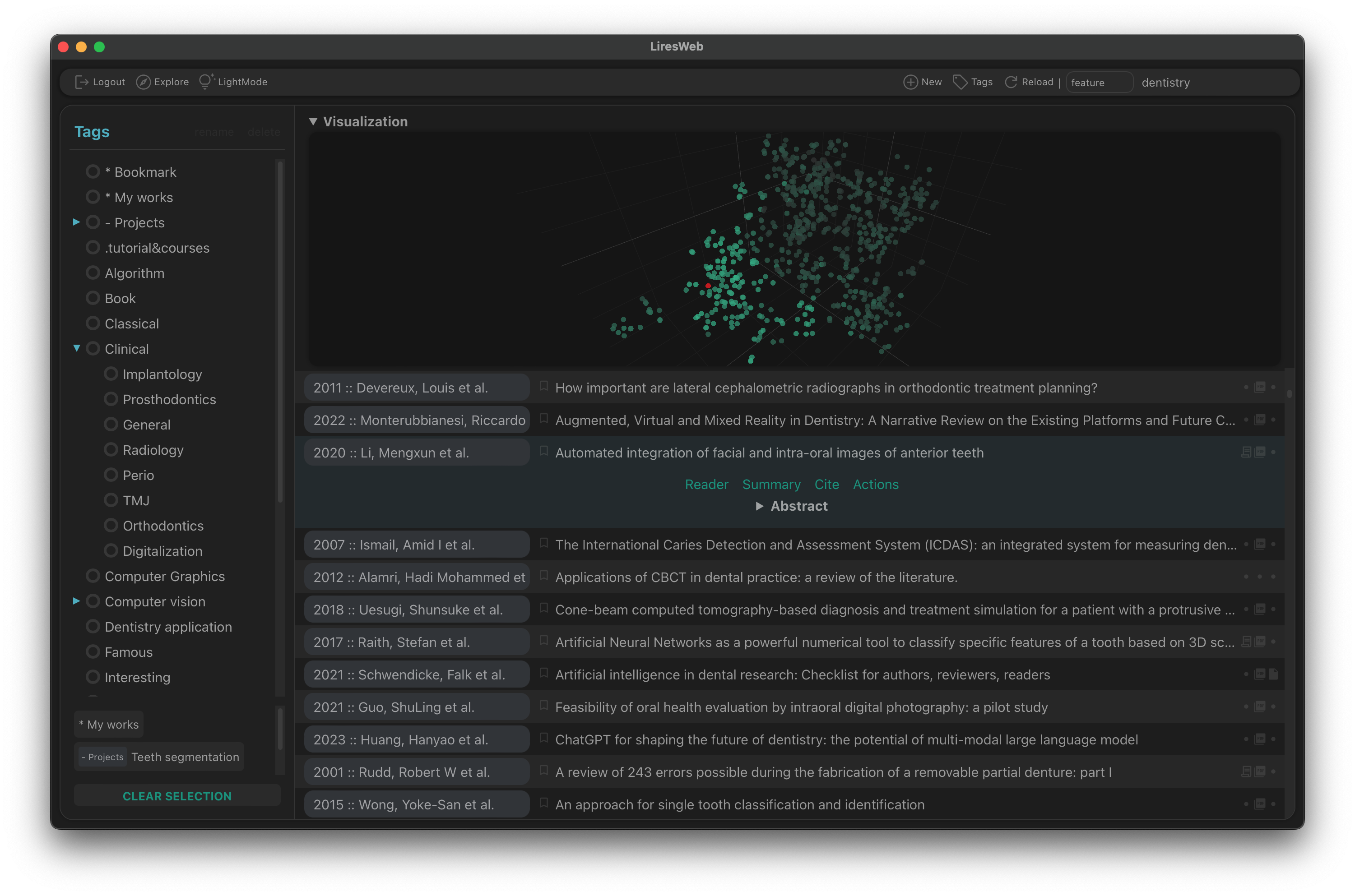
Lires is designed to be deployed onto a server to provide a self-hosted collaborative solution for research literature management.
The software mainly consists of two modules:
lires, the core server, provide APIs for the clientlires-web, the web client for user interactionlires-ai, a stateless AI server for computational intelligence features
Features
📚 Shared database
🔄 Cross-platform
🏷️ Cascading tags
📝 Markdown notes
👥 Multi-user management
✨ Artificial intelligence
Currently, it supports PDF file and provides above mentioned basic features, such as adding tags, notes, and searching. Some advanced features including semantic search, auto summarization and arxiv subscription are also avaliable.
These should be enough for most use cases, more features will be added in the future.
Getting started
Installation:
pip install 'Lires[all]'
Register your first user, the admin user will be able to manage other users using the web interface:
lrs-user add <username> <password> --admin
Start the servers:
lires server    # start the core server
lires iserver   # start the AI server
Now open the browser and visit the WebUI at http://localhost:8080.
Please refer to the documents for more details on getting started.
Manuals and documentations
- Getting started
- Development
- User manual - 中文 (WIP...)
Release history Release notifications | RSS feed


Download files
Download the file for your platform. If you're not sure which to choose, learn more about installing packages.
Source Distribution
File details
Details for the file Lires-1.3.9.tar.gz.
File metadata
- Download URL: Lires-1.3.9.tar.gz
- Upload date:
- Size: 7.4 MB
- Tags: Source
- Uploaded using Trusted Publishing? No
- Uploaded via: twine/4.0.2 CPython/3.10.5
File hashes
| Algorithm | Hash digest | |
|---|---|---|
| SHA256 |
ca4bd8a58faf44dceee641f83ce81f04a6375d1f31dad31c184166d7bceca086
|
|
| MD5 |
0e27c85d6e1d45ea8cf6f8cd8b42dda1
|
|
| BLAKE2b-256 |
a6411827d83348e76213150007c4a457ff9f81dd32bd0a5ee96bfd7456c6cefa
|






