
A package for visualizing embeddings spaces from Hugging Face models

Project description
LlmEmbeddingXrVizualization

A package for visualizing Large Language Model (LLM) embedding spacese from Hugging Face models with just the model name as input!
Inspired by the belief that data should be experienced, not just viewed, we're bridging the gap between 2D plots and spatial understanding in the LLM embeddings space. The fundamental limitation of 2D screens - trying to compress three dimensions into two - has always forced us to sacrifice either information or clarity. Our platform breaks free from these constraints, transforming raw datasets into immersive XR visualizations using nothing but the name of the model from Hugging Face. Every visualization is accessible on your Meta Quest XR Headsets. We're not just plotting data - we're creating a new way to discover insights through spatial exploration, one that respects the true dimensionality of our data.
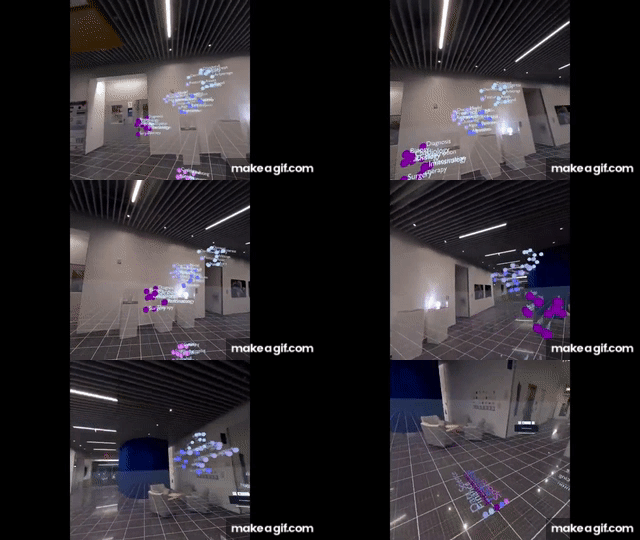
Each word/sentece embedding is meticulously positioned in virtual space, ensuring perfect spatial accuracy and true-to-scale representation. This precision becomes particularly powerful when visualizing LLM embedding spaces - allowing users to physically explore how concepts are related within these models. By walking through the three-dimensional embedding space, researchers can intuitively verify if semantically similar concepts cluster together and identify unexpected relationships that traditional 2D visualizations might miss.
Installation
pip install LlmEmbeddingXrVizualization
Usage
llm-embedding-viz --help
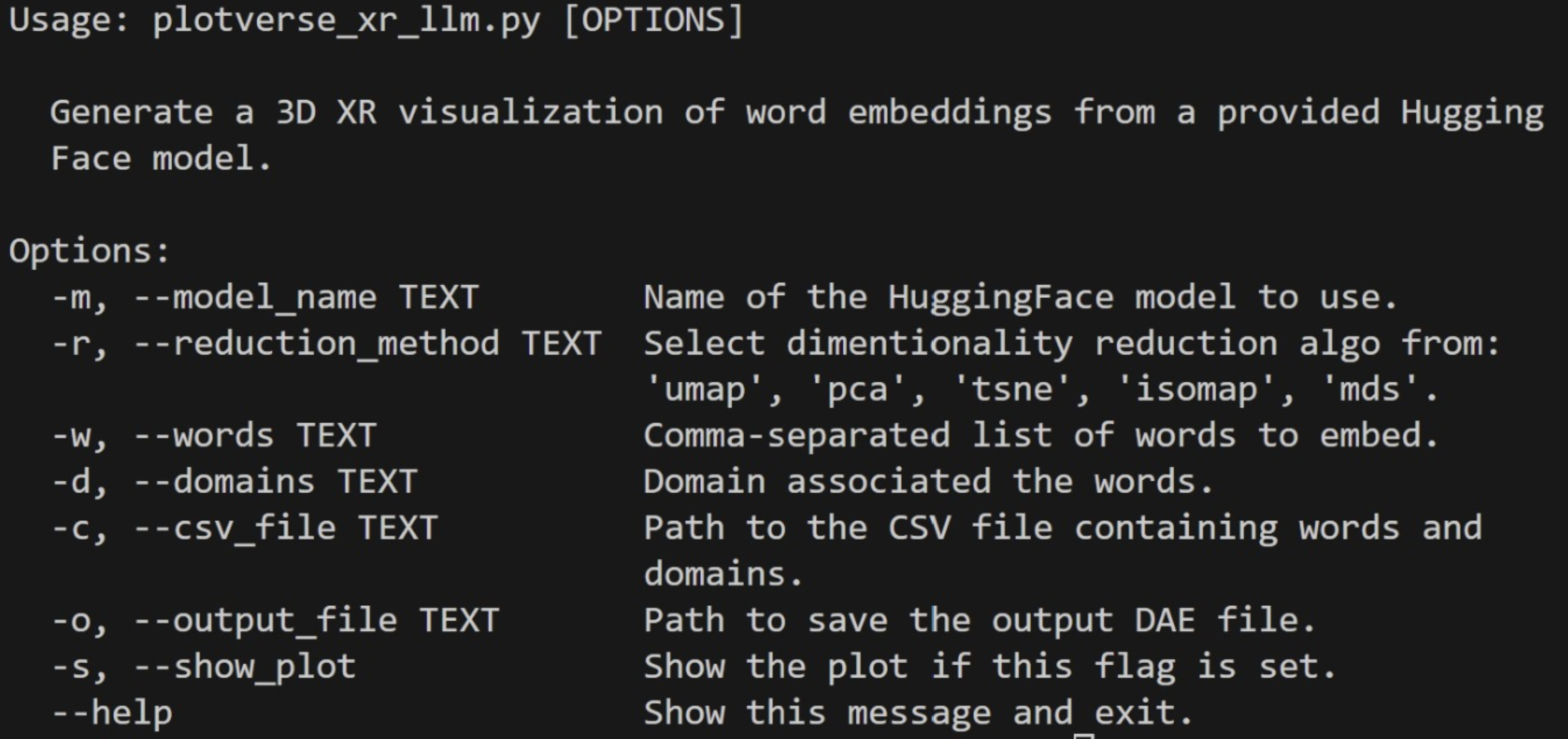
llm-embedding-viz
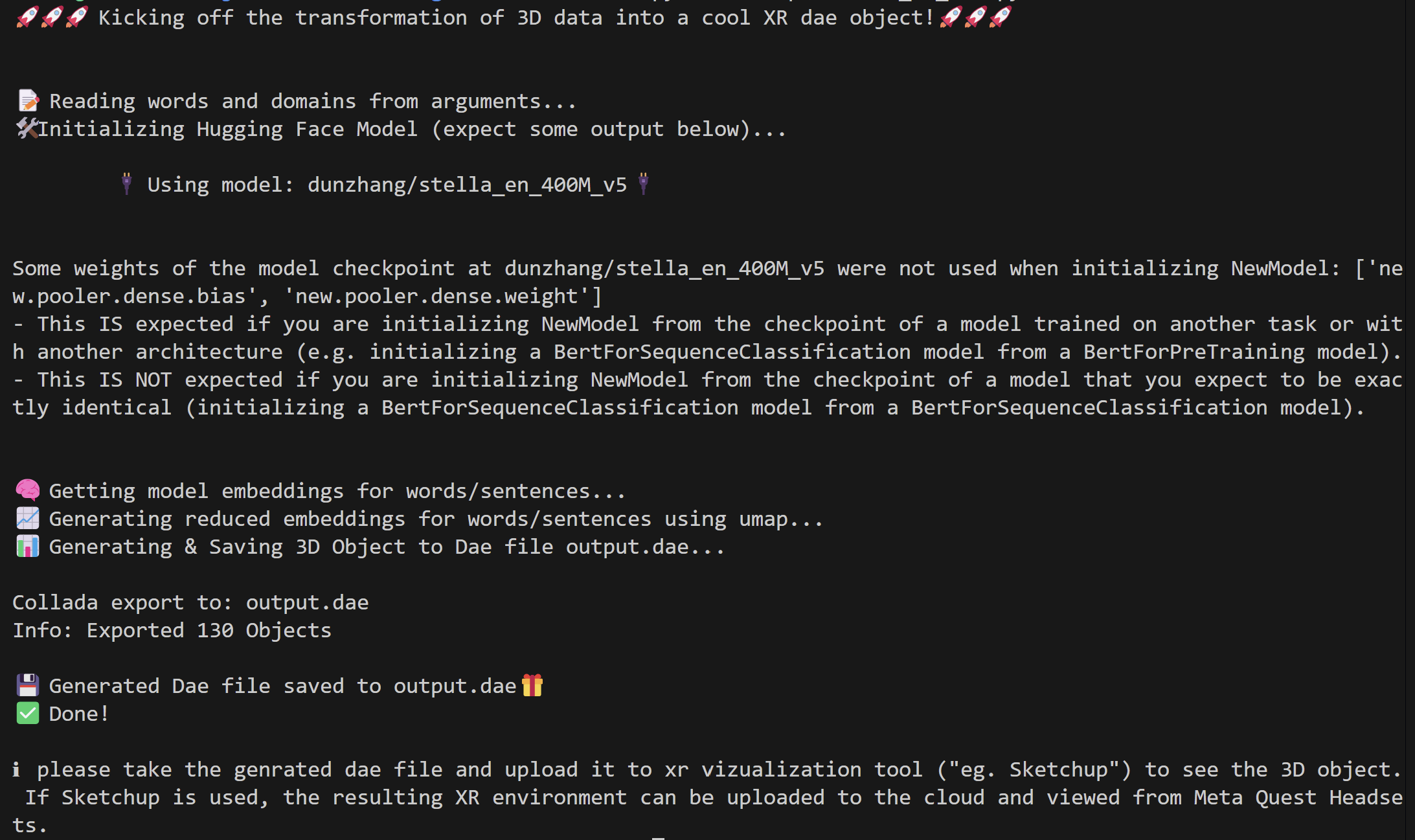
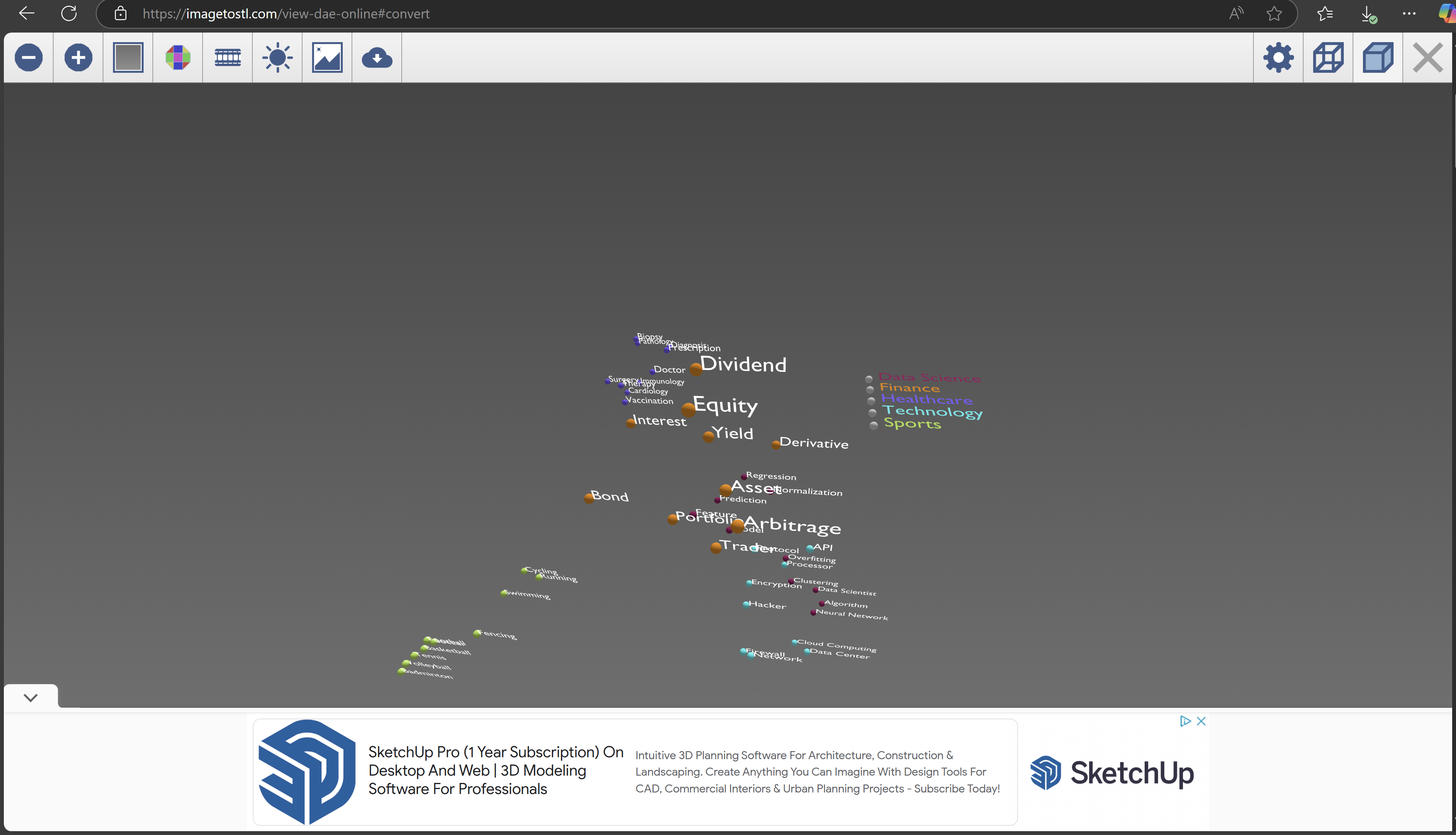
example website to open the generated 3d object ('.dae file').
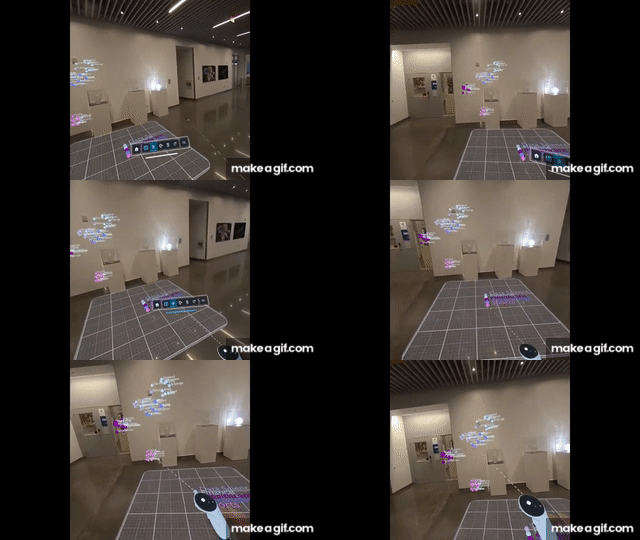
example experience on meta quest 3
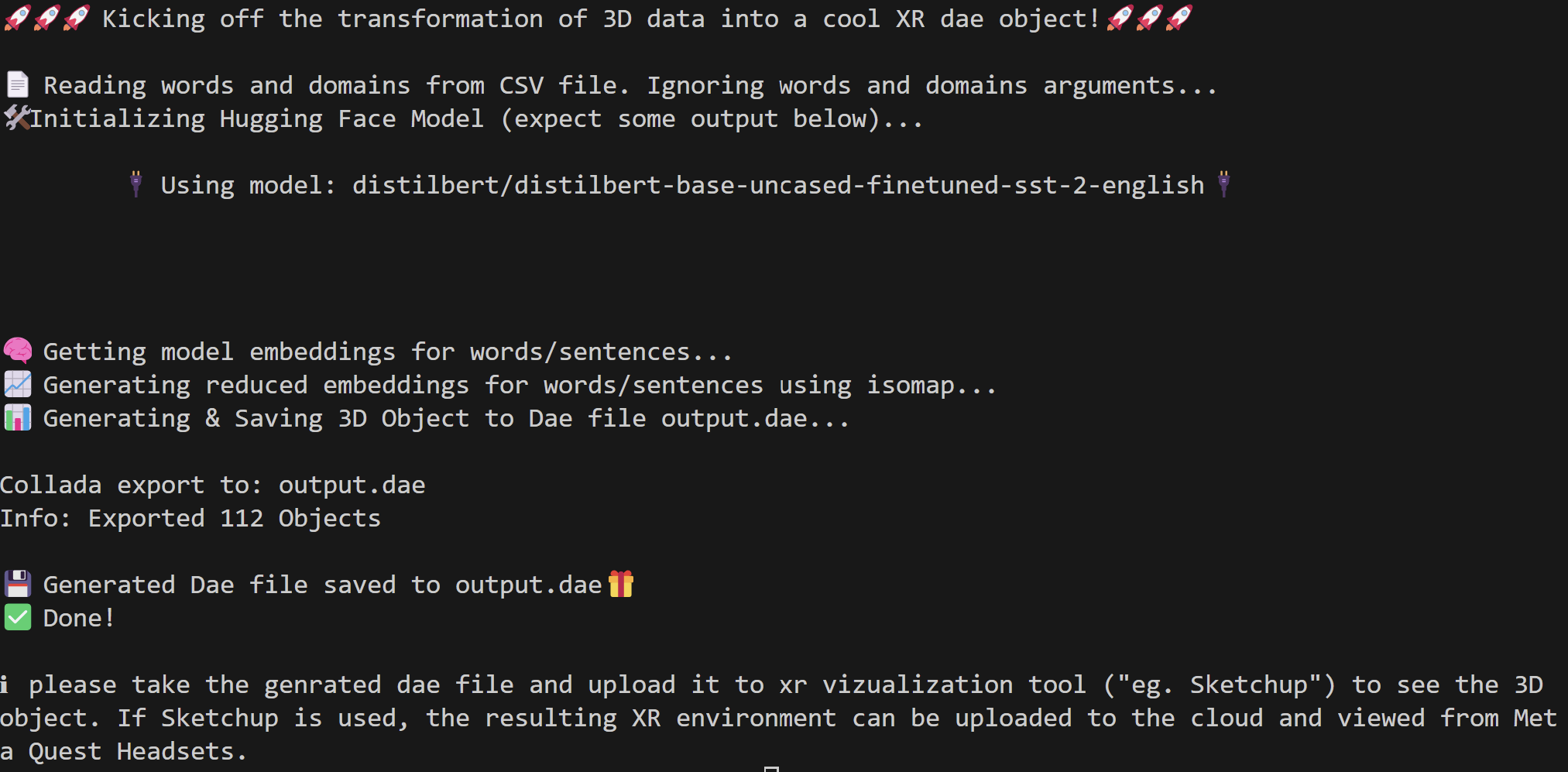
llm-embedding-viz --model_name "distilbert/distilbert-base-uncased-finetuned-sst-2-english" -c path_to_ur_labels_domains.csv -r isomap -s"
The csv file must have 'domains' and 'words' columns.
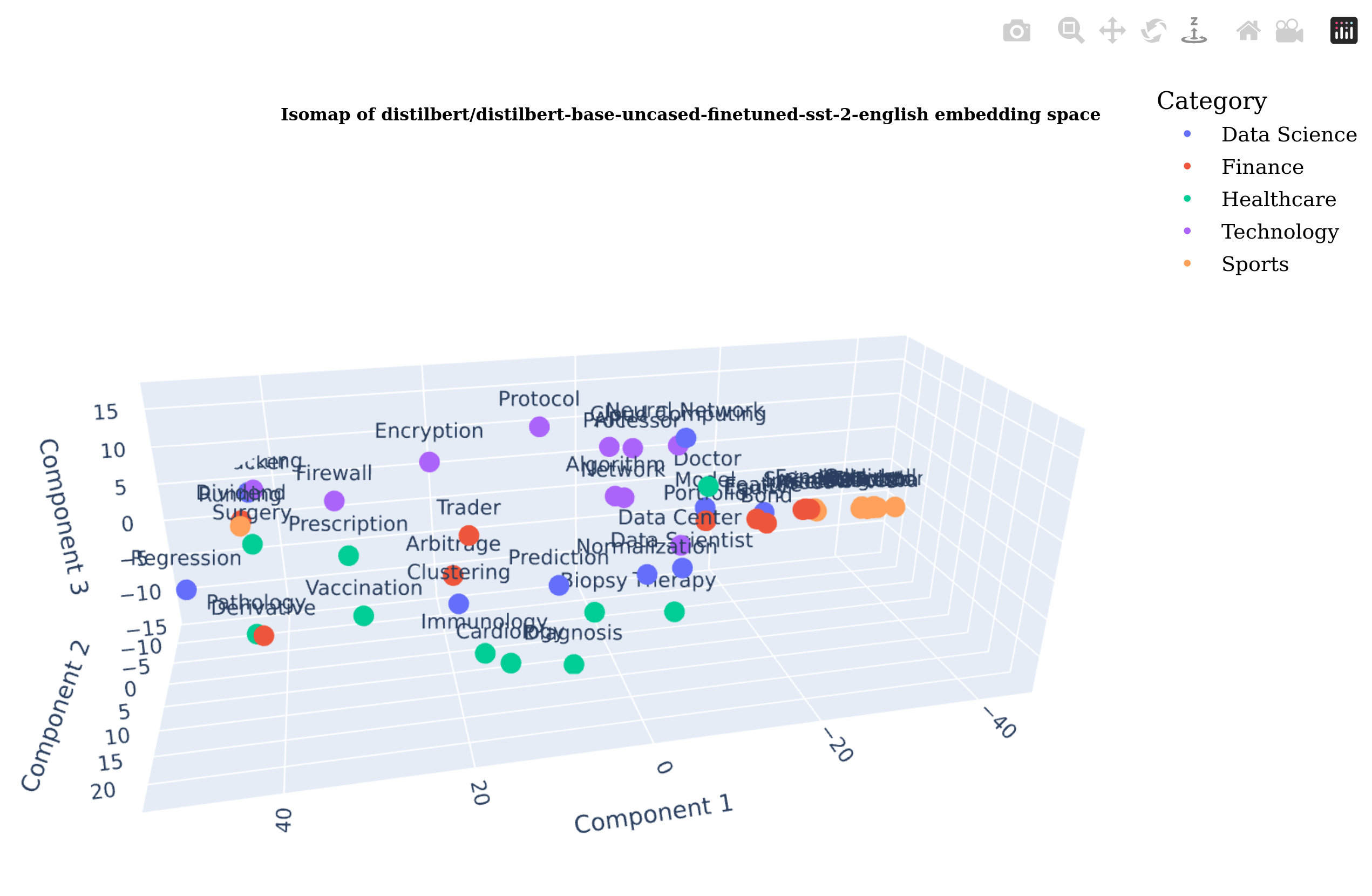
generated plot for -s flag
References
This idea started in a Hacathon: https://devpost.com/software/plotversexr.
Generative Ai such as Github Copilot and Chat GPT was used extensively in this project.
Duke University Xplainable Ai Class: AIPI 590.
Release history Release notifications | RSS feed


Download files
Download the file for your platform. If you're not sure which to choose, learn more about installing packages.
Source Distribution
Built Distribution
Filter files by name, interpreter, ABI, and platform.
If you're not sure about the file name format, learn more about wheel file names.
Copy a direct link to the current filters
File details
Details for the file LlmEmbeddingXrVizualization-0.1.8.tar.gz.
File metadata
- Download URL: LlmEmbeddingXrVizualization-0.1.8.tar.gz
- Upload date:
- Size: 11.4 kB
- Tags: Source
- Uploaded using Trusted Publishing? No
- Uploaded via: twine/6.0.1 CPython/3.10.12
File hashes
| Algorithm | Hash digest | |
|---|---|---|
| SHA256 |
74abe28fdb0f3704759dab11a1e89add2f1319e395d2b1ff0f9f01107c11e0bc
|
|
| MD5 |
0570f59d9f10fc4698ab53ac13924239
|
|
| BLAKE2b-256 |
4d7355c1180103c7152fa7dd9dc1703f5e8a67f3075844a79c95d2fd457fbd5c
|
File details
Details for the file LlmEmbeddingXrVizualization-0.1.8-py3-none-any.whl.
File metadata
- Download URL: LlmEmbeddingXrVizualization-0.1.8-py3-none-any.whl
- Upload date:
- Size: 12.0 kB
- Tags: Python 3
- Uploaded using Trusted Publishing? No
- Uploaded via: twine/6.0.1 CPython/3.10.12
File hashes
| Algorithm | Hash digest | |
|---|---|---|
| SHA256 |
4706ae1830cf61228b31ad755024d89f90b9e091f6086172dc379d2a150fe2a5
|
|
| MD5 |
58a6f3fccb5f9babdd329f74ae326729
|
|
| BLAKE2b-256 |
eafdbb2daee7f1715d28a8d707ef016e6b2d8379b5ee5f2ad173dba3c2e34cd0
|






