
MLDatasetBuilder
MLDatasetBuilder-Version 1.0.0 - A Python package to build Dataset for Machine Learning Whenever we begin a machine learning project, the first thing that we need is a dataset. Datasets will be the pillar of the training model. You can build the dataset either automatically or manually. MLDatasetBuilder is a python package which is helping to prepare the image for your ML dataset.




Author: Karthick Nagarajan
Email: karthick965938@gmail.com
Installation
We can install MLDatasetBuilder package using this command
pip install MLDatasetBuilder
How to test?
When you run python3 in the terminal, it will produce output like this:
Python 3.6.9 (default, Apr 18 2020, 01:56:04)
[GCC 8.4.0] on linux
Type "help", "copyright", "credits" or "license" for more information.
>>>
Run the following code to you can get the Initialize process output for the MLDatasetBuilder package.
>>> from MLDatasetBuilder import *
>>> MLDatasetBuilder()
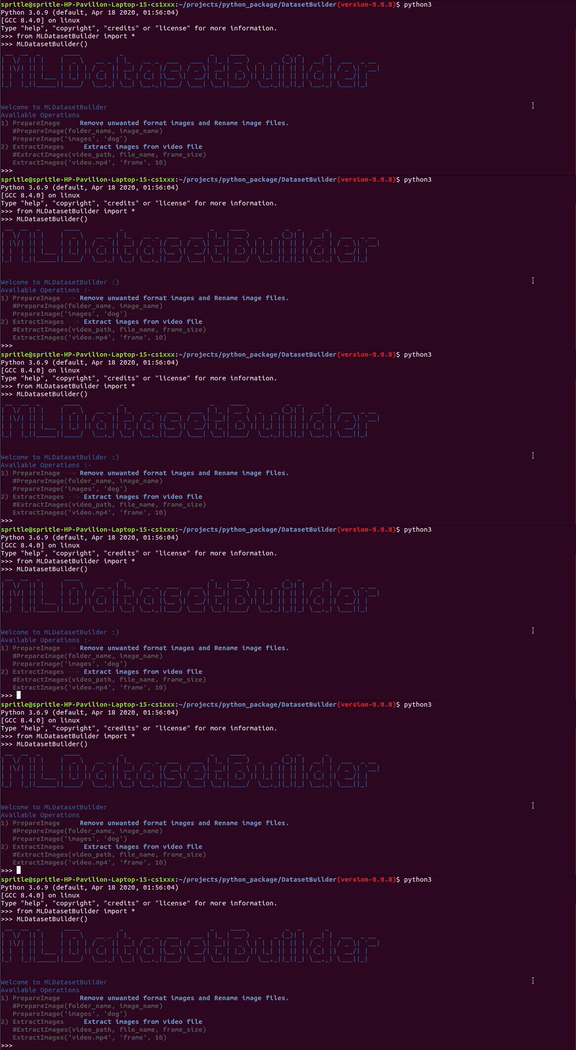
Available Operations
- PrepareImage — Remove unwanted format images and Rename your images
#PrepareImage(folder_name, image_name)
PrepareImage('images', 'dog')
- ExtractImages — Extract images from video file
#ExtractImages(video_path, file_name, frame_size)
ExtractImages('video.mp4', 'frame', 10)
#OR
#ExtractImages(video_path, filename)
ExtractImages('video.mp4', 'frame')
#Default FPS will be 5
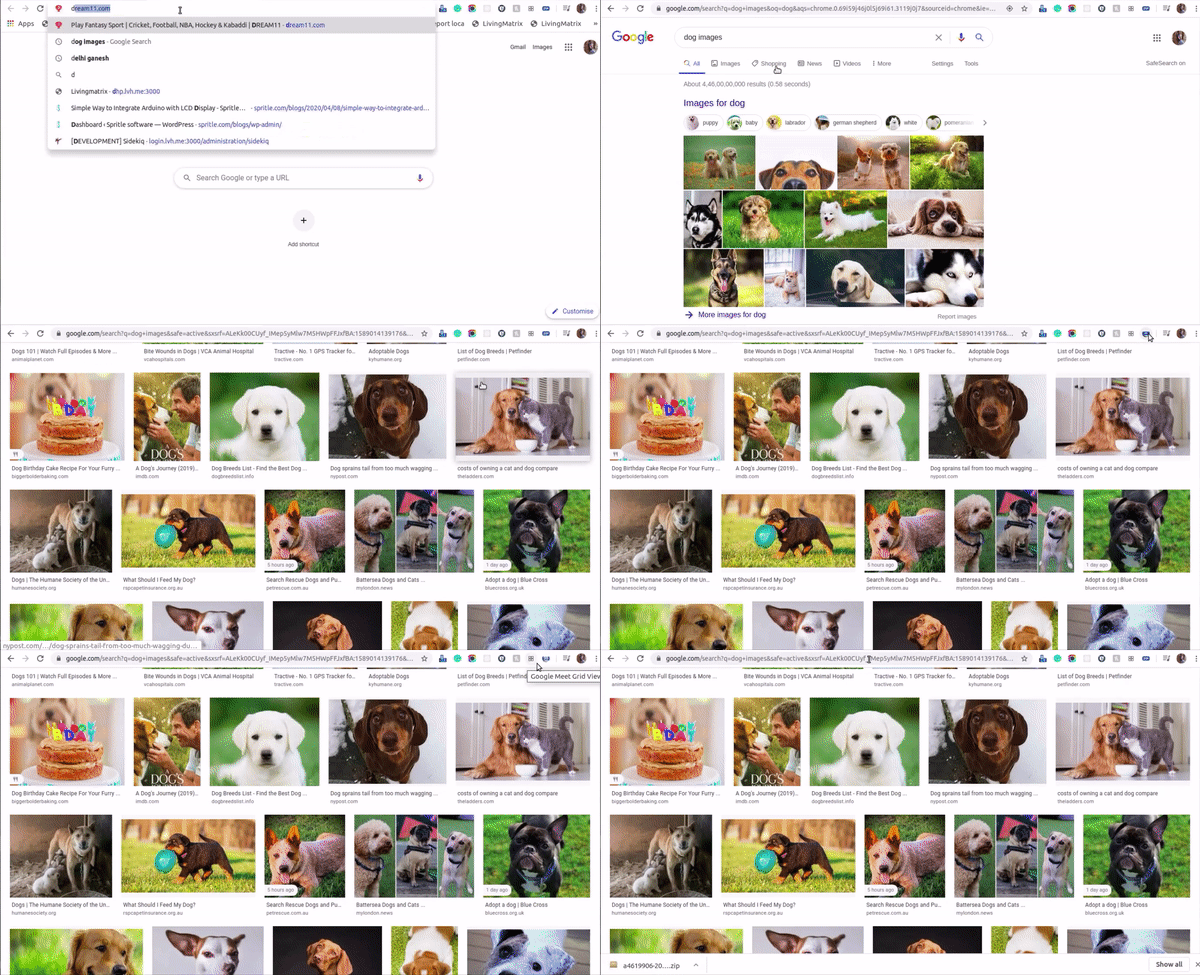
Step1 — Get images from google
Yes, we can get images from Google. Using the Download All Images browser extension we can easily get images in a few minutes. You can check out here for more details about this extension!
Step2 — Create a Python file
Once you have downloaded the images using this extension, you can create a python file called test.py the same directory as below.
download_image_folder/
   _14e839ba-9691-11ea-a968-2ed746e9a968.jpg
   5e5f7af12600004018b602c0.jpeg
   A471529_Alice_b-1.jpg
   image1.png
   image2.png
   ...
test.py
Inside the images folder, you can see lots of png images and random filenames.
Step3 — PrepareImage
MLDatasetBuilder provides a method called PrepareImage. Using this method to we can remove the unwanted images and rename your image files which are already you have downloaded from the browser’s extensions.
PrepareImage(folder_name, image_name)
#PrepareImage('images', 'dog')
As per the above code, we need to mention the image folder path and class name.
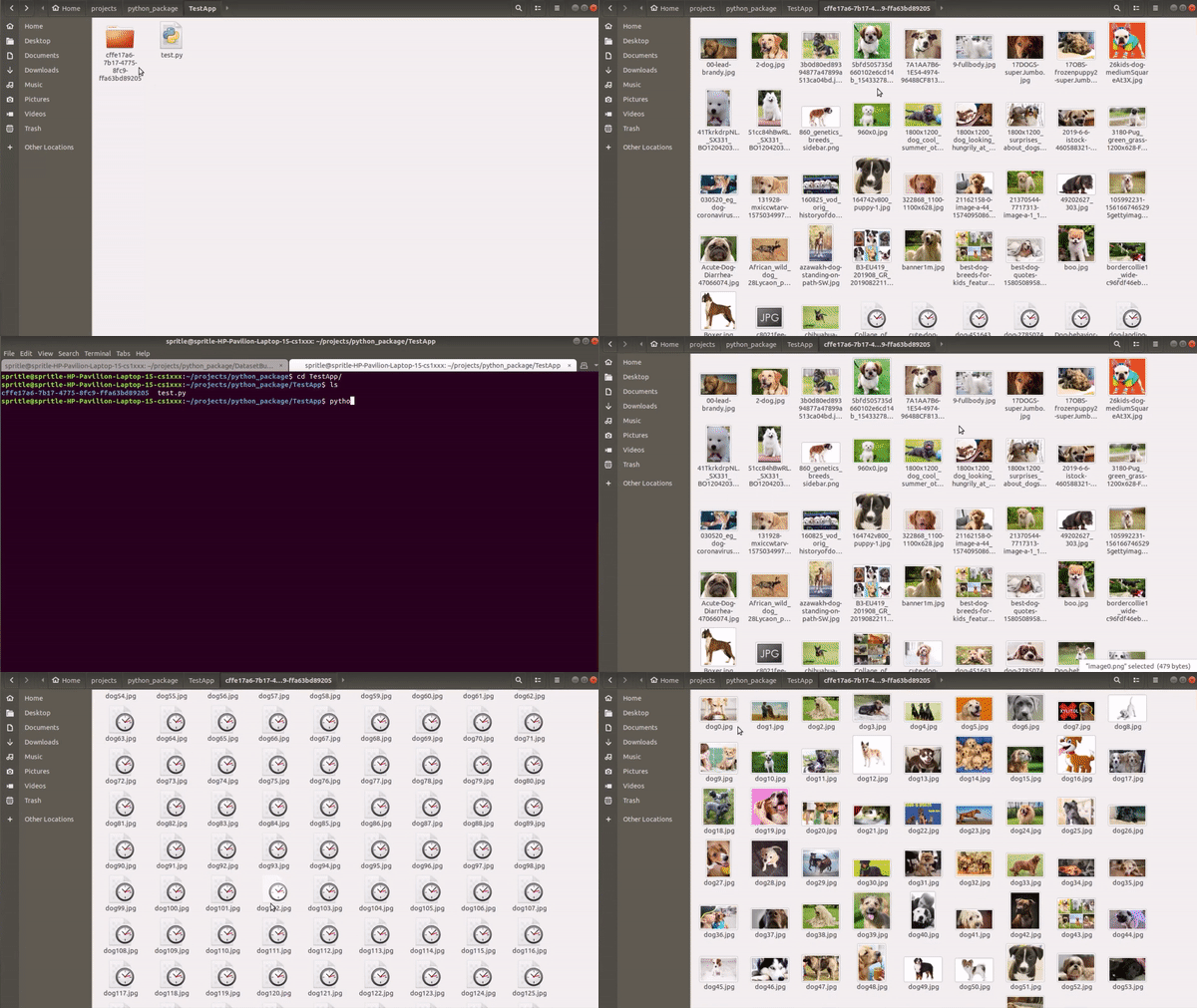
After completing the process your image folder structure will look like below
download_image_folder/
   dog_0.jpg
   dog_1.jpg
   dog_2.jpg
   dog_3.png
   dog_4.png
   ...
test.py
This process very helps to annotate your images while labeling. And of course, it will be like one of the standardized things.
Step4 — ExtractImage
MLDatasetBuilder also provides a method called ExtractImages. Using this method we can extract the images from the video files.
download_image_folder/
video.mp4
test.py
As per the below code, we need to mention the video path, folder name, and framesize. Folder name will the class name and framesize’s default value 5 and it’s not mandatory.
ExtractImages(video_path, folder_name, framesize)
#ExtractImages('video.mp4', 'frame', 10)
ExtractImages(video_path, folder_name)
#ExtractImages('video.mp4', 'frame')
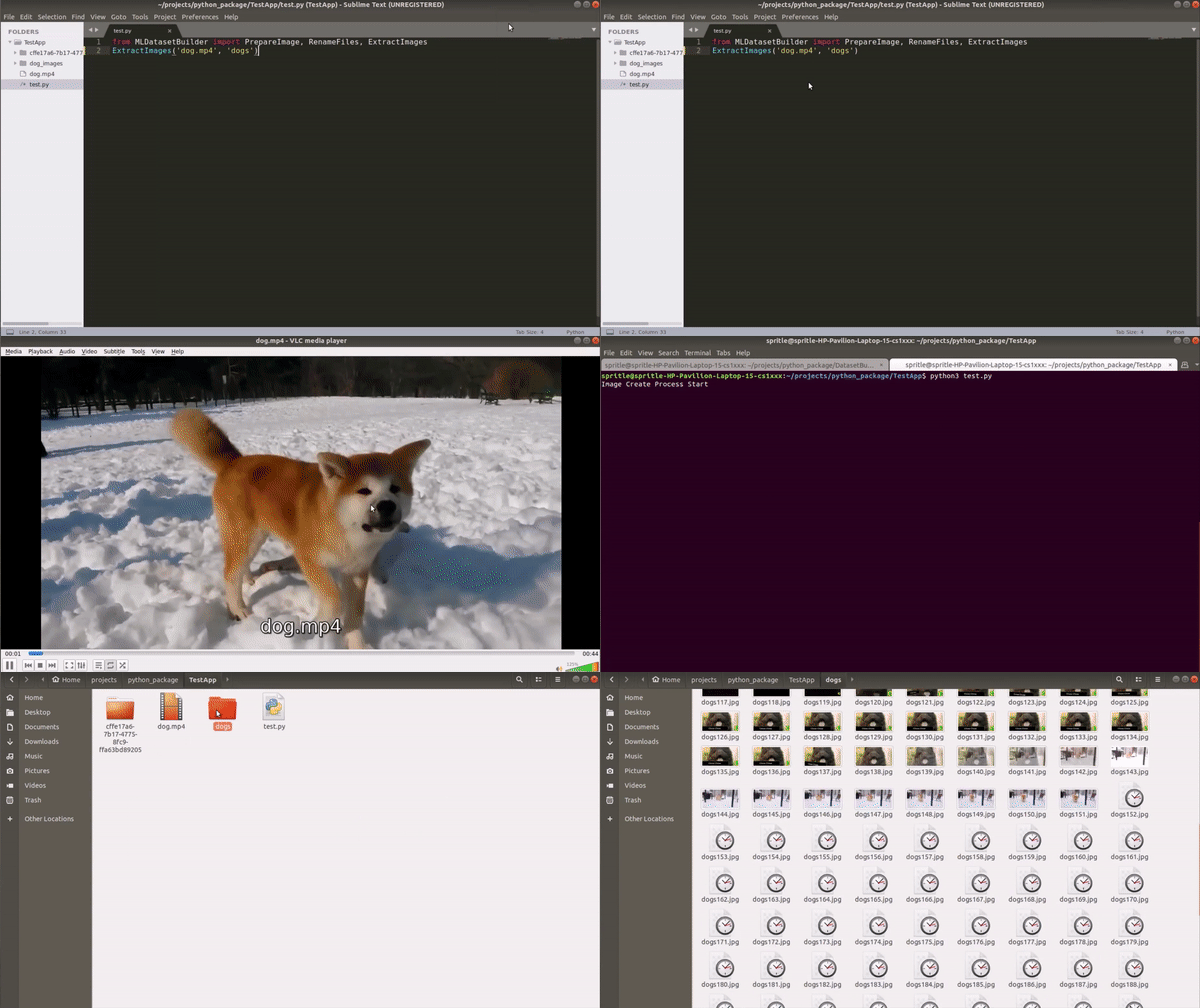
After completing the process your image folder structure will look like below
download_image_folder/
dog/
   dog_0.jpg
   dog_1.jpg
   dog_2.jpg
   dog_3.png
   dog_4.png
   ...
dog.mp4
test.py
Contributing
All issues and pull requests are welcome! To run the code locally, first, fork the repository and then run the following commands on your computer:
git clone https://github.com/<your-username>/ML-Dataset-Builder.git
cd ML-Dataset-Builder
# Recommended creating a virtual environment before the next step
pip3 install -r requirements.txt
When adding code, be sure to write unit tests where necessary.
Contact
MLDatasetBuilder was created by Karthick Nagarajan. Feel free to reach out on Twitter or through Email!
1 maintainer

Metadata
1 maintainer
Release files for MLDatasetBuilder 1.0.0
For a detailed explanation of source distributions (sdists) and built distributions (wheels), please see the package formats documentation.
Source distribution (sdist)
| File | Size | Uploaded | |
|---|---|---|---|
| MLDatasetBuilder-1.0.0.tar.gz | 4.9 kB | Details |
Built distribution (wheel)
| File | Interpreter | ABI | Platform | Reset |
|---|---|---|---|---|
| MLDatasetBuilder-1.0.0-py3-none-any.whl | Python 3 | none | any | Details |
Total release size: 10.8 kB
Release files / MLDatasetBuilder-1.0.0.tar.gz
| Download URL | MLDatasetBuilder-1.0.0.tar.gz |
|---|---|
| Size | 4.9 kB |
| Tags | Source |
|
SHA-256 checksum How to use checksums |
d3da9bc79b1cb197b3b3ddccfa1d21869859fd03fb9d797a2bc4ce83ed0d3d87
|
|
BLAKE2b-256 checksum How to use checksums |
e97a673dc76911dfe131b440124f5f7529386eef854462411cf624d804677b35
|
| Upload date | |
|
Uploaded using Trusted Publishing? What is trusted publishing? |
No |
| Uploaded via |
twine/3.1.1 pkginfo/1.5.0.1 requests/2.23.0 setuptools/46.4.0 requests-toolbelt/0.9.1 tqdm/4.47.0 CPython/3.6.9
|
Release files / MLDatasetBuilder-1.0.0-py3-none-any.whl
| Download URL | MLDatasetBuilder-1.0.0-py3-none-any.whl |
|---|---|
| Size | 5.9 kB |
| Tags | Python 3 |
|
SHA-256 checksum How to use checksums |
db7215d13cdf9d6f2db7918af2ccb2534499c5c1acbc3b69b5cce07252676b74
|
|
BLAKE2b-256 checksum How to use checksums |
b9c4fbaf0a137eb260a43099c4717154748f8877c6aacf8027bd142339fcfe28
|
| Upload date | |
|
Uploaded using Trusted Publishing? What is trusted publishing? |
No |
| Uploaded via |
twine/3.1.1 pkginfo/1.5.0.1 requests/2.23.0 setuptools/46.4.0 requests-toolbelt/0.9.1 tqdm/4.47.0 CPython/3.6.9
|














