
ManipulaPy








A modern, GPU-accelerated Python package for robot manipulator kinematics, dynamics, planning, simulation, control, and perception.
Quick start • Documentation • Examples • Changelog • Contributing
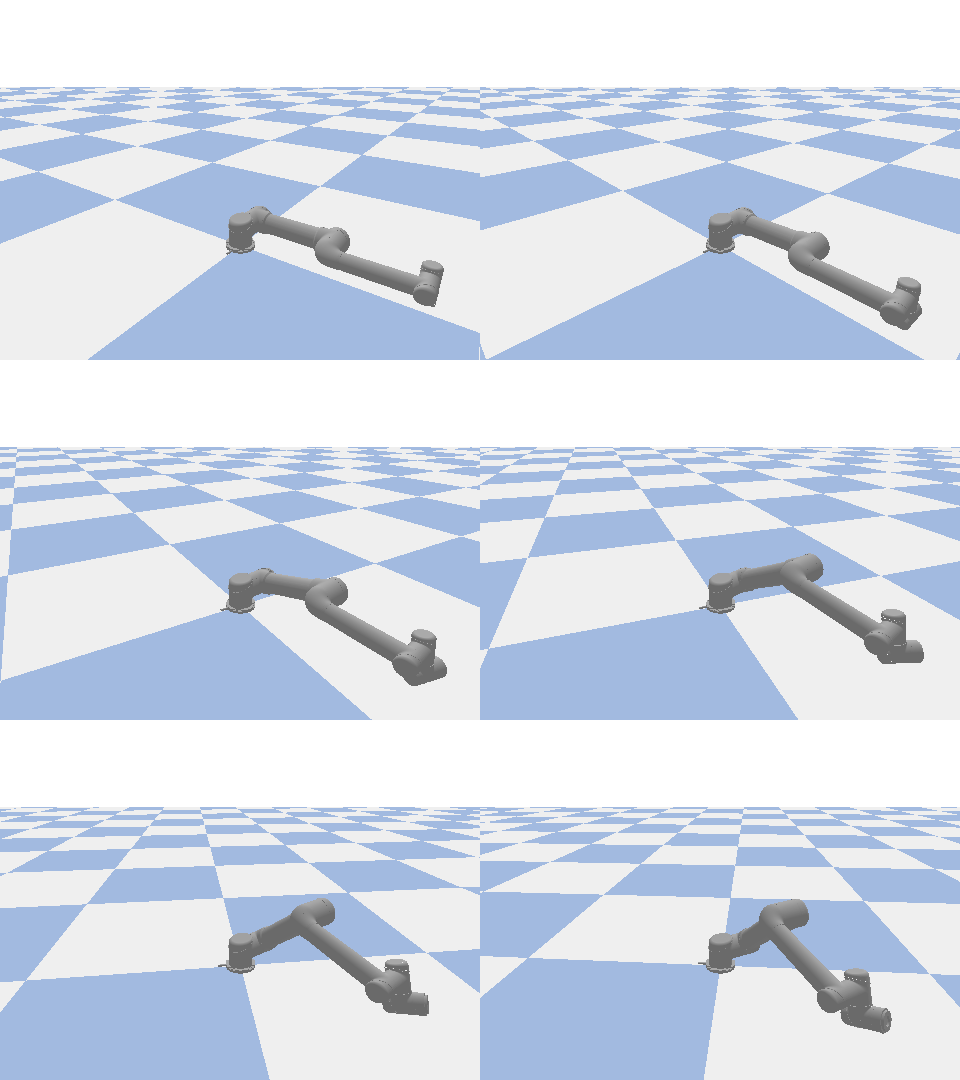
Why ManipulaPy
Most Python robotics packages cover one slice well — kinematics, simulation, or perception — and force you to glue the rest together. ManipulaPy ships the full stack with a consistent API:
- Unified surface — kinematics, dynamics, control, planning, simulation, and vision share the same
SerialManipulator/ManipulatorDynamicsobjects. - Differentiable, on four backends — the same kinematics and dynamics run on NumPy, CuPy, PyTorch, or JAX behind one dispatch API. Under PyTorch and JAX the core math is autodiff-safe, so
∂FK/∂θand∂(inverse dynamics)/∂θcome straight fromtorch.autogradorjax.grad— no finite differences, no second implementation to keep in sync. - GPU when it pays, CPU when it doesn't — CUDA trajectory and dynamics kernels auto-switch on problem size; the default install is lightweight (NumPy/SciPy/Matplotlib/Numba/Pillow) and heavy deps live behind optional extras.
- Production-ready URDF — native NumPy 2.0–compatible parser with
package://,file://, and ROS package discovery built in. - 25 bundled robots — Universal Robots, Fanuc, KUKA, Kinova, Franka, UFactory, Robotiq, ABB. Load any of them by name.
Quick start
Install
# Lightweight default — kinematics, dynamics, control, native URDF parser, CPU trajectories
pip install ManipulaPy

# Add the features you need:
pip install "ManipulaPy[simulation]"   # PyBullet physics + visualization
pip install "ManipulaPy[urdf]"         # trimesh-backed mesh loading
pip install "ManipulaPy[vision]"       # OpenCV + Ultralytics YOLO + torch
pip install "ManipulaPy[ml]"           # scikit-learn (DBSCAN clustering)
pip install "ManipulaPy[cuda]"         # CuPy 13.x for CUDA 12.x toolchains
pip install "ManipulaPy[pytorch]"      # PyTorch backend — differentiable core math
pip install "ManipulaPy[jax-cpu]"      # JAX backend (CPU); [jax-cuda] for CUDA 12
pip install "ManipulaPy[all]"          # everything above except the JAX GPU/TPU wheels
For CUDA 11.x toolchains use [gpu-cuda11]; for AMD/ROCm use [gpu-rocm]. Full matrix in the Installation Guide.
Apple Silicon (M1/M2/M3)
The default pip install ManipulaPy installs cleanly — all CPU features (kinematics, IK, dynamics, trajectory planning) work natively on macOS ARM. PyPI ships no pybullet wheel for Apple Silicon, so a source build can fail under Clang; if you need the [simulation] extra, install PyBullet from conda-forge first:
conda install -c conda-forge pybullet
pip install ManipulaPy            # or: pip install "ManipulaPy[simulation]"
CUDA/GPU features are not available on macOS — the [cuda] extra is skipped automatically (sys_platform != 'darwin').
Requirements
| Supported | Notes | |
|---|---|---|
| Python | 3.9 – 3.12 | CI matrix runs all four; 3.12 added in v1.3.2 |
| OS | Linux (primary) · macOS · Windows | CUDA extras Linux-only |
| CPU stack | NumPy ≥ 2.0,< 3.0 · SciPy ≥ 1.13 · Numba ≥ 0.60 · Matplotlib ≥ 3.9 · Pillow ≥ 8.0 | Installed by default |
| GPU stack | CUDA 12.x via [cuda] · CUDA 11.x via [gpu-cuda11] |
NVIDIA, compute capability ≥ 6.0 |
| Simulation | PyBullet ≥ 3.2 | Optional, [simulation] extra |
| Vision | OpenCV ≥ 4.8.1 · Ultralytics ≥ 8.4 · PyTorch ≥ 2.7.1 | Optional, [vision] extra |
| Backends | PyTorch ≥ 2.7.1 via [pytorch] · JAX ≥ 0.6 via [jax-cpu] / [jax-cuda] |
Optional, differentiable core math |
Verify
import ManipulaPy
ManipulaPy.check_dependencies()    # ✅/❌ for each feature
30-second demo
import numpy as np
from ManipulaPy.urdf import URDF
from ManipulaPy.ManipulaPy_data import get_robot_urdf
from ManipulaPy.path_planning import OptimizedTrajectoryPlanning

# Load any of the 25 bundled robots by name
robot_urdf = get_robot_urdf("ur5")
robot = URDF.load(robot_urdf)
serial = robot.to_serial_manipulator()
dynamics = robot.to_manipulator_dynamics()

# Forward kinematics
joint_angles = np.array([0.1, 0.2, -0.3, -0.5, 0.2, 0.1])
T = serial.forward_kinematics(joint_angles)
print("end-effector:", T[:3, 3])

# Trajectory planning — auto-switches to GPU when problem is large enough
planner = OptimizedTrajectoryPlanning(
    serial, robot_urdf, dynamics, joint_limits=[(-np.pi, np.pi)] * 6,
)
traj = planner.joint_trajectory(
    thetastart=np.zeros(6), thetaend=joint_angles,
    Tf=5.0, N=1000, method=5,   # 5 = quintic; 3 = cubic; 1 = linear
)
print(f"trajectory: {traj['positions'].shape[0]} points")
That snippet runs end-to-end on a default pip install ManipulaPy — no GPU required. With the [cuda] extra installed, the planner transparently routes large problems (≥ ~1000 waypoints) through the CUDA kernels for 40×+ speedup.
Guided tour
The same serial / dynamics objects from the demo above feed every module. The snippets below build on that setup.
Inverse kinematics — three solvers, one interface
from ManipulaPy.kinematics import SerialManipulator  # already loaded as `serial`

# Target pose: 30 cm forward, 20 cm up, no rotation change
T_target = serial.forward_kinematics(np.zeros(6))
T_target[:3, 3] += np.array([0.30, 0.0, 0.20])

# 1. Damped least-squares (fast, single seed)
q_dls, ok, _iters = serial.iterative_inverse_kinematics(
    T_target, thetalist0=np.zeros(6),
)

# 2. Smart IK — picks an initial guess based on a workspace heuristic
q_smart, ok, _iters = serial.smart_inverse_kinematics(
    T_target, strategy="workspace_heuristic", theta_current=np.zeros(6),
)

# 3. Robust multi-start + SQP fallback for tough poses
q_robust, ok, _attempts, solver_name = serial.robust_inverse_kinematics(
    T_target, max_attempts=10,
)
smart_inverse_kinematics picks an initial guess strategy (workspace heuristic, cached previous solution, etc.) and dispatches to the underlying DLS / SQP / TRAC-IK solver — see ManipulaPy/ik_helpers.py.
Dynamics — mass matrix, gravity, inverse/forward
q  = np.array([0.1, 0.2, -0.3, -0.5, 0.2, 0.1])
qd = np.zeros(6)
qdd_des = np.array([0.1, 0.0, -0.1, 0.0, 0.0, 0.0])
g = np.array([0.0, 0.0, -9.81])
F_ext = np.zeros(6)

M = dynamics.mass_matrix(q)                              # (n, n)
c = dynamics.velocity_quadratic_forces(q, qd)            # (n,)
g_forces = dynamics.gravity_forces(q, g)                 # (n,)
tau = dynamics.inverse_dynamics(q, qd, qdd_des, g, F_ext)  # required torques
qdd = dynamics.forward_dynamics(q, qd, tau, g, F_ext)      # resulting accel
Control — PID and computed-torque in one line each
from ManipulaPy.control import ManipulatorController

ctrl = ManipulatorController(dynamics)
Kp, Ki, Kd = np.full(6, 80.0), np.full(6, 1.5), np.full(6, 20.0)
q_des = np.array([0.2, -0.1, 0.4, -0.3, 0.1, 0.0])

# PID step (joint-space)
tau_pid = ctrl.pid_control(
    thetalistd=q_des, dthetalistd=np.zeros(6),
    thetalist=q,      dthetalist=qd,
    dt=0.01, Kp=Kp, Ki=Ki, Kd=Kd,
)

# Computed-torque step (cancels the nonlinear dynamics)
tau_ctc = ctrl.computed_torque_control(
    thetalistd=q_des, dthetalistd=np.zeros(6), ddthetalistd=np.zeros(6),
    thetalist=q,      dthetalist=qd,
    g=g, dt=0.01, Kp=Kp, Ki=Ki, Kd=Kd,
)

# Ziegler-Nichols auto-tuning from a measured ultimate gain/period
Kp_t, Ki_t, Kd_t = ctrl.ziegler_nichols_tuning(Ku=120.0, Tu=0.65, kind="PID")
Also available: robust_control, adaptive_control, feedforward_control, kalman_filter_control, plus settling-time / overshoot / rise-time analysis helpers.
Simulation — PyBullet, with or without GUI
from ManipulaPy.sim import Simulation

sim = Simulation(
    urdf_file_path=robot_urdf,
    joint_limits=[(-np.pi, np.pi)] * 6,
    torque_limits=[(-150, 150)] * 6,
    time_step=1/240,
)
sim.initialize_robot()
sim.set_robot_models(serial, dynamics)
sim.run_trajectory(traj["positions"])     # replay the planner output
sim.close_simulation()
Simulation works headlessly through PyBullet DIRECT mode (CI-friendly) or with the GUI sliders enabled. Trajectory replay, joint-parameter sliders, end-effector trail visualization, and a reset button are all built in.
Vision — capture, detect, cluster
from ManipulaPy.vision import Vision
from ManipulaPy.perception import Perception

vision = Vision(camera_configs=[{"device_index": 0, "intrinsic_matrix": K}])
rgb = vision.capture_image(camera_index=0)
# `depth` here is a same-shape ndarray from a depth sensor or stereo reconstruction.

# YOLOv8 detection + depth back-projection in one call (requires [vision])
positions, labels = vision.detect_obstacles(
    depth_image=depth, rgb_image=rgb, depth_threshold=5.0,
)

# Or go one level up: capture + detect + DBSCAN cluster (requires [vision, ml])
perception = Perception(vision_instance=vision)
points, cluster_labels = perception.detect_and_cluster_obstacles(
    camera_index=0, depth_threshold=5.0, eps=0.05, min_samples=10,
)
Stereo rectification, disparity, and 3D point-cloud generation live on the same Vision class — see Examples/advanced_examples/stereo_vision_advanced_demo.py.
Package layout
ManipulaPy/
├── backend/             # Array-backend protocol + registry — NumPy · CuPy · PyTorch · JAX
├── utils/               # SO(3)/SE(3) screw math, exponentials, logarithms, time scaling
├── kinematics/          # SerialManipulator — FK, IK (DLS/SQP/TRAC-IK/smart), Jacobians
├── dynamics/            # ManipulatorDynamics — M, C, g, inverse / forward dynamics
├── control/             # ManipulatorController — PID, CTC, adaptive, robust, Kalman
├── planning/            # OptimizedTrajectoryPlanning — CPU/GPU quintic·cubic·linear
├── singularity/         # Manipulability ellipsoid, condition number, MC workspace
├── potential_field/     # Attractive + repulsive fields (sign-corrected in v1.3.2)
├── urdf/                # Native URDF parser — package://, file://, ROS discovery
│   ├── parser.py        #   v1.3.2: NumPy 2.0 compatible, no urchin dependency
│   ├── resolver.py      #   PackageResolver — explicit overrides + auto-discovery
│   └── scene.py         #   Visualization / kinematic tree introspection
├── sim/                 # PyBullet wrapper                        [simulation]
├── vision.py            # OpenCV + Ultralytics YOLO + stereo      [vision]
├── perception.py        # Depth → obstacles + DBSCAN clustering   [vision, ml]
├── cuda_kernels/        # Numba/CuPy kernel registry              [cuda]
└── ManipulaPy_data/     # 25 bundled robot URDFs + meshes
The library is layered: every higher-level module depends only on the ones above it in this list. You can use kinematics / dynamics / control / planning end-to-end with zero optional dependencies installed.
Most of these were single modules before v1.4 and became packages during the backend migration. Existing imports keep working — ManipulaPy.path_planning and ManipulaPy.ik_helpers remain importable as compatibility shims, and the public API is frozen by a regression test.
What it looks like
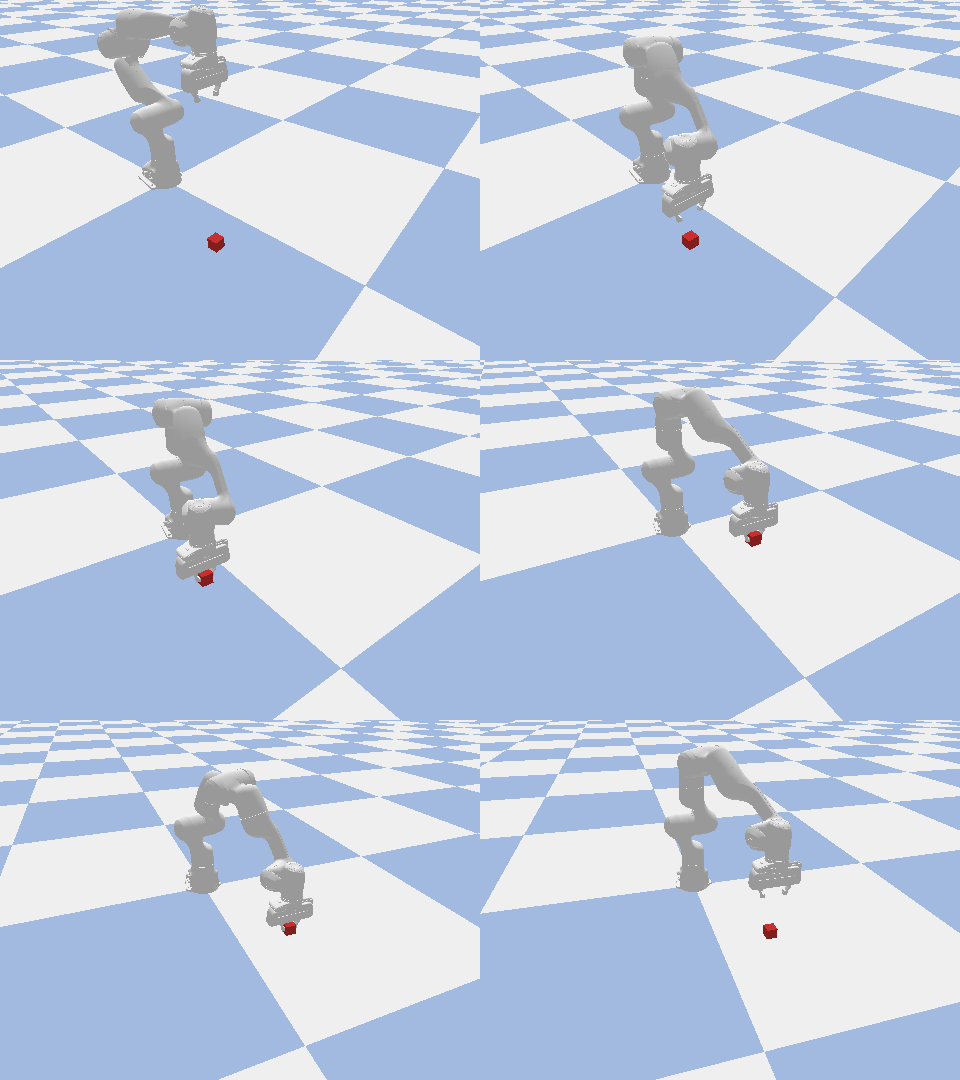
Pick and place Panda lifts a cube to a new pose along a quintic-timed path. |
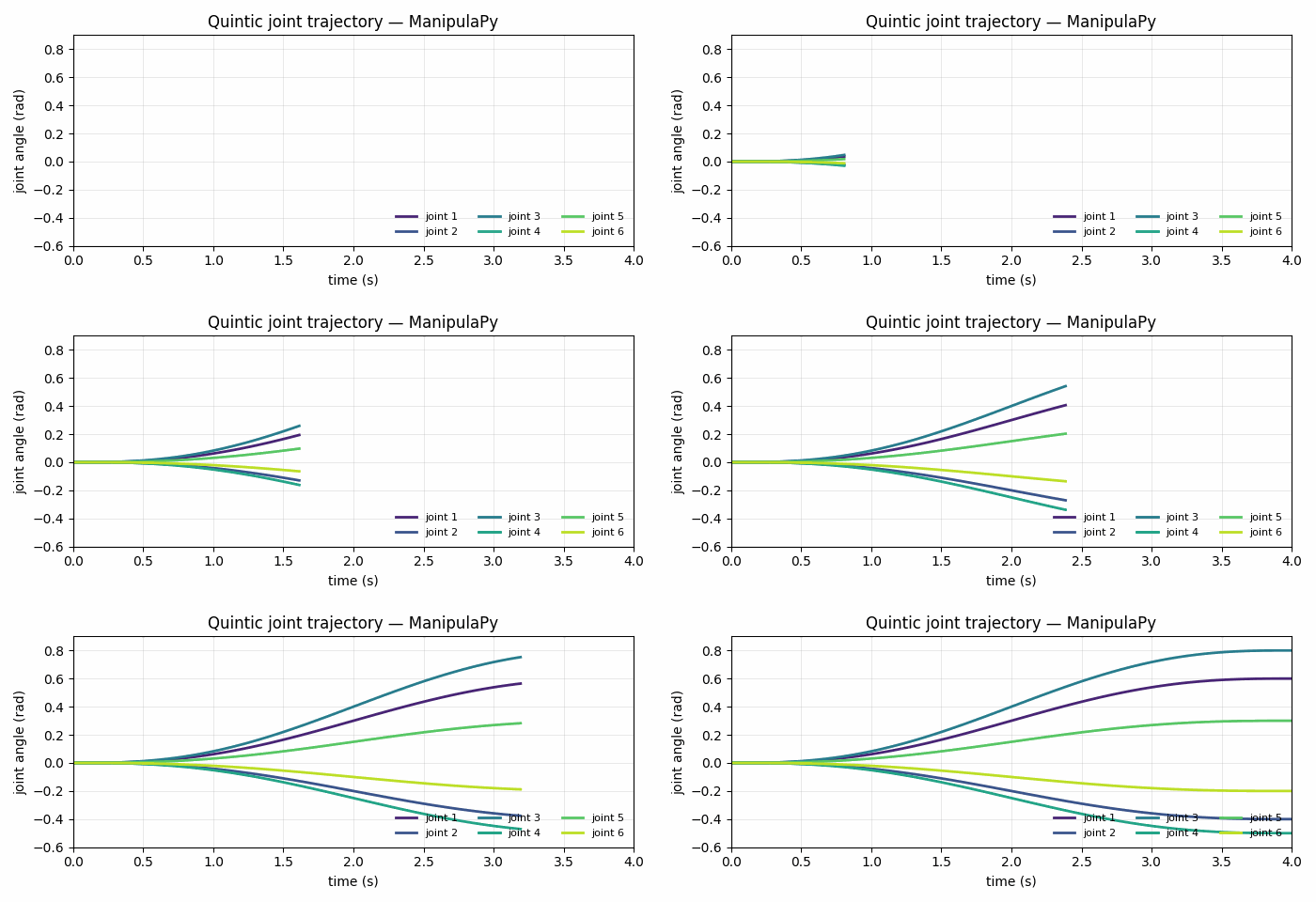
Trajectory planning Quintic time-scaled joint trajectory, CPU or CUDA. |
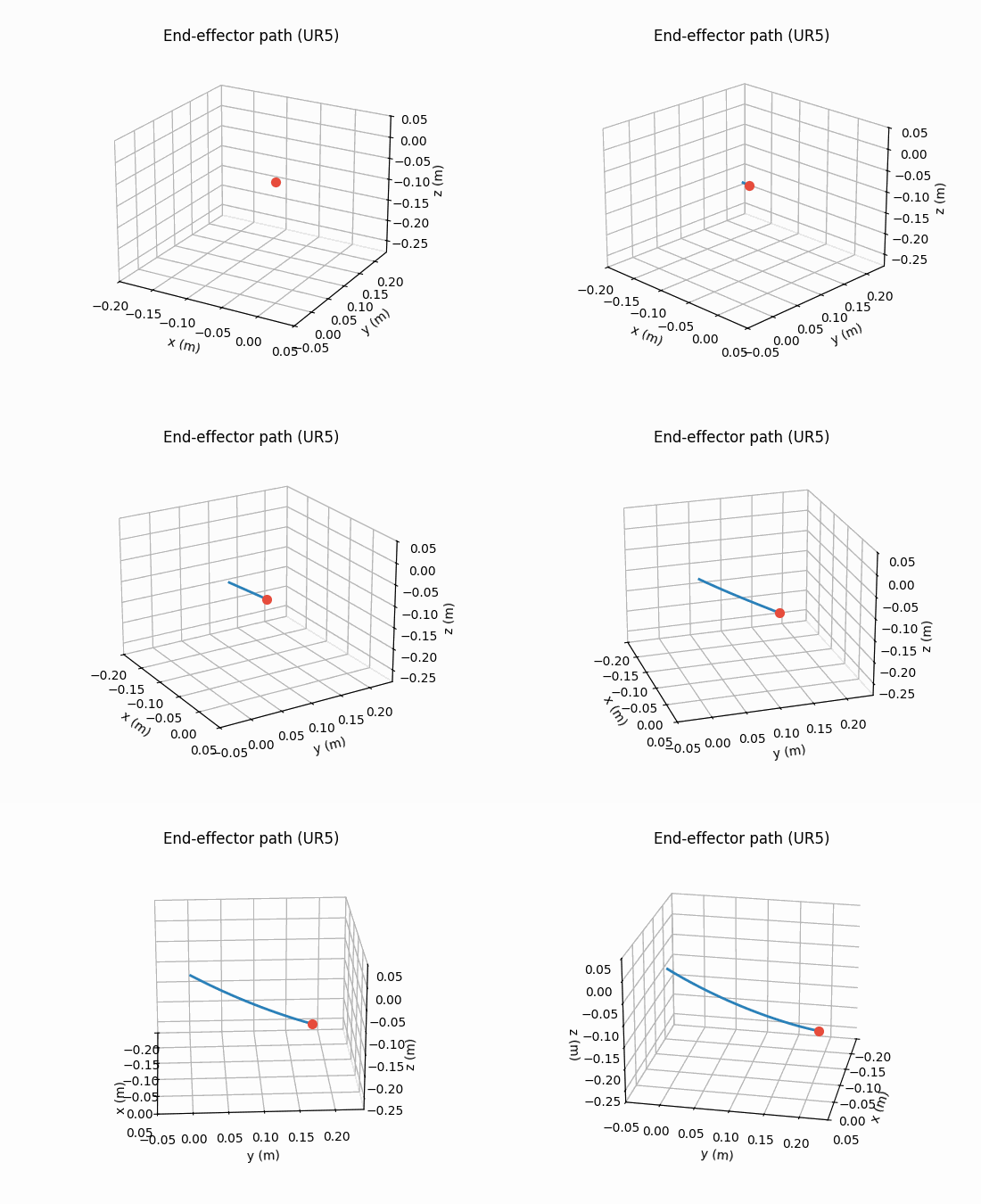
Forward kinematics End-effector path computed from the same trajectory. |
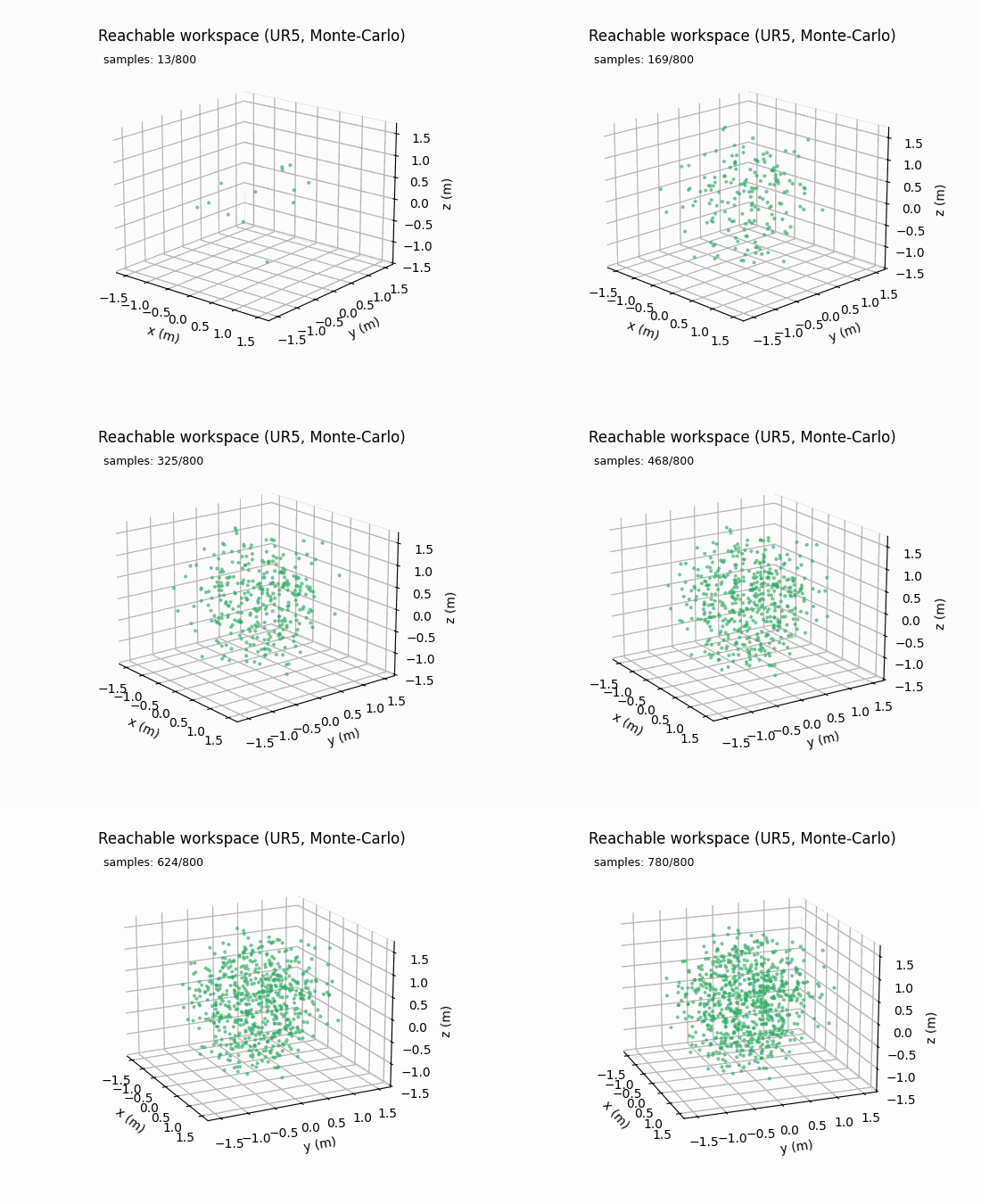
Workspace analysis Monte-Carlo reachable workspace, GPU-accelerated. |
All visuals are rendered from the live API — joint and trajectory plots through matplotlib.animation, robot bodies through ManipulaPy.urdf.URDF + PyBullet's headless renderer.
Features
Core (always available — pure NumPy/SciPy/Numba)
- Kinematics — forward + inverse (DLS, SQP, TRAC-IK, multi-start), Jacobians, geometric error model
- Dynamics — mass matrix, Coriolis/centrifugal, gravity, inverse/forward dynamics
- Control — PID, computed torque, adaptive, robust, Kalman filtering, Ziegler-Nichols auto-tuning
- Singularity analysis — manipulability ellipsoid, condition number, Monte-Carlo workspace
- Native URDF parser —
package://,file://, ROS package discovery, explicitPackageResolveroverrides
With optional extras
[simulation]— PyBullet physics, GUI sliders, collision checking, trajectory replay[urdf]— trimesh-backed mesh loading for visualization[vision]— OpenCV + Ultralytics YOLO + stereo + 3D point clouds[ml]— DBSCAN-based obstacle clustering on top of vision[cuda]— CuPy/Numba CUDA kernels: trajectory generation (40×+), batch trajectories (20×+), inverse dynamics (100×+), Monte-Carlo workspace (10×+)[pytorch]/[jax-cpu]/[jax-cuda]— differentiable backends for the core math;∂FK/∂θand∂(inverse dynamics)/∂θstraight fromtorch.autogradorjax.grad
Bundled robots
UR3 / UR5 / UR10 / UR3e / UR5e / UR10e / UR16e · Fanuc LR Mate 200iB, M-16iB, CRX-5/10/20/30iA · KUKA iiwa7 / iiwa14 · Kinova Gen3, Jaco 6-DOF, Jaco 7-DOF · Franka Panda · UFactory xArm6 (± gripper) · Robotiq 2F-85 / 2F-140 · ABB IRB 2400.
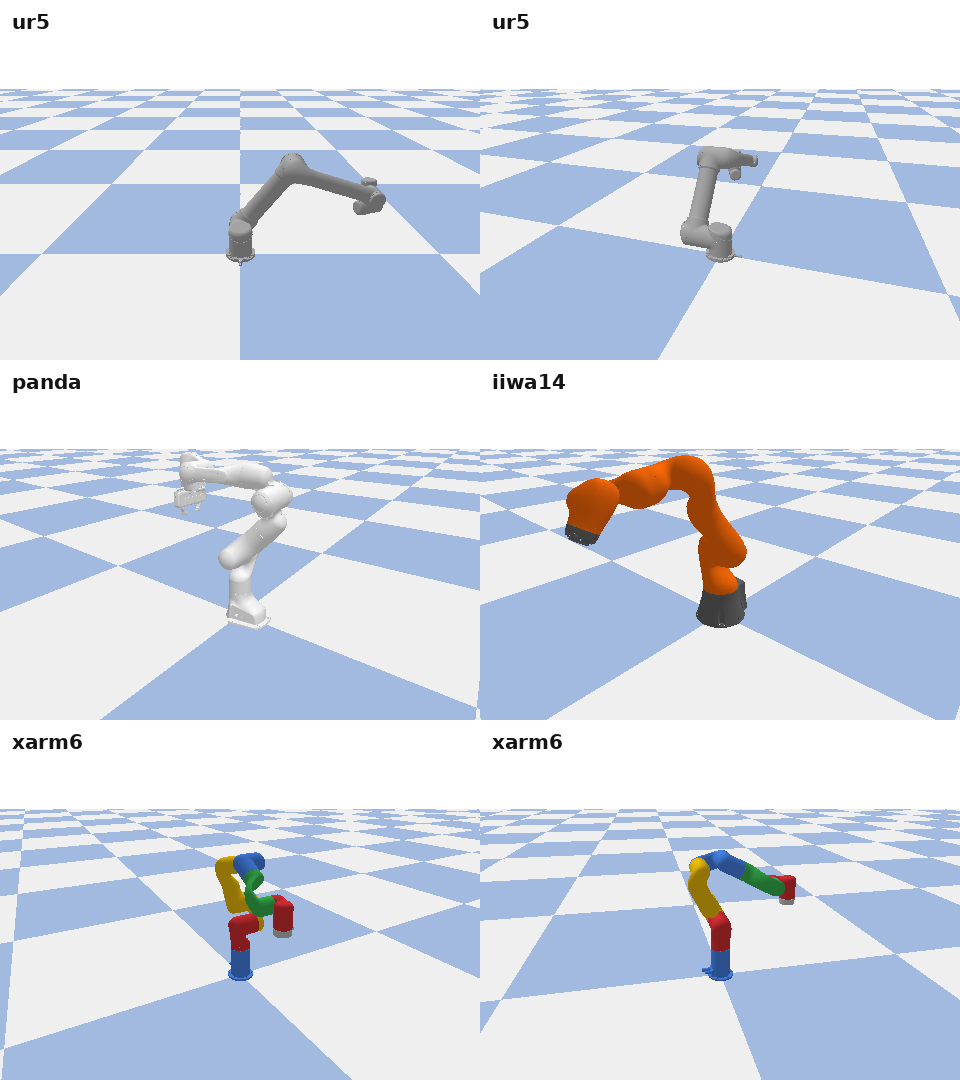
Every model loads end-to-end through ManipulaPy.urdf.URDF.load(...) and renders in PyBullet via ManipulaPy.urdf.PackageResolver — no ROS workspace or external mesh setup required.
from ManipulaPy.ManipulaPy_data import list_robots, print_robot_catalog
print(list_robots())          # iterable of robot keys
print_robot_catalog()         # printable table with specs
Full inventory and per-robot details in ManipulaPy/ManipulaPy_data/MANIFEST.md.
Documentation
| Tutorials & user guide | manipulapy.readthedocs.io |
| API reference | API docs |
| Installation matrix | docs/source/Installation Guide.rst |
| Runnable examples | Examples/ — basic, intermediate, advanced tracks |
| Package layout | README section |
| Release history | CHANGELOG.md |
The Examples/ tree is the fastest way in. Start at Examples/basic_examples/ (no extras required), move to Examples/intermediate_examples/, then Examples/advanced_examples/ for the full GPU + vision pipelines.
Examples
The Examples/ directory has three tracks — each script is self-contained and runnable directly. Full details in Examples/README.md.
Basic (⭐) — CPU, no extras
| Script | Demonstrates |
|---|---|
kinematics_basic_demo.py |
Forward & inverse kinematics fundamentals |
dynamics_basic_demo.py |
Mass matrix, Coriolis, gravity, inverse/forward dynamics |
control_basic_demo.py |
PID and computed-torque control basics |
urdf_processing_basic_demo.py |
Loading & inspecting a robot from URDF |
visualization_basic_demo.py |
Robot analysis and Matplotlib plotting |
Intermediate (⭐⭐)
| Script | Demonstrates | Needs |
|---|---|---|
trajectory_planning_intermediate_demo.py |
Quintic/cubic trajectories with CPU/GPU auto-dispatch | core · [cuda] optional |
control_comparison_intermediate_demo.py |
Side-by-side PID / computed-torque / robust control | core |
singularity_analysis_intermediate_demo.py |
Manipulability ellipsoid, condition number, workspace | core |
simulation_intermediate_demo.py |
PyBullet physics and trajectory replay | [simulation] |
perception_intermediate_demo.py |
YOLO detection + obstacle clustering | [vision] |
Advanced (⭐⭐⭐)
| Script | Demonstrates | Needs |
|---|---|---|
gpu_acceleration_advanced_demo.py |
CUDA kernels and CPU↔GPU speedup comparison | core · [cuda] for GPU |
batch_processing_advanced_demo.py |
Batched trajectory generation across many goals | core · [cuda] optional |
optimal_control_advanced_demo.py |
Trajectory-tracking control comparison | core |
collision_avoidance_advanced_demo.py |
Potential-field collision avoidance | core |
real_robot_integration_advanced_demo.py |
End-to-end robot integration in PyBullet | [simulation] |
stereo_vision_advanced_demo.py |
Stereo rectification, disparity, and 3D point clouds | [vision] |
# basic — works on any install
python Examples/basic_examples/kinematics_basic_demo.py

# intermediate / advanced — install the extra the script needs first
python Examples/intermediate_examples/simulation_intermediate_demo.py   # [simulation]
What's new in v1.4.0
The full release notes are in CHANGELOG.md. The headline is the unified backend system: one dispatch API over NumPy, CuPy, PyTorch, and JAX.
from ManipulaPy.backend import use_backend

with use_backend("jax"):
    T = robot.forward_kinematics(theta)      # same call, JAX arrays out

# gradients come from the framework, not from finite differences
import jax
dT_dtheta = jax.jacrev(robot.forward_kinematics)(theta)
- Four backends, one API —
set_backend(...)/use_backend(...)select the array library. The default stays NumPy, and the public return contract under the default backend is frozen, so existing code and the ROS wrapper are unaffected. - A tested differentiable contract —
utils,kinematics,dynamics, andsingularityare trace-safe and carry autodiff gradient tests on both PyTorch and JAX. Every other module runs on all four backends via host-boundary conversion, but carries no gradient guarantee — see the backend guide for exactly where that line sits. - Optional accelerator extras —
[pytorch],[jax-cpu], and[jax-cuda]. The base install remains NumPy-only. - TPU is not supported, and there is no TPU extra. Validating one on a real
TPU v5e found two blocking limits. XLA:TPU implements no float64 LU
decomposition and no int64 dot, so
inv,solveand every dynamics path built on them raiseUNIMPLEMENTED. The float64 matmuls that do run land at float32 accuracy — forward kinematics deviates from NumPy by ~3e-8 even withPrecision.HIGHEST, because the MXU is bf16-native. The JAX backend enablesjax_enable_x64unconditionally, so TPU cannot satisfy its contract. This is a hardware/precision mismatch, not a tolerance question; supporting TPU needs a per-platform precision domain in the backend. - Core math fixes that affect every backend — building the gradient contract
exposed three real defects in the shipped SE(3)/SO(3) code:
MatrixLog6discarded small rotations, log gradients were NaN near the identity, and the rotation angle was ill-conditioned near π. All three produced wrong or non-finite results on NumPy too, not just on the new backends. - URDF
package://containment — a mesh reference can no longer resolve outside the robot-description directory. Non-ROS sibling directories are no longer auto-discovered by name; pin those withadd_package()oradd_search_path().
Performance
Numbers below come from artifacts generated by the bundled Benchmark/ suite. Hardware: 6-DOF xArm6, CPU path (no CUDA), Python 3.10.
CPU latencies (per call)
From a local accuracy_benchmark_results/accuracy_benchmark_results.json artifact generated by python -m Benchmark.accuracy_benchmark:
| Component | Mean time | Accuracy |
|---|---|---|
| Forward kinematics | 0.29 ms | 100 % success, consistency error 0.0 |
| Jacobian | 0.27 ms | 100 % success |
| Mass matrix + Coriolis + gravity | 1.19 ms | consistency 2.8 × 10⁻¹⁵ |
| Inverse dynamics | 1.19 ms | 100 % success |
| Forward dynamics | 1.17 ms | 100 % success |
| Trajectory planning (N = 200, quintic) | 0.053 ms | boundary err 2.1 × 10⁻⁷ |
| Trajectory planning (N = 500, cubic) | 0.060 ms | boundary err 2.0 × 10⁻⁷ |
| PID control step | 0.008 ms | 100 % success |
| Singularity detection | 0.83 ms | 100 % known-singular detection |
IK solver comparison (50 random reachable targets, CPU)
From Benchmark/ik_branch_benchmark_results.json — v1.3.2 production code path:
| Solver | Success rate | Median | Mean | p95 |
|---|---|---|---|---|
iterative_inverse_kinematics (DLS) |
90 % | 11 ms | 210 ms | 1929 ms |
smart_inverse_kinematics |
96 % | 29 ms | 1870 ms | 5944 ms |
robust_inverse_kinematics |
96 % | 27 ms | 908 ms | — |
Median is the right number for typical poses; mean is dragged up by the long tail of hard targets that hit the max-iterations cap. smart_inverse_kinematics has the highest success rate but pays for it in retries — pick by your latency vs. coverage budget.
GPU acceleration
With the [cuda] extra installed (pip install "ManipulaPy[cuda]"), the trajectory planner, batch trajectory generator, inverse dynamics over a trajectory, and Monte-Carlo workspace sampler all route through Numba / CuPy CUDA kernels. The planner falls back to CPU below its adaptive N * joints threshold so small problems don't pay PCIe transfer overhead.
Speedups are workload- and GPU-dependent — reproduce on your own hardware with:
python -m Benchmark.performance_benchmark   # full CPU vs GPU sweep
python -m Benchmark.quick_benchmark         # CI-friendly subset
The full benchmark suite (Benchmark/README.MD) covers kinematics, dynamics, trajectory planning, control, vision, and singularity analysis across problem sizes from N = 100 to N = 50,000.
Contributing
Bug reports, feature requests, and pull requests welcome. The flow is documented in CONTRIBUTING.md; the short version:
- Fork → branch → make the change →
python -m pytest tests/ -qshould be green. - New behavior needs a regression test in
tests/test_v132_regressions.py(or a sibling file). - Surgical edits over speculative refactors.
- Open a PR against
main. CI runs Python 3.9 – 3.12.
Citation
If you use ManipulaPy in academic work, please cite the JOSS paper:
@article{aboelnasr2025manipulapy,
  title   = {ManipulaPy: A GPU-Accelerated Python Framework for Robotic Manipulation, Perception, and Control},
  author  = {AboElNasr, M. I. M.},
  journal = {Journal of Open Source Software},
  year    = {2025},
  volume  = {10},
  number  = {114},
  pages   = {8490},
  doi     = {10.21105/joss.08490},
  url     = {https://doi.org/10.21105/joss.08490}
}
Paper source: paper/paper.md · published in JOSS: 10.21105/joss.08490.
License
AGPL-3.0-or-later. Free for research, education, and AGPL-compatible commercial use; network-deployed services must publish source.
All runtime dependencies are AGPL-compatible: NumPy/SciPy/Matplotlib (BSD), Numba/CuPy (BSD/MIT), Pillow (HPND), PyBullet (Zlib), OpenCV (Apache 2.0), Ultralytics (AGPL-3.0), Trimesh (MIT).
Support
Maintained by Mohamed Aboelnasr.
1 maintainer

Download files
Download the file for your platform. If you're not sure which to choose, learn more about installing packages.
Source Distribution
Built Distribution
Filter files by name, interpreter, ABI, and platform.
If you're not sure about the file name format, learn more about wheel file names.
Copy a direct link to the current filters
File details
Details for the file manipulapy-1.4.0.tar.gz.
File metadata
- Download URL: manipulapy-1.4.0.tar.gz
- Upload date:
- Size: 583.1 kB
- Tags: Source
- Uploaded using Trusted Publishing? Yes
- Uploaded via: twine/6.1.0 CPython/3.13.13
File hashes
| Algorithm | Hash digest | |
|---|---|---|
| SHA256 |
262b17b661a46e96324c243381024b13adac9afefc04898d26557dfcb9f7d258
|
|
| MD5 |
e00b79c01f0a26f6c6565fb04167138b
|
|
| BLAKE2b-256 |
2b68502a964cbf61f856731ad5fe17fba510e6b52f22304af3a16ca1c3de9baa
|
Provenance
The following attestation bundles were made for manipulapy-1.4.0.tar.gz:
Publisher:
publish.yml on boelnasr/ManipulaPy
-
Statement:
-
Statement type:
https://in-toto.io/Statement/v1 -
Predicate type:
https://docs.pypi.org/attestations/publish/v1 -
Subject name:
manipulapy-1.4.0.tar.gz -
Subject digest:
262b17b661a46e96324c243381024b13adac9afefc04898d26557dfcb9f7d258 - Sigstore transparency entry: 2399709705
- Sigstore integration time:
-
Permalink:
boelnasr/ManipulaPy@9ba795577ec89892b8507610ec820b16f39ee9c9 -
Branch / Tag:
refs/tags/v1.4.0 - Owner: https://github.com/boelnasr
-
Access:
public
-
Token Issuer:
https://token.actions.githubusercontent.com -
Runner Environment:
github-hosted -
Publication workflow:
publish.yml@9ba795577ec89892b8507610ec820b16f39ee9c9 -
Trigger Event:
release
-
Statement type:
File details
Details for the file manipulapy-1.4.0-py3-none-any.whl.
File metadata
- Download URL: manipulapy-1.4.0-py3-none-any.whl
- Upload date:
- Size: 349.7 kB
- Tags: Python 3
- Uploaded using Trusted Publishing? Yes
- Uploaded via: twine/6.1.0 CPython/3.13.13
File hashes
| Algorithm | Hash digest | |
|---|---|---|
| SHA256 |
dc875609691e99c1dab0455e73fa349284d8ec18257e6135334d905fe6789d4f
|
|
| MD5 |
a4980b837f22a06b3bd83751ce501097
|
|
| BLAKE2b-256 |
663d2c9f383c74004b929302f37170ad32198e4843a6fe75622ba568a0a6328f
|
Provenance
The following attestation bundles were made for manipulapy-1.4.0-py3-none-any.whl:
Publisher:
publish.yml on boelnasr/ManipulaPy
-
Statement:
-
Statement type:
https://in-toto.io/Statement/v1 -
Predicate type:
https://docs.pypi.org/attestations/publish/v1 -
Subject name:
manipulapy-1.4.0-py3-none-any.whl -
Subject digest:
dc875609691e99c1dab0455e73fa349284d8ec18257e6135334d905fe6789d4f - Sigstore transparency entry: 2399709800
- Sigstore integration time:
-
Permalink:
boelnasr/ManipulaPy@9ba795577ec89892b8507610ec820b16f39ee9c9 -
Branch / Tag:
refs/tags/v1.4.0 - Owner: https://github.com/boelnasr
-
Access:
public
-
Token Issuer:
https://token.actions.githubusercontent.com -
Runner Environment:
github-hosted -
Publication workflow:
publish.yml@9ba795577ec89892b8507610ec820b16f39ee9c9 -
Trigger Event:
release
-
Statement type:







