
Model Visual



⭐ Star us on GitHub — it motivates us a lot!
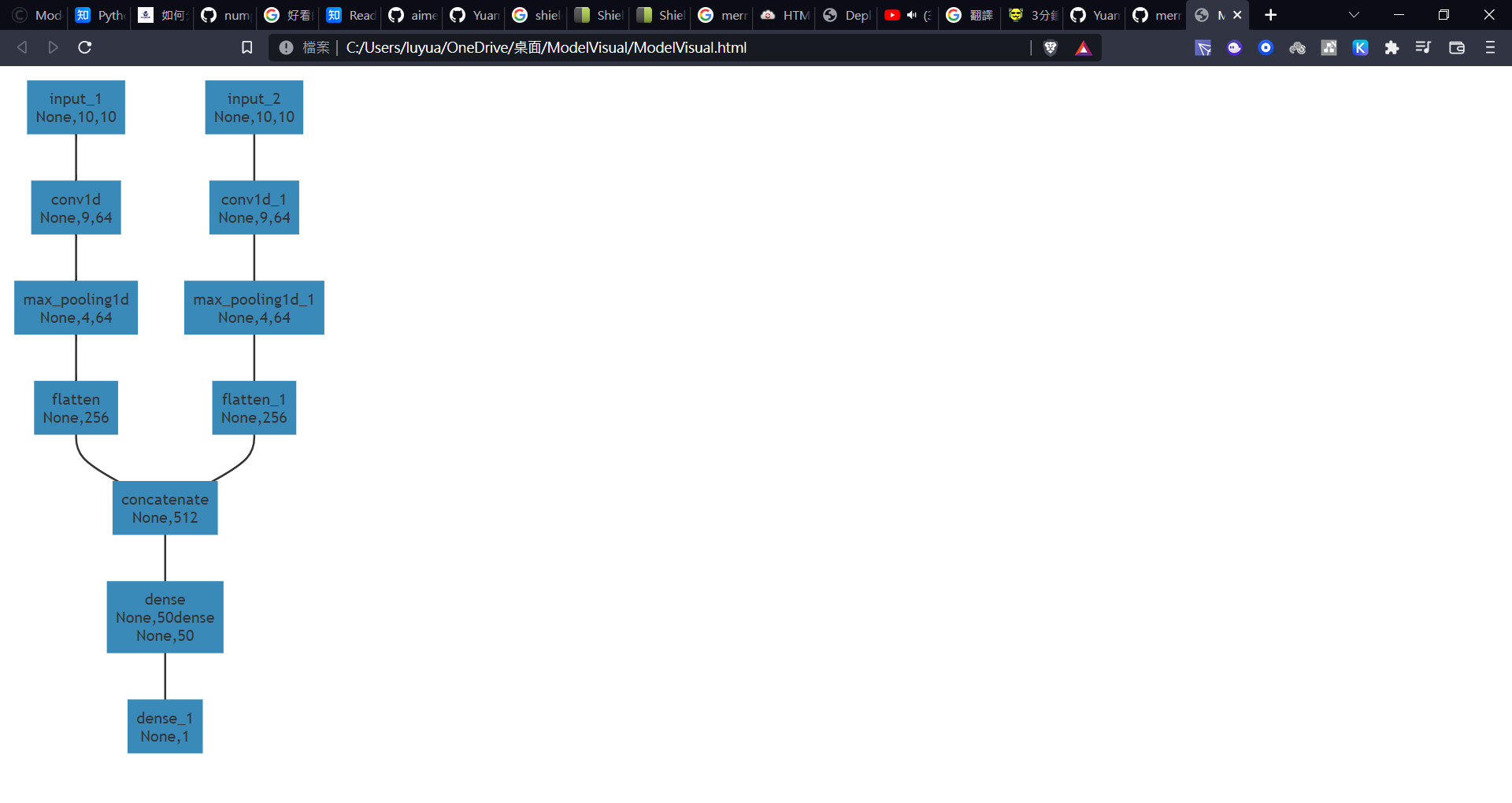
Model Visual is a lightweight deep learning model visualization suite based on Mermaid.This kit will convert model schemas into Mermaid code and output code snippets or complete web pages. Users can easily adjust the color and border of the chart.
Only support tensorflow now. More frameworks will comming soon!
Contents
Demo
This is the suite's demo. Suite will generate a web page that include a chart.
Tutorial
Isnstallation
First,install the suite by using pip.
pip install model-visual
Create object
Then,creat an object and set some parameter.
Test is the name of an object, you can take any name you want. And model is your keras model's name.(Notice: the model has to be compiled)
from model_visual import ModelVisual

test = ModelVisual(model)
Run and get result
test.run()
test.save_web_page()
Beside save_web_page(),you can also use return_js_code() or return_web_page().
save_web_page() will create a html file,
return_js_code() and save_web_page() will return you sourse code.
APIs
set_name(): # set the html file name

set_path(): # set the html path name

set_chart_fill_color(): # set the cart fill color

set_chart_stroke_color(): # set the chart strole color

set_chart_stroke_width(): # set the chart stroke width

set_model(): # set the keras model
1 maintainer

Metadata
1 maintainer
Release files for Model-Visual 1.1.1
For a detailed explanation of source distributions (sdists) and built distributions (wheels), please see the package formats documentation.
Source distribution (sdist)
| File | Size | Uploaded | |
|---|---|---|---|
| Model-Visual-1.1.1.tar.gz | 3.6 kB | Details |
Built distribution (wheel)
| File | Interpreter | ABI | Platform | Reset |
|---|---|---|---|---|
| Model_Visual-1.1.1-py3-none-any.whl | Python 3 | none | any | Details |
Total release size: 8.1 kB
Release files / Model-Visual-1.1.1.tar.gz
| Download URL | Model-Visual-1.1.1.tar.gz |
|---|---|
| Size | 3.6 kB |
| Tags | Source |
|
SHA-256 checksum How to use checksums |
3202fa70c7655fcf7fa44338057cc53fd9eebaa3a2e0a98278c97656aba7e4ab
|
|
BLAKE2b-256 checksum How to use checksums |
ce61d74ecfb35399ba6f29e4ee7c70b8bbefc1f91b05c600cb96bb7da827b89e
|
| Upload date | |
|
Uploaded using Trusted Publishing? What is trusted publishing? |
No |
| Uploaded via |
twine/4.0.1 CPython/3.7.8
|
Release files / Model_Visual-1.1.1-py3-none-any.whl
| Download URL | Model_Visual-1.1.1-py3-none-any.whl |
|---|---|
| Size | 4.5 kB |
| Tags | Python 3 |
|
SHA-256 checksum How to use checksums |
65d6abd8cdf9888ec47aef39f455ad8c0cc967a5893b8b6b9c45cbc8c43dd8f8
|
|
BLAKE2b-256 checksum How to use checksums |
90e26b8c44e886d79c8e92bc4c11ff78a59c2c8236f1d9e0dca29f253a969858
|
| Upload date | |
|
Uploaded using Trusted Publishing? What is trusted publishing? |
No |
| Uploaded via |
twine/4.0.1 CPython/3.7.8
|














