





ℹ️ Created by Codra in 2023, developed and maintained by ModuleTester open-source project team with the support of Codra.
ℹ️ ModuleTester is powered by PlotPyStack 🚀.

Overview
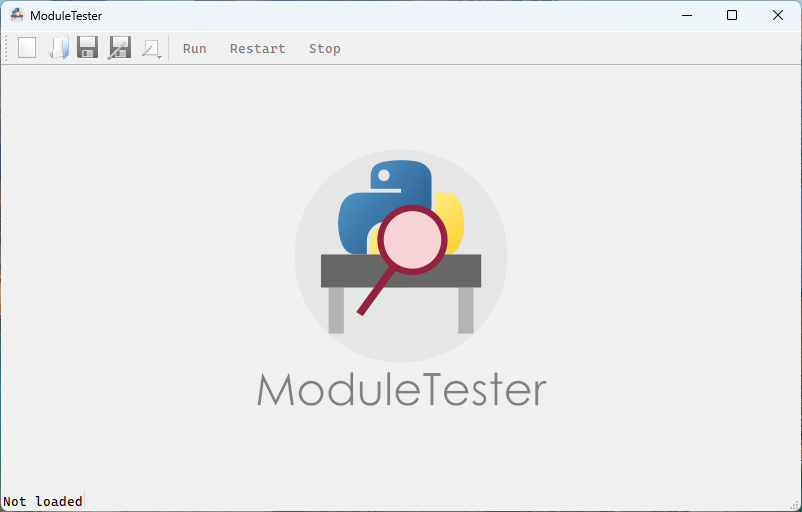
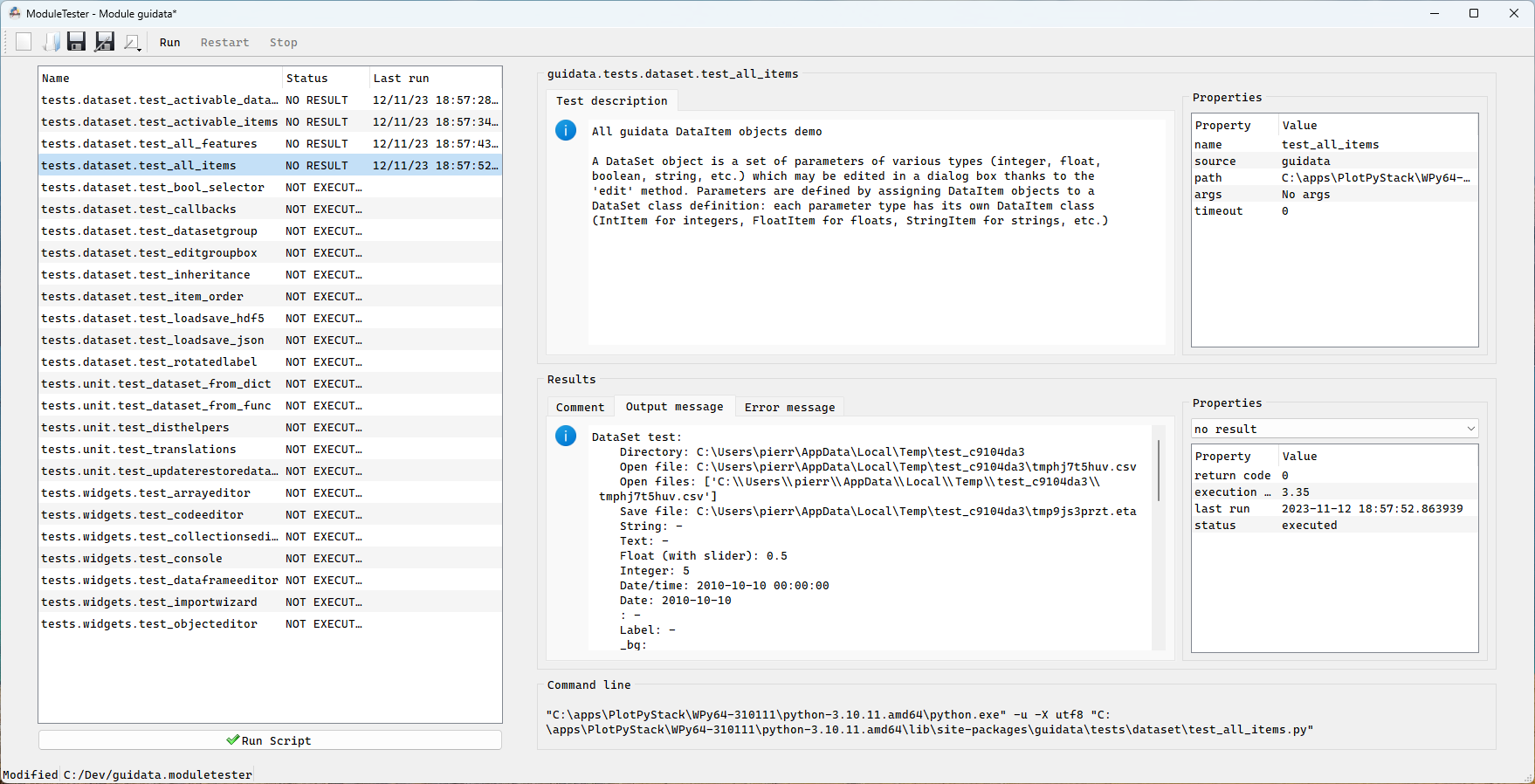
ModuleTester is a GUI and CLI test management tool for Python packages. It automatically discovers test scripts, runs them, and generates detailed reports in multiple formats.
Key features:
- Dockable panel layout — fully customizable workspace with resizable, floatable panels
- Tree view navigation — hierarchical test browser with status icons, notifications, and live spinner during execution
- Multi-format export — generate reports in HTML, DOCX, ODT, PDF, Markdown, and reStructuredText via a Jinja2-based engine
- CLI support — run tests and export reports without the GUI
(
moduletester-cli run,moduletester-cli export) - Built-in configuration editor — edit settings directly in the GUI with error handling and conflict resolution
- Notification system — visual indicators on tabs and tree items for new output and errors
ModuleTester is a spin-off of DataLab and is used to test PlotPyStack libraries.
Quick Start
-
Install ModuleTester:
pip install ModuleTester
-
Mark test scripts you want to see in the GUI by adding a comment at the top of each script:
# guitest: show -
Launch the GUI on your package:
moduletester --module mypackage
Or use the CLI to run tests headlessly:
moduletester-cli run mypackage
-
Export a report:
moduletester-cli export mypackage --output report.html
Example
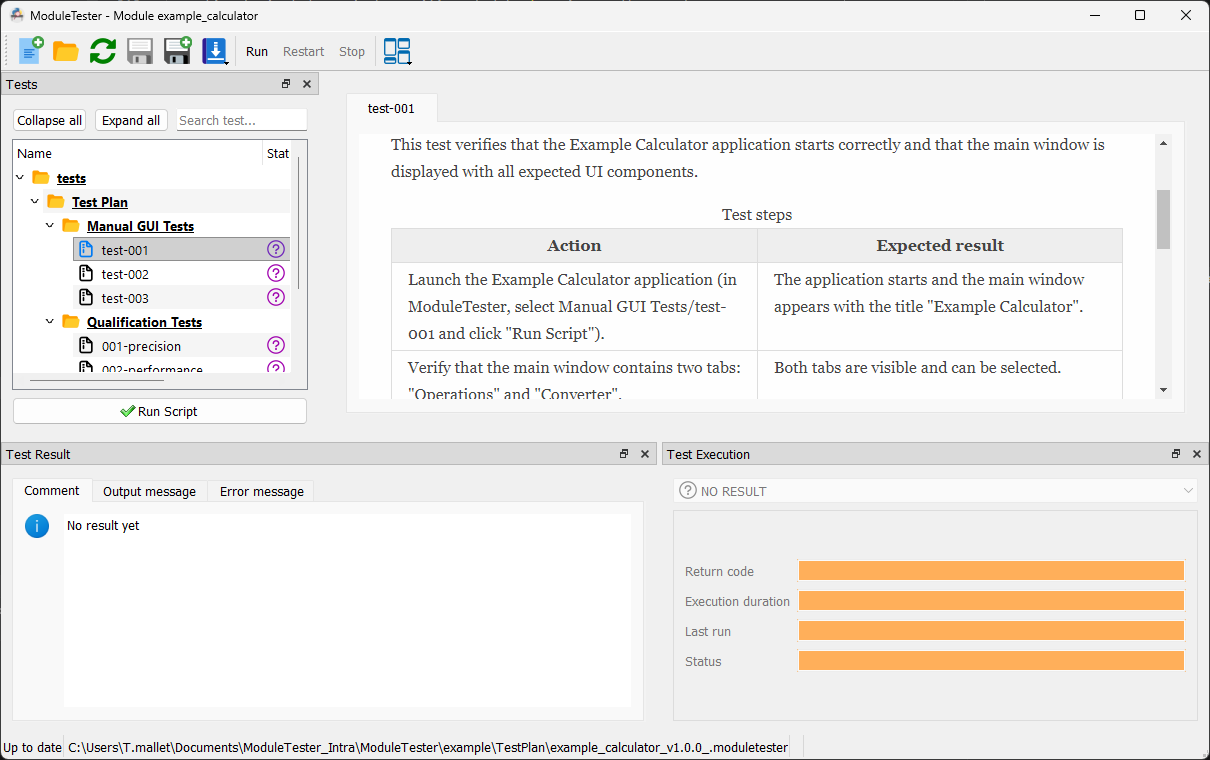
ModuleTester ships with a complete Example Calculator project in the
example/ directory that demonstrates all three test categories:
manual GUI tests, unit tests with coverage, and qualification scripts.
See the integration guide for a step-by-step tutorial on adding ModuleTester to your own project.
Documentation
Full documentation is available at moduletester.readthedocs.io.
Credits
Copyrights and licensing:
Dependencies and other installation methods
See Installation section in the documentation for more details.
2 maintainers


Metadata
2 maintainers
Release files for ModuleTester 1.0.1
For a detailed explanation of source distributions (sdists) and built distributions (wheels), please see the package formats documentation.
Source distribution (sdist)
| File | Size | Uploaded | Provenance | Actions |
|---|---|---|---|---|
| moduletester-1.0.1.tar.gz | 847.9 kB | Without provenance | Details for moduletester-1.0.1.tar.gz |
Built distribution (wheel)
| File | Interpreter | ABI | Platform | Actions Reset |
|---|---|---|---|---|
| moduletester-1.0.1-py3-none-any.whl | Python 3 | none | any | Details for moduletester-1.0.1-py3-none-any.whl |
Total release size: 1.3 MB
Release files / moduletester-1.0.1.tar.gz
| Download URL | moduletester-1.0.1.tar.gz |
|---|---|
| Size | 847.9 kB |
| Tags | Source |
|
SHA-256 checksum How to use checksums |
0d391d639a1ec9f9e49a66eb3be63e93fdf4dcaba4ee0e075ea7148bf1faed49
|
|
BLAKE2b-256 checksum How to use checksums |
5bad5184727bf13769d862a4aed0b86d7d2c7b5ab1682afe0d0f47a698f06113
|
| Upload date | |
|
Uploaded using Trusted Publishing? What is trusted publishing? |
No |
| Uploaded via |
twine/6.2.0 CPython/3.9.25
|
Release files / moduletester-1.0.1-py3-none-any.whl
| Download URL | moduletester-1.0.1-py3-none-any.whl |
|---|---|
| Size | 497.0 kB |
| Tags | Python 3 |
|
SHA-256 checksum How to use checksums |
1c1fa930986a835b85bac732923322fa610efaaf4639f23df3f9d2c527abd653
|
|
BLAKE2b-256 checksum How to use checksums |
5577d44f184db77c68042450702ba47ea1f8b170f829760ddbce70e45fc412b3
|
| Upload date | |
|
Uploaded using Trusted Publishing? What is trusted publishing? |
No |
| Uploaded via |
twine/6.2.0 CPython/3.9.25
|
Security for ModuleTester 1.0.1
Provenance
Provenance describes where a file came from. On PyPI, provenance is shared via attestations, which provide a verifiable record of the build or publishing details. View details, limitations and caveats.
No provenance found
None of the files in this release were uploaded with provenance metadata.
A note on package security
PyPI is a repository for distributing packages, not a service for auditing them. While third-party security researchers and our staff do their best to detect and remove malicious packages, PyPI cannot guarantee the quality, security or suitability of any given package.
To learn more about protecting yourself from malicious actors, visit our package security documentation.














