
Python extension for the NLP++ text analysis engine
Project description
NLPPlus
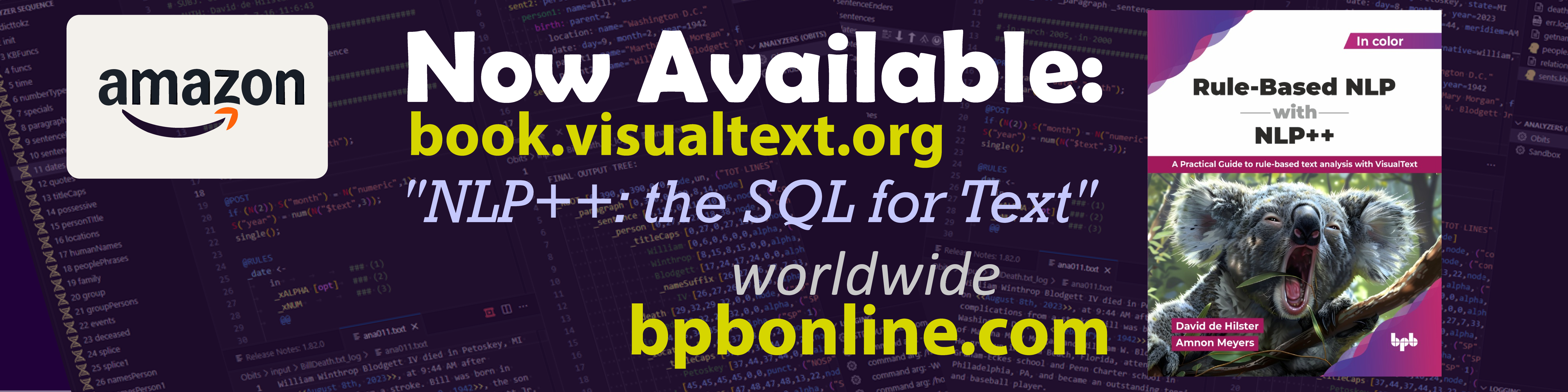
First Textbook on the NLP++ Programming Langauge
The first textbook on NLP++ is now available world-wide by BPB Online. NLP++ can replace LLMs when used in agentic flows. The code must be written by a human like any other programming language and this book will facilitate this process. NLP++ is no a statistical system that needs training. It relies on the ingenuity of the programmer to create a program that can parse text and extract information in a deterministic way.
The NLPPlus Python Package

The NLPPlus Python Package is the package that allows for python scripts to call text and NLP analyzers created using NLP++. The package uses the C++ libraries for the NLP Engine making the calling more efficient than using the NLP++ python class that calls command line version of the NLP Engine "nlp.exe".
The major advantage of NLPPlus over other NLP packages is that is 100% rule-based and modifiable and allows for any non-linguistic programmer to create text analyzers 100% taylored to their needs.
Analyzers can be run in two modes: interpreted (the default, runs
straight from the .nlp source) or compiled (analyzer code is
compiled to a native shared library once and loaded at runtime). See
Compiled Mode below for the cloud_compile()
one-call build path.
Long-Term, Open-Source, Glass-Box Project
NLP++ allows any programmer to write text and NLP programs that can be shared by everyone. It represents the first universal programming language for text and NLP. As the community grows, the number of open-source solutions including dictionaries, knowledge bases, and analyzers will grow - all of which can be modified by any programmer using the NLP++ Language Extension for VSCode.
READ FIRST
It is important to understand that the NLPPlus package for Python is very different from ALL other NLP packages in a very important and practical way.
Current NLP python packages have the "intention" of being plug-and-play systems that perform natural language tasks without modification. The problem is that when these systems ultimately fail in critical situations, coders are left with no real way to fix these systems and they are quickly abandoned.
The problem is that most all of these packages rely on statistical methods such as machine learning or neural networks, or in the simpler cases, they rely on Regex. Statistical systems cannot logically be corrected and Regex is extremely limited and unreadable and impossible to maintain or extend. Plus, these systems offer little if any means to modify them even though every NLP task is slightly different in important ways.
The NLPPlus Python Package is different from all other NLP Python packages. All its analyzers are 100% human readable and modifiable code that allows any non-NLP coder to become a NLP programmer using the NLP++ VSCode Language Extension appropriately called "VisualText". The VisualText extension allows for the visualization of any NLP process. Coders can "see" the syntactic parse tree along each step of the process, see rule matches directly in the text, and print out the knowledge base at any point in the process. Plus, dictionaries and knowledge bases are human readable unlike json files or databases.
NLPPlus comes with five starter analyzers: telephone numbers, links, emails, addresses, and a full English parser. And because NLP++ is a glassbox, all analyzers can easily be modified by any coder.
If for example, the telephone number analyzer is not working properly for your application, you can use the NLP++ VSCode extension to edit and test the NLP++ code, and then use updated code instantly. Universities around the world are starting to use NLP++ to write human digital readers for many different applications.
Learn More About NLP++
- Lectures on NLP++ by NLP++ co-author David de Hilster
- YouTube tutorials on NLP++
- VisualText website
- Natural Language Understanding Global Initiative website
Requirements
- Python 3.10 or newer
Installation
Installation
The NLPPlus python package is registered in pypi.org. NLPPlus can be installed using pip:
pip install nlpplus
Installing By Downloading the Package Manually
You can find the installable "wheel" files under each
release in the Releases
page.
Choose the correct version for your platform and Python version based
on the filename, for instance, wheels for Python 3.12 and MacOS will
have cp312 and macos in the filename, for Windows you will find
cp312 and win, and for Linux linux. These files can be
installed with pip on the command line, for example:
pip install nlpplus-0.1.2-cp310-cp310-win_amd64.whl
For the most recent version you can also download them from the GitHub actions page. Click on the link at the top of the list of "workflow run results" under "Build and upload to PyPI". After scrolling to the bottom of the page, you should see a section marked "Artifacts". Click on the appropriate link for your platform:
- For Linux:
cibw-wheels-linux - For MacOS 11 and later:
cibw-wheels-macos - For Windows 10 and later:
cibw-wheels-windows
This will download a ZIP file containing installation files for each
supported version of Python on your platform. The version number is
shown in the filename, for instance, for Python 3.10 on Windows you
will see a file with a name like
nlpplus-0.1.dev1+g55d691d-cp310-cp310-win_amd64.whl - the cp310
means Python 3.10. For Python 3.12 it would be cp312, and so forth.
For specific instructions on setting up Python on your platform please consult the Python documentation.
If your platform is not supported you can also compile it from source, which will require a working C++ compiler. See the platform specific instructions below for the requirements to build.
Why Use NLP++?
There are many reasons to consider using NLP++. Whether it be to be able to write Regex-like rule patterns, to having the ability to modify 100% of the NLP code, or to visualize the NLP analyzer in an intunitive way, NLP++ should be in every coder and programmer's toolkit.
To put it simply, NLP++ turns any coder or programmer into an NLP engineer.
1000 Times Better than Regex
For matching patterns in text, NLP++ is a Regex killer. The rule matching system in NLP++ is human readable and is performed by calling rules in a sequence, making creating and debugging rule-based patterns a breeze. Along with
100% Modifiable
The main reason to use NLP++ it is to engineer an NLP system to a specific task. Most all extraction or understanding tasks in NLP require specific processing that is never included in "generic" systems. NLP++ allows for the creation or modification of any NLP++ system.
It must be emphasized that what separates NLPPlus from all the other NLP packages in Python is that fact that all parsers are 100% modifiable using the VSCode NLP++ Language Extension. Other NLP packages use regex patterns which are impossible to modify or use trained machine learning or neural network systems which cannot be fixed when
VisualText Editor
Writing an NLP system from scratch is thought to be for only those in computational linguistics. But VisualText, NLP++, and the conceptual Grammar changes all that.
Taking full advantage of the familiar VSCode environment, the NLP++ language extension makes NLP a visual process and logical process that is easy to understand.
Usng the NLPPlus Python Package
Very basic usage, which runs the default parser for US English and returns parsing results as xML:
import NLPPlus
xml = NLPPlus.analyze("Hello world.")
This may be less useful than using a domain-specific analyzer. Several of these are included with the module:
address-parser: Extract addresses from textemailaddress: Extract email addresses from textlinks: Extract hyperlinks from texttelephone: Extract telephone numbers from text
In contrast to the default analyzer these do not return any text by default. You will have to use the extended API to get the parse tree or JSON output from them:
import NLPPlus
results = NLPPlus.engine.analyze("Reach me at hello@example.com","emailaddress")
parsed_address = results.output["email_address"][0]
parse_tree = results.final_tree
NLPPlus Engine Functions
These are the current functions that come with the NLPPlus package.
set_analyzer_folder(analyzer_folder_path: str)
This is used to set the folder where your analyzers are located.
analyze(text: str, parser: str = "parse-en-us", develop: bool = False, compiled: bool = False): str
This calls one of the analyzers in the analyzer folder on the text. If the analyzer folder was not set, it will use the library analyzers that come with NLPPlus. If you are planning to modify the library analyzers, it is recommended that you use the function copy_library_analyzers to copy the analyzers to avoid having them overwritten when a new version of NLPPlus is installed.
If compiled=True, the engine loads the analyzer's compiled shared
libraries (bin/run.<ext> and bin/kb.<ext>) instead of running
interpreted from the .nlp source. See compile() and
cloud_compile() below for producing those libraries.
The analyze function returns a results object that make the analyzer output files easily accessible to python. (see reults below)
compile(analyzer: str = "parse-en-us", develop: bool = False, kb_only: bool = False)
Generates C++ source files for the analyzer by running the engine in
-COMPILE mode. The output lands under <analyzer>/run/*.cpp and
<analyzer>/kb/*.cpp (or just <analyzer>/kb/*.cpp if kb_only=True).
The generated files still need to be built into shared libraries
before analyze(..., compiled=True) can load them — see
cloud_compile() for the one-call end-to-end path.
cloud_compile(analyzer: str = "parse-en-us", dispatcher_url: Optional[str] = None, kb_only: bool = False, develop: bool = False, poll_interval: float = 2.0, timeout: float = 1800, skip_local_compile: bool = False)
End-to-end compile via the public nlp-compile-service cloud build:
runs compile() to produce the C++ trees, tars them up, submits to a
Cloudflare-Worker dispatcher, polls the GitHub-Actions runner build,
downloads the resulting shared library and stages it into
<analyzer>/bin/ as run.<ext> + runu.<ext> + kb.<ext> +
kbu.<ext> (or just kb.<ext> + kbu.<ext> for kb_only=True).
After it returns, analyze(..., compiled=True) will pick up the
staged libraries.
dispatcher_url defaults to the same public Cloudflare-Worker the
VSCode NLP++ extension uses; override per-call to point at a
self-hosted deployment. timeout caps the wait for the runner build
(default 30 minutes — GitHub-Actions Windows free-tier queues can
stall 5-10 minutes before the build even starts).
copy_library_analyzers(self, to_dir: str, overwrite: bool=True)
This function copies the NLPPlus library analyzers into a safe folder away from where they can be overwritten by newer versions of the NLPPlus package. This allows coders to edit and modify the analyzers to their liking. Remember to use the set_analyzers_folder if you want to call your versions of these library analyzers using the NLPPlus package.
input_text(analyzer_name: str, file_name: str)
When developing or editing NLP++ analyzers and calling them from Python, it is convenient to test your python code on text you have used to develop your analyzer in in the NLP++ VisualText extension for VSCode. This function retrieves the text from a file in the analyzer's input directory for easy access while developing your python code in conjunction with and NLP++ analyzer.
NLPPlus Engine Results
output
This returns a json object based on the parsed output.json file producted by the analyzer. The analyzer has to purposely construct the output.json file for this to work.
output.json
The output file produced by the analyzer that is a string, not a json object. This file must explicity be created by the analyzer.
final.tree
All analyzers output a final tree of the text that is being processed. This file is in the NLP++ tree format.
Compiled Mode
Analyzers normally run interpreted from their .nlp source — fine
for development, but slower on large inputs and unaffected by source
edits (i.e., you can't ship a "frozen" version without bundling the
sources). NLPPlus now supports compiled mode: generate native
shared libraries from the analyzer's .nlp files once, then load
them at analyze time. Source edits after the build don't change the
output until you re-compile.
The simplest path is one call to cloud_compile, which uses the
public nlp-compile-service to build the right shared library for your
platform:
import NLPPlus

# Generate run/*.cpp + kb/*.cpp, ship to the cloud builder, download
# the .so/.dylib/.dll, stage into <analyzer>/bin/.
NLPPlus.cloud_compile("parse-en-us")

# Now run with the compiled artifacts instead of the interpreter.
xml = NLPPlus.analyze("Hello world.", compiled=True)
The cloud build takes anywhere from ~1 minute (small analyzer, cache
hit) up to ~10 minutes (parse-en-us, cold Windows runner queue).
The first build for a given source hash is the slow one — subsequent
builds against the same code hit the dispatcher's cache.
If you'd rather generate the C++ trees and build them yourself (e.g.
air-gapped, custom toolchain), use compile() for the codegen step
and run cmake against the engine's
published compile-libs
to produce the shared library, then stage the result as
<analyzer>/bin/run.<ext> and <analyzer>/bin/kb.<ext>. See the
nlp-compile-service emit-cmake.sh
for the exact CMake invocation the cloud uses.
NLP++ Development
By default the NLPPlus module will create a temporary working
directory with the default parser and the small set of analyzers
mentioned above. If you are developing NLP++ code, you can also point
it at an existing working folder using set_working_folder:
import NLPPlus
NLPPlus.set_working_folder("somewhere/else")
This working folder is expected to contain the directories analyzers
and data. If you wish to initialize a new working folder with the
default analyzers and data, you can pass initialize=True:
import NLPPlus
NLPPlus.set_working_folder("somewhere/else", initialize=True)
Module Development
This module is built using scikit-build-core and nanobind. To set up for development, make sure you have a C++ compiler that works, and clone the source with:
git clone --recursive-submodules https://github.com/VisualText/py-package-nlpengine.git
For development it is convenient to disable build isolation, so install the necessary build dependencies. We suggest doing this in a virtual environment:
cd py-package-nlpengine
python -m venv venv
. venv/bin/activate
pip install -r requirements-dev.txt
Linux Setup
On Linux, generally, you can simply install the ICU development libraries system-wide:
# On Ubuntu / Debian /etc
sudo apt install libicu-dev
# On CentOS / RHEL / etc
sudo yum install libicu-devel
Now you can build the module as a "writable" install, which will allow you to test changes as you make them:
pip install --no-build-isolation -ve .
MacOS and other Unix Setup
If you were not able to install ICU above (such as on MacOS), you have to use vcpkg:
git clone --depth 1 https://github.com/Microsoft/vcpkg.git
./vcpkg/bootstrap-vcpkg.sh
Additionally, on MacOS, you'll probably need a whole lot of other things to use vcpkg:
brew install autoconf-archive autoconf automake pkg-config
Now you can install with this somewhat more complicated command:
pip install --no-build-isolation \
    -C cmake.args=-DCMAKE_TOOLCHAIN_FILE=./nlp-engine/vcpkg/scripts/buildsystems/vcpkg.cmake \
    -ve .
Windows Setup
On Windows, everything is vastly more complicated for a number of reasons:
- The ICU library on which NLP++ depends is built as DLLs, and these have to be included with the package
- Python won't load arbitrary DLLs from the current directory, unlike the rest of Windows (this is a good thing)
- Builds take 10x longer on Windows than on reasonable operating systems, so you will wait a long time to find out that the module you built actually doesn't work
For this reason "editable" installs (the -e option to pip install)
do not work on Windows and can't be expected to work. Instead it is
necessary to build a wheel file and "repair" it with
delvewheel to package the DLLs
correctly, then install that wheel.
If that sounds like too much trouble then just install from PyPI or the wheel files as described above
Testing
Verify that it works:
python -m unittest discover -s tests
Note that you might get undefined C++ symbols if you are using Python from miniconda on Linux. In this case, please use the system Python instead.
Making a release
For developer reference: the release process is managed using GitHub
actions. To make a release from the main branch, make an
annotated tag (with -m and -a, this is important) of the form
vX.Y or vX.Y.Z (e.g. v0.1.3) and push the tag and the branch:
git tag -m 'Release 0.1.3' -a v0.1.3
git push --follow-tags
Project details
Release history Release notifications | RSS feed


Download files
Download the file for your platform. If you're not sure which to choose, learn more about installing packages.
Source Distribution
Built Distributions
Filter files by name, interpreter, ABI, and platform.
If you're not sure about the file name format, learn more about wheel file names.
Copy a direct link to the current filters
File details
Details for the file nlpplus-2.0.5.tar.gz.
File metadata
- Download URL: nlpplus-2.0.5.tar.gz
- Upload date:
- Size: 21.7 MB
- Tags: Source
- Uploaded using Trusted Publishing? Yes
- Uploaded via: twine/6.1.0 CPython/3.13.12
File hashes
| Algorithm | Hash digest | |
|---|---|---|
| SHA256 |
af210d212b46a65e3474d9b969ebda513f6ce337d52491a763f39d76079774c1
|
|
| MD5 |
99e95f5b4652e448e75beccdcdb5e63a
|
|
| BLAKE2b-256 |
eff7af6f33ea6ae4370620d4dcab664e1010cfe879a28b418b204c77aa322d6e
|
Provenance
The following attestation bundles were made for nlpplus-2.0.5.tar.gz:
Publisher:
publish.yml on VisualText/py-package-nlpengine
-
Statement:
-
Statement type:
https://in-toto.io/Statement/v1 -
Predicate type:
https://docs.pypi.org/attestations/publish/v1 -
Subject name:
nlpplus-2.0.5.tar.gz -
Subject digest:
af210d212b46a65e3474d9b969ebda513f6ce337d52491a763f39d76079774c1 - Sigstore transparency entry: 1740038391
- Sigstore integration time:
-
Permalink:
VisualText/py-package-nlpengine@28161869ed912f50aafcbd5fc1626c847a7de373 -
Branch / Tag:
refs/tags/v2.0.5 - Owner: https://github.com/VisualText
-
Access:
public
-
Token Issuer:
https://token.actions.githubusercontent.com -
Runner Environment:
github-hosted -
Publication workflow:
publish.yml@28161869ed912f50aafcbd5fc1626c847a7de373 -
Trigger Event:
push
-
Statement type:
File details
Details for the file nlpplus-2.0.5-cp314-cp314-macosx_15_0_arm64.whl.
File metadata
- Download URL: nlpplus-2.0.5-cp314-cp314-macosx_15_0_arm64.whl
- Upload date:
- Size: 16.4 MB
- Tags: CPython 3.14, macOS 15.0+ ARM64
- Uploaded using Trusted Publishing? Yes
- Uploaded via: twine/6.1.0 CPython/3.13.12
File hashes
| Algorithm | Hash digest | |
|---|---|---|
| SHA256 |
a4b350fe86ab0a20bc855eb19a66bbaee2c588a9e30814aa39a90bf71fcf0250
|
|
| MD5 |
f693f874bc27065e7bfba1829b4d0111
|
|
| BLAKE2b-256 |
fd9c77e9a750e0885504413d10fd4863ffddcfd5aac5eeb667aa2ad6c502ff37
|
Provenance
The following attestation bundles were made for nlpplus-2.0.5-cp314-cp314-macosx_15_0_arm64.whl:
Publisher:
publish.yml on VisualText/py-package-nlpengine
-
Statement:
-
Statement type:
https://in-toto.io/Statement/v1 -
Predicate type:
https://docs.pypi.org/attestations/publish/v1 -
Subject name:
nlpplus-2.0.5-cp314-cp314-macosx_15_0_arm64.whl -
Subject digest:
a4b350fe86ab0a20bc855eb19a66bbaee2c588a9e30814aa39a90bf71fcf0250 - Sigstore transparency entry: 1740038401
- Sigstore integration time:
-
Permalink:
VisualText/py-package-nlpengine@28161869ed912f50aafcbd5fc1626c847a7de373 -
Branch / Tag:
refs/tags/v2.0.5 - Owner: https://github.com/VisualText
-
Access:
public
-
Token Issuer:
https://token.actions.githubusercontent.com -
Runner Environment:
github-hosted -
Publication workflow:
publish.yml@28161869ed912f50aafcbd5fc1626c847a7de373 -
Trigger Event:
push
-
Statement type:
File details
Details for the file nlpplus-2.0.5-cp312-cp312-win_amd64.whl.
File metadata
- Download URL: nlpplus-2.0.5-cp312-cp312-win_amd64.whl
- Upload date:
- Size: 16.2 MB
- Tags: CPython 3.12, Windows x86-64
- Uploaded using Trusted Publishing? Yes
- Uploaded via: twine/6.1.0 CPython/3.13.12
File hashes
| Algorithm | Hash digest | |
|---|---|---|
| SHA256 |
a79583773cf20cf03426992395889c4f839fa7de90c25ee447837cd085164b84
|
|
| MD5 |
c3fa007d50bcea5c1ad135d24a698753
|
|
| BLAKE2b-256 |
2e82b2ff62462755fd9720f93bbd7d4e4a2759863c2ec829122271a5079709a1
|
Provenance
The following attestation bundles were made for nlpplus-2.0.5-cp312-cp312-win_amd64.whl:
Publisher:
publish.yml on VisualText/py-package-nlpengine
-
Statement:
-
Statement type:
https://in-toto.io/Statement/v1 -
Predicate type:
https://docs.pypi.org/attestations/publish/v1 -
Subject name:
nlpplus-2.0.5-cp312-cp312-win_amd64.whl -
Subject digest:
a79583773cf20cf03426992395889c4f839fa7de90c25ee447837cd085164b84 - Sigstore transparency entry: 1740038412
- Sigstore integration time:
-
Permalink:
VisualText/py-package-nlpengine@28161869ed912f50aafcbd5fc1626c847a7de373 -
Branch / Tag:
refs/tags/v2.0.5 - Owner: https://github.com/VisualText
-
Access:
public
-
Token Issuer:
https://token.actions.githubusercontent.com -
Runner Environment:
github-hosted -
Publication workflow:
publish.yml@28161869ed912f50aafcbd5fc1626c847a7de373 -
Trigger Event:
push
-
Statement type:
File details
Details for the file nlpplus-2.0.5-cp312-cp312-manylinux_2_17_x86_64.manylinux2014_x86_64.whl.
File metadata
- Download URL: nlpplus-2.0.5-cp312-cp312-manylinux_2_17_x86_64.manylinux2014_x86_64.whl
- Upload date:
- Size: 13.7 MB
- Tags: CPython 3.12, manylinux: glibc 2.17+ x86-64
- Uploaded using Trusted Publishing? Yes
- Uploaded via: twine/6.1.0 CPython/3.13.12
File hashes
| Algorithm | Hash digest | |
|---|---|---|
| SHA256 |
818c55d719e23413c4b0d75e54e46a45958011170c25928ea33f1ac0cf3b2603
|
|
| MD5 |
acee592695ba16cfc19af15754326981
|
|
| BLAKE2b-256 |
645793631e3c830bbcc005bfea62a816ec6cb98705e665ed8d61b4298a00d0c6
|
Provenance
The following attestation bundles were made for nlpplus-2.0.5-cp312-cp312-manylinux_2_17_x86_64.manylinux2014_x86_64.whl:
Publisher:
publish.yml on VisualText/py-package-nlpengine
-
Statement:
-
Statement type:
https://in-toto.io/Statement/v1 -
Predicate type:
https://docs.pypi.org/attestations/publish/v1 -
Subject name:
nlpplus-2.0.5-cp312-cp312-manylinux_2_17_x86_64.manylinux2014_x86_64.whl -
Subject digest:
818c55d719e23413c4b0d75e54e46a45958011170c25928ea33f1ac0cf3b2603 - Sigstore transparency entry: 1740038405
- Sigstore integration time:
-
Permalink:
VisualText/py-package-nlpengine@28161869ed912f50aafcbd5fc1626c847a7de373 -
Branch / Tag:
refs/tags/v2.0.5 - Owner: https://github.com/VisualText
-
Access:
public
-
Token Issuer:
https://token.actions.githubusercontent.com -
Runner Environment:
github-hosted -
Publication workflow:
publish.yml@28161869ed912f50aafcbd5fc1626c847a7de373 -
Trigger Event:
push
-
Statement type:
File details
Details for the file nlpplus-2.0.5-cp311-cp311-win_amd64.whl.
File metadata
- Download URL: nlpplus-2.0.5-cp311-cp311-win_amd64.whl
- Upload date:
- Size: 16.2 MB
- Tags: CPython 3.11, Windows x86-64
- Uploaded using Trusted Publishing? Yes
- Uploaded via: twine/6.1.0 CPython/3.13.12
File hashes
| Algorithm | Hash digest | |
|---|---|---|
| SHA256 |
fc3404ef720dc09992a56dab87a76fd8667cdc77f0504c08f7ffb2423def4880
|
|
| MD5 |
250fe82bd55f115405457ec760977a95
|
|
| BLAKE2b-256 |
4a4f8715365db1fb538e4630befa513e92096ac26df7f015c447002b5fbcb523
|
Provenance
The following attestation bundles were made for nlpplus-2.0.5-cp311-cp311-win_amd64.whl:
Publisher:
publish.yml on VisualText/py-package-nlpengine
-
Statement:
-
Statement type:
https://in-toto.io/Statement/v1 -
Predicate type:
https://docs.pypi.org/attestations/publish/v1 -
Subject name:
nlpplus-2.0.5-cp311-cp311-win_amd64.whl -
Subject digest:
fc3404ef720dc09992a56dab87a76fd8667cdc77f0504c08f7ffb2423def4880 - Sigstore transparency entry: 1740038415
- Sigstore integration time:
-
Permalink:
VisualText/py-package-nlpengine@28161869ed912f50aafcbd5fc1626c847a7de373 -
Branch / Tag:
refs/tags/v2.0.5 - Owner: https://github.com/VisualText
-
Access:
public
-
Token Issuer:
https://token.actions.githubusercontent.com -
Runner Environment:
github-hosted -
Publication workflow:
publish.yml@28161869ed912f50aafcbd5fc1626c847a7de373 -
Trigger Event:
push
-
Statement type:
File details
Details for the file nlpplus-2.0.5-cp311-cp311-manylinux_2_17_x86_64.manylinux2014_x86_64.whl.
File metadata
- Download URL: nlpplus-2.0.5-cp311-cp311-manylinux_2_17_x86_64.manylinux2014_x86_64.whl
- Upload date:
- Size: 13.7 MB
- Tags: CPython 3.11, manylinux: glibc 2.17+ x86-64
- Uploaded using Trusted Publishing? Yes
- Uploaded via: twine/6.1.0 CPython/3.13.12
File hashes
| Algorithm | Hash digest | |
|---|---|---|
| SHA256 |
b97472c83c7777c86df40be7311726c864d18d56e8309876b16fec2d24474ec4
|
|
| MD5 |
c401365ffe04416ac9e4e482c80d2150
|
|
| BLAKE2b-256 |
412a5179ddbfd178611a50113b53a6a34a58426d4bfe9eac990e1e0fa69d2db0
|
Provenance
The following attestation bundles were made for nlpplus-2.0.5-cp311-cp311-manylinux_2_17_x86_64.manylinux2014_x86_64.whl:
Publisher:
publish.yml on VisualText/py-package-nlpengine
-
Statement:
-
Statement type:
https://in-toto.io/Statement/v1 -
Predicate type:
https://docs.pypi.org/attestations/publish/v1 -
Subject name:
nlpplus-2.0.5-cp311-cp311-manylinux_2_17_x86_64.manylinux2014_x86_64.whl -
Subject digest:
b97472c83c7777c86df40be7311726c864d18d56e8309876b16fec2d24474ec4 - Sigstore transparency entry: 1740038397
- Sigstore integration time:
-
Permalink:
VisualText/py-package-nlpengine@28161869ed912f50aafcbd5fc1626c847a7de373 -
Branch / Tag:
refs/tags/v2.0.5 - Owner: https://github.com/VisualText
-
Access:
public
-
Token Issuer:
https://token.actions.githubusercontent.com -
Runner Environment:
github-hosted -
Publication workflow:
publish.yml@28161869ed912f50aafcbd5fc1626c847a7de373 -
Trigger Event:
push
-
Statement type:
File details
Details for the file nlpplus-2.0.5-cp310-cp310-win_amd64.whl.
File metadata
- Download URL: nlpplus-2.0.5-cp310-cp310-win_amd64.whl
- Upload date:
- Size: 16.2 MB
- Tags: CPython 3.10, Windows x86-64
- Uploaded using Trusted Publishing? Yes
- Uploaded via: twine/6.1.0 CPython/3.13.12
File hashes
| Algorithm | Hash digest | |
|---|---|---|
| SHA256 |
71d5cfae38cd3aadfa06e76d09d71051f1ed49b6a221d875cac089c0a1a82d66
|
|
| MD5 |
0768087acf5189881ab5e3cb10d29fcd
|
|
| BLAKE2b-256 |
b46dead022517a6ef706268dfd941bdcf1d50b4cea05ae975964361421ddad1f
|
Provenance
The following attestation bundles were made for nlpplus-2.0.5-cp310-cp310-win_amd64.whl:
Publisher:
publish.yml on VisualText/py-package-nlpengine
-
Statement:
-
Statement type:
https://in-toto.io/Statement/v1 -
Predicate type:
https://docs.pypi.org/attestations/publish/v1 -
Subject name:
nlpplus-2.0.5-cp310-cp310-win_amd64.whl -
Subject digest:
71d5cfae38cd3aadfa06e76d09d71051f1ed49b6a221d875cac089c0a1a82d66 - Sigstore transparency entry: 1740038414
- Sigstore integration time:
-
Permalink:
VisualText/py-package-nlpengine@28161869ed912f50aafcbd5fc1626c847a7de373 -
Branch / Tag:
refs/tags/v2.0.5 - Owner: https://github.com/VisualText
-
Access:
public
-
Token Issuer:
https://token.actions.githubusercontent.com -
Runner Environment:
github-hosted -
Publication workflow:
publish.yml@28161869ed912f50aafcbd5fc1626c847a7de373 -
Trigger Event:
push
-
Statement type:
File details
Details for the file nlpplus-2.0.5-cp310-cp310-manylinux_2_17_x86_64.manylinux2014_x86_64.whl.
File metadata
- Download URL: nlpplus-2.0.5-cp310-cp310-manylinux_2_17_x86_64.manylinux2014_x86_64.whl
- Upload date:
- Size: 13.7 MB
- Tags: CPython 3.10, manylinux: glibc 2.17+ x86-64
- Uploaded using Trusted Publishing? Yes
- Uploaded via: twine/6.1.0 CPython/3.13.12
File hashes
| Algorithm | Hash digest | |
|---|---|---|
| SHA256 |
32aad48d2003f040b28b4d4e7bcd3b05d1e98f4762a8e13e81cdd37d7ccdb08d
|
|
| MD5 |
dce737f73ebf703067de75e414d3c5c1
|
|
| BLAKE2b-256 |
03c21ddfd8b74e92ff089afff1515ba395cca510cc4b80f0f4d05eb1baf299c1
|
Provenance
The following attestation bundles were made for nlpplus-2.0.5-cp310-cp310-manylinux_2_17_x86_64.manylinux2014_x86_64.whl:
Publisher:
publish.yml on VisualText/py-package-nlpengine
-
Statement:
-
Statement type:
https://in-toto.io/Statement/v1 -
Predicate type:
https://docs.pypi.org/attestations/publish/v1 -
Subject name:
nlpplus-2.0.5-cp310-cp310-manylinux_2_17_x86_64.manylinux2014_x86_64.whl -
Subject digest:
32aad48d2003f040b28b4d4e7bcd3b05d1e98f4762a8e13e81cdd37d7ccdb08d - Sigstore transparency entry: 1740038394
- Sigstore integration time:
-
Permalink:
VisualText/py-package-nlpengine@28161869ed912f50aafcbd5fc1626c847a7de373 -
Branch / Tag:
refs/tags/v2.0.5 - Owner: https://github.com/VisualText
-
Access:
public
-
Token Issuer:
https://token.actions.githubusercontent.com -
Runner Environment:
github-hosted -
Publication workflow:
publish.yml@28161869ed912f50aafcbd5fc1626c847a7de373 -
Trigger Event:
push
-
Statement type:






