
Nerd-Storage
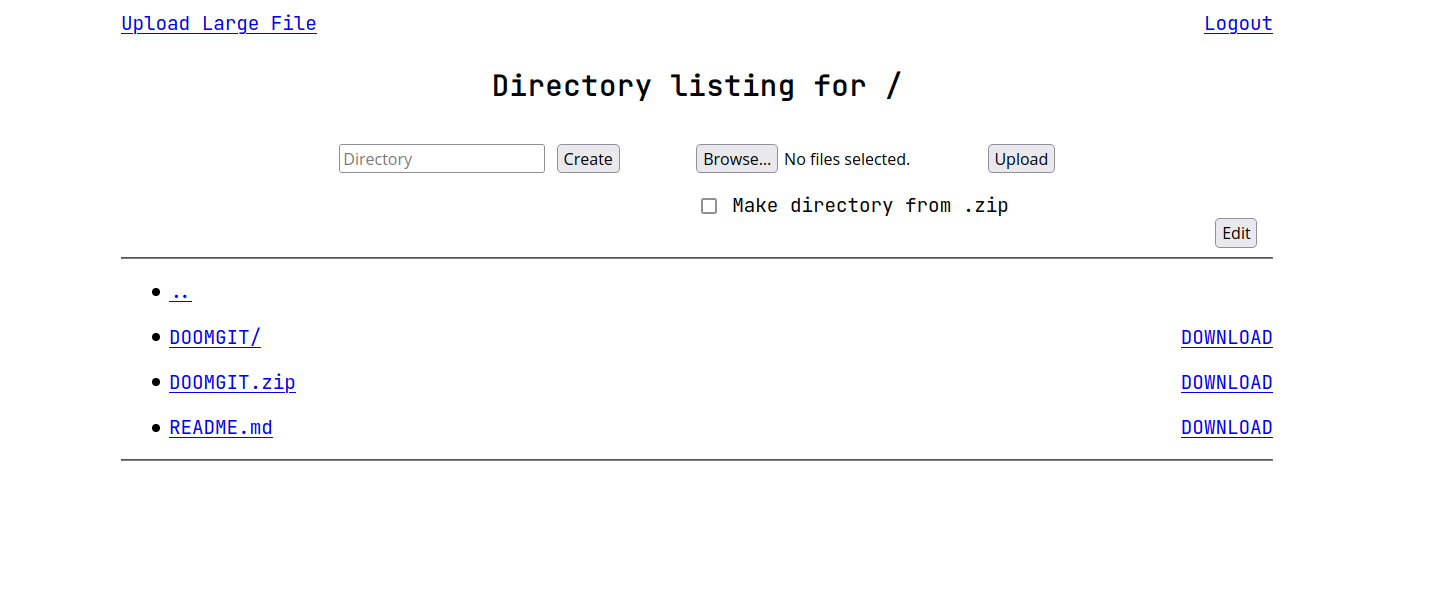
A simple LAN storage.
Description
Nerd-Storage is a simple web server for sharing files on the local network.
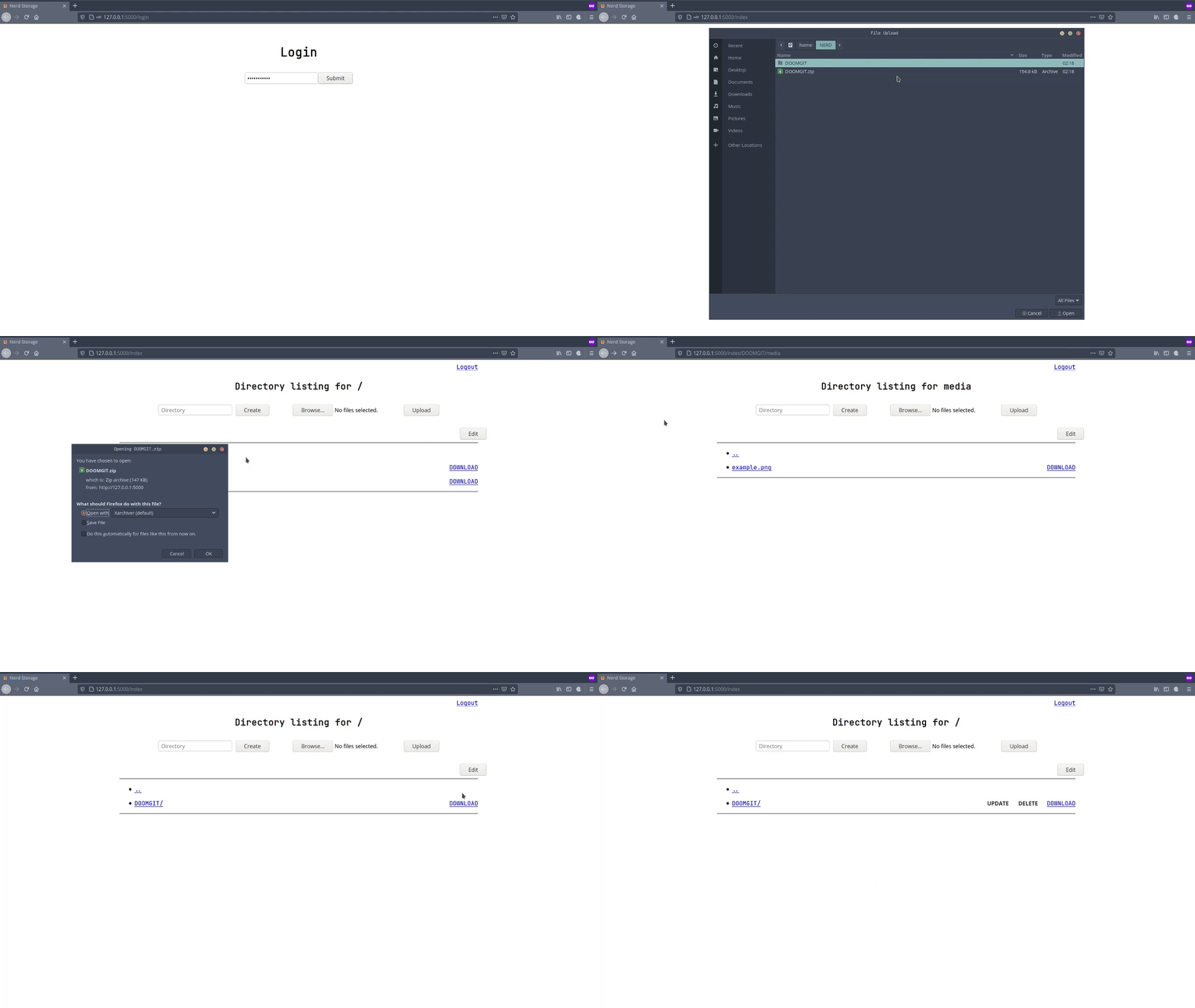
It supports the download of files and directories, the upload of multiple files at once, making a directory, updates and deletions.
The user can also upload an existing directory as a .zip file which will then be extracted inside the storage as a folder.
Prerequisites
-
Linux
-
Python 3.6+
Dependencies
Installation
pip install Nerd-Storage
Usage
Run: nerdstorage
To access the storage go to: http://<server-local-ip-addr>:5000/
To print help information: nerdstorage --help
Configuration
- Run
hash.pyto set the login password. - Edit
config.pyto set the storage path.
This command will output the full path of hash.py and config.py:
pip show Nerd-Storage | grep 'Location' | grep -o -E '[/].+' | xargs -I@ printf '@/nerdstorage/hash/hash.py\n@/nerdstorage/config.py\n'
Large Files
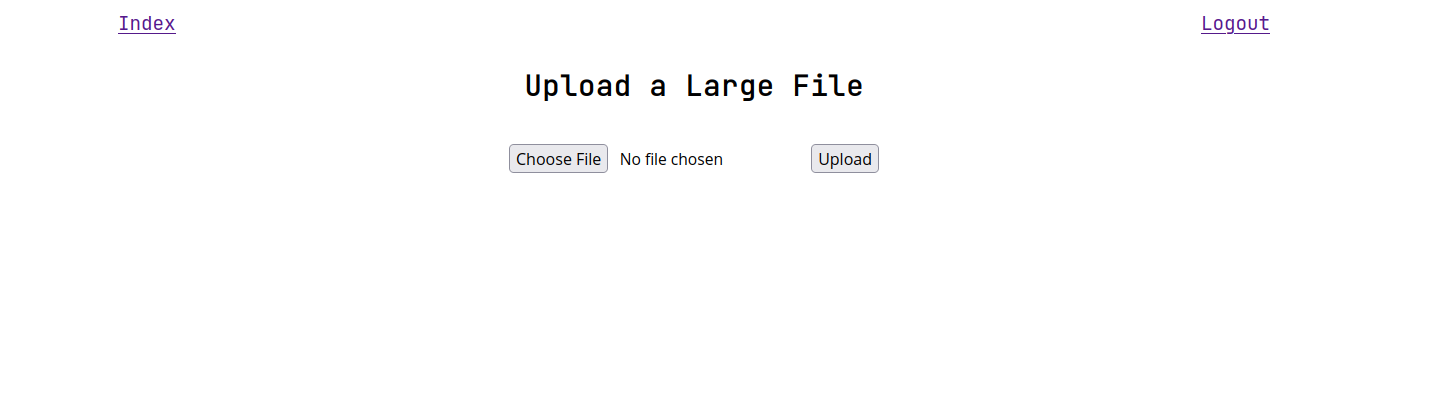
This feature allows the upload of files of size equal to or greater than the RAM of the machine running Nerd-Storage.
For example if the application is running on a machine with 4GB of RAM to upload a file of size equal to or greater than 4GB this feature has to be used.
Related issue: github.com/0xHaru/Nerd-Storage/issues/1
Brief Explanation
The client uses flow.js to split the file into chunks and send them independently. The server saves each chunk as a separate file, then once all the chunks have been received the server merges them together to recreate the original file.
CLI
nerdcli is a command line interface for Nerd-Storage.
Useful link for newbies: unix.stackexchange.com/questions/storing-shell-scripts
usage: nerdcli [--parameter]

--login                         login
--logout                        logout
--ls PATH                       list directory content
--download PATH                 download file or directory
--mkdir PATH                    make a directory
--upload PATH FILE_PATH         upload a file
--upload-dir PATH FILE_PATH     upload a .zip as a directory
--delete PATH                   delete a file or directory

Config:
        Set IP and PORT.
        Script path: /path/to/script

Examples:
        https://github.com/0xHaru/Nerd-Storage/blob/master/cli/examples.md

Project home page: https://github.com/0xHaru/Nerd-Storage
Demo
Release 0.0.9
License
This project uses the following license: GPLv3.
1 maintainer

Metadata
1 maintainer
Release files for Nerd-Storage 0.2.1
For a detailed explanation of source distributions (sdists) and built distributions (wheels), please see the package formats documentation.
Source distribution (sdist)
| File | Size | Uploaded | Provenance | Actions |
|---|---|---|---|---|
| Nerd-Storage-0.2.1.tar.gz | 1.9 MB | Without provenance | Details for Nerd-Storage-0.2.1.tar.gz |
Built distribution (wheel)
| File | Interpreter | ABI | Platform | Actions Reset |
|---|---|---|---|---|
| Nerd_Storage-0.2.1-py3-none-any.whl | Python 3 | none | any | Details for Nerd_Storage-0.2.1-py3-none-any.whl |
Total release size: 2.0 MB
Release files / Nerd-Storage-0.2.1.tar.gz
| Download URL | Nerd-Storage-0.2.1.tar.gz |
|---|---|
| Size | 1.9 MB |
| Tags | Source |
|
SHA-256 checksum How to use checksums |
22dcff5e8489d7368b9e7d05bddd46d43e0a5f53a3c1384b381afd928d551686
|
|
BLAKE2b-256 checksum How to use checksums |
caec45c9e0042632494ab4f291950ea1594a7a8d81d4aaa26054c82870a28780
|
| Upload date | |
|
Uploaded using Trusted Publishing? What is trusted publishing? |
No |
| Uploaded via |
twine/3.4.1 importlib_metadata/4.0.0 pkginfo/1.7.0 requests/2.25.1 requests-toolbelt/0.9.1 tqdm/4.60.0 CPython/3.9.6
|
Release files / Nerd_Storage-0.2.1-py3-none-any.whl
| Download URL | Nerd_Storage-0.2.1-py3-none-any.whl |
|---|---|
| Size | 34.8 kB |
| Tags | Python 3 |
|
SHA-256 checksum How to use checksums |
1294b2e61f6b145878cf30ce268685dfd2bb9cdf070393469f01534fe3319d6d
|
|
BLAKE2b-256 checksum How to use checksums |
944e34d91fa0a41dbbeb83f58c416085e96f6487b84c5d159a6927d42c3c728e
|
| Upload date | |
|
Uploaded using Trusted Publishing? What is trusted publishing? |
No |
| Uploaded via |
twine/3.4.1 importlib_metadata/4.0.0 pkginfo/1.7.0 requests/2.25.1 requests-toolbelt/0.9.1 tqdm/4.60.0 CPython/3.9.6
|
Security for Nerd-Storage 0.2.1
Provenance
Provenance describes where a file came from. On PyPI, provenance is shared via attestations, which provide a verifiable record of the build or publishing details. View details, limitations and caveats.
No provenance found
None of the files in this release were uploaded with provenance metadata.
A note on package security
PyPI is a repository for distributing packages, not a service for auditing them. While third-party security researchers and our staff do their best to detect and remove malicious packages, PyPI cannot guarantee the quality, security or suitability of any given package.
To learn more about protecting yourself from malicious actors, visit our package security documentation.














