
video tutorial video tutorial
1. How to install
1. Run through python script
- Install python:
>=Python3.6 - Install dependence:
pip install -r requirements.txt - Run:
python main.py (your saved .note path)
2. Run through executable files
1. Windows OS
- Run
NodeNote.exe - Resource file will be saved in
Assetsin the current directory
2. Linux OS
- Install the package:
sudo apt install libxcb-xinerama0 - Run:
./NodeNote - Resource file will be saved in
Assetsin the current directory
3. Mac OS
- Run:
NodeNote.app - Resource file will be saved in
Assetsin the current directory
3. Custom development
- You can install the python package:
pip install NodeNotePackage - You can run the example in
NodeNotePackage/Examples/example.py - Here is the documentation in
doc/build/html/index.html
2. How to use
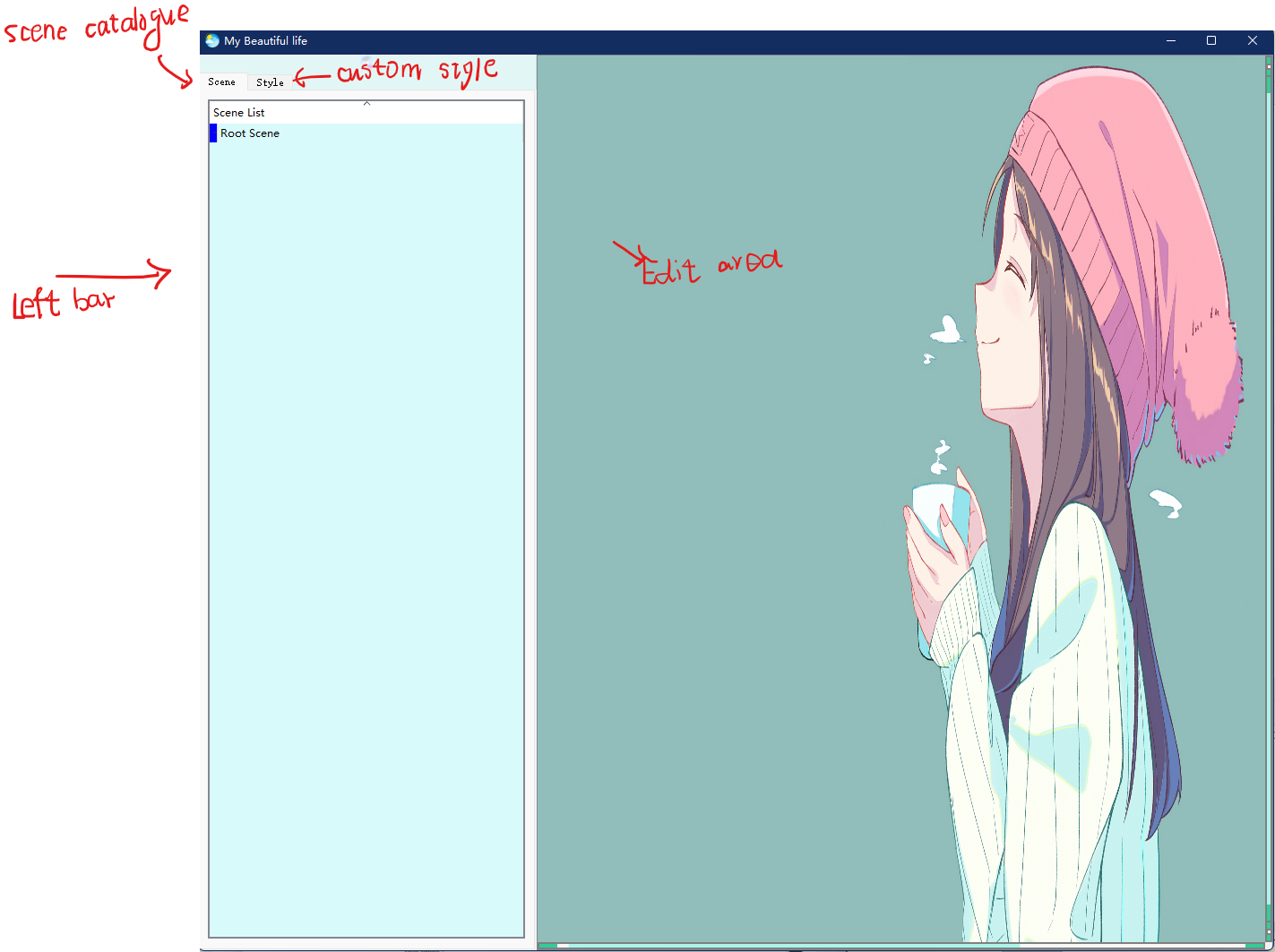
1. Interface Settings
Set the sidebar visible or invisible : Ctrl+B
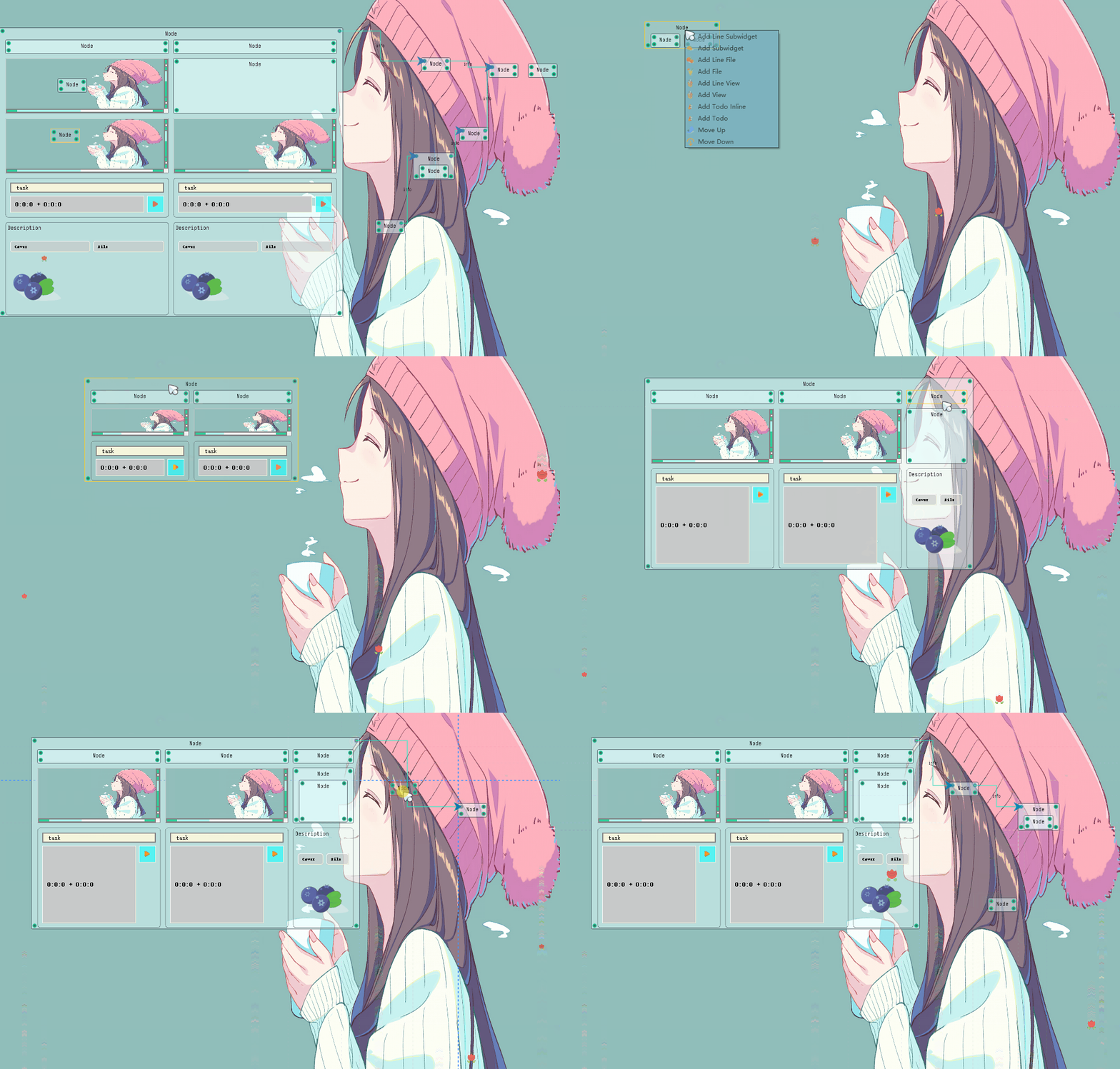
2. How to add widgets and use them.
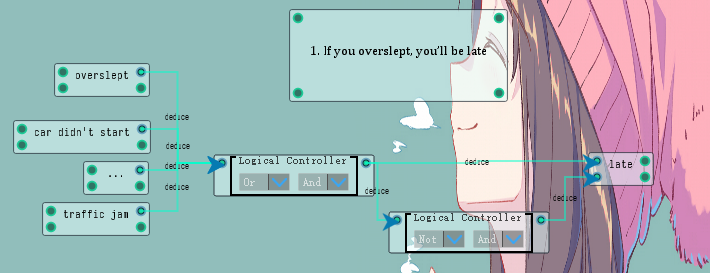
you can add widgets by the context menu : Attribute Widget and Logic Widget and Draw Widget
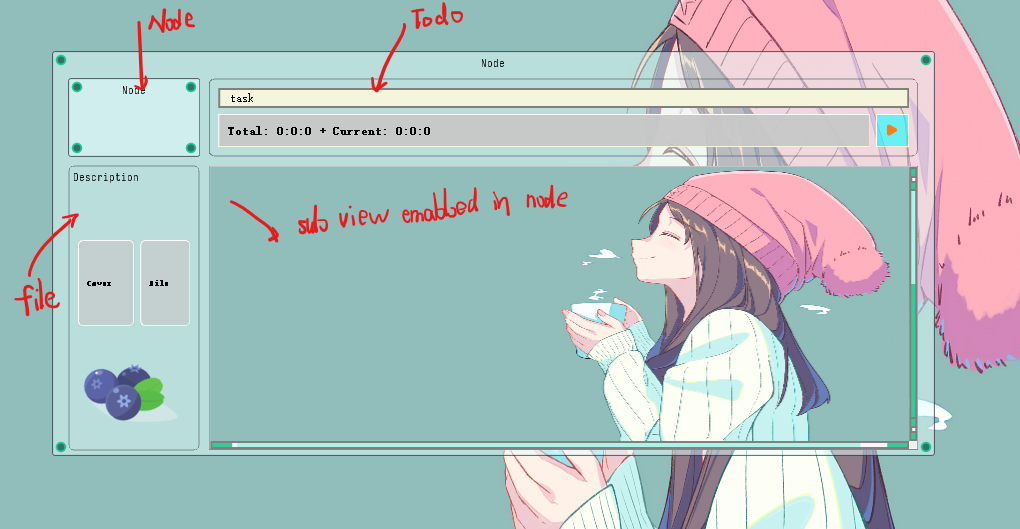
Attribute Widget:
-
Input and output: Four ports.
-
Text input field : Rich text support.
-
Expansion and reduction: Press
ShiftandLmbto expand or reduce the attribute widget. -
Embedded unlimited sub widgets.:

Python highlighter : Ctrl+6 |
Clear alignment: Ctrl+P |
Bold: Ctrl+W |
|---|---|---|
Align left : Ctrl+[ |
Align right : Ctrl+] |
Align center : Ctrl+ \ |
Italic : Ctrl+Q |
Underline : Ctrl+R |
Strikethrough: Ctrl+/ |
Increase the font: Ctrl+G |
Decrease the font: Ctrl+H |
Change the font color: Ctrl+N |
Hyper link: Ctrl+M |
mathematical formula ($LaTeX$): Ctrl+I |
Clear format: Ctrl + L |
Undo: Crtl+Z |
Redo: Ctrl+Y |
Table: Ctrl+1 |
Add a row in a table: Ctrl+T |
Add a column in a table : Ctrl+R |
Delete a row in a table : Ctrl+D |
Delete a column in a table : Ctrl+M |
Add a list : Ctrl+2 |
Resize the image : Ctrl+U |
Enter the sub scene : Alt+left_mouse_press |
Logic Widget:
- Input and output: two ports.
- logic controller: two AND-OR-NOT gates.
3. Connections and animation.
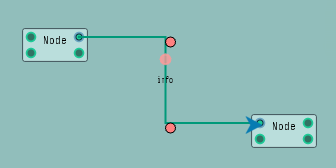
- You can double click the port widget to create pipe widgets.
- Press
Ctrl 0at pipe widget or attribute widget to turn on the animation. - You can change the pipe position with two controller points.
4. The tablet support.

-
you can create a draw widget to draw with a tablet.
-
The style which contains the width and the color depends on the draw widget style.
5. Other functions.
- collision detection
- Auxiliary line alignment
- The view zoom in and zoom out:
Ctrl + -和Ctrl + + - Search everywhere:
Crtl + F - Change background image(svg format) and background flowing image(png format):
Resources/BackgroundandResources - Save and load:
Ctrl S(auto sava when close the application) andCtrl Oto load.notefile. - print items in this scene to image:
Ctrl Alt p - print selected items to image:
Ctrl Shift p
3. How to note your knowledge
For the four ports of the specified attribute widget, the left side of the two represents the input, and the two represent the output on the right.
The ports on the top are TRUE values and the ports on the bottom are FALSE values.
Why do you have two inputs and two outputs, because for the detailed logic, you have to be certain of your true values of the info,
We have to know whether the ports define the information TRUE or FALSE.
The logic we're saying is that if you oversleep, and you're going to be late, then if we don't oversleep, it's not necessarily the case, for example, we might have a traffic jam on the road.
We connect the TRUE port of oversplept node with a Or gate of logical controller, and so are others. It is saying that just one of all these Reasons is TRUE, you can
make the logic circulate.
With the second logic controller,it is saying only all these Reasons are FALSE, the late can be FALSE
Also, We can use tablet to help us note sth that text/logic can not express.
4. Finally
If you meet any problems or want to give a valuable suggestion, please email to helper033@163.com or create an issue.
1 maintainer

Metadata
1 maintainer
Release files for NodeNotePackage 2.0.10
For a detailed explanation of source distributions (sdists) and built distributions (wheels), please see the package formats documentation.
Built distribution (wheel)
| File | Interpreter | ABI | Platform | Reset |
|---|---|---|---|---|
| NodeNotePackage-2.0.10-py3-none-any.whl | Python 3 | none | any | Details |
Release files / NodeNotePackage-2.0.10-py3-none-any.whl
| Download URL | NodeNotePackage-2.0.10-py3-none-any.whl |
|---|---|
| Size | 53.4 MB |
| Tags | Python 3 |
|
SHA-256 checksum How to use checksums |
ac7c5bd8ed83a0b29752826edcbe0452ef6dc2a3ba307b9418a20d2add5a6aa9
|
|
BLAKE2b-256 checksum How to use checksums |
9fafc4cf5f9a513b248ff9efcaddcd3eb154275396cbe0e221a9f6d8a7cf2c7c
|
| Upload date | |
|
Uploaded using Trusted Publishing? What is trusted publishing? |
No |
| Uploaded via |
twine/3.4.2 importlib_metadata/4.8.1 pkginfo/1.7.1 requests/2.26.0 requests-toolbelt/0.9.1 tqdm/4.62.3 CPython/3.9.6
|














