
A contextual spellchecker for OCR output

Project description

OCRfixr
OVERVIEW
This project aims to help automate the challenging work of manually correcting OCR output from Distributed Proofreaders' book digitization projects
Correcting OCR Misreads
OCRs can sometimes mistake similar-looking characters when scanning a book. For example, "l" and "1" are easily confused, potentially causing the OCR to misread the word "learn" as "1earn".
As written in book:
"The birds flevv south"
Corrected text:
"The birds flew south"
How OCRfixr Works:
OCRfixr fixes misreads by checking 1) possible spell corrections against the 2) local context of the word. For example, here's how OCRfixr would evaluate the following OCR mistake:
As written in book:
"Days there were when small trade came to the stoie. Then the young clerk read."
| Method | Plausible Replacements |
|---|---|
| Spellcheck (symspellpy) | stone, store, stoke, stove, stowe, stole, soie |
| Context (BERT) | market, shop, town, city, store, table, village, door, light, markets, surface, place, window, docks, area |
Since there is match for both a plausible spellcheck replacement and that word reasonably matches the context of the sentence, OCRfixr updates the word.
Corrected text:
"Days there were when small trade came to the store. Then the young clerk read."
For very common scanning errors where it is clear what the word should have been (ex: 'onlv' --> 'only'), OCRfixr skips the context check and relies solely on a static mapping of common corrections. This helps to maximize the number of successful edits & decrease compute time. (You can disable this by setting common_scannos to "F").
Using OCRfixr
The package can be installed using pip.
pip install OCRfixr
By default, OCRfixr only returns the original string, with all changes incorporated:
>>> from ocrfixr import spellcheck

>>> text = "The birds flevv south"
>>> spellcheck(text).fix()
'The birds flew south'
Use return_fixes to also include all corrections made to the text, with associated counts for each:
>>> spellcheck(text, return_fixes = "T").fix()
['The birds flew south', {("flevv","flew"):1}]
(Note: OCRfixr resets its BERT context window at the start of each new paragraph, so splitting by paragraph may be a useful debug feature)
Interactive Mode
OCRfixr also has an option for the user to interactively accept/reject suggested changes to the text:
>>> text = "The birds flevv down\n south, but wefe quickly apprehended\n by border patrol agents"
>>> spellcheck(text, interactive = "T").fix()
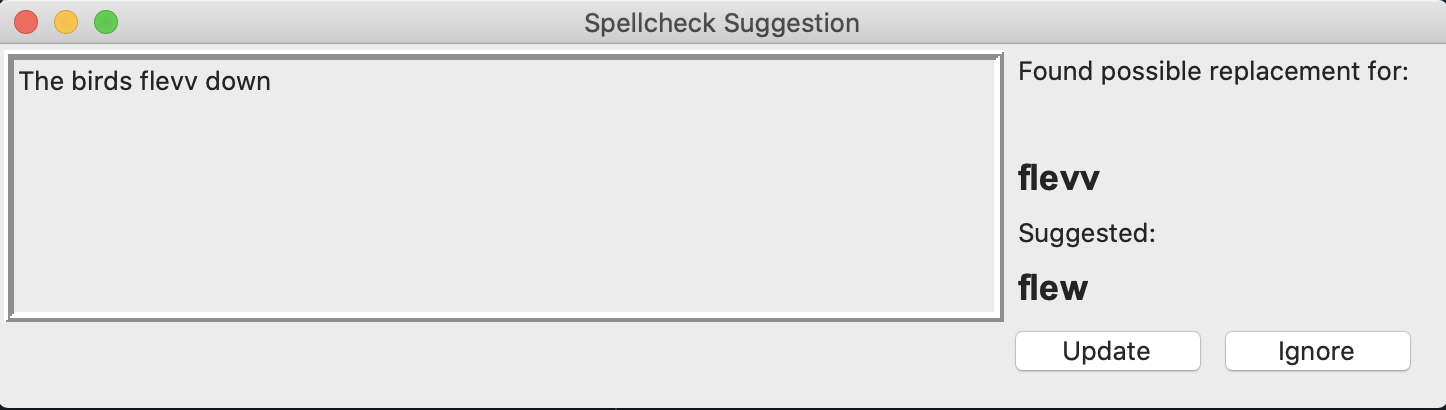
Each suggestion provides the local context around the garbled text, so that the user can determine if the suggestion fits.
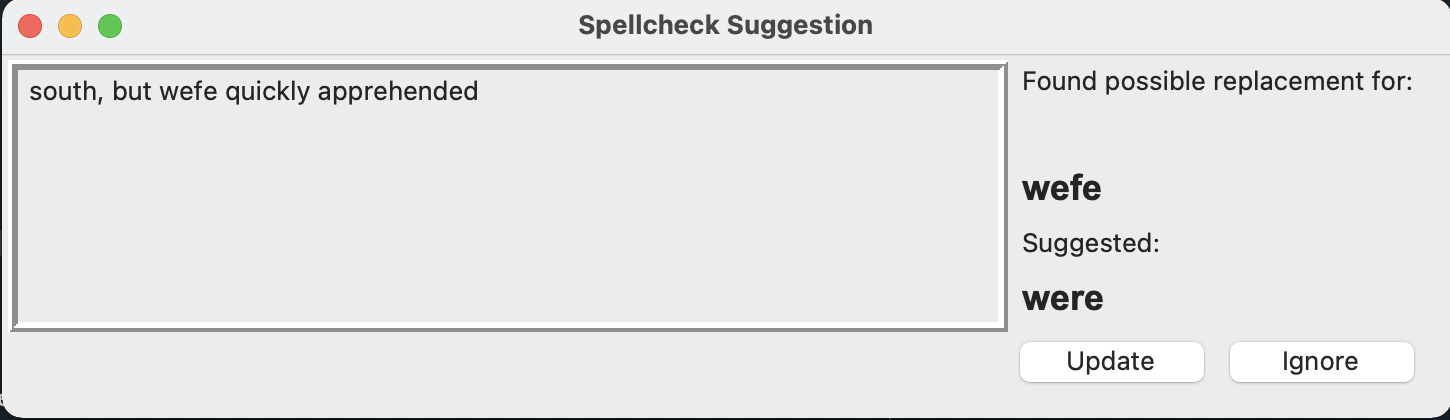
>>> ### User accepts change to "flevv", but rejects change to "wefe" in GUI
'The birds flew down\n south, but wefe quickly apprehended\n by border patrol agents'
This returns the text with all accepted changes reflected. All rejected suggestions are left as-is in the text.
Avoiding "Damn You, Autocorrect!"
By design, OCRfixr is change-averse:
- If spellcheck/context do not line up, no update is made.
- Likewise, if there is >1 word that lines up for spellcheck/context, no update is made.
- Only the top 15 context suggestions are considered, to limit low-probability matches.
- If the suggestion is a homophone of the original word, it is ignored (original: coupla --> suggestion: couple). These are assumed to be 'stylistic' or phonetic misspellings
- Proper nouns (anything starting with a capital letter) are not evaluated for spelling.
Word context is drawn from all sentences in the current paragraph (designated by a '\n'), to maximize available information, while also not bogging down the BERT model.
Credits
- symspellpy powers spellcheck suggestions
- transformers does the heavy lifting for BERT context modelling
- DataMunging provided a very useful list of common scanning errors
- SCOWL word list is Copyright 2000-2019 by Kevin Atkinson.
- This project was created to help Distributed Proofreaders. Support them here: https://www.pgdp.net/c/
Release history Release notifications | RSS feed


Download files
Download the file for your platform. If you're not sure which to choose, learn more about installing packages.
Source Distribution
Built Distribution
Filter files by name, interpreter, ABI, and platform.
If you're not sure about the file name format, learn more about wheel file names.
Copy a direct link to the current filters
File details
Details for the file OCRfixr-1.4.2.tar.gz.
File metadata
- Download URL: OCRfixr-1.4.2.tar.gz
- Upload date:
- Size: 437.2 kB
- Tags: Source
- Uploaded using Trusted Publishing? No
- Uploaded via: twine/3.3.0 pkginfo/1.6.1 requests/2.25.1 setuptools/54.2.0 requests-toolbelt/0.9.1 tqdm/4.55.0 CPython/3.9.4
File hashes
| Algorithm | Hash digest | |
|---|---|---|
| SHA256 |
b1d1c5f7823077d63d8da30b2b814454a719319abc7ad4df6a761eb59dfad9f7
|
|
| MD5 |
bcdbae29cf32b37dc8a7f58c539a5593
|
|
| BLAKE2b-256 |
84c6625340c1c21c4cbed2e46c09edd2fda3e53acde62364c35f6daa44761c72
|
File details
Details for the file OCRfixr-1.4.2-py3-none-any.whl.
File metadata
- Download URL: OCRfixr-1.4.2-py3-none-any.whl
- Upload date:
- Size: 435.9 kB
- Tags: Python 3
- Uploaded using Trusted Publishing? No
- Uploaded via: twine/3.3.0 pkginfo/1.6.1 requests/2.25.1 setuptools/54.2.0 requests-toolbelt/0.9.1 tqdm/4.55.0 CPython/3.9.4
File hashes
| Algorithm | Hash digest | |
|---|---|---|
| SHA256 |
38ae1ba9a70fa03531d9b83000ec0ec396c47a593a75dce6133e23151727bb1d
|
|
| MD5 |
04c09b5538a2e0afbe178c1f399da242
|
|
| BLAKE2b-256 |
3e077e358d2c26c0bc79376c103210ab17c6654fc2a39011c7256b7149e5691b
|






