
This release is a pre-release and may not be stable for production use.
OdooQtUi
Native Qt desktop applications on top of Odoo — without rewriting a single view.



OdooQtUi reads the form, list and search views straight from your Odoo
server and renders them as real PySide6 widgets. Fields, notebooks, header
buttons, invisible/readonly/required conditions, onchanges and the
chatter all come from the server — you just drop the widget into your window.
Change a view in Odoo, and your desktop app follows. No XML to duplicate, no forms to hand-draw.
form = connector.initFormViewObj('res.partner')
form.loadIds([7])          # a live, editable Odoo form in your Qt window
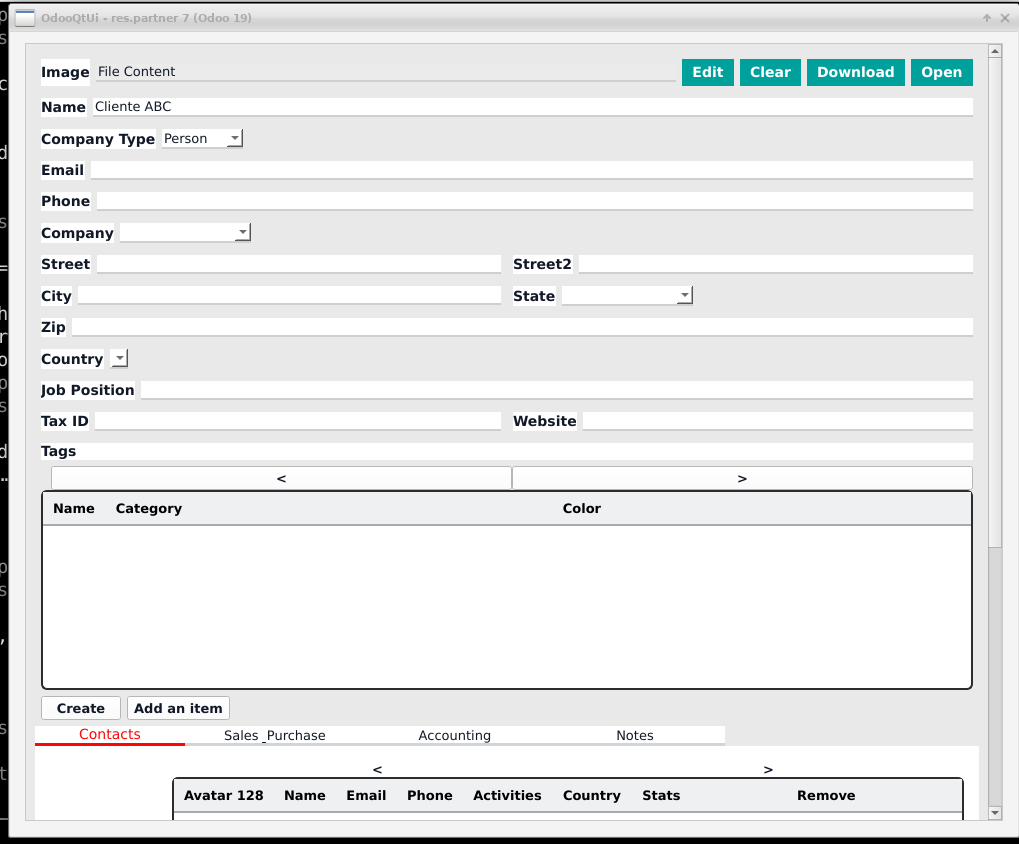
The code above, run against Odoo 19: the partner form as the server defines it, notebook and one2many lists included.
Why OdooQtUi?
The Odoo web client is great in a browser. Some applications don't live in a browser:
- Desktop integrations — a CAD, a machine, a scale, a label printer, a local file system: talk to them from Python and show Odoo data in the same window.
- Plugins inside other software — embed an Odoo form in any Qt-based host application.
- Kiosks and shop-floor stations — a focused, native UI that exposes only what the operator needs.
- Your own UX, Odoo's business logic — build a custom window, and still let the server decide which fields exist, which are required and which buttons are allowed.
It is not a toy: OdooQtUi is the UI layer of OdooPLM, the PLM client that connects SolidWorks, Inventor, FreeCAD and other CADs to Odoo, used in production.
Features
| Views | Form (groups, notebooks, header, button box, chatter) · List with pagination · Search with filters · Tree |
| Fields | char · text · integer · float · boolean · date · datetime · selection · binary · many2one · many2many · one2many |
| Behaviour | invisible / readonly / required conditions · onchange · header buttons calling server methods · statusbar · create and save |
| Connection | XML‑RPC and JSON‑RPC, over HTTP or HTTPS · ready-made login dialog · optional stored credentials |
| Look & feel | One palette for the whole app, set from code, a JSON file or an environment variable |
| Low level | A thin RPC client (search, read, write, create, delete, any model method) you can use on its own |
Installation
pip install OdooQtUi
Requires Python 3.12+ and PySide6 (installed automatically). You need access to an Odoo server — if you don't have one, the official Docker image starts one in a minute.
Quick start
1. Log in
import sys
from PySide6 import QtWidgets
from OdooQtUi.connector import MainConnector

app = QtWidgets.QApplication(sys.argv)

connector = MainConnector()
if not connector.loginWithDial():      # shows the Odoo login dialog
    sys.exit("Login cancelled")
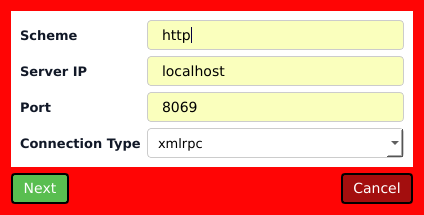
Prefer no dialog? Log in from code, over XML‑RPC or JSON‑RPC:
connector.loginWithUser('admin', 'admin', 'my_database',
                        xmlrpcServerIP='localhost', xmlrpcPort=8069,
                        scheme='http', loginType='jsonrpc')
assert connector.userLogged
2. Show an Odoo form
form = connector.initFormViewObj('res.partner', useHeader=True, useChatter=True)
form.loadIds([7])                      # load the record with id 7

window = QtWidgets.QDialog()
QtWidgets.QVBoxLayout(window).addWidget(form)
window.resize(1000, 700)
window.exec()

form.save()                            # write the changes back to Odoo
form.loadIds([]) opens an empty form filled with the server defaults, and
save() then creates the record.
3. Show a list with a search bar
products = connector.initTreeListViewObject('product.product', viewFilter=True)
products.loadForceEmptyIds()           # first page of records

window = QtWidgets.QDialog()
QtWidgets.QVBoxLayout(window).addWidget(products)
window.exec()

print(products.getSelectedIds())
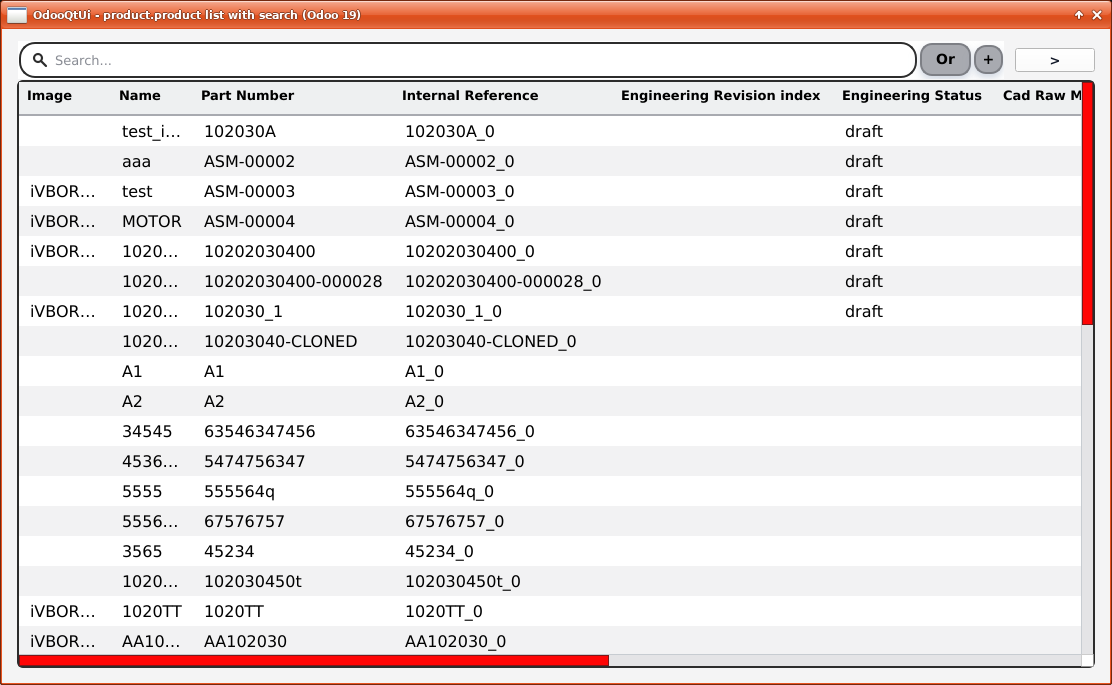
Double-click a row to open its form. Pass deafult_filter=[('sale_ok', '=', True)]
to restrict what the list shows.
Need a specific view? Every init… method accepts viewName='…' or view_id=….
4. Talk to Odoo directly
The same connection gives you the plain RPC calls:
rpc = connector.rpc_connector
ids = rpc.search('res.partner', [('is_company', '=', True)], limit=10)
for partner in rpc.read('res.partner', ['name', 'email'], ids):
    print(partner['name'], partner['email'])

rpc.write('res.partner', {'phone': '+39 041 000000'}, ids[:1])
rpc.callCustomMethod('sale.order', 'action_confirm', [[42]])
5. Make it yours
Load a palette before creating the connector:
from OdooQtUi import theme

theme.load({'primary': '#1f4e79', 'accent': '#e67e22'})
# or theme.load('my_theme.json'), or set ODOOQTUI_THEME=/path/to/my_theme.json
connector = MainConnector()
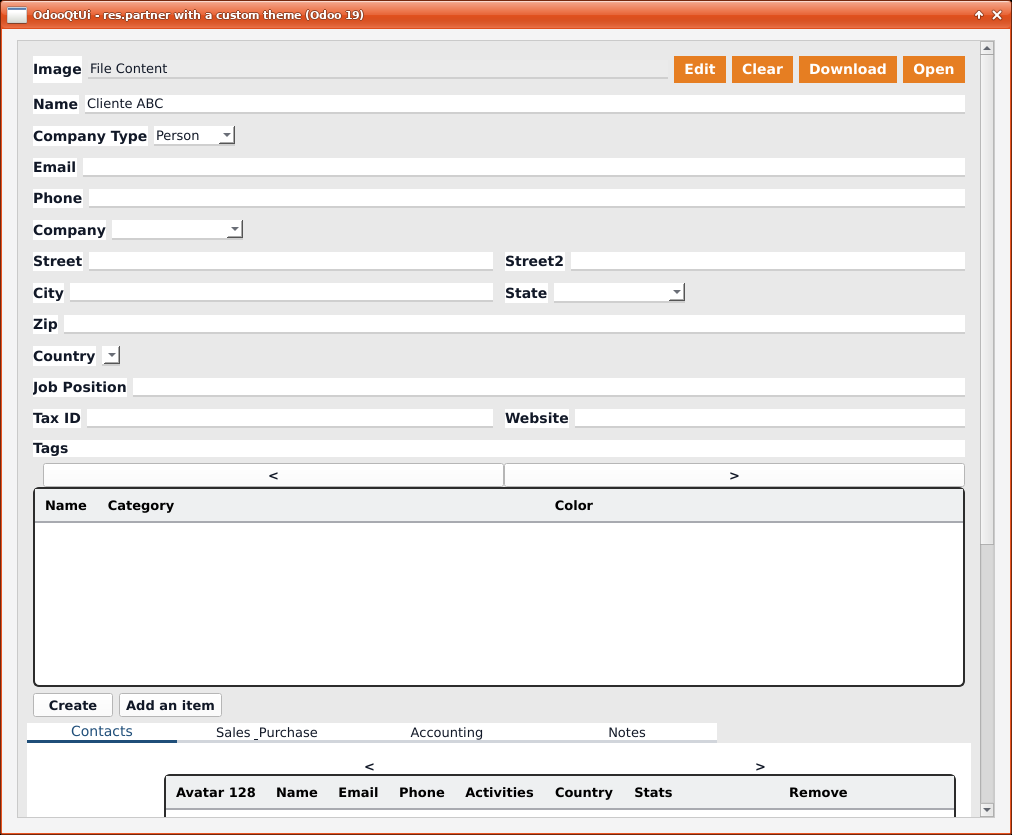
The same partner form with the palette above: the accent on the buttons, the primary colour on the tabs.
The available colour names are listed in
OdooQtUi/theme.py.
Odoo compatibility
| Odoo | Status |
|---|---|
| 19 | Supported |
Older Odoo versions are not officially supported by this release.
How it works
Odoo server ──fields_view_get──▶ view arch (XML) + field definitions
                                        │
                                        ▼
                             OdooQtUi parsers (views/)
                                        │
                                        ▼
                  one Qt widget per field type (objects/<type>/)
                                        │
                  read / write / onchange / buttons over RPC (RPC/)
OdooQtUi/connector.py—MainConnector, the entry point: login and view factories.OdooQtUi/views/— form, list, search and tree views, built from the arch.OdooQtUi/objects/— one small widget per Odoo field type.OdooQtUi/RPC/— XML‑RPC and JSON‑RPC clients behind a singleRpcConnection.OdooQtUi/theme.py,OdooQtUi/widgets/— palette and reusable widgets such asStatusBar.
Contributing
Contributions are very welcome — and the codebase is friendly to newcomers:
every Odoo field type is a small, self-contained widget under
OdooQtUi/objects/, so adding support for a missing one (monetary, html,
many2many_tags, radio buttons…) is a perfect first pull request.
git clone https://github.com/OmniaGit/OdooQtUi.git
cd OdooQtUi
pip install -e .
python -m unittest discover -s test -p "test_*.py"   # no Odoo server needed
Changed how something looks? Take the README screenshots again from a running Odoo with demo data (it needs a display, and writes nothing to the server):
python tools/make_screenshots.py --db my_database # --only list theme, --help
Found a bug or have an idea? Open an issue. Code, comments and commit messages are written in English.
License
Apache License 2.0 — use, modify and redistribute OdooQtUi freely, in open source and proprietary applications alike.
The one requirement is attribution: any redistribution or derivative work must keep the NOTICE file, or reproduce its credits in its documentation or "About" box, naming OdooQtUi and its authors.
Copyright 2011-2026 OmniaSolutions and the OdooQtUi contributors — Daniel Smerghetto, Matteo Boscolo, Jayraj Thakkar.
1 maintainer

Download files
Download the file for your platform. If you're not sure which to choose, learn more about installing packages.
Source Distribution
Built Distribution
Filter files by name, interpreter, ABI, and platform.
If you're not sure about the file name format, learn more about wheel file names.
Copy a direct link to the current filters
File details
Details for the file odooqtui-0.1.0rc1.tar.gz.
File metadata
- Download URL: odooqtui-0.1.0rc1.tar.gz
- Upload date:
- Size: 134.9 kB
- Tags: Source
- Uploaded using Trusted Publishing? Yes
- Uploaded via:
twine/7.0.0 CPython/3.13.14
File hashes
| Algorithm | Hash digest | |
|---|---|---|
| SHA256 |
66c0f82481b106119b26dc9aa70d4e7b6d2f91645b80dbfe3ecf66786dfc4939
|
|
| MD5 |
5812a387e9907f4845087b99dfa9dad1
|
|
| BLAKE2b-256 |
812f5e8b3df33bedd0232f0fd58865d42efdb705598165e7d55c0f0ed2bff400
|
Provenance
The following attestation bundles were made for odooqtui-0.1.0rc1.tar.gz:
Publisher:
release.yml on OmniaGit/OdooQtUi
-
Statement:
-
Statement type:
https://in-toto.io/Statement/v1 -
Predicate type:
https://docs.pypi.org/attestations/publish/v1 -
Subject name:
odooqtui-0.1.0rc1.tar.gz -
Subject digest:
66c0f82481b106119b26dc9aa70d4e7b6d2f91645b80dbfe3ecf66786dfc4939 - Sigstore transparency entry: 2831936693
- Sigstore integration time:
-
Permalink:
OmniaGit/OdooQtUi@b67000030b2aee391f7c64fcfe40feaf642254ea -
Branch / Tag:
refs/tags/v0.1.0rc1 - Owner: https://github.com/OmniaGit
-
Access:
public
-
Token Issuer:
https://token.actions.githubusercontent.com -
Runner Environment:
github-hosted -
Publication workflow:
release.yml@b67000030b2aee391f7c64fcfe40feaf642254ea -
Trigger Event:
push
-
Statement type:
File details
Details for the file odooqtui-0.1.0rc1-py3-none-any.whl.
File metadata
- Download URL: odooqtui-0.1.0rc1-py3-none-any.whl
- Upload date:
- Size: 157.1 kB
- Tags: Python 3
- Uploaded using Trusted Publishing? Yes
- Uploaded via:
twine/7.0.0 CPython/3.13.14
File hashes
| Algorithm | Hash digest | |
|---|---|---|
| SHA256 |
839ca63f1582ee87e38bd09097b79577810a002ee18d3eb3bd6233f34685d30b
|
|
| MD5 |
5a36daa624696dca0a89878aa8e8e39e
|
|
| BLAKE2b-256 |
cd4b58ae4cfa2e9ca4cdcbe5e5e048138d8e79e6ba8385bf3a0dfd0cbf94c038
|
Provenance
The following attestation bundles were made for odooqtui-0.1.0rc1-py3-none-any.whl:
Publisher:
release.yml on OmniaGit/OdooQtUi
-
Statement:
-
Statement type:
https://in-toto.io/Statement/v1 -
Predicate type:
https://docs.pypi.org/attestations/publish/v1 -
Subject name:
odooqtui-0.1.0rc1-py3-none-any.whl -
Subject digest:
839ca63f1582ee87e38bd09097b79577810a002ee18d3eb3bd6233f34685d30b - Sigstore transparency entry: 2831936777
- Sigstore integration time:
-
Permalink:
OmniaGit/OdooQtUi@b67000030b2aee391f7c64fcfe40feaf642254ea -
Branch / Tag:
refs/tags/v0.1.0rc1 - Owner: https://github.com/OmniaGit
-
Access:
public
-
Token Issuer:
https://token.actions.githubusercontent.com -
Runner Environment:
github-hosted -
Publication workflow:
release.yml@b67000030b2aee391f7c64fcfe40feaf642254ea -
Trigger Event:
push
-
Statement type:














