
OutlineImage - Detailed outline images from a folder





OutlineImage writes a detailed outline image for each picture in a folder. The default file is PNG, in an output folder next to those pictures. Supported inputs are webp, png, jpg, and jpeg.
On a terminal, starting it with no arguments opens a text menu. The menu does not convert images by itself, and it does not call pip.
Features
- Text menu on a terminal: outline, system-log, language, self-management, and Exit
- The first row shows the current folder and a local clock (
HH:MM:SS) when the row has room - Numbered rows line up. A rounded input box sits along the bottom, as wide as the terminal, with the name and version on the status line under the box
- outline (1) lists 1 current folder, each subfolder, and 0 back. The chosen folder is converted to outline images
- The typed verb
outlineconverts a folder in the terminal and does not draw the menu. With no folder, it uses the current directory - system-log (3) opens view-log, clear-log, and log-folder. language (4) picks the menu language. self-management (8) opens version, about, and the pip lifecycle rows
- Console script
outline-imageand module entrypython -m OutlineImage - Typed verbs:
help,version,about,outline,self-install,version-check,self-update,self-uninstall - Checkout script
./convert.pyruns the same conversion
Advantages
- A folder in, outlines out.
outline-image outlineconverts images in the current directory and does not draw the menu. On the menu, row 1 outline asks for the current folder or a subfolder, then writes PNG outlines in that folder'soutputdirectory. With no arguments on a terminal, the text menu opens and waits. With no terminal and no verb, the program prints help and returns 0. There is no--json. - Built-in languages. Row 4 lists thirteen languages: English, Simplified Chinese, Traditional Chinese, Spanish, Arabic, French, Portuguese, Russian, German, Japanese, Korean, Dutch, and Greek. The choice is saved for the next run. The note on row 1 follows the menu language.
- Lifecycle and diagnostics.
version-check,self-update,self-install, andself-uninstallare menu rows 84–87 and typed verbs.self-uninstallon the command line needs--force. They call pip and do not use root. system-log (3) views a log, clears a log, and shows the log folder. about (83) stays in English.
Quick Installation
Python dependencies: ChronicleLogger>=1.3.1, numpy>=2.3.0, Pillow>=12.1.0, opencv-python-headless>=5.0.0.93, and rembg>=2.0.85 (required). Pip installs them with OutlineImage. The first outline run may download the isnet-general-use model. No external media tool is required.
PyPI (registry)
pip install OutlineImage
This installs the console entry outline-image and the package OutlineImage. Packaging name SSOT is pyproject.toml [project].name = OutlineImage. This tree is 1.0.0. The PyPI badge above shows the live index.
Local install (checkout)
From a checkout (editable / unreleased work):
git clone https://github.com/cloudgen/OutlineImage.git
cd OutlineImage
python3 -m venv venv
source venv/bin/activate   # Windows: venv\Scripts\activate
pip install -e .
Main menu
After install, on a terminal, outline-image with no arguments prints this screen. The verb is bold and the note after the colon is italic. 9 leaves. 0 on a submenu goes back. After a command finishes, the main menu is shown again. A number that is not on the list prints an error and lets you choose again.
Picture of the English menu. Current directory /tmp/clips. The rows are the text the menu paints. The frame is the 80-column box.
$ outline-image
Path: /tmp/clips                                                       12:06:45

1. **outline**        : *convert images in a chosen folder to outlines*
3. **system-log**     : *view, clear, and the log folder*
4. **language**       : *display language for this menu*
8. **self-management**: *version, about, and pip lifecycle*
9. **Exit**           : *leave*


╭─────────────────────────────────────────────────────────────────────────────╮
│ >                                                                           │
╰─────────────────────────────────────────────────────────────────────────────╯
  OutlineImage 1.0.0  │  main menu  │  Up/Down  •  Enter
system-log (3):
Path: /tmp/clips                                                       12:06:45

31. **view-log**  : *list a log file and show it*
32. **clear-log** : *empty one log file*
33. **log-folder**: *show the log folder*
 0. **Back**      : *return to the main menu*


╭─────────────────────────────────────────────────────────────────────────────╮
│ >                                                                           │
╰─────────────────────────────────────────────────────────────────────────────╯
  OutlineImage 1.0.0  │  system-log  │  Up/Down  •  Enter
language (4). The short on each language row is that language’s own name. Numbers 40 and 54–59 are not printed. 0 goes back and does not save.
Path: /tmp/clips                                                       12:06:46

41. **English**   : *use English for this menu*
42. **简体中文**      : *use 简体中文 for this menu*
43. **繁體中文**      : *use 繁體中文 for this menu*
44. **Español**   : *use Español for this menu*
45. **العربية**   : *use العربية for this menu*
46. **Français**  : *use Français for this menu*
47. **Português** : *use Português for this menu*
48. **Русский**   : *use Русский for this menu*
49. **Deutsch**   : *use Deutsch for this menu*
50. **日本語**       : *use 日本語 for this menu*
51. **한국어**       : *use 한국어 for this menu*
52. **Nederlands**: *use Nederlands for this menu*
53. **Ελληνικά**  : *use Ελληνικά for this menu*
 0. **Back**      : *return to the main menu*

╭─────────────────────────────────────────────────────────────────────────────╮
│ >                                                                           │
╰─────────────────────────────────────────────────────────────────────────────╯
  OutlineImage 1.0.0  │  language  │  Up/Down  •  Enter
self-management (8):
Path: /tmp/clips                                                       14:05:09

82. **version**       : *show the installed version*
83. **about**         : *version and this computer*
84. **version-check** : *compare this install with pip*
85. **self-update**   : *upgrade this package with pip*
86. **self-uninstall**: *remove this package with pip*
87. **self-install**  : *install this package with pip*
 0. **Back**          : *return to the main menu*

╭─────────────────────────────────────────────────────────────────────────────╮
│ >                                                                           │
╰─────────────────────────────────────────────────────────────────────────────╯
  OutlineImage 1.0.0  │  self-management  │  Up/Down  •  Enter
Choose a number, or type the command name in the box. The block caret appears in that box while it is focused.
Usage
outline-image
# or
python -m OutlineImage
On a terminal, that opens the main menu above. It does not convert images yet, and it does not call pip. With no terminal, the same command prints help and returns 0.
outline (1) opens a folder list: 1 current folder, then each subfolder, and 0 back. The chosen folder is converted. Outline files are PNG by default, named <stem>_detailed_outline.png, in that folder's output directory. Any key on the result page returns to the main menu. The typed verb converts a folder in the terminal and does not draw the menu:
outline-image outline
outline-image outline photos
outline-image outline --format png
outline-image help
outline-image version
outline-image about
outline-image outline
outline-image version-check
outline-image self-update
outline-image self-install
outline-image self-uninstall --force
version prints OutlineImage 1.0.0 and does not call pip. about shows one English page: the product identity, a host check of this computer, and a star box. It does not call pip. outline converts the current directory when no folder is given and does not draw the menu. help prints usage.
version-check runs python -m pip index versions OutlineImage. self-update runs python -m pip install --upgrade OutlineImage. self-install runs python -m pip install OutlineImage. self-uninstall runs python -m pip uninstall -y OutlineImage and needs --force on the command line. Those pip verbs do not use sudo. Empty arguments do not install or update.
Exit codes: non-zero for an unknown verb, a missing folder, a failed image, a pip failure, or a menu that cannot open. Menu Exit (9) returns 0. outline returns 0 when the folder exists and every image is written.
Import for scripts (thin entry):
from OutlineImage import main
# interactive session; a terminal opens the text menu
Screenshots
Each heading is the file name. The paragraph is what that picture shows: the words on the screen, the characters in the input box, or the scene. Package 1.0.0. These menu pictures are captures of this program. Row 1 is outline. source-photo.png and outline-result.png are not text-menu captures. The package index can fetch a picture only after that file is on the public main branch.
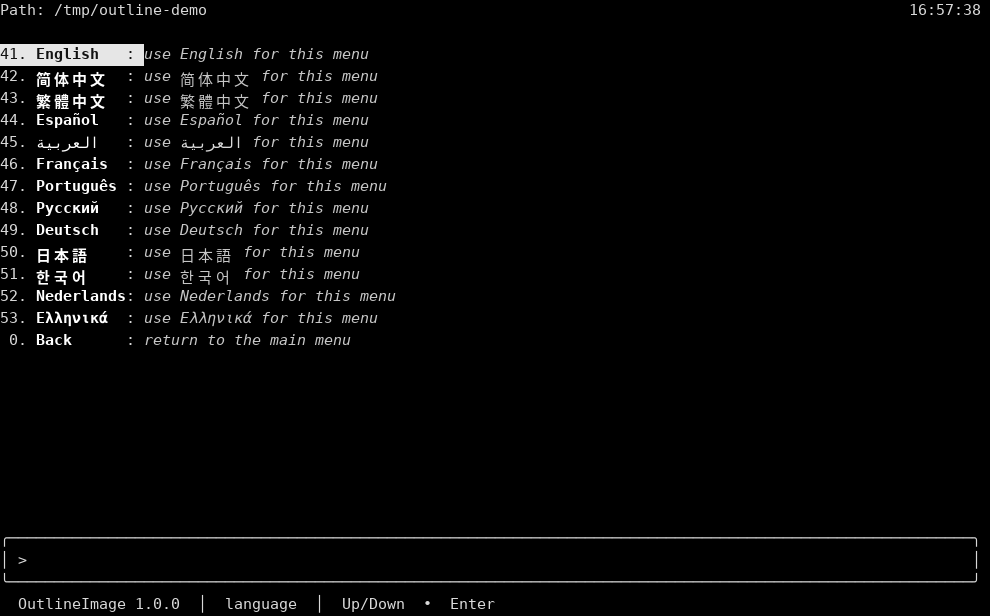
language-menu.png
Row 4 has opened the language list. 41 English is highlighted, with the note "use English for this menu." The other rows are 42 简体中文, 43 繁體中文, 44 Español, 45 العربية, 46 Français, 47 Português, 48 Русский, 49 Deutsch, 50 日本語, 51 한국어, 52 Nederlands, and 53 Ελληνικά. Each note says to use that language for this menu. Arabic on row 45 reads right to left, and the number stays on the left. 0 Back says "return to the main menu." The path label is Path. The path row names the current directory. The clock is 16:57:38 on the right of that row. The input box shows > and is otherwise empty. The status line says OutlineImage 1.0.0 and language.
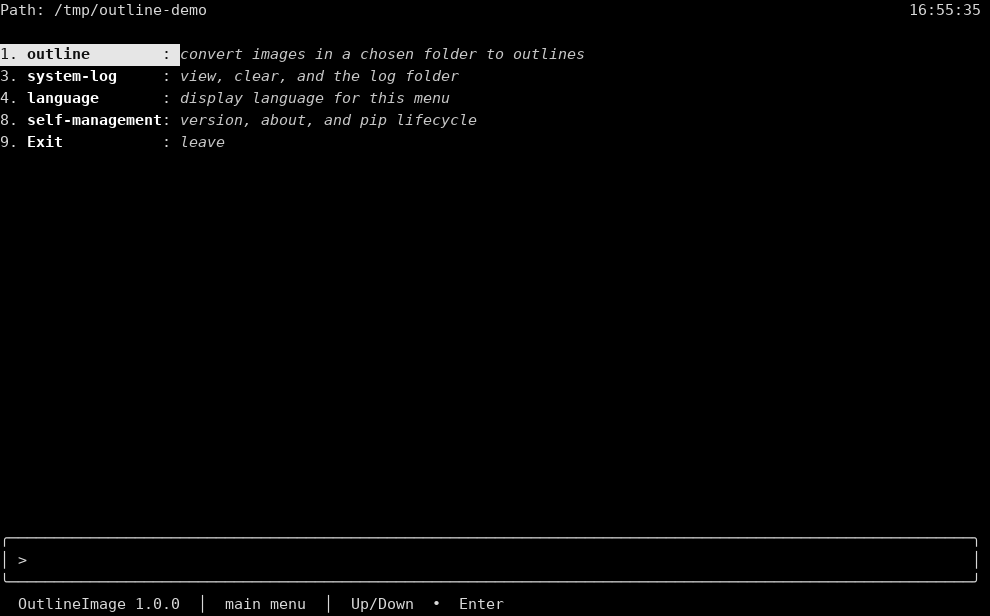
main-menu-en.png
English main menu. There is no saved-language line above the box. The path label is Path. The path row names the current directory. The clock is 16:55:35 on the right of that row. 1 outline is highlighted: "convert images in a chosen folder to outlines." Then 3 system-log "view, clear, and the log folder," 4 language "display language for this menu," 8 self-management "version, about, and pip lifecycle," and 9 Exit "leave." The input box shows > and is otherwise empty. The status line says OutlineImage 1.0.0 and main menu.
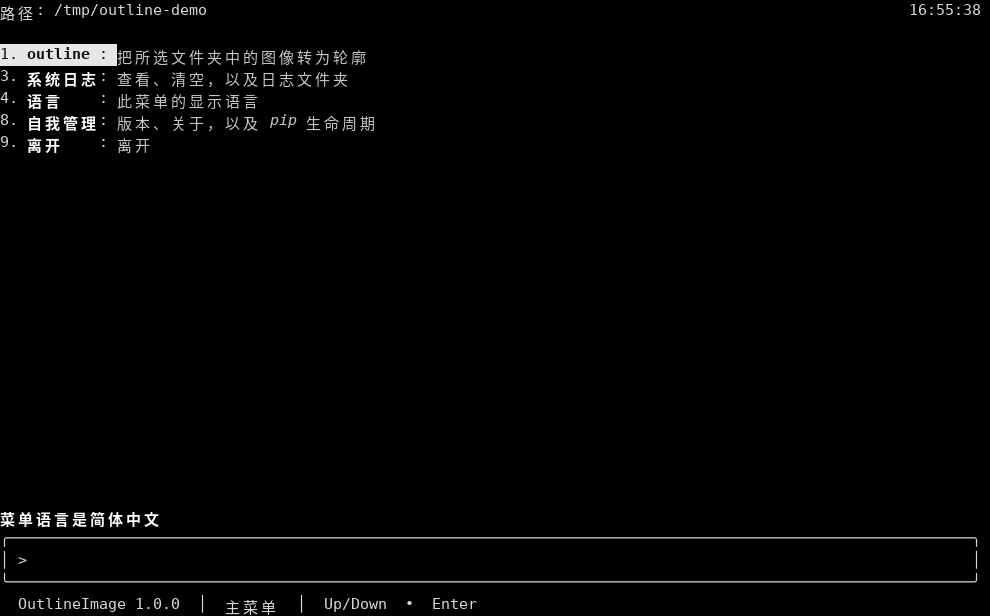
main-menu-zh-hans.png
Simplified Chinese main menu. The line above the box says 菜单语言是简体中文. The path label is 路径. The path row names the current directory. The clock is 16:55:38 on the right of that row. 1 outline is highlighted and stays outline: "把所选文件夹中的图像转为轮廓." 3 is 系统日志 "查看、清空,以及日志文件夹," 4 is 语言 "此菜单的显示语言," 8 is 自我管理 "版本、关于,以及 pip 生命周期," and 9 is 离开 "离开." The input box shows > and is otherwise empty. The status line says OutlineImage 1.0.0 and 主菜单.
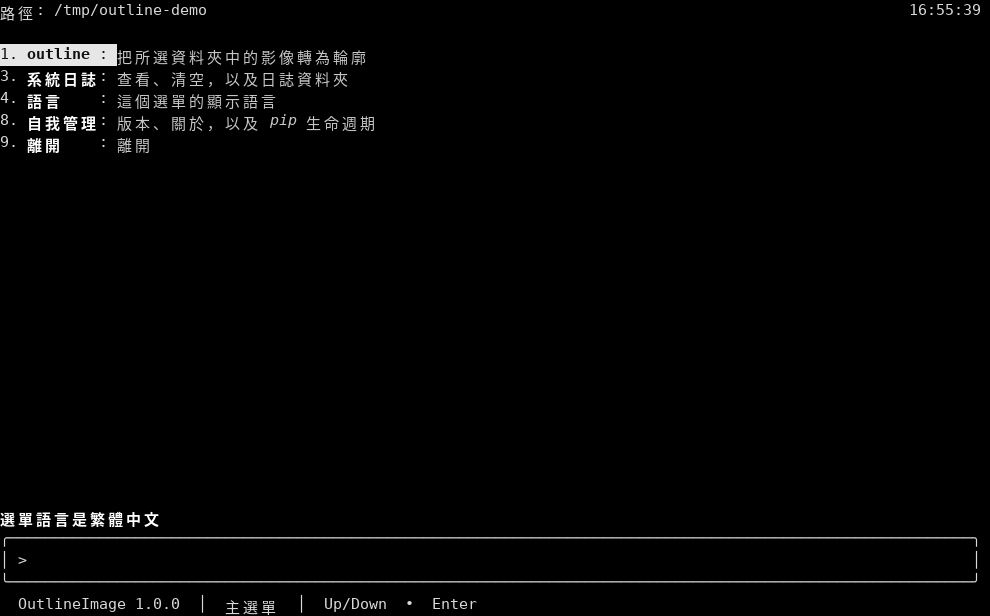
main-menu-zh-hant.png
Traditional Chinese main menu. The line above the box says 選單語言是繁體中文. The path label is 路徑. The path row names the current directory. The clock is 16:55:39 on the right of that row. 1 outline is highlighted and stays outline: "把所選資料夾中的影像轉為輪廓." 3 is 系統日誌 "查看、清空,以及日誌資料夾," 4 is 語言 "這個選單的顯示語言," 8 is 自我管理 "版本、關於,以及 pip 生命週期," and 9 is 離開 "離開." The input box shows > and is otherwise empty. The status line says OutlineImage 1.0.0 and 主選單.
main-menu-es.png
Spanish main menu. The line above the box says El idioma del menú es español. The path label is Ruta. The path row names the current directory. The clock is 16:55:40 on the right of that row. 1 outline is highlighted and stays outline: "convierte las imágenes de una carpeta elegida en contornos." 3 is registro "ver, vaciar y la carpeta de registro," 4 is idioma "idioma de este menú," 8 is autogestión "versión, acerca de y el ciclo de pip," and 9 is Salir "salir." The input box shows > and is otherwise empty. The status line says OutlineImage 1.0.0 and menú principal.
main-menu-ar.png
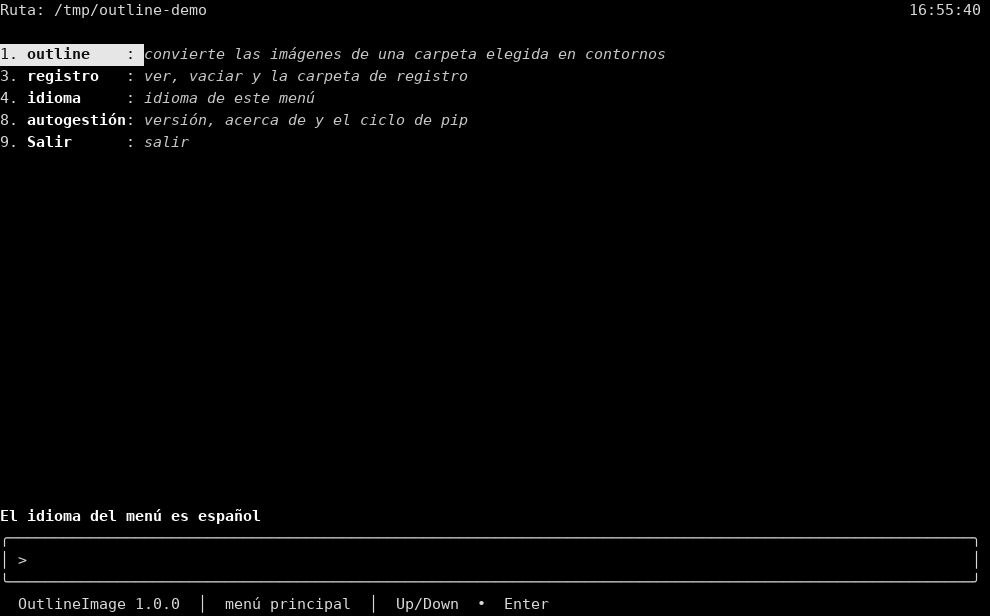
Arabic main menu. The line above the box says لغة القائمة هي العربية. The path label is المسار. The path row names the current directory. The clock is 16:57:07 on the right of that row. The numbers stay on the left. Arabic phrases are shaped and read right to left. 1 outline is highlighted and stays outline: "حوّل صور المجلد المختار إلى حدود." 3 is سجل النظام "عرض ومسح ومجلد السجل," 4 is لغة "لغة العرض لهذه القائمة," 8 is إدارة ذاتية "الإصدار وحول ودورة pip," and 9 is خروج "خروج." The input box shows > and is otherwise empty. The status line says OutlineImage 1.0.0 and القائمة الرئيسية.
main-menu-fr.png
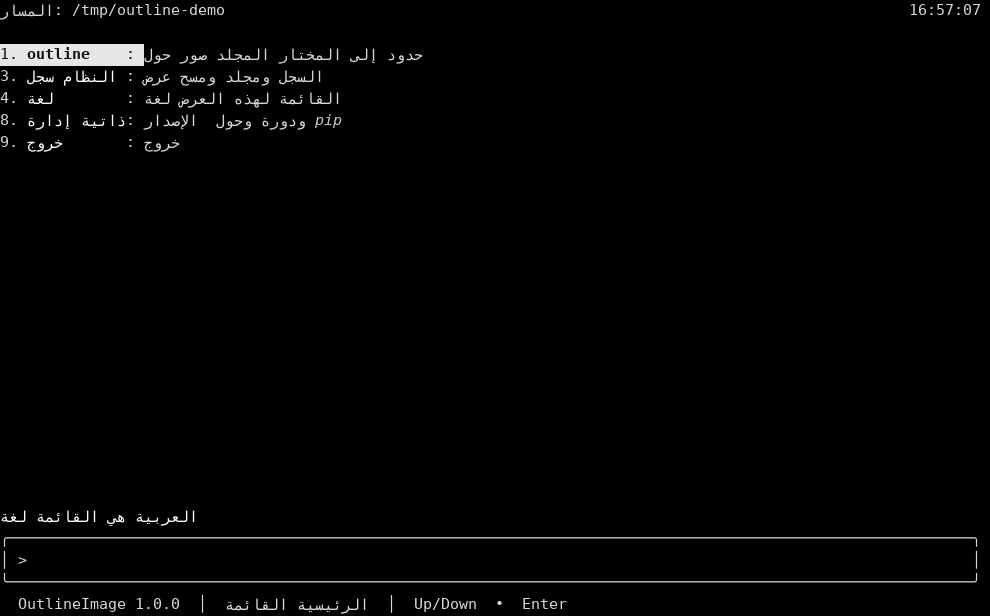
French main menu. The line above the box says La langue du menu est le français. The path label is Chemin. The path row names the current directory. The clock is 16:55:41 on the right of that row. 1 outline is highlighted and stays outline: "convertit les images d'un dossier choisi en contours." 3 is journal "voir, vider et le dossier du journal," 4 is langue "langue d'affichage de ce menu," 8 is autogestion "version, à propos et le cycle pip," and 9 is Quitter "quitter." The input box shows > and is otherwise empty. The status line says OutlineImage 1.0.0 and menu principal.
main-menu-pt.png
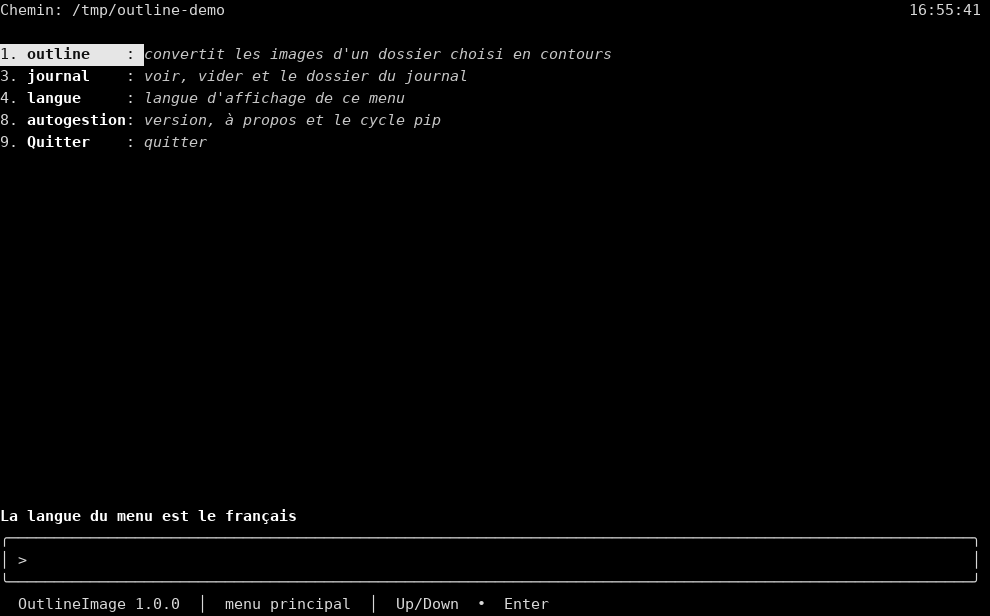
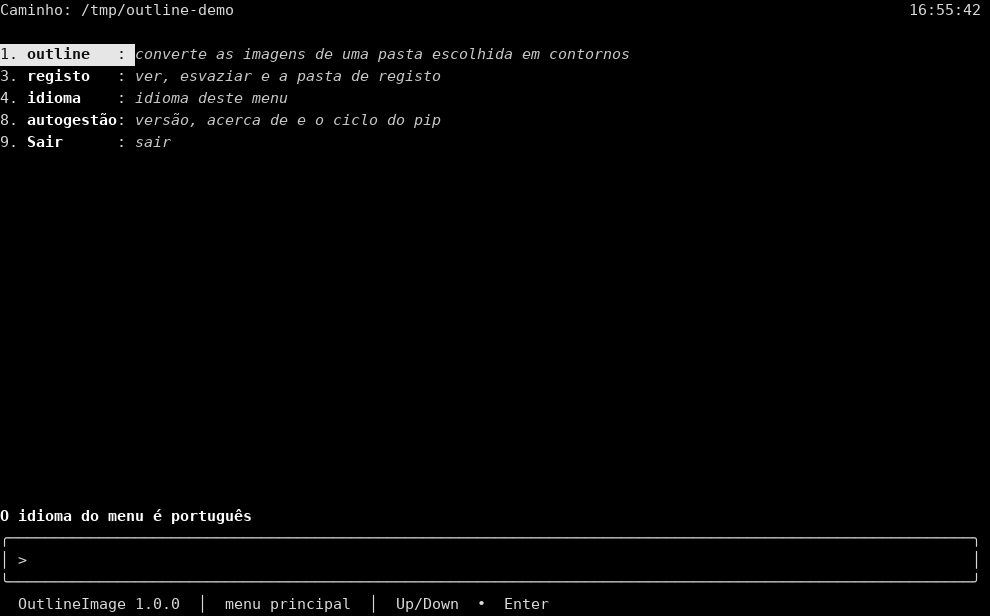
Portuguese main menu. The line above the box says O idioma do menu é português. The path label is Caminho. The path row names the current directory. The clock is 16:55:42 on the right of that row. 1 outline is highlighted and stays outline: "converte as imagens de uma pasta escolhida em contornos." 3 is registo "ver, esvaziar e a pasta de registo," 4 is idioma "idioma deste menu," 8 is autogestão "versão, acerca de e o ciclo do pip," and 9 is Sair "sair." The input box shows > and is otherwise empty. The status line says OutlineImage 1.0.0 and menu principal.
main-menu-ru.png
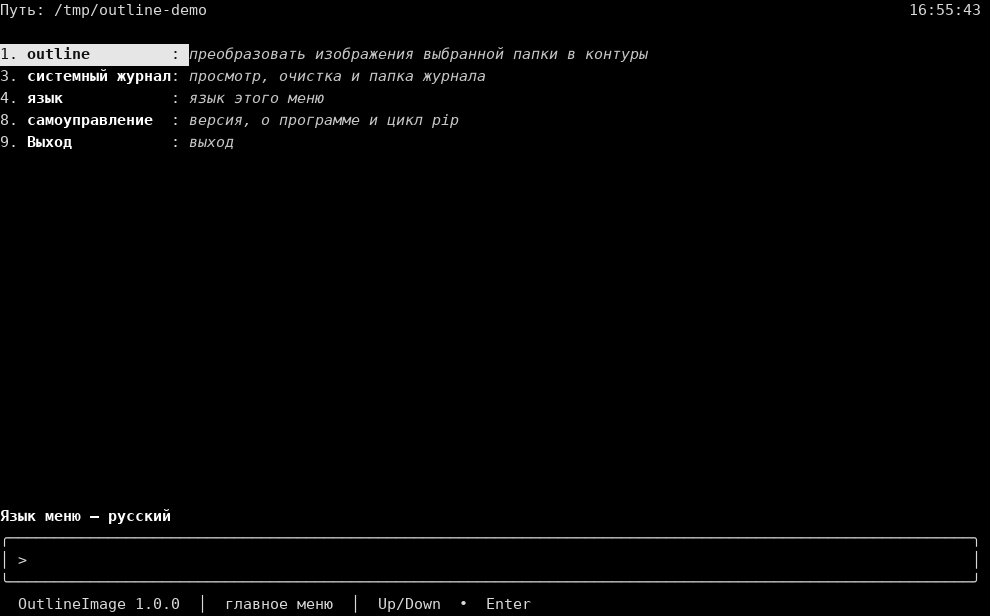
Russian main menu. The line above the box says Язык меню — русский. The path label is Путь. The path row names the current directory. The clock is 16:55:43 on the right of that row. 1 outline is highlighted and stays outline: "преобразовать изображения выбранной папки в контуры." 3 is системный журнал "просмотр, очистка и папка журнала," 4 is язык "язык этого меню," 8 is самоуправление "версия, о программе и цикл pip," and 9 is Выход "выход." The input box shows > and is otherwise empty. The status line says OutlineImage 1.0.0 and главное меню.
main-menu-de.png
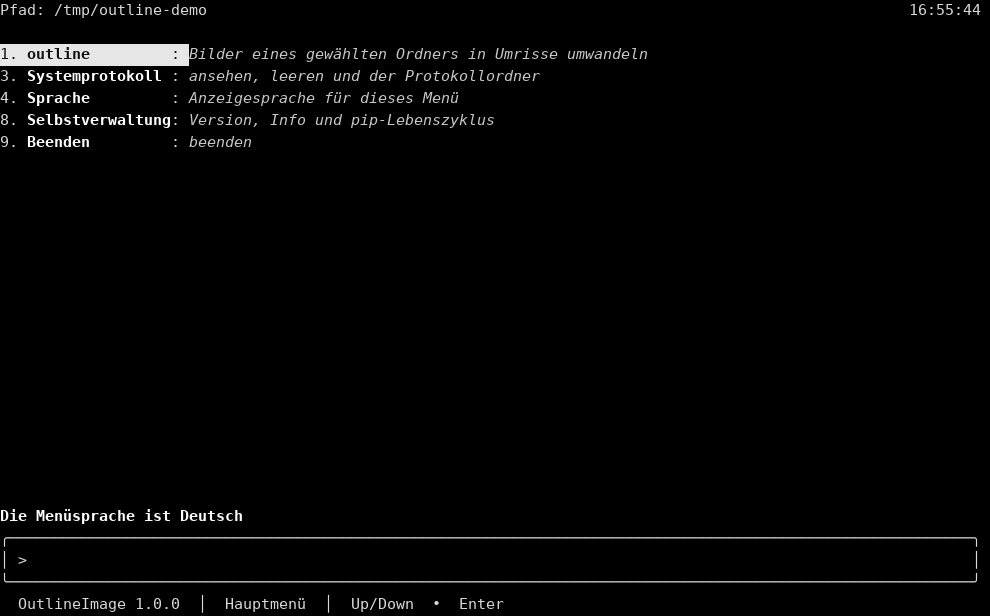
German main menu. The line above the box says Die Menüsprache ist Deutsch. The path label is Pfad. The path row names the current directory. The clock is 16:55:44 on the right of that row. 1 outline is highlighted and stays outline: "Bilder eines gewählten Ordners in Umrisse umwandeln." 3 is Systemprotokoll "ansehen, leeren und der Protokollordner," 4 is Sprache "Anzeigesprache für dieses Menü," 8 is Selbstverwaltung "Version, Info und pip-Lebenszyklus," and 9 is Beenden "beenden." The input box shows > and is otherwise empty. The status line says OutlineImage 1.0.0 and Hauptmenü.
main-menu-ja.png
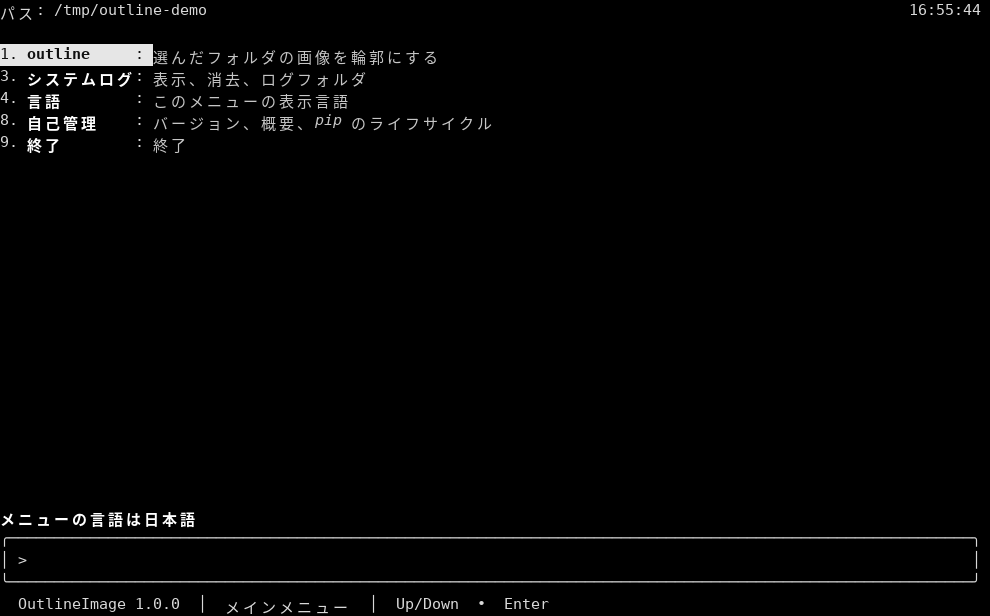
Japanese main menu. The line above the box says メニューの言語は日本語. The path label is パス. The path row names the current directory. The clock is 16:55:44 on the right of that row. 1 outline is highlighted and stays outline: "選んだフォルダの画像を輪郭にする." 3 is システムログ "表示、消去、ログフォルダ," 4 is 言語 "このメニューの表示言語," 8 is 自己管理 "バージョン、概要、pip のライフサイクル," and 9 is 終了 "終了." The input box shows > and is otherwise empty. The status line says OutlineImage 1.0.0 and メインメニュー.
main-menu-ko.png
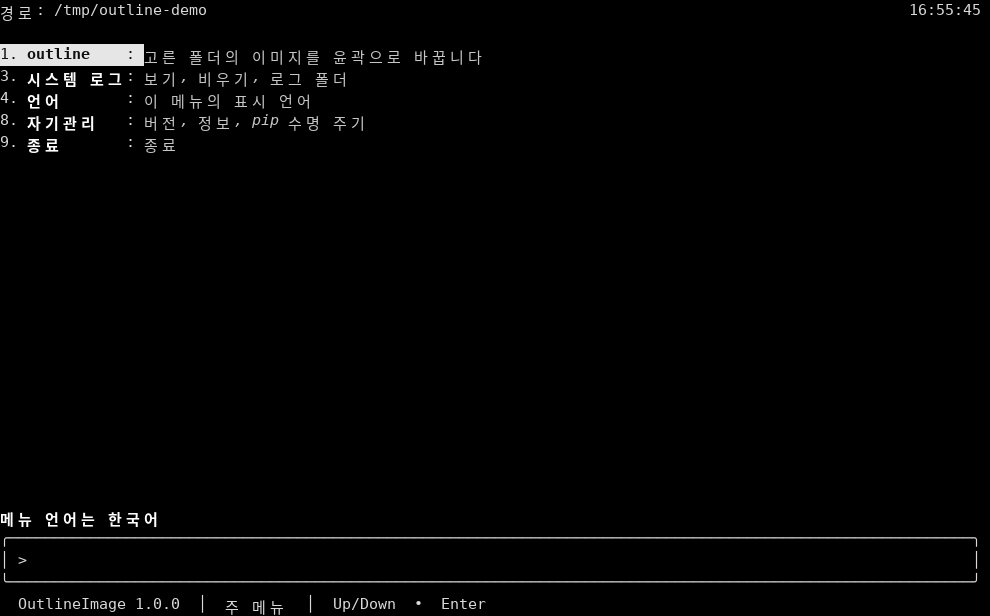
Korean main menu. The line above the box says 메뉴 언어는 한국어. The path label is 경로. The path row names the current directory. The clock is 16:55:45 on the right of that row. 1 outline is highlighted and stays outline: "고른 폴더의 이미지를 윤곽으로 바꿉니다." 3 is 시스템 로그 "보기, 비우기, 로그 폴더," 4 is 언어 "이 메뉴의 표시 언어," 8 is 자기관리 "버전, 정보, pip 수명 주기," and 9 is 종료 "종료." The input box shows > and is otherwise empty. The status line says OutlineImage 1.0.0 and 주 메뉴.
main-menu-nl.png
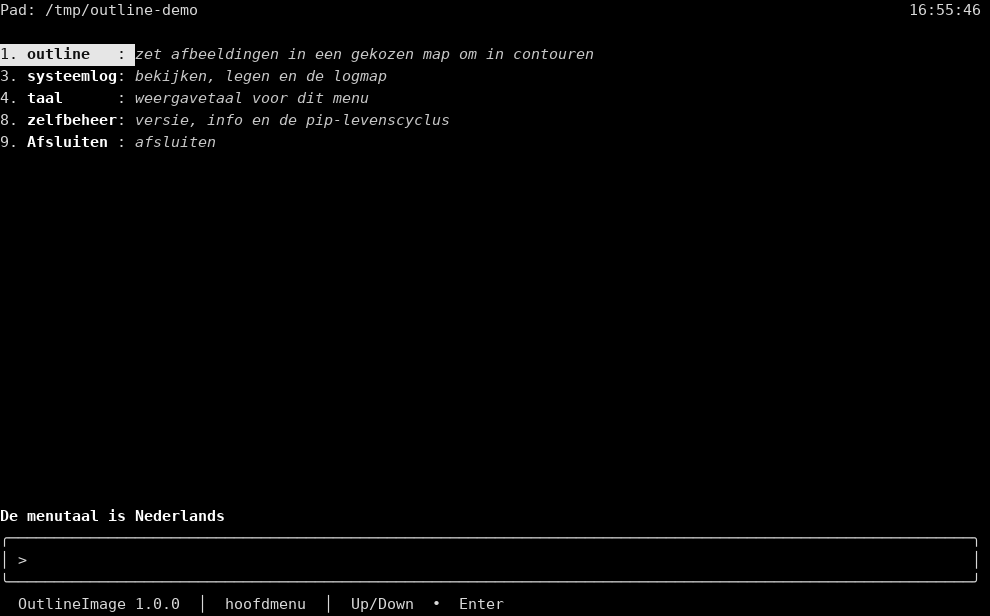
Dutch main menu. The line above the box says De menutaal is Nederlands. The path label is Pad. The path row names the current directory. The clock is 16:55:46 on the right of that row. 1 outline is highlighted and stays outline: "zet afbeeldingen in een gekozen map om in contouren." 3 is systeemlog "bekijken, legen en de logmap," 4 is taal "weergavetaal voor dit menu," 8 is zelfbeheer "versie, info en de pip-levenscyclus," and 9 is Afsluiten "afsluiten." The input box shows > and is otherwise empty. The status line says OutlineImage 1.0.0 and hoofdmenu.
main-menu-el.png
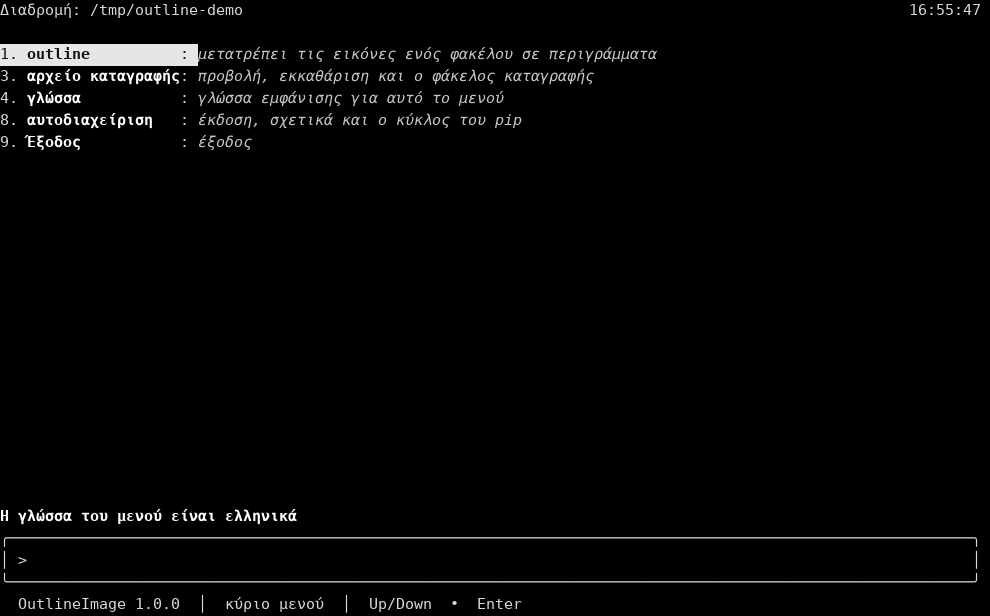
Greek main menu. The line above the box says Η γλώσσα του μενού είναι ελληνικά. The path label is Διαδρομή. The path row names the current directory. The clock is 16:55:47 on the right of that row. 1 outline is highlighted and stays outline: "μετατρέπει τις εικόνες ενός φακέλου σε περιγράμματα." 3 is αρχείο καταγραφής "προβολή, εκκαθάριση και ο φάκελος καταγραφής," 4 is γλώσσα "γλώσσα εμφάνισης για αυτό το μενού," 8 is αυτοδιαχείριση "έκδοση, σχετικά και ο κύκλος του pip," and 9 is Έξοδος "έξοδος." The input box shows > and is otherwise empty. The status line says OutlineImage 1.0.0 and κύριο μενού.
outline-folders.png
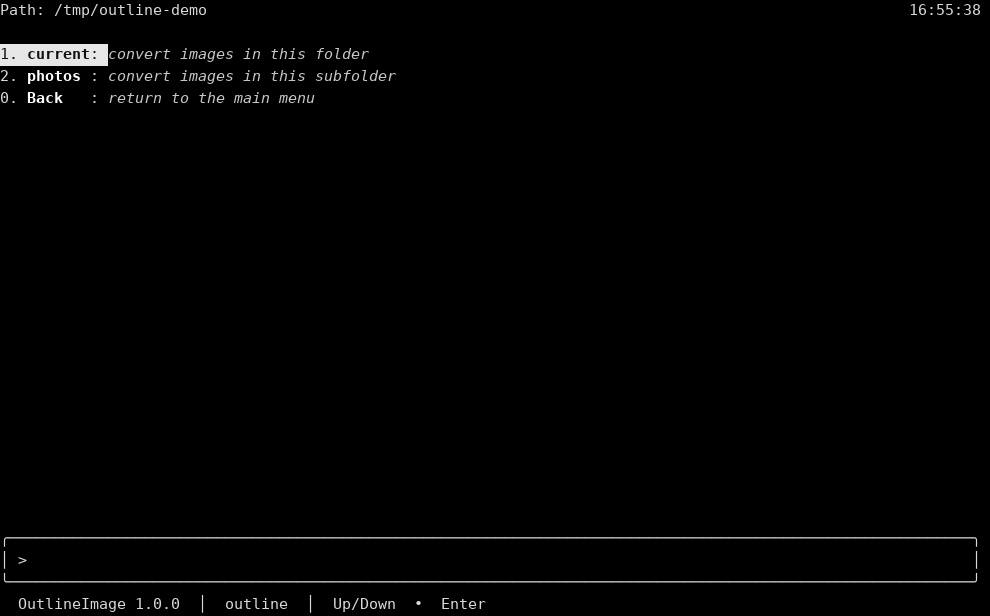
Row 1 outline has opened the folder board. 1 current is highlighted: "convert images in this folder." 2 photos says "convert images in this subfolder." 0 Back says "return to the main menu." The path label is Path. The path row names the current directory. The clock is 16:55:38 on the right of that row. The input box shows > and is otherwise empty. The status line says OutlineImage 1.0.0 and outline.
self-management.png
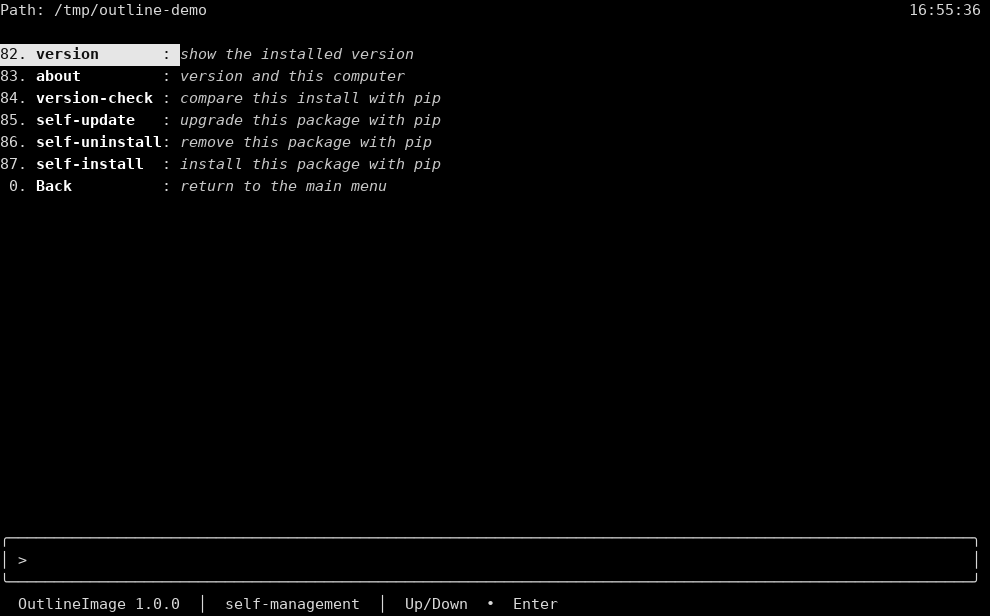
Row 8 has opened self-management. 82 version is highlighted: "show the installed version." Then 83 about "version and this computer," 84 version-check "compare this install with pip," 85 self-update "upgrade this package with pip," 86 self-uninstall "remove this package with pip," 87 self-install "install this package with pip," and 0 Back "return to the main menu." The path label is Path. The path row names the current directory. The clock is 16:55:36 on the right of that row. The input box shows > and is otherwise empty. The status line says OutlineImage 1.0.0 and self-management.
tui-about.png
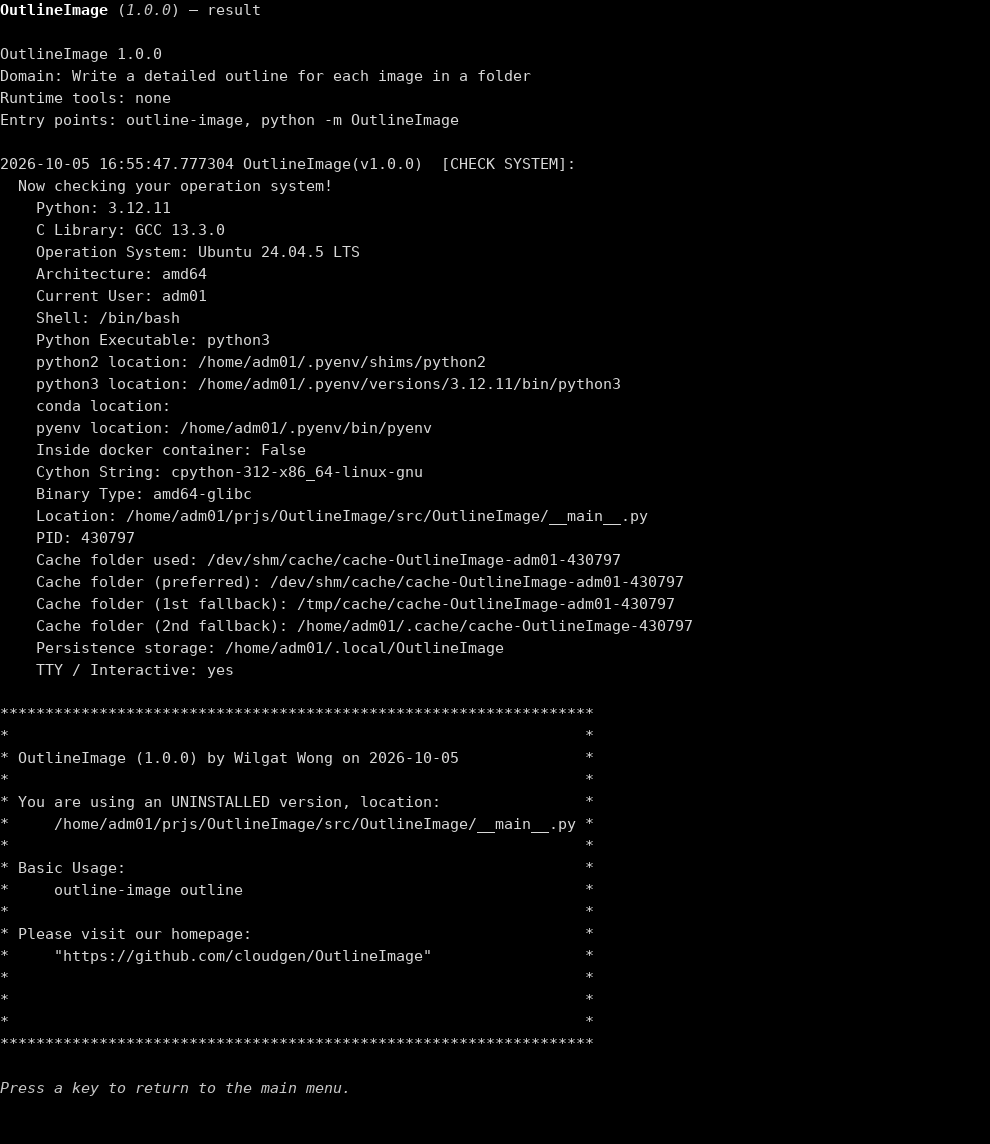
about (83) on the result page. The title is OutlineImage (1.0.0) — result. The page prints OutlineImage 1.0.0, Domain: Write a detailed outline for each image in a folder, Runtime tools: none, and Entry points: outline-image, python -m OutlineImage. The host check is stamped 2026-10-05 16:55:47.777304 and headed [CHECK SYSTEM]:. Visible lines include Python 3.12.11, C Library GCC 13.3.0, Ubuntu 24.04.5 LTS, amd64, the current user, the shell /bin/bash, Inside docker container: False, Cython String: cpython-312-x86_64-linux-gnu, Binary Type: amd64-glibc, and TTY / Interactive: yes. The star box says OutlineImage (1.0.0) by Wilgat Wong on 2026-10-05, You are using an UNINSTALLED version, Basic Usage: then outline-image outline, and Please visit our homepage: then "https://github.com/cloudgen/OutlineImage". The footer says Press a key to return to the main menu. There is no input box and no clock. The page stays in English.
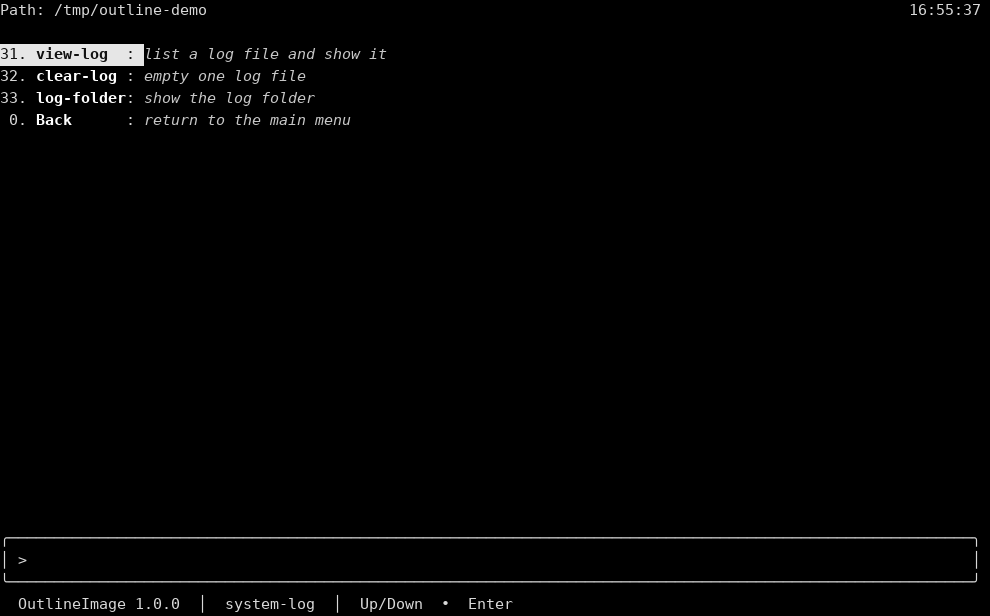
system-log.png
Row 3 has opened system-log. 31 view-log is highlighted: "list a log file and show it." Then 32 clear-log "empty one log file," 33 log-folder "show the log folder," and 0 Back "return to the main menu." The path label is Path. The path row names the current directory. The clock is 16:55:37 on the right of that row. The input box shows > and is otherwise empty. The status line says OutlineImage 1.0.0 and system-log.
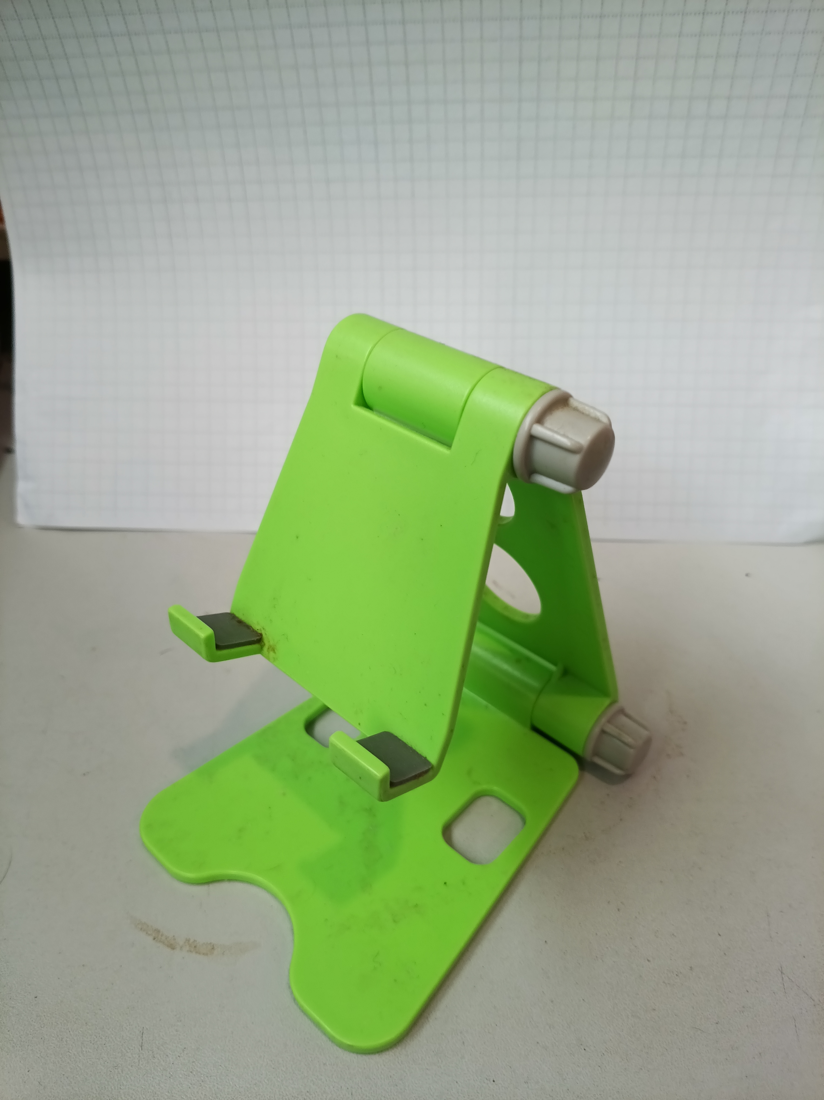
source-photo.png
A photograph, not a text-menu capture. A bright green plastic phone stand, with a grey hinge knob and two dark pads, sits on a pale surface. A round hole and a slot are cut into the stand. Behind it is a white board with a fine grid.
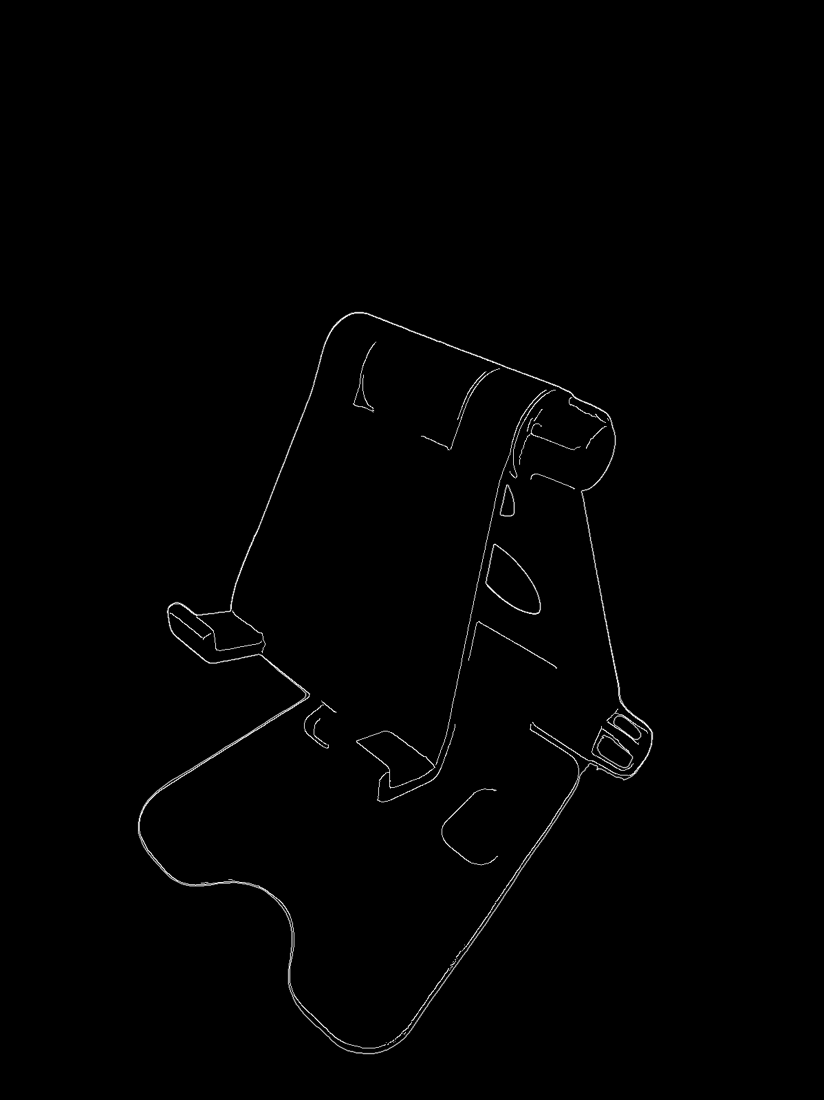
outline-result.png
A generated outline image, not a text-menu capture. White contour lines on a black field draw the same phone stand: the back plate, the hinge knob, the two pads, the round hole, and the slotted base.
Examples
cd /path/to/folder/with/images
outline-image
outline-image version
version prints OutlineImage 1.0.0 and does not call pip. A run that is not the text menu can also print ChronicleLogger status lines above that. The text menu keeps those lines off the screen.
outline-image outline
That converts images in the current directory to PNG outlines in output/ and does not draw the menu. On a terminal, row 1 asks for the current folder or a subfolder, then does the same conversion. ./convert.py is the same conversion from a checkout.
Platform Compatibility
| Platform | Status |
|---|---|
| Linux | Primary; tested development path |
| macOS | Supported when CPython is on PATH |
| Windows | Supported when CPython is on PATH (venv activate differs) |
| Architectures | Any with CPython |
The text menu needs a terminal. With no terminal and no verb, the program prints help and returns 0. It does not wait.
Related Projects
- OutlineImage on GitHub — this program’s source
- OutlineImage on PyPI — this program on PyPI
- AnimeDlp — command-line downloader for anime video sites
- ChronicleLogger — status logger this program depends on (
ChronicleLogger>=1.3.1) - VideoSpeed — cuts, changes speed, and boomerangs a clip. That program is not this one
- CIAO — Caution, Intentional, Anti-fragile, Over-engineered
- CIAO-Lite — short agent contract
- safe-rm — guarded
rm
Contributing
- Keep product law under
docs/requirements/in sync when behavior changes. - Prefer small, CIAO-safe changes. The outline conversion lives in
src/OutlineImage/outline.py../convert.pycalls that module. - Version dual SSOT: bump
pyproject.tomlandsrc/OutlineImage/__init__.__version__together. - Open issues and pull requests on GitHub.
License
MIT — see LICENSE.md. Also declared in pyproject.toml.
Last Update
2026-10-05 — 1.0.0. The public source is https://github.com/cloudgen/OutlineImage. The package name is OutlineImage and the console script is outline-image. outline writes a detailed outline image for each picture in a folder. The default file is PNG in that folder's output directory. Menu row 1 lists 1 current folder, each subfolder, and 0 back, then runs that conversion. The Screenshots section shows captures of this program. Version badge matches pyproject.toml and __version__. ChronicleLogger>=1.3.1, numpy>=2.3.0, Pillow>=12.1.0, opencv-python-headless>=5.0.0.93, and rembg>=2.0.85 are required.
1 maintainer

Metadata
1 maintainer
Release files for OutlineImage 1.0.0
For a detailed explanation of source distributions (sdists) and built distributions (wheels), please see the package formats documentation.
Source distribution (sdist)
| File | Size | Uploaded | |
|---|---|---|---|
| outlineimage-1.0.0.tar.gz | 74.5 kB | Details |
Built distribution (wheel)
| File | Interpreter | ABI | Platform | Reset |
|---|---|---|---|---|
| outlineimage-1.0.0-py3-none-any.whl | Python 3 | none | any | Details |
Total release size: 126.9 kB
Release files / outlineimage-1.0.0.tar.gz
| Download URL | outlineimage-1.0.0.tar.gz |
|---|---|
| Size | 74.5 kB |
| Tags | Source |
|
SHA-256 checksum How to use checksums |
5e4f158706e966cef4a3f942f14b543dc4a454e9386e052e9bcdc5474f50e26d
|
|
BLAKE2b-256 checksum How to use checksums |
78561ba80ee328e7898d6a727dd3742e7a47cce45e3230148a218aa01edc242e
|
| Upload date | |
|
Uploaded using Trusted Publishing? What is trusted publishing? |
No |
| Uploaded via |
twine/6.2.0 CPython/3.12.11
|
Release files / outlineimage-1.0.0-py3-none-any.whl
| Download URL | outlineimage-1.0.0-py3-none-any.whl |
|---|---|
| Size | 52.4 kB |
| Tags | Python 3 |
|
SHA-256 checksum How to use checksums |
bf9db85ed2acdcc41127cee04280825adfd66810fcdaf6d637be6bc5503881ae
|
|
BLAKE2b-256 checksum How to use checksums |
8479e6745602d7f7aa476e95c650a5d499ef44959b379d68909e93040a326732
|
| Upload date | |
|
Uploaded using Trusted Publishing? What is trusted publishing? |
No |
| Uploaded via |
twine/6.2.0 CPython/3.12.11
|













