
A scanner for CORS misconfiguration vulnerabilities

Project description
OverReacher - A Convenient CORS Scanner
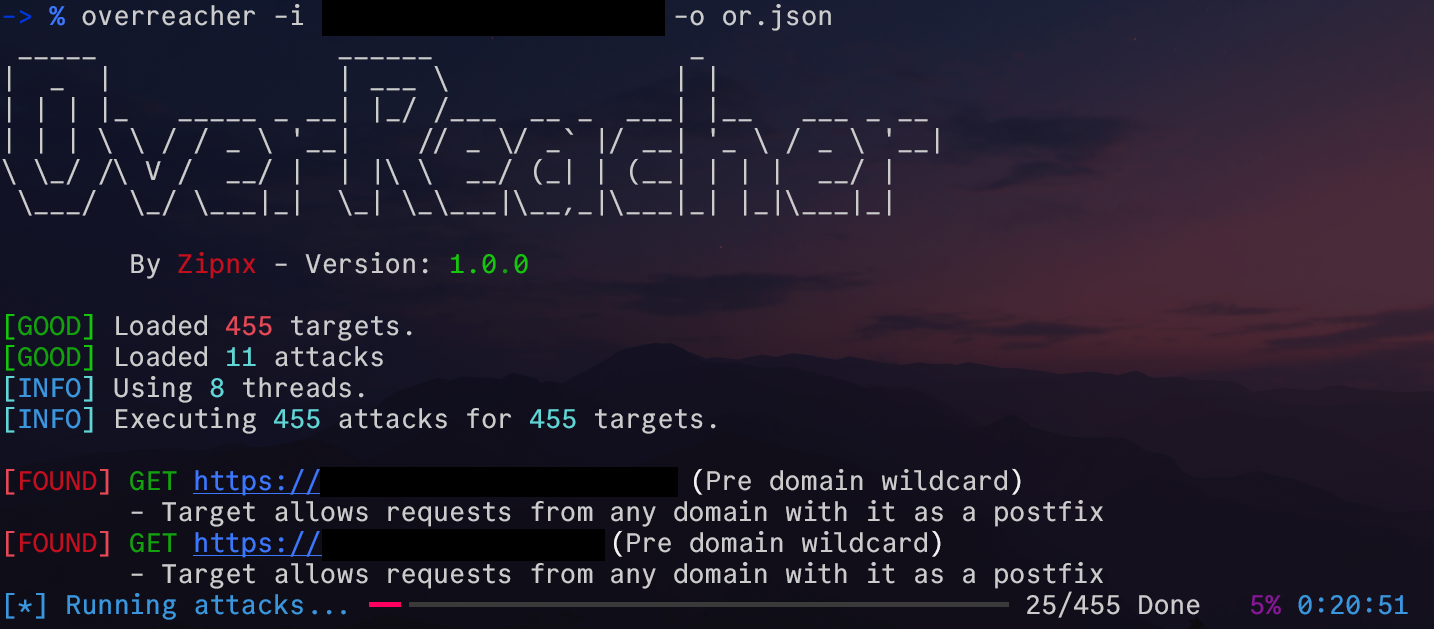
OverReacher is a security research tool, meant to scan and find CORS misconfiguration vulnerabilities.
Made this tool based on functionality from Corsy
Getting Started
Pipx install
OverReacher can be easily installed using:
pipx install overreacher
Afterwards you can check the usage with:
overreacher.py -h
Pip install
A normal pip install also works:
pip install overreacher
But, unless it's a global install, which is not recommended, you need to do additional setup on your own
Manual install
Instead of installing the package using pip or pipx, OverReacher can be setup manually. Just git clone the repo and then do the following:
Setup a virtual environment using the tool you prefer (venv in this case), and activate it
python3 -m venv ./venv
source venv/bin/activate
Then install the base requirements
pip install -r requirements.txt
Afterwards you can run overreacher in the following ways:
python3 -m overreacher
Or through the run script, which you can alias or symlink to your liking:
chmod +x ./run
./run -h
NOTE: To run you still need to use the virtual environments python interpreter
Configuration
OverReacher is made to be easily customizable. This is incredibly helpful in BugBounty, where you might say, want to customize headers/cookies depending on the target. (eg. Setting a hackerone header, which some programs require)
In addition to configuration in the config.ini file, you can also customize attacks and add your own in the attacks.json file.
To make a new configuration, simply run
overreacher --make-config
This will make a local .overreacher directory which the tool will automatically be setup to use. If the directory already exists, it will be set as the configuration of the tool with no additional changes.
In this fashion you can change configurations depending on your needs and projects, and reset to normal with:
overreacher --reset-config
Usage
An attack can be tested against a certain url or a comma separated list of urls as such:
overreacher -u https://example.com/,https://google.com/
Alternatively the url's can be loaded from a file
overreacher.py -i [FILE]
Or piped through stdin
cat exampleurlfile.txt | overreacher
TODO:
In TODO.md
Release history Release notifications | RSS feed


Download files
Download the file for your platform. If you're not sure which to choose, learn more about installing packages.
Source Distribution
Built Distribution
Filter files by name, interpreter, ABI, and platform.
If you're not sure about the file name format, learn more about wheel file names.
Copy a direct link to the current filters
File details
Details for the file overreacher-1.0.1.tar.gz.
File metadata
- Download URL: overreacher-1.0.1.tar.gz
- Upload date:
- Size: 14.7 kB
- Tags: Source
- Uploaded using Trusted Publishing? No
- Uploaded via: twine/6.1.0 CPython/3.11.2
File hashes
| Algorithm | Hash digest | |
|---|---|---|
| SHA256 |
e3708345679810c19fe2386c46bd173fe10ac4801dd89950c1c9b21ac505fd32
|
|
| MD5 |
fe9d909e1b1c31583344e2b8e54b5639
|
|
| BLAKE2b-256 |
ffdf112b8596a6bbe2eba92783b9d1970c8fcdff9b62ab210d55b6181d35ebe6
|
File details
Details for the file overreacher-1.0.1-py3-none-any.whl.
File metadata
- Download URL: overreacher-1.0.1-py3-none-any.whl
- Upload date:
- Size: 17.9 kB
- Tags: Python 3
- Uploaded using Trusted Publishing? No
- Uploaded via: twine/6.1.0 CPython/3.11.2
File hashes
| Algorithm | Hash digest | |
|---|---|---|
| SHA256 |
e1062c7c804cab3522fed83f500af1ff2b18246448e1e617e063bba2344c0137
|
|
| MD5 |
c153f665fdd563db663f65760fd34115
|
|
| BLAKE2b-256 |
d946712fd0be36eaf93d4b01b40a3c3de7c793abf3dab3f9722c4e9ef27c573f
|






