
PATK
Wrapper components based on tkinter
基于tkinter 原生库进行二次封装,提供具有更多功能的组件,所属控件可高度自定义,详情请看github
控件用法介绍
EditText ——包含行标、滚动条、自动缩进的文本编辑区域
from PATK import *
import tkinter as tk

demo = tk.Tk()
demo.title("Test PATK model")
edit = EditText(demo)
edit.pack(fill=tk.BOTH, expand=True)
demo.mainloop()
结果如图:
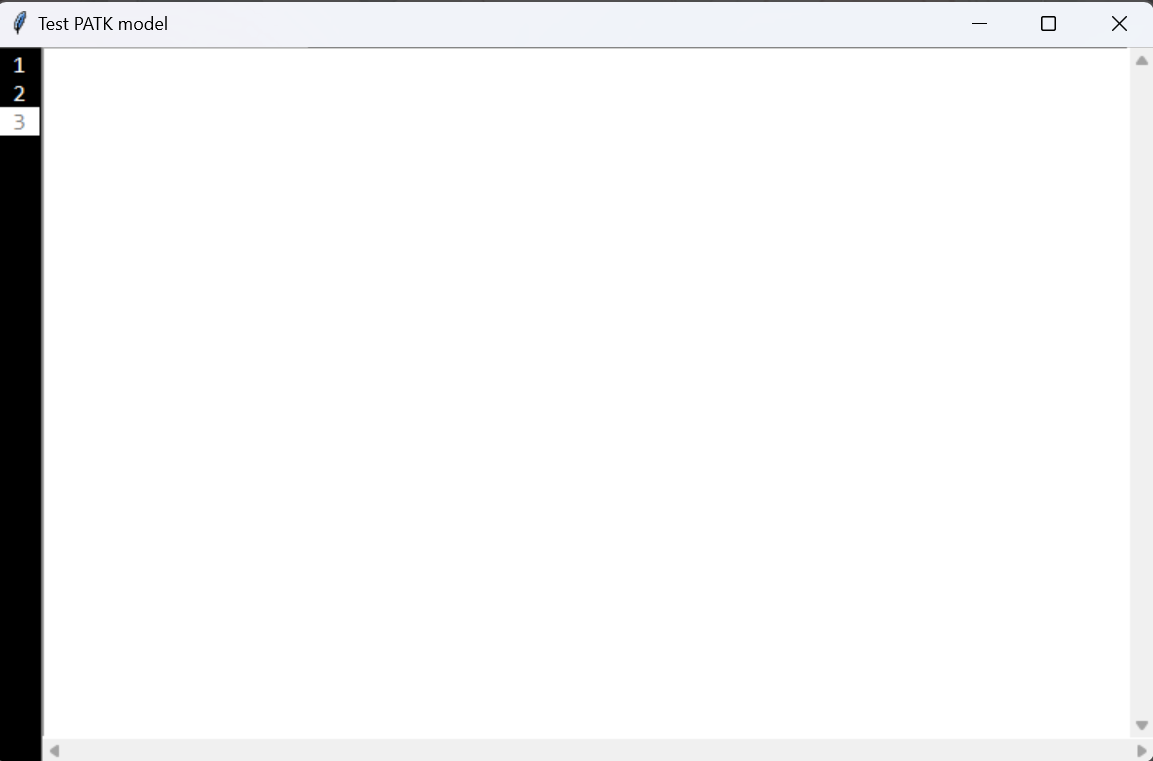
对于其中的行标前景色,背景色和当开启选中行高亮功能后的前景色和背景色都可自定义:
(master, 			# 父对象
file_name=None, 	# 如果需要使用该控件实现编辑器,这是一个不错的属性,可直接使用
reduced=False, 		# 自带一个略缩图的效果,默认关闭
font=None,			# 字体设置,参数为元组
row_mark_fg='#FFFFFF', 		# 行标前景色
row_mark_bg='#000000', 		# 行标背景色
sele_line_fg="gray", 		# 选中行前景色
sele_line_bg=None,			# 选中行背景色
sele_row_mark_fg='gray', 	 # 选中行行标前景色
sele_row_mark_bg='white',	 # 选中行行标背景色
sub_tab = True,				# 是否开启Tab补全,强制规定4个空格
height_use=True				# 开启行选中高亮功能
**kwargs
)
属性介绍:
text_file_name = file_name
reduced_text = reduced
key_release_command = None	# 对于 <KeyRelease> 事件占用后预留给用户的api,指向一个需要执行的函数
font = ["consolas", 12] if not font else font
row_mark_fg = row_mark_fg
row_mark_bg = row_mark_bg
sele_line_fg = sele_line_fg
sele_line_bg = sele_line_bg
sele_row_mark_fg = sele_row_mark_fg
sele_row_mark_bg = sele_row_mark_bg
sub_tab = sub_tab
Text.height_use = True		# 是否开启行选中高亮,默认开启
附加函数:
tab_key_command()	# tab填充功能,用户可以继承修改
return_key_release_command()	# 用户回车时候的自动识别并填充缩进
set_font_size()		# 按下Ctrl+滑动滚轮实现改变字体大小
line_highlight_tracking()	# 高亮实现
insert(*args, **kwargs)	# 同Text的insert接口
delete(*args, **kwargs)	# 同Text的delete接口
get(*args, **kwargs)	# 同Text的get接口
show_line()			# 刷新
NotBook——重构的一个多页控件,实现了更多的功能
该控件内部采用类似注册表机制,将标签和frame进行一一绑定,当用户点击标签右侧的按钮时,会将表内记录删除,并将对应frame删除和刷新整个控件。
demo = tk.Tk()
not_book = NotBook(demo)

frame_1 = not_book.get_frame()	# 此处与原生控件不同,需要使用函数生成一个frame
EditText(frame_1).pack()

frame_2 = not_book.get_frame()
tk.Label(frame_2, text="This is tow page").pack()

not_book.add(frame_1, text="one")
not_book.add(frame_2, text="tow")

not_book.pack()
demo.mainloop()
one page:
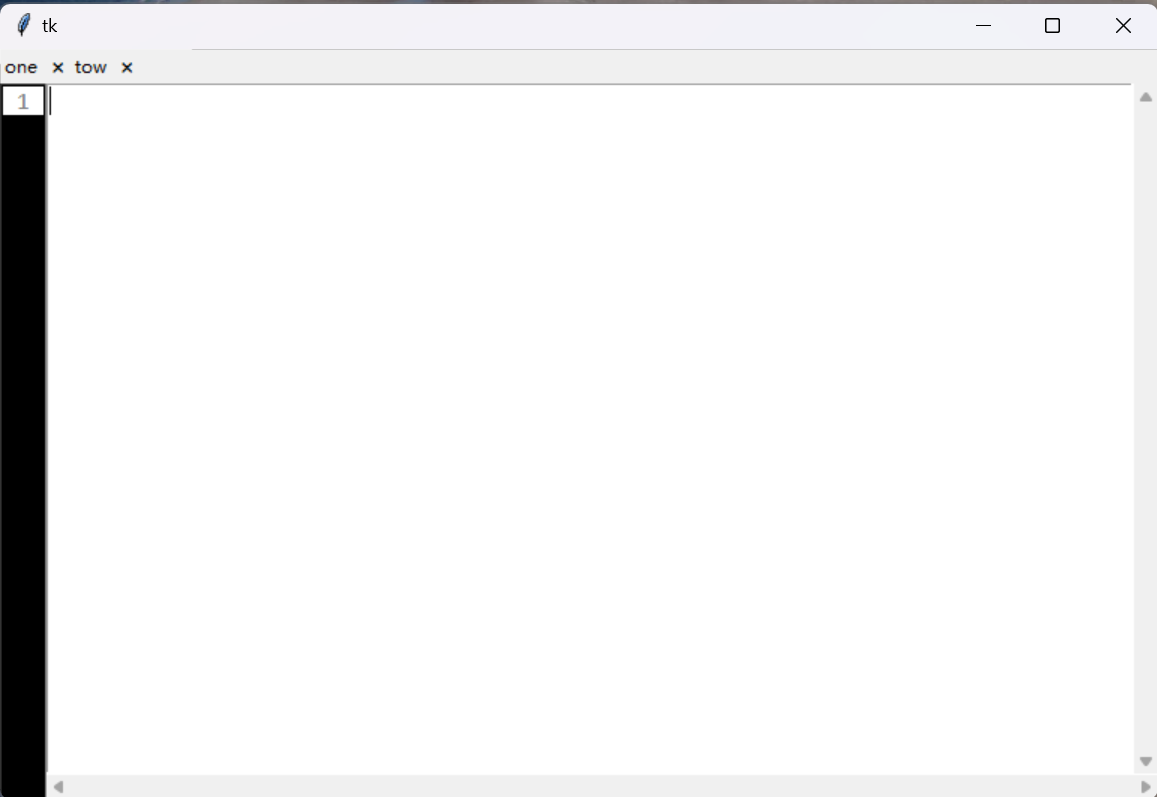
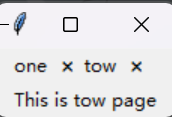
tow page:
同时,此控件支持在标签页上插入图片:
not_book.add(frame_1, text="one", image_file="python.png")
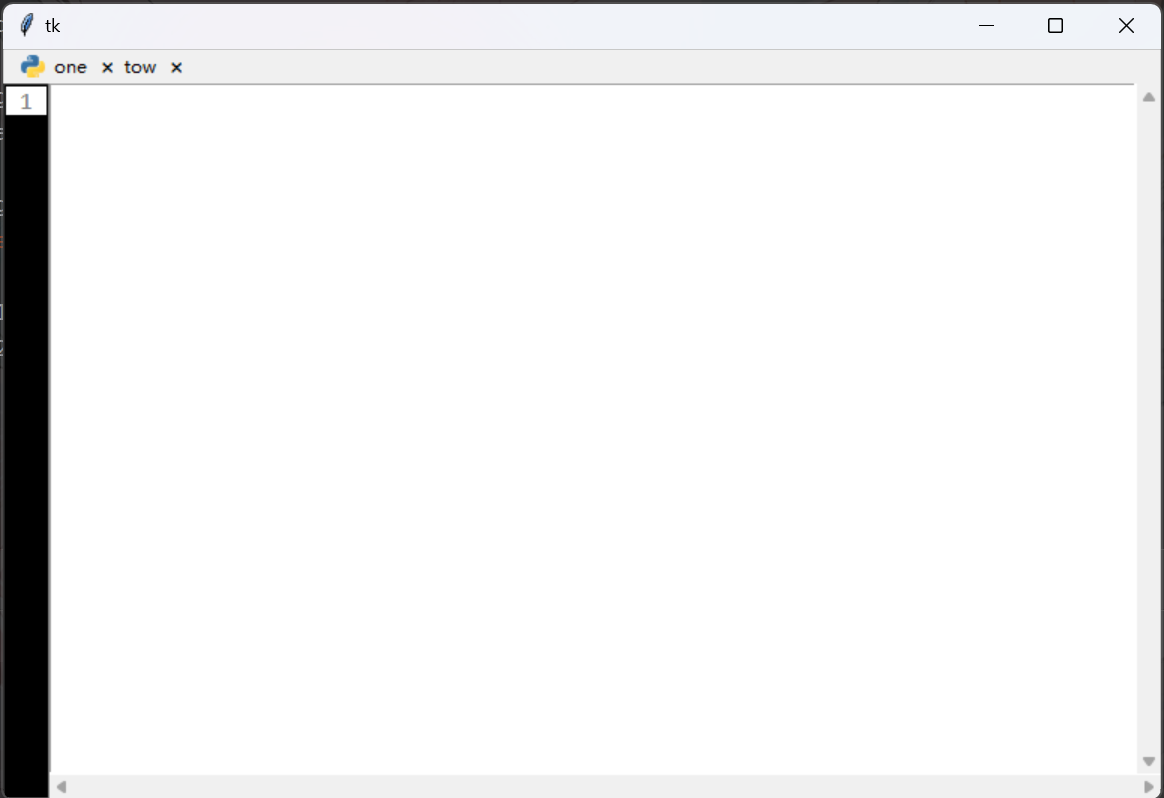
而标签右侧存在一个圆形按钮,当鼠标至于上方的时候,会有阴影效果。
属性介绍
tabel_windows	# 注册表,不建议用户修改此内容
select_id		# 当前显示的frame,返回值为在注册表中的索引
mouse_enter_id	# 鼠标进入的frame索引
user_bind_command	# 用户定义事件,对于销毁按钮(标签右侧)的额外附加事件,指向一个函数
附加功能
get_frame()		# 注册一个页面,外部向内部申请一个frame
table_find(tab_id)	# 查找id位置的工具, 其中tab_id可以是标签和frame的id
shut_windows(tab_id)	# 销毁页面,如果用户配置了user_bind_command,优先执行用户指定的函数
add(child, image_file=None, **kwargs) # 挂载页面
forget(tab_id)		# 兼容原生控件方法,销毁页面
index(tab_id)		# 兼容原生控件方法,调用table_find(tab_id),返回索引
select(tab_id=None)	# 聚焦
ToolTip——控件注释标签,当鼠标悬浮在控件上时候,弹出提示标签
demo = tk.Tk()
bt = tk.Label(demo, text="Ciallo~(∠・ω< )⌒☆")
bt.pack()
ToolTip(widget=bt, text="This is Button~")	# 这其实是一个Lable 嘻嘻~

demo.mainloop()
结果:
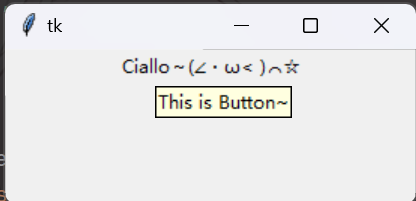
这其实是一个top窗口加一个label实现的,个人觉得不太好看,后续会对其进行专门的美化。
RoundedButton——圆角按钮
demo = tk.Tk()
demo.geometry("300x300")
rb = RoundedButton(demo, text="Ciallo~", width=100, height=50, radius=50)
rb.pack()
demo.mainloop()
结果:
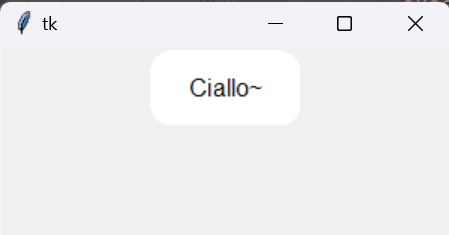
属性介绍:
master, 	# 父对象
text="", 	# 文本内容
radius=25, 	# 圆角弧度
command=None,	# 单机触发事件
fore_ground='#FFFFFF', 	# 前景色
select_foreground='#2f5496', # 选中后的前景色,可同fore_ground设置一致
font=None, 	# 字体设置
**kwargs
附加功能:
mouse_enter(event)	# 鼠标进入动画效果
bbox(*args)			# bbox接口
mouse_leave(event)	# 鼠标离开动画
draw(fill)			# 绘制按钮,可以当刷新函数使用
on_click(event)		# 单机触发,执行动画和用户指定的函数
create_rounded_rectangle(x1, y1, x2, y2, radius=25, **kwargs)	# 具体边缘计算
FindSubstitutionFrame——查找/替换集成组件(不建议使用,未完善)
暂时不做介绍,后续完善后会出介绍,但框架已经搭好,欢迎有兴趣到github上看看
1 maintainer

Download files
Download the file for your platform. If you're not sure which to choose, learn more about installing packages.
Source Distribution
Built Distribution
Filter files by name, interpreter, ABI, and platform.
If you're not sure about the file name format, learn more about wheel file names.
Copy a direct link to the current filters
File details
Details for the file patk-1.0.2.tar.gz.
File metadata
- Download URL: patk-1.0.2.tar.gz
- Upload date:
- Size: 15.1 kB
- Tags: Source
- Uploaded using Trusted Publishing? No
- Uploaded via:
twine/6.1.0 CPython/3.12.7
File hashes
| Algorithm | Hash digest | |
|---|---|---|
| SHA256 |
c460e03eab3f6f9b513fcf6e1170bfc0de6d9b1f8afadbebdd74394fde4455fe
|
|
| MD5 |
235aabceda1e2d2d30889de96aba6edf
|
|
| BLAKE2b-256 |
94016cee0648dcfa70465d539fc67efe1bfbb44698125defa7afe17c33ff128c
|
File details
Details for the file patk-1.0.2-py3-none-any.whl.
File metadata
- Download URL: patk-1.0.2-py3-none-any.whl
- Upload date:
- Size: 12.7 kB
- Tags: Python 3
- Uploaded using Trusted Publishing? No
- Uploaded via:
twine/6.1.0 CPython/3.12.7
File hashes
| Algorithm | Hash digest | |
|---|---|---|
| SHA256 |
516e67e18135f665050683b978ef8706b1087fdca3aec1df0019e1b9f65c83ef
|
|
| MD5 |
eaa4758767db41e9052b3354d0e35e26
|
|
| BLAKE2b-256 |
3b8c6df335ec50cb46386626949e79a70dec0a6b1a694da8b0516c47a3256e91
|














