
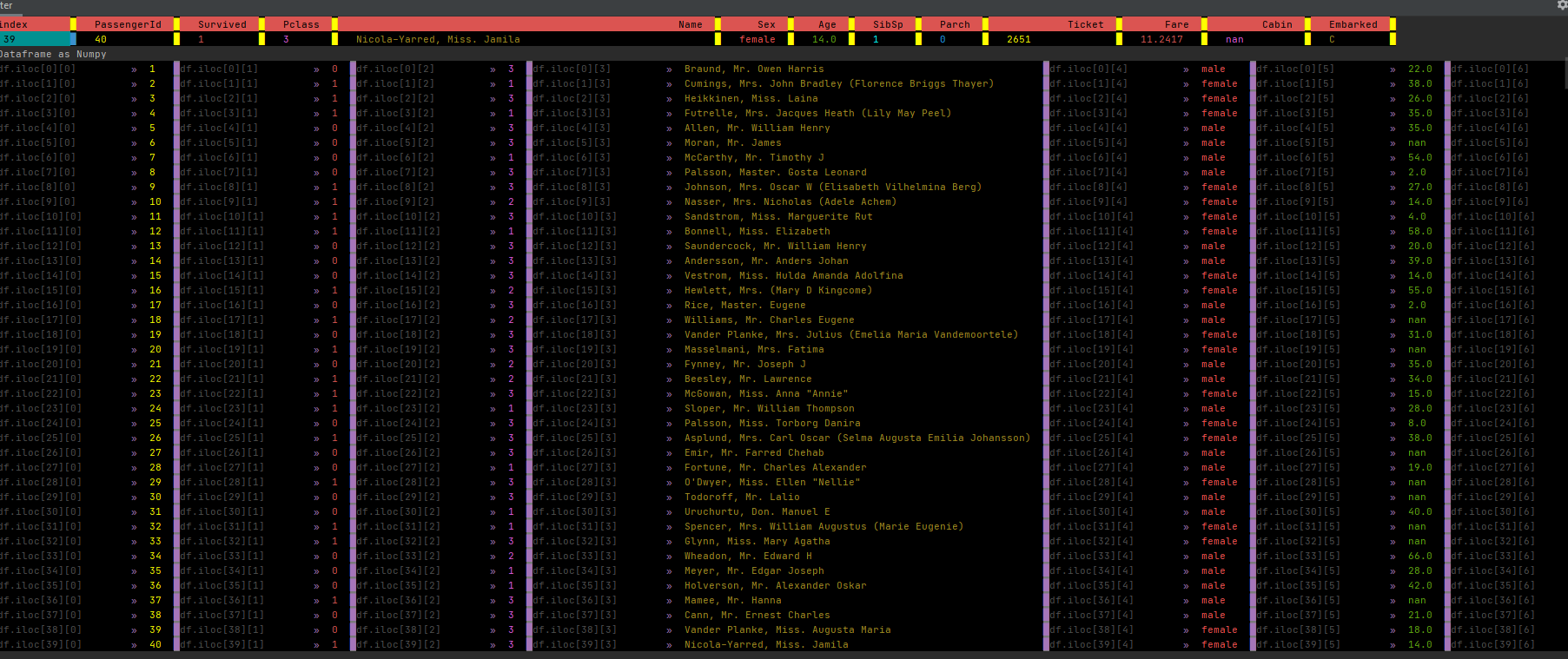
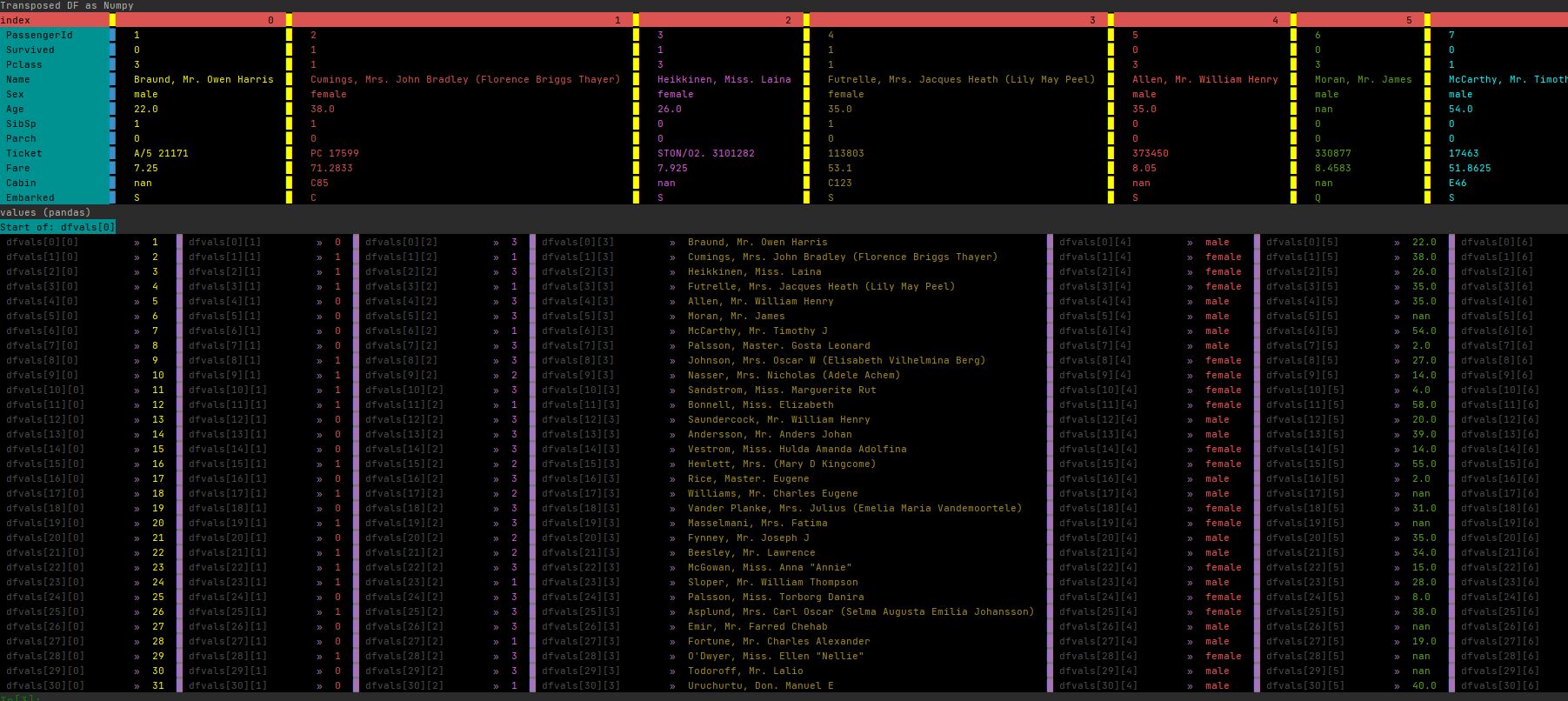
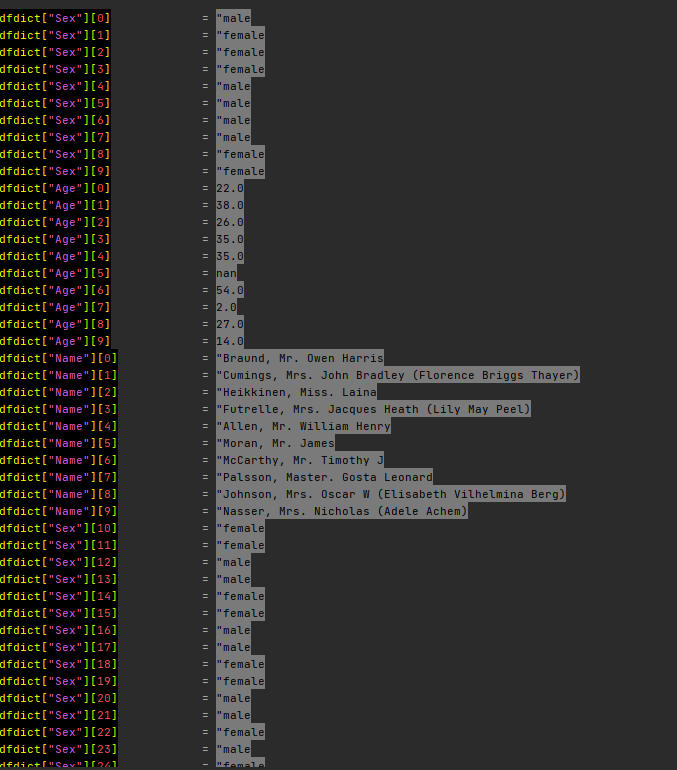
Print colored Numpy arrays / pandas DataFrames / Pandas Series / lists / dicts / tuples!
pip install PrettyColorPrinter
This is everything you have to do to use PrettyColorPrinter with pandas
from PrettyColorPrinter import add_printer
add_printer() #This function will add some methods to PandasObject

#Let’s import pandas and create a DataFrame:

import pandas as pd
df=pd.read_csv(r"https://github.com/pandas-dev/pandas/raw/main/doc/data/air_quality_no2_long.csv")
Update 2022/12/27
You can switch between the colored version and the black/white version.
import pandas as pd
from PrettyColorPrinter import add_printer, switch_color_bw
add_printer(True)
switch_color_bw()
Update 2022/10/08
Fixed a bug with empty DataFrames
Update 2022/10/05
add_printer(overwrite_pandas_printer=False)
If you pass overwrite_pandas_printer=True then the color printer will replace __str__ and __repr__ from pandas

You can configure the color printer using:
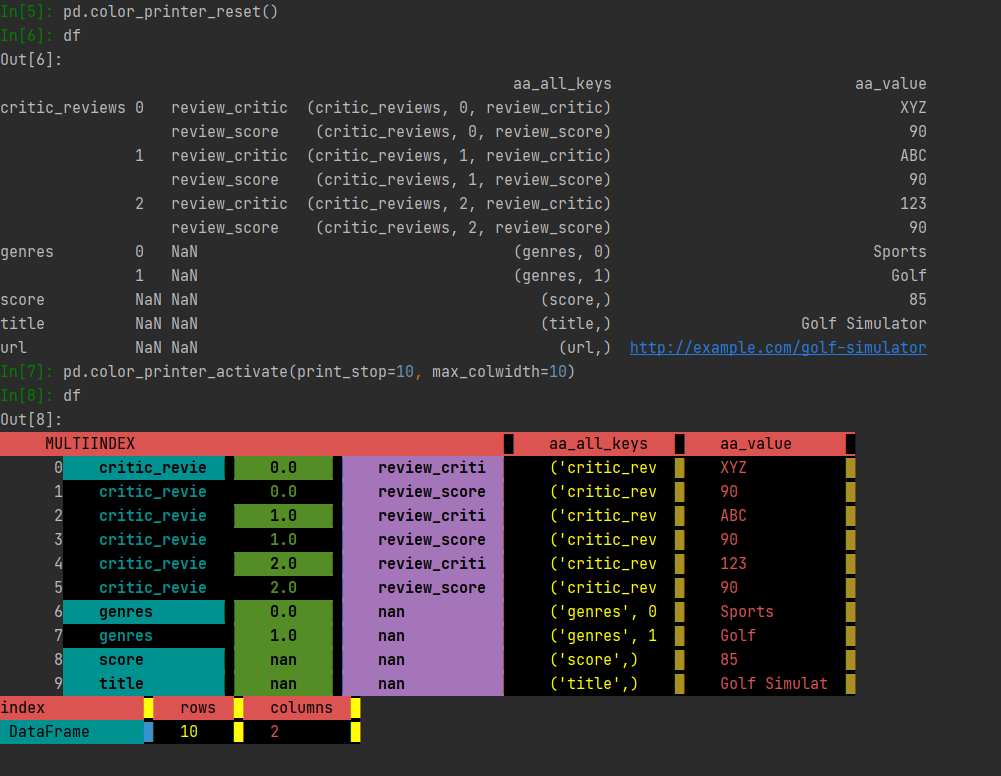
     pd.color_printer_activate(print_stop:int=69,max_colwidth:int=300,repeat_cols:int=70)
     print_stop = maximum lines to print
     max_colwidth = maximum column width
     repeat_cols = for better readability, the columns are printed each x row


    This is how you switch back and forth between standard pandas and color printer:
      pd.color_printer_reset() #to standard pandas
      pd.color_printer_activate() #to color printer
Have a look
from PrettyColorPrinter import add_printer
from a_pandas_ex_plode_tool import pd_add_explode_tools
import pandas as pd
pd_add_explode_tools()
add_printer(overwrite_pandas_printer=True)
data={'critic_reviews': [{'review_critic': 'XYZ', 'review_score': 90},
                    {'review_critic': 'ABC', 'review_score': 90},
                    {'review_critic': '123', 'review_score': 90}],
 'genres': ['Sports', 'Golf'],
 'score': 85,
 'title': 'Golf Simulator',
 'url': 'http://example.com/golf-simulator'}
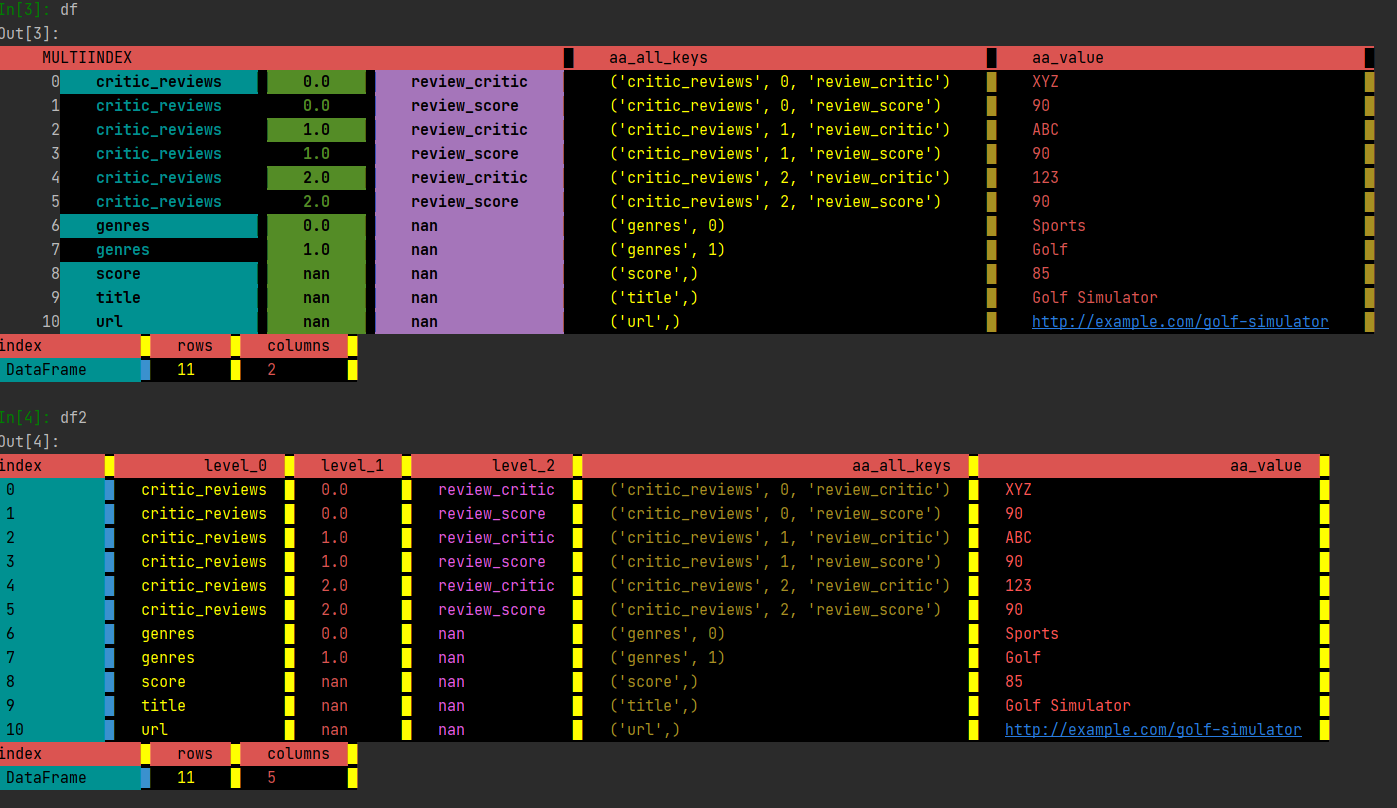
df = pd.Q_AnyNestedIterable_2df(data,unstack=False) #multiindex
df2 = df.d_unstack() #normal index
df #if you type df, you will get a colored dataframe instead of the regular pandas version
All methods added to pandas start either with:
-
ds_ (for DataFrames and Series)
-
s_ (only for Series)
-
d_ (only for DataFrames)
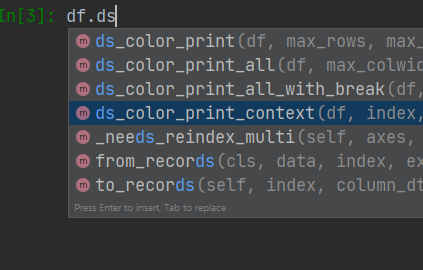
All methods that are added to PandasObject
-
ds_color_print
-
ds_color_print_all
-
d_color_print_columns
-
d_color_print_index
-
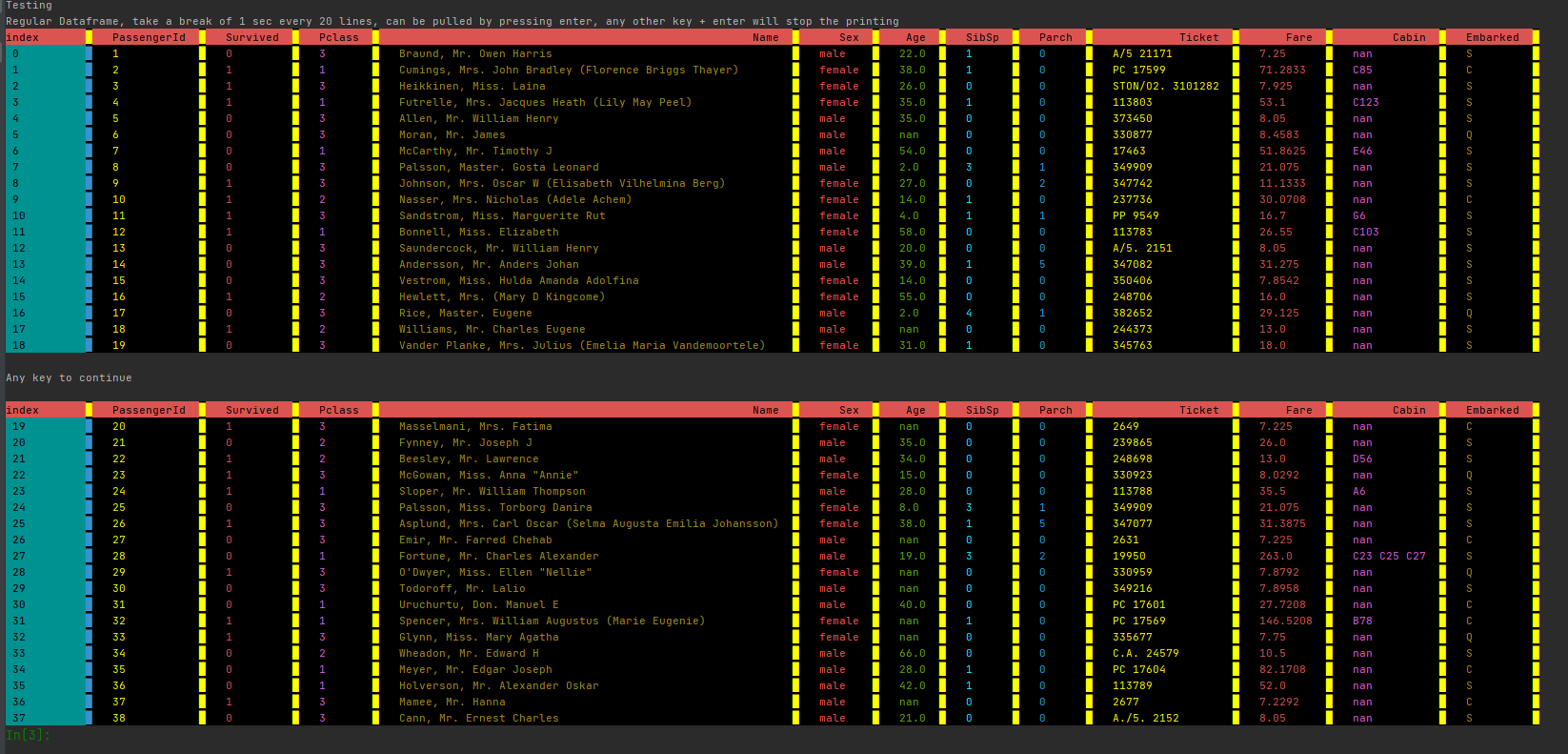
ds_color_print_all_with_break
-
ds_color_print_context
#If you want to see some examples:
from PrettyColorPrinter import print_test_from_pandas_github
print_test_from_pandas_github()

#If you need help
help(df.ds_color_print)
qq_ds_print(max_rows: int = 1000, max_colwidth: int = 300, repeat_cols: int = 70, asnumpy: bool = False, returndf: bool = False) -> Union[pandas.core.frame.DataFrame, pandas.core.series.Series, NoneType] method of pandas.core.frame.DataFrame instance
    Parameters
    ----------
    df : pd.DataFrame, pd.Series
        Array to print
    max_rows : int
        Stop printing after n lines (default is 1000)
    max_colwidth : int
        Width of each column (default is 300)
    repeat_cols : int (default is 70)
        Print columns again after n lines  (default is 70)
    asnumpy: bool (default is False)
        Converts pandas DataFrame to np before printing.
        If there are duplicated columns in a Pandas DataFrame,
        it changes to printasnp = True  (default is False)
    returndf:  bool (default is False)
        return the input DataFrame to allow chaining
Using PrettyColorPrinter without pandas
**
The function pdp can be used without pandas.
Doing it this way, you are not restricted to PandasObjects.
You can print lists, dicts, tuples, np.arrays, pd.DataFrames and pd.Series
**
from PrettyColorPrinter import pdp
1 maintainer

Metadata
1 maintainer
Release files for PandasColorPrinter 0.45
For a detailed explanation of source distributions (sdists) and built distributions (wheels), please see the package formats documentation.
Source distribution (sdist)
| File | Size | Uploaded | Provenance | Actions |
|---|---|---|---|---|
| PandasColorPrinter-0.45.tar.gz | 36.8 kB | Without provenance | Details for PandasColorPrinter-0.45.tar.gz |
Built distribution (wheel)
| File | Interpreter | ABI | Platform | Actions Reset |
|---|---|---|---|---|
| PandasColorPrinter-0.45-py3-none-any.whl | Python 3 | none | any | Details for PandasColorPrinter-0.45-py3-none-any.whl |
Total release size: 73.0 kB
Release files / PandasColorPrinter-0.45.tar.gz
| Download URL | PandasColorPrinter-0.45.tar.gz |
|---|---|
| Size | 36.8 kB |
| Tags | Source |
|
SHA-256 checksum How to use checksums |
da9dd3e080cc3752dadf00e953b01cd2b2f12b530d5f638d2bc8b34e2737764b
|
|
BLAKE2b-256 checksum How to use checksums |
fdb0089c9381494b89e322a850f47729d8556bbd6b865d6cbb44aa69f9b09f5a
|
| Upload date | |
|
Uploaded using Trusted Publishing? What is trusted publishing? |
No |
| Uploaded via |
twine/4.0.2 CPython/3.11.7
|
Release files / PandasColorPrinter-0.45-py3-none-any.whl
| Download URL | PandasColorPrinter-0.45-py3-none-any.whl |
|---|---|
| Size | 36.2 kB |
| Tags | Python 3 |
|
SHA-256 checksum How to use checksums |
9be00594f17024d41c077a0c8812888fafd82a86876436f2ead087f3c66ea9a2
|
|
BLAKE2b-256 checksum How to use checksums |
2a95ef296bd627a175fe0de2393e2afa26b6d045b7a5077c7c4365853d54988e
|
| Upload date | |
|
Uploaded using Trusted Publishing? What is trusted publishing? |
No |
| Uploaded via |
twine/4.0.2 CPython/3.11.7
|
Security for PandasColorPrinter 0.45
Provenance
Provenance describes where a file came from. On PyPI, provenance is shared via attestations, which provide a verifiable record of the build or publishing details. View details, limitations and caveats.
No provenance found
None of the files in this release were uploaded with provenance metadata.
A note on package security
PyPI is a repository for distributing packages, not a service for auditing them. While third-party security researchers and our staff do their best to detect and remove malicious packages, PyPI cannot guarantee the quality, security or suitability of any given package.
To learn more about protecting yourself from malicious actors, visit our package security documentation.














