
Pandas DataFrames / Pandas Series / Print colored Numpy arrays / lists / dicts / tuples!

Project description
Print colored Numpy arrays / pandas DataFrames / Pandas Series / lists / dicts / tuples!
pip install PrettyColorPrinter
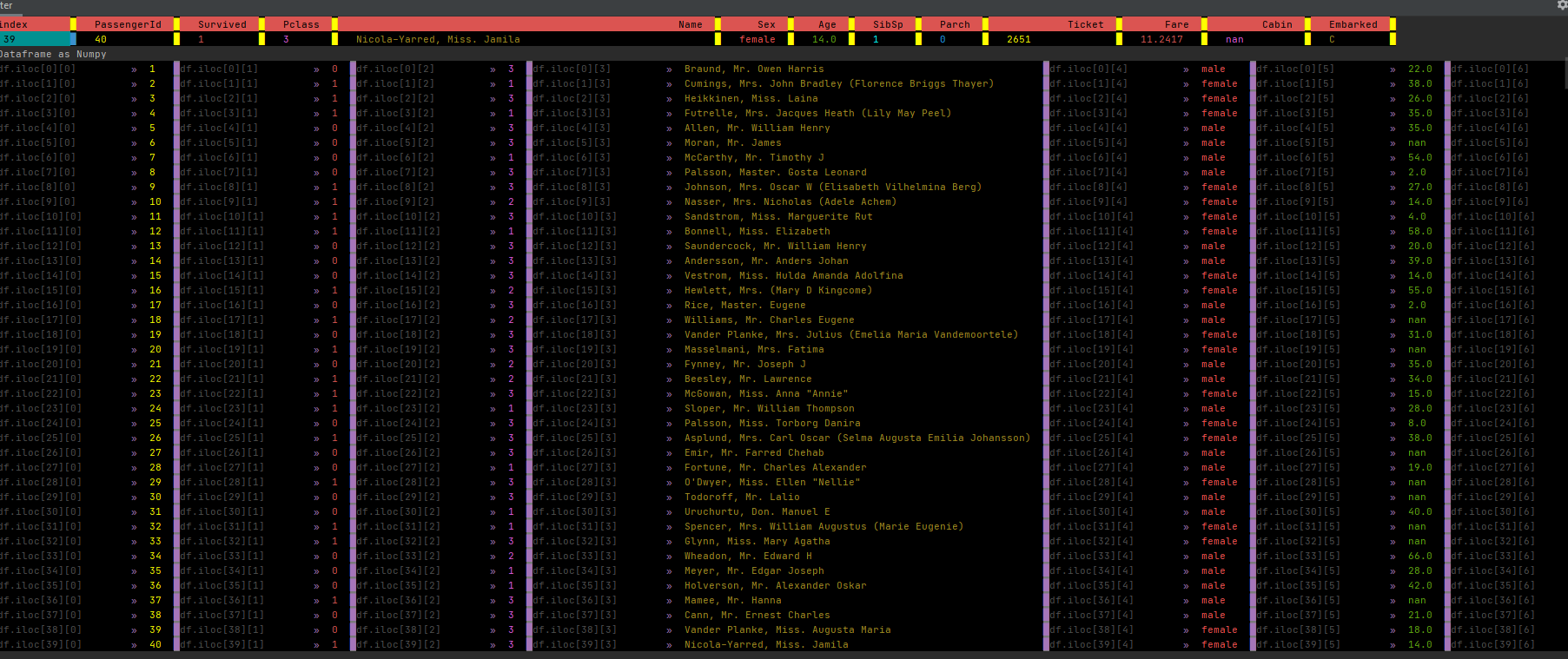
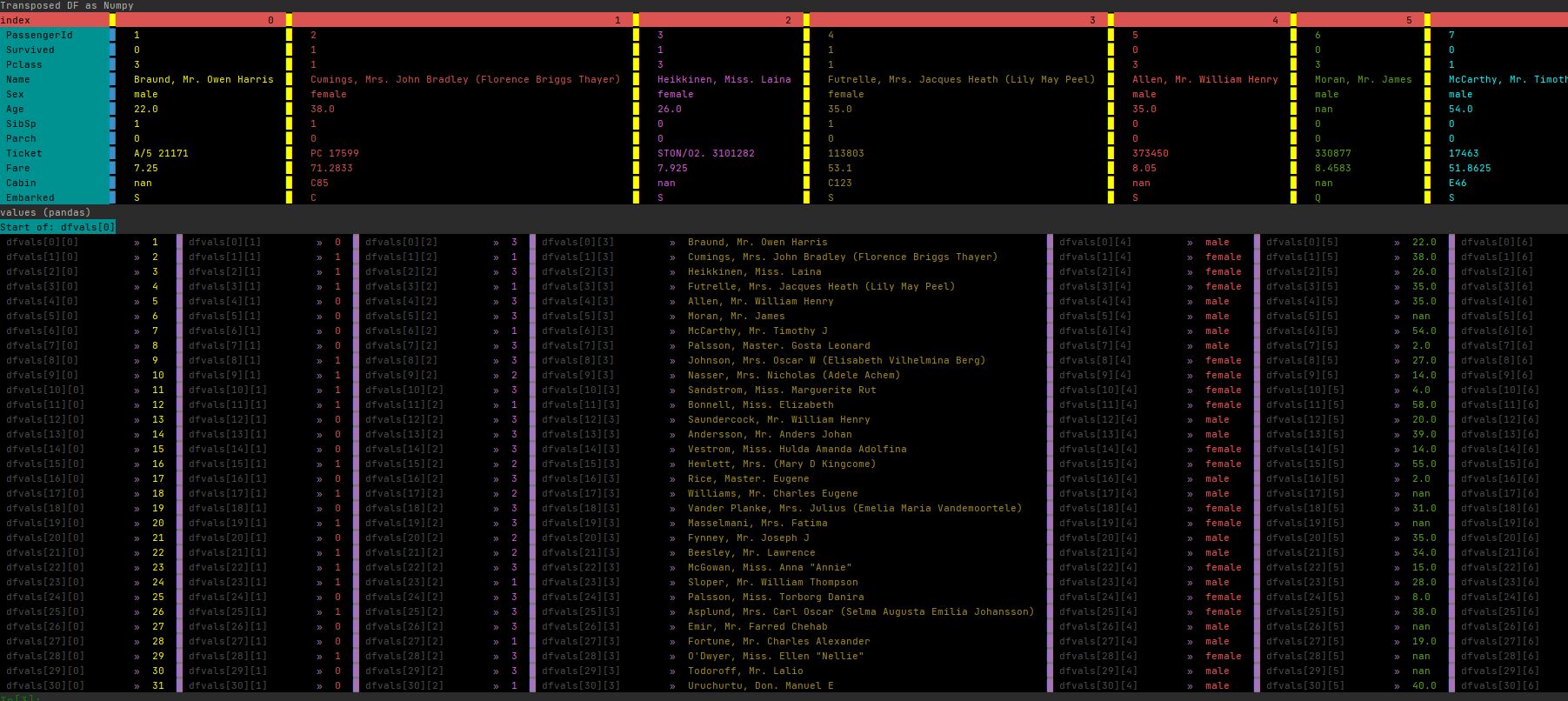
This is everything you have to do to use PrettyColorPrinter with pandas
from PrettyColorPrinter import add_printer
add_printer() #This function will add some methods to PandasObject

#Let’s import pandas and create a DataFrame:

import pandas as pd
df=pd.read_csv(r"https://github.com/pandas-dev/pandas/raw/main/doc/data/air_quality_no2_long.csv")
Update 2022/12/27
You can switch between the colored version and the black/white version.
import pandas as pd

from PrettyColorPrinter import add_printer, switch_color_bw

add_printer(True)

switch_color_bw()
Update 2022/10/08
Fixed a bug with empty DataFrames
Update 2022/10/05
add_printer(overwrite_pandas_printer=False)
If you pass overwrite_pandas_printer=True then the color printer will replace __str__ and __repr__ from pandas

You can configure the color printer using:
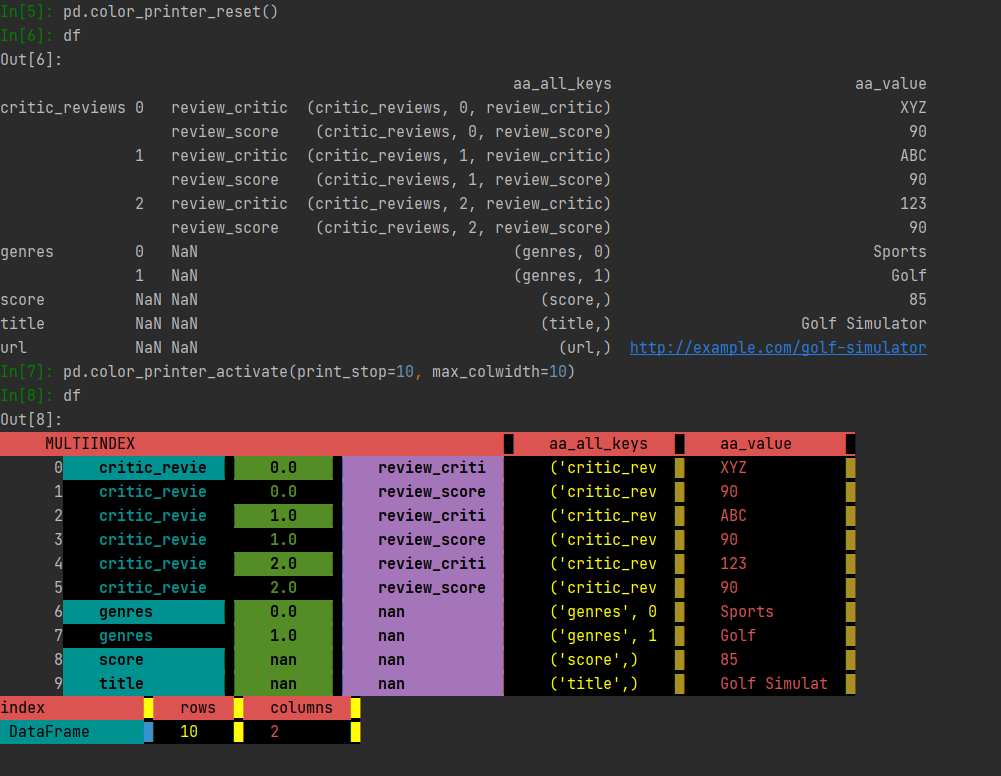
     pd.color_printer_activate(print_stop:int=69,max_colwidth:int=300,repeat_cols:int=70)
     print_stop = maximum lines to print
     max_colwidth = maximum column width
     repeat_cols = for better readability, the columns are printed each x row


    This is how you switch back and forth between standard pandas and color printer:
      pd.color_printer_reset() #to standard pandas
      pd.color_printer_activate() #to color printer
Have a look
from PrettyColorPrinter import add_printer
from a_pandas_ex_plode_tool import pd_add_explode_tools
import pandas as pd
pd_add_explode_tools()
add_printer(overwrite_pandas_printer=True)
data={'critic_reviews': [{'review_critic': 'XYZ', 'review_score': 90},
                    {'review_critic': 'ABC', 'review_score': 90},
                    {'review_critic': '123', 'review_score': 90}],
 'genres': ['Sports', 'Golf'],
 'score': 85,
 'title': 'Golf Simulator',
 'url': 'http://example.com/golf-simulator'}
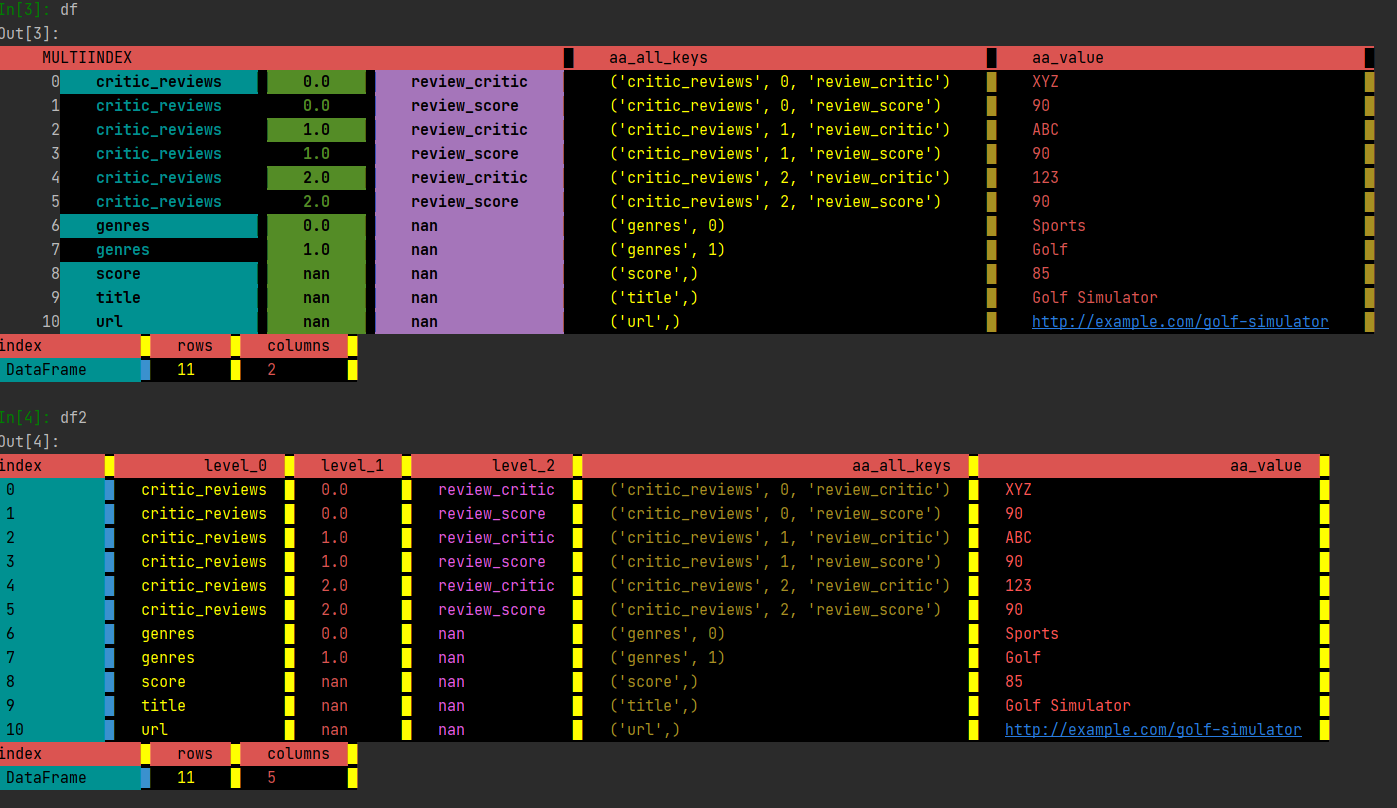
df = pd.Q_AnyNestedIterable_2df(data,unstack=False) #multiindex
df2 = df.d_unstack() #normal index
df #if you type df, you will get a colored dataframe instead of the regular pandas version
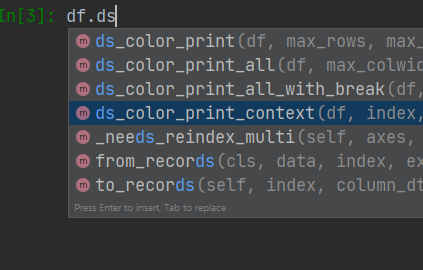
All methods added to pandas start either with:
-
ds_ (for DataFrames and Series)
-
s_ (only for Series)
-
d_ (only for DataFrames)
All methods that are added to PandasObject
-
ds_color_print
-
ds_color_print_all
-
d_color_print_columns
-
d_color_print_index
-
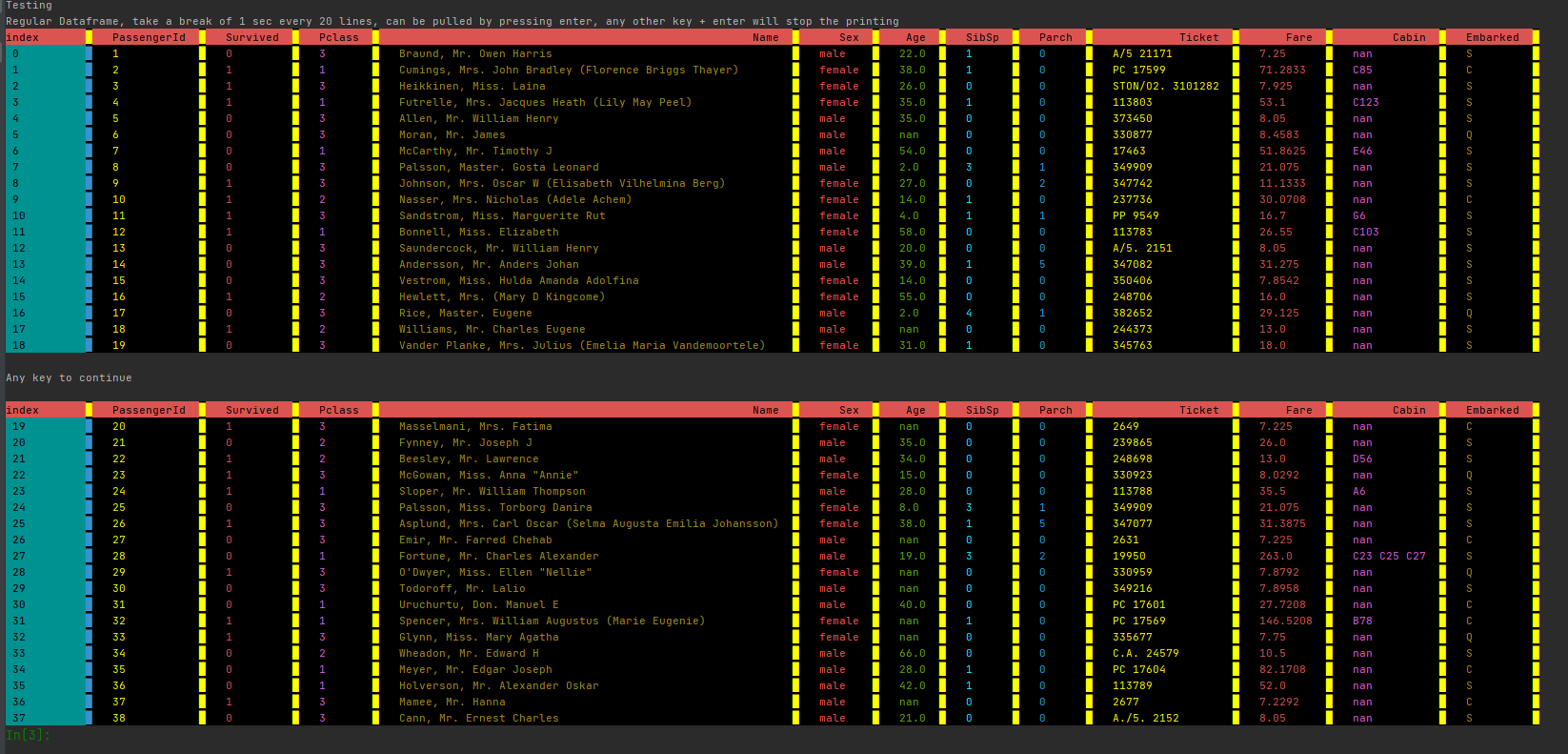
ds_color_print_all_with_break
-
ds_color_print_context
#If you want to see some examples:
from PrettyColorPrinter import print_test_from_pandas_github
print_test_from_pandas_github()

#If you need help
help(df.ds_color_print)
qq_ds_print(max_rows: int = 1000, max_colwidth: int = 300, repeat_cols: int = 70, asnumpy: bool = False, returndf: bool = False) -> Union[pandas.core.frame.DataFrame, pandas.core.series.Series, NoneType] method of pandas.core.frame.DataFrame instance
    Parameters
    ----------
    df : pd.DataFrame, pd.Series
        Array to print
    max_rows : int
        Stop printing after n lines (default is 1000)
    max_colwidth : int
        Width of each column (default is 300)
    repeat_cols : int (default is 70)
        Print columns again after n lines  (default is 70)
    asnumpy: bool (default is False)
        Converts pandas DataFrame to np before printing.
        If there are duplicated columns in a Pandas DataFrame,
        it changes to printasnp = True  (default is False)
    returndf:  bool (default is False)
        return the input DataFrame to allow chaining
Using PrettyColorPrinter without pandas
**
The function pdp can be used without pandas.
Doing it this way, you are not restricted to PandasObjects.
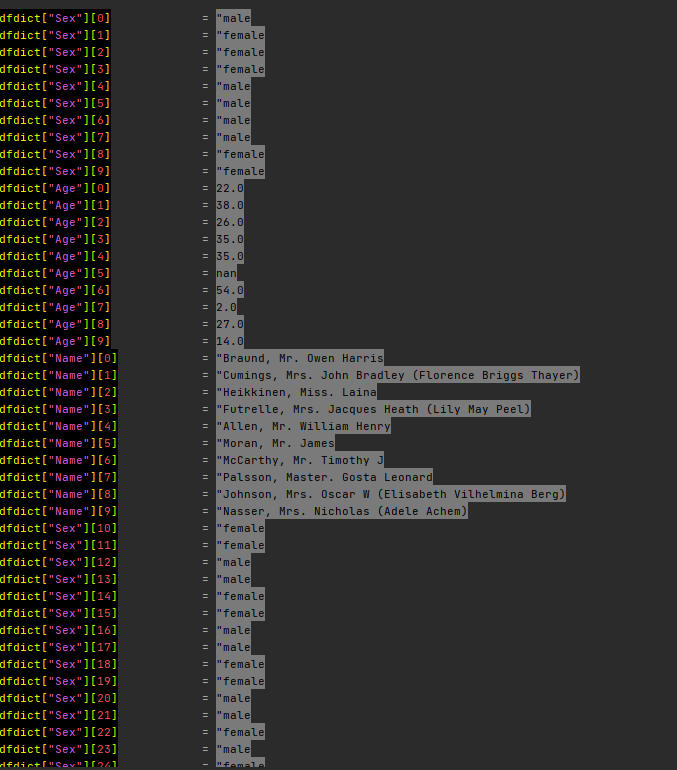
You can print lists, dicts, tuples, np.arrays, pd.DataFrames and pd.Series
**
from PrettyColorPrinter import pdp
Release history Release notifications | RSS feed


Download files
Download the file for your platform. If you're not sure which to choose, learn more about installing packages.
Source Distribution
Built Distribution
Filter files by name, interpreter, ABI, and platform.
If you're not sure about the file name format, learn more about wheel file names.
Copy a direct link to the current filters
File details
Details for the file PandasColorPrinter-0.40.tar.gz.
File metadata
- Download URL: PandasColorPrinter-0.40.tar.gz
- Upload date:
- Size: 15.7 kB
- Tags: Source
- Uploaded using Trusted Publishing? No
- Uploaded via: twine/4.0.1 CPython/3.9.13
File hashes
| Algorithm | Hash digest | |
|---|---|---|
| SHA256 |
d8ec724c7633511729877e60ca72578d5bf67bb8c5ae9de9fca73922637dea93
|
|
| MD5 |
b806fbb989df62862b2d0542915657ef
|
|
| BLAKE2b-256 |
aa25ca1efda4bee09da1b4e1fd116f2101e3b805ced140970c65363ca2615c96
|
File details
Details for the file PandasColorPrinter-0.40-py3-none-any.whl.
File metadata
- Download URL: PandasColorPrinter-0.40-py3-none-any.whl
- Upload date:
- Size: 16.4 kB
- Tags: Python 3
- Uploaded using Trusted Publishing? No
- Uploaded via: twine/4.0.1 CPython/3.9.13
File hashes
| Algorithm | Hash digest | |
|---|---|---|
| SHA256 |
7c74dd6d0efc3f9caabaf0b5b3f631cc0af92df9919e460b9f8ca60f068675d6
|
|
| MD5 |
f31fc9040e9dba9b8675c7daf22a819d
|
|
| BLAKE2b-256 |
4b2bd330e8d15b22a0b5439e20297a3565e8e9570f5e921f2a4f340c0101350b
|






