
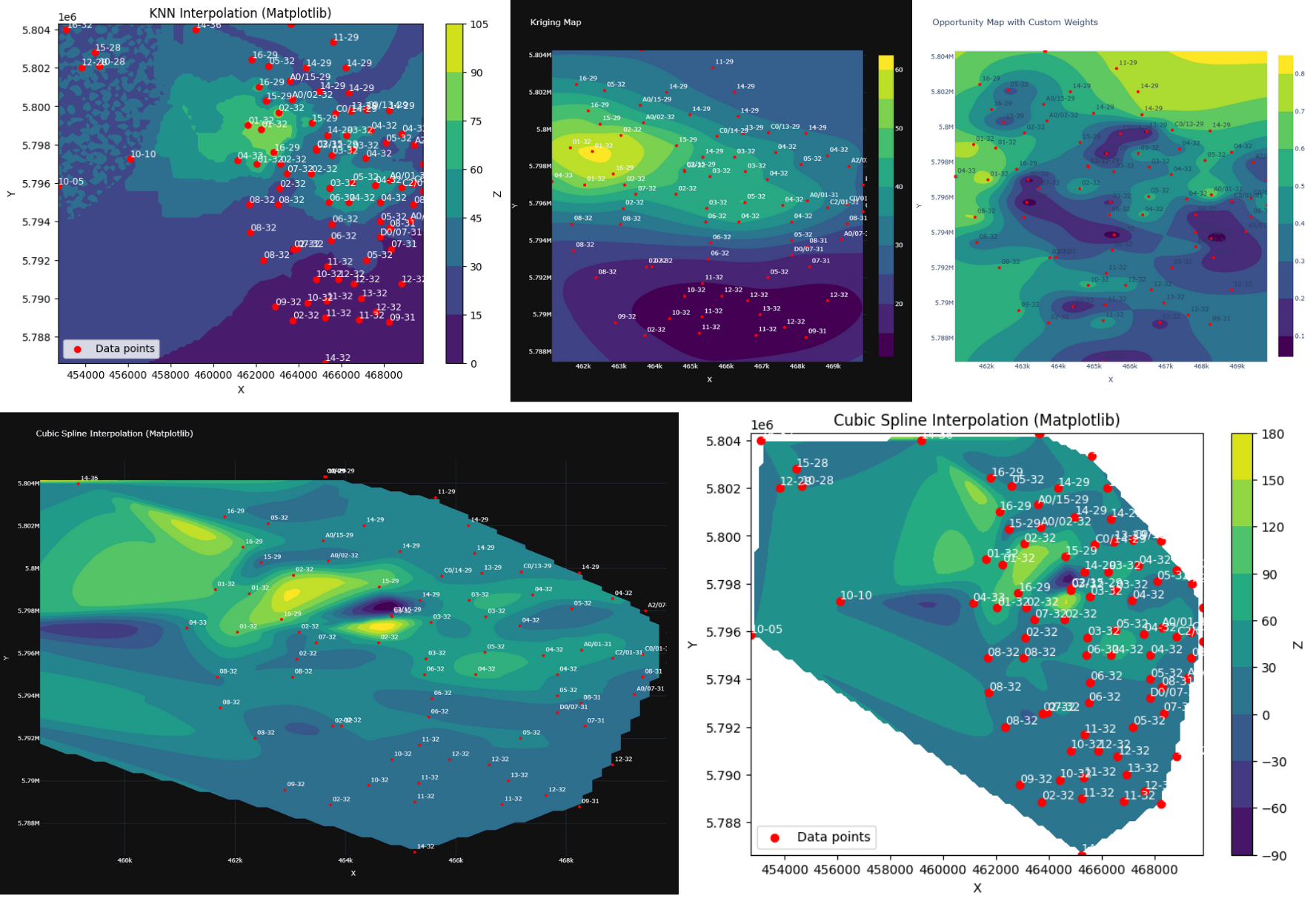
ContourMap Library Examples This notebook demonstrates the usage of the ContourMap class from the essentials.py library.
The ContourMap class is designed to generate contour plots from scattered 2D data (X, Y, and Z values) using different interpolation methods.
1. Setup
First, let's import the necessary libraries and the ContourMap class itself. We'll also generate some sample data to work with.
import numpy as np
import pandas as pd
import matplotlib.pyplot as plt

# You'll need to have your essentials.py file in the same directory
from PetroMap.essentials import ContourMap
import pandas as pd
data = pd.read_excel("cleaned xy data.xlsx")
X = data.XCOORD
Y = data.YCOORD
Z = data.PAY
well_names = data.ALIAS.to_list()
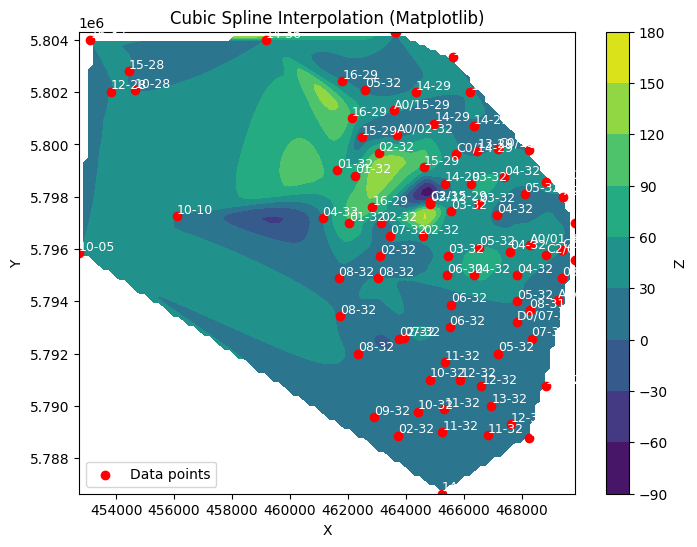
2. Cubic Spline Interpolation with Matplotlib
The default interpolation method for ContourMap is cubic spline interpolation. This is great for creating a smooth, continuous surface. By default, the backend is set to 'matplotlib'.
# Create a ContourMap instance for cubic interpolation
contour_cubic_mpl = ContourMap(X, Y, Z, well_names=well_names)

# Plot the map and display it
fig = contour_cubic_mpl.plot_cubicmap(title="Cubic Spline Interpolation (Matplotlib)")
plt.show()
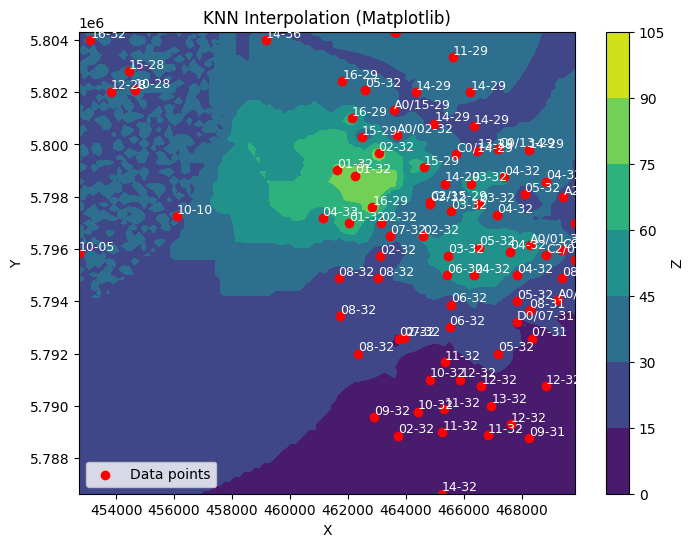
3. K-Nearest Neighbors (KNN) Interpolation
The plot_knnmap method uses a machine learning approach (KNN) to interpolate the data. This can be useful for data with sharp discontinuities.
# Create a ContourMap instance for KNN interpolation
contour_knn_mpl = ContourMap(X, Y, Z, well_names=well_names)

# Plot the map using KNN with 5 neighbors
fig = contour_knn_mpl.plot_knnmap(title="KNN Interpolation (Matplotlib)", n_neighbors=5)
plt.show()
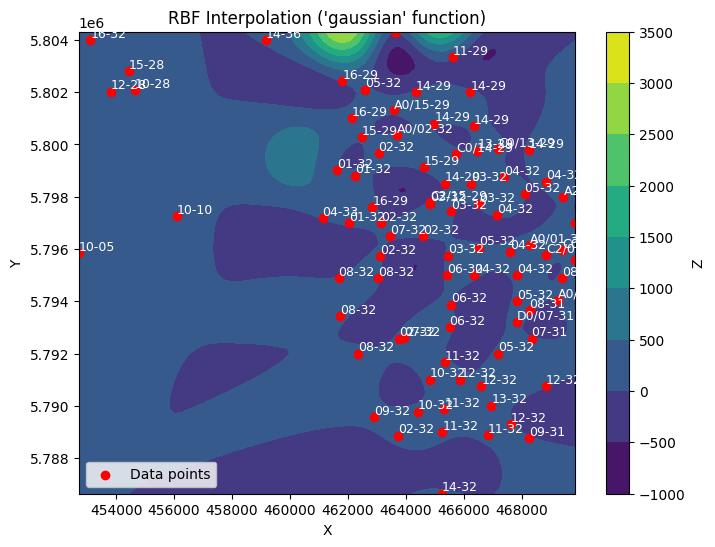
4. Radial Basis Function (RBF) Interpolation
The plot_rbfmap method provides another powerful interpolation technique. You can specify different functions to control the shape of the surface.
# Create a ContourMap instance for RBF interpolation
contour_rbf_mpl = ContourMap(X, Y, Z, well_names=well_names)

# Plot the map using RBF with the 'gaussian' function
fig = contour_rbf_mpl.plot_rbfmap(title="RBF Interpolation ('gaussian' function)", function='gaussian')
plt.show()
5. Using the Plotly Backend
If you have Plotly installed, you can use a more interactive backend for your plots.
# Create a ContourMap instance for cubic interpolation
contour_cubic_mpl = ContourMap(X, Y, Z, well_names=well_names, backend="plotly")

# Plot the map and display it
fig = contour_cubic_mpl.plot_cubicmap(title="Cubic Spline Interpolation (Matplotlib)")
fig.update_layout(height=1000, template="plotly_dark")
6. Using the Kriging Interploation
You can use Kriging interpolation to distribute geospatial properties using PyKrige Library
# Create a ContourMap instance for Kriging Simulation
contour_cubic_mpl = ContourMap(X, Y, Z, well_names=well_names, backend="plotly")

# Plot the map and display it
fig = contour_cubic_mpl.plot_krigemap(title="Kriging Map")
fig.update_layout(height=800)

1 maintainer

Metadata
1 maintainer
Release files for PetroMap 0.1.53
For a detailed explanation of source distributions (sdists) and built distributions (wheels), please see the package formats documentation.
Source distribution (sdist)
| File | Size | Uploaded | |
|---|---|---|---|
| petromap-0.1.53.tar.gz | 5.0 kB | Details |
Built distribution (wheel)
| File | Interpreter | ABI | Platform | Reset |
|---|---|---|---|---|
| petromap-0.1.53-py3-none-any.whl | Python 3 | none | any | Details |
Total release size: 10.1 kB
Release files / petromap-0.1.53.tar.gz
| Download URL | petromap-0.1.53.tar.gz |
|---|---|
| Size | 5.0 kB |
| Tags | Source |
|
SHA-256 checksum How to use checksums |
c0a647dc525c5ce11a3fff63a76ceaf2d57f24ece0f2c4e0330766cb07111d40
|
|
BLAKE2b-256 checksum How to use checksums |
68175899709e7b5fd8629203c8779063af6bef666b3abcaaa597c578696bed59
|
| Upload date | |
|
Uploaded using Trusted Publishing? What is trusted publishing? |
No |
| Uploaded via |
twine/6.2.0 CPython/3.11.14
|
Release files / petromap-0.1.53-py3-none-any.whl
| Download URL | petromap-0.1.53-py3-none-any.whl |
|---|---|
| Size | 5.1 kB |
| Tags | Python 3 |
|
SHA-256 checksum How to use checksums |
7a55acf0edbdd5a3ab55078e6a7faf5570f9a2c4a72394682bdf5859413f83ac
|
|
BLAKE2b-256 checksum How to use checksums |
5132b99b7c2f7f146bc9c0a6fbaa82f931efe8a0bf3dbd6c47abe9bf8fa3111a
|
| Upload date | |
|
Uploaded using Trusted Publishing? What is trusted publishing? |
No |
| Uploaded via |
twine/6.2.0 CPython/3.11.14
|














