
A Python CLI-Tool and package to pixelate or blur faces in images and videos.

Project description
Welcome to PixelateMe 👋
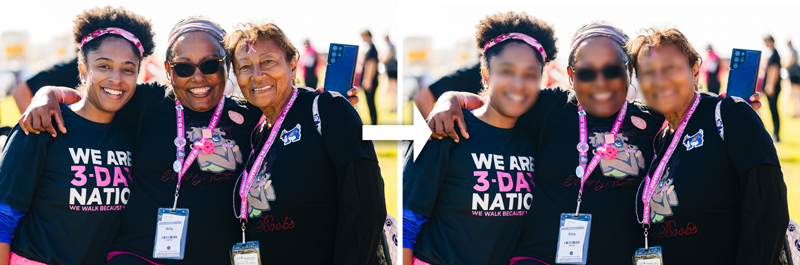
Your python package to anonymize faces in images and videos



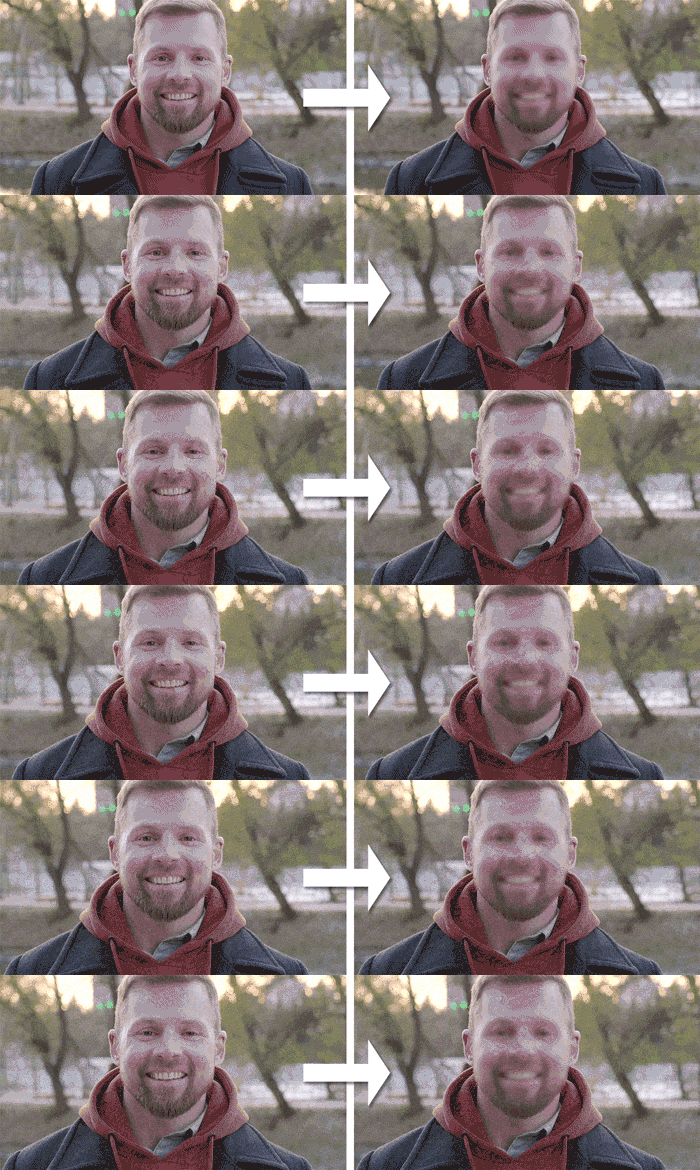
With this CLI tool you can pixelate, blur or remove faces from videos and images. GPU acceleration supported.
⚡️ Quickstart
📥 Install
pip install pixelateme
With GPU support (additionally installs onnxruntime-gpu:
pip install pixelateme[gpu]
▶️ Run
After installation, pip registers a shortcut binary which can be called (on windows for example) like this:
pixelateme --mode blur FOLDER_OR_FILES
This will create a new pixelated folder, where all the pixelated files are stored.
🎯 Features
- Different anonymization modes: pixelate, blur and color
- GPU acceleration
- Preview of current processed files
- Face Recognition to only blur specific faces or to blur all faces except specific ones
- ONNXRT and OpenCV runtime backend
- Process multiple files in parallel
💻 CLI Arguments
--suffix: Filename suffix of processed files. Default:--output(-o): Output directory for processed files. Default: ./pixelated--mode(-m): Mode of anonymization. Default: pixelate--threshold(-t): Threshold for detected faces (higher means more confidence). Default: 0.5--backend: Desired backend (e.g. opencv or onnxrt). Auto prefers onnxrt and falls back to opencv. Default: auto--only-blur-this-faces: Folder containing images of faces (one face per image), which should be considered for anonymization. All other faces won't be anonymized. Default: None--blur-except-this-faces: Folder containing images of faces (one face per image), which should be ignored for anonymization. Default: None--ellipse: Uses ellipses as form for anonymization. Default is rectangle--blur-strength: Defines how "blurry" a face will be. Only working with--mode"blur". Default: 3--pixelate-size: Size of pixelation effect. The higher the value, the harder it is to recognize the face. Default: 16--deepface-similarity: Maximum similarity between two faces. Higher value means, that more faces are considered as equal. Only working in combination with--blur-except-this-facesor--only-blur-this-faces. Default: 0.4--preview: Enable preview of the currently processed image. No preview is default--face-recognition-size: Image size to use for face recognition. Format: WxH (e.g. 720x480). Default: None--maximum-face-recognition-size: Maximum number of pixels of the longest side for face recognition. Images larger than this will be downscaled for face recognition. This doesn't affect output resolution. Default: 640--multiprocessing: Enable multiprocessing to process files in videos. Useful when anonymizing multiple large videos. Disabled by default--parallel-processes: Number of parallel processes. Only works with--multiprocessingenabled. Default: 4
👏 Acknowledgements
- deface: Deface inspired me to create this package and how to implement CenterFace
- CenterFace: Used for face detection
- DeepFace: Used for face recognition
- ONNX: Backend for face detection
- OpenCV: Backend for face detection, used for I/O and face anonymization (blur, pixelation and color)
👥 Author
👤 Marius Butz
- Website: http://marius-butz.de
⭐️ Show your support


Download files
Download the file for your platform. If you're not sure which to choose, learn more about installing packages.
Source Distribution
Built Distribution
Filter files by name, interpreter, ABI, and platform.
If you're not sure about the file name format, learn more about wheel file names.
Copy a direct link to the current filters
File details
Details for the file PixelateMe-0.3.1.tar.gz.
File metadata
- Download URL: PixelateMe-0.3.1.tar.gz
- Upload date:
- Size: 7.0 MB
- Tags: Source
- Uploaded using Trusted Publishing? No
- Uploaded via: twine/4.0.1 CPython/3.11.2
File hashes
| Algorithm | Hash digest | |
|---|---|---|
| SHA256 |
4747fd58888357f51641c5bfb3298b05cff487840e4b74c74c69c0e9188e1eaa
|
|
| MD5 |
c3cd7d3ad66ab4f863401930f6fe2b42
|
|
| BLAKE2b-256 |
3a76e2258f29dc00dca12e37e308f9377a66365e39d5deb799bf7085a44055c2
|
File details
Details for the file PixelateMe-0.3.1-py3-none-any.whl.
File metadata
- Download URL: PixelateMe-0.3.1-py3-none-any.whl
- Upload date:
- Size: 7.0 MB
- Tags: Python 3
- Uploaded using Trusted Publishing? No
- Uploaded via: twine/4.0.1 CPython/3.11.2
File hashes
| Algorithm | Hash digest | |
|---|---|---|
| SHA256 |
4bbe778c0d900856b6349d2a9fd25982080d2af5279b1b06cfa069e442c79c79
|
|
| MD5 |
1adfafefe9d0f803868a6c4efcd4c46b
|
|
| BLAKE2b-256 |
c4f2066f3bc6d7eaab59f905bc3b8d93b60bc186e01abd93d41cb2a4d0fbeafa
|






