
plotly.py
| Latest Release |

|
| User forum |

|
| PyPI Downloads |

|
| License |

|
Quickstart
pip install plotly
import plotly.express as px
fig = px.bar(x=["a", "b", "c"], y=[1, 3, 2])
fig.show()
See the Python documentation for more examples.
Overview
plotly.py is an interactive, open-source, and browser-based graphing library for Python ✨
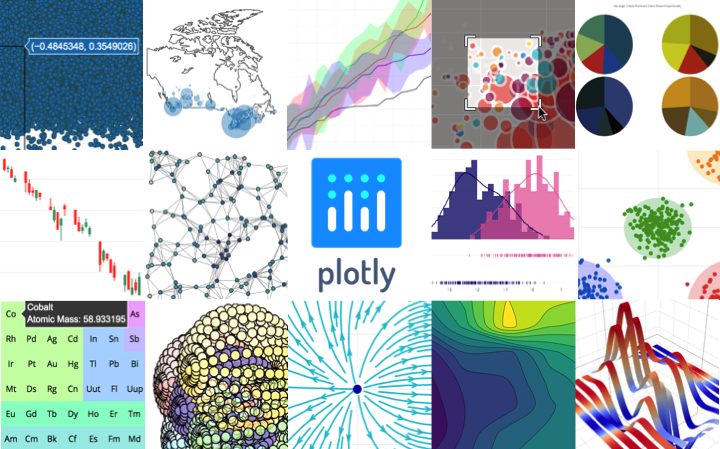
Built on top of plotly.js, plotly.py is a high-level, declarative charting library. plotly.js ships with over 30 chart types, including scientific charts, 3D graphs, statistical charts, SVG maps, financial charts, and more.
plotly.py is MIT Licensed. Plotly graphs can be viewed in Jupyter notebooks, other Python notebook software such as marimo, as standalone HTML files, or integrated into Dash applications.
Contact us for consulting, dashboard development, application integration, and feature additions.
Installation
plotly.py may be installed using pip
pip install plotly
or conda.
conda install -c conda-forge plotly
Jupyter Widget Support
For use as a Jupyter widget, install jupyter and anywidget
packages using pip:
pip install jupyter anywidget
or conda:
conda install jupyter anywidget
Static Image Export
plotly.py supports static image export,
using the kaleido
package (version 1.0 or greater).
Kaleido has minimal dependencies and can be installed using pip
pip install -U kaleido
or conda
conda install -c conda-forge python-kaleido
Kaleido requires Chrome or Chromium to generate images. By default, Kaleido will use the Chrome or Chromium version already installed on your system. If you don't have it installed or Kaleido can't find it, you may need to install it by running the command:
plotly_get_chrome
on your command line.
Copyright and Licenses
Code and documentation copyright 2026 Plotly, Inc.
Code released under the MIT license.
Docs released under the Creative Commons license.
8 maintainers


Metadata
8 maintainers
Release files for plotly 7.1.0
For a detailed explanation of source distributions (sdists) and built distributions (wheels), please see the package formats documentation.
Source distribution (sdist)
| File | Size | Uploaded | Provenance | Actions |
|---|---|---|---|---|
| plotly-7.1.0.tar.gz | 6.7 MB | Without provenance | Details for plotly-7.1.0.tar.gz |
Built distribution (wheel)
| File | Interpreter | ABI | Platform | Actions Reset |
|---|---|---|---|---|
| plotly-7.1.0-py3-none-any.whl | Python 3 | none | any | Details for plotly-7.1.0-py3-none-any.whl |
Total release size: 16.4 MB
Release files / plotly-7.1.0.tar.gz
| Download URL | plotly-7.1.0.tar.gz |
|---|---|
| Size | 6.7 MB |
| Tags | Source |
|
SHA-256 checksum How to use checksums |
f860166a4a3d78c69cb1f4a15f28a5c8283eade98a282a698f3bb853a449ace5
|
|
BLAKE2b-256 checksum How to use checksums |
49c372b369f5ed7701b04ab0ea3dcf83e9bbce71c0b3bc6f07f87568550d09ea
|
| Upload date | |
|
Uploaded using Trusted Publishing? What is trusted publishing? |
No |
| Uploaded via |
twine/7.0.0 CPython/3.13.11
|
Release files / plotly-7.1.0-py3-none-any.whl
| Download URL | plotly-7.1.0-py3-none-any.whl |
|---|---|
| Size | 9.7 MB |
| Tags | Python 3 |
|
SHA-256 checksum How to use checksums |
dbb7fa18afce40d0a8e80d1bf162eceb3faa0ce5a77fe741ad09a74cf78f53f3
|
|
BLAKE2b-256 checksum How to use checksums |
e57d905a3a3d51087515719058c94cfbda2ff0fc14417c20d557ae3e82d8b250
|
| Upload date | |
|
Uploaded using Trusted Publishing? What is trusted publishing? |
No |
| Uploaded via |
twine/7.0.0 CPython/3.13.11
|
Security for plotly 7.1.0
Provenance
Provenance describes where a file came from. On PyPI, provenance is shared via attestations, which provide a verifiable record of the build or publishing details. View details, limitations and caveats.
No provenance found
None of the files in this release were uploaded with provenance metadata.
A note on package security
PyPI is a repository for distributing packages, not a service for auditing them. While third-party security researchers and our staff do their best to detect and remove malicious packages, PyPI cannot guarantee the quality, security or suitability of any given package.
To learn more about protecting yourself from malicious actors, visit our package security documentation.














