
PyCollision
This is a collision detection program that makes use of rectangles to detect collision.
Quick example using pygame:
import pygame
import random
from pycollision import Collision

pygame.init()

screen = pygame.display.set_mode((1000, 800))

player_rect = pygame.Rect(0, 0, 50, 50)

collision_check = Collision(r"sample.png", (15, 15), wall_collision=False) # set wall collision to True if you want to check the collision only at the walls, this will be much faster
collision_object = pygame.image.load(r"sample.png").convert_alpha()

colors = [(random.randint(0, 255), random.randint(0, 255), random.randint(0, 255)) for x in
          range(len(collision_check.collision_points()))]

running = True
speed = 1.5
pos_x, pos_y = (10, 10)

coll_font = pygame.font.SysFont('Consolas', 50)

while running:

    screen.fill((255, 255, 255))

    for event in pygame.event.get():

        if event.type == pygame.QUIT:
            running = False

    pos_x, pos_y = pygame.mouse.get_pos()

    colliding, pos = collision_check.smart_check((pos_x, pos_y)) # checks if the point is first inside the outer rectangle then checks if it is inside the image
    # rect = (player_rect.x, player_rect.y, player_rect.x+player_rect.width, player_rect.height+player_rect.y)
    # colliding, pos = collision_check.rect_collide(rect)
    if colliding:
        screen.fill((255, 16, 8))
        screen.blit(coll_font.render("Collision", True, (255, 255, 255)), (50, 50))

    screen.blit(collision_object, (0, 0))

    # for color, x in zip(colors, collision_check.collision_points()):  # uncomment this to get colourful rectangles
    #     x = (x[0], x[1], x[2] - x[0], x[3] - x[1])
    #     pygame.draw.rect(screen, color, pygame.Rect(x), width=3)

    player_rect = pygame.Rect(pos_x, pos_y, 50, 50)
    pygame.draw.rect(screen, (0, 0, 0), player_rect)

    pygame.display.update()
save the below sample image in the same directory as the program and give a test run.
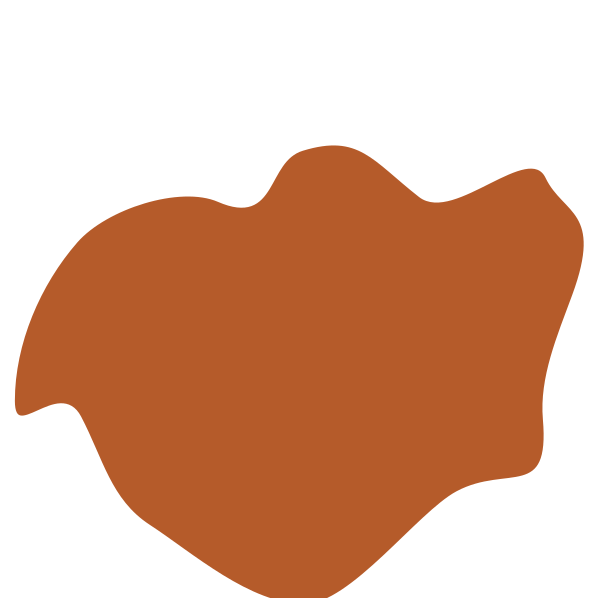
Check out more examples here.
Refer documentation here
1 maintainer

Metadata
1 maintainer
Release files for PyCollision 0.0.2
For a detailed explanation of source distributions (sdists) and built distributions (wheels), please see the package formats documentation.
Source distribution (sdist)
| File | Size | Uploaded | |
|---|---|---|---|
| PyCollision-0.0.2.tar.gz | 4.7 kB | Details |
Built distribution (wheel)
| File | Interpreter | ABI | Platform | Reset |
|---|---|---|---|---|
| PyCollision-0.0.2-py3-none-any.whl | Python 3 | none | any | Details |
Total release size: 10.5 kB
Release files / PyCollision-0.0.2.tar.gz
| Download URL | PyCollision-0.0.2.tar.gz |
|---|---|
| Size | 4.7 kB |
| Tags | Source |
|
SHA-256 checksum How to use checksums |
abde7d16dacad9c967450ee90e865bfd9e6697337890a4853e573e7a3c4b86ed
|
|
BLAKE2b-256 checksum How to use checksums |
7cca75271a29e308dafdde0ea5b3a87b3eaad8eb3407ff21db5f460d1decc4de
|
| Upload date | |
|
Uploaded using Trusted Publishing? What is trusted publishing? |
No |
| Uploaded via |
twine/3.4.2 importlib_metadata/4.6.3 pkginfo/1.7.1 requests/2.26.0 requests-toolbelt/0.9.1 tqdm/4.62.0 CPython/3.9.6
|
Release files / PyCollision-0.0.2-py3-none-any.whl
| Download URL | PyCollision-0.0.2-py3-none-any.whl |
|---|---|
| Size | 5.8 kB |
| Tags | Python 3 |
|
SHA-256 checksum How to use checksums |
c8601d4b421055b3597e710e318062aaf234b0ef932154b0ab56feda598ea7f2
|
|
BLAKE2b-256 checksum How to use checksums |
e9e3be2b5d886cecf0c2e441370062da099cc813114005a637c9879e3f290ebd
|
| Upload date | |
|
Uploaded using Trusted Publishing? What is trusted publishing? |
No |
| Uploaded via |
twine/3.4.2 importlib_metadata/4.6.3 pkginfo/1.7.1 requests/2.26.0 requests-toolbelt/0.9.1 tqdm/4.62.0 CPython/3.9.6
|














