
A modern and customizable python GUI interface library built from the PySide6 library

Project description
CustomPyQt
CustomPyQt is a python GUI interface library built from the PySide6 library, providing a modern and consistant interface with styled widgets and dark and light themes; all widget's colors can be styled in ("light", "dark") format. CustomPyQt can also be used or integrated with PySide and PyQt versions as long as PySide6 is installed.
Requirements
- Python 3.9, 3.10, 3.11, 3.12, or 3.13
- Pyside6 (you can install with the command
pip install PySide6)
Installation
pip install PyCt6
If there is any issues you can try python -m pip install PyCt6 and if that still doesn't work you can also try python3.13 -m pip install PyCt6 using whatever python version you have
Documentation
The documentation can be found on this Github Wiki page:
CustomPyQt Documentation and Tutorial
Example Program
Here is a simple example program with only one button to test the CustomPyQt library:
from PyCt6 import CMainWindow, CButton, set_appearance_mode, set_color_theme
from PySide6.QtWidgets import QApplication, QVBoxLayout
from PySide6.QtCore import Qt

set_appearance_mode("system")
set_color_theme("blue")

class MainWindow(CMainWindow):
    def __init__(self):
        super().__init__(width=400, height=250, title="CMainWindow", background_color="rgb(30,30,30)")

        self.main_layout = QVBoxLayout()
        self.main_layout.setAlignment(Qt.AlignmentFlag.AlignCenter)

        self.button = CButton(master=self, text="CButton", command=self.command)

        self.main_layout.addWidget(self.button)
        self.setLayout(self.main_layout)

    def command(self):
        print("Button Clicked!")

app = QApplication()
win = MainWindow()
win.show()
app.exec()
which results in this window on Windows 11
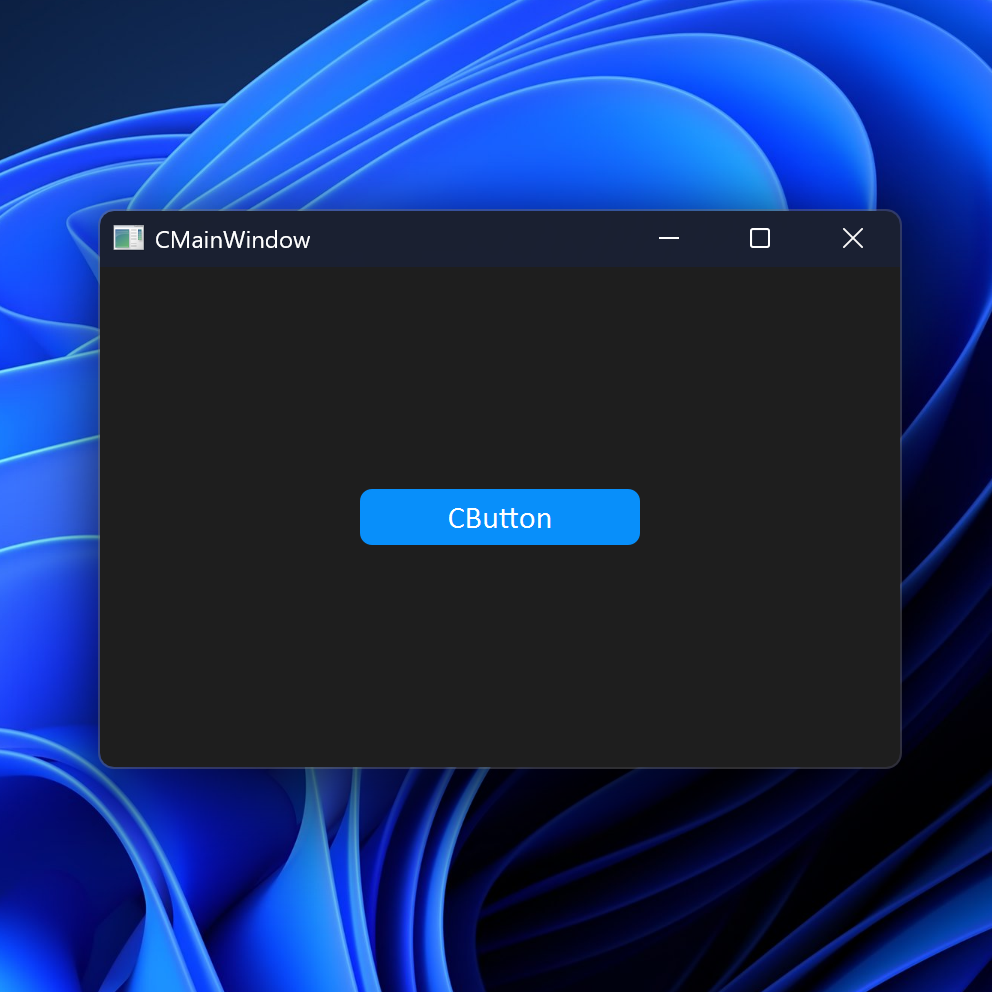
You can find more example programs in the examples folder and in the documentation
Contribution
Feel free to donate with PayPal to help support and contribute to this project :) Thanks!


Download files
Download the file for your platform. If you're not sure which to choose, learn more about installing packages.
Source Distributions
Built Distribution
Filter files by name, interpreter, ABI, and platform.
If you're not sure about the file name format, learn more about wheel file names.
Copy a direct link to the current filters
File details
Details for the file pyct6-6.0.2-py3-none-any.whl.
File metadata
- Download URL: pyct6-6.0.2-py3-none-any.whl
- Upload date:
- Size: 39.3 kB
- Tags: Python 3
- Uploaded using Trusted Publishing? No
- Uploaded via: twine/6.1.0 CPython/3.12.10
File hashes
| Algorithm | Hash digest | |
|---|---|---|
| SHA256 |
717acea62635a655aa1cf3f73307ed329e7b6d21e7ada46ccd14d2177cbd06dd
|
|
| MD5 |
763cb509b26b37dfbaa052295414860a
|
|
| BLAKE2b-256 |
8f29959c3b72b287b5aadbc2005c12562927eb91d9f31864a44a100bb2f4e7cd
|






